Website redesign: A comprehensive guide to boost your online presence


Share Website redesign: A comprehensive guide to boost your online presence
Explore more from
Design basics
From wireframe to website, faster
Design, prototype, and refine every page.

Your website shapes how customers experience your brand. When it falls short—through slow performance, dated design, or confusing navigation—you risk losing valuable opportunities. A strategic website redesign can transform both user experience and business results. But how do you know if a redesign is necessary, and what should you prioritize?
Read on to learn:
- What a website redesign is
- How it differs from a website refresh
- Signs that it’s time for a redesign
- How to redesign a website in five phases
What is a website redesign?
A website redesign transforms your website’s foundation to serve business goals and user needs better. This comprehensive process includes looking at the following:
- Content. Updating, rewriting, and reorganizing existing content or creating new content
- Structure. Redesigning the website architecture, including navigation, page layouts, and information organization
- Design. Changing the visual appearance, including colors, fonts, imagery, and overall design style
- Navigation. Improving how users find information on the site, including changes to menus and site structure
By optimizing every aspect of your site, a redesign can drive powerful results: stronger performance, a better user experience, and better conversion rates.
Website redesign vs. website refresh

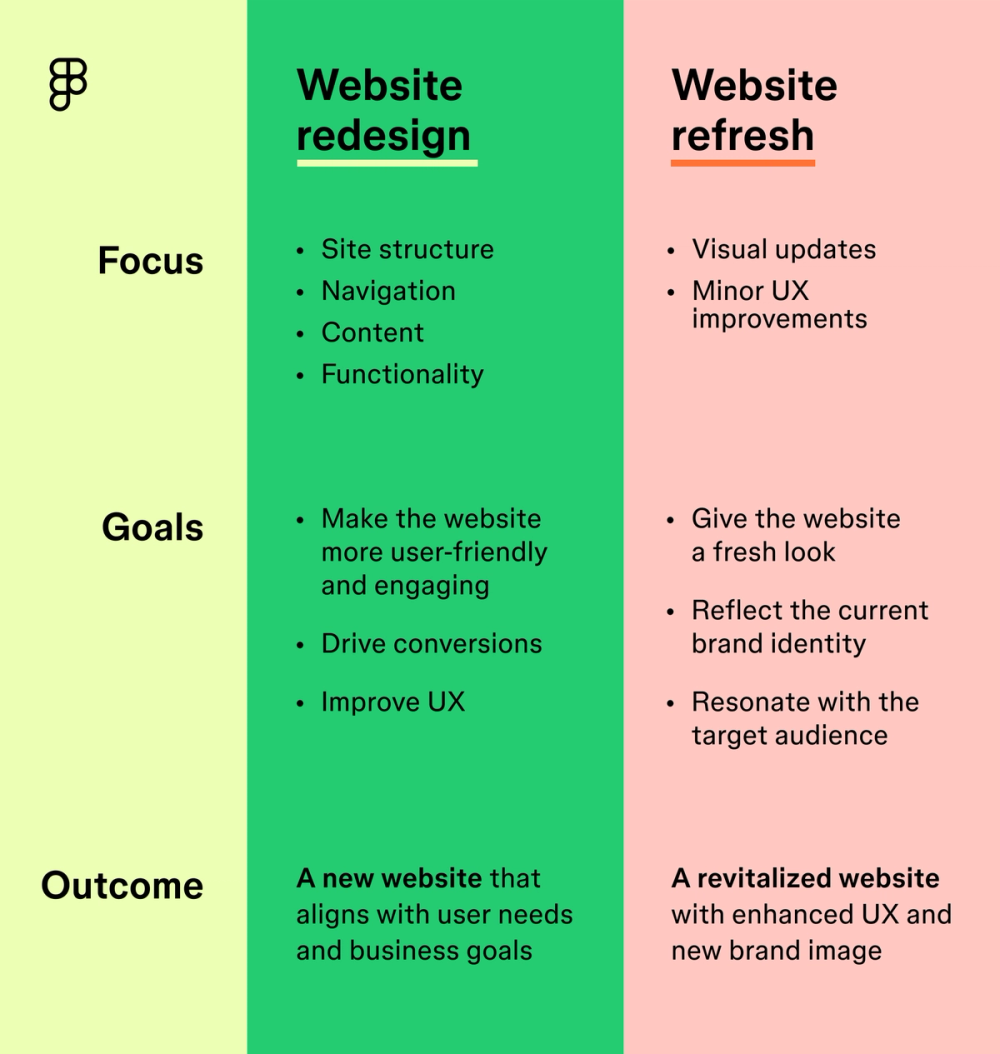
Website refreshes and redesigns serve different strategic purposes:
A website refresh updates visual elements and minor user experience improvements to align with your current brand identity. Think updated color schemes, images and icons, and subtle layout adjustments.
A website redesign transforms your digital foundation through strategic changes to the site architecture, functionality, and user experience. This comprehensive approach realigns your digital presence with key business goals and user needs.
For example, Figma’s recent brand refresh began by gaining a deeper understanding of how people used the platform. The team mapped out key user activities and interactions, which served as the foundation for the new visual language. Figma understood its users, their needs, and their behavior to help inform its redesign efforts and make critical design decisions.
Five signs it’s time for a website redesign
Staying proactive is key to maintaining your website. Watch for these key indicators that signal the need for a strategic redesign:
- Outdated design. A design that no longer aligns with your current brand or looks outdated compared to your competitors can signal that a redesign is needed.
- Poor user experience. A frustrating or confusing user experience can send visitors away, affecting conversions. High bounce rates, complicated navigation, and poor website responsiveness can all be signs of UX problems.
- Performance issues. Slow load times, error messages, or interaction delays may signal larger issues that impact user engagement.
- Declining metrics. If your website isn’t converting visitors into customers, it may be time to reconsider its design and functionality.
- Security vulnerabilities. Outdated code and architecture make your website more prone to security risks and compliance issues.
How to redesign a website in five phases

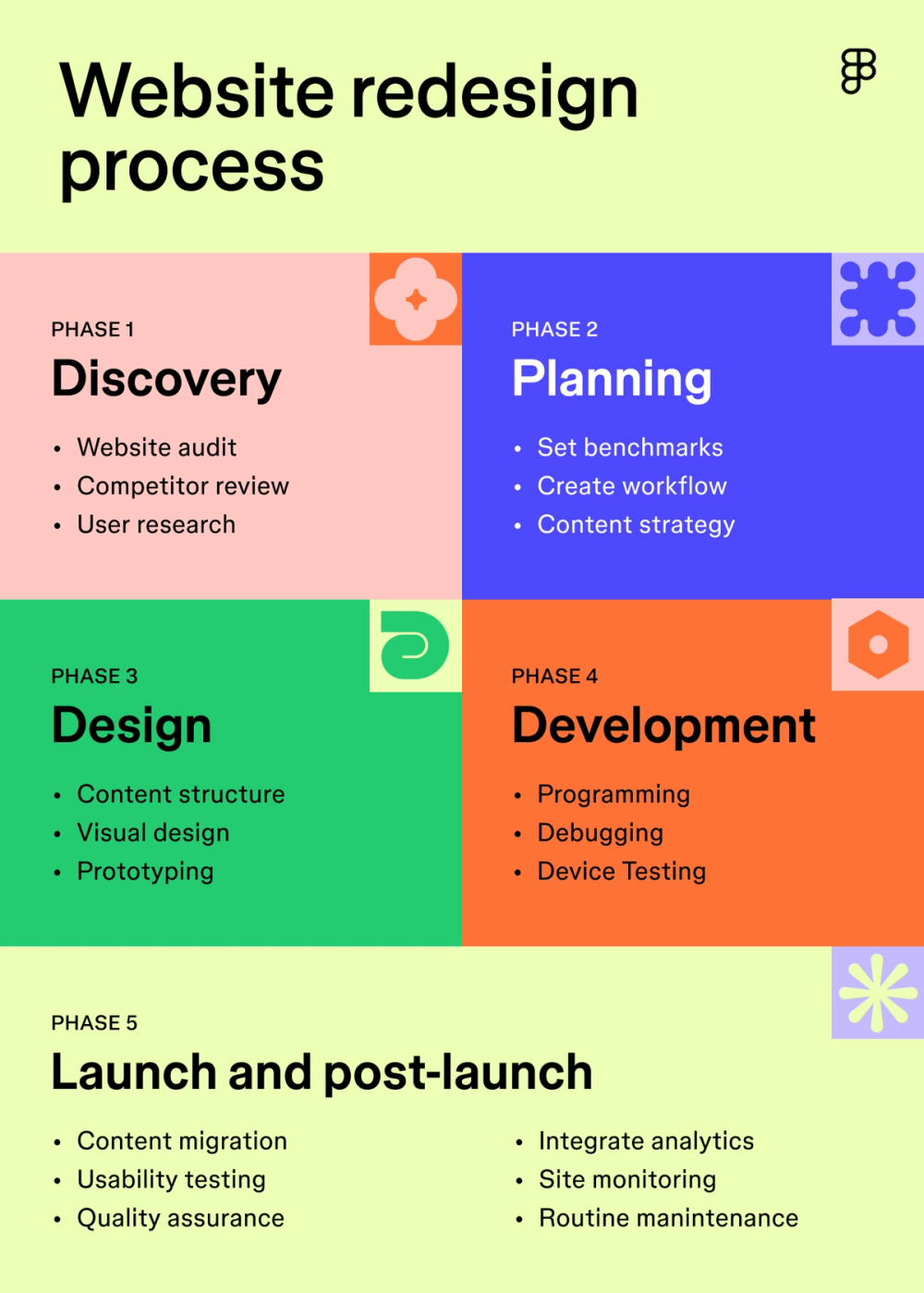
Approaching a website redesign requires strategic planning and clear phases. Here’s a breakdown of the process:
Phase 1: Discovery and research
Start by analyzing your current website’s performance and gathering key insights to inform your redesign strategy.
Run a website audit
Evaluate your current site across these key areas:
- Technical performance, including load speeds, mobile responsiveness, and server response times
- User behavior like bounce rates, average time on site, and user paths
- Conversion metrics like form completion rates, call-to-action effectiveness, and shopping cart abandonment rates
- UX elements, analyzing things like navigation paths, information architecture, and user flows
Review competitor websites

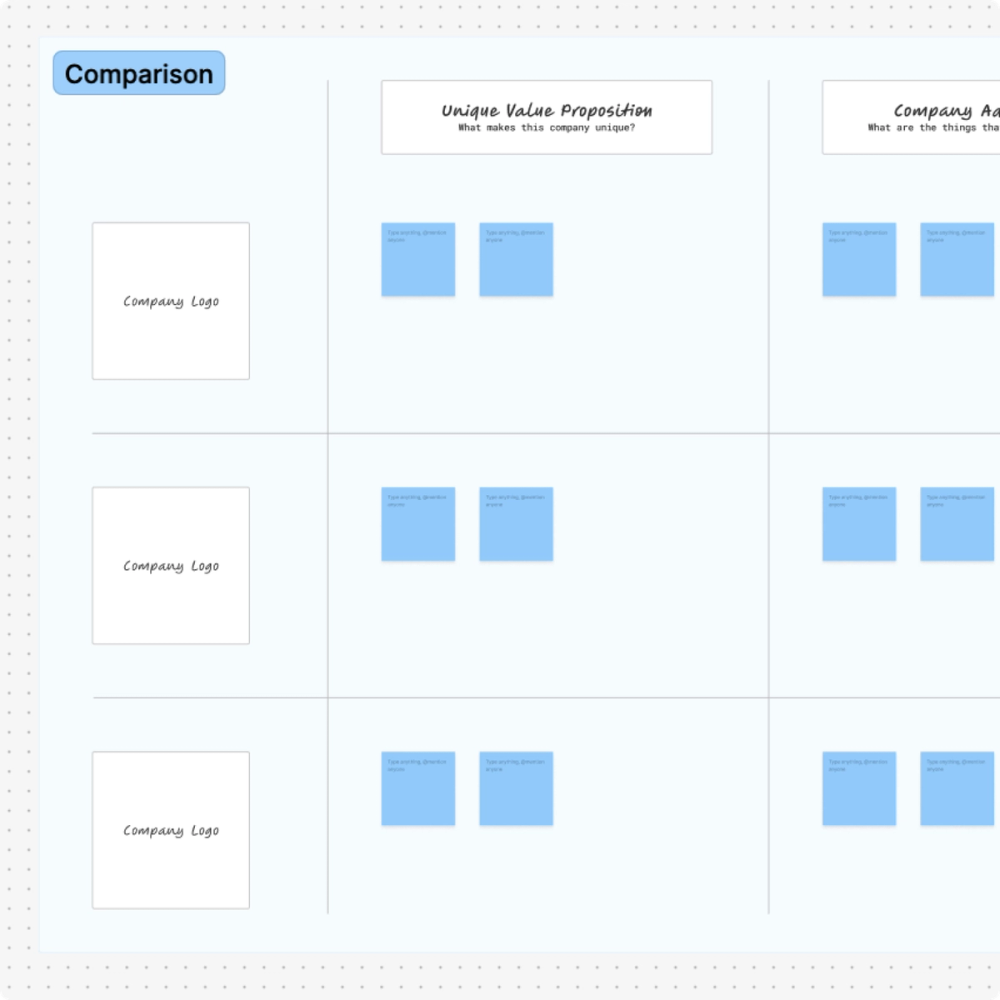
Run a competitive analysis to help uncover industry trends, define your unique value propositions, and better understand your market positioning. Understanding your competition can give you valuable insights for your redesign strategy. A gap analysis can also help you identify missing features or content to add.
Conduct user research
To gather insights about your customer’s needs and pain points, look at things like:
- Customer support tickets
- User path tracking
- Usability testing
- User journey mapping
These insights will likely reveal friction points and opportunities for improvement in your redesign.
Phase 2: Planning and strategy
Now transform your research insights into a clear and actionable roadmap that aligns teams and objectives. Here’s how to set your team up for success.
Set performance benchmarks
Establishing clear metrics for your redesign can help measure success post-launch. First, determine your current metrics. Then, bring together team members and stakeholders to set SMART goals and determine key metrics to track, like page load times, mobile responsiveness scores, conversion rates, lead generation rates, or bounce rates.
Create a project plan
Develop a detailed plan outlining the project scope, timeline, resources, and budget. To guide your design process, you’ll also want to include details on your target audience, including user personas. A comprehensive plan will guide the entire project, ensuring everyone is on the same page, and the project stays on track.
Phase 3: Design
The design phase is when you transform your strategy and ideas into visual mockups. Here’s how to ensure your website’s design will engage users and drive conversions.
Structure your content

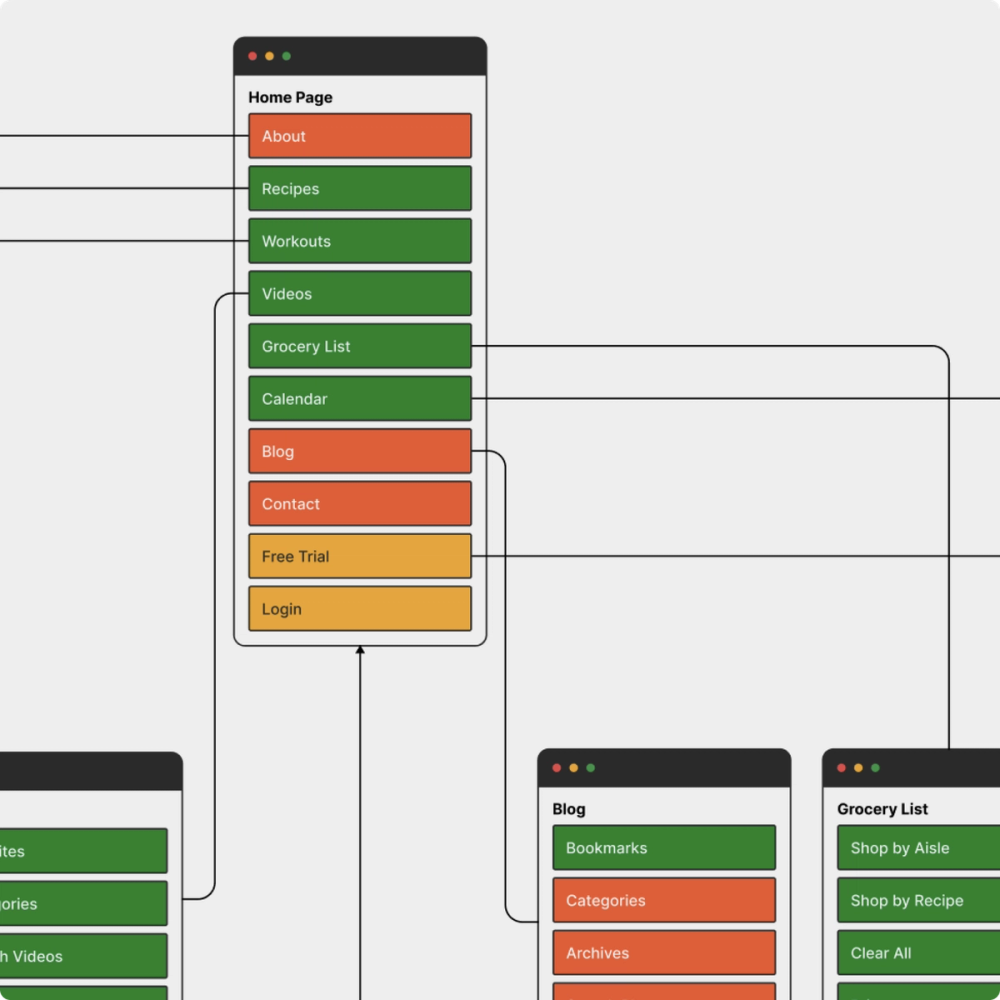
Establish a clear structure for your site's content organization. Information architecture helps users easily find what they’re looking for and improves overall navigation.
Start by creating a sitemap to outline the structure and hierarchy of your pages. Then, group related content to create a logical site structure with minimal clicks to reach key pages.
Create wireframes to establish the foundational layout of key pages and user flows, outlining function and hierarchy before moving to visual design.
Prioritize UI/UX elements
UI and UX elements are the building blocks of a seamless, intuitive user experience. These elements ensure your website is both visually engaging and easy to use. When redesigning your website, focus on:
- Buttons and interactivity. Make buttons like CTAs stand out by using contrasting colors and hover effects. Also, make sure they’re large enough for easy clicking on any device.
- Forms and input fields. Forms are often critical conversion points, so keep them simple and uncluttered.
- Visual feedback and microinteractions. Use microinteractions, such as animations or hover effects, to provide user feedback and enhance the user experience.
Focus on visual design
Visual design reinforces your brand identity and helps strategically guide users through their journey. This step is especially important for those going through a complete rebrand. Focus on the following visual elements when redesigning your website.
- Color palette. Choose a color palette that reflects your brand personality and evokes the emotions you intend. Use these colors to highlight important information and make website elements stand out.
- Typography. Keep your website fonts readable, consistent, and impactful. Use different fonts and weights to help establish a clear visual hierarchy across content and pages.
- Imagery and graphics. Invest in high-quality images and custom graphics that support your message and help guide users through your content.
- Design principles. Use key UI design principles like hierarchy, contrast, and alignment to inform your design decisions and provide structure to meet user needs.
- Accessibility. Ensure your site is usable for everyone, including those with disabilities. Make your navigation keyboard-friendly, add alt text to images, and ensure color contrast adheres to accessibility guidelines.
Create prototypes

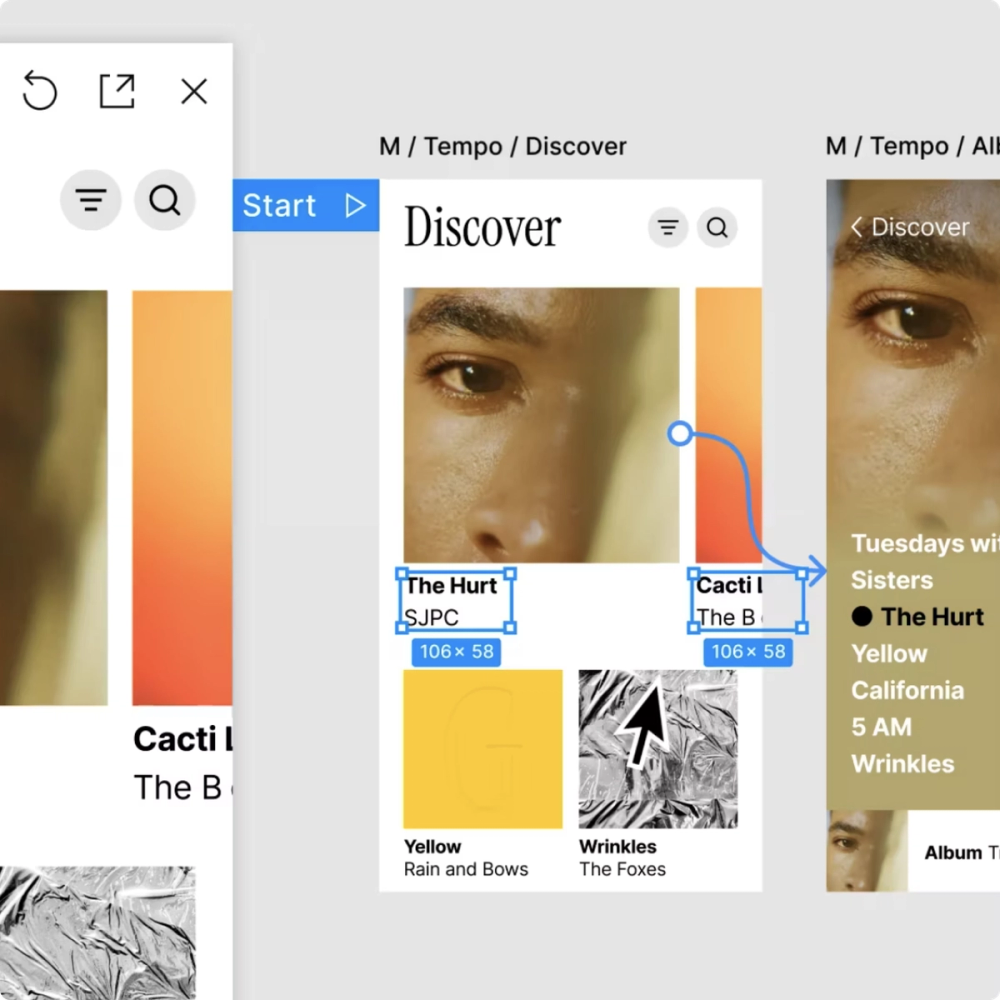
To test key functions before passing it to development, bring your website design to life with an interactive prototype. Prototypes will help validate what’s working and what’s not to ensure your website meets user expectations. Make sure you develop responsive layouts to ensure a seamless user experience across all devices.
Figma’s prototyping tool can simulate the final website redesign experience. When it’s ready to share, you can view your designs on any screen to ensure your website responds as your design intended.
The design team at Patagonia used Figma to create interactive, high-fidelity prototypes of their designs, including the redesigned site navigation. These prototypes allowed the company to conduct remote user testing sessions, giving the team valuable insights into usability and potential issues that ultimately led to a 3% increase in website conversions.
Design perfect website layouts every time, on any device or screen size with Figma Sites.
Phase 4: Development and testing
The development phase of a website redesign focuses on turning your design concepts into fully functioning code and then implementing vigorous testing to ensure a seamless launch. Here’s how to make it happen.
Handoff to development
Unlike building from scratch, a redesign requires careful integration of new design elements with existing systems. Developers must:
- Analyze legacy code to identify what to keep or replace
- Balance new features with existing functionality
- Maintain seamless backend operations
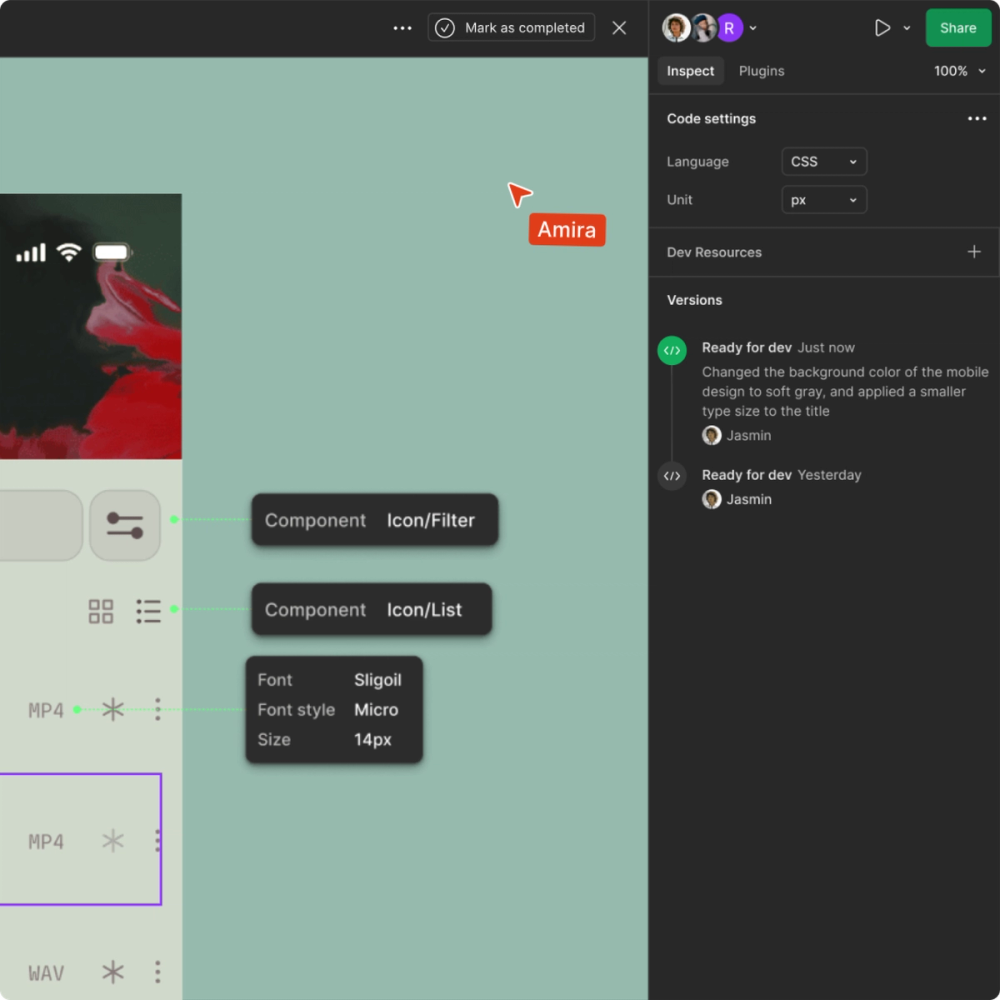
Dev Mode simplifies the handoff between design and development by transforming designs into code and giving developers everything they need, from specs to code snippets. This reduces the back-and-forth between teams and documents, saving valuable time and effort during the redesign process.

Conduct usability testing and iterate
Usability testing allows you to catch potential issues before your redesign goes live. Always conduct testing with real users to assess navigation paths, key functionalities, responsiveness, and overall experience.
This will help you identify friction points to improve site performance and ensure accessibility. Continue incorporating feedback and iterating on your designs until your site meets user expectations.
Phase 5: Launch and post-launch
Planning a redesign rollout that minimizes disruption to your current site is crucial. Instead of launching all changes at once, consider a phased rollout. This will allow you to implement improvements gradually, testing each phase for user experience and functionality before moving on to the next.
Once your website redesign has fully launched, monitor website performance and user engagement to iterate quickly. Continuous monitoring can prevent larger issues later.
Conduct your website redesign with Figma
A website redesign is more than just a visual refresh—it’s an opportunity to enhance the user experience, improve your website’s functionality, and turn more visitors into long-time customers. By prioritizing user needs and optimizing performance, you can create a site that looks good and drives results.
If you want to streamline the website redesign process, Figma can help. Here’s how:
- Share briefs, mood boards, and customer research, or create low-fidelity mockups of your redesign with FigJam. Use the collaboration features to review, comment, and add stickies for questions or feedback.
- Use Figma’s design tool to create realistic prototypes and UI components, ensuring consistency across your website’s assets.
- Explore fully responsive website templates with pre-built blocks that can be customized exactly the way you want it.
- Enhance the design-to-development handoff with Dev Mode, enabling developers to convert Figma designs into code effortlessly.
Ready to redesign your website?
Keep reading

Website layout ideas
Learn 12 website layout ideas to engage your audience and how Figma can help in this guide.

What is UX design?
Learn key principles, skills, and how to use Figma for UX design.

Static vs. dynamic website
Discover the advantages, drawbacks, and differences of static vs. dynamic websites.