How to make a business website in 5 simple steps


Share How to make a business website in 5 simple steps
Explore more from
Design basics
From wireframe to website, faster
Design, prototype, and refine every page.


Your website is your business’s virtual storefront and often the first impression potential customers have of your brand. Great Web design can serve as a magnet for attracting visitors and driving business growth, requiring a blend of creativity and technical expertise from design and development teams.
Read on to learn:
- The steps for making a business website
- Tips for designing a business website

Step 1: Map out your site structure
Creating a successful and intuitive website starts with a solid foundation. Here’s how to establish a clear structure that meets your users’ needs and aligns with your business goals.
Understand your audience
Your website visitors aren’t just random users. Each visitor arrives with specific needs, behaviors, and goals. Understanding your potential customer's preferences can help inform your design decisions and website structure. Create user personas to guide your website's structure and ensure it resonates with your visitors.
Focus on information architecture
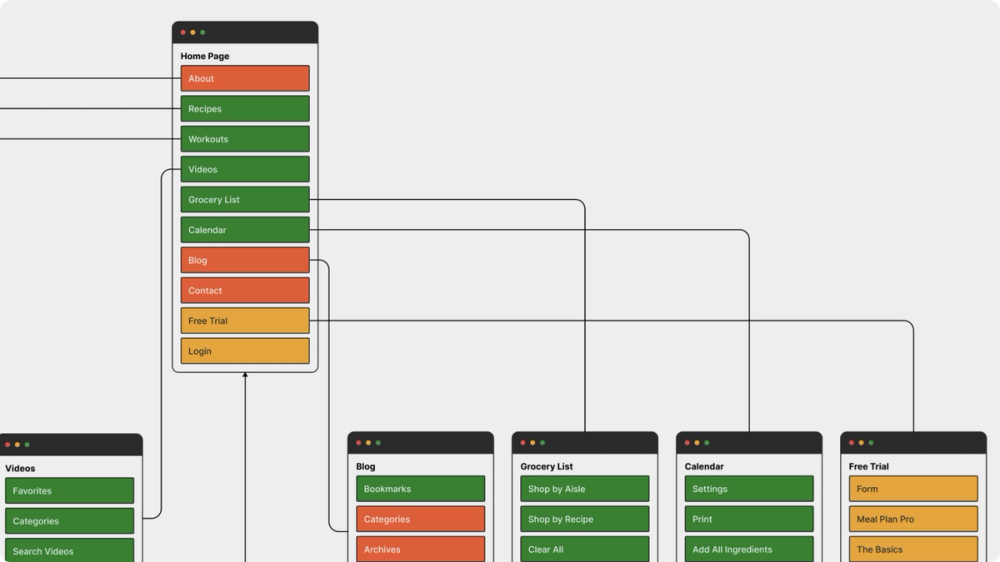
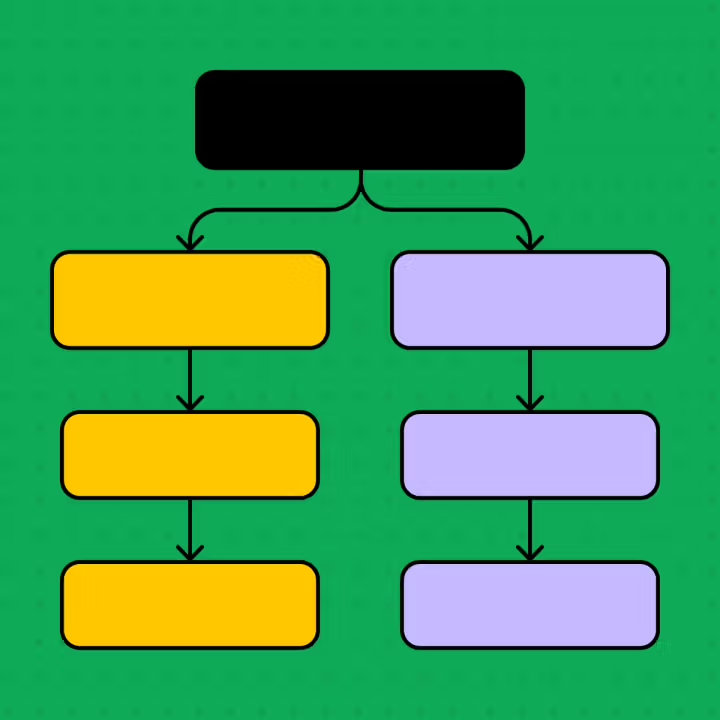
A well-structured information architecture provides a seamless user experience. Organize your content hierarchically to create intuitive navigation paths and map out logical flows through your site. Each page should have a clear purpose that aligns with your overall site structure, guiding users effortlessly toward their goals.
Use a site map template to visualize your website architecture and plan user journeys.

Step 2: Sketch out wireframes
Wireframing is where your website will start to take visual shape, verifying your information architecture and helping you experiment with different website layouts. Here’s how to get started:
Plan out essential website elements
Identify the key components each page needs to fulfill its purpose. For example, CTA buttons, shopping features, search functions, or content blocks are all essential elements that will guide your users through your website.
Use a user journey map to visualize user interactions within your website. This will help determine key touchpoints and ensure each page has the necessary elements to meet user needs.
Use wireframing techniques
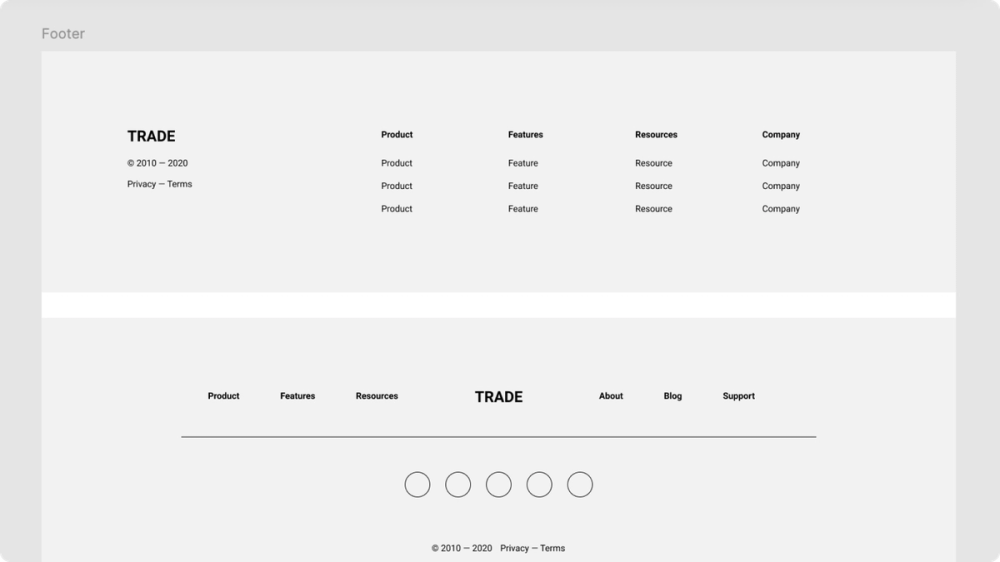
Wireframes can range from rough sketches to detailed mockups. Consider the following wireframe techniques during this stage of building your website:
- Low-fidelity wireframes are basic sketches or simple digital outlines that provide an overview of your website's overall layout, navigation, and information architecture. They’re best for quickly exploring ideas, testing user flows, and validating core features.
- Mid-fidelity wireframes build upon low-fidelity wireframes by adding more detail and visual UI elements, like buttons and navigation bars. They focus more on the user experience and visual appeal of a website.
- High-fidelity wireframes involve more detailed mockups that closely resemble the final website. They’re useful in validating final design ideas before moving to complex prototypes.
Use Figma’s wireframe kit to start sketching your ideas or build your mockups with Figma’s wireframing tool to collaborate on design ideas with your team.

Step 3: Create an impactful design
The next step in creating your business website is to focus on the visual aspect. This involves creating a visually pleasing design that reflects your brand identity while ensuring a seamless user experience. Here’s how to get started.
Save yourself some time by starting with a professionally-crafted website template from Figma Sites.
Map out key pages
To build a successful business website, you must create key pages with specific UI and UX considerations. While the exact pages may vary by business, these are essential for most:
- Homepage. The homepage should clearly communicate your brand's overall message. Wow your visitors with high-quality hero images, dynamic backgrounds, subtle animations, clear CTAs, and navigation for a more engaging experience, similar to what Mosey does.
- About us page. Provide information about your company to illustrate your brand’s purpose. Use engaging storytelling with team photos, awards or recognitions, and social media links to build credibility. Dropbox’s About page effectively showcases its mission and includes team bios to help establish trust and connection with potential customers and partners.
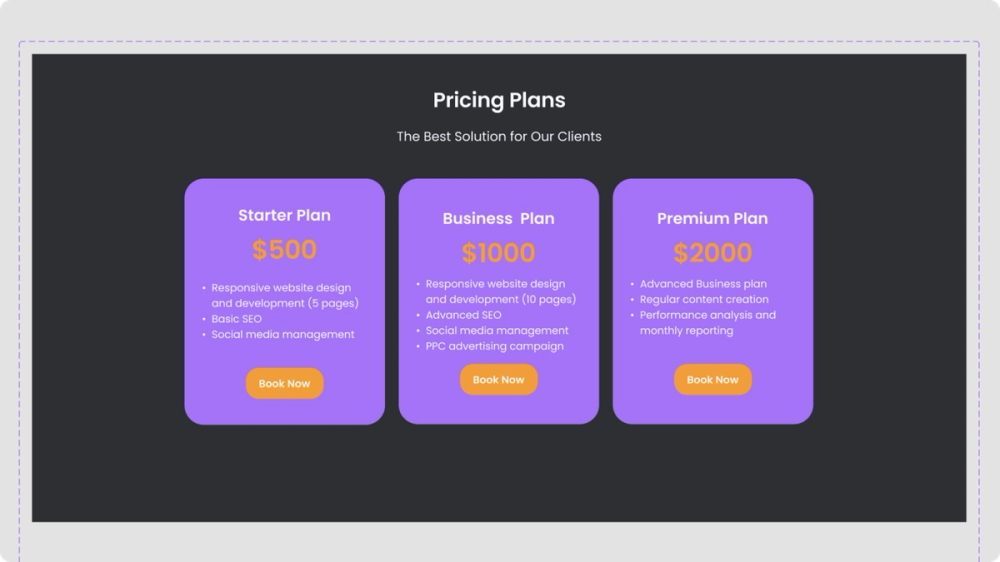
- Service and product pages. Drive conversions with clear CTAs, high-quality product images, and compelling descriptions to push customers toward the page's goal: a purchase. Enhance with features like price comparison charts or customer testimonials to entice customers and aid their decision-making process.
- Contact page. Simplify communication with clear contact information and features like live chat or interactive maps.
- FAQ page. Empower users by providing readily available answers to common questions. Incorporate Web design elements like accordion-style FAQs, a search bar, and links to help articles better support the user experience. Square uses accordion-style FAQs on its pricing page, providing concise answers with links to other informational pages, making it easy for users to find the answers they need.
Map out pages using a landing page UI kit template or browse the Figma Community for inspiration for designing key pages on your website.

Design your layout
Craft your website’s design to be visually cohesive and user-friendly. Focus on these elements:
- Page layout. Each page on your website will likely follow a different website layout to serve its purpose best. For example, a grid layout is great for displaying product images on e-commerce websites, while a split screen layout is popular for landing pages or sign-up pages to help users compare information.
- Color palette. Your website’s color scheme should reflect your identity and establish a visual hierarchy. Choose two to three primary brand colors and a few secondary colors for accents and highlights. Use color psychology and color theory to guide user behavior—like bold colors for CTAs and buttons.
- Typography. Select website fonts that balance readability with brand personality. You can use typography to establish visual hierarchy, using consistent sizing for headings, subheadings, and body text. Stripe is a great example of using readable text to create a strong visual hierarchy, with headings and subheaders effectively guiding users through its content.
- Imagery. Include high-quality visuals to engage your messaging and reflect your brand through custom photography, illustrations, and iconography. Product shots are also valuable to effectively showcase your offerings and demonstrate how your tool functions, similar to the approach UserJot takes.
- UI elements. Design consistent UI elements like buttons, navigation menus, and input fields that guide users seamlessly through your site. Consider incorporating micro-interactions like subtle animations or hover effects to enhance the user experience and make your website more engaging.
Create a design system that houses your branded assets to ensure consistency across your business website. Figma simplifies design systems, allowing you to create reusable components, guidelines, and assets to make website building more efficient.
Step 4: Build your website
With your design system in place, it's time to bring your website to life. Transforming your design into a fully functioning website requires careful attention to detail and collaboration between design and development teams. Here are the steps you should take to see your website design come to life.
Create prototypes
Creating interactive prototypes helps test your website's layout and core functionalities, validating your design direction through simulated user interactions.
For example, an e-commerce website can simulate how users navigate from product pages to purchase pages, identifying potential usability issues early on, like unclear CTAs or confusing checkout flows.
On the other hand, a travel booking company might use prototyping to visualize how users search for flights and compare prices, helping uncover any confusing steps or friction points in the booking process.
Major companies like Lyft have recognized the power of prototyping, using interactive prototypes to empower teams to communicate ideas more effectively, gather feedback quickly, and iterate on designs rapidly.
Use Figma’s prototyping tool to build and test your website design, ensuring you achieve your desired user experience.
Begin development
The development phase transforms your designs into functional code, starting with choosing the right platform or content management system (CMS). From there, you can choose a framework and development structure. Coding languages business websites use include HTML for content, CSS for styling, and JavaScript for interactivity.
For dynamic websites with more complex functionalities, you might consider backend languages like Python or Node.js to ensure optimal website performance.
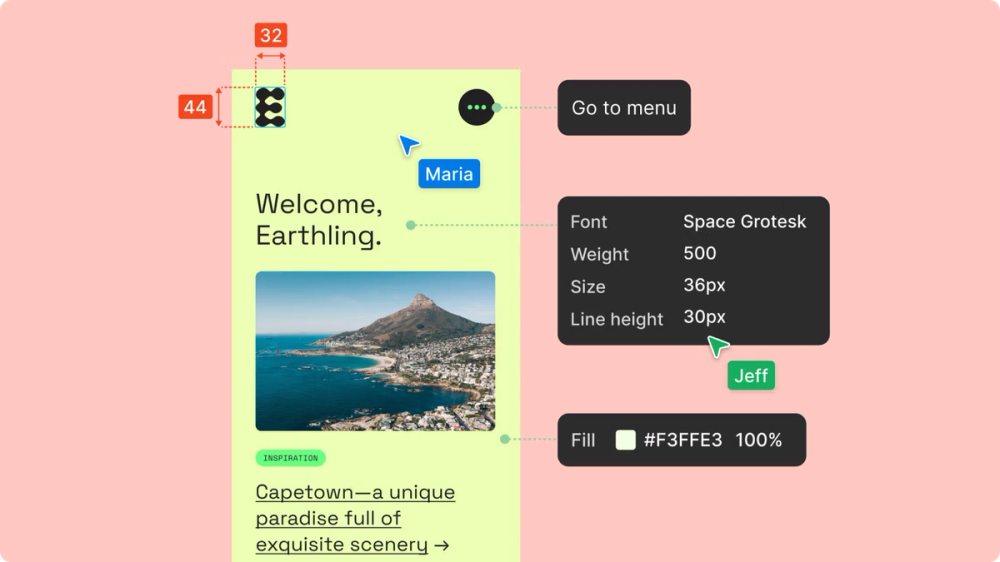
Use DevMode to ensure accurate implementation of design details, like spacing, complex animations, or responsive behavior. This tool streamlines the handoff between design and development teams by providing developers with specs, code snippets, and other details directly from Figma files.

Step 5: Gather feedback and iterate
The launch of your website marks the beginning of continuous improvement.
Conduct testing
Conduct user testing before launch to gather data on user behavior and validate your website's effectiveness. This systematic feedback helps identify and address usability issues, ensuring your site meets target audience needs.
Use heat mapping to understand clicks and mouse movements on your website or A/B testing to evaluate how different conversion elements perform.
Launch and update
Start with a soft launch to identify any final issues before full deployment. After launch, monitor key metrics and maintain regular content updates to keep your website relevant and effective.
Seek user input often through surveys or feedback forms. Regularly analyzing this feedback can identify areas for improvement and help you prioritize updates based on users' evolving needs and preferences.
Tips for designing your business website
Crafting a website that’s both functional and visually appealing takes careful thought and planning. Here’s what to consider when designing your business website.
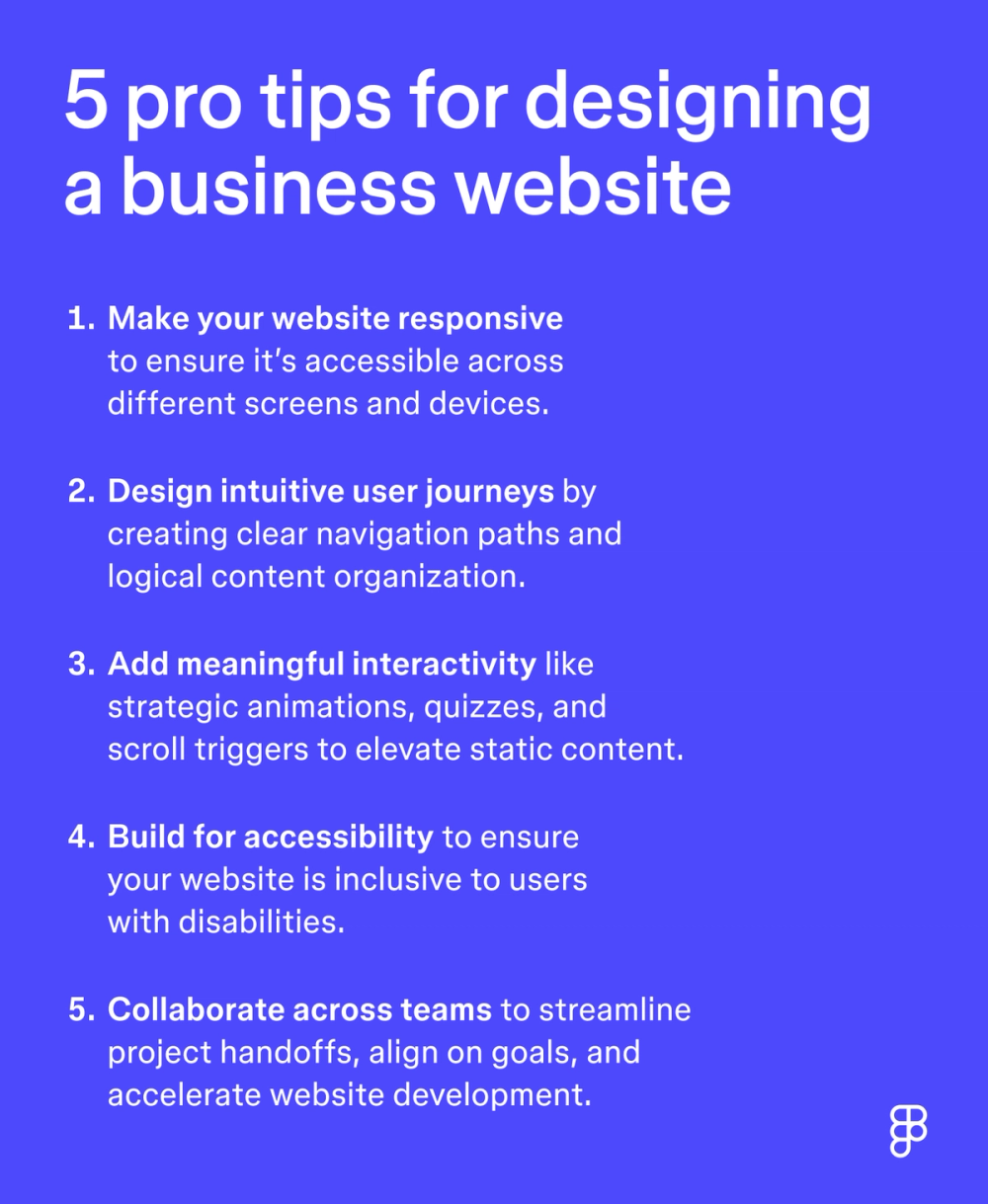
- Make your website responsive. In a mobile-first world, responsive website design is essential. Your site must adapt to any screen size, providing a seamless user experience across all devices. Use Figma’s prototyping tool to test your designs on different screens.
- Design intuitive user journeys. Create clear navigation paths and logical content organization to help visitors complete their desired actions.
- Add meaningful interactivity. Enhance engagement with strategic animations, quizzes, and scroll triggers that elevate static content.
- Build for accessibility. Follow Web Content Accessibility Guidelines (WCAG) with proper keyboard navigation, descriptive alt text, and sufficient color contrast to ensure your website is accessible and inclusive for users with disabilities.
- Collaborate across teams. Join designers, developers, and stakeholders early using tools like DevMode to streamline project handoffs, align on goals, and accelerate website development. Data shows that 80% percent of developers believe closer collaboration with designers would benefit their business.

Create your business website with Figma Sites
Learning how to make a website involves strategic planning, thoughtful design, and team collaboration to bring your vision to life. Continue to gather feedback and monitor performance to ensure your website remains a powerful asset in your business’ growth.
Whether you’re a designer, developer, or business owner, Figma can make website development easy. Here’s how:
- Turn your Figma Design frames into flexible layouts with Figma Sites.
- Explore Figma’s library of Web design templates to kickstart wireframes or build out landing pages.
- Use Figma’s Web design tool to visualize functionalities, map out core pages, and create responsive designs for any device.
- Bring your designs into DevMode to help developers inspect designs and copy relevant code while integrating seamlessly with their existing tech stack for ease of use.
Ready to build a business website your audience will love?
Keep reading


Website layout ideas
Learn 12 website layout ideas to engage your audience and how Figma can help in this guide.

Web design and development
Learn the key differences between Web design and development and their roles in creating stunning and functional websites.

What is information architecture?
Learn how to organize and label digital product content that best supports your user's needs.