How to make a brochure: 12 templates + best practices


Share How to make a brochure: 12 templates + best practices
Explore more from
Design basics
Bring your print ideas to life in Figma Buzz
Create, share, and iterate together seamlessly.

Digital ads are everywhere, but print still has power. A beautifully designed brochure offers something different: a hands-on way to share your message and tell your brand’s story.
But if you’re used to working on Web-based campaigns, switching to print can feel like a big change. How do you translate your web design skills into something that looks just as polished in print? How can teams collaborate on brochure designs that feel both on-brand and user-friendly?
Read on to discover:
- How to make a brochure in five simple steps
- How to fold a brochure three different ways
- 12 free brochure templates for your next project
How to make a brochure in five simple steps
Whether designing for print or digital environments, an effective brochure needs to do more than just look nice. It needs to communicate information clearly, persuasively, and in a way that encourages readers to take action.
Making a compelling brochure doesn’t have to be complicated. By following these steps, you can create an effective marketing tool that grabs attention and successfully delivers your message.
Step 1: Know your audience and purpose
Before digging into design, define who the brochure is for and what you want it to accomplish. Is it informational, promotional, or educational? This shapes your tone, layout, and content hierarchy.
Step 2: Choose a brochure type
When designing a brochure, the way it folds is an important decision that impacts the visual flow and how you present information. Each fold creates a different tactile user experience as the reader interacts with the physical brochure.
Below are some of the most popular ways to fold a brochure.
Bi-fold brochures

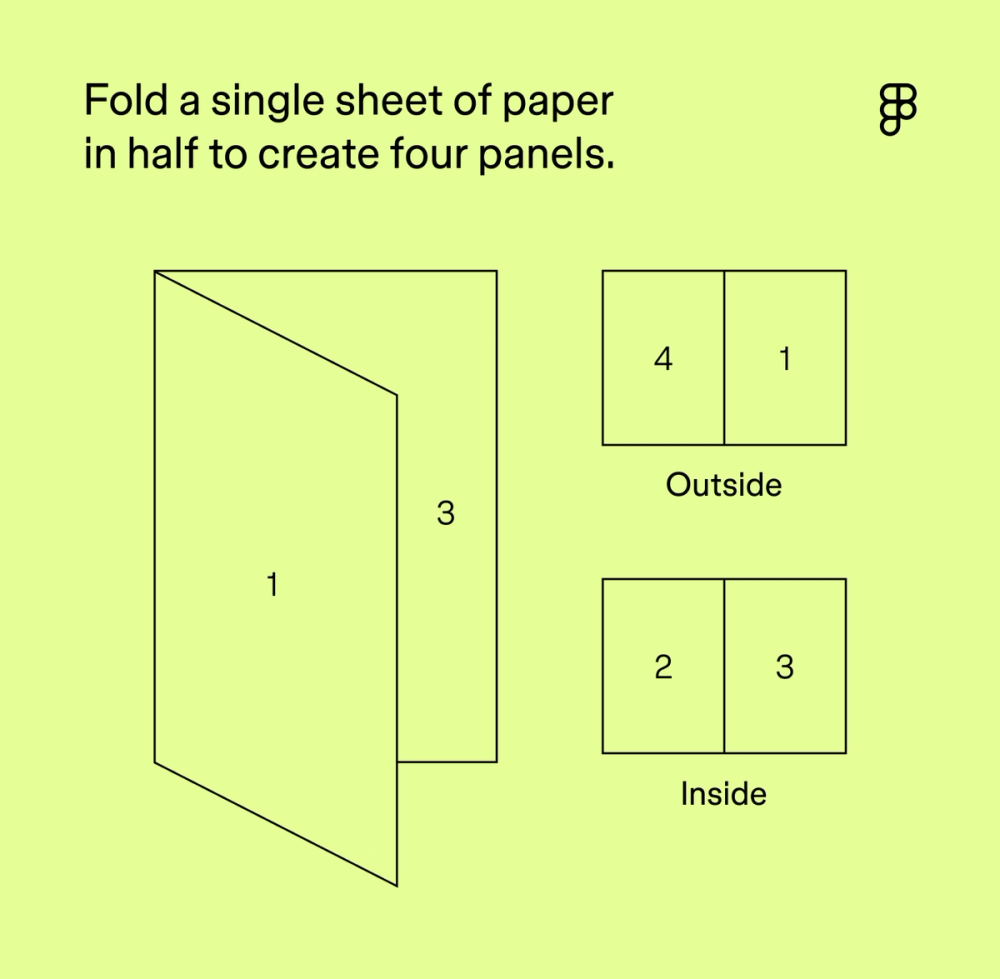
Also known as half-fold brochures, this is the simplest fold. You fold a single sheet of paper in half to create four panels: a front cover, a back cover, and two inside panels. It’s straightforward and cost-effective to print.
Bi-fold brochures are best for:
- Greeting cards or event invitations
- Designs with large images or minimal text
- Simple presentations, programs, or menus
Tri-fold brochures

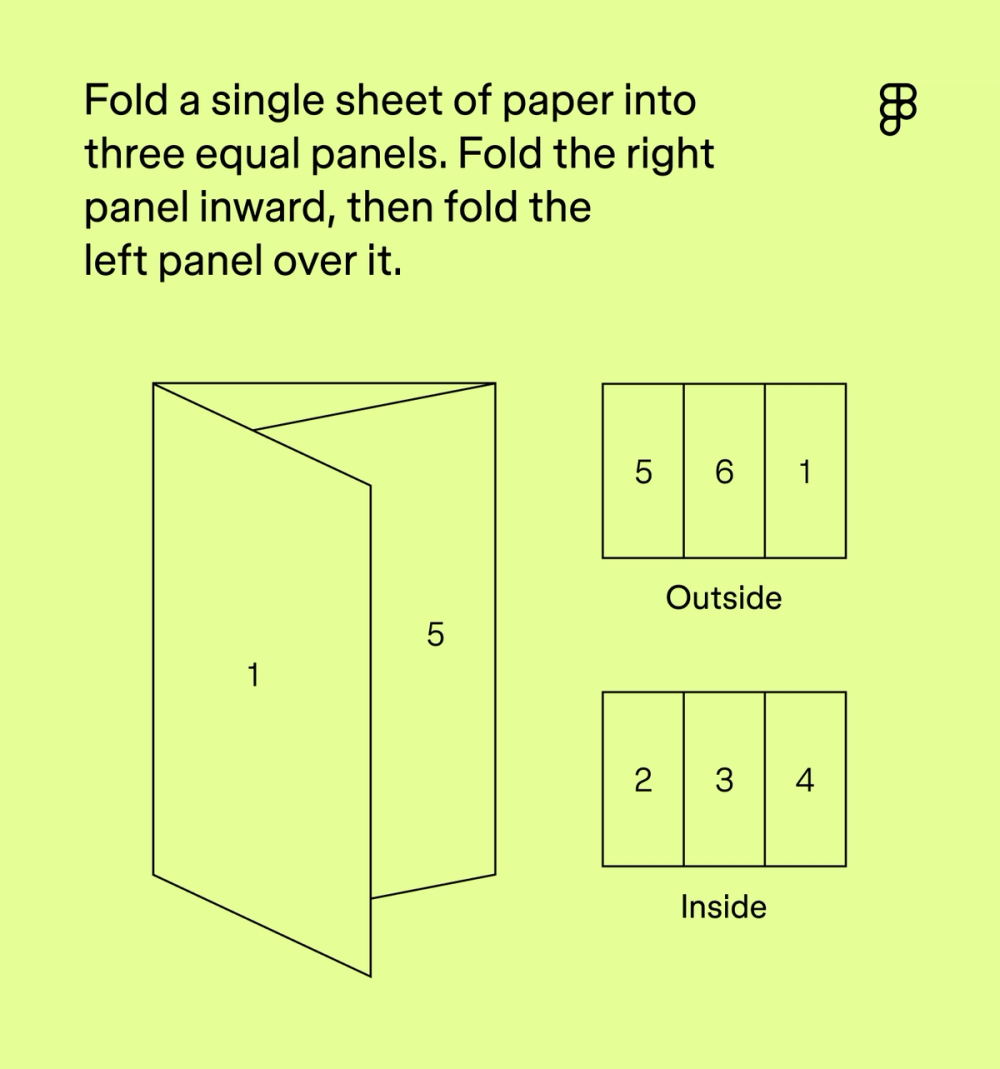
Also known as letter fold or C-fold brochures, this technique uses a single sheet of paper folded into three equal panels. One panel folds inward, while the other folds over it, creating a “C” shape when viewed from above. The right panel typically folds inward first, followed by the left panel folding over it to become the cover. Once opened, it reveals three more interior panels. With six panels in total, this is a versatile and compact fold with plenty of space.
Tri-fold brochures are best for:
- Mailers (fits in standard envelopes)
- Marketing and informational brochures, price lists, or small product showcases
- Step-by-step guides or other information that needs to be presented in a sequential flow
Gatefold brochures

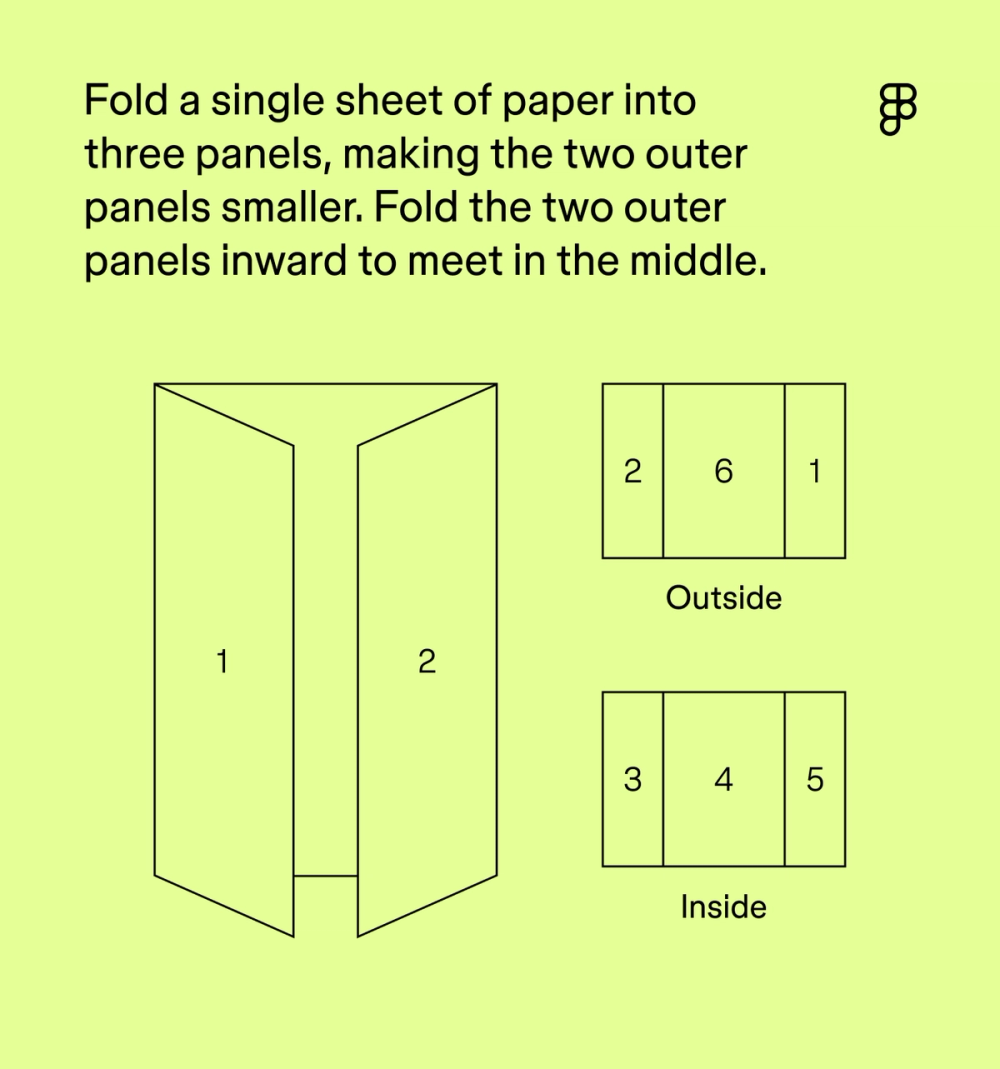
In a gatefold brochure, a single sheet of paper is divided into three panels. However, the two outer panels are smaller and fold inward to meet in the middle, creating a “gate” effect that opens to reveal a larger central panel. The two “gate” panels open outward like double doors, exposing the main message or image on the larger central panel. This format adds a sense of intrigue and interactivity. The large central panel is excellent for showcasing stunning visuals.
Gatefold brochures are best for:
- High-impact visual presentations or product launches
- Event invitations or special promotions with a surprise reveal
Step 3: Plan your content and images
Once you’ve chosen a fold, it’s time to map your content. Here are some tips and best practices to keep in mind:
- Lead with strong, concise copy. Less is more.
- Break up text with headings, bullet points, and lists.
- Use high-quality visuals that help tell your story.
- Create clear visual hierarchy to guide the reader’s eye.
- Use negative space wisely to give each element room to breathe.
- Stick to a consistent color palette and brand styling.
- Use charts and graphs for complex data to keep things clean and visual.
- Make calls to action (CTA) obvious and actionable: visit a website, call a number, sign up for an event, etc.
- Prioritize accessibility with easy-to-read fonts and inclusive design choices.
Step 4: Design your layout
With your content in place, it’s time to bring your layout to life. Know where each panel starts and ends, and position key messages where they won’t get lost in the folds.
Explore free brochure templates in Figma's Community
Browse the Figma Community for brochure templates and layout inspiration.
Step 5: Print and share your brochure
A great design deserves great print quality. Choose a paper stock and finish that fits your brand—matte for a modern feel, gloss for extra poop. Check your file’s color mode, bleed, margins, and file format before exporting as a high-resolution PDF.
Always proofread carefully and run a test print to check alignment, folds, and image quality. A polished print job helps your brochure feel just as professional as it looks..
12 brochure templates
Need some inspiration to kickstart your design? Check out a dozen professional-looking brochure examples from the Figma Community of creators.
1. Simple tri-fold brochure template

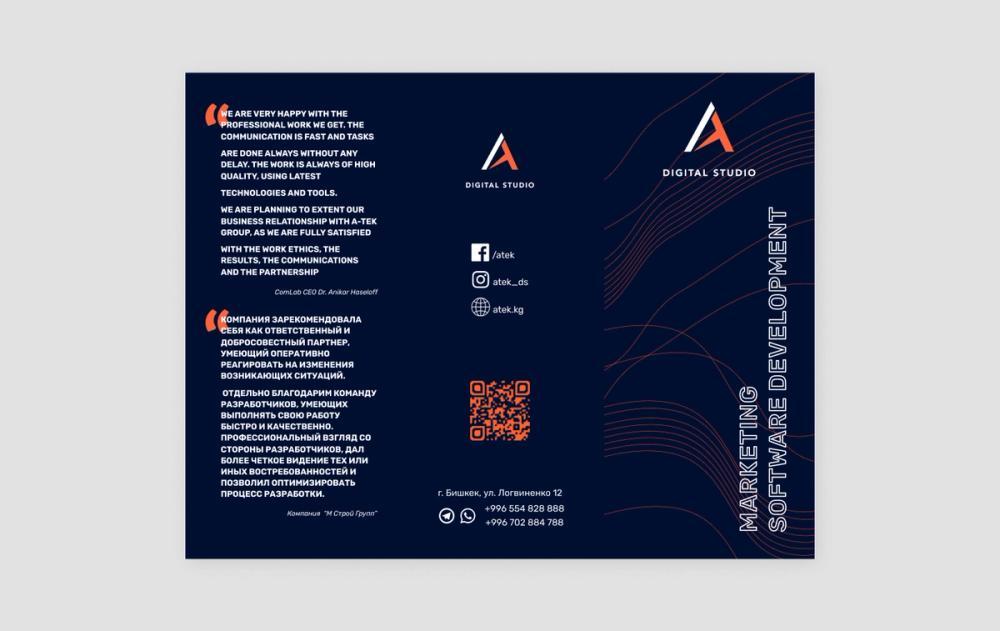
With its professional appearance and high-contrast design, perpendicular text on the front of this brochure adds visual interest right off the bat. The sleek waves on the front cover also echo the waves inside the numbers on the brochure’s interior.
Large customer testimonial quotes, contact information, and a QR code reveal this effective brochure layout.
2. Bright tri-fold brochure template

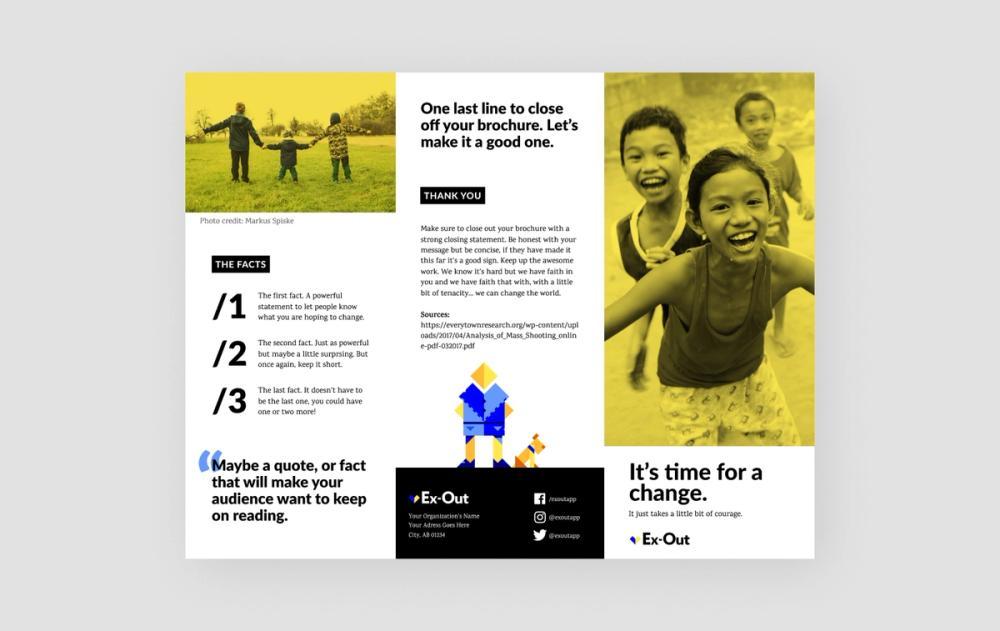
This super versatile template features two formats in three colorways. Bright photos and iconography, the brochure uses a mix of large donut charts, stats, and quotes to help communicate valuable information to readers.
A black box prominently displays the company’s address and social media accounts, encouraging readers to stay in touch.
3. Colorful tri-fold brochure template

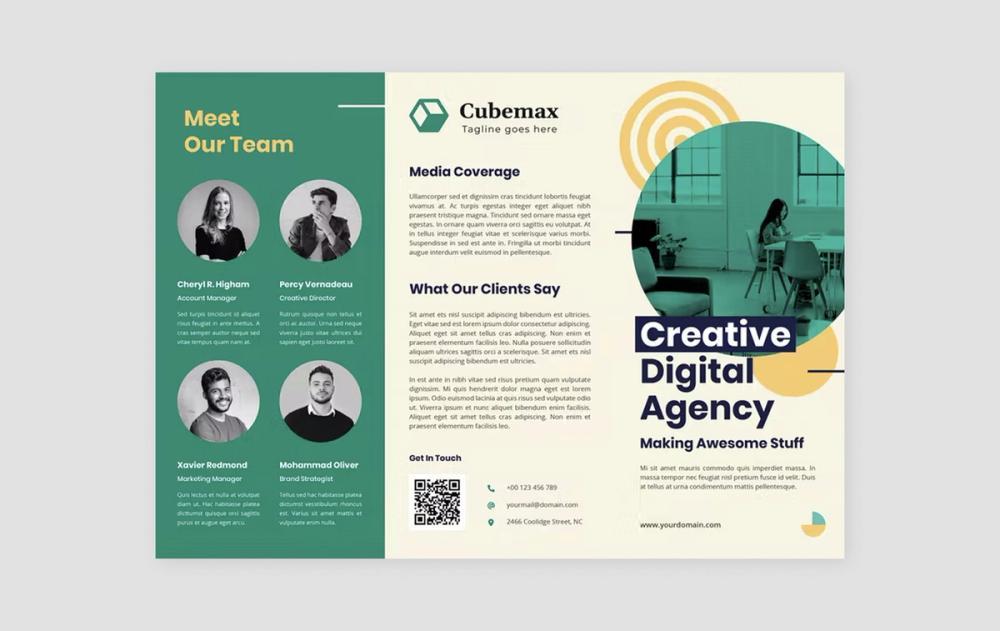
This multipurpose tri-fold brochure layout pairs cream, teal, and orange colors for a cheerful, modern feel.
Circular photos and shapes complement the logo well, and a QR code near the contact details makes it easy for readers to explore more.
4. A4/A5 brochure design template

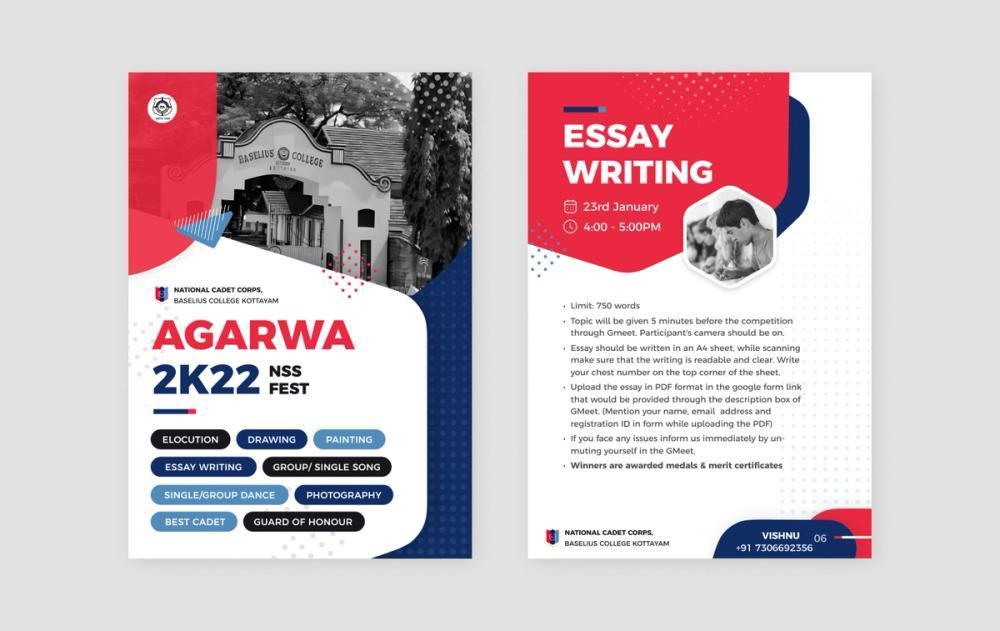
Halftone shading and hexagon graphics tie this design together, while small black-and-white images stay informative without overwhelming the layout. Clear bullet points, consistent footers, and bold placement of key info keep it clean and focused.
5. A4 bi-fold business brochure template

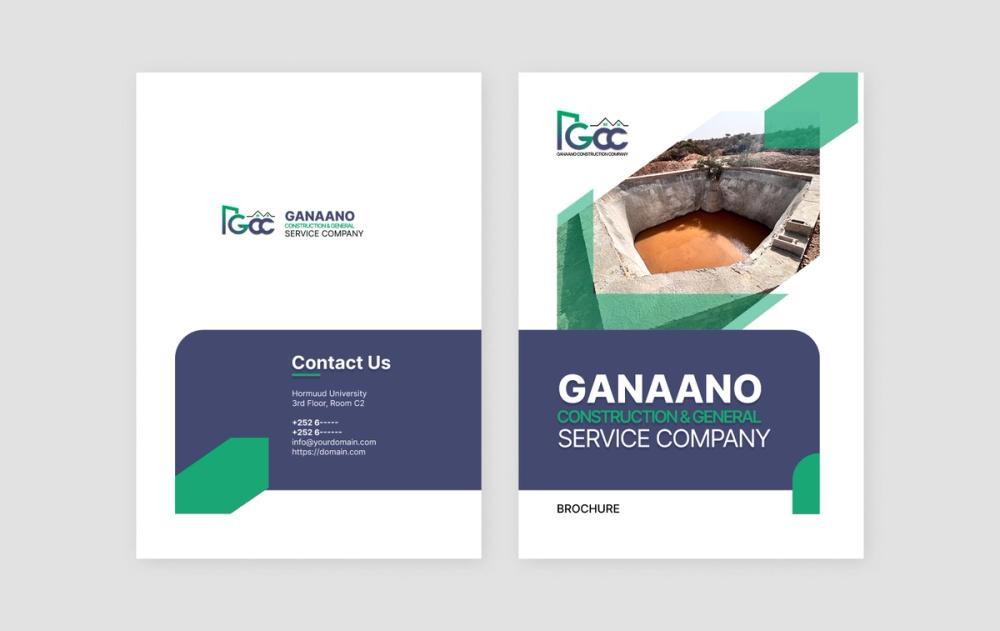
This simple bi-fold business brochure uses the company’s logo colors in large shapes throughout to create a cohesive appearance. The shapes and accompanying images help guide the viewer’s eye through the information.
Contact info lives on both an inside page and the back of the brochure. The content also features a checklist of services, a brief company history, and a detailed section of benefits and key differentiating factors. All together, this handout creates a convincing pitch to potential customers.
6. TTRPG gatefold brochure template

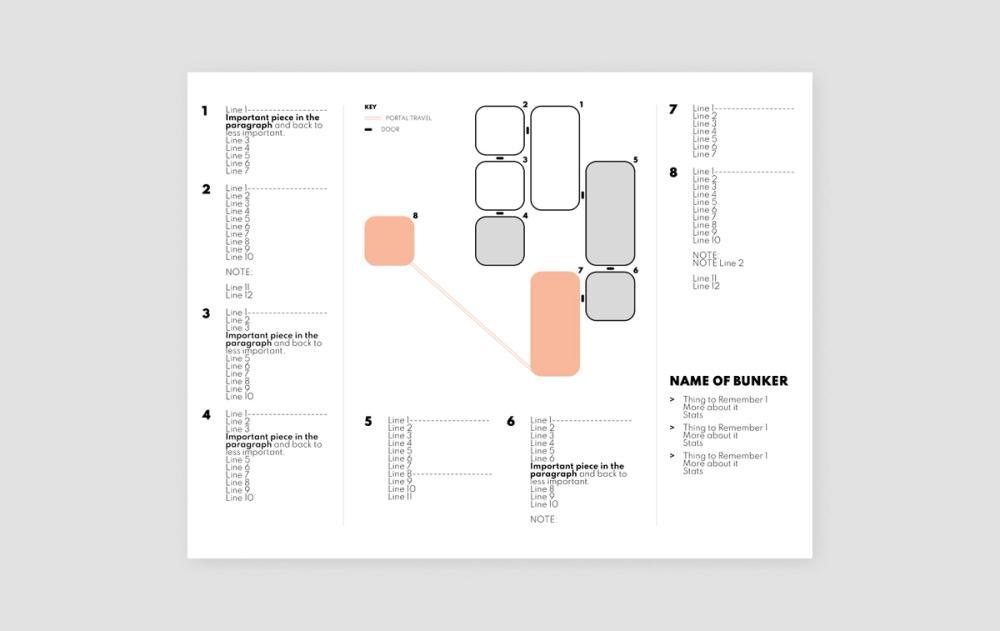
This simple customizable gatefold brochure was designed for tabletop role-playing games (TTRPGs) like Dungeons & Dragons. The large center panel works well as a map or other layout, while the side panels can display character stats or other important info.
To liven up the design for your own use, consider adding player character portraits, enemies, or your favorite flora and fauna from your game.
7. Tri-fold pride brochure template

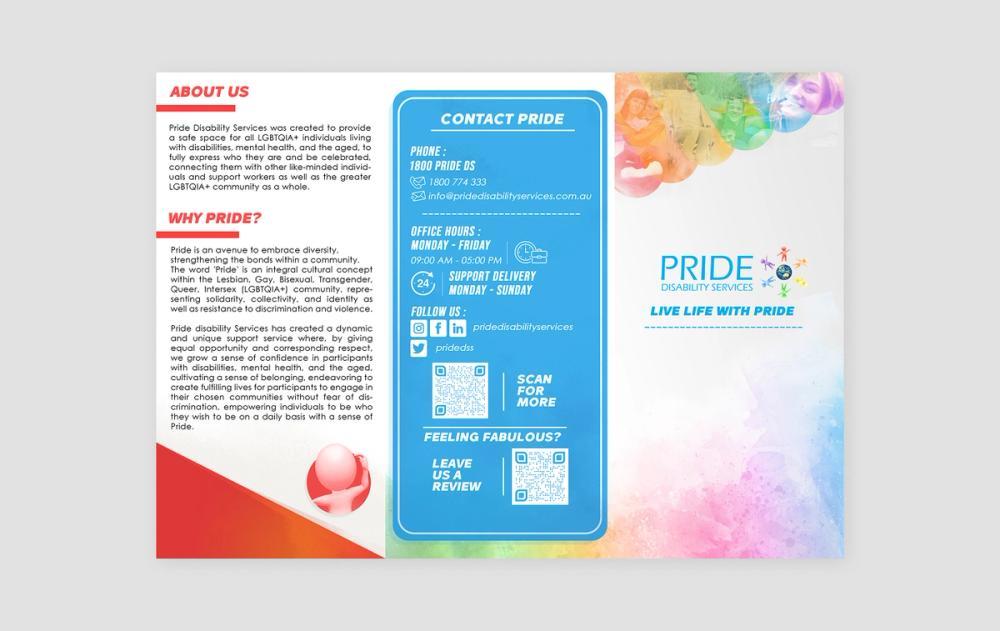
This brochure for LGBTQI+ disability services features a beautiful watercolor rainbow texture on its front. The content clearly highlights the organization’s mission, who they serve, and what they do.
The brochure uses a mix of photos, textures, and icons to convey its message. The blue panel features office hours, phone numbers, social media handles, and other contact information, along with QR codes.
8. Sleek blue tri-fold brochure template

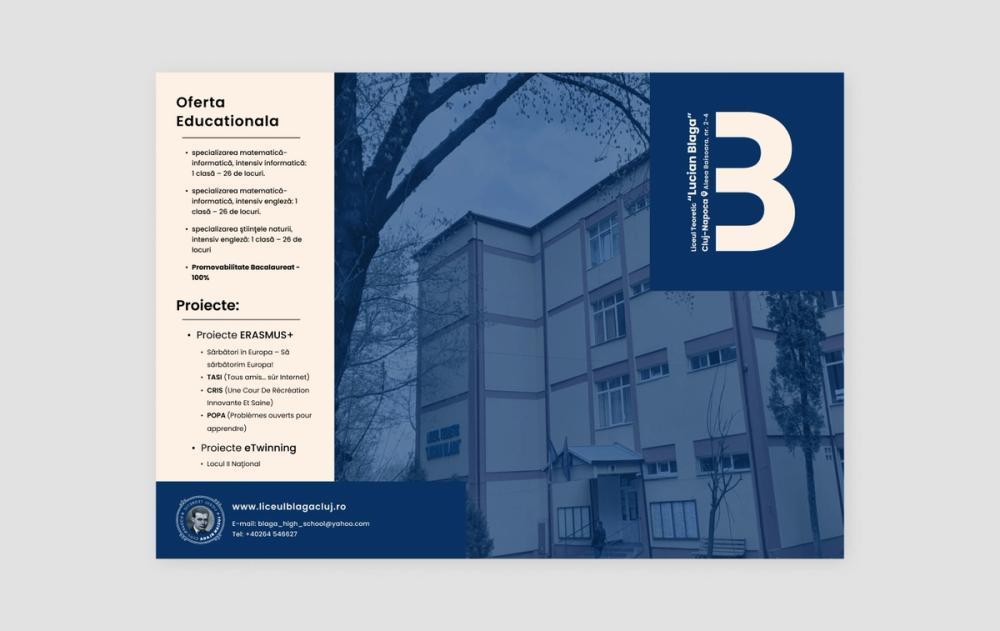
Clean typography (Poppins) and a bold blue palette guide readers through this brochure in a clear zig-zag layout. Dotted accents and the uniquely tinted photo add visual interest without cluttering the design.
9. Bright neon tri-fold brochure template

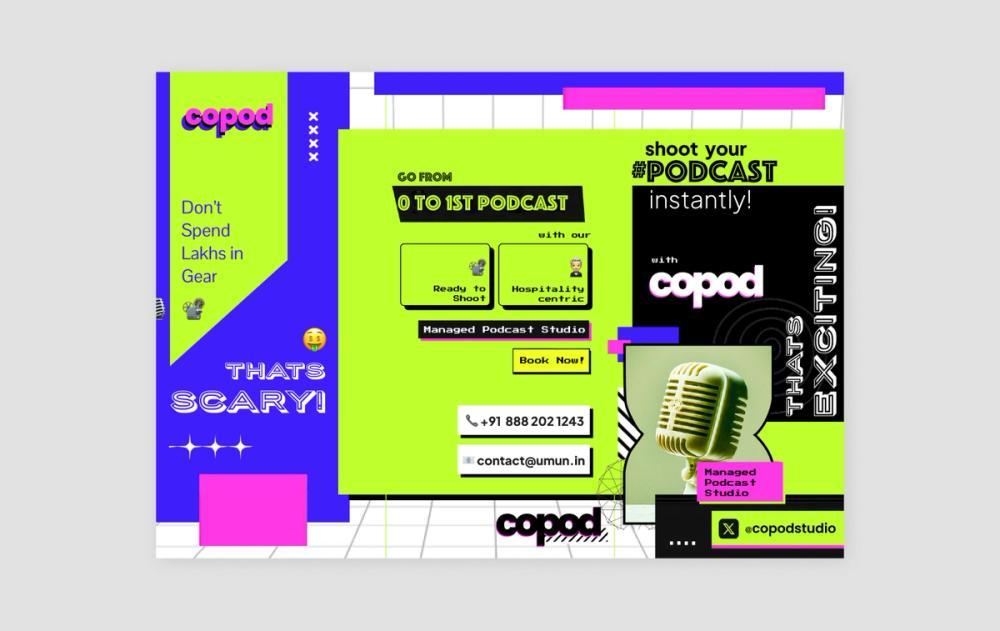
This brochure’s eye-catching neon color scheme is part ‘80s, part Y2K. It’s perfect for lively event promos and creative, edgy, youthful brands.
A playful mix of fonts—Phosphate, Quantico, Press Start 2P, Plus Jakarta Sans, PingFang SC, Podkova, and Porter Sans Black—adds energy and establishes a visual hierarchy.
10. Blue grid tri-fold brochure template

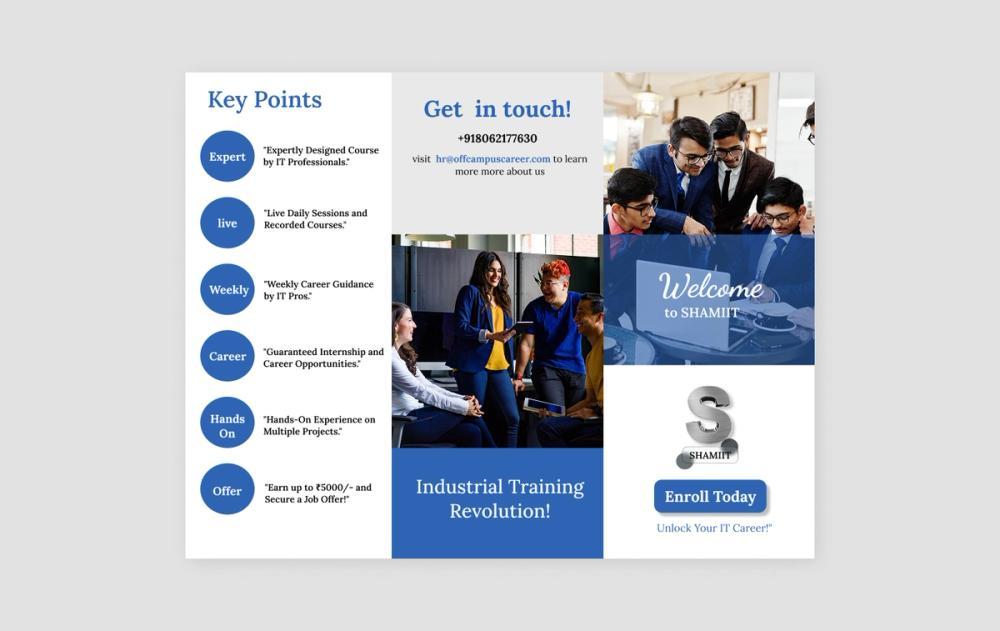
This tidy and straightforward brochure layout makes information easy for its readers to digest. Relevant photos help tell the brand’s story and invite readers to join the journey, while key bullet points and package pricing information are easily accessible.
The design also prominently features contact information and the company logo. Just swap in your own to make it yours.
11. Sleek hexagons A4 tri-fold brochure template

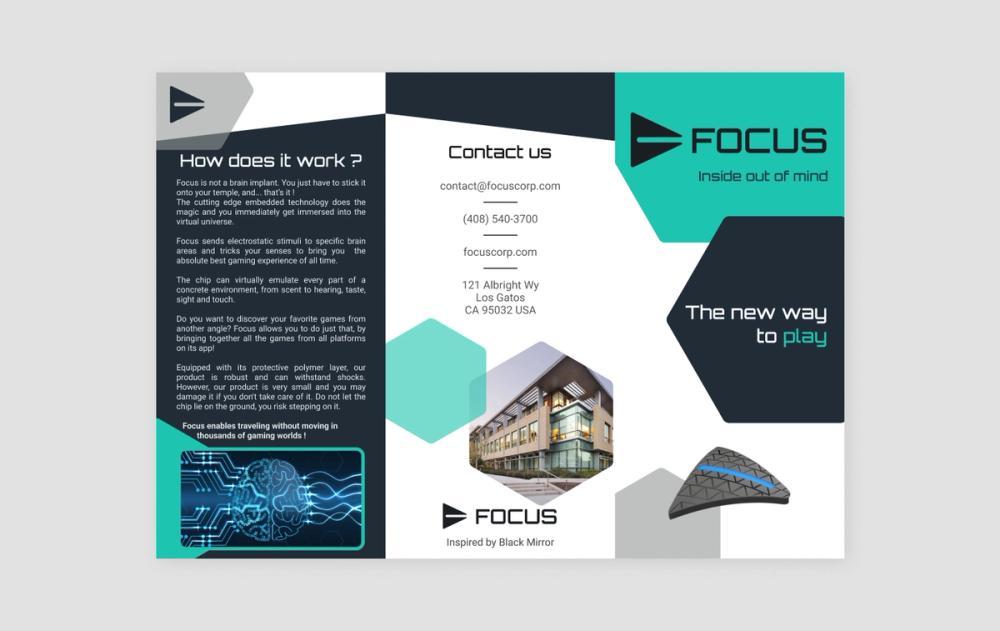
The Orbitron font and hexagon shapes in this brochure template immediately create a sleek and futuristic vibe.
With taglines on the front, contact info on the back cover, and deeper details in the middle, it ushers readers through an informative journey. The inside of the brochure includes bullet points on how to use the product, as well as specifications and quotes from reviews.
12. Simple one-sided tri-fold brochure template

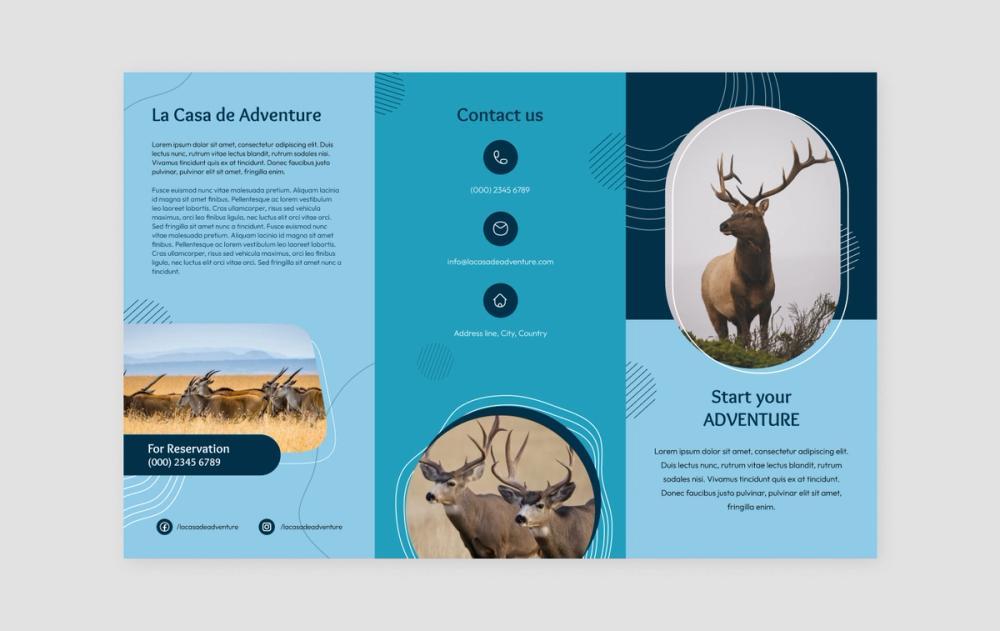
This brochure keeps things short and sweet, letting graphic design and photography take center stage. Dots, lines, and wavy borders inject a sense of playfulness into the layout.
A brief introductory paragraph and two more short paragraphs on the back are all it needs to get the message across. Contact information is highlighted on two of the three panels, making it easy for readers to find what they need when they’re ready to take the next step.
Brochure maker FAQ
Still have questions about designing brochures? From standard sizes to the best tools for bringing your creative ideas to life, here are answers to some frequently asked questions about creating brochures.
What size are brochures?
The standard brochure size is 8.5 x 11 inches, folded into thirds for a classic tri-fold. Larger formats like 8.5 x 14 inches or 11 x 17 inches offer more space for visuals or content. When designing, keep the final fold and trim lines in mind to make sure everything aligns.
Are brochures and pamphlets the same thing?
Not quite. A brochure is typically folded and used to promote something— a company, product, or service. A pamphlet is a simpler, unbound booklet or leaflet for sharing information. The terms are often used interchangeably, but brochures tend to be more design-forward and brand-focused.
What should brochures include?
A great brochure is clear, eye-catching, and easy to scan. Be sure to include:
- A headline that grabs attention
- Concise, useful copy
- Engaging visuals that support your message
- A strong call to action
- Contact info and branding
Why are brochures important for marketing?
Brochures are still one of the most flexible marketing tools available. They’re great for showcasing products, services, or events, and can easily be distributed in person, mailed out, or even shared digitally.
A well-designed brochure makes your message memorable, builds trust, and gives people something tangible to take with them or refer back to later.
How do I make my brochure double-sided?
In Figma, design both sides of your brochure in the same file to keep things consistent. Align your layout to match how the folds will work in print. Pay close attention to how the panels will fold to avoid any text or images being cut off or appearing in the wrong order. Once it’s ready, export as a PDF with crop marks and bleeds to ensure everything prints cleanly and folds correctly.
What is the best program to create a brochure?
You can make a brochure in Microsoft Word or Google Docs, but for full creative control, Figma is a better choice. It gives you access to precise layout tools, reusable components, and real-time collaboration. Plus, you’ll find a growing library of brochure templates and helpful plugins to speed up your workflow.
Can I download or print my brochure design?
Yes. Just export your finished design as a PDF, PNG, or JPG. For print, go with PDF for the best quality. Double-check your settings for print resolution, color mode, and bleed to ensure your brochure comes out sharp and professional.
Make eye-catching brochures with Figma Buzz
Even in a digital-first world, brochures haven’t gone out of style. They’ve evolved. From downloadable PDFs to interactive Web-based designs, brochures are a powerful way to tell a story, promote a product, or pitch an idea.
Whether you’re designing your first brochure or looking to level up your process, Figma is your all-in-one brochure maker tool and collaborative playground. With Figma’s intuitive interface, you can discover how to make a brochure that looks professional and also effectively communicates your key messages and drives desired actions.
- Explore dozens of free brochure templates from the Figma Community and Figma Buzz.
- Invite feedback on your designs with FigJam’s collaborative online whiteboard.
- Leverage the power of AI with Jambot to summarize your data and develop ideas for brochure visuals.
Create custom brochures with Figma Buzz
Ready to craft your next brochure?
Keep reading

What is graphic design?
Learn the basics of how to tell a story with graphic design.

What is CMYK?
Learn why understanding CMYK is important and how to effectively use it in your design process.

Best professional fonts for your project
Discover the perfect professional font for your next project with these top picks.