What is CMYK? How to use CMYK in design


Share What is CMYK? How to use CMYK in design
Explore more from
Design basics
Master color to elevate your designs
Experiment, refine, and apply color palettes in Figma.

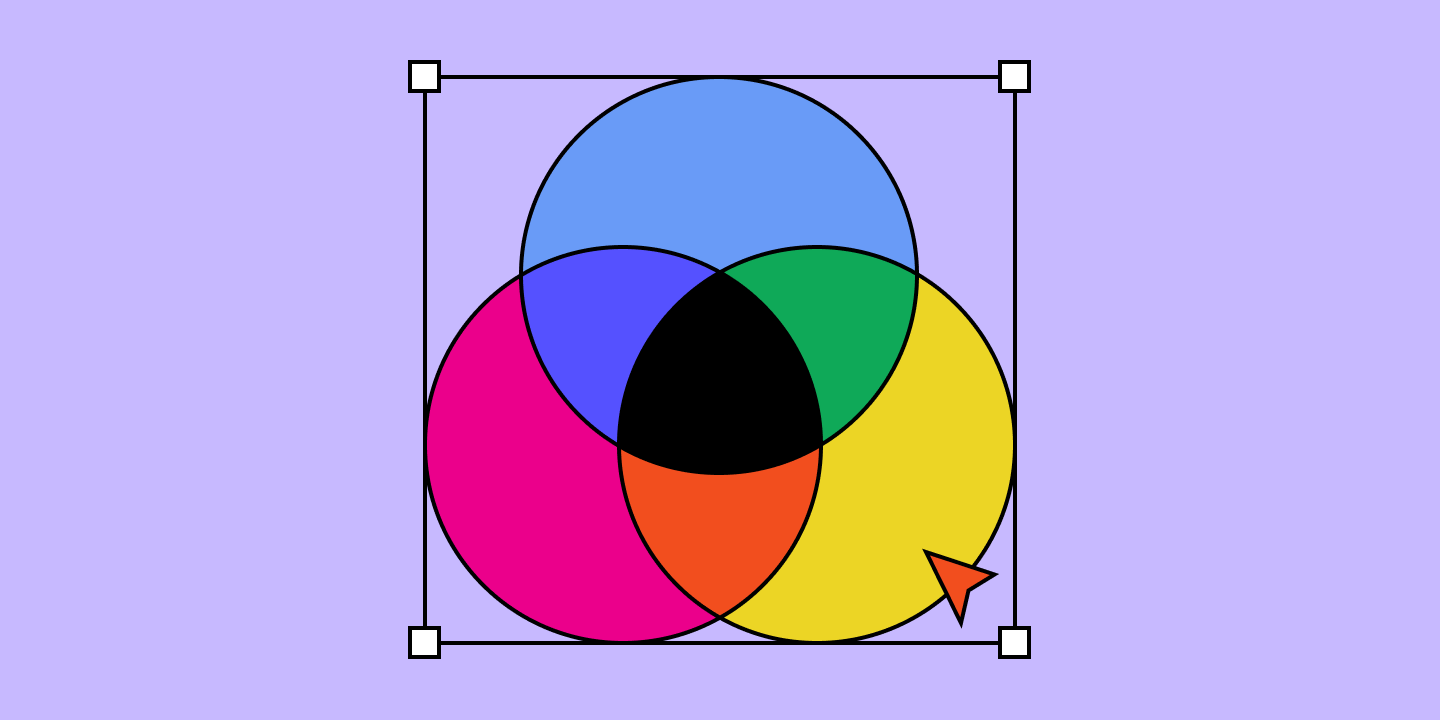
If you’ve ever designed a logo that would be printed on business cards, flyers, or other marketing materials, then you know just how important a role the CMYK color model plays.
CMYK is a color model system that’s the foundation for all print design. Understanding this model is essential for designers because it ensures color accuracy and high-quality resolution in printed materials.
Keep reading to learn more about:
- What the CMYK color model is.
- The difference between RGB and CMYK.
- Why CMYK is important for printing.
- When to use CMYK.
- How to convert RGB to CMYK.
- How to maintain color consistency with Figma.
CMYK definition
CMYK is a color model used in printing to create a wide range of colors by combining four different colors:
- Cyan (C), a bluish-green color
- Magenta (M), a purplish-red color
- Yellow (Y), a bright yellow
- Key (K), black, represented by K
The letter "K" stands for "key," a term used for the black plate in traditional printing. This key plate provided the sharpest details and defined the darkest areas of the image. As a result, the term "key" became associated with black in the printing industry. It also helps avoid any confusion with other colors or terms like blue.

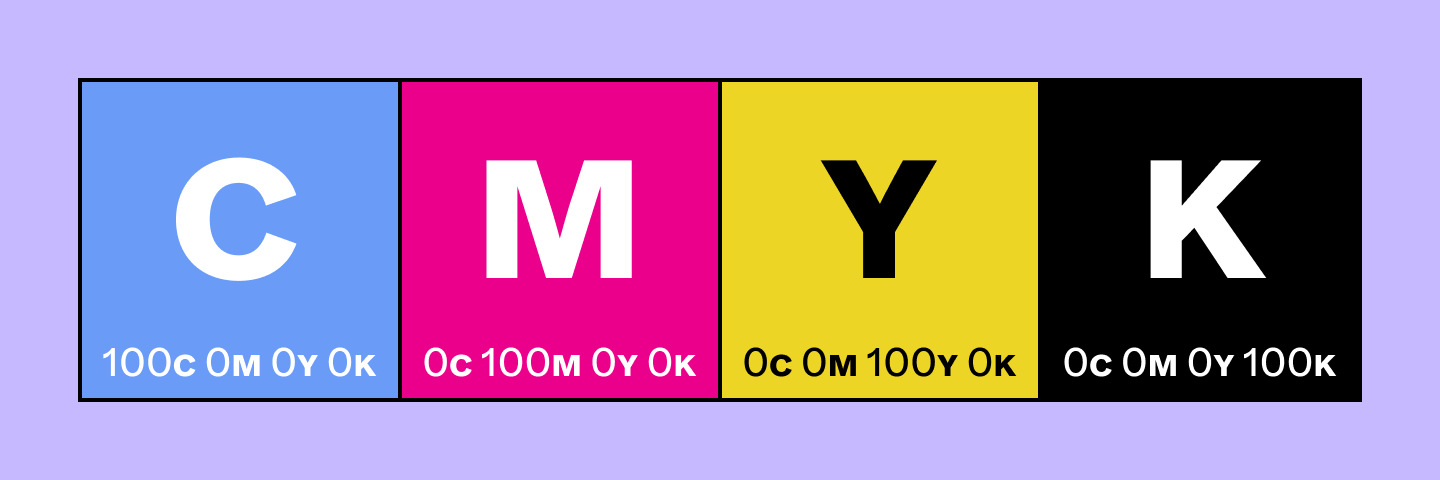
These four colors play specific roles in the printing process. Designers layer different amounts of cyan, magenta, and yellow to create a range of colors. Black is used to achieve depth and contrast in printed materials.
For instance, a combination like C = 0, M = 50, Y = 100, K = 0 produces a bright orange color.
To produce regular black (also known as "true black”), only the key (black) color is applied at full intensity ( C = 0, M = 0, Y = 0, K = 100). For a deeper black, cyan, magenta, and yellow combine with key. This “rich black” is used for large areas of solid black in printing, with a typical combination of C = 60, M = 60, Y = 60, K = 100.
RGB vs. CMYK
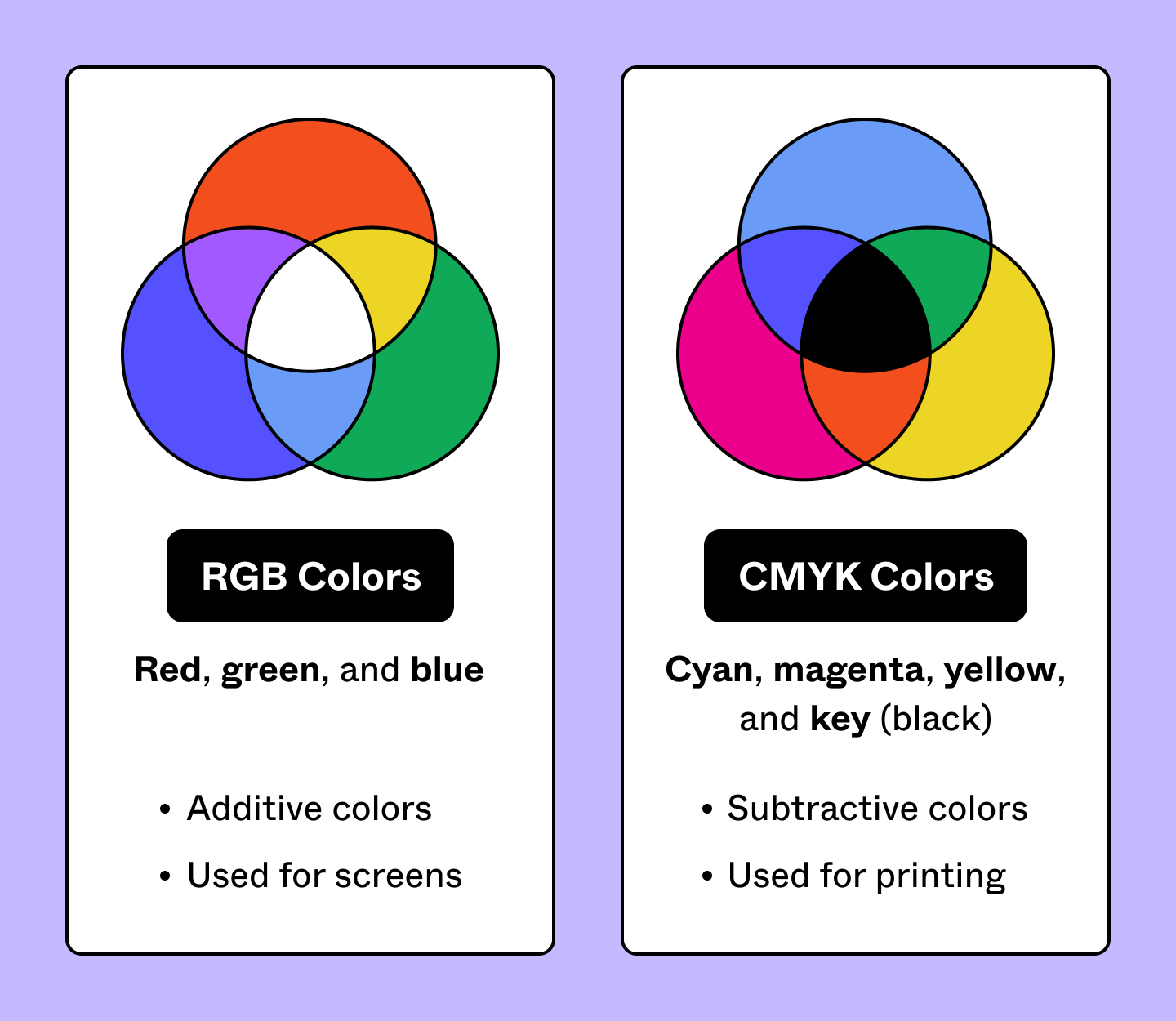
While CMYK is for printed materials, the RGB color model is for screens and digital content. RGB colors (red, green, and blue) add light to create color. CMYK colors (cyan, magenta, yellow, and key) produce color by subtracting light.
RGB colors combine to create a wide array of vibrant hues, making them ideal for screens and phones. CMYK colors subtract light to produce colors best for physical materials like paper and fabric.

Why is CMYK important for printing?
CMYK is important for printing because it provides color consistency in, for example, posters and packaging. CMYK's subtractive color model provides uniform results. This guarantees that prints on paper, fabric, and other materials look consistent—critical to protect the integrity of your brand’s style and ensuring prints match the original design.
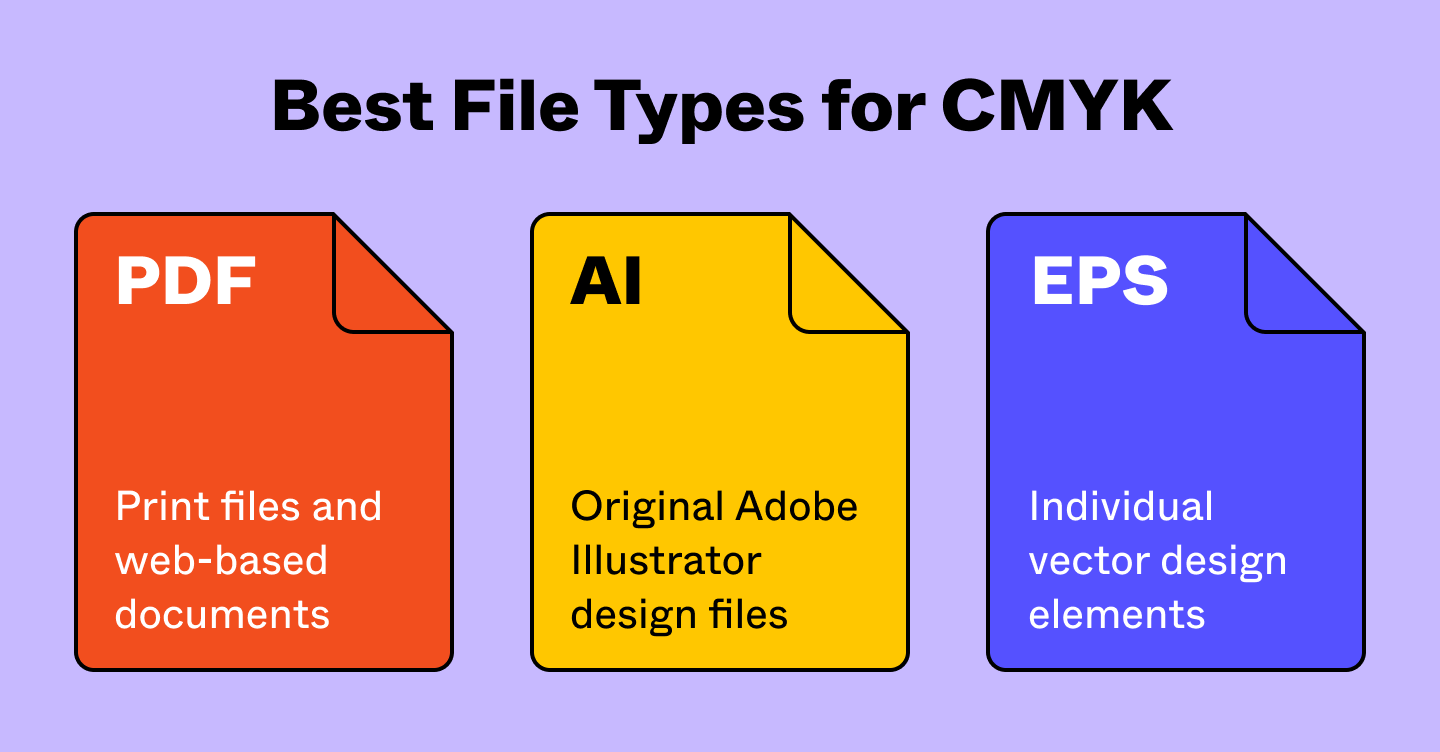
Here are a few file types best suited to support CMYK colors:
- Portable document formats (PDFs): These are ideal for CMYK files because they work with a wide range of programs.
- Adobe Illustrator (AI) files: AI files support CMYK color mode, ideal for creating vector graphics.
- Encapsulated PostScript (EPS): EPS files are vector-based and support CMYK color mode.

When to use CMYK:
You should use CMYK colors for designs you plan to print, including:
- Business cards
- Posters
- Billboards
- Stationary
- Swag (T-shirts, mugs, pens)
- Flyers
- Brochures
- Product packaging
- Menus
- Banners
For brands that focus on both print and web design, having the right tools to ensure colors translate correctly is essential. Platforms like Figma excel in UI design, while plugins like Print for Figma convert projects and marketing materials to CMYK for printing purposes.
Converting RGB to CMYK
While RGB colors look great on digital screens, their appearance can change when translated to print. Before you bring your digital designs to life on paper, converting them to CMYK is crucial.
Transitioning from RGB to CMYK can involve subtle adjustments because some hues might shift slightly during conversion. It's important to fine-tune these colors to preserve the vibrancy and accuracy of your original design.
Maintain color consistency with Figma
Color consistency is crucial in design, and Figma makes it easier than ever. Here’s how:
- Figma’s collaborative design tool offers real-time collaboration and color management tools for consistent color palettes across all development stages.
- Explore Figma’s design community and try popular color plugins to create professional color palettes to share with your team.
- Confidently print your Figma designs in CMYK using Print for Figma.
Ready to elevate your design workflow?
Ready to elevate your design workflow?
From the blog
The Figma design agent is here
Starting today, work with an agent that is built for Figma—directly on the canvas.

The TL;DR on MCP: Why context matters and how to put it to work
Figma’s MCP server brings your design decisions into the tools where code gets written—so what gets built actually matches what was designed. Here’s what that unlocks for everyone who builds products.
How to supercharge your design system with slots
Slots give you the ability to customize components without breaking the system. We’re sharing five field-tested tips from early users to help you unlock more freedom without giving up control.
The new business case for design systems
Design systems have evolved from static libraries to key drivers of business revenue, customer loyalty, and product strategy. Here’s what you need to know about how to track and communicate the value of your design system, based on new research from the Design Executive Council (DXC).


5 shifts redefining design systems in the AI era
As AI reshapes how we make products, design systems are evolving from libraries of reusable parts into living frameworks that scale taste and craft. We spoke with product leaders and practitioners about the shifts they’re seeing in how design systems are built, used, and maintained.


Schema 2025: Design systems for a new era
Design systems help teams push what’s possible while maintaining a high level of craft, polish, and performance. Here’s everything we announced at Schema by Figma to help teams design for the AI era.