11 no-code app examples to inspire your next project
Share 11 no-code app examples to inspire your next project
Explore more from
Design basics
From wireframe to website, faster
Design, prototype, and refine every page.

Every designer knows the frustration of a prototype that looks perfect until someone tries to use it. It looks real, it moves right, but the buttons and menus are just dead ends. No-code tools change that by letting you build the logic and launch functional products yourself.
If you’re looking for a way to prove your idea works without waiting months for a build, searching for no-code app examples is a good place to start. Studying real-world use cases helps you see these tools in action and decide which workflow fits your next project.
Read on to learn:
- What no-code apps are and why they matter
- 11 real-world examples of games, tools, and business apps
- How to generate functional prototypes using Figma Make
Why build with no-code?
Building with no-code tools lets you move from a concept to a working product in days. It’s the fastest way to build an app with AI and get your idea in front of users without touching your engineering budget.
Going this route gives you a real advantage:
- Ship faster. Move from a concept to a working app before your next sprint planning.
- Lower the cost of failure. Test your ideas before hiring a full team.
- Iterate in real time. Update the logic immediately based on user feedback.
This is the ideal setup for launching a minimum viable product (MVP). You can ship a version with just enough features to be usable, proving the concept works before you invest in full-scale development.
Game and interactive app examples
Games are a good way to stress-test no-code tools because they need complex logic. If you can build a functional game, you can build almost any business workflow. Here are a few that show what’s possible.
Example 1: Word search game

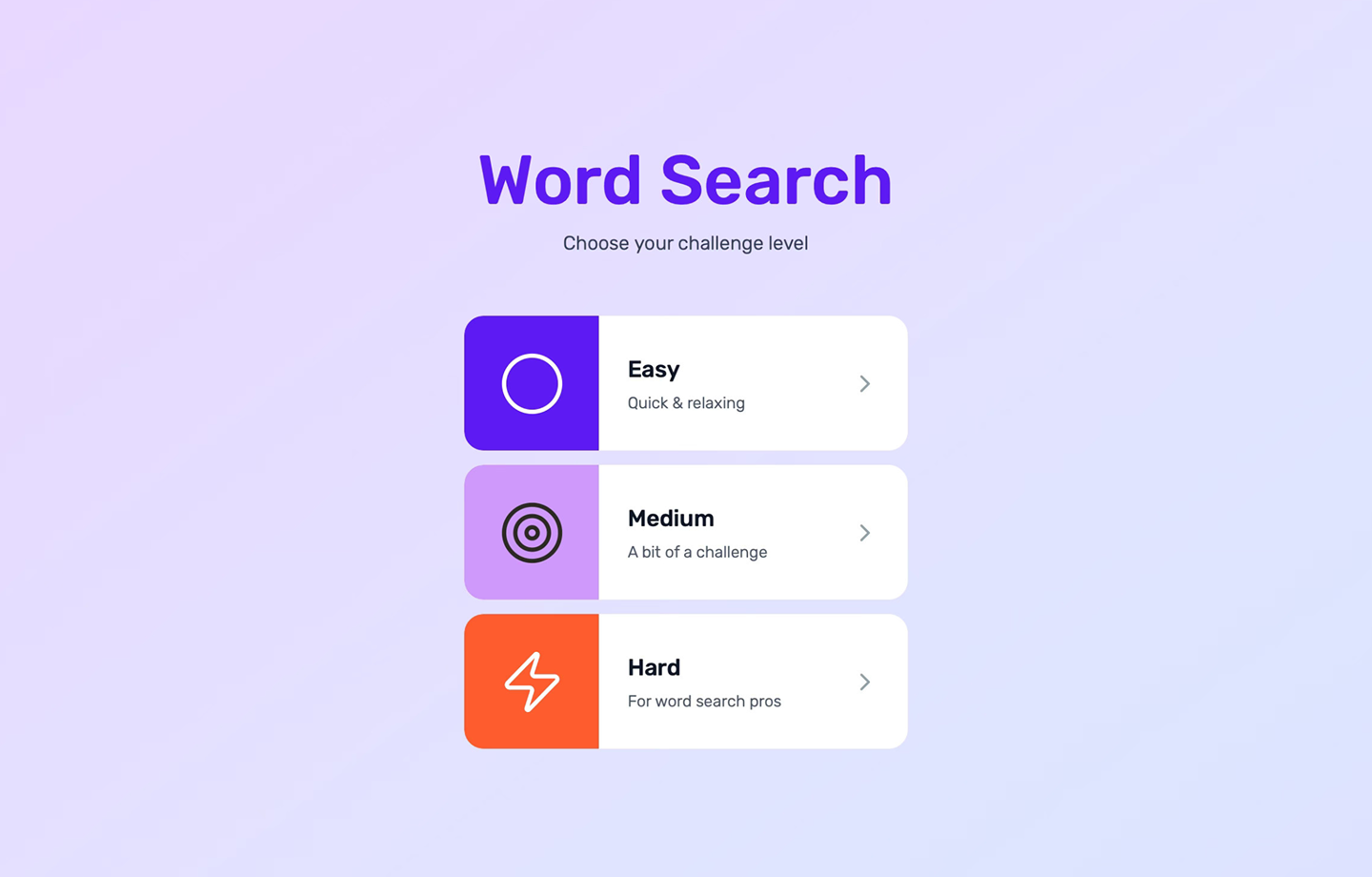
Designer Lindsey used Figma Make to build the #1 Word Search App UI. It’s a fully playable game that handles grid interactions and results screens. Players can find and highlight words, and the app responds instantly to every move.
Lindsey even used the AI to research UI patterns from professional games like the NYT Crossword. Grab this file as a blueprint if your project needs to stay responsive while reacting to a constant stream of user input.
Example 2: Figmacraft

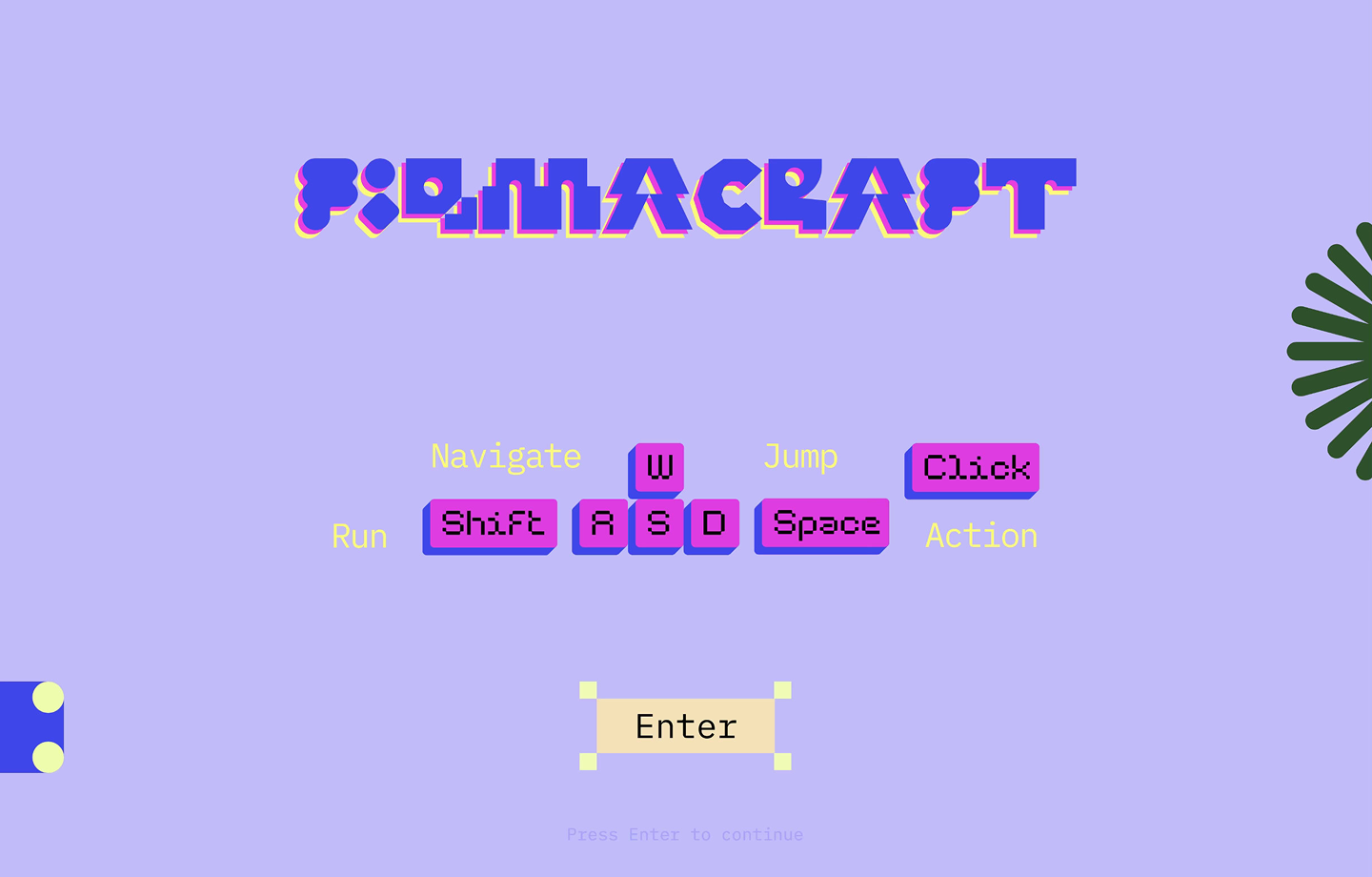
Figmacraft is a 3D block-building game that lets you navigate a 3D space, place blocks, and delete them just like in Minecraft. It’s a powerful example of how much interaction you can build into a design file.
Inside the file, complex spatial math tracks where blocks go and how the view changes. It even saves your progress as you build out the world. If you’re curious about how to manage 3D interactions, this is the no-code example to deconstruct.
Example 3: Fortune cookie

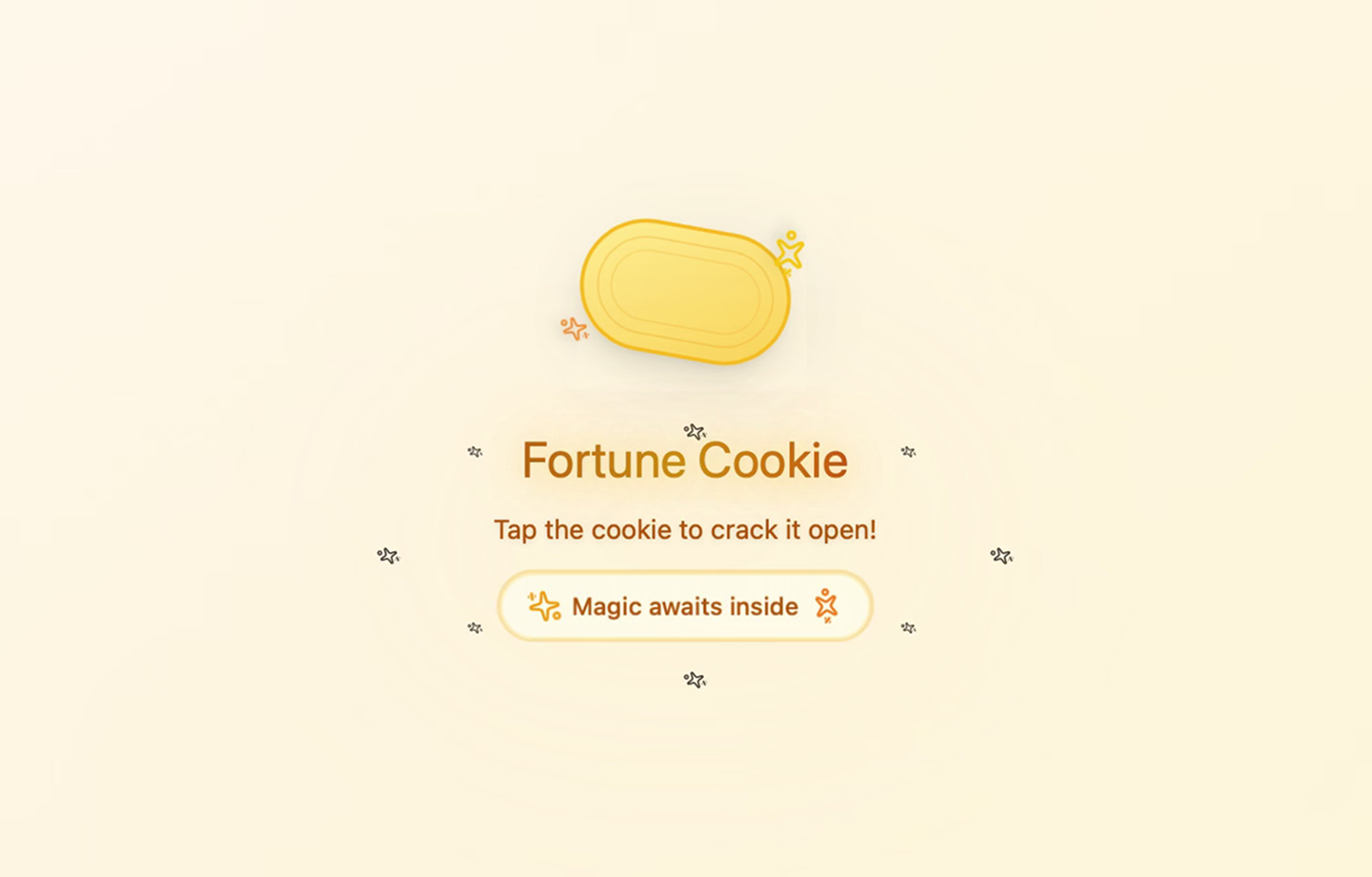
This Fortune Cookie app uses basic logic to build a randomized experience. Tap the cookie to crack it open and reveal your fortune and lucky numbers.
This prototype is a useful reference for building micro-interactions that provide instant feedback. Use this file to learn how simple user inputs can trigger specific, varied responses.
Example 4: Figtron 1.0

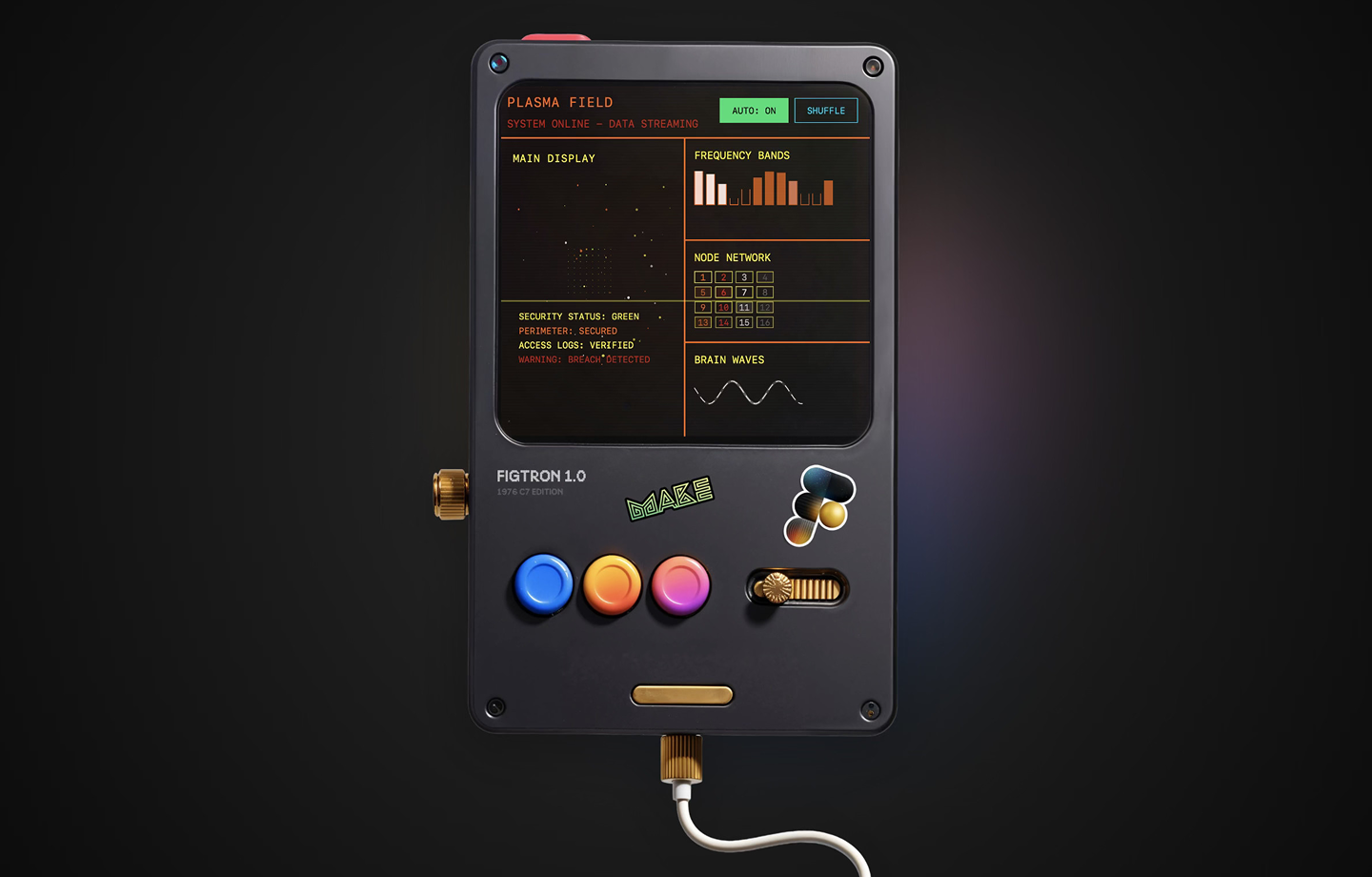
Figtron 1.0 is a retro infinite UI generator. It produces random sci-fi visualizations with a single click. Press “Shuffle” to cycle through different interfaces, or toggle “Auto” to have the app refresh every few seconds. Use this file to learn how to build timers and randomization into your designs.
Build your own version
Use Figma Make to generate interactive screens and functional logic just by describing what you need.
Utility and internal tool examples
Utility apps like trackers or calculators are a great playground for no-code and low-code logic. They rely on simple, predictable inputs, which makes them easy to build and easy to test. Here are a few examples of apps focusing on utility.
Example 5: Shader reminder

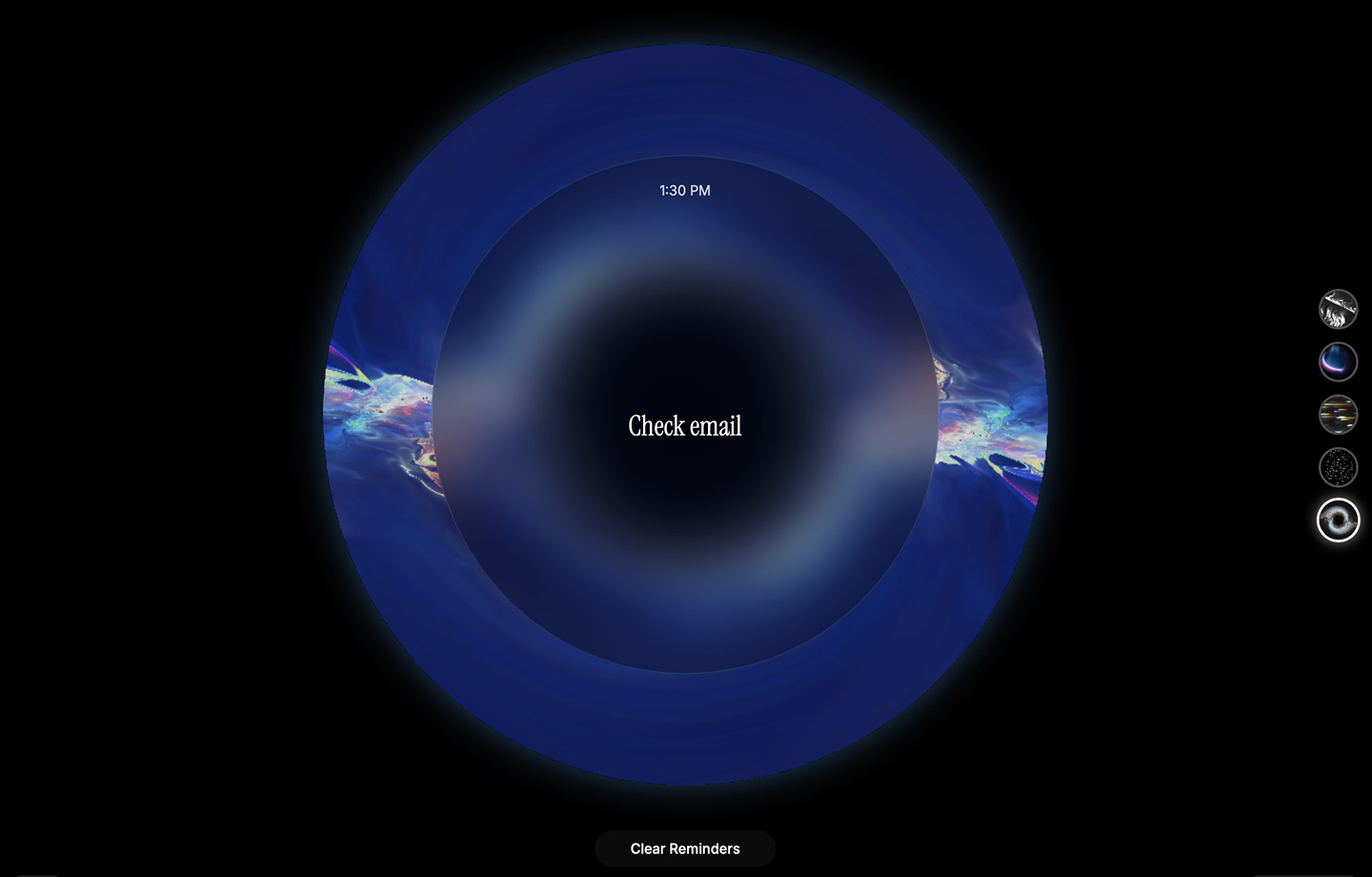
Setting a countdown in this shader reminder triggers both a sound and a visual alert when time is up. You can type in a specific task and pick from five different pulsing designs to customize the vibe.
The app handles user inputs and time-based events simultaneously. It’s a useful reference for how to build a utility that responds to both data and time.
Example 6: Analytics dashboard

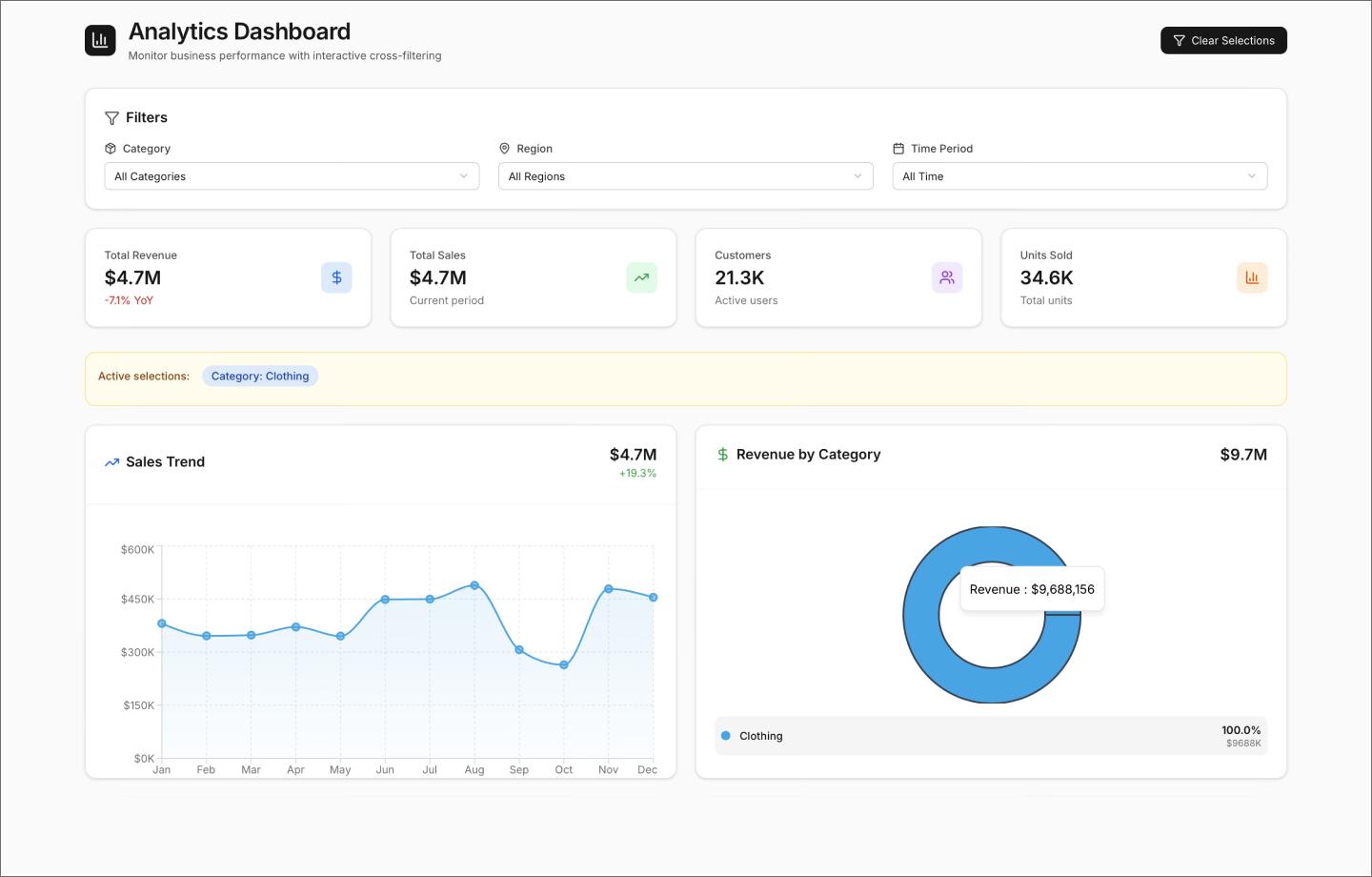
Monitor revenue, sales, and customer metrics with this analytics dashboard. Use the interactive filters to drill down into specific categories, regions, or time periods. Every chart on the dashboard responds instantly to your selections.
This project shows how no-code handles complex data relationships. It’s a helpful reference for building business intelligence tools that need to process and display multilayered data sets.
Example 7: Mobile expense tracker app

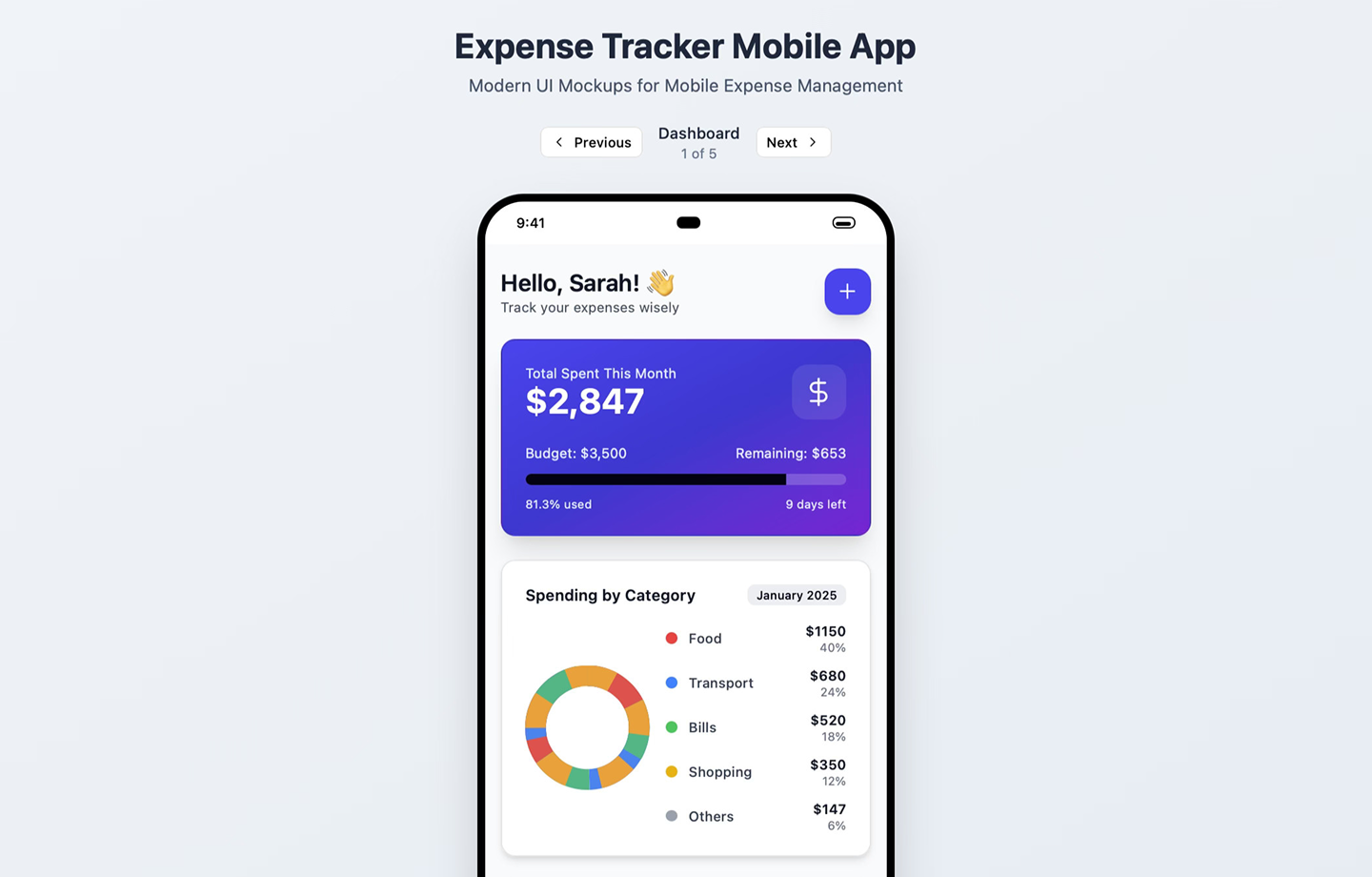
This expense tracker app handles everything from AI-powered receipt scanning to natural language search. Ask the app to “show coffee expenses” or tap the interactive pie charts for a category breakdown.
The prototype includes smart alerts and monthly summaries that react to your data in real time. It uses responsive cards and smooth animations to mimic the feel of a fully built banking app.
Example 8: MIDI controller

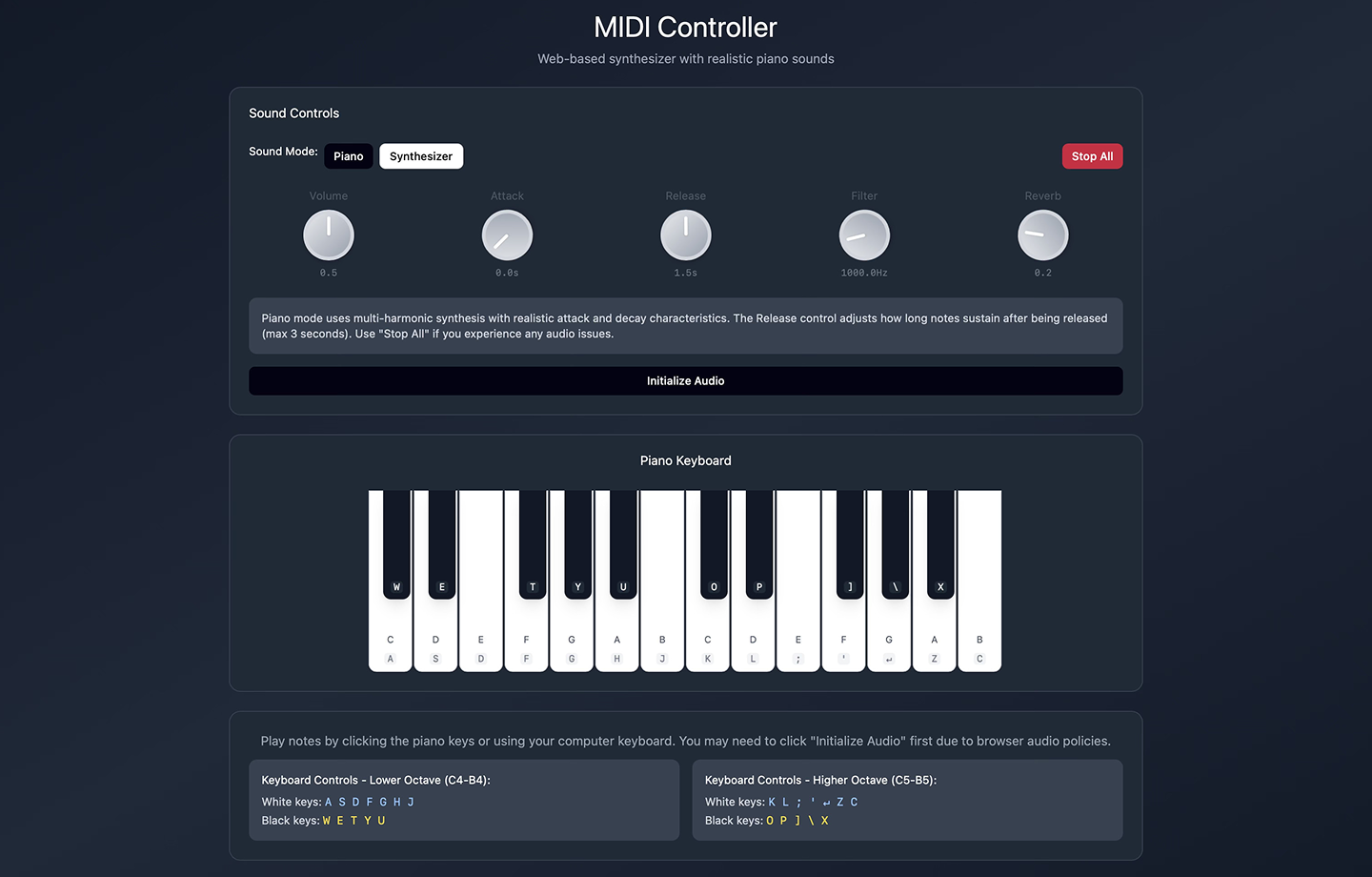
Play realistic piano sounds directly on this MIDI controller using your mouse or computer keyboard. You can toggle into synthesizer mode to experiment with different waveforms or adjust the release control to sustain notes.
This file proves that no-code can handle high-speed user inputs and trigger audio. It’s a useful study in how to build interactive tools that go beyond simple visuals. Just click “Initialize Audio” to get started.
E-commerce and business app examples
Designing a storefront is one thing, but seeing if a user can actually navigate a checkout is another. These no-code examples handle the shopping logic and filters for you, making your business idea feel functional from the first click.
Example 9: Gift shop

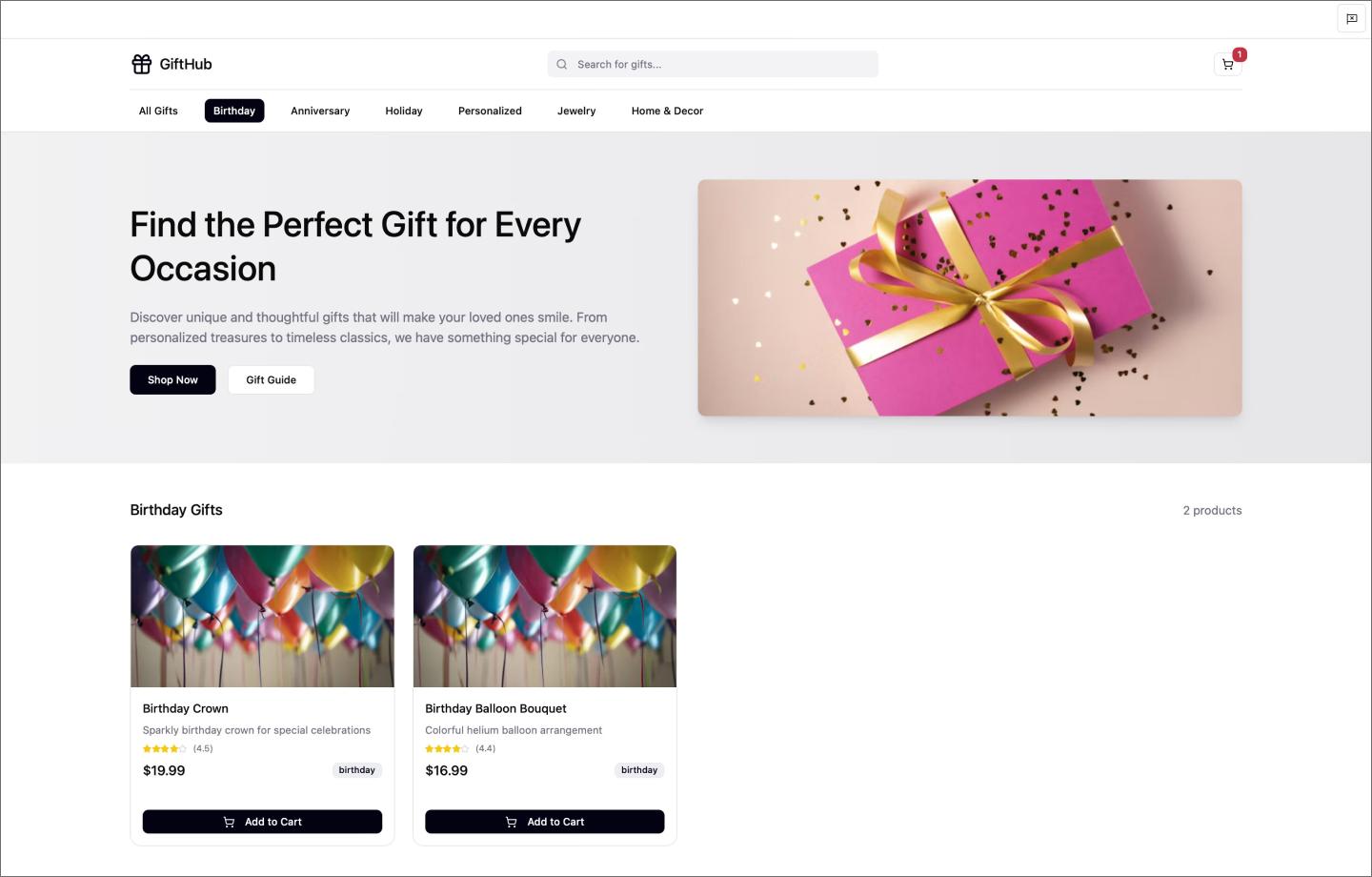
On this gift shop landing page, users can browse categories like birthdays and holidays to find specific items. Every gift includes a photo, price, and description, along with a button to add it to your cart.
This example shows how to build a retail experience that tracks user choices. It’s a solid template for anyone looking to launch a storefront MVP or test a logic-heavy checkout flow.
Example 10: Interactive grocery mobile app

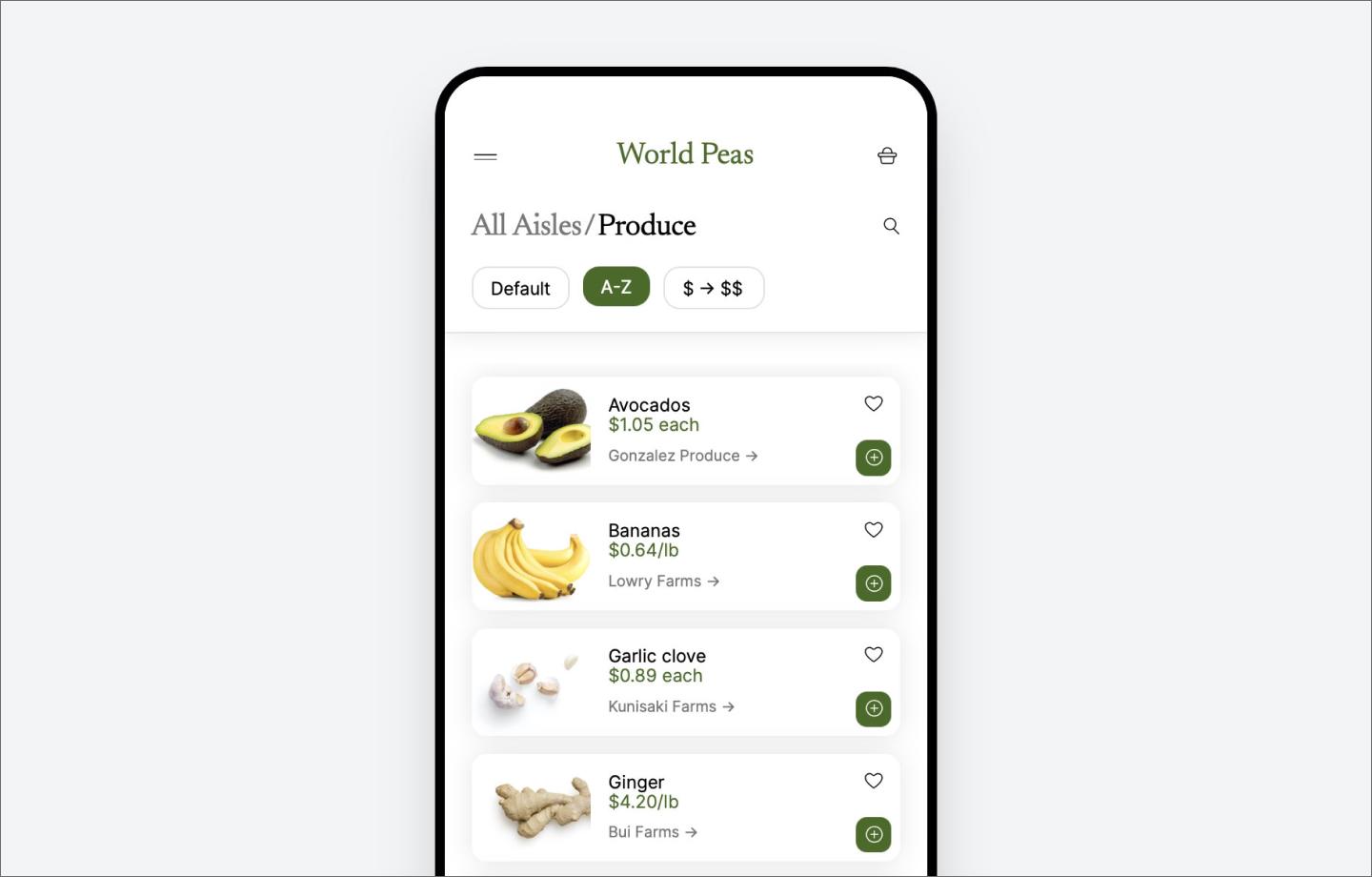
Sorting through produce is easy with this interactive grocery app. It runs on an iPhone mockup and lets you filter items by name or price. You can scroll through the inventory, favorite your top picks, and add everything to a shopping cart.
The template also includes a full menu for managing store profiles and accounts. If you’re building an e-commerce tool, this file is a useful reference for organizing complex product lists.
Example 11: Mobile coffee app

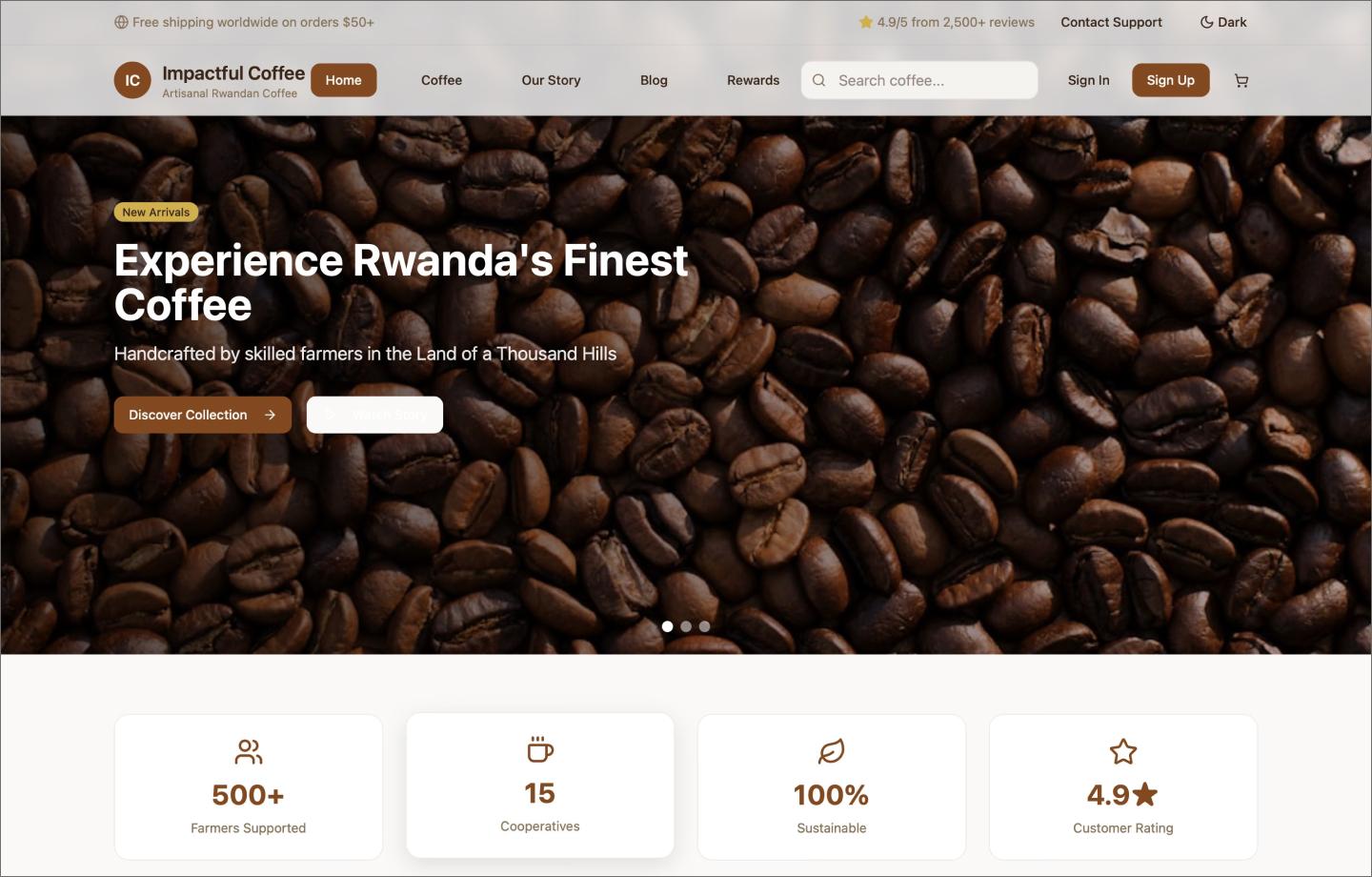
With its rotating hero images and scrolling header, this coffee mobile app template feels closer to a shipped product than a prototype. It uses an accordion menu to keep navigation tidy and features a functional cart for choosing your favorite brew. The layout also builds in social proof through customer reviews and a newsletter sign-up in the footer.
Notice how it mixes branded marketing content with utility. It’s a helpful example for anyone trying to get carousels, text inputs, and shopping logic to work together in one cohesive flow.
How to start building no-code apps
If seeing these apps has you thinking about a problem you want to solve, you’re ready to start prototyping. Building with Figma Make lets you get a functional prototype running in just a few steps.
Step 1: Open Figma Make
Head to figma.com/make to get started. If you already have a layout in progress, you can also copy existing frames from Figma Design. This gives the model a head start on your structure and metadata.
Step 2: Write a detailed prompt
Use natural language to define how your app should behave. Describe the exact components you need—like a transaction list that filters by date or a button that triggers a success sound. The more logic you include in your prompt, the less manual work you’ll do later.
Step 3: Iterate and polish
Jump into the layers, adjust the variables, and reprompt specific sections until the interactions feel right. With the point and edit tool, you can also make quick adjustments—like a color or font change—by pointing to an element.
Start building with Figma Make
These no-code app examples show how quickly a rough idea can become a working prototype. Whether you’re building a synth or a business dashboard, the focus stays on the interaction. Figma helps you skip the tedious setup so you can spend your time refining the details.
Here’s how to get started:
- Use FigJam to whiteboard your user flows and database logic before you start building.
- Use mobile app templates to get the basic UI structure in place.
- Take your generated screens into Figma Design to manage components, polish the typography, and get the pixels exactly right.
Ready to see it in action?
Figma Make uses AI to turn your prompts into high-fidelity prototypes with working navigation and logic.
Keep reading


How to design an app in 5 steps
Building an app requires research and constant iteration to meet customer needs. Learn how to design an app effectively and how Figma can help in this guide.

7 of the best AI app builders for 2026
Create interactive apps faster with some of the best AI app builders for 2026. Build no-code or low-code apps with Figma Make and other AI-powered platforms.