10 personal website examples + templates
Share 10 personal website examples + templates
Explore more from
Design basics
From wireframe to website, faster
Design, prototype, and refine every page.


A strong personal website can be your online portfolio, digital business card, and brand statement all in one. It’s a space to showcase work, share achievements, and present your personality on your terms. Whether you’re freelancing, job hunting, or just building your personal brand, the right design sets the tone for how visitors see you. These personal website examples balance style and functionality to help you show off everything from sample writing and resumes to passion projects.
Read on to discover:
- Why a personal website matters
- 10 stylish personal website templates
- What to include on a personal website
- Tips for making a personal website
Why do you need a personal website?
A personal website does more than a LinkedIn profile or business social media account. It puts you in control of your story, your visuals, and how people engage with your work. Unlike social platforms, there are no constraints on format, style, or length—meaning you can design a space that reflects who you really are.
A personal website can serve many purposes, including:
- Online resume. Create a dynamic, discoverable version of your resume to communicate your professional background.
- Portfolio. Show off your best work, projects, and achievements to peers and potential employers.
- Passion projects. Highlight your personal interests and the skills that help you stand out.
Example 1: Read.cv resume website

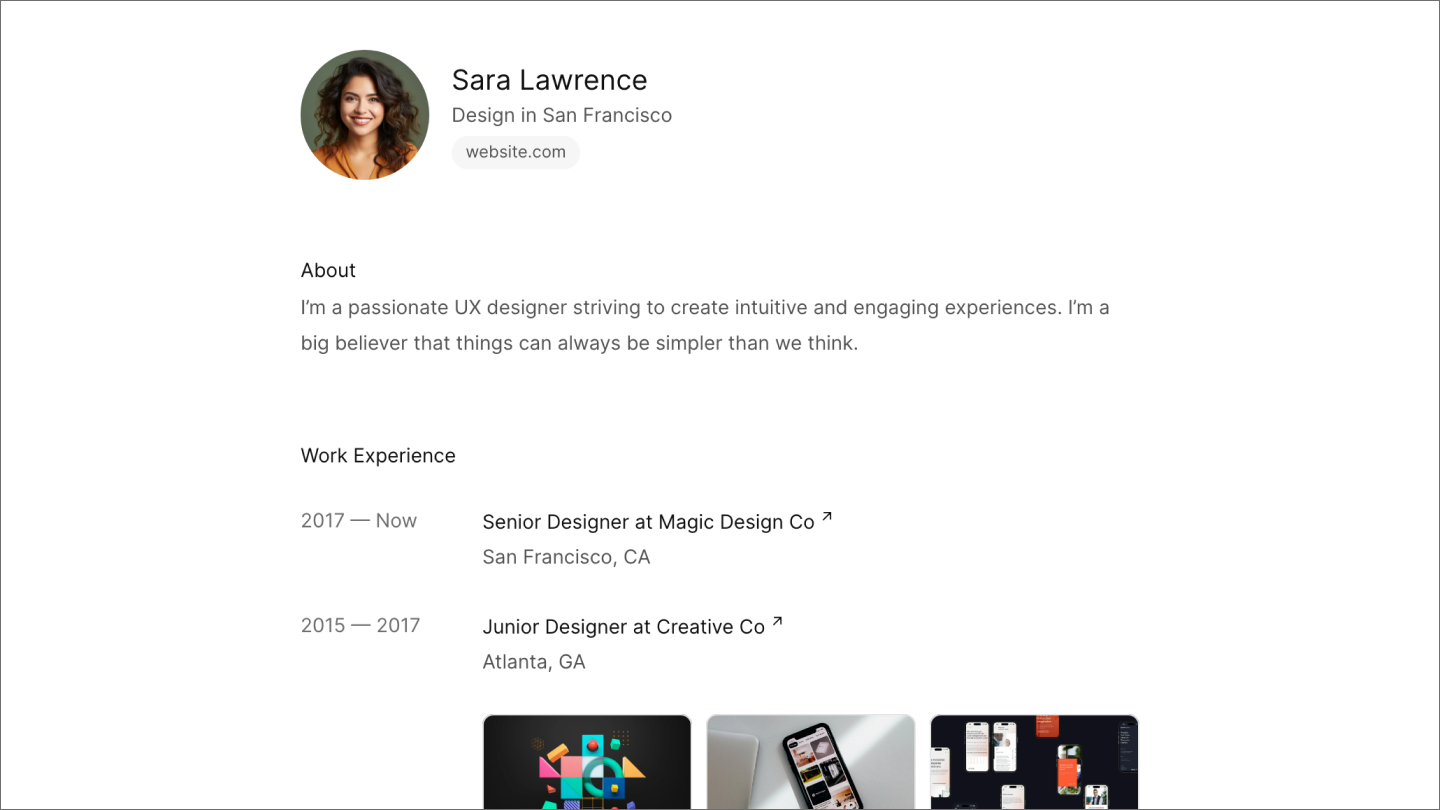
This sleek resume website template demonstrates how minimalism can make maximum impact. The clear visual hierarchy puts your name, title, and key achievements front and center, while generous white space creates an uncluttered reading experience. The template’s modular design adapts to whatever information you want to include— technical skills, creative projects, or professional milestones.
Make it yours: Customize the color scheme to match your personal brand and choose one of the best fonts for resumes to ensure readability. Add your headshot and work history, including links to your favorite projects.
Example 2: Minimalist portfolio website

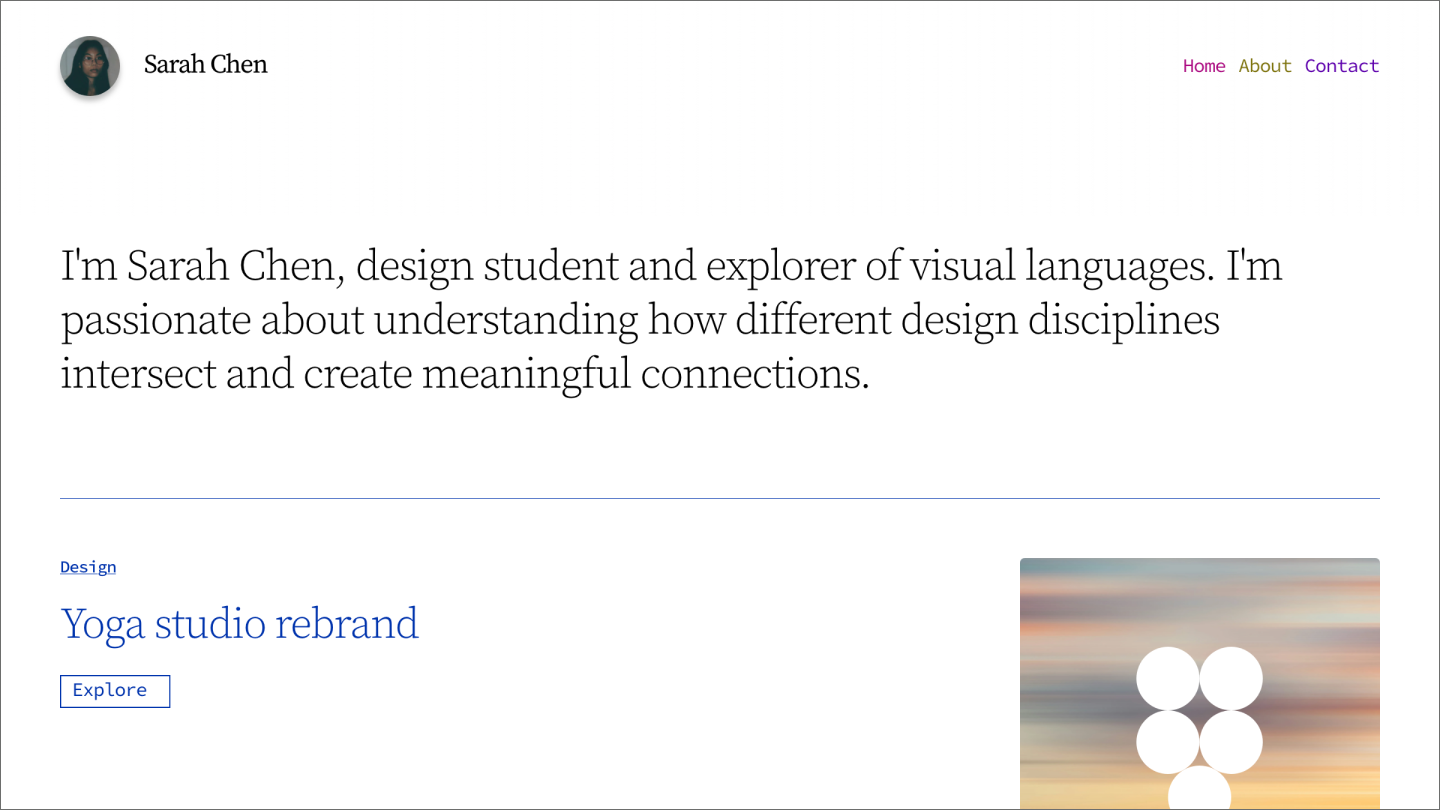
This portfolio website template uses generous white space and a clean grid layout to let your work speak for itself. The responsive layout ensures your portfolio looks polished across devices, giving potential clients or employers a seamless experience.
The clean aesthetic on this minimalist portfolio template is fresh and professional, making this template a timeless choice for your online presence.
Make it yours: Upload high-resolution images of your best work, write concise but compelling project descriptions, and consider adding short process stories to give potential employers a peek behind the curtain.
Example 3: Clean personal resume website

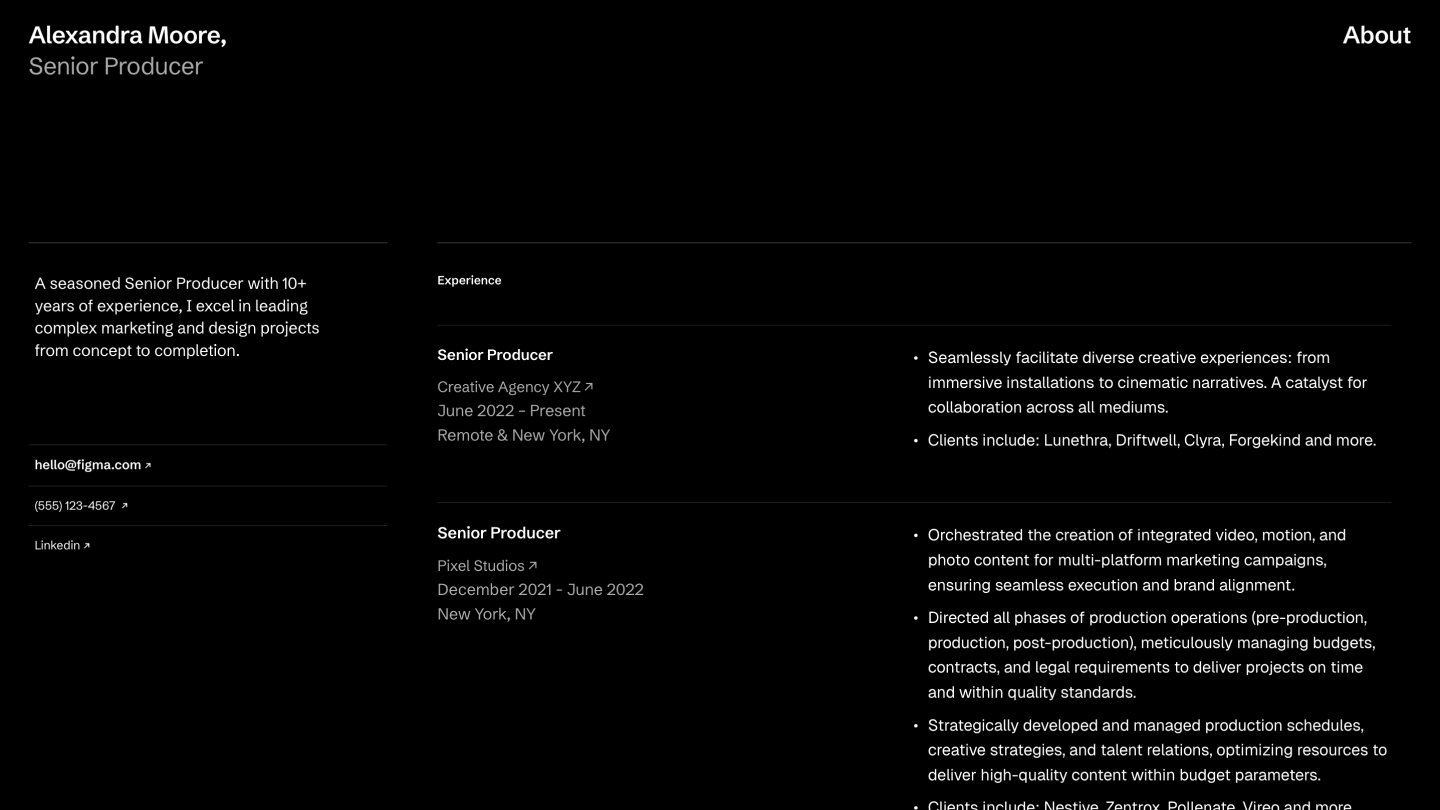
This personal website template combines professionalism with personality. The structured layout keeps information digestible, while thoughtful typography and subtle design elements prevent it from feeling stiff. This flexible template works equally well for corporate professionals, creative freelancers, and tech specialists.
Make it yours: Use the sections to highlight your strongest assets, then add personality through your bio section. To build more credibility, incorporate testimonials from colleagues or clients and ensure your contact information is easy to find.
Show off your design skills with Figma Draw
If you can’t find the image you need, you can always create one.
Example 4: Minimalist model portfolio website

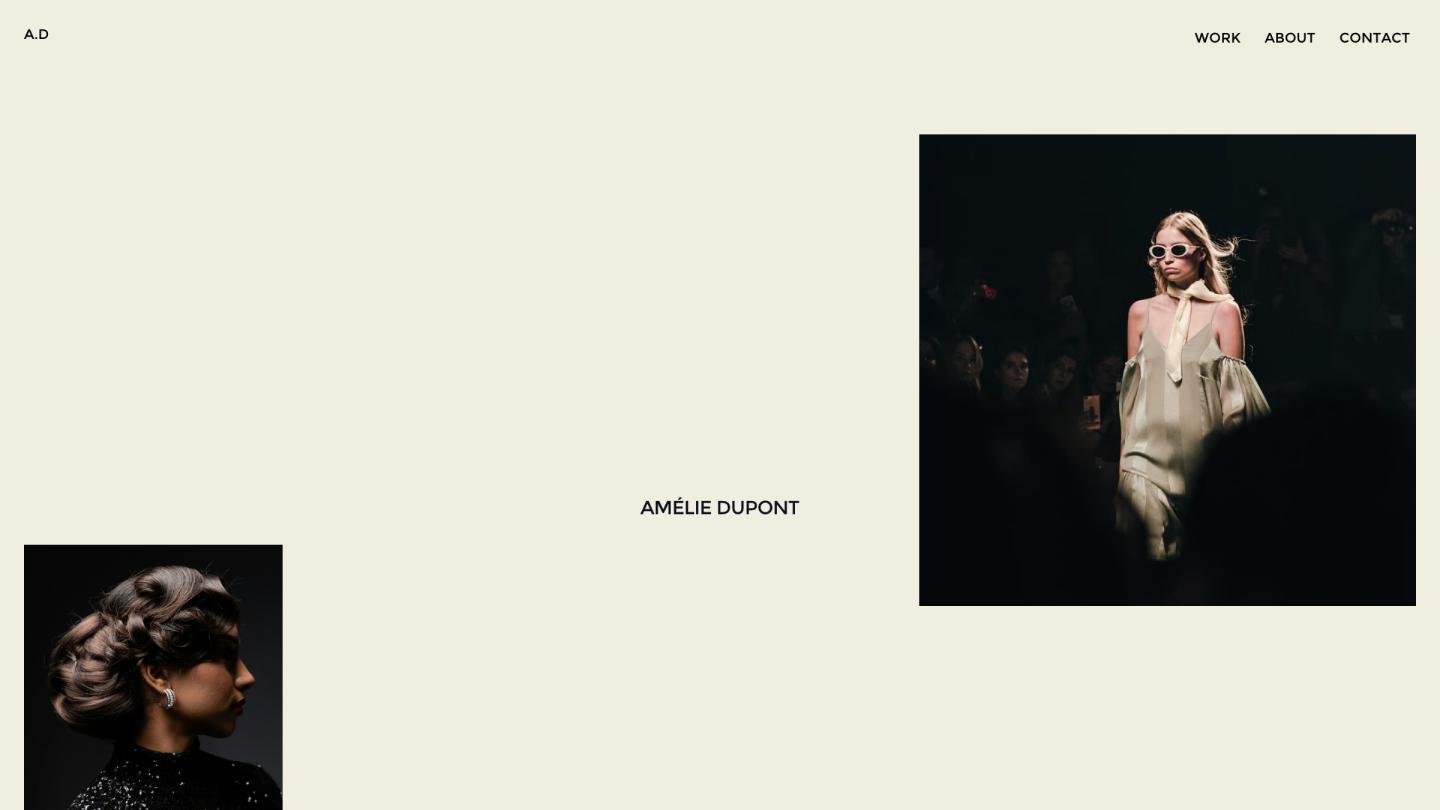
This model portfolio website template is the perfect choice for a personal website if you’re in a creative, highly aesthetic industry. Full-screen imagery creates an immersive experience for creatives in visual industries. The minimal text and simple navigation create a cohesive experience where the visuals do the talking.
Make it yours: Curate your strongest visuals to tell a cohesive story about your style and capabilities. Add brief descriptions using a simple, professional font, and make sure your contact information is easily accessible for website visitors.
Example 5: Inclusive after-school club website

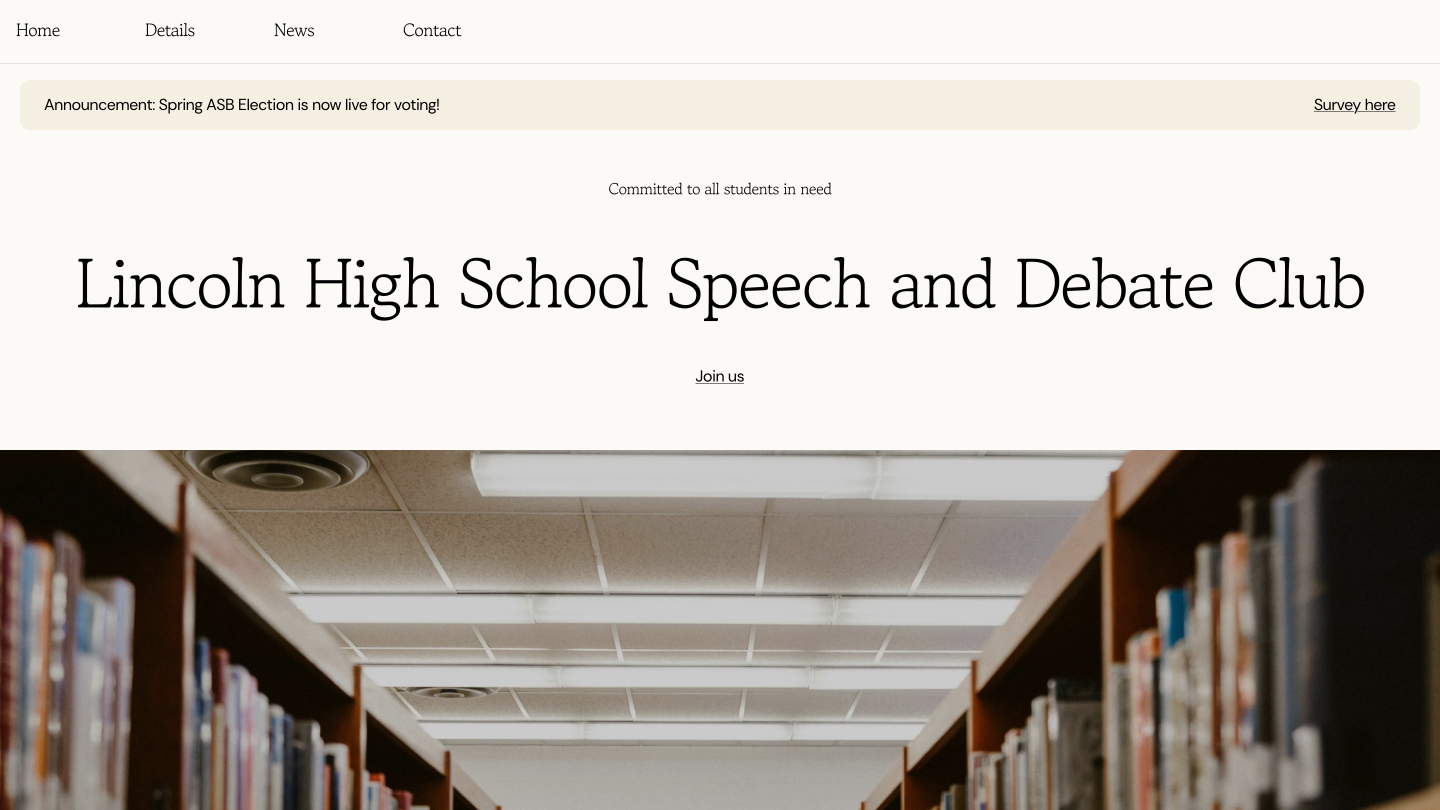
This inclusive website template is ideal for an engaging, community-focused personal website that prioritizes accessible Web design. High-contrast text, simple navigation, and a flexible layout make it easy to share event updates, photos, or community stories.
Make it yours: Customize the color palette to match your organization’s branding, add your own photos, and create clear calls to action to encourage visitors to reach out.
Example 6: Charming natural wedding website

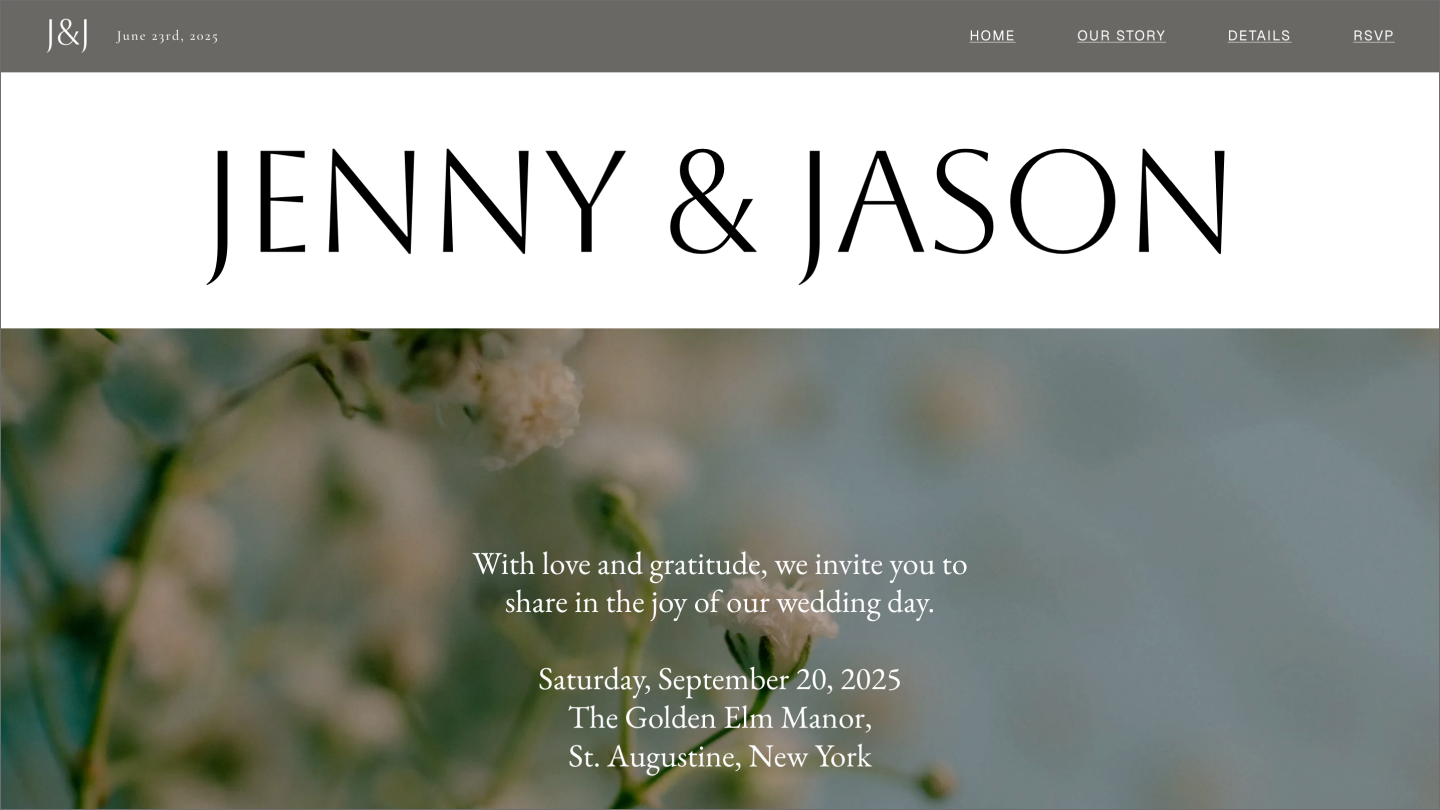
This elegant wedding template is a practical way to keep guests in the know about your big day without sacrificing style. Soft colors and organic design elements create a dreamy atmosphere. The layout balances aesthetics with practical details like RSVP details, travel guidance, and gift lists.
Make it yours: Upload your engagement photos, make the colors match your wedding theme, and personalize sections like accommodations, transportation, and dress codes.
Example 7: Community event website

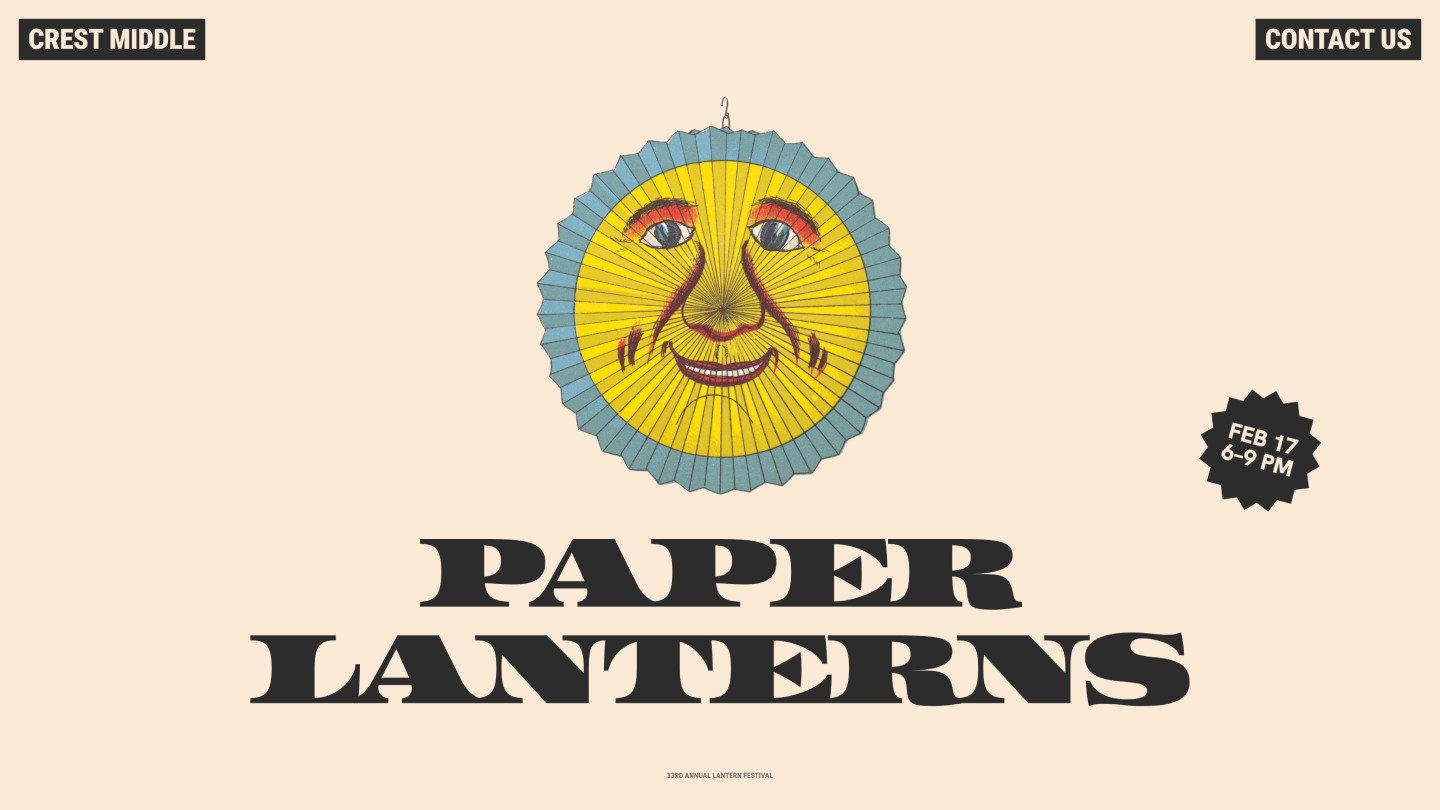
This fun event template is perfect for increasing visibility and driving attendance at community events. Bold colors and a flexible structure make this a strong choice for driving event attendance.
It can house speaker bios, schedule details, or galleries while keeping navigation intuitive. Its responsive design ensures accessibility across all devices.
Make it yours: Add photos and speaker or performer profiles, and include social proof like reviews from past attendees. Use the QR code generator feature to create easy check-in options and keep visitors engaged.
Example 8: Nature-inspired visual essay website

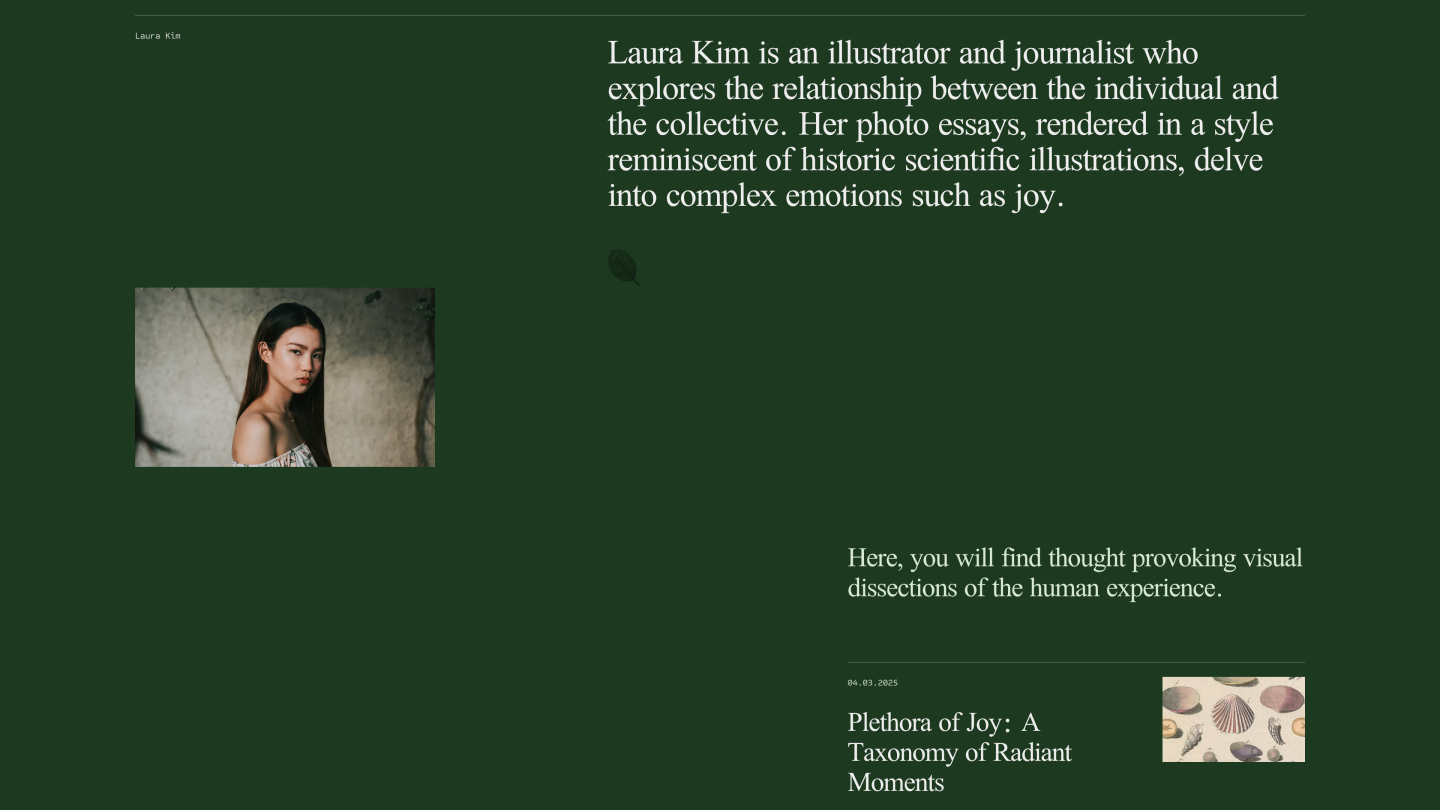
This editorial-style website template is perfect for creating an immersive storytelling experience. Tull-width layouts and curated visuals create a magazine-like experience for essays, case studies, or thought leadership—great for writers, content creators, and other creatives.
Make it yours: Establish a visual theme with colors and typography, and add sample pieces that showcase your best work. Add social sharing options to extend your reach.
Build no-code interactive prototypes with Figma
Bring your ideas to reality.
Example 9: Fresh recipe blog

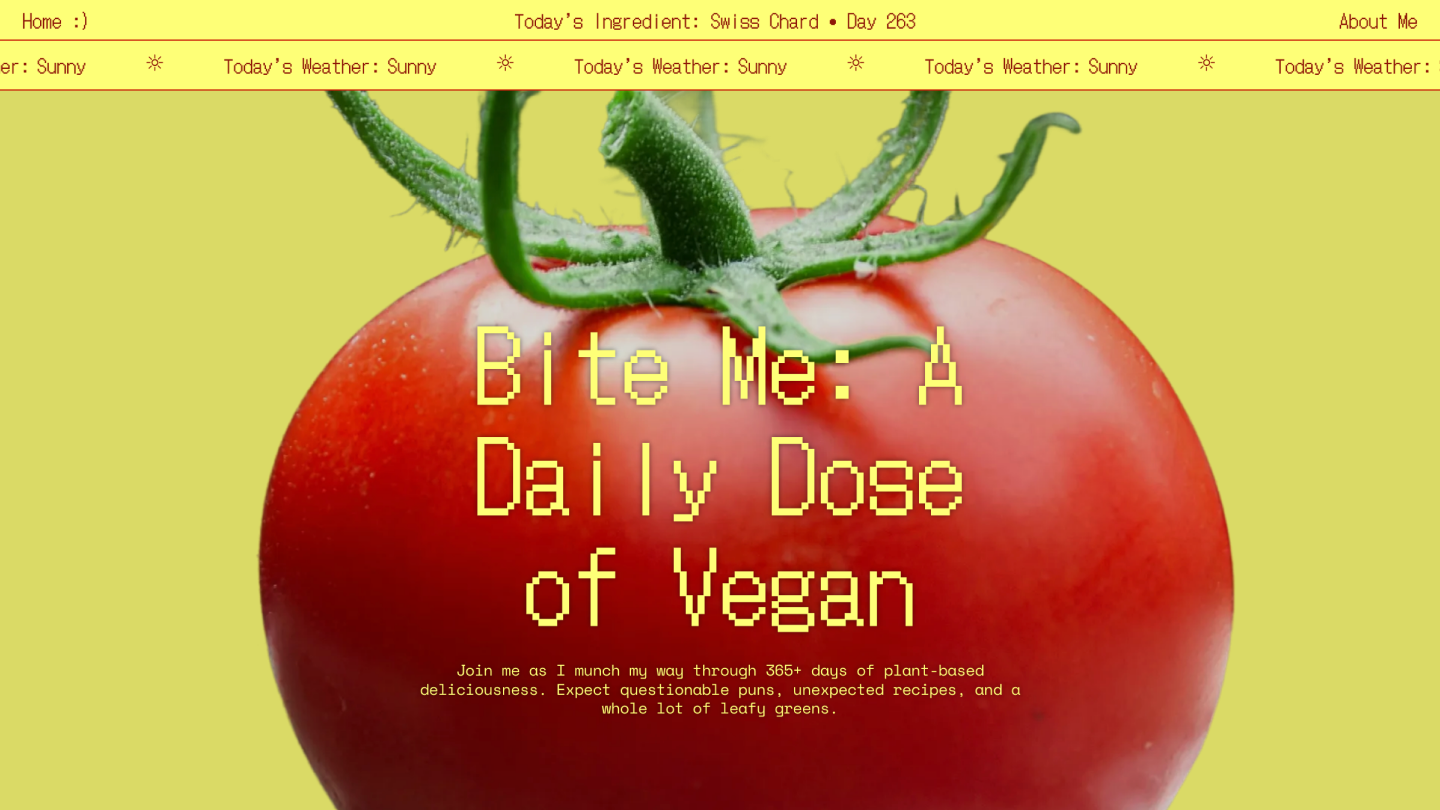
Fresh imagery and a clean structure make this recipe blog template a great starting point for food content. This template makes it easy to organize your content by category, ingredient, or dietary restriction for easy browsing.
Make it yours: Upload high-quality food photography, organize recipes by category or difficulty level, and add cooking tips or user reviews for extra value.
Example 10: Retro-industrial website

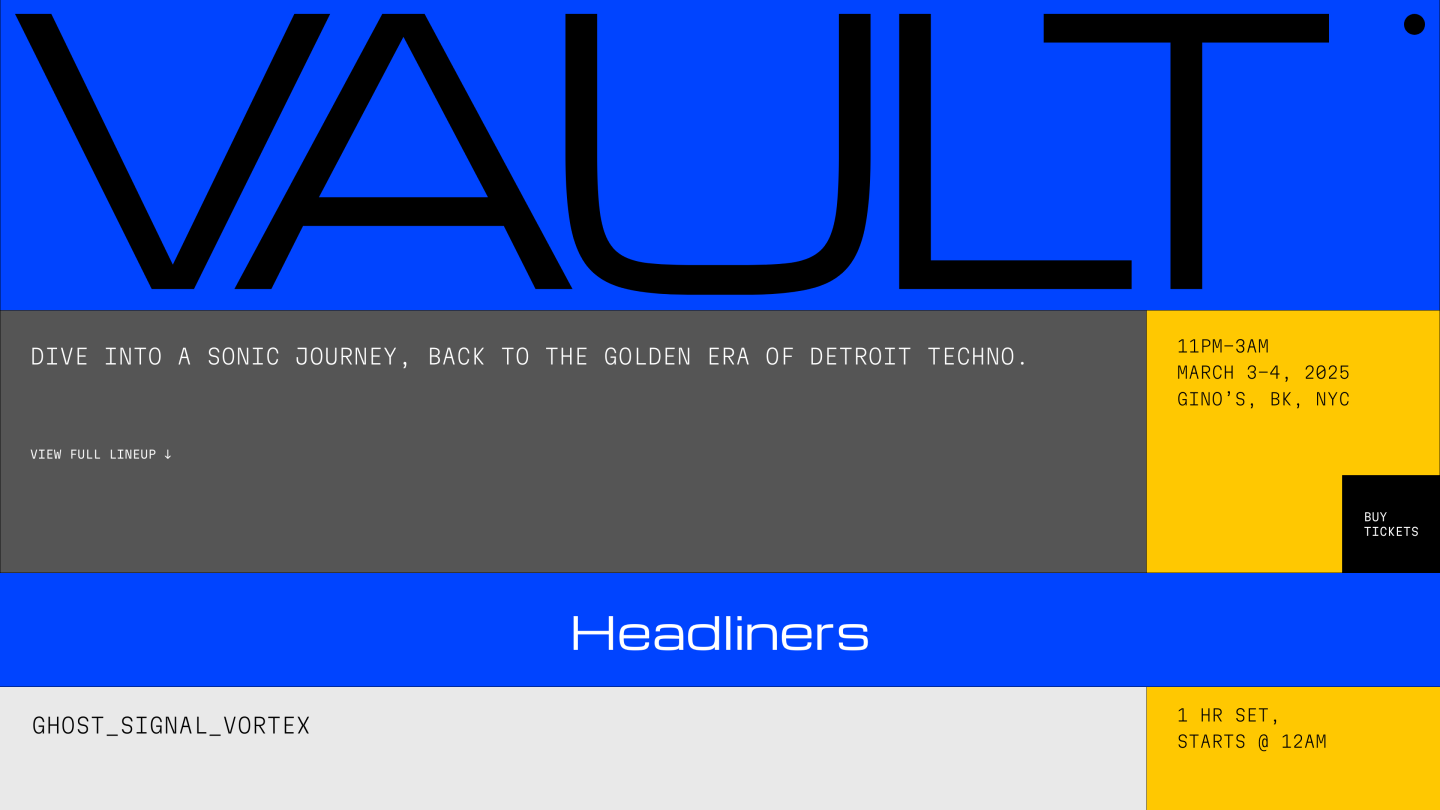
Geometric shapes and industrial-inspired typography give this website template a distinctive feel. The design elements, including a bold color palette and modern typography, create a distinctive look and feel for site visitors. The layout remains functional while breaking enough rules to be memorable.
Make it yours: Adapt colors to your liking, add personal imagery, and showcase portfolio pieces that highlight your unique style and capabilities.
What should be on a personal website?
Your personal website can help you achieve your career goals and find your target audience. What to showcase on a personal website depends on your goals. For example, promoting an event will look very different than sharing your writing portfolio.
A well-planned personal website might include some of the following:
- Biography. Your story, skills, goals, and what makes you unique.
- Work samples. Projects, case studies, or creative work.
- Writing: Articles, essays, or reflections that show your expertise.
- Contact info: A clear way for visitors to reach you.
- Resume or CV: A downloadable or embedded version.
- Testimonials: Endorsements from clients, colleagues, or collaborators.
Tips for making a personal website
The most compelling personal websites strike the right balance between functionality and individual expression. Here are some tips to help you design a website that does both:
- Know your audience. Tailor your content and messaging to the people you want to reach with clear calls to action.
- Balance text with visuals. Use negative space and strategic layouts to guide visitors through your website.
- Prioritize user experience. Test to ensure your website is accessible across devices. Ask friends or colleagues for feedback to make sure it’s user-friendly.
- Stay true to yourself. Choose colors, fonts, and photos that reflect your personality. Authenticity builds stronger connections than generic perfection.
Create your own personal website with Figma Sites
These personal website examples show the endless possibilities when you have the right website-building tools and inspiration. Here’s how Figma can help:
- Build your personal brand with custom assets from Figma Buzz, then bring them together in Figma Sites.
- Use FigJam to craft a vision board that turns your concepts into action.
- Get inspired by more personal website examples from creators in the Figma Community.
Ready to make your own personal website?
Show off your best work and build your personal brand.