What is information architecture?
Share What is information architecture?
Explore more from
Team productivity

Imagine this: You see an ad, and it catches your attention. You want to learn more about the product and price. You find the company’s website, but you can’t find what you’re looking for. After a dozen clicks and pages, you close the tab and figure you’ll give it another shot later. When you’re a website visitor, having such a disorganized experience isn’t ideal.
If you’re used to being on the other side of the screen as a product owner or designer, this disorganization impacts your business. A visitor with a high intent of getting more information, or even buying, will leave your website because they can’t find what they want. This is where information architecture (IA) comes into play.
Read on to learn more about:
- What information architecture is and why it matters
- Key components of information architecture
- The eight principles of information architecture
- Examples of information architecture
- Pro tips and best practices for information architects
- How to build information architecture faster with templates
Information architecture definition
Information architecture organizes content to make it easy to understand. It helps users find what they’re looking for, providing a clear layout for content like blog posts, websites, apps, or website structures.
“Information architecture is the art of organizing content for the product you’re designing, such that content hierarchy and wayfinding make sense to your users, explains Clara Ujiie, a Designer Advocate at Figma.”
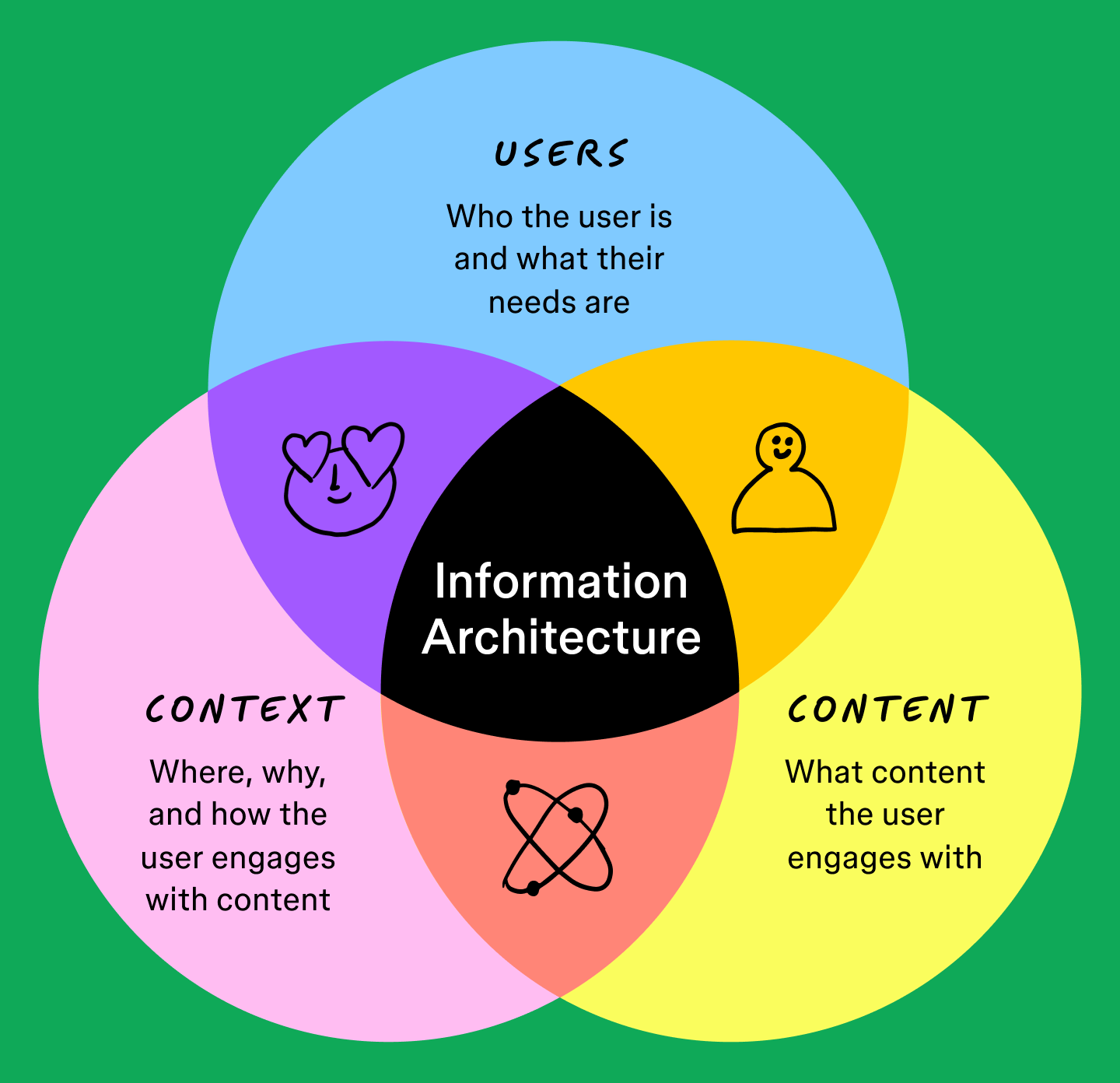
Information architecture focuses on three key components:
- Users: who they are and what they need
- Context: where, why, and how they interact with the content
- Content: what they engage with
By understanding your users, their context, and the content they engage with, you can design IA that resonates with them. Neglecting any of these aspects increases friction and makes it more difficult to achieve effective information architecture.

Information architecture vs. sitemaps
It’s important not to conflate information architecture with a sitemap.
A sitemap shows the structure of a website—think of it like a map that shows how pages connect. A sitemap is one component of information architecture.
Information architecture is broader and refers to the organization of information. It focuses on arranging content, navigation, and user pathways for a smooth experience. Information architecture also includes other aspects like content labeling and user interaction.
Why information architecture is important
Information architecture is essential for effective UX and UI design. It can dramatically impact your SEO and user engagement. Some key benefits of information architecture include:
- Easier navigation. Well-structured information architecture makes it easier for users to explore content.
- Improved findability. Organized information architecture helps users locate information or resources, which is critical for websites with substantial content.
- Better content management. Information architecture makes it easier to maintain and update content.
- Supports business goals. Information architecture can help a business achieve its objectives, like increasing sales and engaging customers.
“Helping users wayfind is a big part of a well-designed information architecture at the product, site, or page level. When a user tries to accomplish a task or goal, the information architecture helps make it happen.” — Clara Ujiie, Designer Advocate at Figma
Want to streamline your information architecture process?
FigJam’s templates are here to help bring clarity to your site structure.
Key components of information architecture
For information architecture to be successful, you must understand industry standards for handling information. In Information Architecture for the World Wide Web, authors Louis Rosenfeld and Peter Morville note that effective information architecture starts with four building blocks:
Building block #1: Organization systems
User research activities like card sorting and creating personas can help you understand user behavior, identify top user tasks, and inform your content hierarchy and user flows. Clara recommends card sorting to learn how your target audience uses information. “Ask participants to group related content into buckets with existing labels, or invite them to make a list of needed content and label it.”
Common types of organizational systems include:
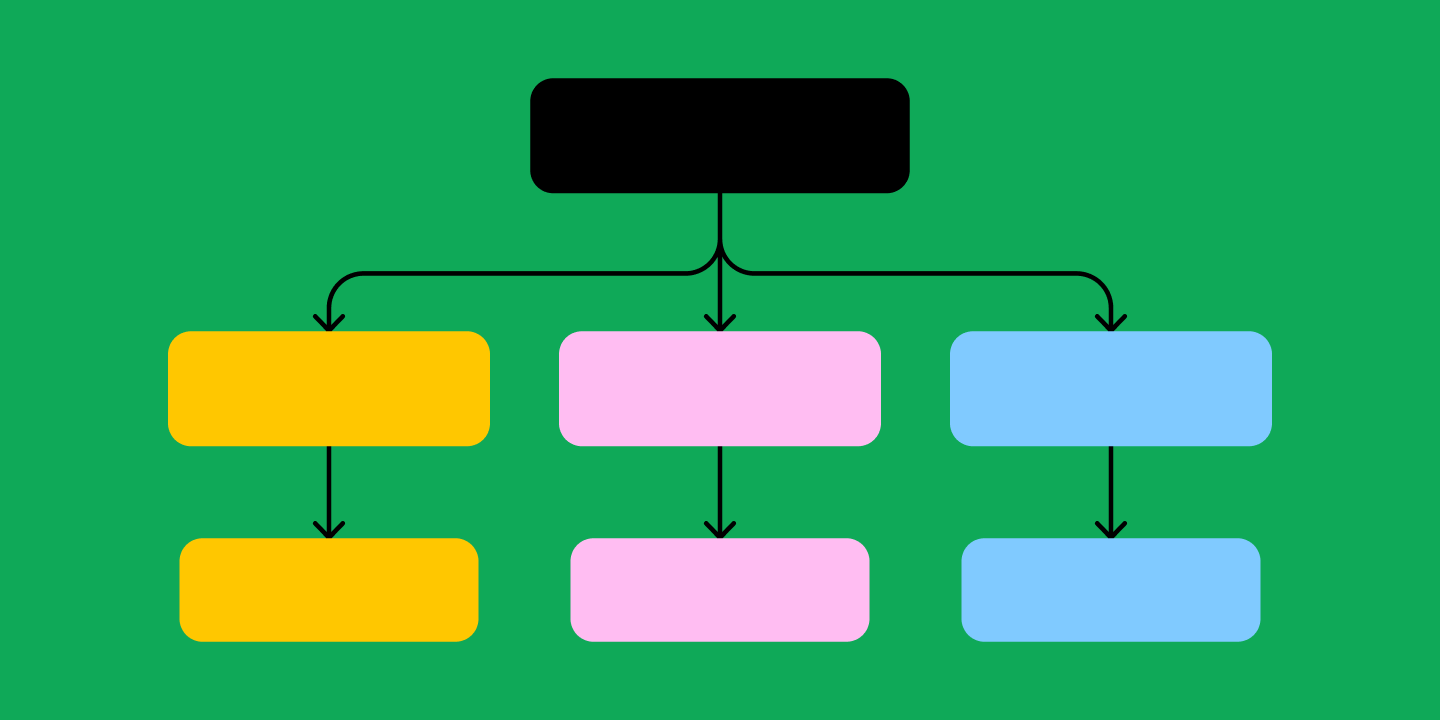
- Hierarchical. A hierarchical system uses a top-down, tree-like structure, like a website with a main menu and subpages.
- Sequential. A sequence diagram presents a linear, step-by-step path. It is often used for processes like a checkout flow or a tutorial.
- Matrix. A matrix organization allows users to navigate based on different attributes. For example, they could filter e-commerce products by price, size, or color.
Building block #2: Labeling systems
Labeling systems include categorization, contextual links, navigational terms, keywords, and taxonomy. Consistent information systems with accurate, meaningful labels help users quickly understand your site or app.
Building block #3: Navigation systems
Users figure out how to get from the homepage or screen to their end goal with global, local, and contextual navigation systems. If early usability testing reveals that user flows aren’t intuitive, you might improve functionality by implementing wizards and guides.
Building block #4: Search systems
To help users search your site or product, decide how to index content. Common examples include by topic, audience segment, or content type. User testing helps you determine how to show and sort search results to meet user needs.
Eight principles of information architecture
Dan Brown introduced the principles of information architecture, which provide guidelines for organizing digital information effectively. Applying these principles helps designers create user-friendly designs, improving navigation and user experience.
Each principle leads to cohesive and scalable digital environments. This ensures clear, simple, and user-centered experiences.
The eight principles of information architecture include:
- Principle of objects. Treat content as living things with lifecycles and attributes. For example, to keep content fresh, regularly update blog posts with new information.
- Principle of choices. Minimize choices to avoid overwhelming users. Offer three subscription plans instead of 10 to streamline decision-making.
- Principle of disclosure. Give users an idea of hidden information. For instance, preview a summary of an article's content before users click to read more.
- Principle of exemplars. Use examples to illustrate content categories. For example, add a video tutorial with a guide on how to install a new tool during the onboarding process.
- Principle of front doors. Anticipate various entry points to the website by incorporating a sticky navigation menu visible on all website pages.
- Principle of multiple classifications. Offer multiple ways for users to navigate content. To cater to various browsing preferences, you could get users to explore products by category and brand.
- Principle of focused navigation. Keep navigation simple and consistent. Use a single menu bar with clear categories to help users find what they need without cluttering the interface.
- Principle of growth. To accommodate future content expansion, design for scalability. For example, create a website that can handle more products without needing significant changes later.
Information architecture examples
Here are a few examples of information architecture:
Sitemaps

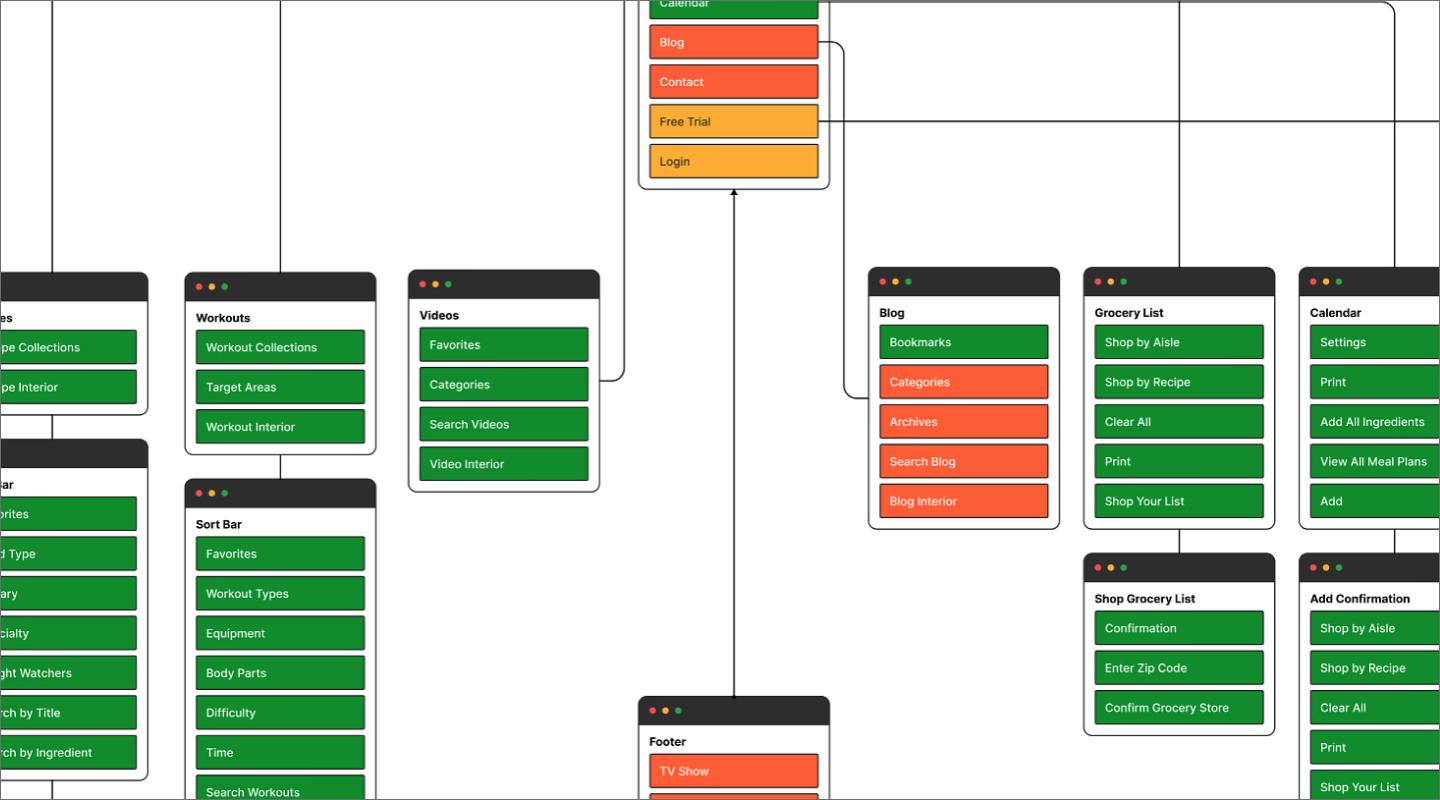
A sitemap or navigation flowchart shows how pages or screens relate. Sitemaps capture a digital product’s organization and navigation systems, reflecting user needs and behavior.
User flows

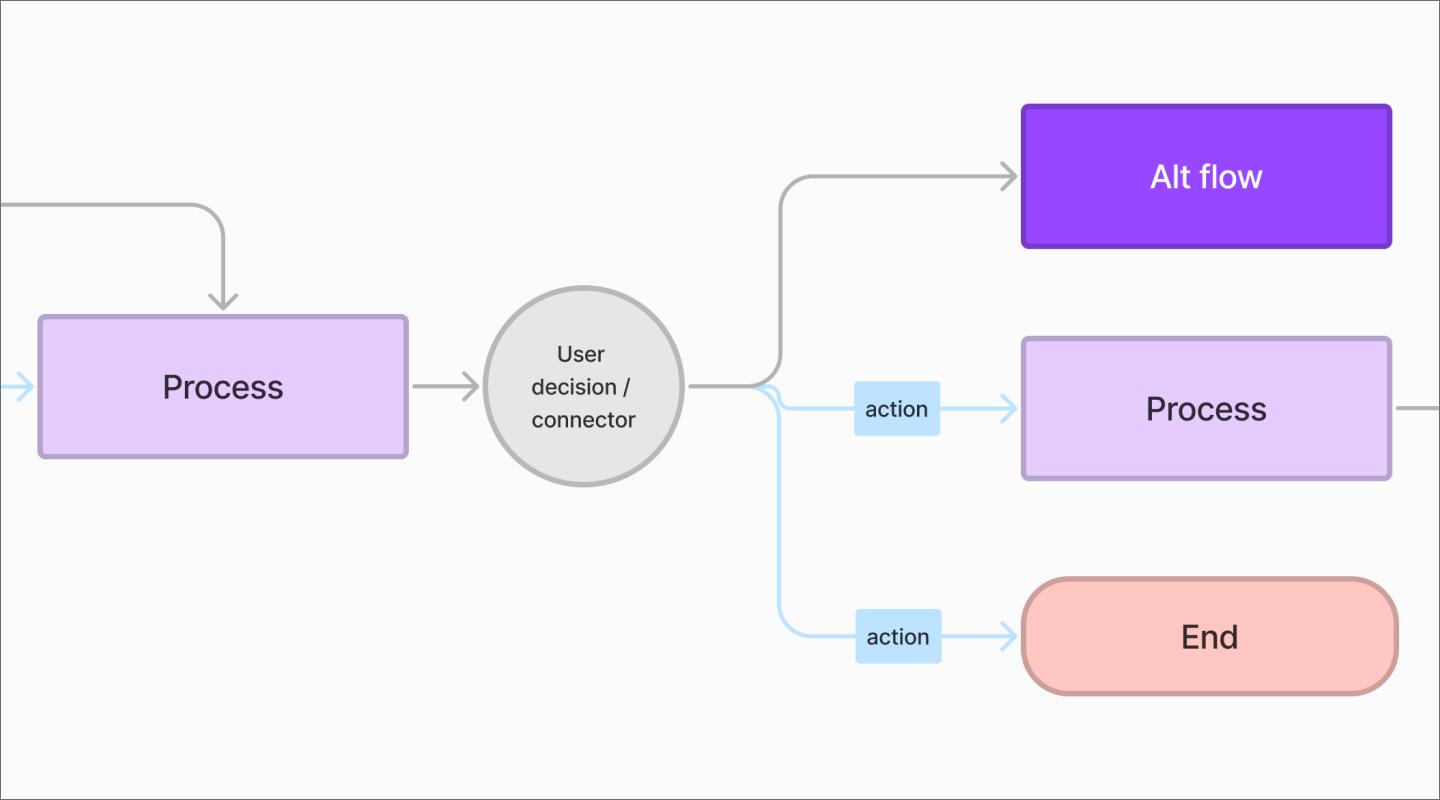
A user flow diagram illustrates how users navigate through screens or pages to achieve a specific goal. Test and revise your flows and interaction design until your target users find them usable and useful.
Wireframes

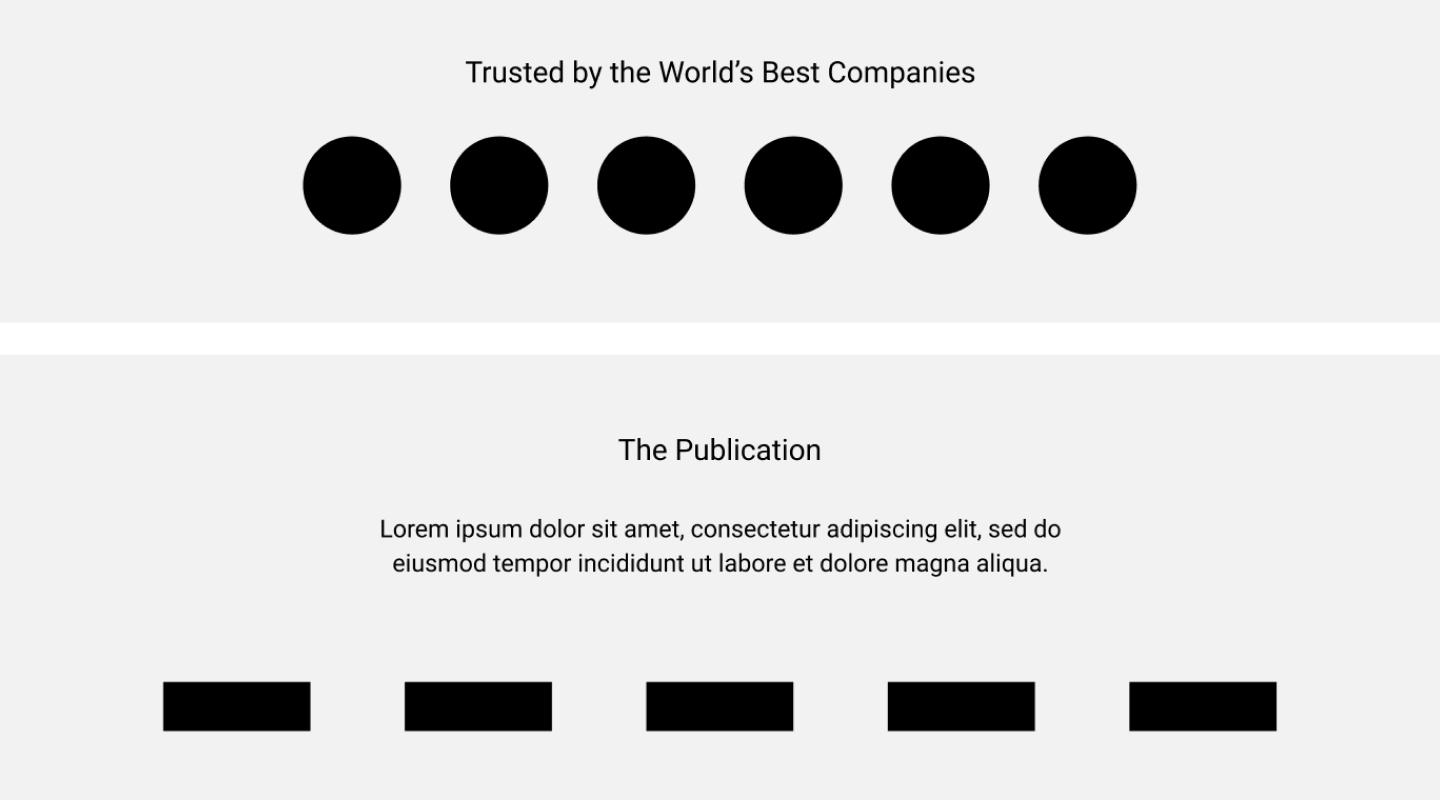
Wireframes outline how UI and UX elements may appear on a user interface. Designers use wireframes to present interface design with less detail. This allows them to gather feedback on architecture and design choices before investing time in development.
Taxonomy

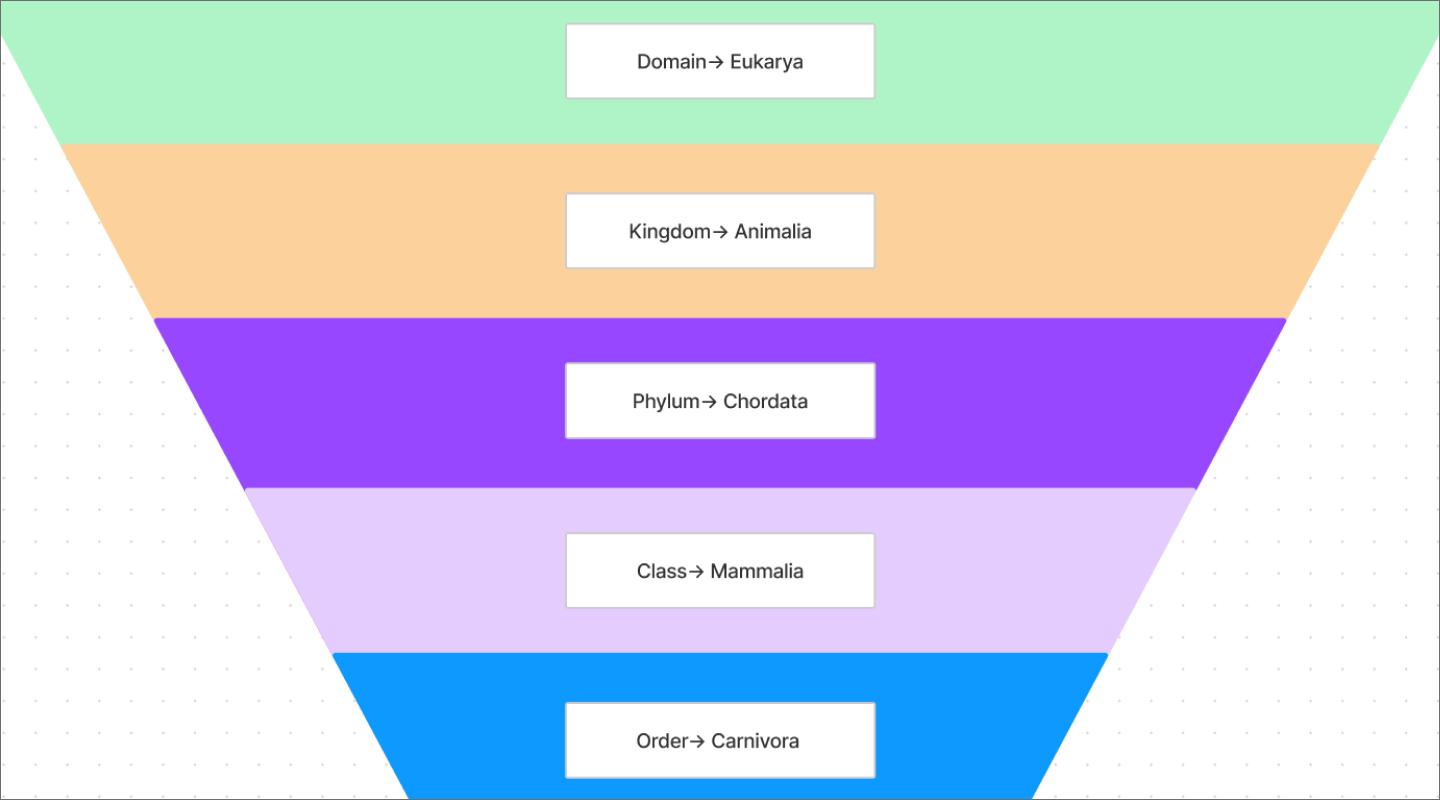
Good information architecture classifies content into clear, standardized categories, subcategories, and tags. A thoughtful taxonomy helps users find what they need.
Website footer


The website footer provides useful navigation links and contact information. It makes it easier to access important content and helps boost search engine rankings with crawlable links to key pages.
Best practices for information architects
To ensure your information architecture is successful, consider these pro tips:
- Lead with good information architecture. Start IA early. Don’t wait until design or development is underway. “Information architecture is foundational for your design,” says Clara. “It could be an expensive mistake to go without it. You may have to refactor a product completely.”
- Collaborate early and often. Involve cross-functional teams. Designers should collaborate with user research teams, developers, product managers, and stakeholders to gain a deeper understanding of user behavior and business objectives.
- Always make it about the user. “You can never go wrong with this mantra,” says Clara. Good site organization, labeling, navigation, search, and content management start with understanding your users. Design for accessibility to ensure users of all abilities can navigate your site.
- Document your IA thoroughly. To ensure alignment, create living documents everyone can access that clearly define categories and paths. This will make it easier to add new content as your site grows.
- Consider mobile optimization. As the number of smartphone and tablet users grows, be sure your information architecture is mobile-friendly. Simplify information, optimize navigation, and focus on responsive design to improve the mobile user experience.
Jumpstart information architecture with FigJam
Information architecture is the foundation of every intuitive product design. Build it well, and your users will thank you.
Kick off your information architecture design process with FigJam’s free templates for site mapping, wireframing, journey mapping, brainstorming, and taxonomy development. “FigJam gets you away from a blank canvas and lets you collaborate with your team,” Clara says. “You don’t have to prepare anything. You can just start creating something together.”
For more inspiration:
- Find examples of information architecture from other Figma users.
- Explore Figma's user experience design community, which offers thousands of free templates, plugins, and UI kits to jumpstart your next project.
- Visit Figma’s YouTube channel for a growing library of tips, tutorials, courses, and Config presentations.
Ready to design smart information architecture?
FigJam’s collaborative tools and templates help you organize your content more efficiently and effectively.