23 inspiring portfolio website examples + tips


Share 23 inspiring portfolio website examples + tips
Explore more from
Design basics
From wireframe to website, faster
Design, prototype, and refine every page.

A portfolio website turns your work samples into a compelling creative narrative. It’s essentially a home base for your professional identity, housing your best projects, case studies, and a summary of your background.
This guide includes 23 portfolio website examples, covering a wide range of design roles and visual styles to help you find the right fit for your personal brand. If you’re not sure how to get started, take a look at these real-world layouts for inspiration on how to structure your projects and tell your professional story.
Read on to learn:
- 23 portfolio website examples to spark inspiration
- Tips for designing an online portfolio
Example 1: Mike Matas

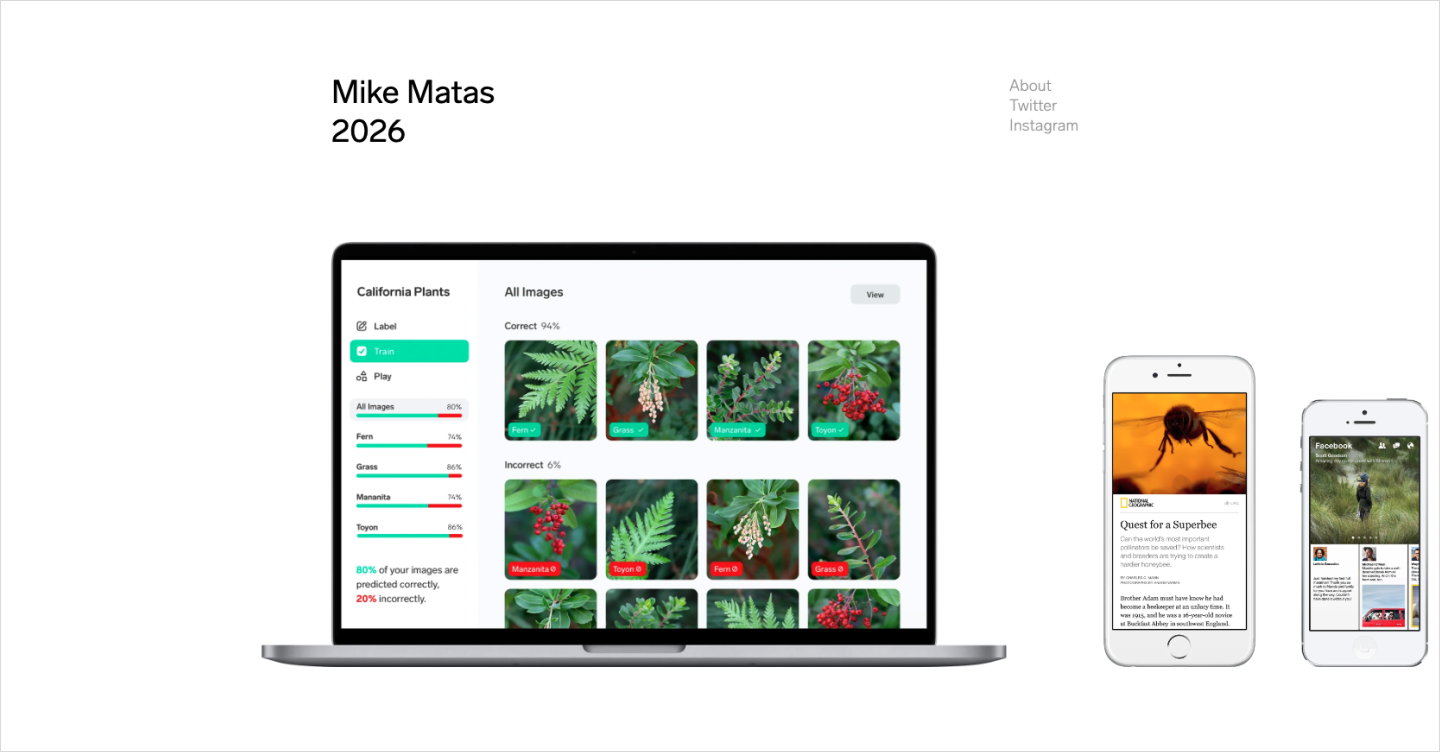
Mike Matas, a Healdsburg, CA-based user interface designer, brings major brand experience from Apple, Microsoft, Nest, and Facebook to his portfolio. His clean, clutter-free interface emphasizes an intuitive user experience, reflecting his signature design approach.
His portfolio showcases previews of his work on the devices for which they were designed. Each project features a play button that allows visitors to watch videos highlighting the work. Scrolling sideways, you can explore some of his best projects, almost like navigating a timeline that displays his career milestones.
His website also includes an About page that offers a more personal touch by sharing snippets of his interests outside of work, such as being a dad and his passion for photography. This page also includes links to his social media accounts and email for easy communication.
Example 2: Spencer Gabor

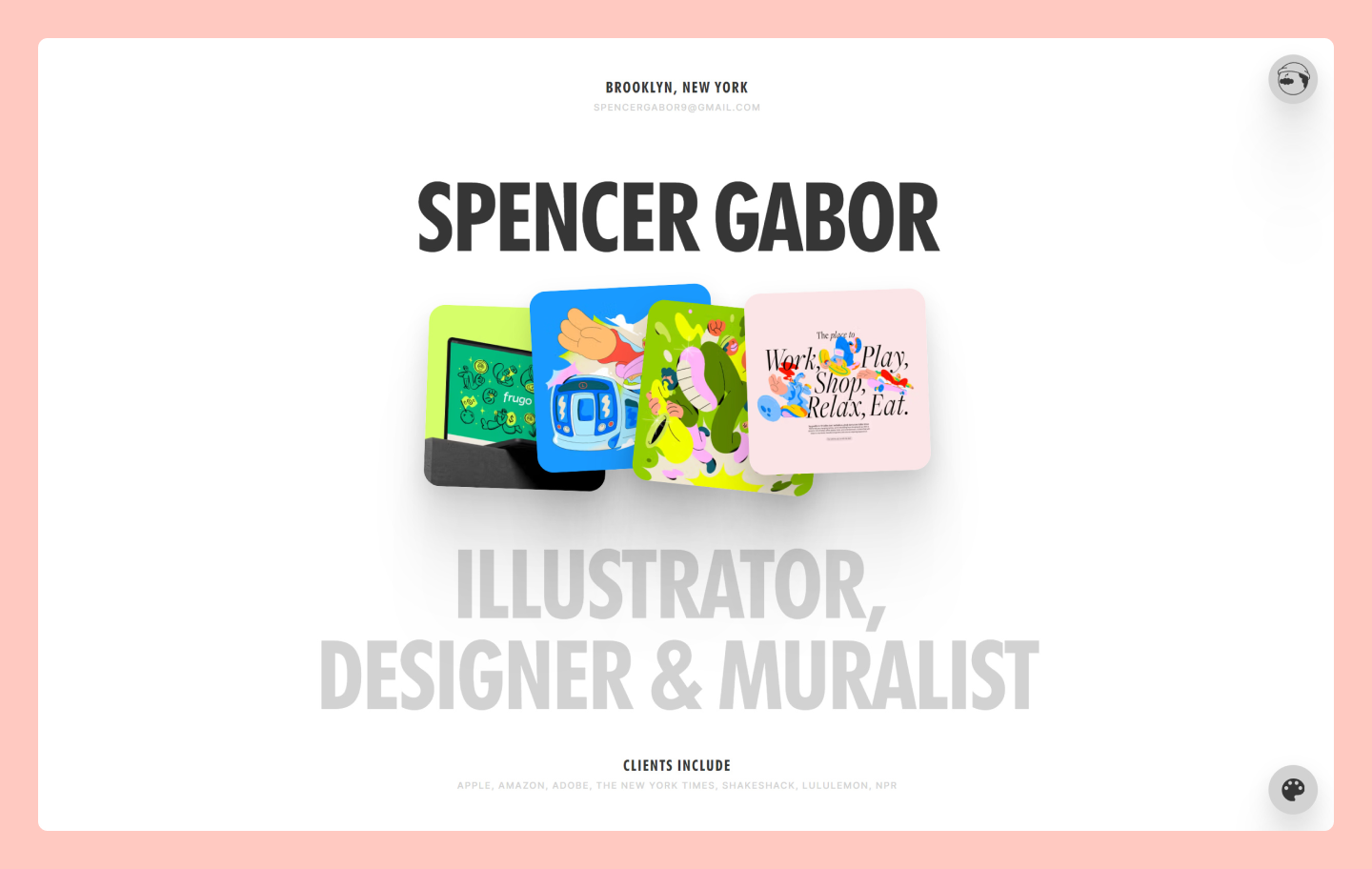
New York-based designer Spencer Gabor’s portfolio highlights his work for well-known brands like Amazon, Adobe, The New York Times, and Shake Shack. The minimal white background makes his colorful and vibrant designs take center stage. In the bottom right, users can click a color palette icon to change the website’s background and text colors, customizing their viewing experience.
The website showcases his work in a curved format, enabling users to side-scroll, offering a more engaging, interactive experience than traditional scrolling. A featured image of his design accompanies each brand partnership, and when clicked, users can view additional designs and details about each project.
Example 3: Perry Wang

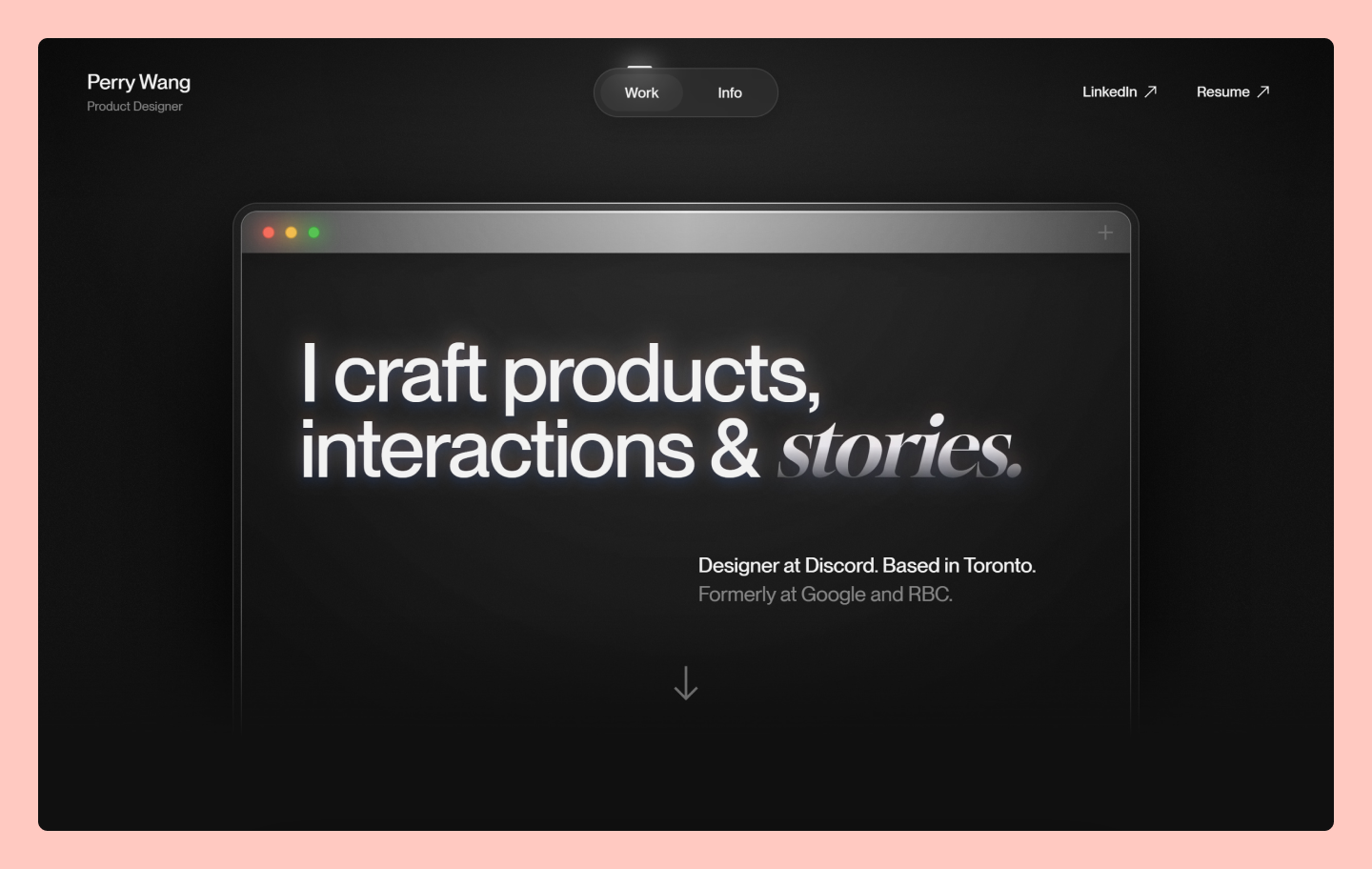
Toronto, Canada-based product designer Perry Wang demonstrates clear project value through detailed case studies. Each project includes his role, problem-solving approach, and key learnings, supported by design iterations and visuals.
As you navigate from the “Work” tab to the “Info” tab, Wang highlights his professional journey and passion for his craft, accompanied by personal photos that help readers better understand who he is. His portfolio takes visitors on a visual journey that gives them a comprehensive view of his work and identity.
Example 4: Bradley Ziffer

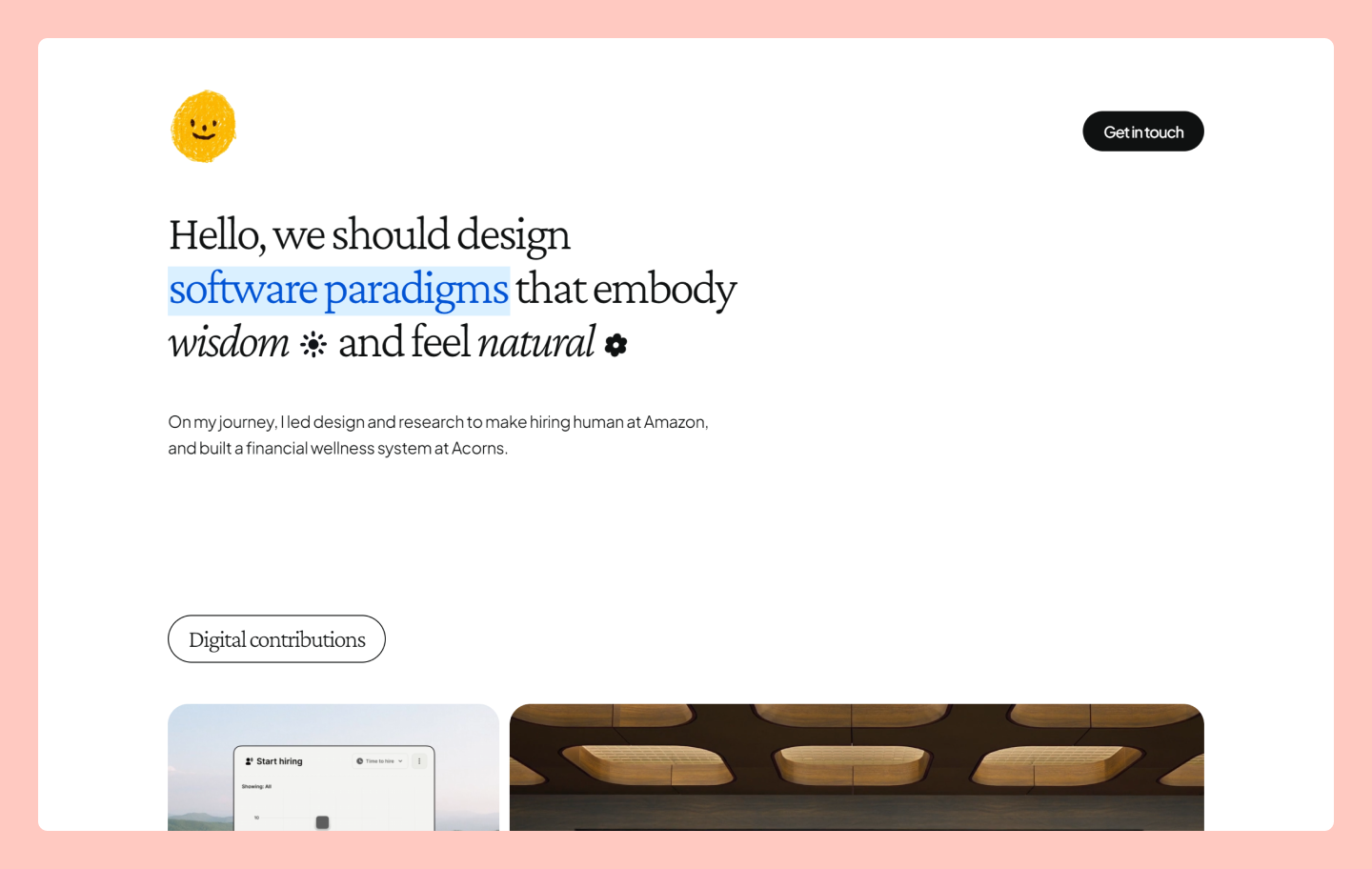
UX and product designer Bradley Ziffer uses subtle animations and interactive elements to make his portfolio website stand out. The homepage features a gallery of his projects, which he calls his “recent adventures,” adding a personal touch.
Each project links to a dedicated page that includes essential details, using storytelling to illustrate the project’s impact. With design iterations, animations, and data visualizations, Ziffer effectively conveys his unique brand personality while emphasizing his skills and accomplishments.
Example 5: Natalie Almosa

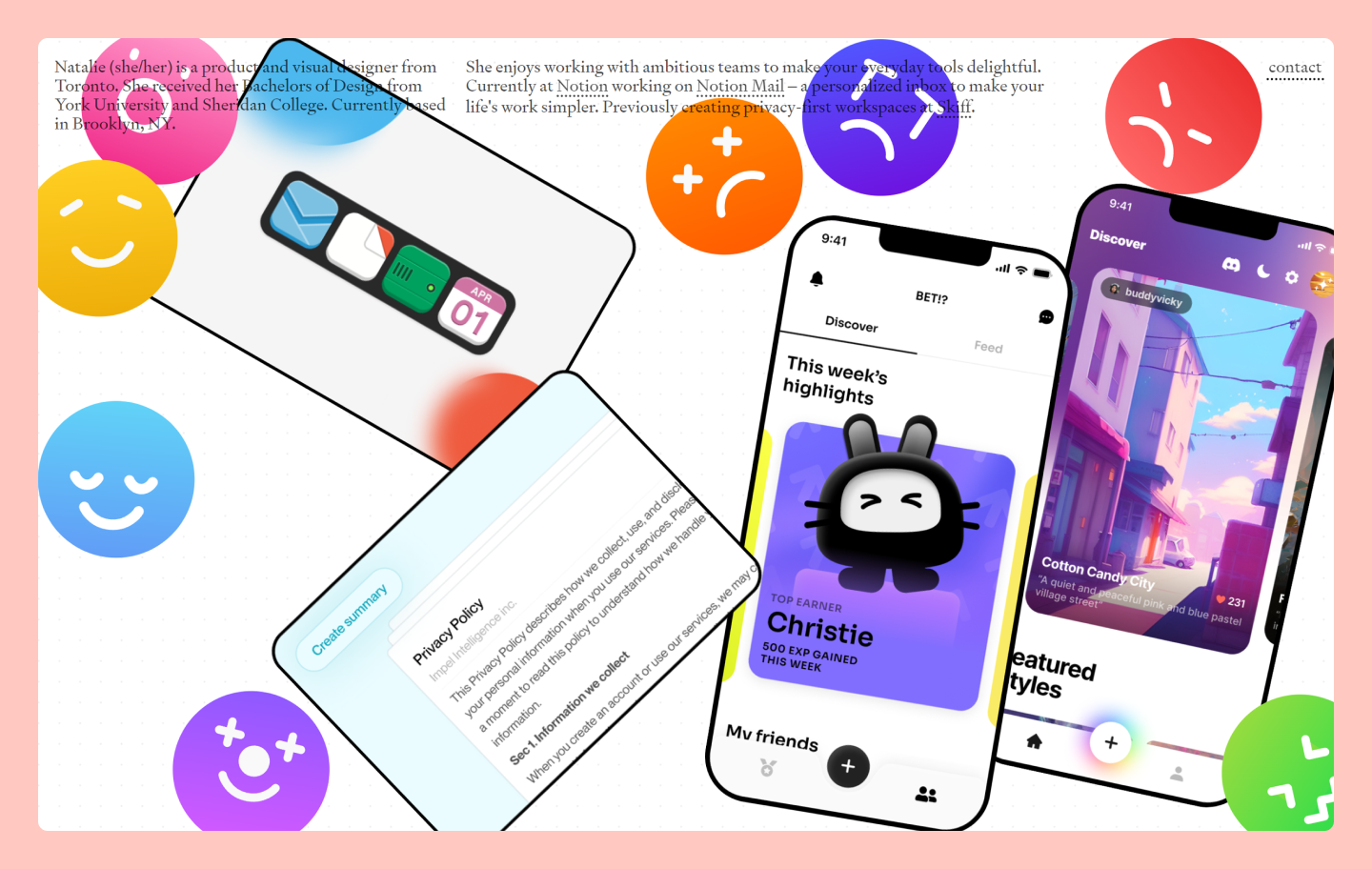
Product and visual designer Natalie Almosa brings playful interaction to her portfolio through draggable components and moving elements. Her homepage features different projects that highlight important details when clicked and showcase project photos to illustrate the outcomes further.
Almosa’s contact information is easy to access in the top right corner, including her email, social media links, and a link to her cover letter and resume, where you can learn more about her professional experience.
Example 6: Conor O’Hollaren

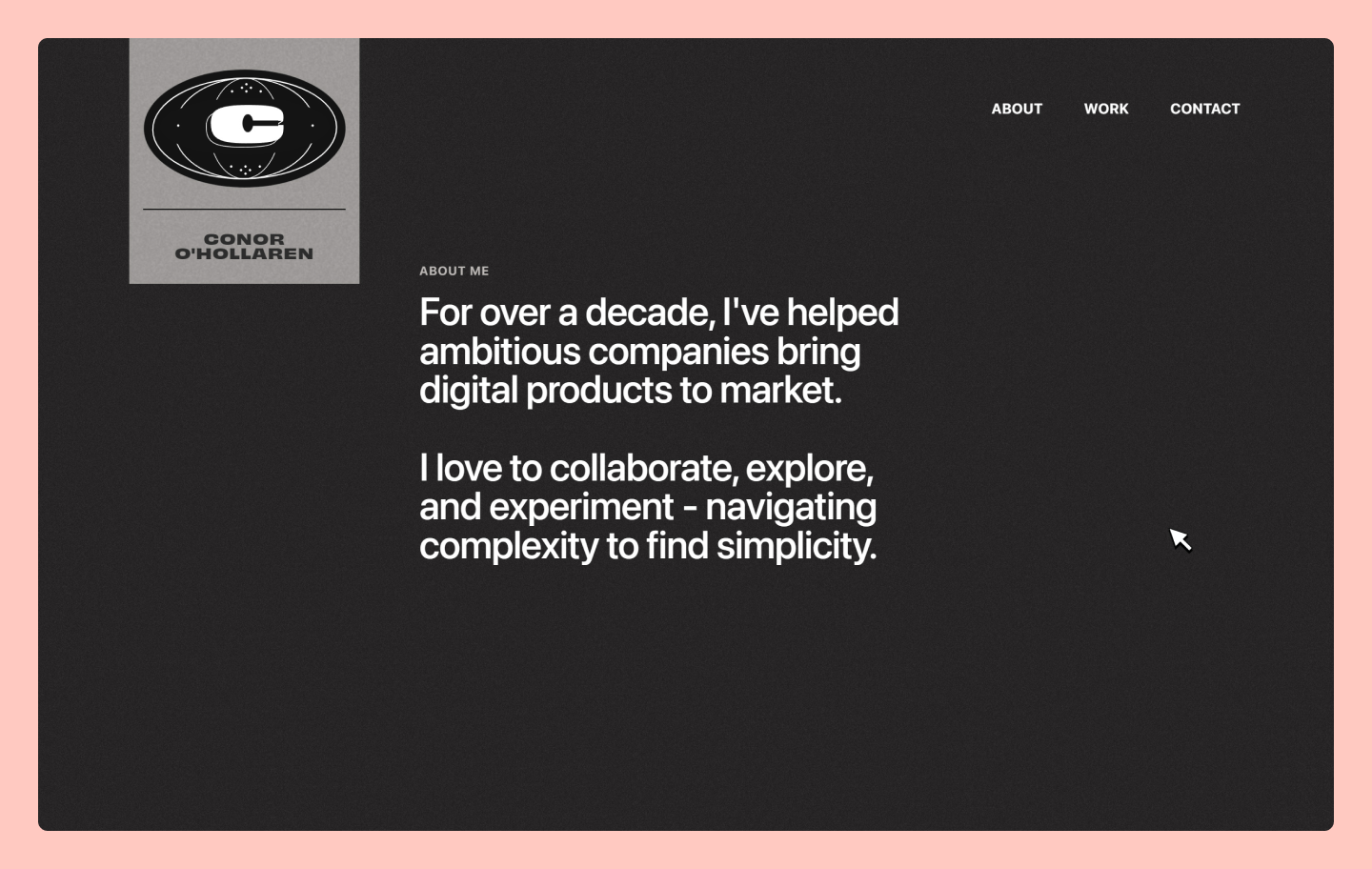
Product designer Conor O’Hollaren showcases his work through an engaging comic-like website design and detailed case studies of his top projects. Each case study is organized into distinct phases.
For example, his PayPal project is divided into three sections: discovery, strategy, and impact. His Sweetgreen project includes five phases: discovery, production, design, development, native app, and impact. This structure seamlessly guides readers through the strategic planning and evolution of each project.
In each case study, O’Hollaren often uses a split-screen website layout to highlight specific features alongside app interface images, making it easier for users to grasp the context of each project. The careful thought and detail put into this portfolio website make it stand out, reflecting the same level of detail he applies to his work.
Example 7: Daniel Sun

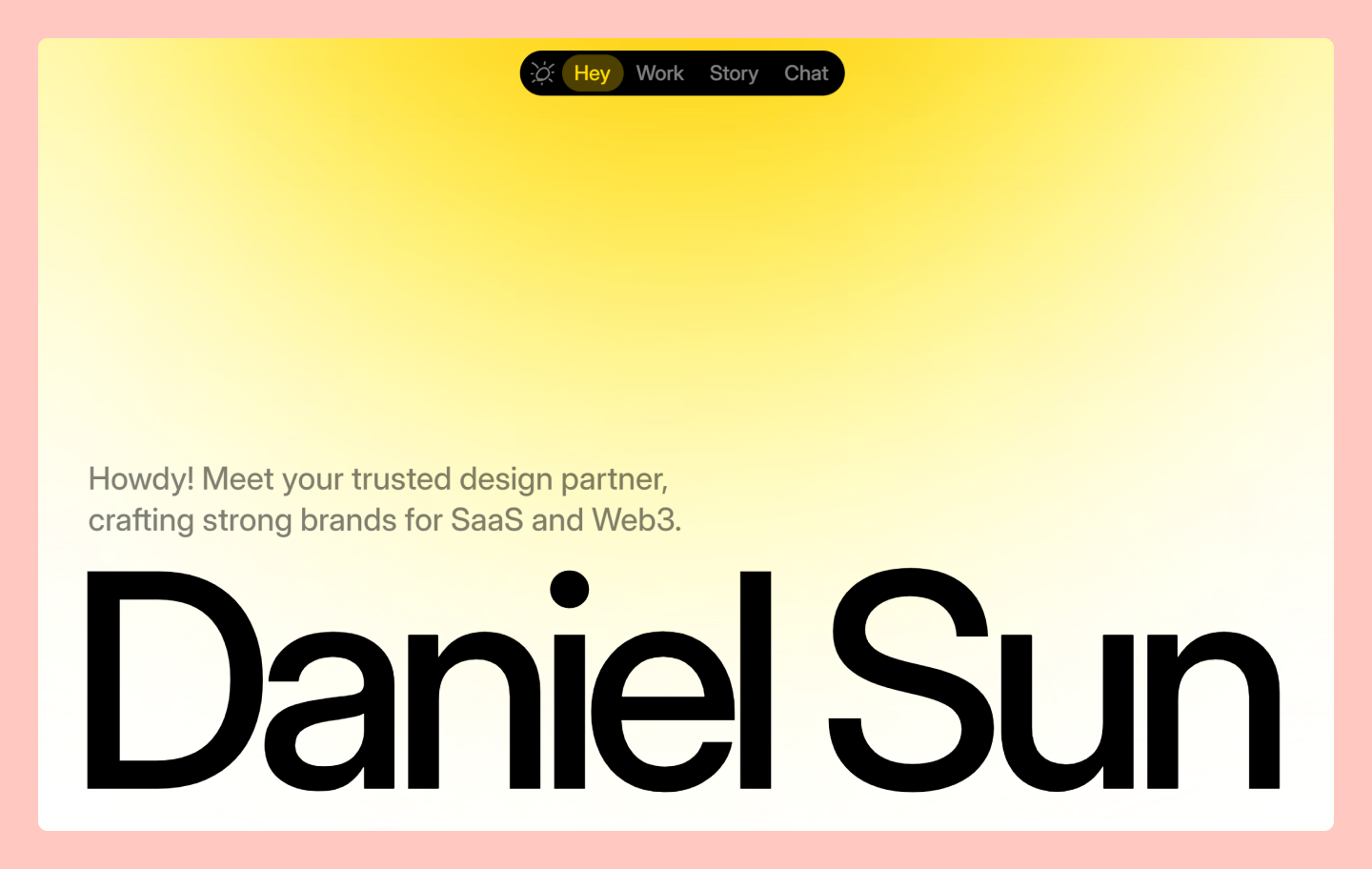
Designer Daniel Sun’s portfolio website combines subtle animations with interactive elements, making his brand personality shine. His project gallery—titled “my latest work”—leads to detailed case studies featuring design iterations and data visualizations that showcase both technical skill and creative approach.
Upon entering the website, you’re greeted with large text displaying his name, and as you hover over each letter, fun illustrations and typography come to life. Once you navigate to his work, each project page includes photos and a brief overview. Sun personalizes his Story section by using scrolling images (of himself!) and animated captions. Sun’s website also features a responsive design, ensuring a seamless viewing experience across all screen sizes and devices.
Build your portfolio with Figma Sites
With Figma Sites, you can turn your designs into a professional, live website directly from your canvas.
Example 8: Marco Cornacchia

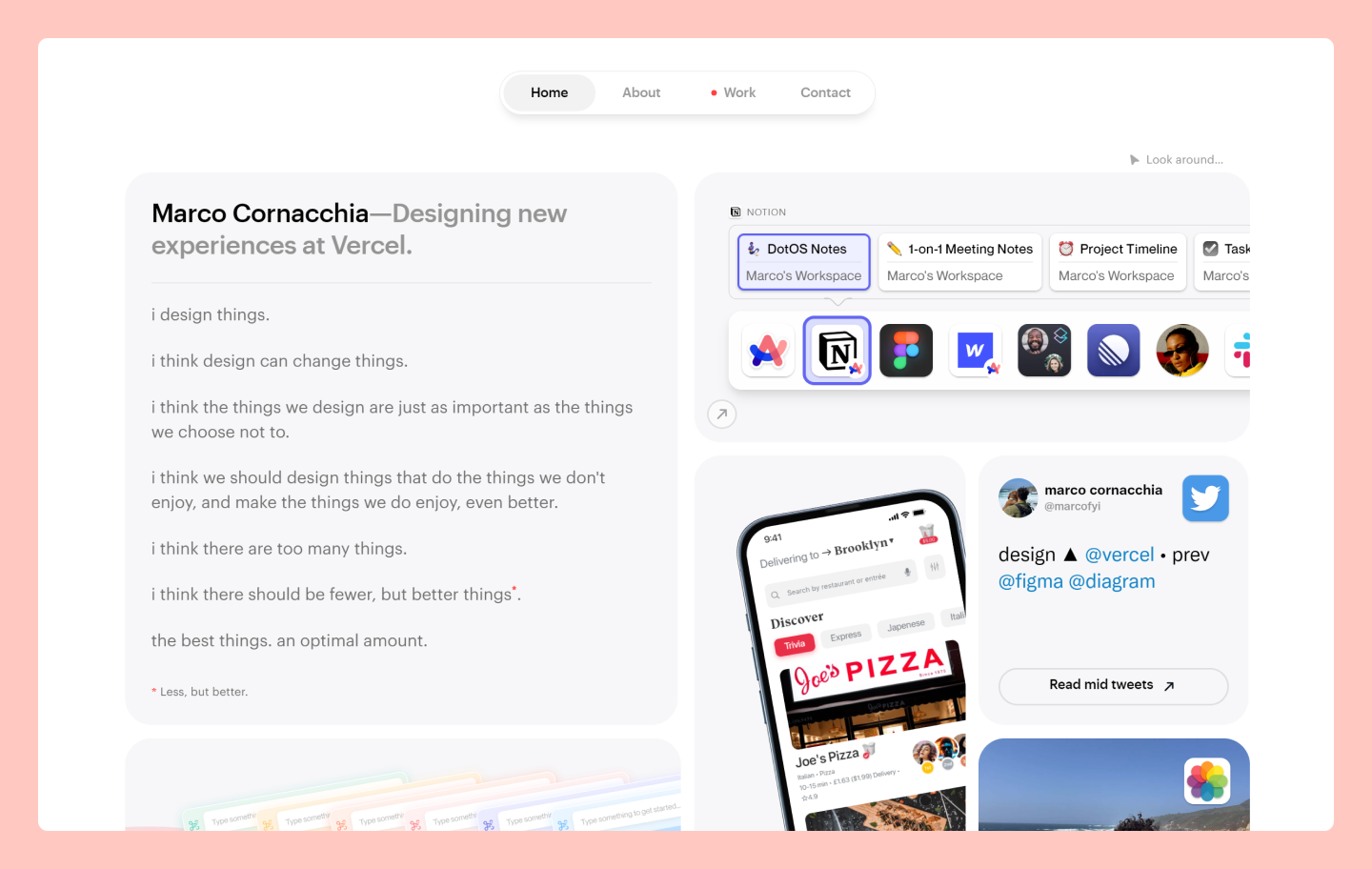
Vercel product designer Marco Cornacchia, who previously worked on Figma AI, builds rich interactivity into his portfolio. Visitors explore features through clickable prototypes, including his food delivery app concept that gamifies wait times. His case studies pair project breakdowns with live demonstrations.
For instance, he designed a concept for a food delivery app that incorporates gamification features to make long wait times more enjoyable. On the project page, he shares a breakdown of the project, a case study, and an interactive prototype, allowing you to experience the app’s functionalities in real time.
His Contact and About pages further showcase his brand, including a unique contact form styled like an iOS text message, personal photos, and a playlist widget including some of his favorite music. Personal touches like these allow Cornacchia to connect with potential clients while keeping them engaged.
Example 9: Gabriel Valdivia

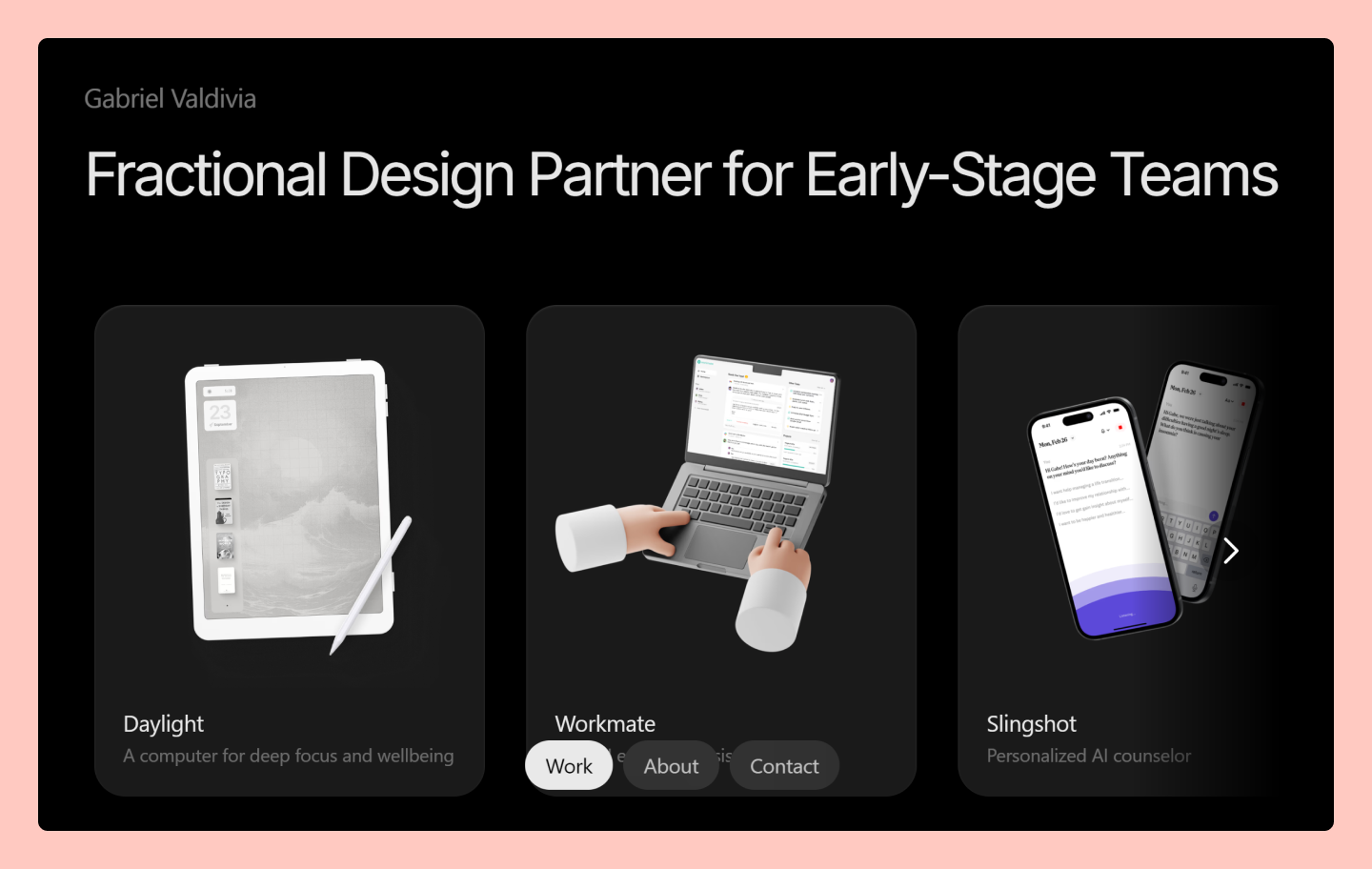
Gabriel Valdivia is a New York-based product designer whose notable client roster includes brands like Google, Facebook, and Patreon. Valdivia’s portfolio showcases the high-quality work he delivers, offering users a glimpse into his experience with a user-friendly design style.
Each project page on his website includes a detailed description of his role, the project's goal, and its impact, accompanied by product walk-throughs. Valdivia’s website also features testimonials from clients, partners, and colleagues, further establishing credibility and building trust with potential clients.
Example 10: Pablo Sánchez

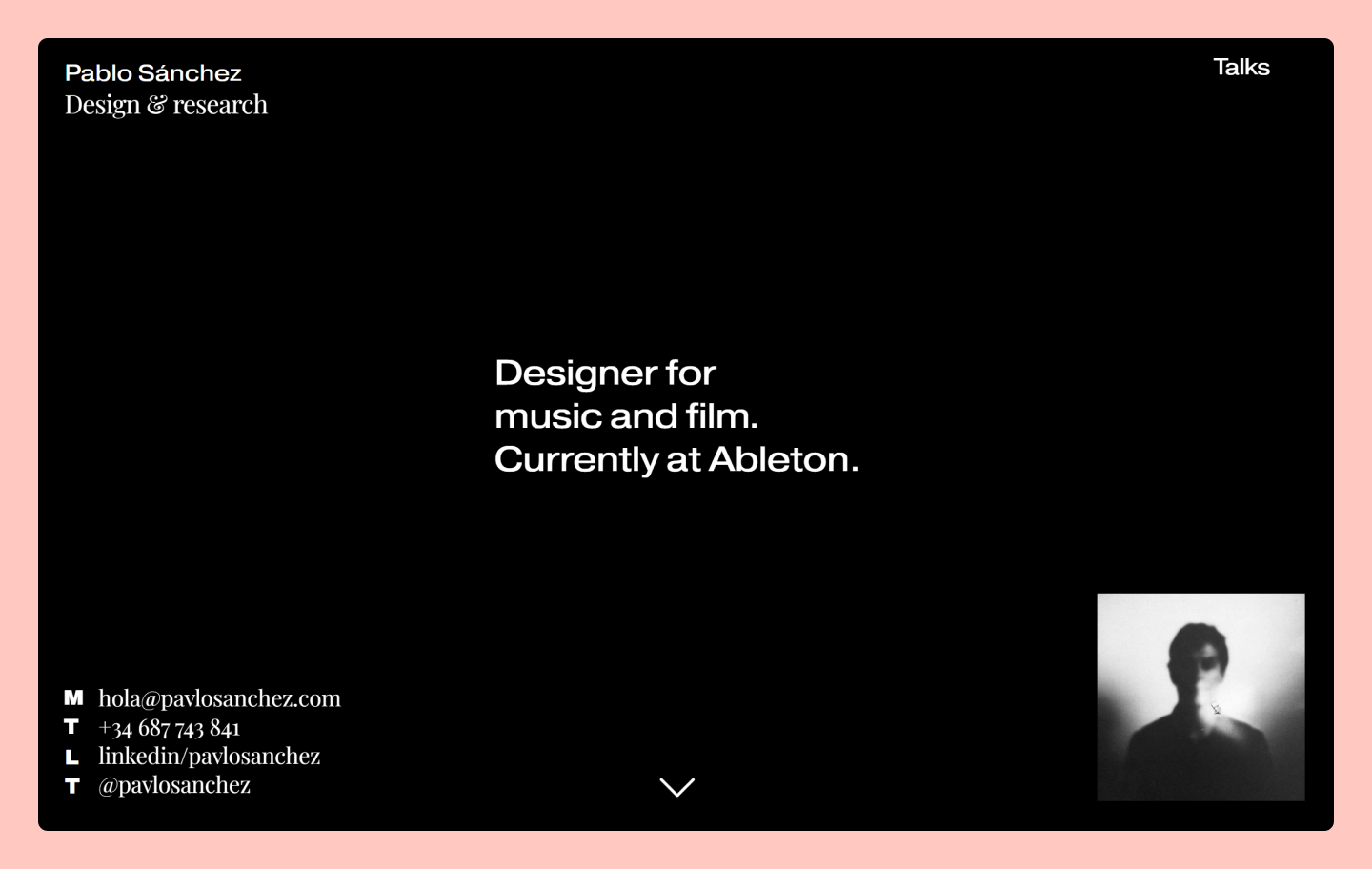
Pablo Sánchez is a film and music designer currently working at Ableton. His website is filled with impressive projects he’s been involved in throughout his career, featuring supporting visuals and links to specific projects and case studies that provide a deeper understanding of each concept.
His contact information is visible as soon as you enter his website, making it easy for potential clients to contact him or view his social channels. He also includes a Talks page that links to events where he’s spoken, like Config 2024 hosted by Figma. This allows visitors the chance to listen to his story and get to know him better.
Example 11: Onur Çoban

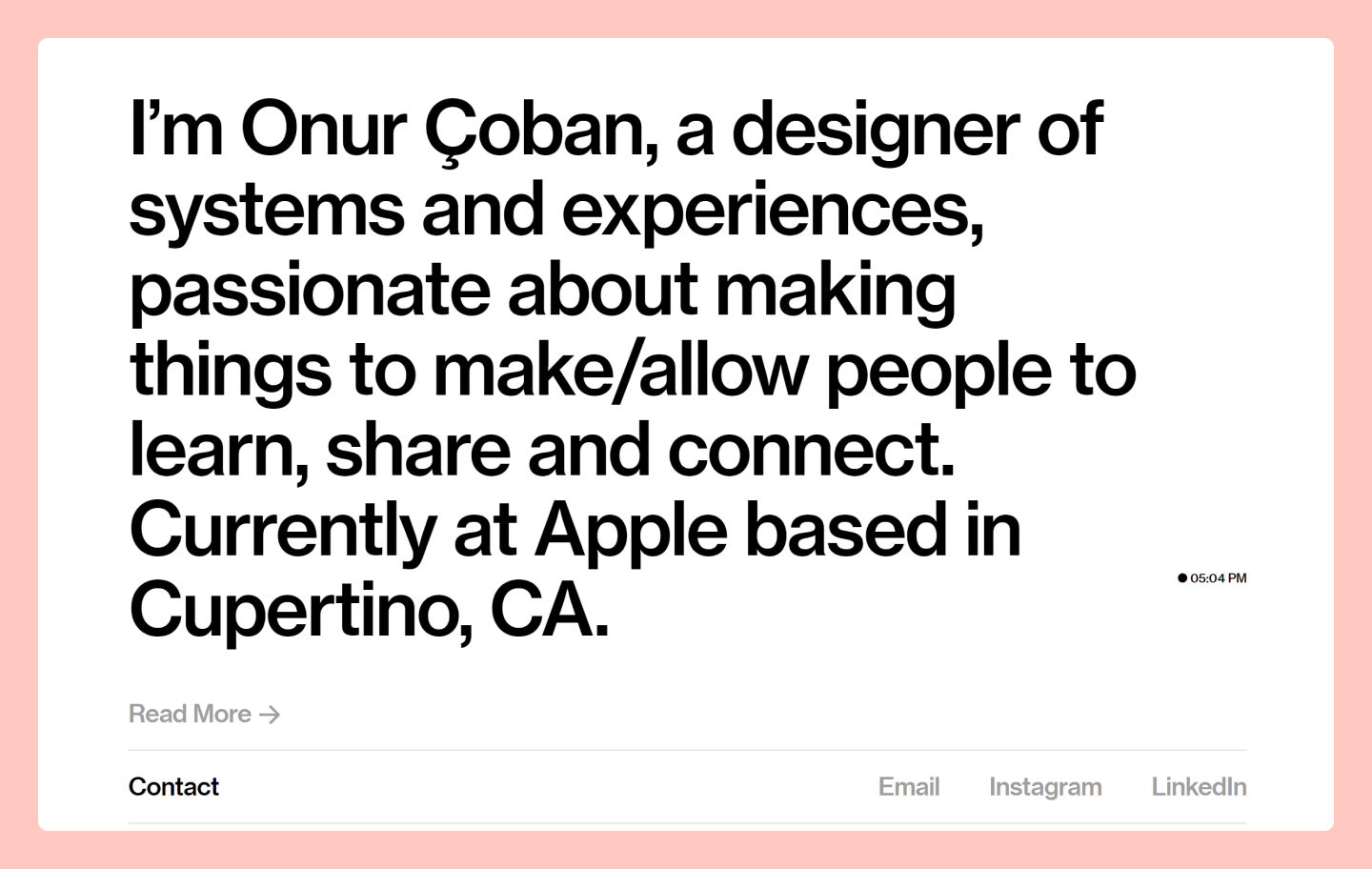
Onur Çoban is a product designer at Apple with prior experience at Postmates, Square, and Facebook. His website features a photo gallery of his designs from various projects, with an overview of each project’s main goal.
Çoban also includes a comments feature, allowing viewers to leave feedback and interact with his work, creating an engaging experience. On his About page, he highlights the many awards he’s received and shares personal photos and links to his social media profiles, offering a glimpse into his life outside of work.
Example 12: Jan Blunár

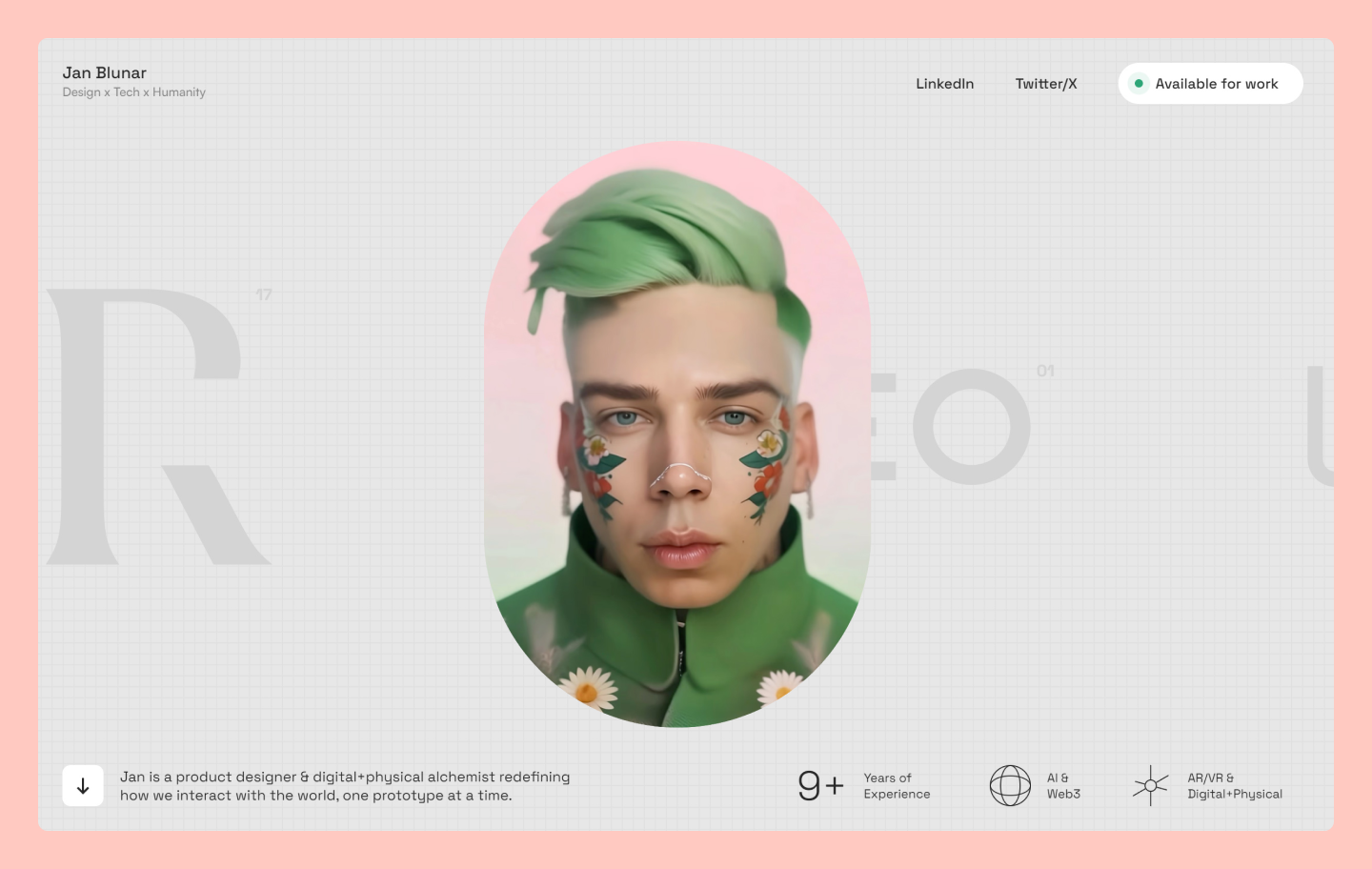
Product designer Jan Blunár infuses interactivity throughout his portfolio. A stylized turntable interface displays his focus areas—product design, Web design, and strategy—revealing service details on hover.
As you scroll down, you can view a variety of his projects, accompanied by clear descriptions. Further down, an interactive collage lets visitors manipulate project snapshots, creating unique arrangements while exploring his work.
Example 13: William Bout

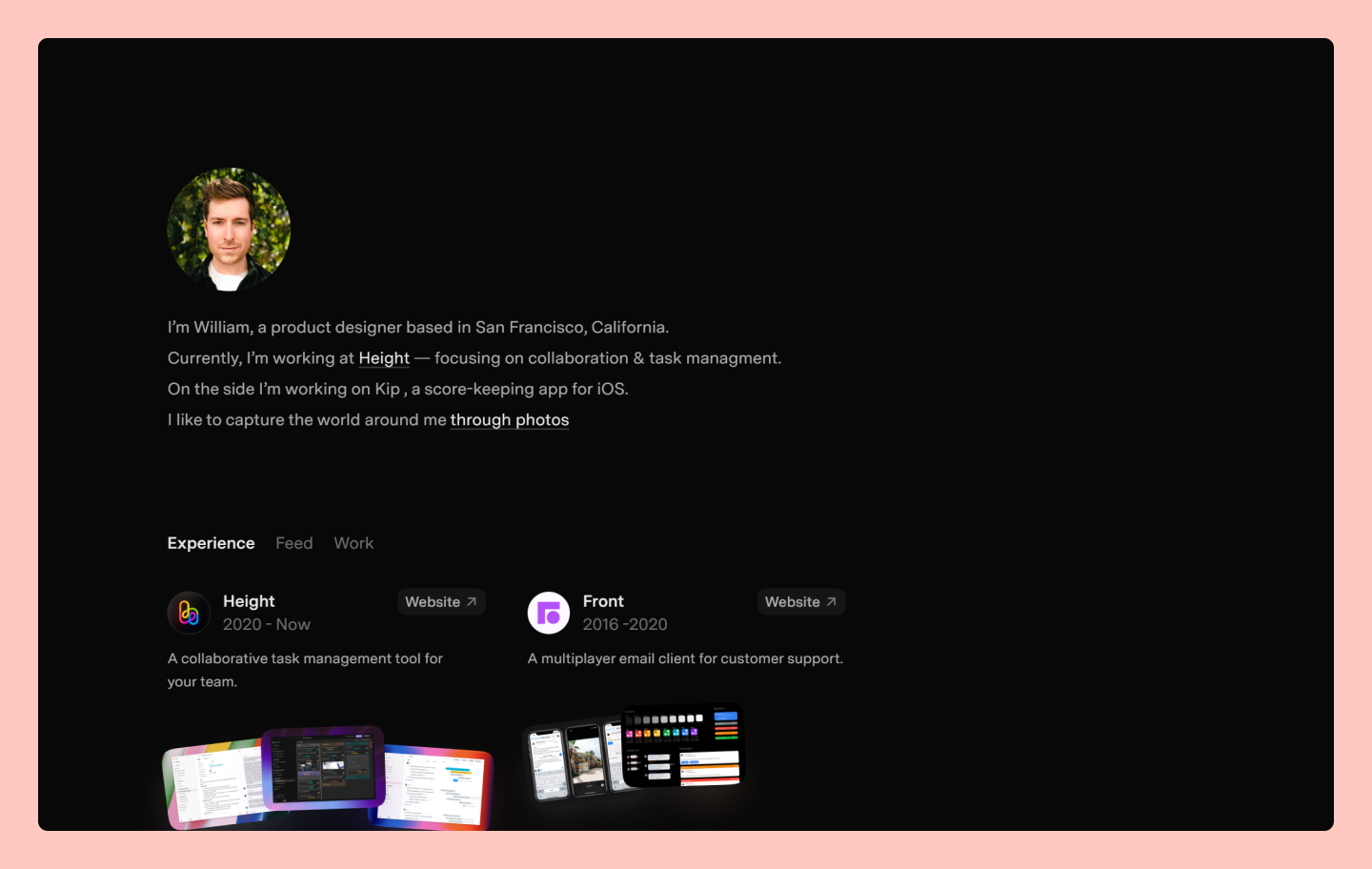
San Francisco product designer William Bout structures his portfolio as a continuous vertical feed. It starts with a clear bio, then flows seamlessly into a stream of high-fidelity work.
The standout feature is the scroll interaction: as users move down the page, project images zoom into focus automatically. This creates a frictionless browsing experience where the visuals speak for themselves, eliminating the need for clicks or written descriptions.
Example 14: Karina Sirqueira

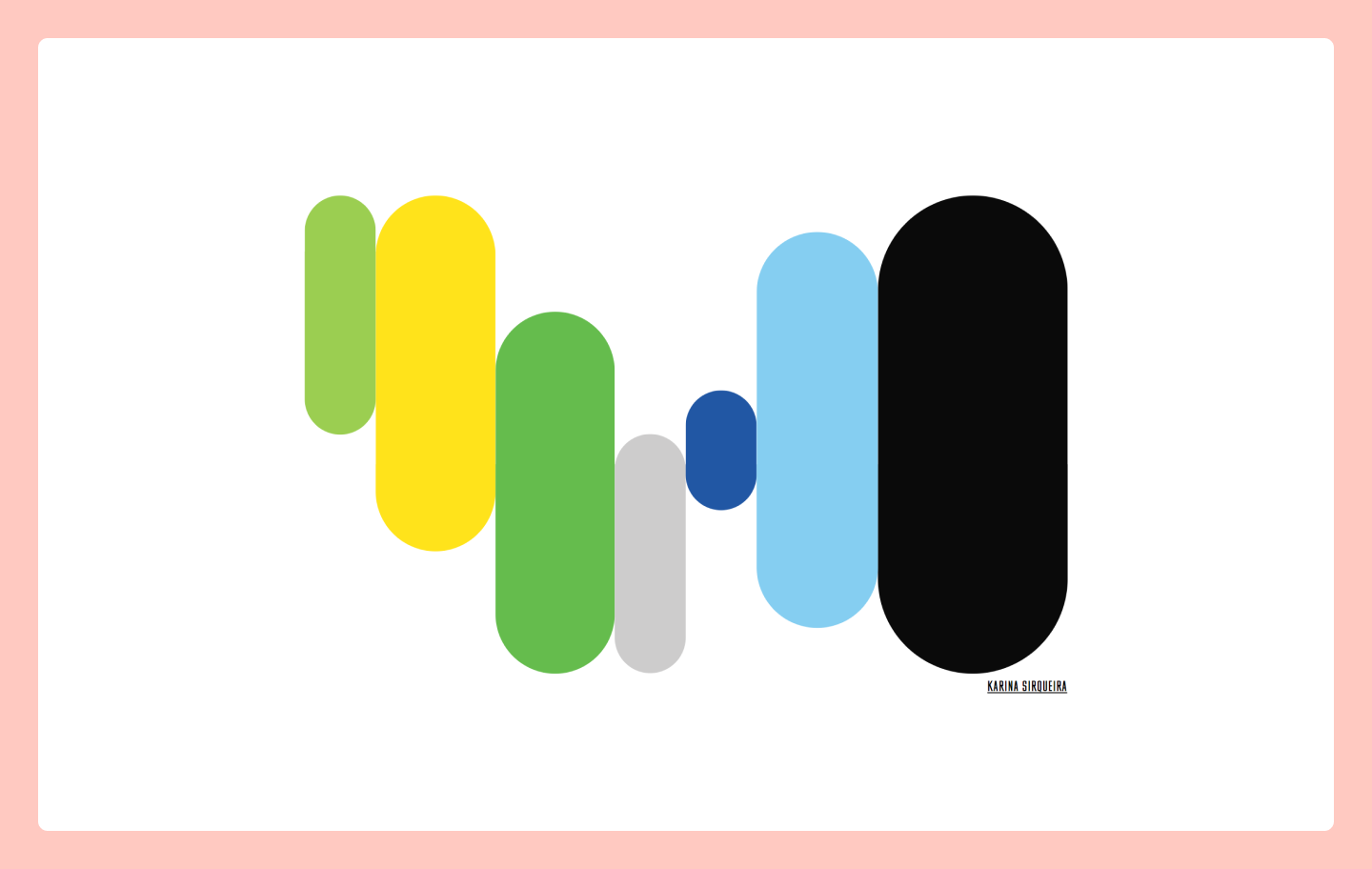
New York-based Airbnb designer Karina Sirqueira opens her portfolio with dynamic abstract shapes that shift and transform. Each shape links to a project, revealing her work through an engaging side-scroll format rich with visuals, text, and video.
Sirqueira’s project pages detail design processes while maintaining visual interest. The About page delves deeper, sharing her journey as a female designer and offering inspiration to emerging creative voices.
Example 15: Jessica Hische

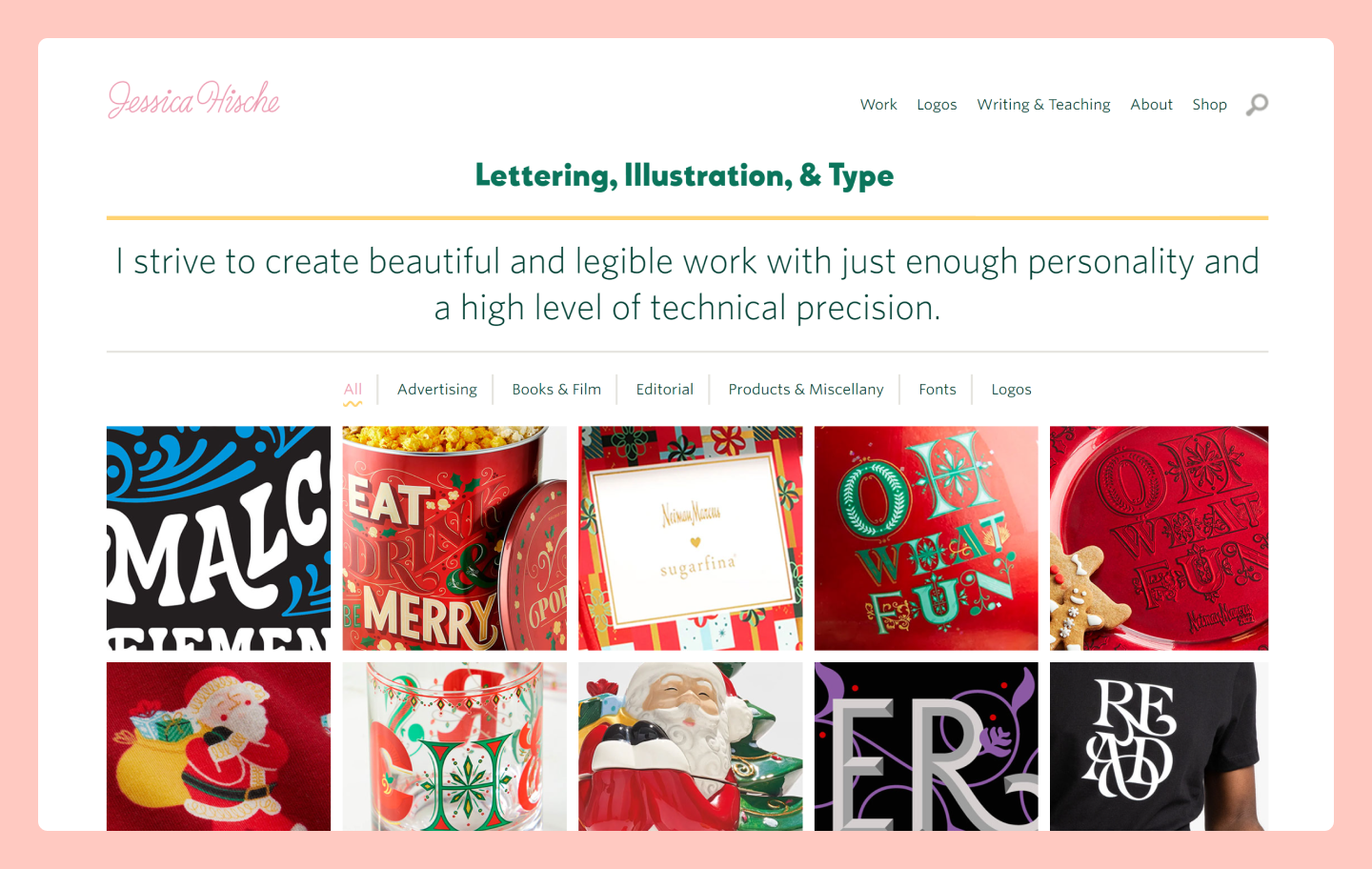
Jessica Hische is a renowned lettering artist based in Oakland, California. Her website features a captivating overview of her experience. The Work page is a curated online gallery that presents her diverse portfolio thoughtfully organized by category, making it easy for potential clients or other creatives to browse.
When you click on a project photo, it drives you to a dedicated page that provides key details, including the client, a project overview, insightful art direction notes, and other collaborators. Hische also has a Logos page that highlights her expertise in logo design, featuring before-and-after comparisons of refreshed logos.
Outside of her work, Hische’s About page includes a detailed overview of herself, what drives her passion, and links to speaking engagements, awards, and notable achievements throughout her career.
Example 16: Sinan Tokmak

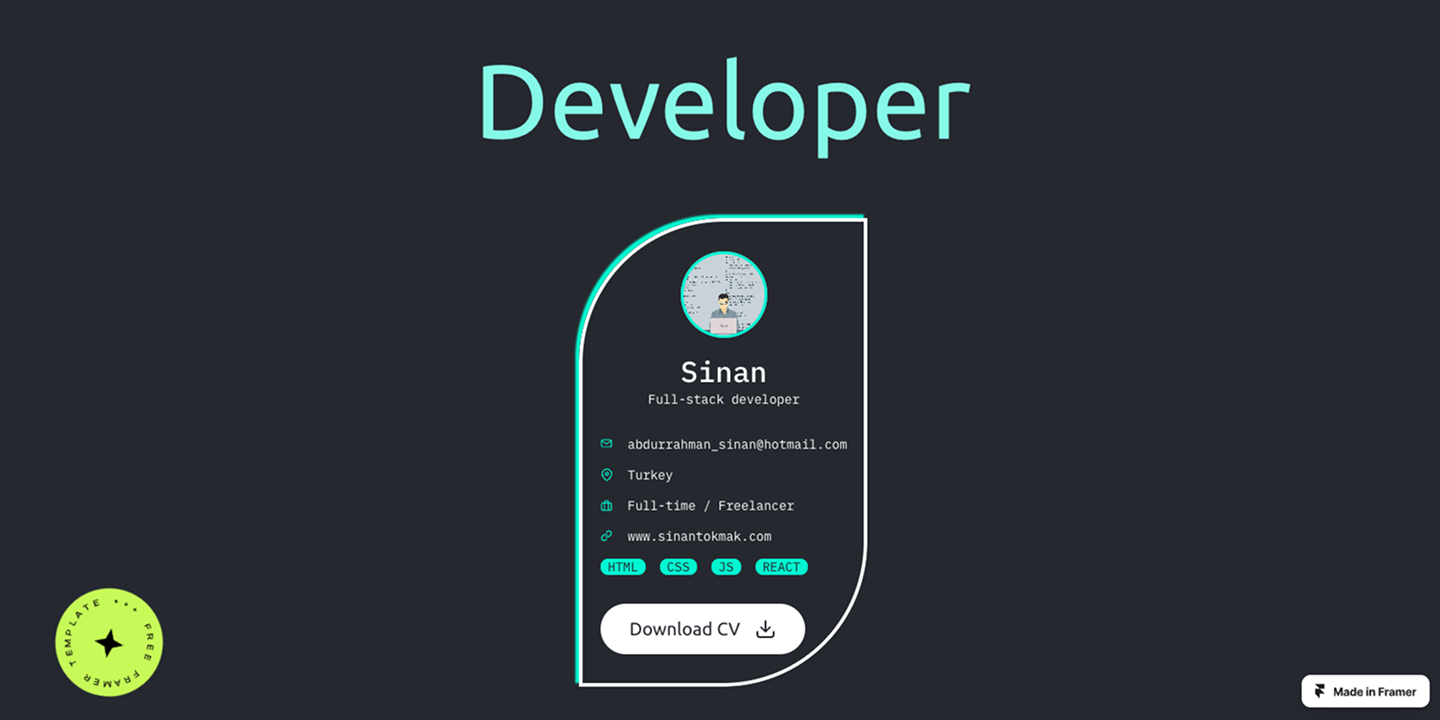
This developer portfolio template leans into high-contrast, developer aesthetic. Created by designer Johann Leon, it uses a dark-mode framework specifically built to showcase technical skills and live projects efficiently.
The layout uses bold typography and large project cards to create a strong vertical flow. Well-defined sections make it easy to highlight both techstack and professional history without any distractions.
Example 17: Raffi Chilingaryan

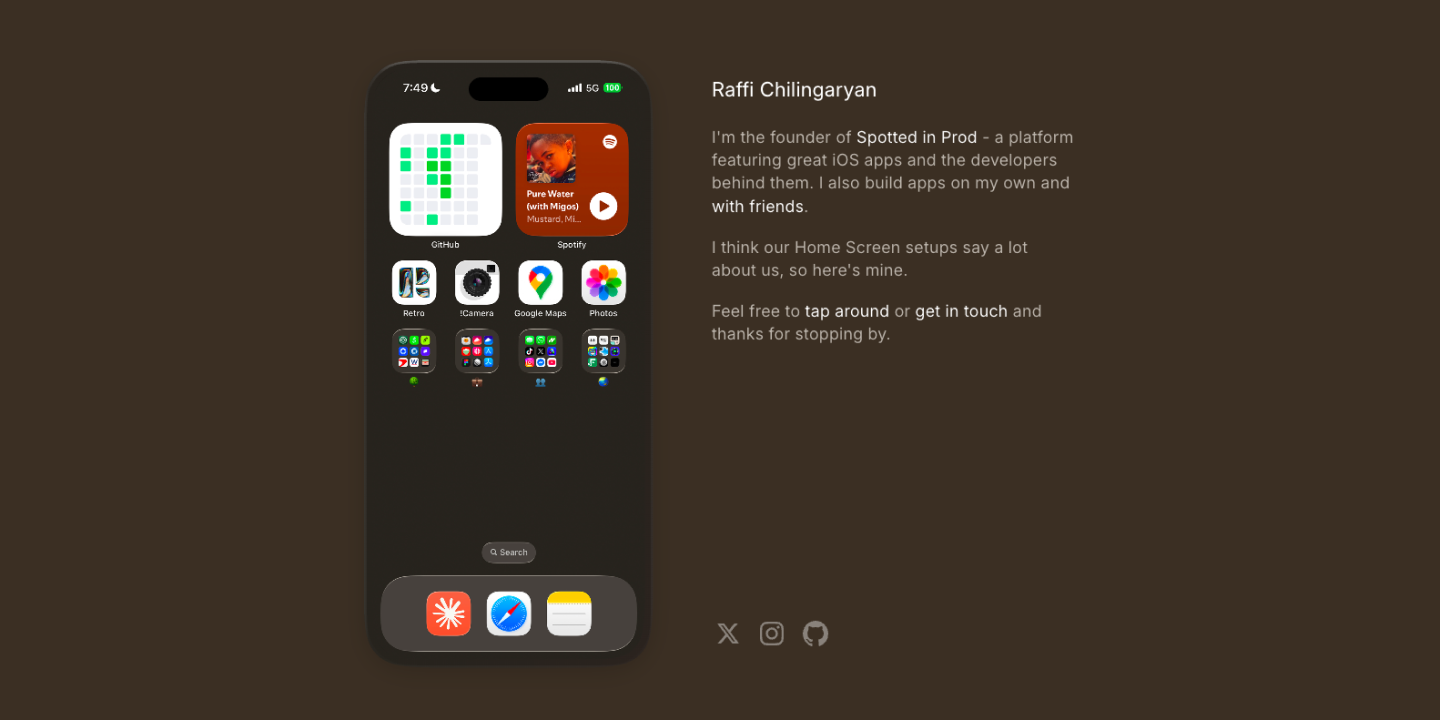
Raffi Chilingaryan’s portfolio uses an interactive interface that mimics a mobile home screen. As the founder of a platform for iOS app discovery, Chilingaryan aligns his site’s design perfectly with his niche. This themed approach tells his story visually—no need for a traditional bio.
Each app icon serves as a clear navigation point to his projects and social channels, making the experience feel both familiar and memorable. It proves that unconventional layouts can succeed when they remain intuitive and stay focused on a specific professional narrative.
Example 18: Simon Pan
![Simon Pan’s portfolio website]](data:image/png;base64,iVBORw0KGgoAAAANSUhEUgAAABQAAAALCAYAAAB/Ca1DAAAACXBIWXMAAAsTAAALEwEAmpwYAAACHElEQVR4nHWSX2vTUByG9229EQS/w8b6IUQU2wpd8Ua8HSpaLzpQp9u6Nk2TJmmaniY5+Xfy10eSTWVjXrwEcvHwvr/nHDiewLA3zHUD094g/AAZxeyEwDTXGKbJ1vOQUUQcJ8RJSpJmZFlOpv4lTjNEGHFgb3doxpqL6wWrtc0+lOx2gslkwmAwoD8YcHp6iqYtWRkmhrlm7wcolVOWFVVVUdc1RVESxjEHbcMWeDnXWFk3wLVlMRqNODw8pNfr8arf5/v5OYvFkvlCY+O6SClJ05SiKGiahqqqkUly01Bf28w0vZveAi3LZjwec3R0RO/4mOFwyHy+YOftcLded4697yNlRJ7nd4Ftw/Vm28Fs1+uAYu8znU4Zj084GY2YfJ4ghEBlikwplFJkWfZ3dn1/8p9sPME+CImTBN9zcfQZjnaF2NhEUhLFCVEUd99WTJ4XFGVJXpSkKseX0T3gTuCHkjwJqa2fVN/eUX99i9LO2Fomy5XBQtNZ6gbOxiVJ005KVdcdNIweaBiEkipwac7eUL9+St1/jHr/HPv6B1ezORcXl1xeXaOvDHw/ePiGd4BSUgYbfp2NaYZPaF4+ovzwDN+c4zhuJ8x2HNzttgOmWUbdNJT/A7aTi8in1qfUX/rUn15QzT6ifI+kfdhx3N04TVspqpPRTn5QShsRhCRpgop81N5GCYssFGTtv9Zynt+m6KJuk2SKfRjxG6gbLPYsLuWuAAAAAElFTkSuQmCC)
![Simon Pan’s portfolio website]](https://cdn.sanity.io/images/599r6htc/regionalized/f4da0c4269a20b347f4d2ae7afe17cb34c7d94cf-1440x756.png?w=1440&h=756&q=75&fit=max&auto=format)
Simon Pan sets the standard for case study-driven portfolio examples. Having led design projects for Google, Uber, and Amazon, Pan uses his site to break down complex product challenges. He bypasses static mockups to detail the research, technical constraints, and strategic pivots that lead to a final solution.
His long-form case studies show how design decisions map directly to business outcomes. The typography-led layout synchronizes website copy and design, removing visual noise to focus attention on the logic behind each solution.
Example 19: Jordan Jenkins

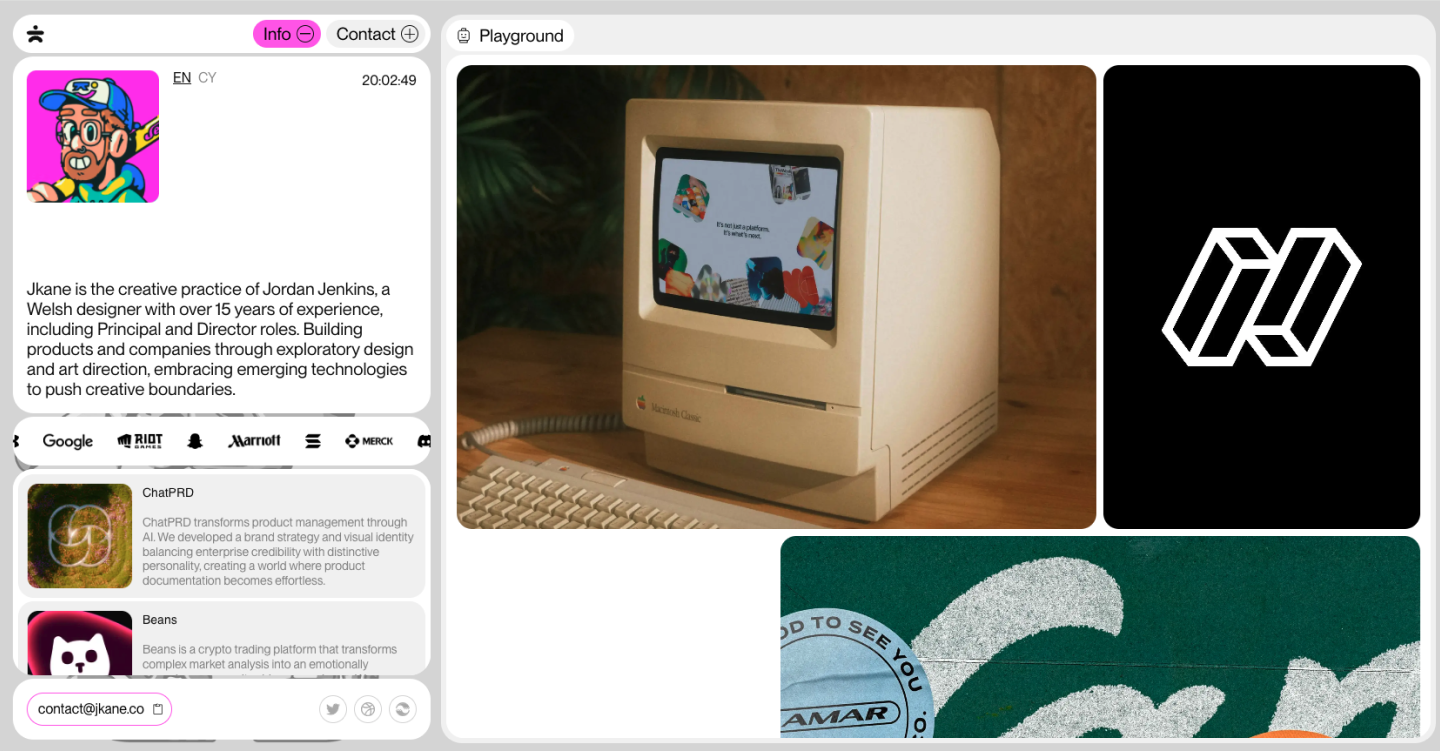
Jordan Jenkins provides one of the cleanest sample portfolio websites for high-fidelity product design. His portfolio prioritizes large-scale visuals of complex workflows, specifically focusing on product design at companies like Linear.
Generous white space and crisp typography keeps the focus on product interfaces with no distracting transitions.
Example 20: Bruno Simon


Bruno Simon’s portfolio uses Three.js to replace traditional navigation with a 3D interactive game. Visitors drive a toy car through project zones—a playful demonstration of his coding skills.
The interface serves as a high-performance case study, proving his expertise in interaction design through the browsing experience itself.
Example 21: Robin Noguier

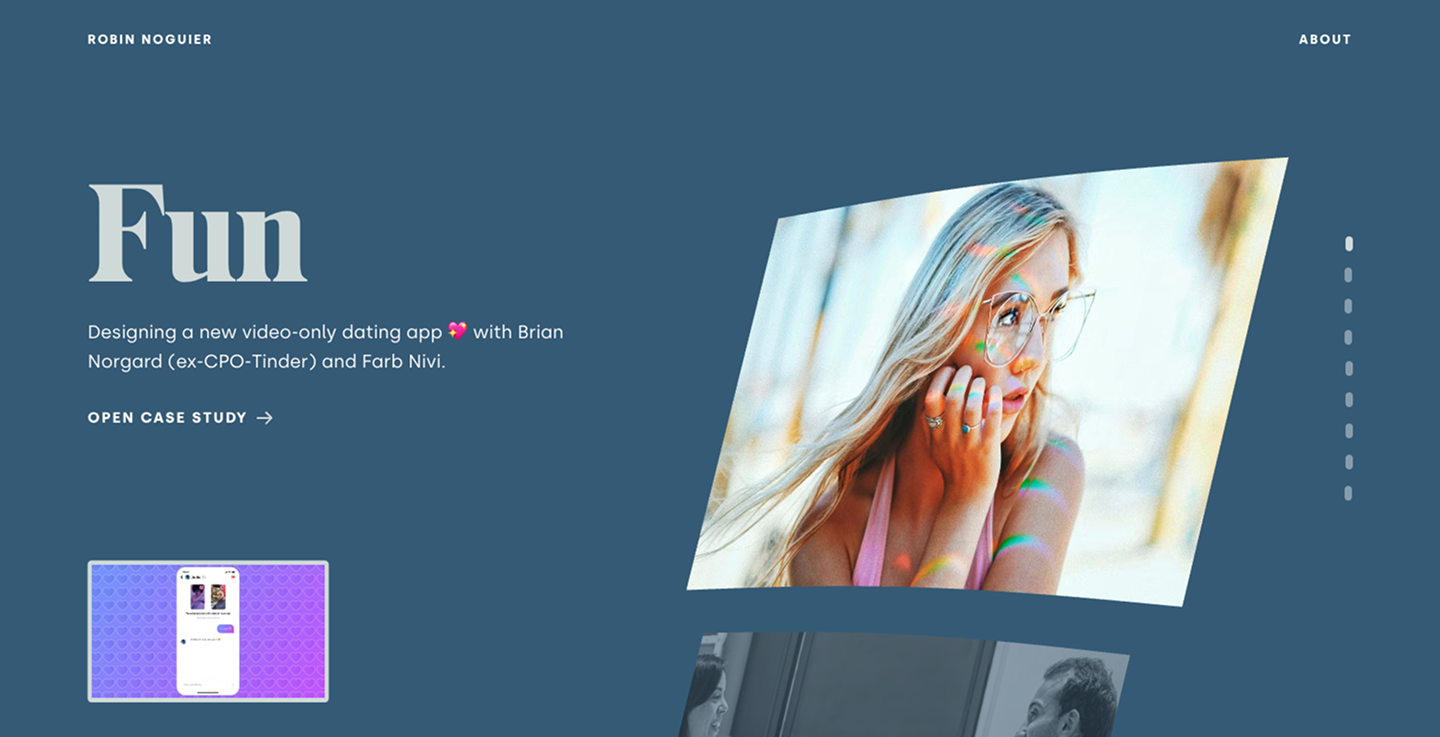
Robin Noguier delivers one of the strongest creative portfolio examples by using bold typography and fluid motion to define his brand. He skips complex navigation, letting the project list drive the experience.
Subtle micro-interactions and smooth transitions guide the user through his work. This demonstrates his technical skill immediately, proving that polished interactions build trust before a recruiter even opens a case study.
Example 22: Dion Pieters

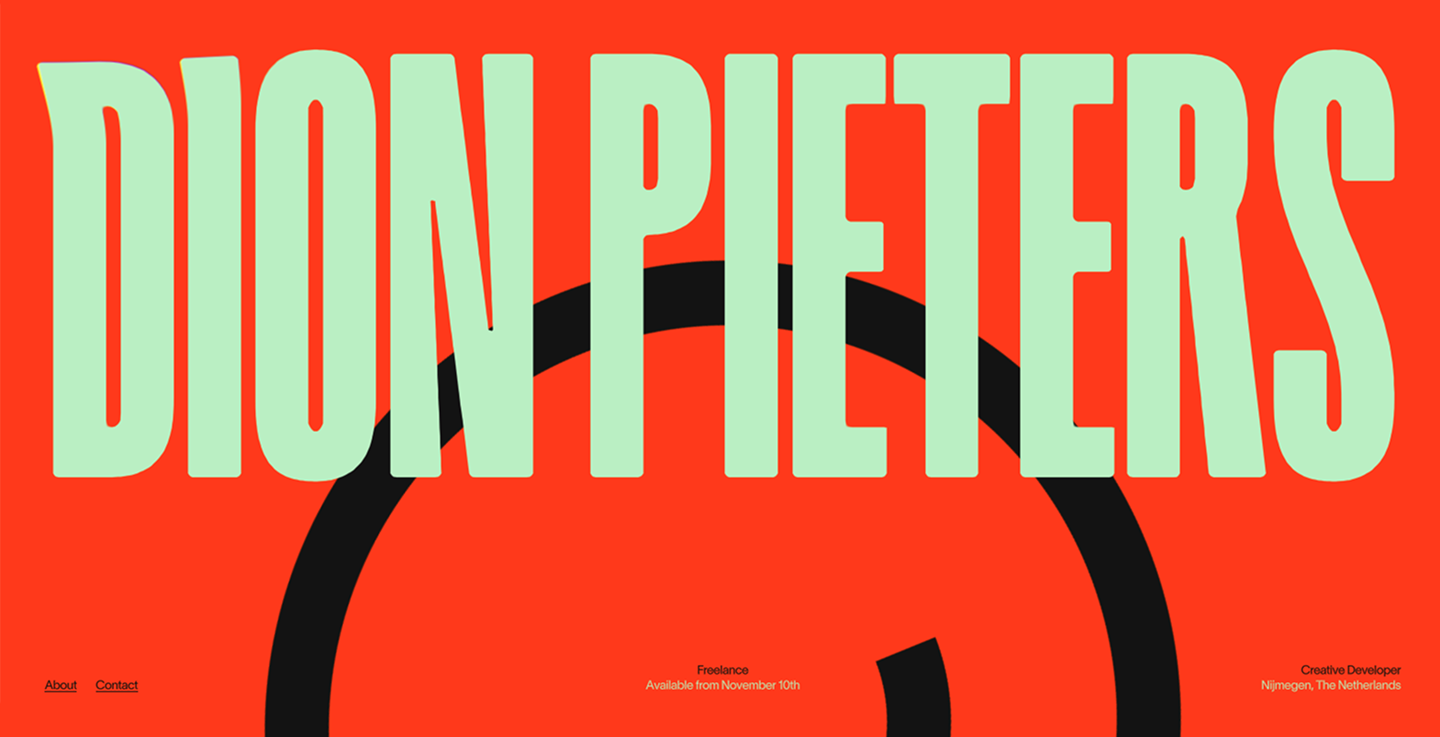
Dion Pieters uses a motion-heavy interface to define his brand as a creative developer. The site is known for its bold use of real-time distortion effects that react to user interaction.
Unlike many static sample portfolio websites, this interface functions as a live technical demo. Liquid transitions and shader effects showcase Dion’s ability to build immersive, high-performance Web experiences for clients like Spotify and Build in Amsterdam.
Example 23: Pratibha Joshi

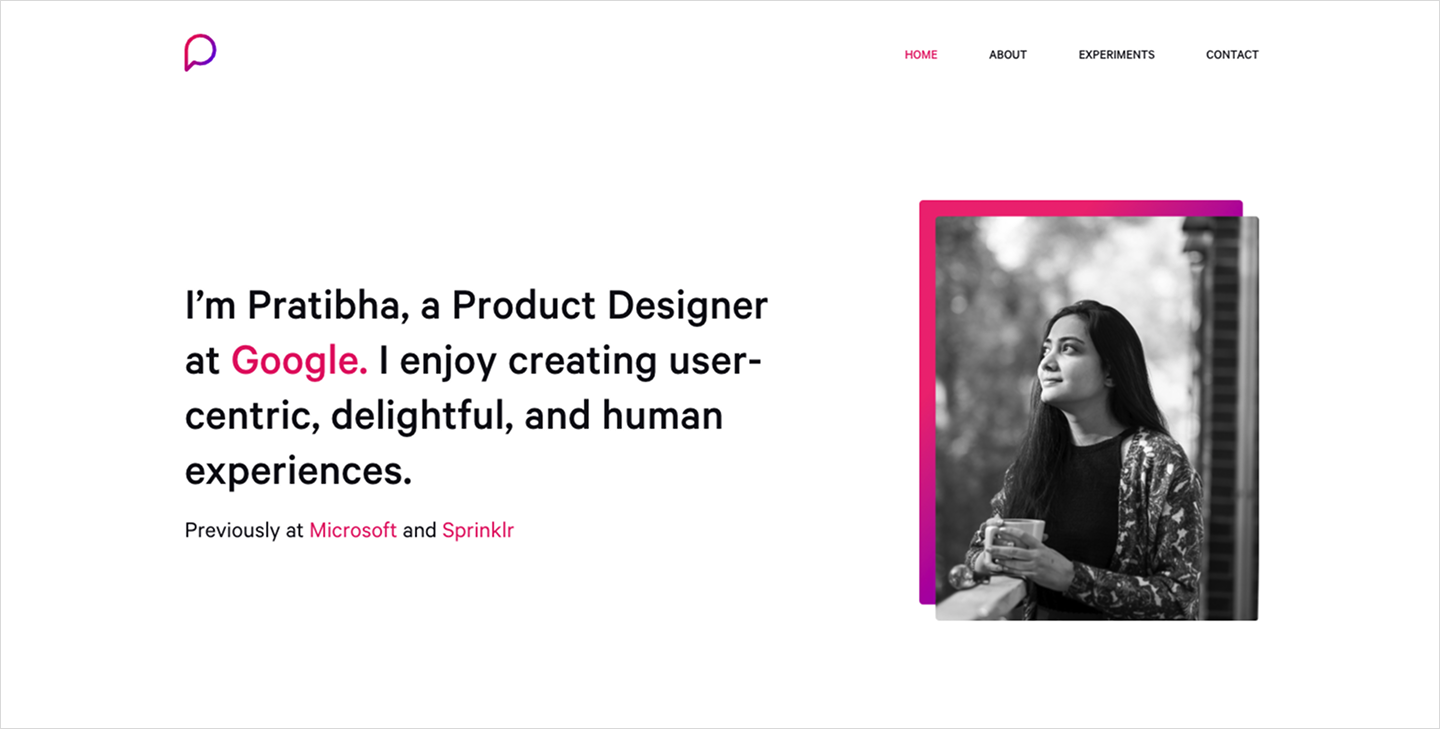
Pratibha Joshi offers one of the most structured personal portfolio website examples, using a clean card-based layout to showcase her work as a product designer at Google. The interface uses distinct blocks to separate high-level case studies from personal experiments.
Take note of the visual hierarchy. Large thumbnails and clear titles guide the eye. Past employers like Microsoft help build instant credibility.
Four tips for designing a portfolio website
Creating a strong portfolio requires thoughtful planning, considering both the work you showcase and how you present it. Here are some tips to help your portfolio website stand out.
- Curate your best work. Focus on highlighting the projects that reflect your current skill set and the types of projects you want to attract.
- Provide strong project descriptions. Detail measurable impact, like a fintech UX designer showcasing how their redesigned banking app reduced errors, or a developer highlighting improved checkout load times.
- Make it your own. Your portfolio will likely be one of the first examples of your work a potential client will see, so make sure it’s personalized, unique, and accurately reflects your brand.
- Update regularly. As your skills evolve, continue adding new work and updating your portfolio website with relevant projects and information. This demonstrates your growth and ongoing progress, making you more attractive to prospective clients.
Design your portfolio website with Figma
Whether you’re building your first portfolio or refreshing your current one, use these portfolio website examples as your inspiration to create or refresh your own. If you’re looking to attract more opportunities with your portfolio, Figma can help. Here’s how:
- Explore Figma’s collection of Web design templates for inspiration, free components, and design styles to help you create your portfolio.
- Use Figma’s Web design tool to create a professional and engaging portfolio website that showcases your creativity.
- Gain exposure for your design work by sharing projects with the Figma Community. Then, include a link back to your portfolio to further enhance your visibility and expand your network.
Ready to publish your work?
Turn your design file into a live site instantly with Figma Sites.
Keep reading


12 website layout ideas to captivate your audience
Learn 12 website layout ideas to engage your audience and how Figma can help in this guide.

24 best fonts for websites
Read on to learn more about the best fonts for websites in 2026, how to find the right typeface for your brand, and how Figma can help.