7 of the best AI app builders for 2026
Share 7 of the best AI app builders for 2026
Explore more from
Building with AI

Ever had a brilliant idea for an app, only to get stuck between the prototype and the polished product? That handoff phase can slow everything down—and sometimes, derail the project entirely.
That’s where AI app builders come in. The right AI-driven tool helps teams move faster by simplifying design and development without compromising on quality, usability, or app design best practices.
In fact, Figma’s 2025 AI report found that developers are increasingly turning to AI more than ever before signaling a shift to faster, more efficient workflows.
Read on to learn:
- 7 of the best AI app development software options available
- How using these tools can benefit your team
| AI app builder | Ideal for | Key features |
|---|---|---|
| Figma Make | No-code app development and design | Natural language prompting, built-in code and visual editors |
| Replit | No-code full-stack app creation | AI coding agents, online IDE, hosting |
| Lovable | Full-stack MVP development | Full-stack automation, Figma-to-Code sync, logic-based prompting |
| FlutterFlow | Low-code complex app development | Drag-and-drop UI elements, code export, AI component and page generation |
| Softr | Creating apps from spreadsheets | Spreadsheet-driven app creation using pre-built blocks and templates |
| Bubble | Creating scalable apps | Visual workflows, database modeling, robust plugin ecosystem |
| Anything | Code creation and customization | Text-to-app code generation, multi-model AI support |
1. Figma Make

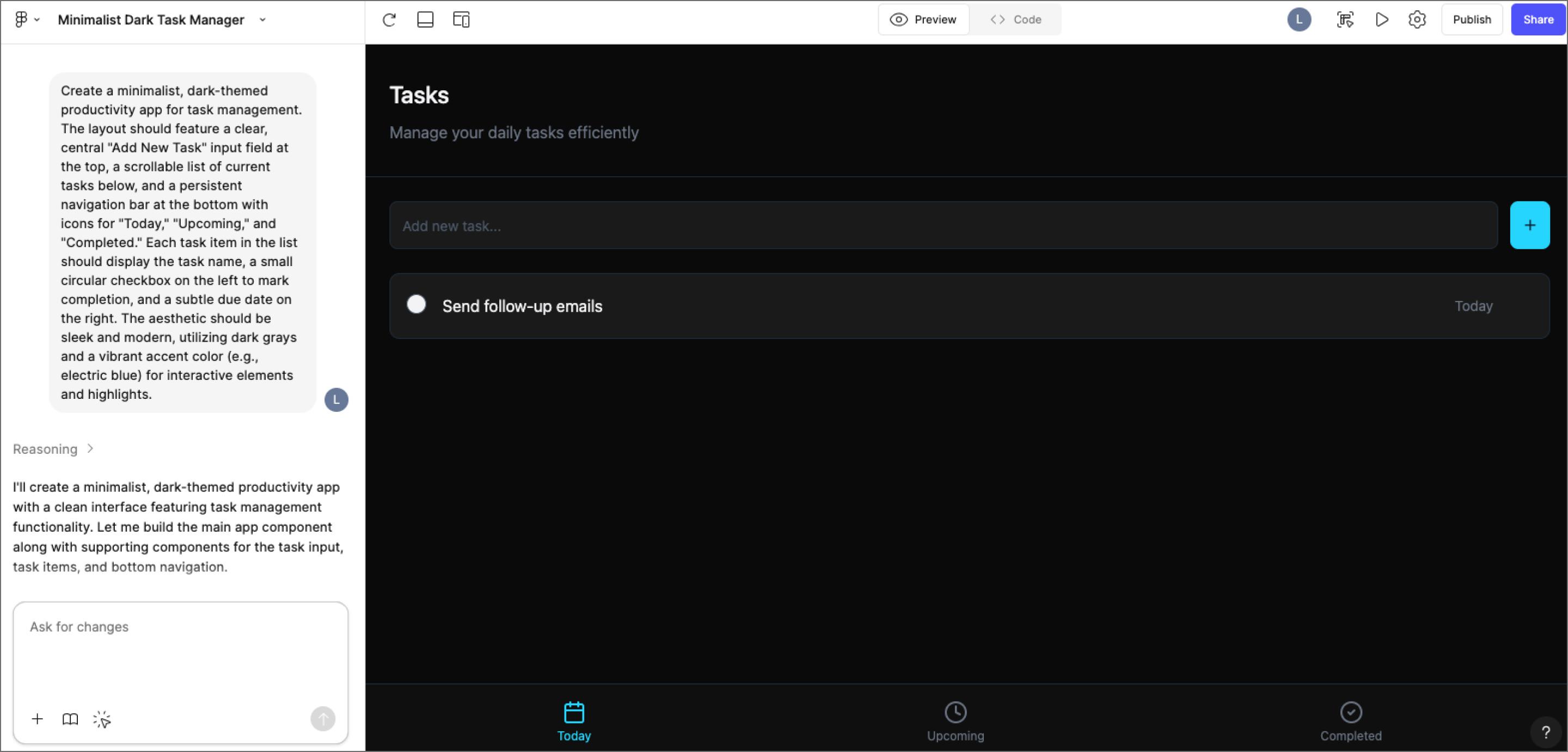
Ideal for: No-code app development and design
You don’t need a developer background to create something powerful and polished. Figma Make is a no-code AI app builder designed to help you go from a simple idea to a fully interactive app, all within the same platform.
Start by selecting an existing frame to move faster, or create your own layout if you want more control. Then, describe your idea in plain language—what the app should do, how it should look, and any features you want to include. Figma Make turns that prompt into a working prototype you can edit, test, and share.
You can even bring your designs into your coding environment via an MCP (Model Context Protocol) server to keep the context of your design as you code, or export the underlying code to a GitHub repository to start building out the logic and backend.
Key factors
- Coding experience: None required
- Customization: Visual builder allows you to customize the app’s appearance, flow, and functionality with a code editor for fine-tuning
- Use cases: Dashboards, productivity tools, customer portals, mobile games, and more
- Publishing options: App publishing available with paid plans
Key features
- Natural language prompting. Describe your app in plain language to generate layouts, flows, and functional components—no coding needed.
- Flexible editing. Use prompts or the built-in code editor to customize logic and layout.
- Refine and design. Customize your app with the built-in visual editor to adjust appearance and flow.
- Live testing. Preview and test performance using real user data.
Need to build an app fast?
Experience the power of Figma Make’s AI app builder. Go from an initial idea to a fully designed app—no coding required.
2. Replit

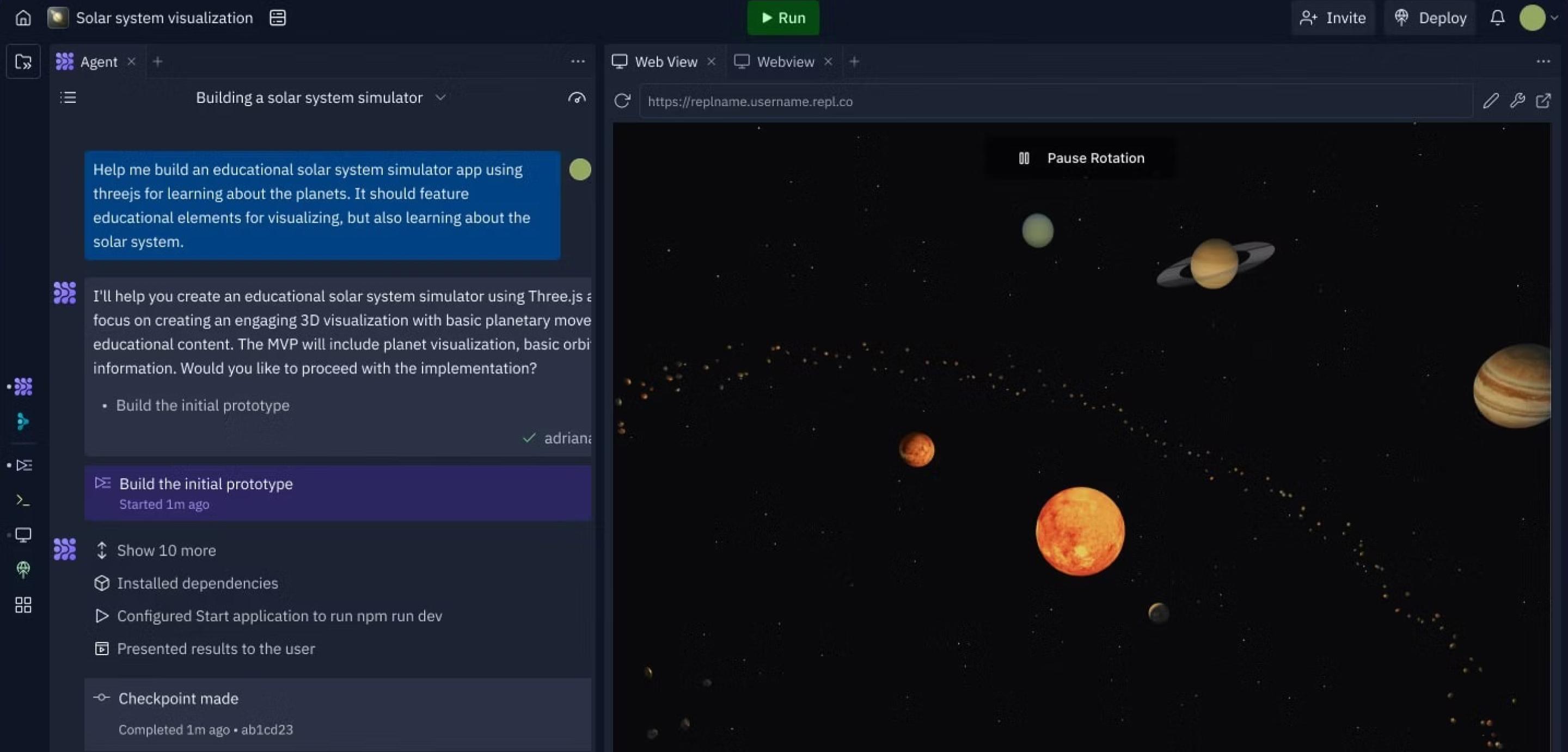
Ideal for: No-code full-stack app creation
Replit offers an integrated development environment (IDE) powered by AI tools, letting users create no-code prototypes and publish full-stack apps. Built-in AI features lower the barrier to entry for creating simple apps, and a credit-based usage model allows creators to choose what they pay for, including private app development and additional AI tools.
Replit’s AI tools assist with everything from writing backend code to generating UI components and debugging in real-time. You can build directly in your browser, test your app, and launch it—all in the same workspace. For teams, Replit also offers flexible paid plans that scale with usage and unlock access to private apps and advanced AI features.
Key factors
- Coding experience: Minimal required to get started
- Design features: Basic preview and editor tools, with hand-coding options for advanced interfaces and an import from Figma plugin
- Use cases: Small Web apps, developer tools, prototypes, and internal dashboards
- Publishing options: Up to 10 free public development apps with free version; publishing and hosting available with paid plans
Key features
- AI coding agents. Replit Agent helps generate working code, suggest completions, and debug issues in real time.
- In-browser IDE. Build, preview, and host apps from one workspace. It includes image generation and additional tools on paid plans..
- Credit-based payment model. A credit-based model lets you pay only for what you use—ideal for teams that want to scale up or down as needed.
3. Lovable

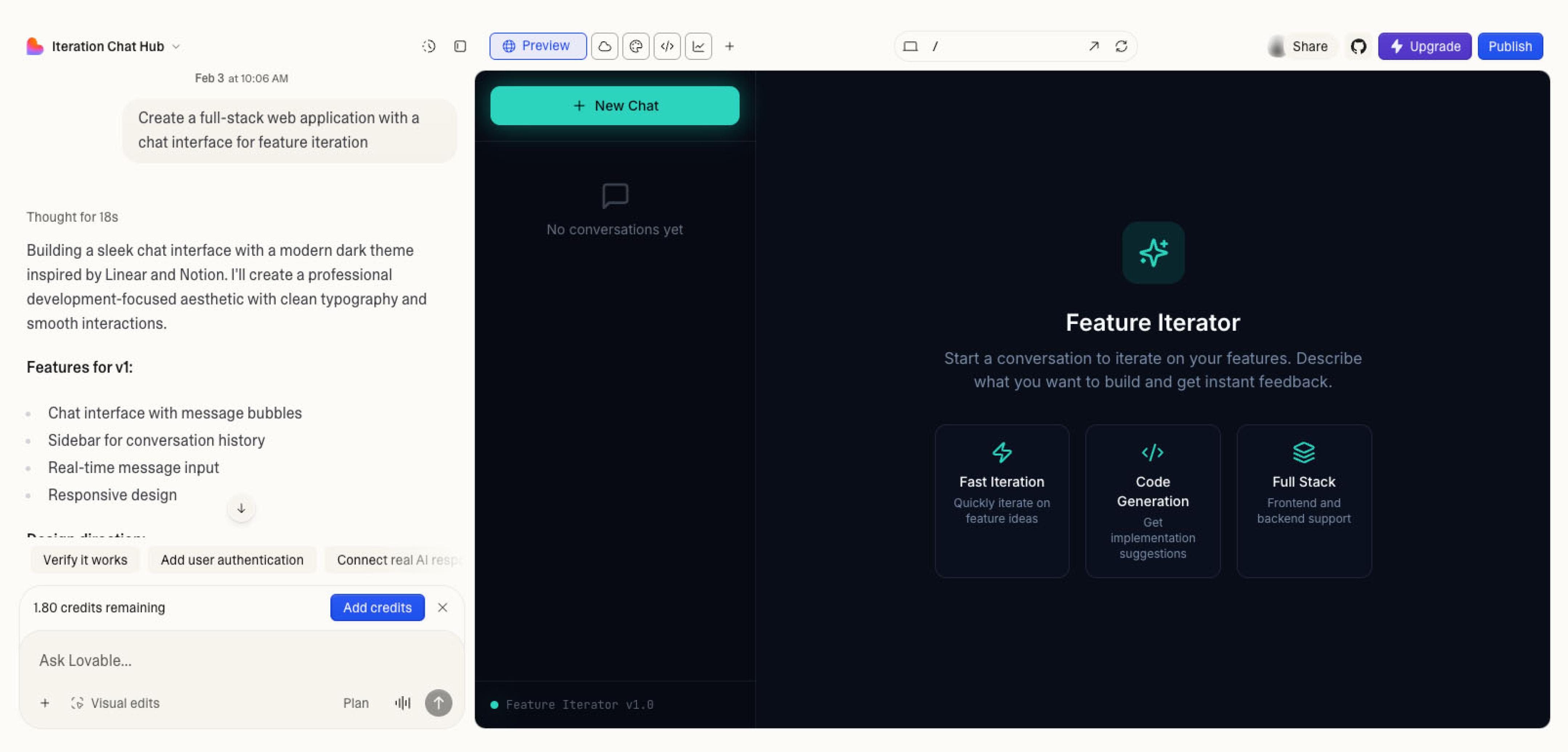
Ideal for: Full-stack MVP development
Lovable (formerly known as GPT Engineer) helps you build functional web apps by generating the frontend, backend, and database all at once. While many AI builders stop at the UI, Lovable handles the logic—like setting up user accounts and connecting data tables—using natural language prompts.
If you already have a design in Figma, you can paste the URL directly into Lovable to scaffold the app. It reads your layers and styles to create a working version in React and Supabase. It’s a solid option for teams that need to move past a static prototype and launch a functional Minimum Viable Product (MVP) to quickly collect user data.
Key factors
- Coding experience: None required, though it’s helpful to understand how databases work
- Design features: Imports Figma designs to generate UI; includes a visual editor for layout and theme tweaks
- Use cases: SaaS products, internal tools with databases, and functional Web apps
- Publishing options: One-click deployment to Netlify and automatic syncing with GitHub
Key features
- Full-stack automation. It builds the entire architecture, including the database tables and backend logic needed for a working app.
- Figma-to-Code sync. Use your Figma designs as the visual starting point to save time on frontend development.
- Logic-based prompting. Add features like “create a login page” or “connect this button to the database” through text requests.
- Code ownership. It syncs directly to GitHub, so your team has access to the clean React code whenever you're ready to move to custom development.
4. FlutterFlow

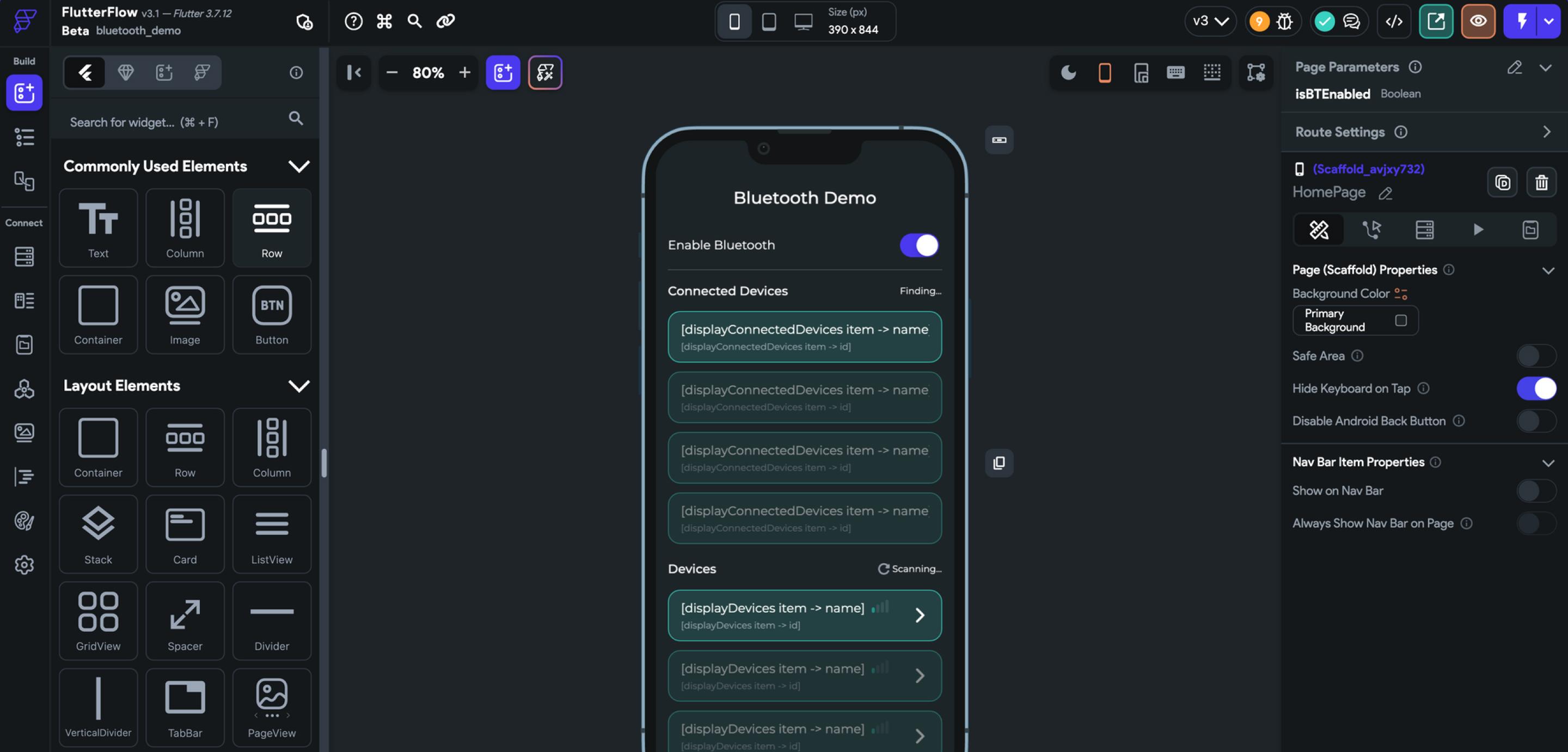
Ideal for: Low-code complex app development
FlutterFlow is a low-code AI mobile app builder focused on generating native mobile apps with a pixel-perfect user interface (UI). With the addition of AI features, users can now generate UI components, entire screens, and even functional logic from a single prompt.
It’s especially valuable for teams building complex apps that need to export clean code, publish to app stores, or customize deeply beyond visual editing. You can start with drag-and-drop templates and then expand functionality using integrated AI, external APIs, or developer-written code.
Key factors
- Coding experience: Some experience may be helpful for advanced customization or exporting production-ready code
- Design features: Customizable UI elements, drag-and-drop widgets, and support for importing Figma themes
- Use cases: Native mobile apps, marketplaces, and Web apps with multi-screen workflows
- Publishing options: One-click publishing to app stores (on higher-tier plans) and code export for external development
Key features
- Intelligent image analysis. Simply upload an image of UI components, including layouts and widgets, that FlutterFlow can analyze and recreate in your workspace.
- Prompt-based component creation. Use natural language to generate interface elements and full screens, then refine them with visual tools.
- API integrations. Developers can connect apps to external data sources, third-party services, and additional features for enhanced functionality.
5. Softr

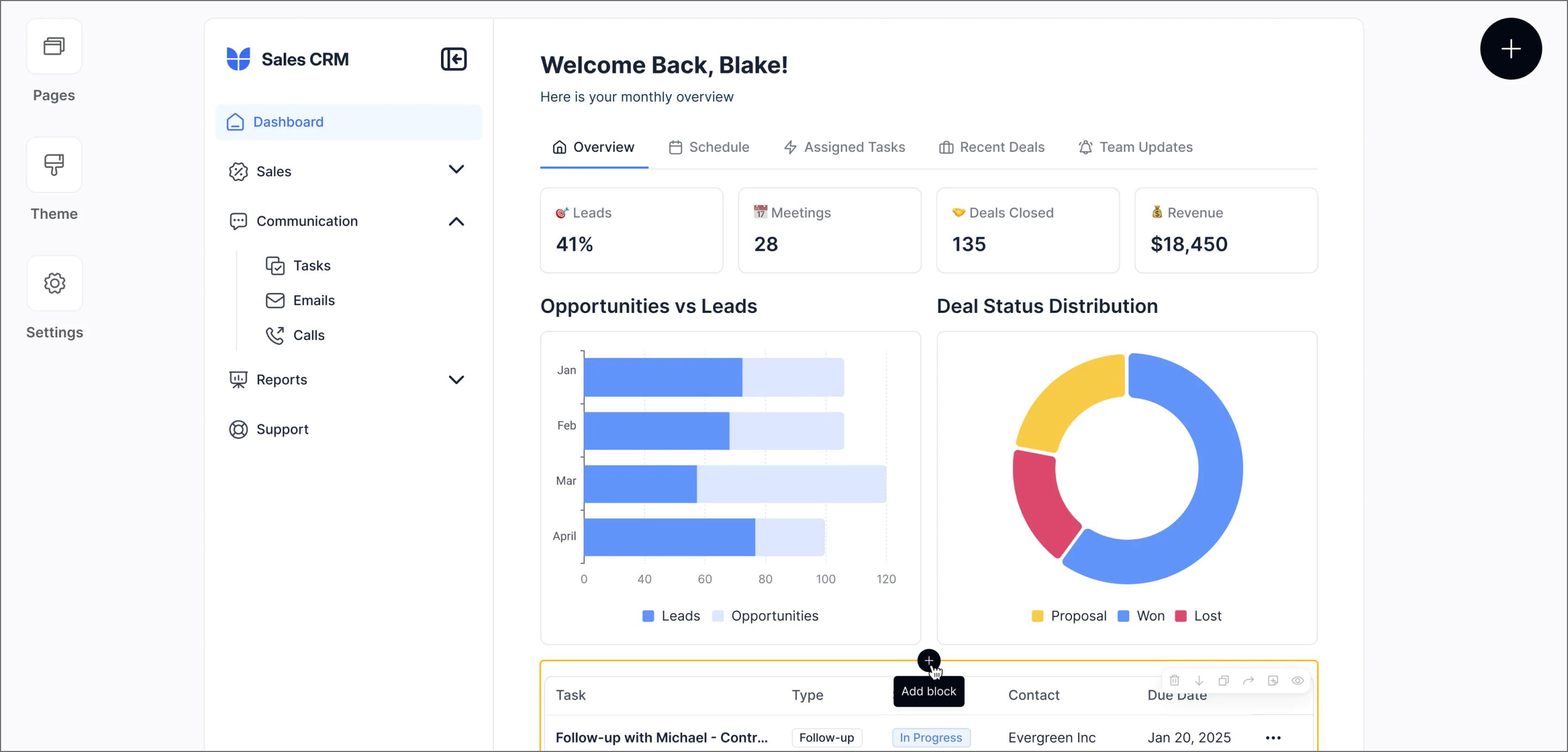
Ideal for: Creating apps from spreadsheets
Softr turns your spreadsheets and databases into interactive apps, no code required. Whether you're working from Airtable, Notion, or Google Sheets, Softr uses pre-built templates and drag-and-drop blocks to help you create client portals, directories, and internal tools with minimal setup.
It’s probably not the most customizable platform visually, but it shines when speed and simplicity matter. Pricing scales by the number of users your app can support, and higher tiers come with more AI credits and an expanded list of compatible data sources.
Key factors
- Coding experience: None required, with custom code blocks available for advanced functionality
- Design features: Responsive templates, drag-and-drop blocks, and basic customization options
- Use cases: Membership platforms, client portals, internal dashboards, directories
- Publishing options: Users can publish their apps on the Softr website, with custom domains available on higher plans
Key features
- Connect to your data. LinkAirtable, Notion, Google Sheets, and more to power your app’s content and logic.
- Ask AI. The built-in AI assistant can answer questions and read app data for real-time analysis.
- Drag-and-drop builder. Use over 100 pre-built blocks to structure and design responsive, functional apps quickly.
6. Bubble

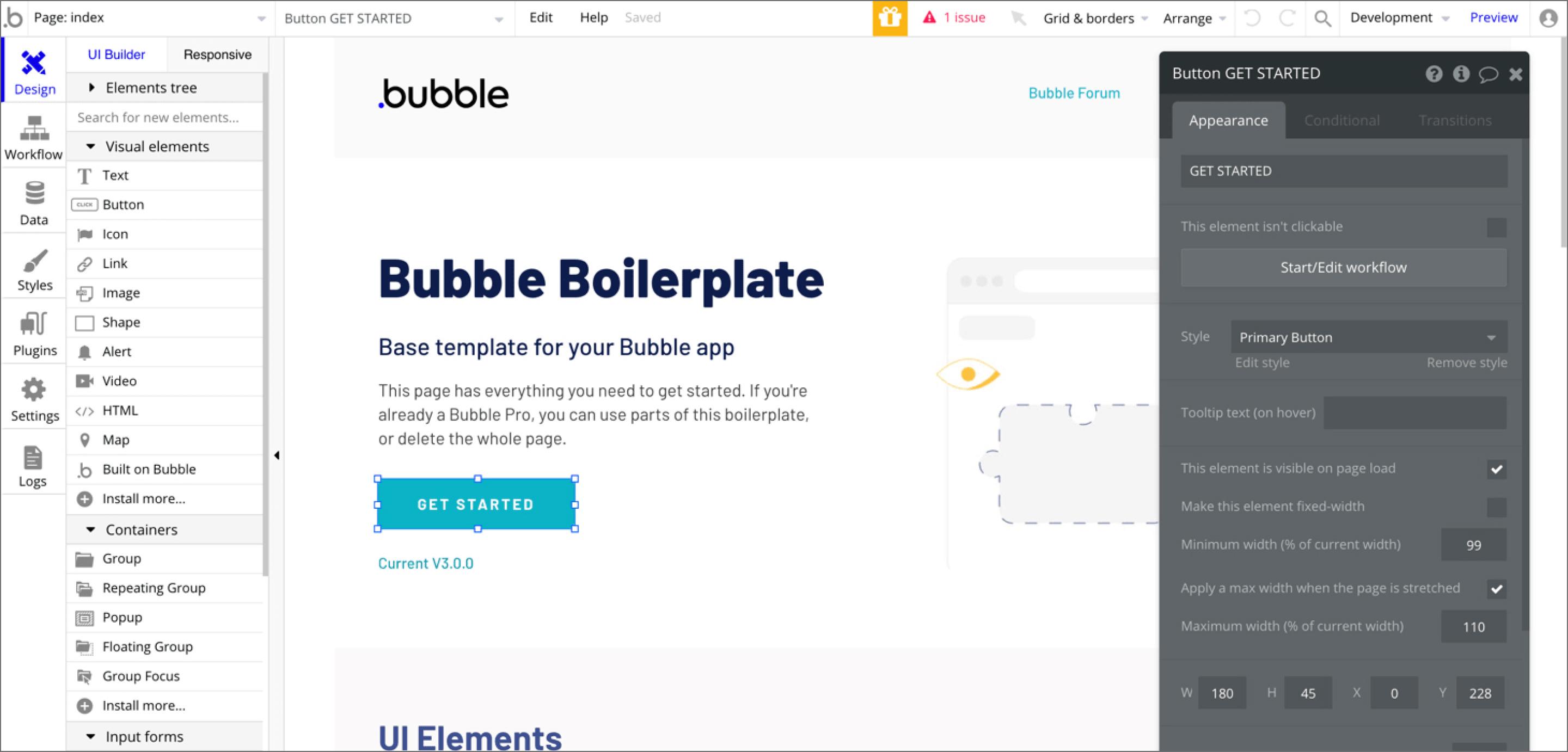
Ideal for: Creating scalable apps
Bubble is a no-code app builder built for scalability. It uses a visual programming model to help you create robust web applications with advanced logic, database connections, plugins, and integrations—without writing traditional code.
It’s a great choice for teams building SaaS products, marketplaces, and internal platforms that need more customization and complexity than typical no-code tools allow. While the interface is beginner-friendly, the learning curve can be steeper, especially if you’re building apps with deep logic or large user bases. Hosting costs can also increase with traffic and app complexity.
Key factors
- Coding experience: Not required, but technical knowledge can be helpful
- Design features: Visual builder with responsive controls, as well as plugs and custom HTML and CSS for granular design control
- Use cases: Marketplaces, SaaS products, complex Web applications, and scalable tools
- Publishing options: Submit apps to Google Play and the App Store with a guided submission workflow that simplifies the publishing and iteration processes
Key features
- Visual editor. Build complex apps using a flexible drag-and-drop builder with responsive layout controls
- Native functionality features. Easily add essential app infrastructure like location services, camera access, and push notifications—no additional coding required.
- Live testing. UseBubbleGo to preview your app’s performance and user experience (UX) design before launch.
7. Anything

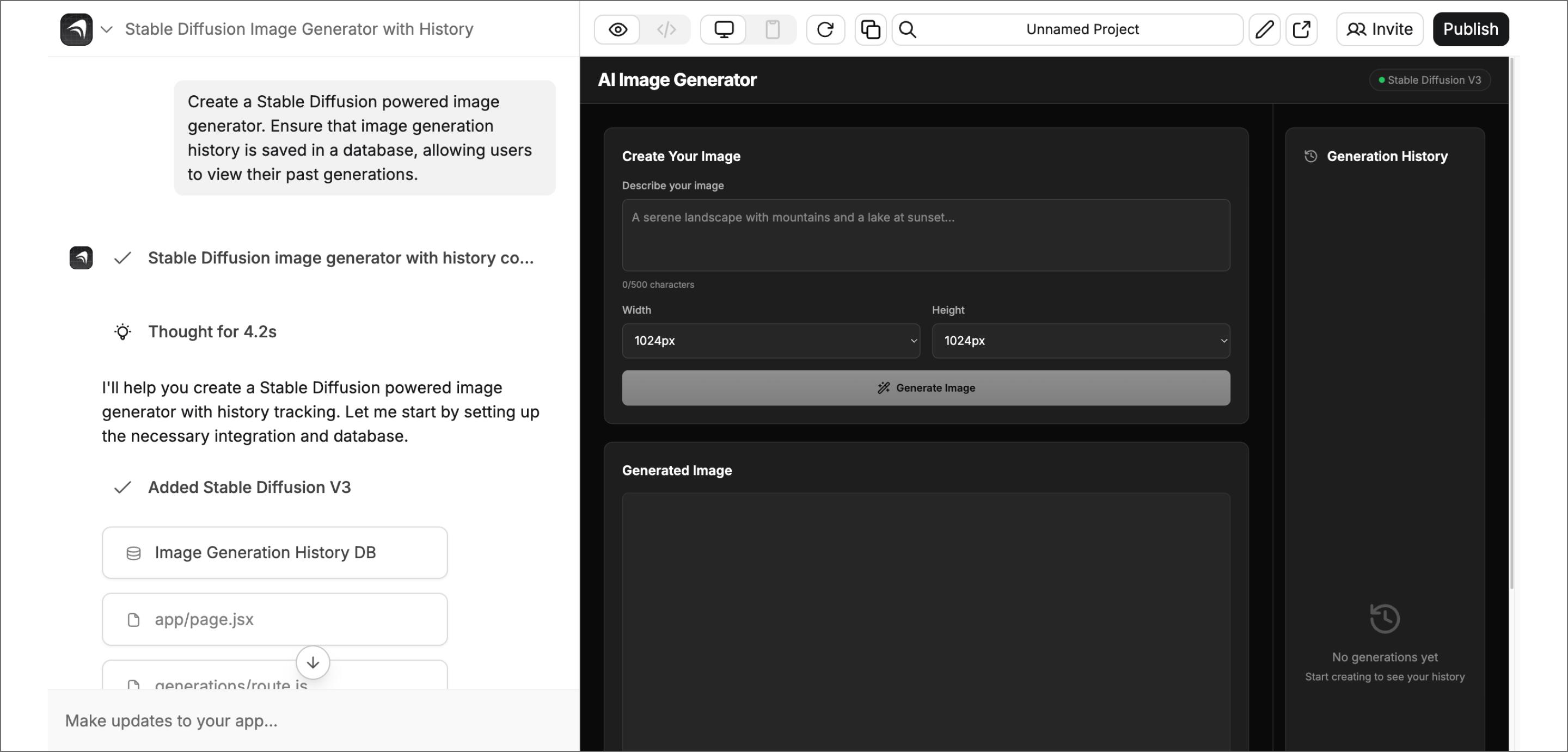
Ideal for: Code creation and customization
Anything (formerly Create.xyz) is a newer app builder that uses AI to turn text prompts into working code. It’s designed to help you prototype quickly by generating simple apps and tools without writing code manually. You can use prompts to describe the structure or functionality you want, and Create pulls in multiple AI models like ChatGPT and Claude to generate results.
Create works best when speed matters more than structure. It’s helpful for prototyping ideas quickly, especially when you don’t need a polished UI or complex logic. Some features are still evolving, but for testing internal tools or simple workflows, it gets the job done.
Key factors
- Coding experience: Minimal experience necessary for basic projects, but further customization may require developer insight
- Design features: Templates and pre-built components make prototyping quick and easy, with prompt-driven generation to supplement plug-and-play elements
- Use cases: Internal tools, automation scripts, simple prototypes, and dashboards
- Publishing options: Publishing and custom domains included with paid tiers, with some plans offering private projects and removal of Create branding
Key features
- Text-to-app creation. Create integrates with the latest AI models to generate editable code from natural language prompts and quick prototype development.
- Component library. Access hundreds of pre-built UI components from tables and grids to maps and search to simplify app creation.
- Code access. Easily view and export generated code for further development and customization.
Benefits of AI app builders
AI-powered app builders make it easier than ever for teams to turn their ideas into working applications. Instead of starting from scratch, teams can generate functional prototypes in less time (often in a single session), making it easier to align early and move forward with clarity.
AI app builders can’t replace the experience and expertise of developers, but they can allow teams to:
- Build faster. AI helps speed up app creation so teams can go from ideation to wireframing to rapid prototyping in a matter of hours.
- Map out key content. Use AI to generate your app’s core structure and information architecture, including navigation and user interactions, to better visualize how users will move through the app.
- Scope projects better. Because AI builders quickly produce working prototypes, it’s easier to estimate development effort, align timelines, and set realistic expectations before full build-out. This early clarity improves strategic planning and reduces scope creep later in the process.
- Streamline approvals. With AI-generated prototypes ready for stakeholder review in record time, teams can collect feedback, make adjustments, and move projects forward without getting stuck in long design-development handoffs. Faster iteration means faster approvals.
- Encourage cross-team collaboration. AI app builders make development more accessible to non-engineers—designers, marketers, and product leads can all participate using visual editors or text prompts. This opens up collaboration across departments and ensures more creative, inclusive input during the build.
- Automate back-end logic generation. Many AI app builders generate working logic, database connections, and simple APIs in the background so your prototype can handle basic data and interactions even before engineers refine it for production.
- Publish across platforms. Modern AI builders can generate code optimized for Web, iOS, and Android simultaneously, helping you launch a consistent app experience across multiple devices without needing separate builds.
While AI app builders can dramatically accelerate development, they aren’t a replacement for thoughtful planning or technical oversight. Generated logic or UI elements may need fine-tuning for performance, accessibility, and brand consistency.
It’s best to treat these tools as accelerators for prototyping, iteration, and collaboration while recognizing they’re just one part of a broader, well-managed development workflow.
AI app generator FAQ
Keep reading for answers to frequently asked questions about AI app builders.
Can ChatGPT build an app for me?
Not on its own. ChatGPT can help by generating code snippets, debugging, or answering development questions but you'll still need to build and deploy the app using a proper app builder or IDE.
What is the best AI app creator?
It depends on your project. Some tools are better for no-code web apps, others for mobile or more complex logic. Focus on what you’re building and how much customization you need.
Which AI app builder is best for no-code internal tools?
Look for a platform that supports vibe coding, or a combination of natural language prompts and visual editors that allow non-engineers to build internal tools, landing pages, and other no code app examples.
Figma Make is a strong choice because it’s prompt-based, easy to customize visually, and lets you dive into the code when needed.
Is Replit the best AI app builder?
Replit is great for full-stack prototyping. But if you care more about design flexibility or visual tools, you might prefer something like Figma Make or FlutterFlow.
Are AI app builders worth it?
AI app builders are absolutely worth using to improve how efficiently teams and individuals can create working apps. Figma’s 2025 AI report found that, for 78% of Figma users, using AI significantly enhances how efficiently they work. Among developers, more than two-thirds believe that AI not only makes them better at their work but also enhances the quality of what they do.
Using AI for app development for simpler builds and quick prototypes may offer the best cost-benefit, but even for complex apps, using AI can quickly give you a workable baseline for traditional development and human oversight to refine.
Experience the best AI app builder and build a responsive, interactive app with Figma Make
The best AI app builders have transformed how creators move from idea to execution, helping you work faster, smarter, and more collaboratively. If your focus is speed, usability, and design precision, choose Figma Make for your next project. It combines natural language prompting, a visual editor, and live testing to take you from an idea to a functioning app—all within a unified workflow.
Pro tips for designing and launching your app with Figma:
- Follow these essential tips for using Figma Make to get more out of your experience.
- Find inspiration in the Figma Community, where you can explore plug-ins, templates, and app examples from other creators.
- Explore Figma’s Web design templates to jumpstart your layout and visual system.
- Collaborate in Dev Mode to bridge design and code, streamlining your handoff process.
- Use Figma Sites to publish your app or website without leaving the platform.
Ready to try an AI app builder?
Create responsive, interactive pages in minutes. Design and build in one place with Figma Make’s AI app builder.
Keep reading


7 key UI design principles + how to use them
The seven principles of UI design include hierarchy, progressive disclosure, consistency, contrast, proximity, accessibility, and alignment.


Responsive website design: Key components + how to use them
Master responsive Web design with examples of how to build websites that adapt across desktops, tablets, and smartphones for a superior user experience.