8 of the best design collaboration tools of 2026
Share 8 of the best design collaboration tools of 2026
Explore more from
Team productivity

Design is an inherently collaborative process. You create work with insights from designers and partners, you share your work with clients and cross-functional partners for feedback, and so on. The ability to collaborate with your team effectively can make or break your design process.
To help you figure out which tool is right for you, we’ve rounded up 10 design collaboration tools. This article covers everything you might need in your design process—from visual whiteboards to prototyping platforms to organization spaces.
Read on to learn:
- Which tools work best for different teams and workflows
- Key features that make collaboration easier
| Design collaboration tool | Ideal for | Key features |
|---|---|---|
| Figma Design | UI/UX design | Scalable design systems, components and reusable styles, prototyping |
| FigJam | Real-time collaboration | Web-based whiteboarding, voting and emoji reactions, diagramming and flowchart tools |
| Miro | Team brainstorming | Infinite canvas, prebuilt templates, mind maps and flowcharts |
| Canva | Social media design | Drag-and-drop editor, templates for social media and marketing, brand kit management |
| Mural | Structured workshops | Infinite resizable canvas, icons, GIFs, and stickers, timers and voting for presentations |
| Adobe XD | Legacy design teams | Vector-based design, interactive prototypes, components and reusable assets |
| Mockplus | Prototyping | Drag-and-drop prototyping, interactive wireframes and components, developer handoff with specs and assets |
| Sketch | Interface design | Vector-based tools, reusable symbols and shared styles, prototyping with interactive components |
1. Figma Design

Ideal for: UI/UX design
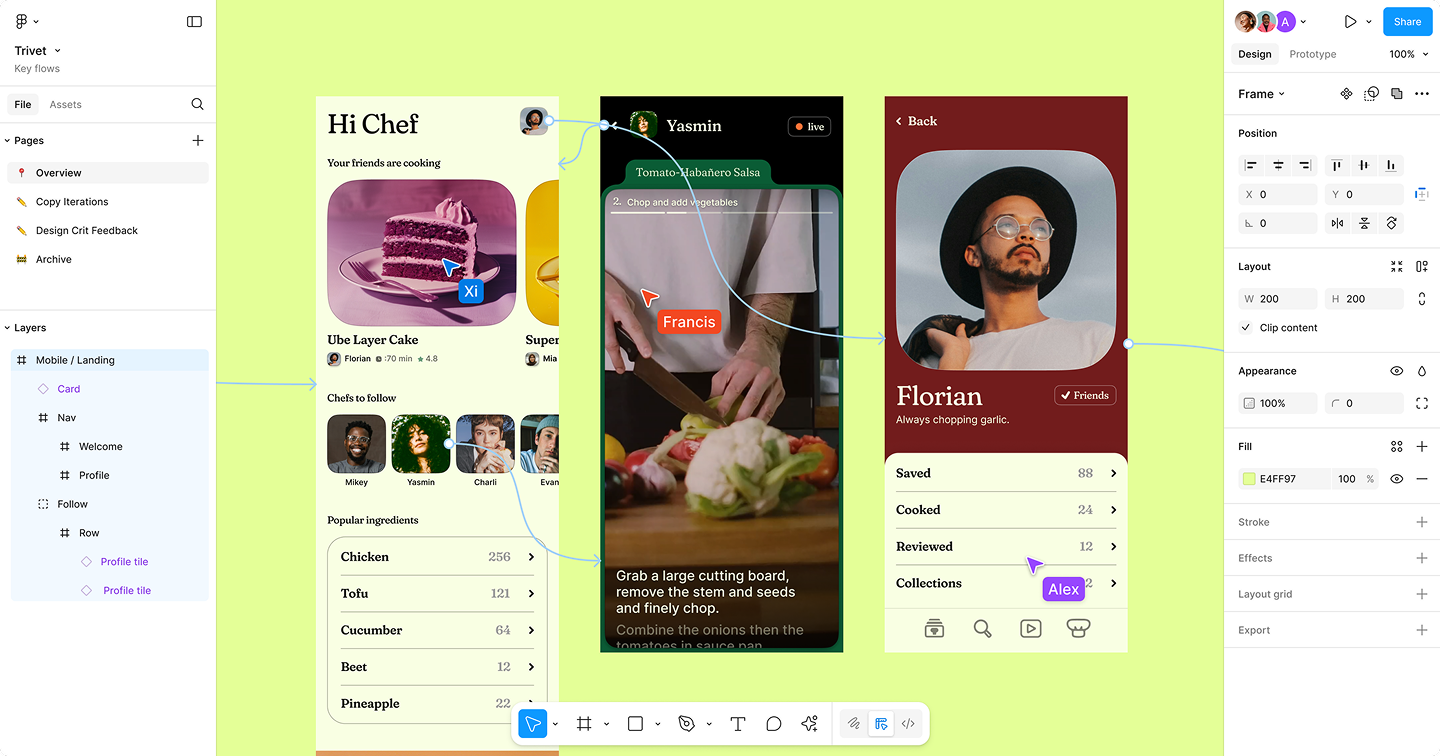
Figma Design brings every part of the UI and UX design process into one place. You can sketch wireframes, design visuals, create prototypes, and handoff to your Dev team—all in the same file.
Beyond that, Figma is built for scale. With components, styles, and variables, it’s easy to create consistent, reusable UI patterns that your whole organization can use. And because it’s browser-based and version-controlled, anyone can jump into the file, leave comments, or tweak designs, no matter where they’re working from.
Adding Figma into your existing workflow is easy. Tools like Slack, Jira, and Notion seamlessly integrate, and the full Figma platform offers products to help you present your work, create asset templates for other teams, or prompt-to-code products. Because it supports every step of the product design process, teams can move from concept to final build without leaving Figma.
Key features
- Auto layout for responsive designs
- Shared components and reusable design systems
- AI-powered prompts to speed up workflows
- Clickable prototyping with transitions and overlays
- Branching and version control
Create and collaborate in one place
Figma Design makes it easy for your team to work together. Share feedback instantly, update designs in real time, and keep everyone on the same page.
2. FigJam

Ideal for: Real-time collaboration
Let’s be real, the design process doesn’t start with fully formed ideas. When you’re still figuring out your concept and need to get some ideas down, FigJam is a great place to start.
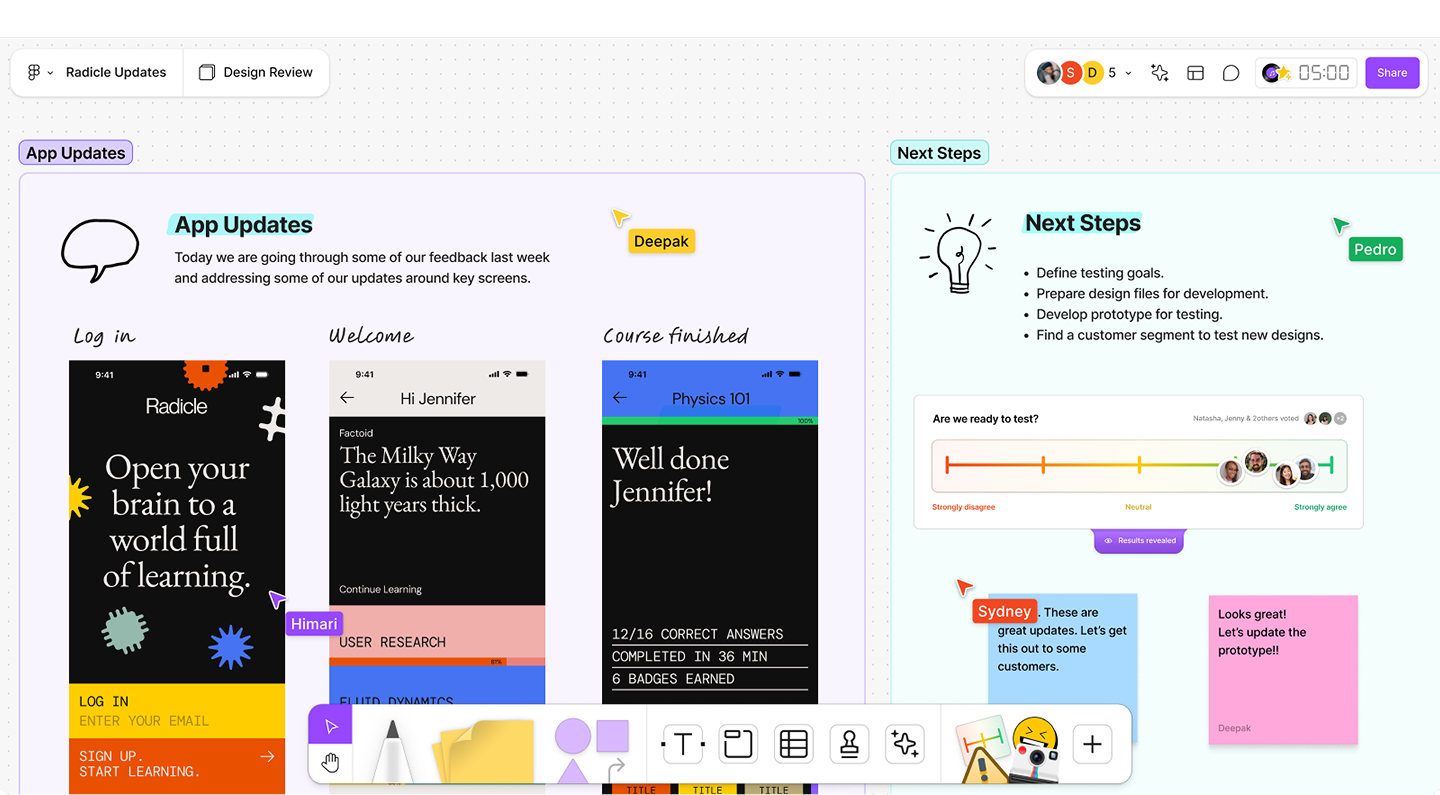
As one of the leading visual collaboration tools, FigJam is specifically built to help teams brainstorm and align on ideas together, in real time. It functions like an online whiteboard, which means that everyone can jump in, share their ideas on sticky notes, draw diagrams, create mind maps, and leave comments.
You can host a workshop, hold a retro, or drop in work that needs feedback from stakeholders, even if your team is fully remote. Because it’s hosted on the web, anyone can jump into the file no matter where they are in the world. If you’re not sure where to start, you can use built-in templates for activities like mind mapping or scheduling out a project.
Key features
- Prebuilt templates for workshops and design sprints
- Diagramming tools with flowchart and connector options
- Emoji reactions, stamps, and voting tools
- Collaborative cursor and live editing
- AI-powered brainstorming suggestions
Turn brainstorming into action
With FigJam, your team can sketch ideas, map workflows, and gather feedback all in one place. Make sessions more productive and decisions faster.
3. Miro

Ideal for: Team brainstorming
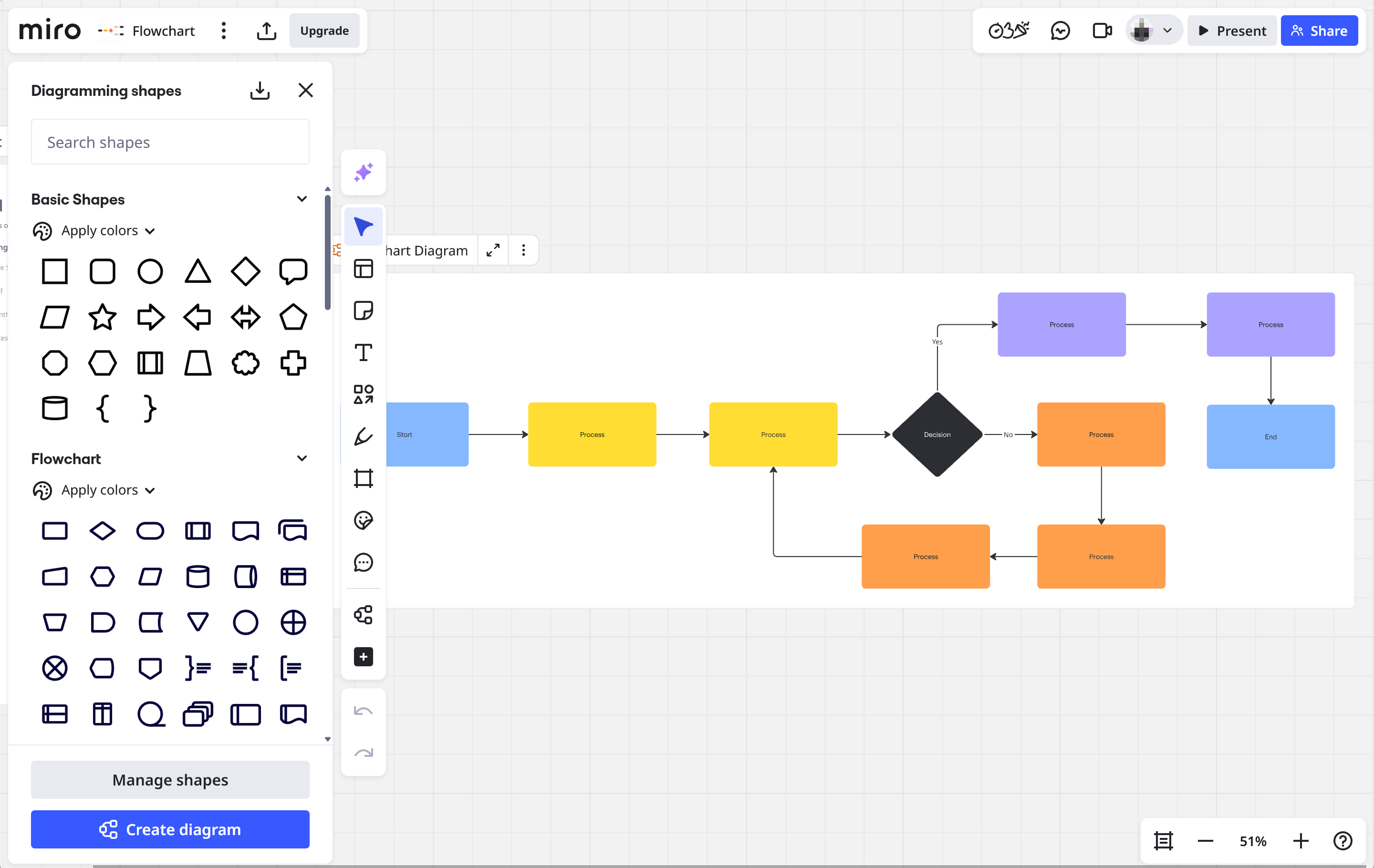
Miro is a flexible platform for brainstorming and organizing projects. It’s often used as a design collaboration tool for teams that want to map ideas visually. While Miro and FigJam offer similar whiteboarding tools, Miro is a good solution for teams that aren’t working in Figma regularly and don’t need to bring their designs or ideas into other Figma products.
Miro gives users a wide range of templates for flowcharts, kanban boards, retros, and project kickoff meetings. Boards can also include sticky notes, diagrams, and comments making it easy for teammates to leave feedback or share their thoughts.
Miro scales for teams of any size, from small groups running weekly brainstorming sessions to large organizations managing multiple projects at once. Since it’s not designed for detailed UI or product design, you might need to pair it with a dedicated design tool if your team needs high-fidelity prototypes.
Key features
- Infinite canvas that expands as your board grows
- Diagramming and visual organization tools
- Sticky notes with voting and prioritization
- Prebuilt frameworks for workshops and retrospectives
- Presentation mode to turn boards into a slide-style view
4. Canva

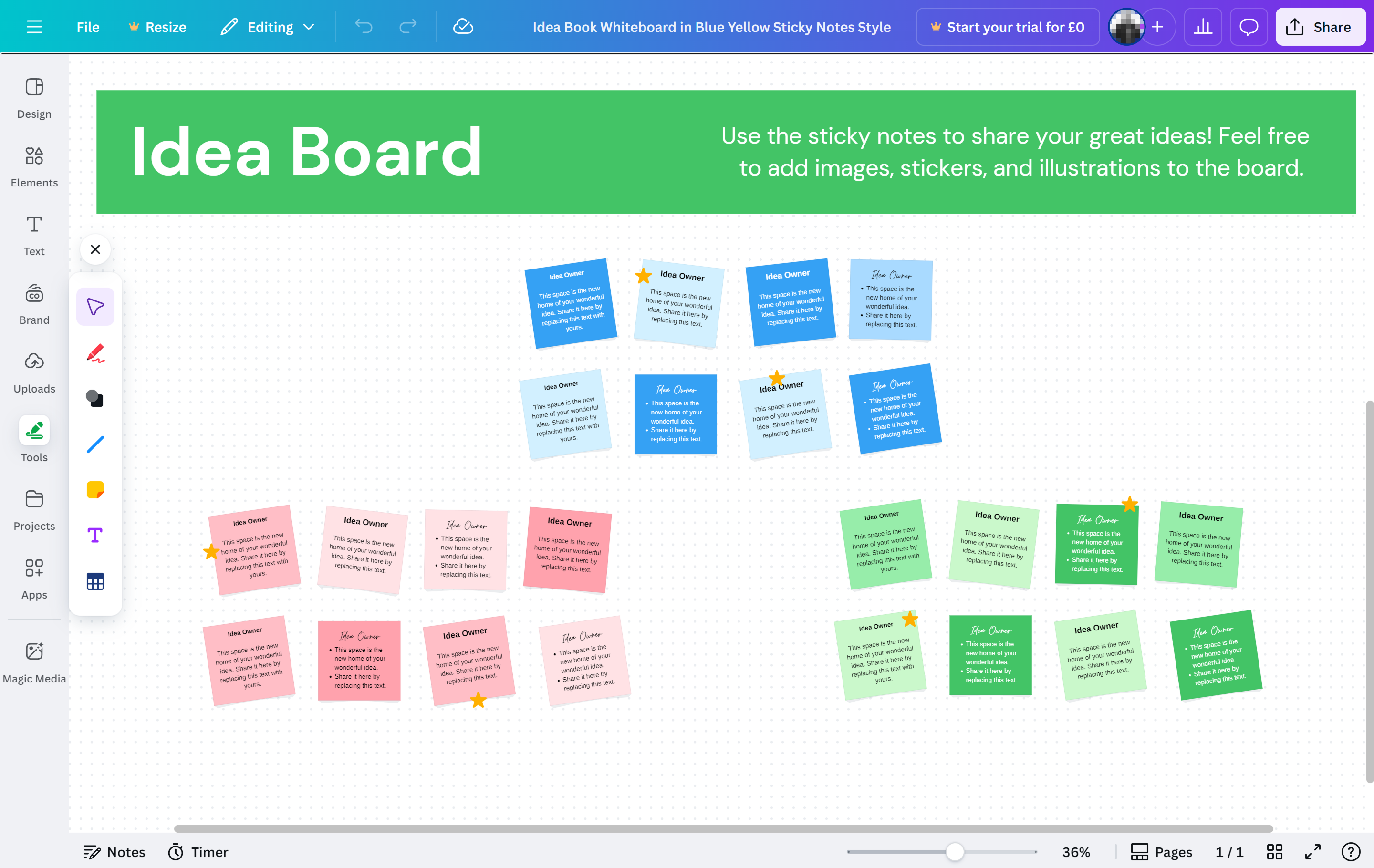
Ideal for: Social media design
Canva is a widely used creative collaboration tool that is great for beginners or people without a design background. Its drag-and-drop editor and prebuilt design elements make it easy for teams to design together, whether they’re creating social posts or team icebreakers.
Like many of the other tools mentioned here, collaboration is built in. Team members can leave comments, provide feedback, and edit designs in real time. Meanwhile, brand kits and simple approval workflows help everyone stay on the same page.
Canva works well for small teams that need to produce content quickly, and it scales for larger teams with multiple projects. That said, one thing to keep in mind: Canva is focused on finished visual assets—so if you need interactive prototypes or developer-ready specs, you’ll want a more product-oriented tool in your stack.
Key features
- Drag-and-drop editor
- Brand kits with logos, colors, and fonts
- Prebuilt templates for social posts, presentations, and marketing materials
- Team folders and shared projects
- Magic Resize for quickly adapting formats
5. Mural

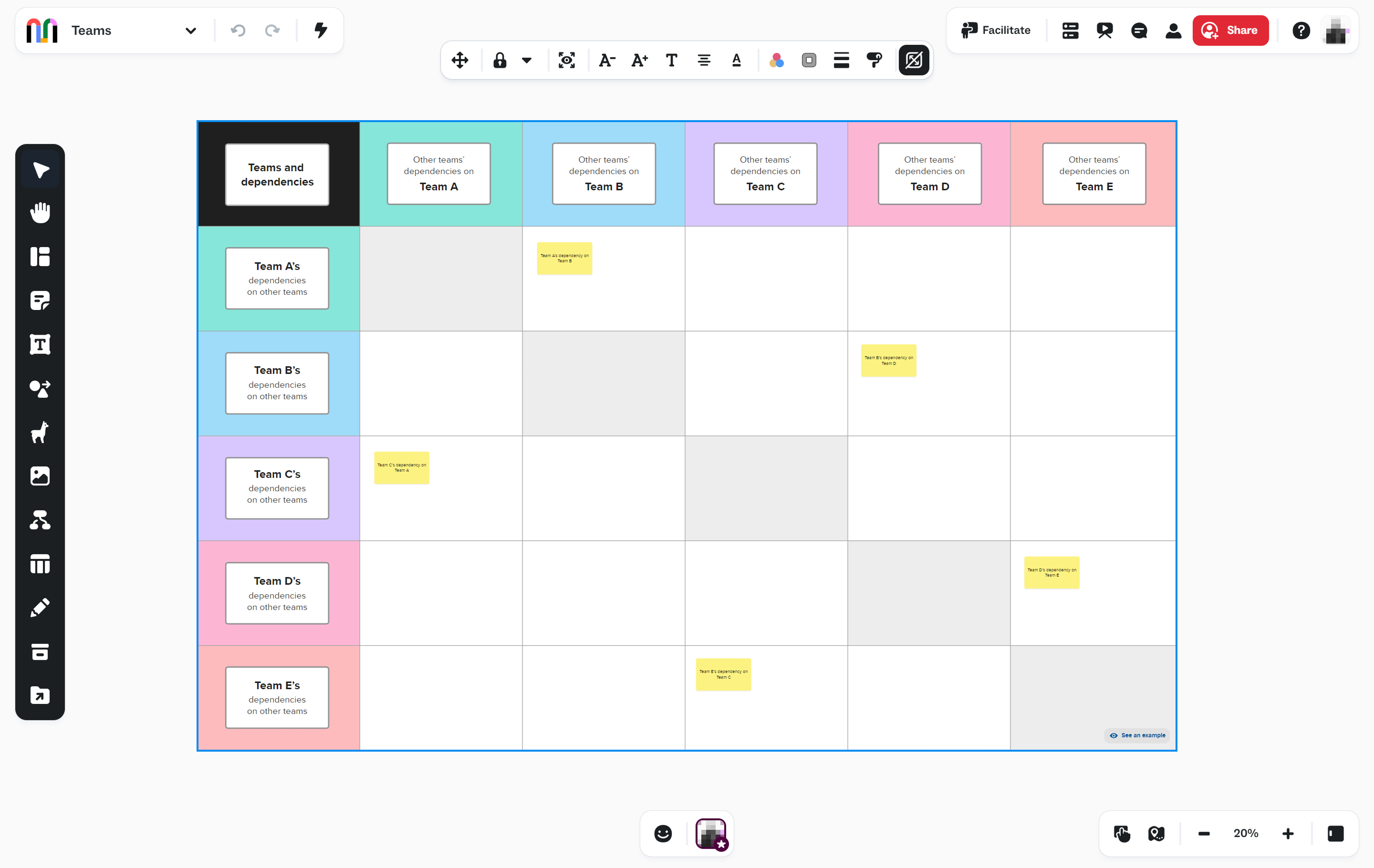
Ideal for: Structured workshops
Mural’s templates, frameworks, and moderation features are well-suited for workshops, team-building activities, and design sprints. Facilitation Superpowers™ like timers, voting, private mode, and guided outlines help moderators run sessions smoothly. You can also quickly add sticky notes, diagrams, and shapes to organize ideas visually, making it easier to turn discussions into actionable next steps.
Mural also works well with other collaboration tools like Slack, Microsoft Teams, and Jira, so you can keep your projects moving even after the session ends.
Key features
- Infinite resizable canvases
- Icons, GIFs, GIPHY, and Unsplash integrations
- Flexible permissions with facilitator, edit, and view-only controls
- Facilitation Superpowers™ to guide workshops and sessions
6. Adobe XD

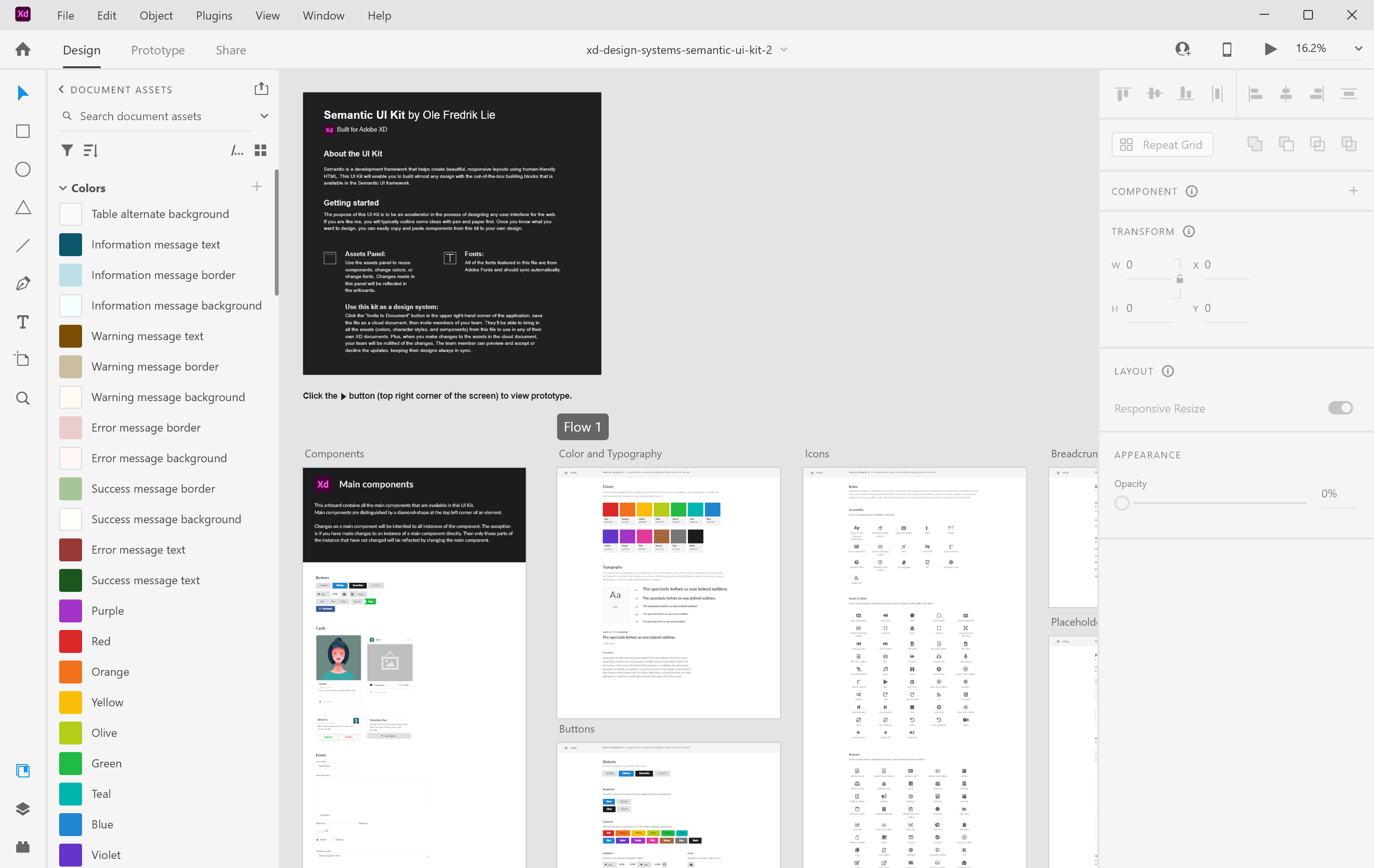
Ideal for: Legacy design teams
Adobe XD was once a leading player in collaborative design, but with no major updates planned, it’s now in maintenance mode. That said, many teams still use it for interface design, interactive experiences, and developer handoff, especially if they’re already deeply invested in Adobe Creative Cloud.
XD supports vector-based layout, artboard linking, and reusable components, and it integrates well with other Adobe tools you already use. Teams can continue creating wireframes and interface layouts with the tools they know. Designers can also share design specs and prototypes with developers to keep collaboration aligned.
Because it’s no longer actively updated, teams that rely on XD should explore alternatives to future-proof their tech stack.
Key features
- Vector-based design and layout tools
- Responsive artboards and interactive prototypes
- Component libraries for consistent design systems
- Design spec sharing for developer handoff
7. Mockplus

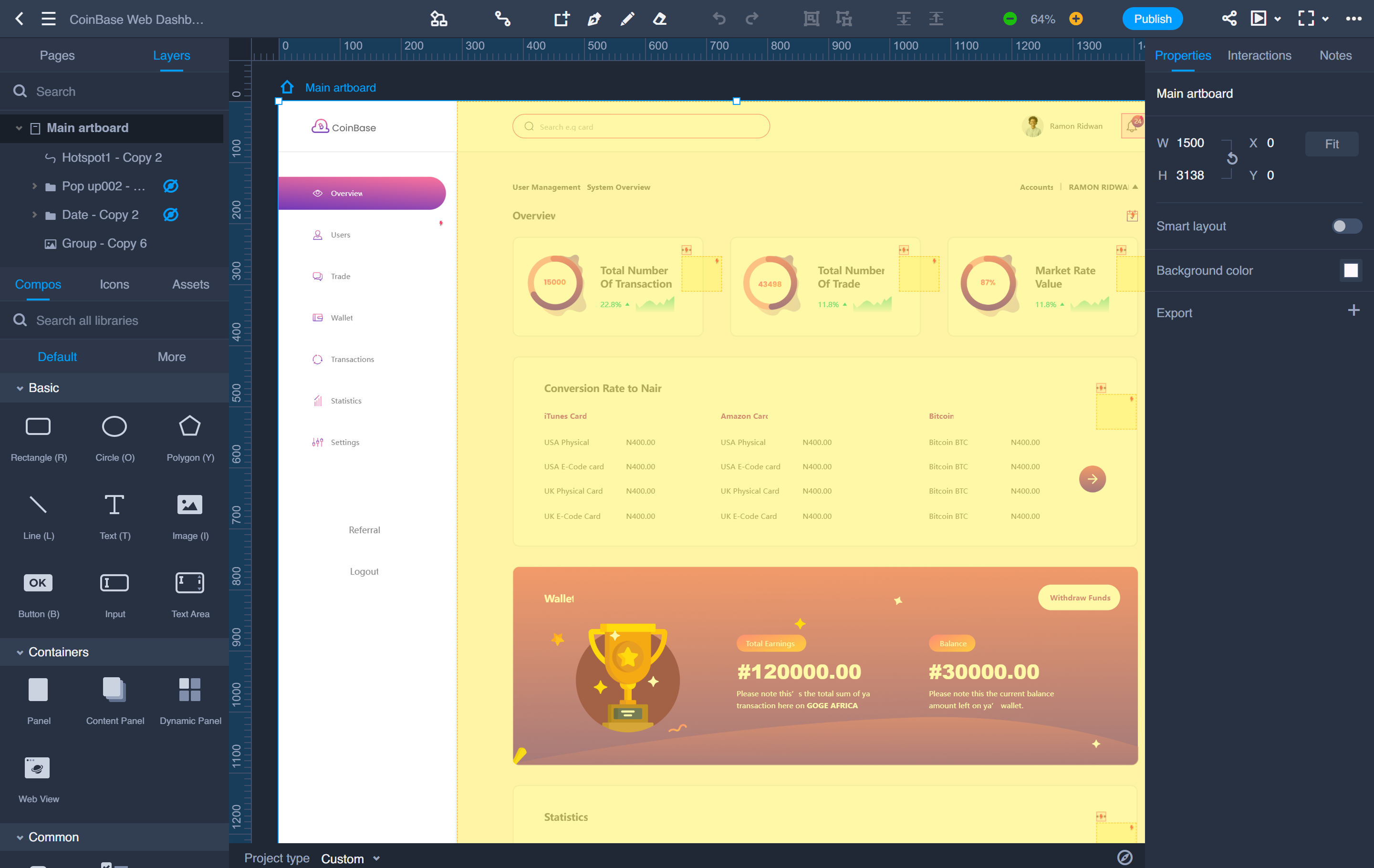
Ideal for: Prototyping
Mockplus is designed to help teams build interactive prototypes fast. With drag-and-drop components, ready-made UI elements, and a focus on speed, it’s a solid choice for teams focused on rapid prototyping.
It supports collaboration through shared editing and inline feedback, and the developer handoff features make it easier to move designs into implementation. For teams using Figma, Sketch, and Adobe XD, it can also work as an add-on, offering flexibility in how assets are shared and iterated.
All that said, keep in mind that it’s primarily focused on mid- to late-stage design. You’ll need to pair it with other tools for early concepting or cross-functional brainstorming.
Key features
- Drag-and-drop prototyping with prebuilt components
- Interactive wireframes and prototypes
- Real-time collaboration with comments and feedback
- Developer handoff with specs and assets export
9. Sketch

Ideal for: Interface design
Sketch helped shape modern interface design—and it’s still a go-to for many teams, especially on Mac. It offers powerful vector-based tools for creating interfaces, icons, and Web or app layouts, all with a friendly UI that’s easy to learn.
Collaboration has improved with Sketch’s cloud platform, allowing teams to co-edit, comment, and manage feedback in one place. However, it’s still desktop-first, and that can add friction for teams looking to work fully in the browser or collaborate with non-designers.
Sketch is a strong fit for interface-focused teams who prioritize precision and don’t mind a more tool-specific workflow.
Key features
- Vector-based design tools for interfaces and icons
- Reusable symbols and shared styles for consistency
- Prototyping with interactive components and artboard linking
- Real-time collaboration and commenting via Sketch Cloud
Keep your team in sync with Figma
There are many great design collaboration tools available, and we hope you feel confident choosing the right one for your team. If you’re wireframing a new feature, mapping a user flow, or handing off specs to developers, we’d love for you to try Figma. We’re passionate about building products that bring more people into the design process—because better collaboration leads to better work.
Here’s how to get started:
- Kick off new projects with Figma templates for wireframes, flowcharts, or design sprints.
- Use FigJam to brainstorm, run retrospectives, or guide team workshops.
- Share designs and hand off specs to developers using Dev Mode.
Ready to bring your team together?
Figma Design gives you one place to create, prototype, and share designs with your team.
Keep reading

24 mind map examples for brainstorming and planning
Explore 24 mind map examples to find the best template for brainstorming new ideas, simplifying complex topics, and encouraging cross-team collaboration.


5 steps to run impressive project kickoff meetings
A project kickoff meeting sets up for success by aligning goals, timelines, and team roles. Learn what to include in a project kickoff and how to make it productive.