10 types of organizational charts + how to choose the best fit


Share 10 types of organizational charts + how to choose the best fit
Explore more from
Team productivity
Plan, align, and collaborate in FigJam
Org charts, Kanban boards, meeting notes—everything your team needs to stay on track, all in one place.

As businesses adapt to changes such as market growth or new work environments, creating an organizational chart helps business owners effectively manage roles and responsibilities. But not all business organizational charts are alike. There are many different types of org charts with their own functions.
Read on to learn:
- What an organizational chart is and its core elements
- 10 org chart types and their pros and cons
What is an organizational chart?
An organizational chart is like a map of a company’s structure. It shows who’s in charge of whom and how different parts of the company connect. It helps employees understand their roles and who they should talk to.
There are four common org structure frameworks:
- Centralized org structure. One leader or a small group of managers calls the shots, which creates an obvious chain of command.
- Decentralized org structure: Middle managers have more power to make important decisions.
- Flat org structure. There are fewer layers between team members and top management, which gives employees more say in decisions.
- Vertical org structure. Orders come from the top and flow downward, from the owner or CEO to directors, managers, and, finally, teams. Each person is managed by those above them.
However, businesses come in all shapes and sizes, so this guide explores 10 types of org charts, highlighting the pros and cons of each.
Type 1: Hierarchical structure org chart

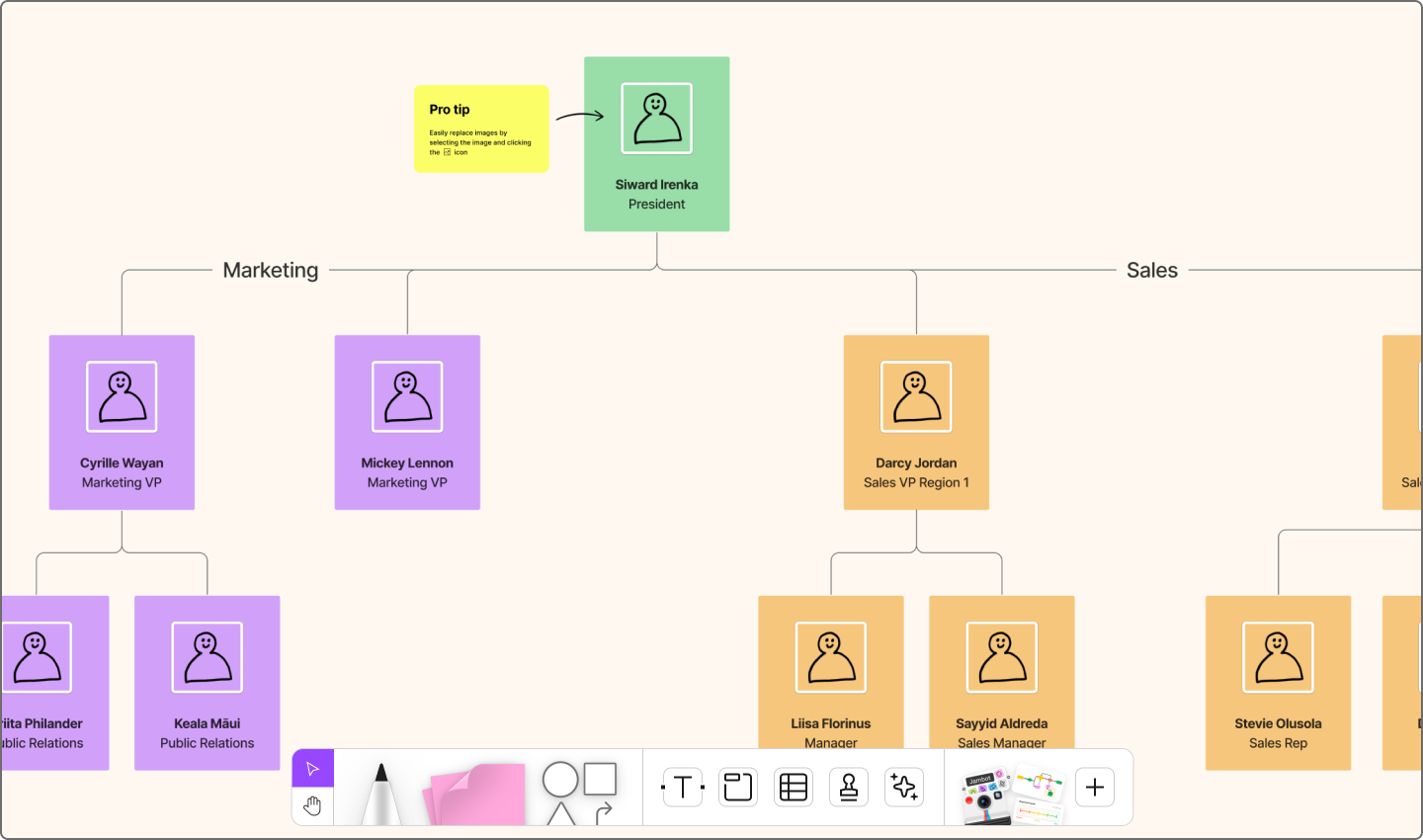
Best for: big companies, government offices, and any place with a boss-to-worker order that needs clear levels of who’s in charge
The hierarchical chart is the classic type of org chart—the one most people picture when they think “org chart.” Usually, it starts with the CEO or president at the very top, followed by layers of managers, then associate-level team members. This chart resembles a flowchart and shows the chain of command within the organization.
Hierarchical structures often organize employees by job role. This allows employees to specialize in one field, which helps create clear career paths for individuals to grow within the company. Some well-known companies that use this structure are Sony and IBM.
Pros:
- Establishes authority. Employees understand exactly who’s in charge and who they report to.
- Outlines growth opportunities. Hierarchical structures provide a clear path for career advancement.
- Provides clear expectations. Teams are aware of their roles and responsibilities within the organizational hierarchy.
Cons:
- Limits collaboration. This structure may inhibit cross-functional collaboration and idea-sharing among employees.
- Slows innovation. Less team collaboration can slow creativity and deter risk-taking.
- Creates a disconnect. The division of roles may lead to a lack of communication between different levels or departments.
Type 2: Matrix structure org chart

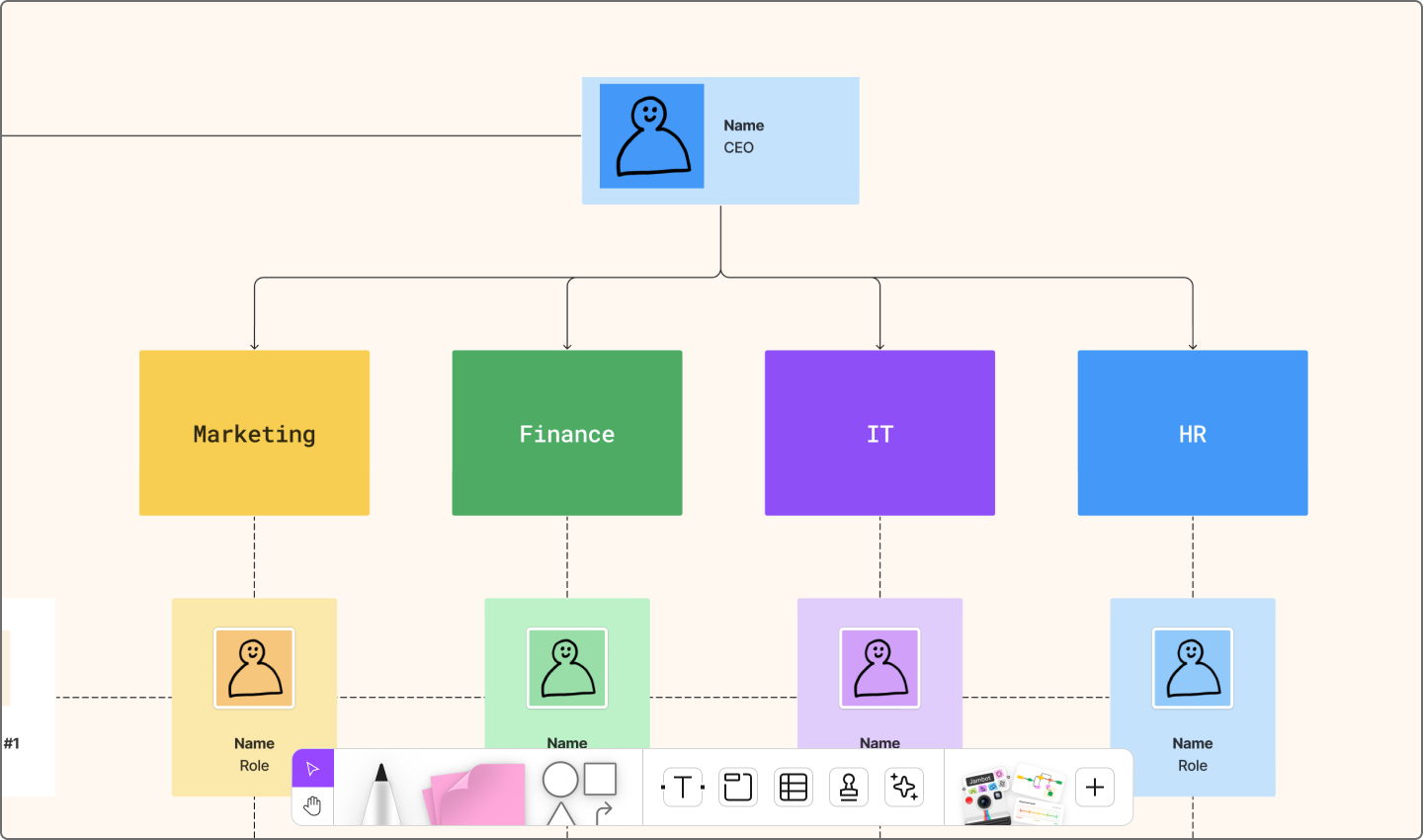
Best for: cross-functional teams that handle multiple projects
Matrix organization charts look like grids. Team members often have more than one manager (department lead and project lead). This setup is perfect for companies that operate with mixed-skill teams that work on a variety of projects. For example, a content team might include a content strategist, writer, graphic designer, UX designer, coder, and leaders for each respective skill set.
While this structure promotes teamwork, it can blur authority lines. Some companies that function in a matrix structure are General Electric and Citibank.
Pros:
- Breaks down silos. Departments share people and knowledge more easily.
- Efficient resource use. Talent is pulled where it’s needed most.
- Better decision-making. Getting ideas from different people helps you make better decisions.
Cons:
- Constant change. Team structures may shift project to project.
- Confusing authority. Having more than one boss can make it hard to know who’s really in charge.
- Risk of conflict. Since everyone has different ideas about what’s important, teams might not always agree.
Type 3: Flat structure org chart

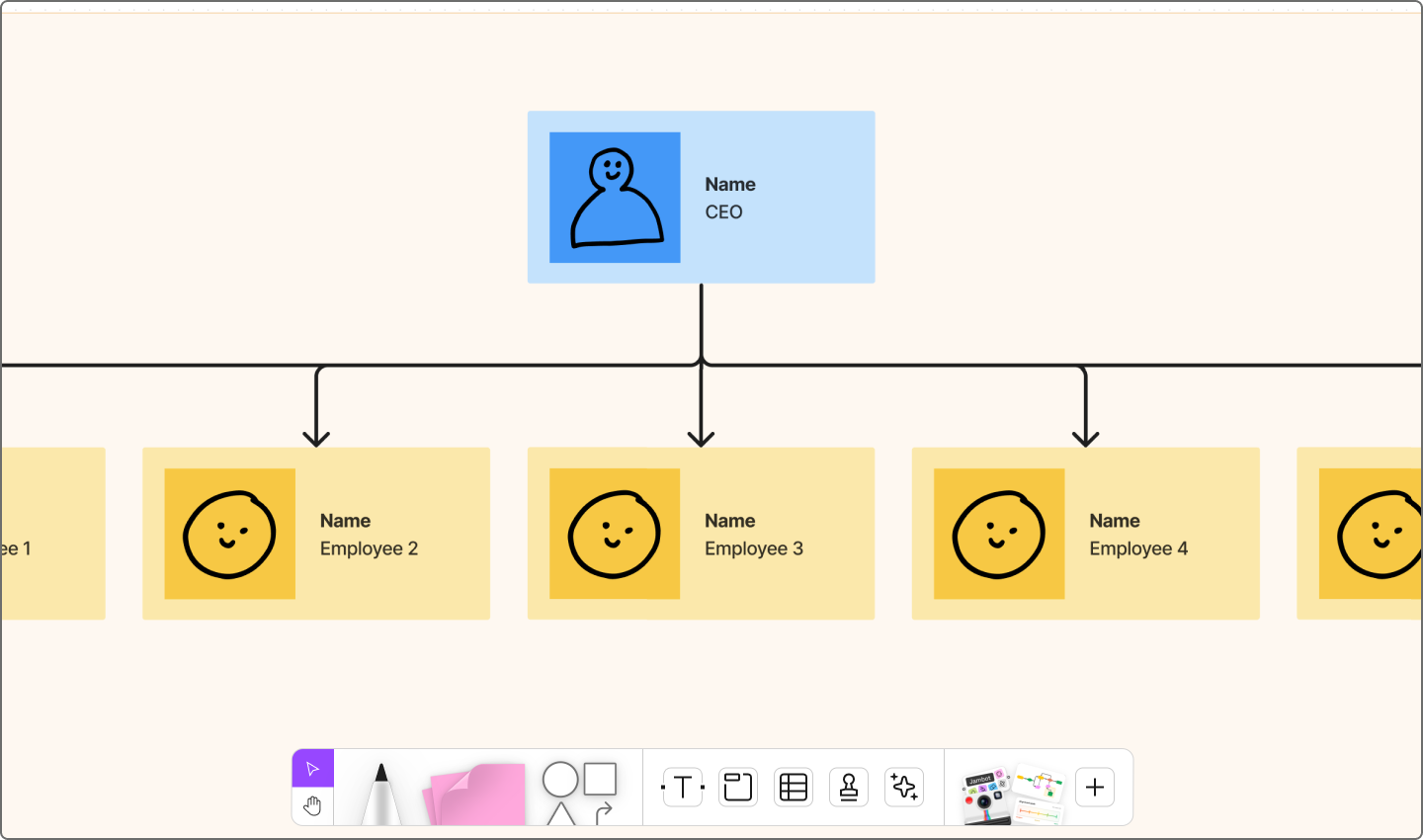
Best for: small companies or startups with few levels between upper management
A flat structure, also known as a horizontal structure, cuts out extra layers, giving employees direct access to leadership. In this type of structure, managers take on more responsibilities across the board.
For example, Nvidia operates this way. The CEO manages numerous direct reports and communicates openly with the entire company. This makes sharing information quick but can limit growth opportunities.
Pros:
- Transparent communication. Information flows freely with fewer barriers.
- Faster decisions. Fewer layers mean quicker responses.
- Employee autonomy. Teams have more independence day to day.
Cons:
- Limited advancement. Fewer layers mean fewer promotion opportunities.
- Blurred responsibilities. Roles may overlap with no clear hierarchy.
- Accountability issues. Without clear managers, ownership can weaken.
Type 4: Divisional structure org chart

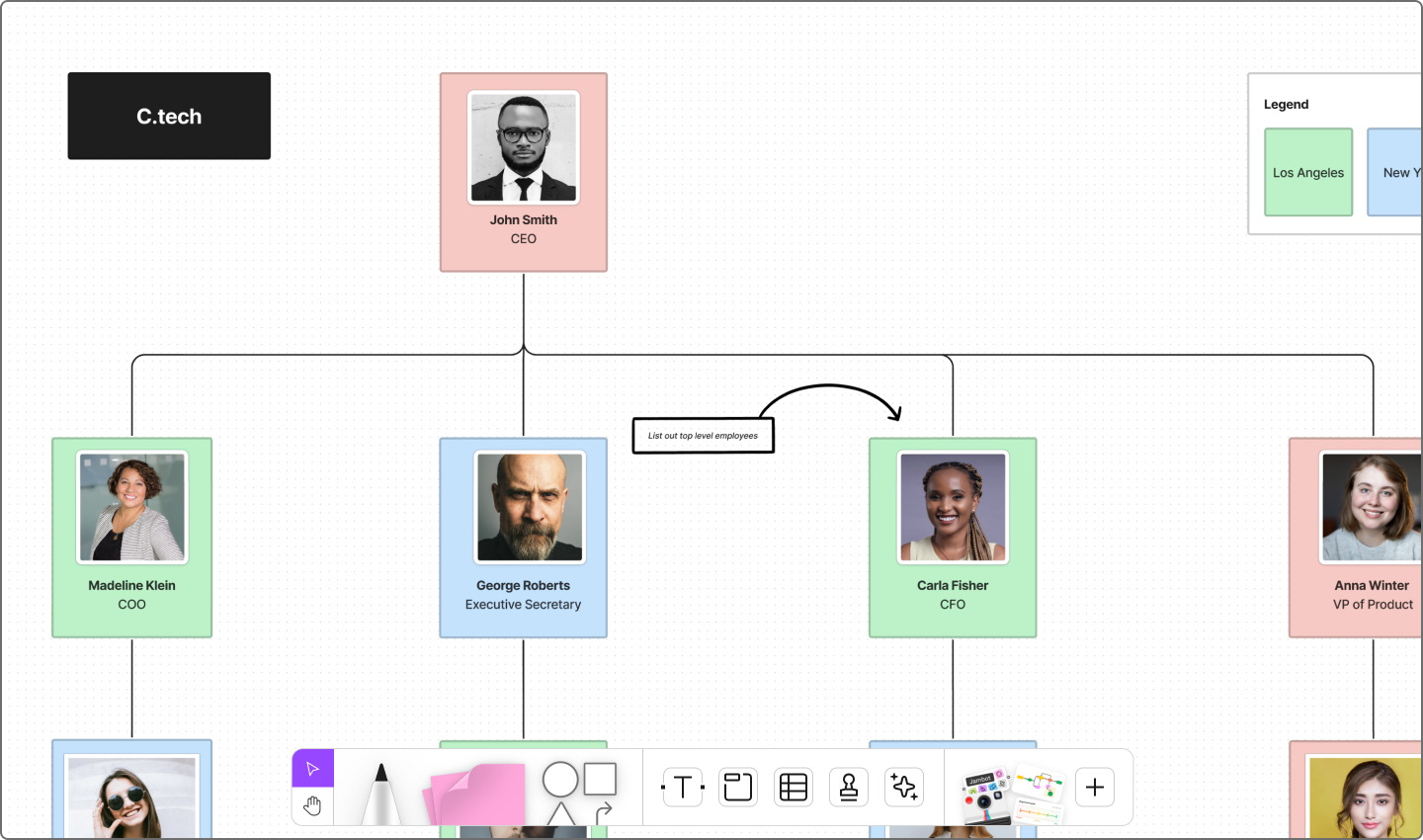
Best for: large corporations with various subsidiary companies
Divisional charts organize employees by product, geographic location, or types of customers they serve. Each division operates almost like its own separate company inside the larger organization. For example, a company that works in many countries might have divisions for each region. This lets them adjust their products to fit local tastes and regulations.
The Walt Disney Company is a well-known example with divisions. It’s like Pixar, Disney Parks, ESPN, and Marvel, operating semi-independently under the parent company.
Pros:
- Higher morale. Teams rally around specific products or specific goals.
- Market agility. Divisions can respond quickly to industry shifts.
- Independent decision-making. Each division controls its own direction.
Cons:
- Duplicate resources. Multiple divisions may repeat resources, wasting time and money.
- Communication gaps. Different divisions may lead to misunderstandings.
- Resource conflicts. Some divisions may have conflicting priorities. This could lead to disputes over resources or strategic planning.
Type 5: Functional structure org chart

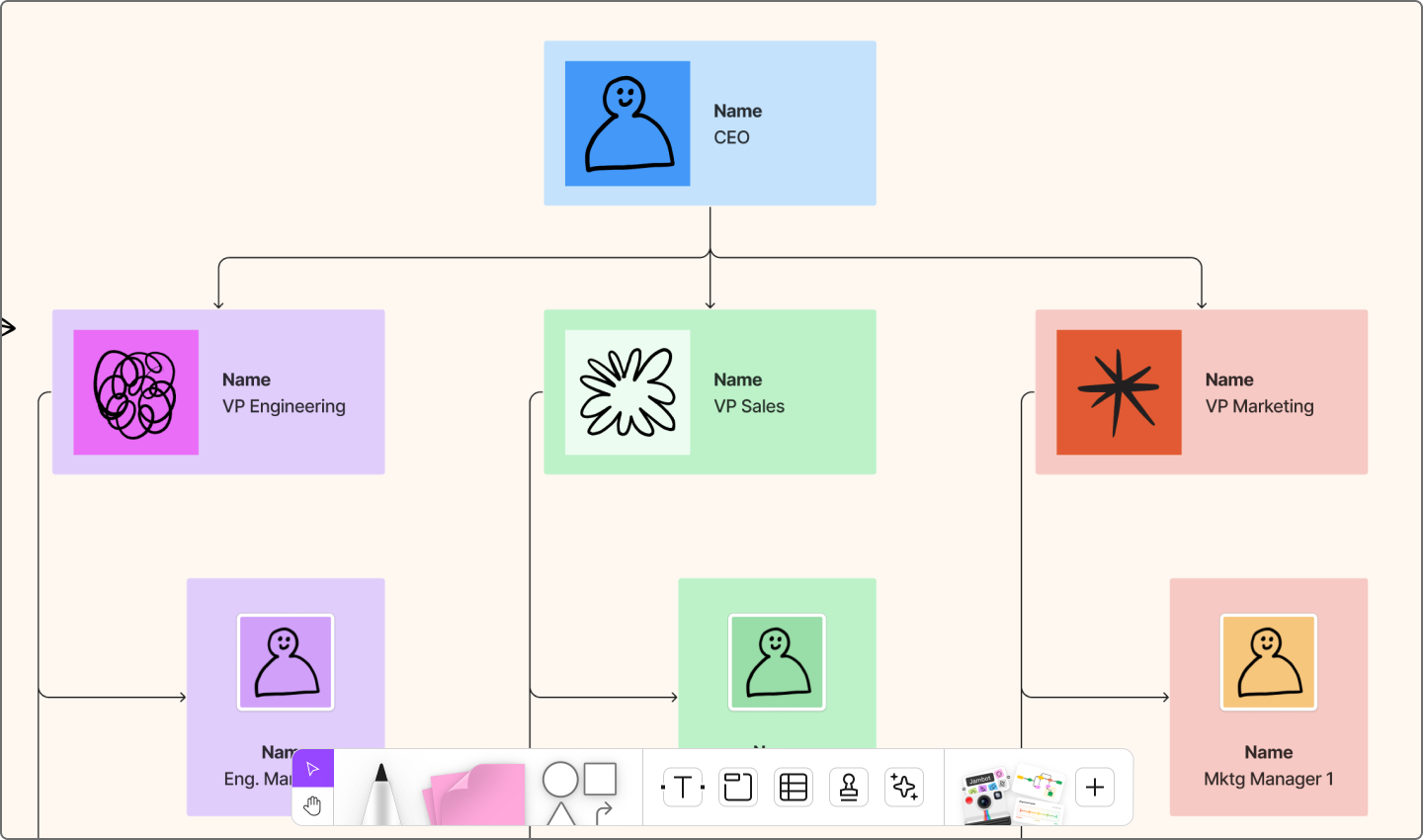
Best for: industries that depend on specialized skills and functions, like health care, engineering, and education
A functional chart looks like a hierarchy but sorts people by specialty instead of seniority or experience. Imagine a school with math, science, and arts departments, or companies like Starbucks and Amazon, divided by marketing, finance, and operations. It sharpens efficiency but can isolate teams.
Pros:
- Clear roles. Everyone knows what they’re supposed to do, making it easier to get things done.
- Higher quality work. Specialists focus on what they do best.
- Easy scalability. As the company expands, new departments can be added.
Cons:
- Department silos. Teams may operate independently of each other.
- Less collaboration. Limited communication between departments slows shared problem-solving.
Ready to add some structure to your business?
Organize roles and responsibilities via custom charts.
Type 6: Team-based org structure

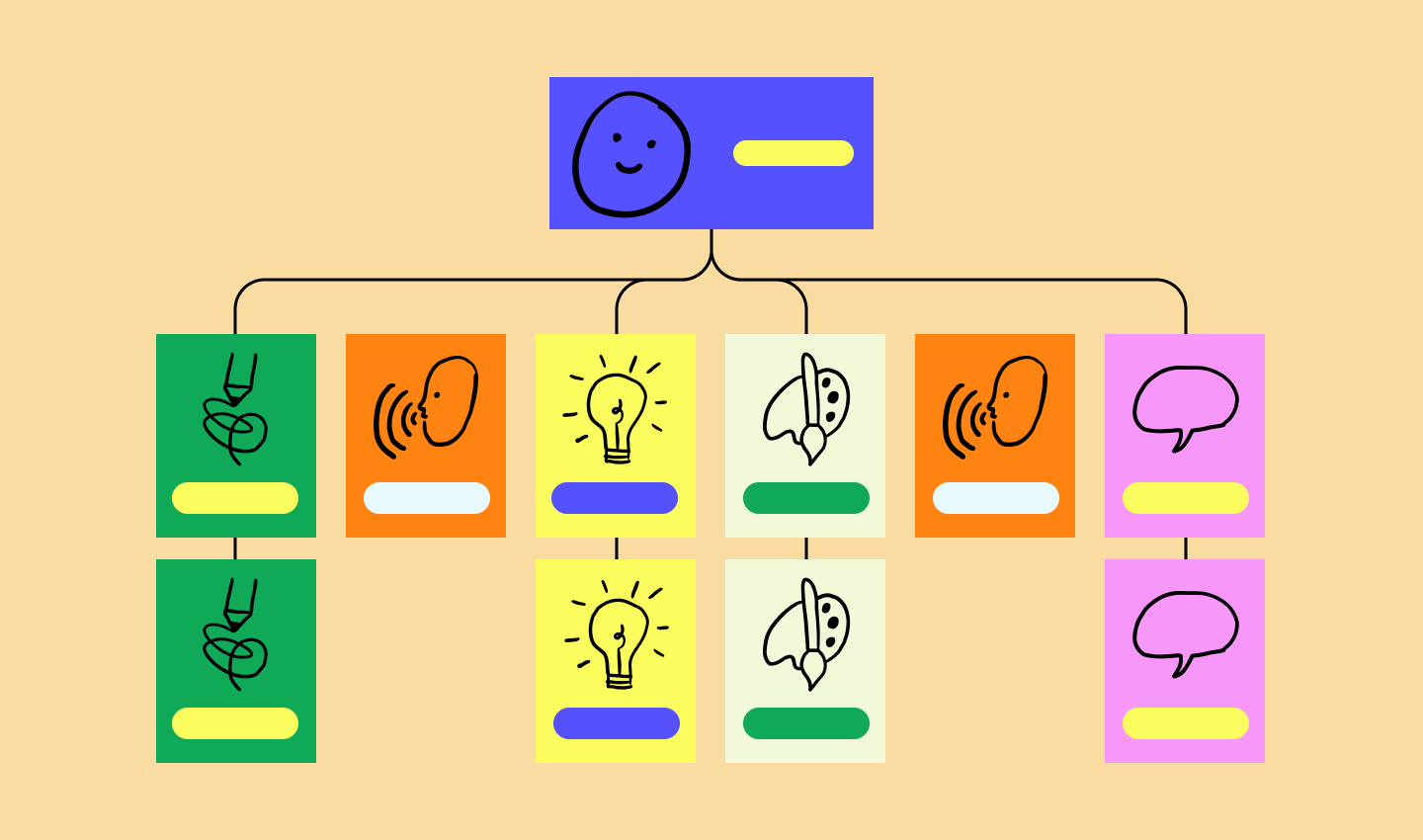
Best for: fast-paced industries where adaptability is important, like software engineering
A team-based structure groups people into cross-functional units that own a product or project. Google and Spotify both use this setup, with teams empowered to make decisions and shift priorities quickly. It boosts autonomy but can leave career paths less defined.
Pros:
- Strong autonomy. Teams can make their own choices.
- Open communication. Fewer layers make it easy to share ideas.
- Built-in flexibility. The structure allows for quick adjustments to changing priorities and project needs.
Cons:
- Unclear growth paths. Career advancement is less obvious without hierarchies.
- Lower motivation. Without clear leadership, employees may feel less drive.
- Efficiency dips. Without centralized control, teams may duplicate effort.
Type 7: Process-based structure

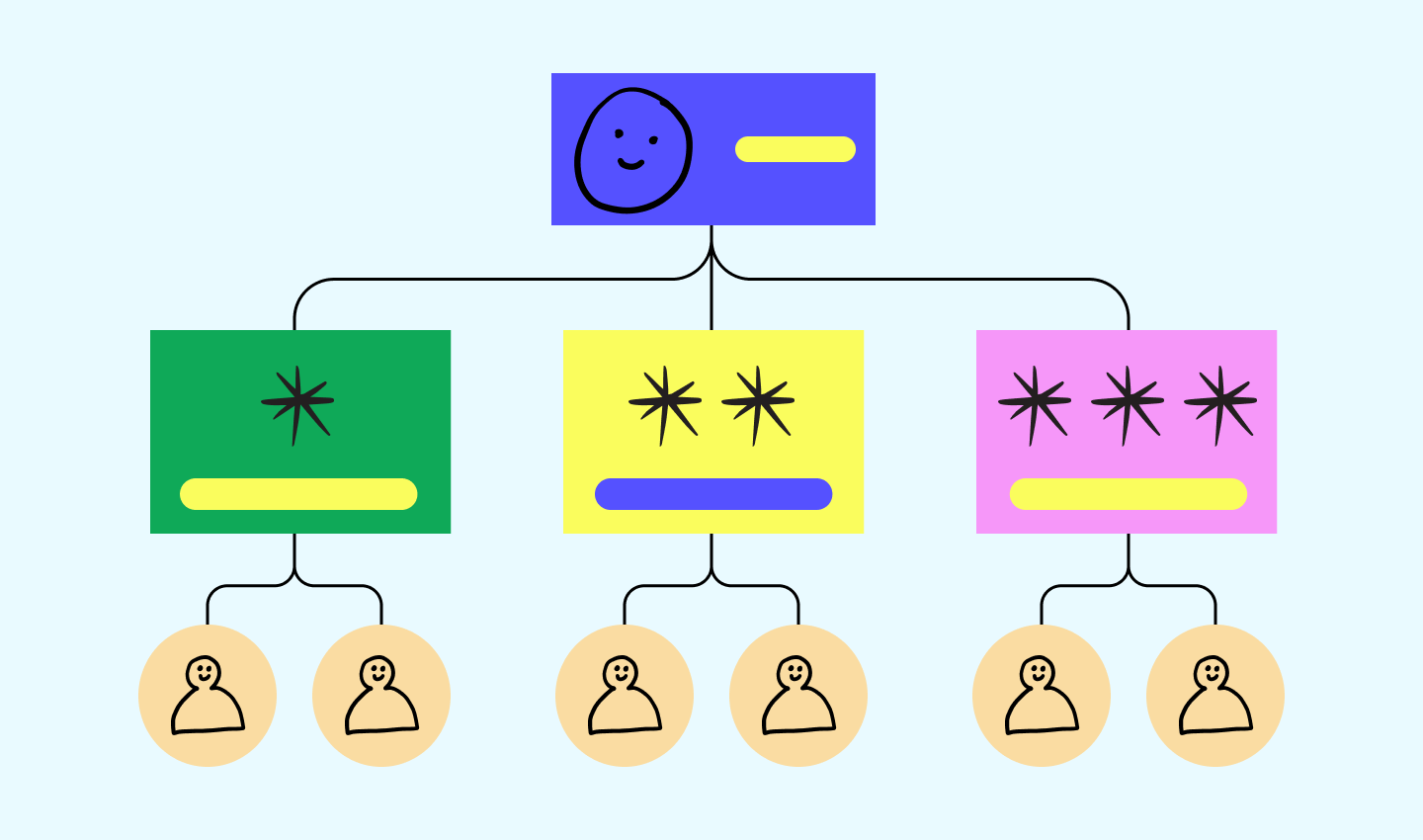
Best for: industries focused on efficient operations and quality control, like manufacturing and supply chain management
A process-based structure organizes people into groups defined by their role in a specific process, going hand in hand with process mapping. This setup breaks down the workflow into steps, each with its own leader. At the top of the chart is the CEO, overseeing the entire process.
This type of org chart helps streamline operations, defining the path work takes from start to finish. For example, think of a manufacturing company. One department might handle raw materials, another takes care of production, and another manages distribution.
Pros:
- Higher efficiency. Work moves smoothly when each step is defined.
- Better collaboration. Teams align around shared process goals.
- Streamlined workflows. Responsibilities are clear from start to finish.
Cons:
- More resources. Process-based structures may require additional time, training, and technology are needed to keep processes running.
- Communication barriers. Rigid handoffs can create separation between departments.
Type 8: Network org structure

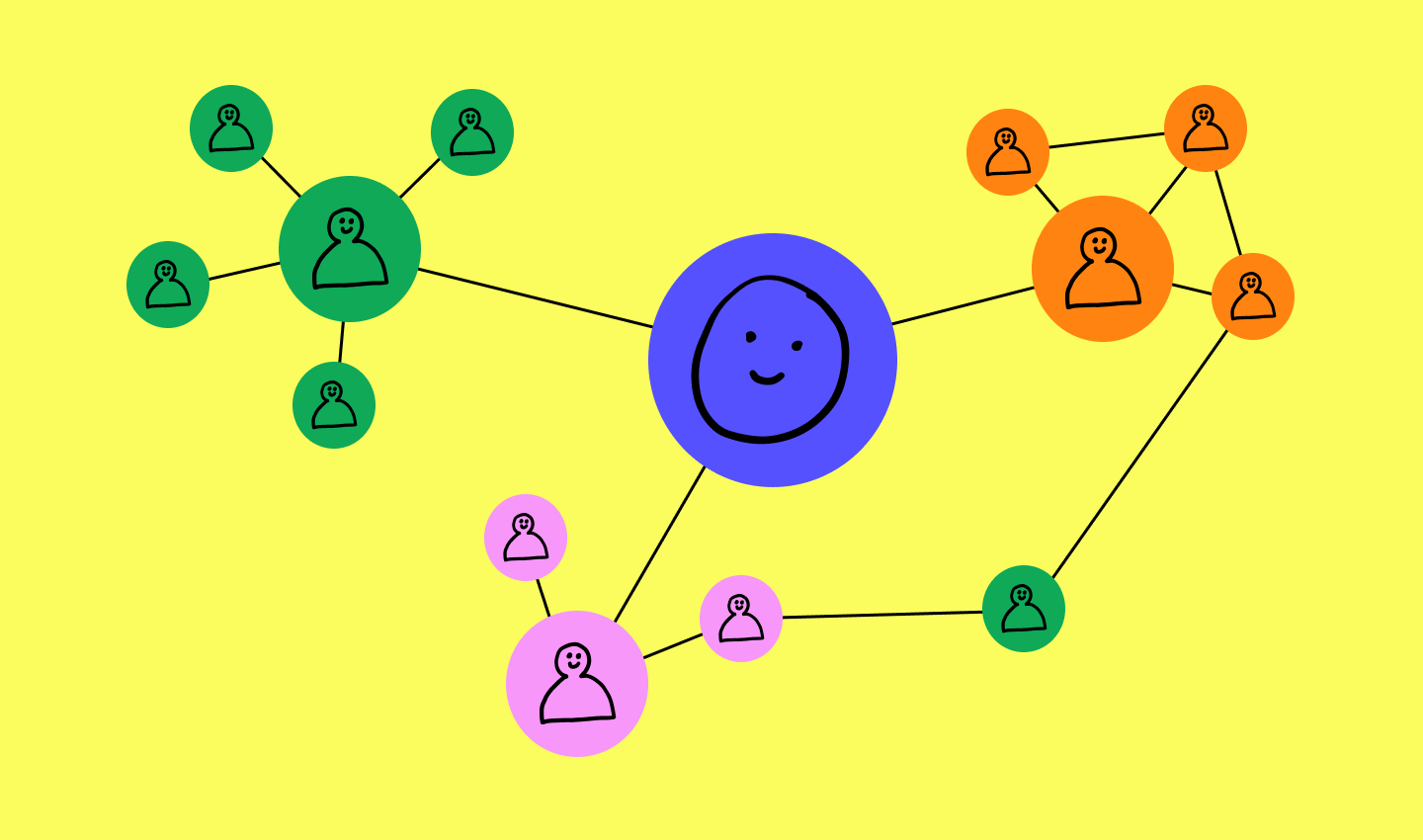
Best for: industries that depend on outsourcing and collaborations, like tech, media, and consulting
A network org structure shows the company’s internal teams and its connections with outside partners. Power is distributed rather than concentrated at the top.
This helps everyone see how the company and its external partners team up to meet SMART business goals. It’s great for businesses that rely on outsourcing or joint projects, ensuring everyone in the network works well together. Alibaba is a classic example, coordinating across suppliers, partners, and internal groups to stay adaptable.
Pros:
- Strong collaboration. Network organizational structures boost teamwork between internal and external stakeholders.
- Clear connections. Teams are able to visualize processes with a clear view of how tasks flow between different entities.
- High adaptability. This structure offers adaptability to changing project needs and market conditions.
Cons:
- Complex to manage. The structure may lead to confusion and difficulty in navigating roles and relationships.
- Security risks. Collaboration with external partners raises the potential for compromised information.
- Shifting hierarchy. Roles can change, which makes it hard to know who’s in charge and how decisions are made.
Type 9: Circular structure

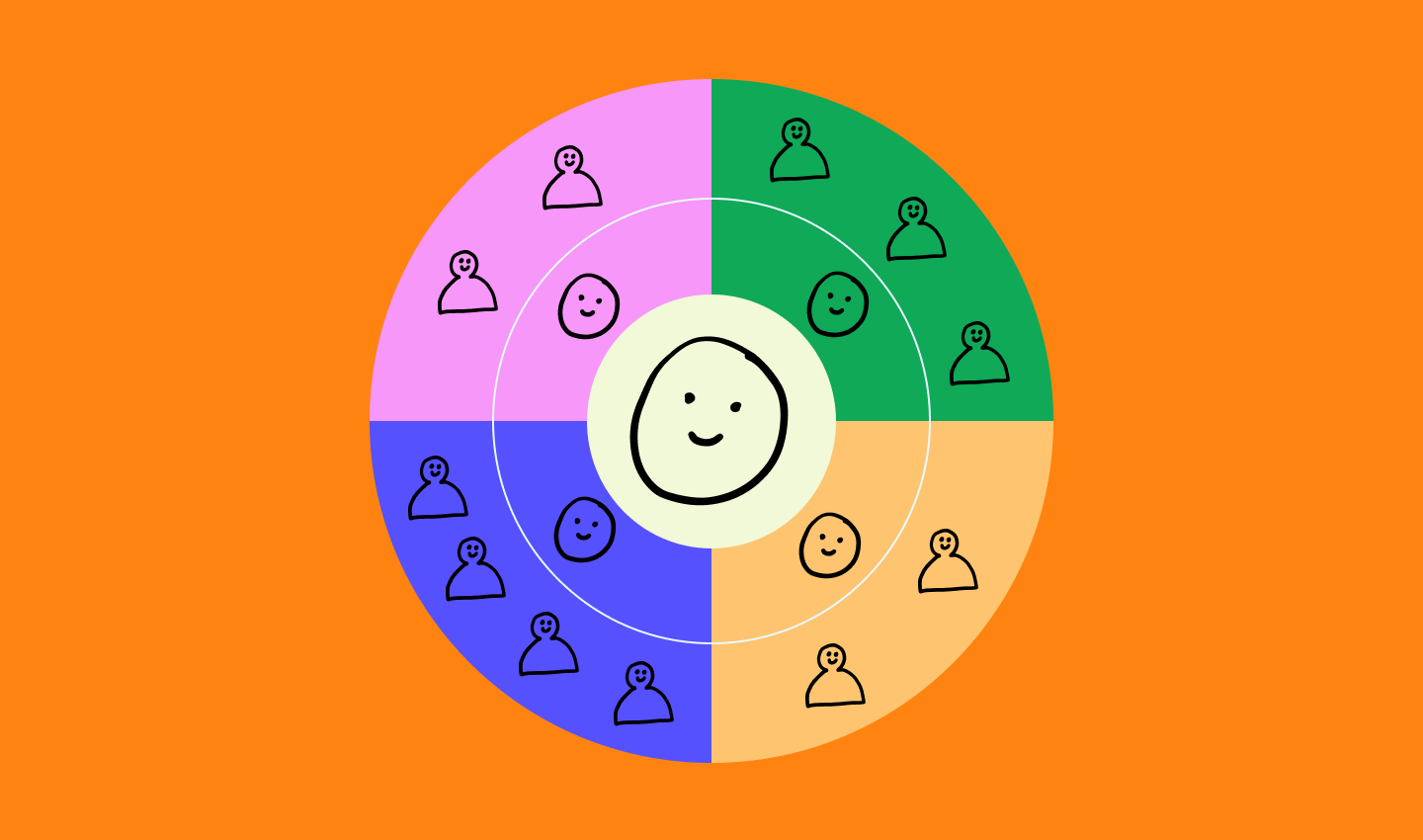
Best for: creative fields and innovative companies like design agencies and startups
In a circular org chart, leaders sit at the center and team members surround them in rings. It flips the traditional top-down model and highlights guidance over authority.
It’s a setup where everyone’s role is vital to success, encouraging idea-sharing and quick decision-making. Zappos used this approach to promote rapid innovation and inclusivity.
Pros:
- Open communication. With leaders in the middle and everyone around them, it’s easier for everyone to share ideas.
- Collaborative culture. This layout makes it easy for different groups to work together.
- Transparent flow of information. Everyone can see how information circulates.
Cons:
- Slower decision-making. More people can mean longer debates.
- Reporting confusion. Without a clear boss-to-worker line, it’s harder to know who gets the final word.
- Requires more resources. Maintaining this kind of structure requires ongoing alignment to make sure everyone is on the same page.
Type 10: Line structure

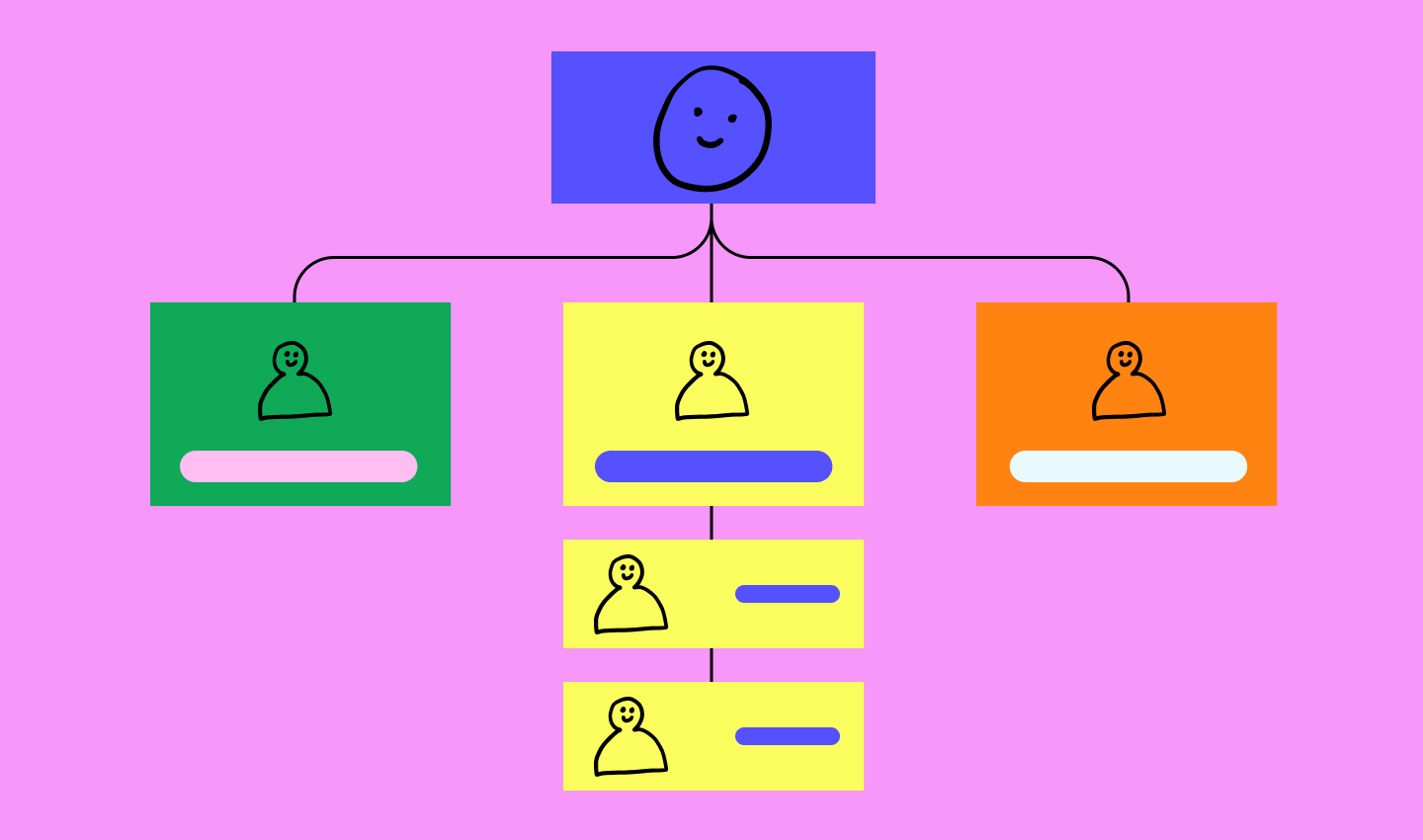
Best for: small businesses in industries like retail and small manufacturing
Line structure is a simple org chart where authority runs straight from the top (like the CEO) down to front-line employees. It’s easy to manage and ideally suited for smaller companies that need clarity above all else.
Pros:
- Easy to manage. Line structure org charts make it straightforward for managers to oversee operations.
- Speedy decision-making. Less hierarchy means quicker final calls.
- Stable operations. Its simple and steady nature keeps things predictable day to day.
Cons:
- Concentrated power. Too much control sits with too few people.
- Rigid structure. It’s hard to change things up or bring in new ideas because the structure is rigid.
- Risk of favoritism. With a few people in charge, leaders may lean on personal preferences.
Visualize organizational structures with FigJam
Organizational charts make roles, responsibilities, and reporting clearer—and FigJam makes them easy to build. FigJam is a shared online whiteboard that allows you to seamlessly collaborate with your team. With FigJam, your team can:
- Save time with professional and customizable org chart templates.
- Use the diagramming tool to break down complex processes and job roles.
- Collaborate and share notes in real time with engaging team meetings.
Ready to create clarity for your team?
Build an org chart that makes sense.
Keep reading


How to write a project charter
Learn how to write a project charter to align teams, clarify goals, and ensure success from day one. Get tips and a free template to kick off your next project.


What is a Gantt chart? Definition, components, and examples
Demystify project timelines by learning what a Gantt chart is and what it’s used for. Plus, discover how to make a Gantt chart in five simple steps.