11 of the best AI design tools for 2026
Share 11 of the best AI design tools for 2026
Explore more from
Building with AI

We’ve all been there—you have a great idea, but turning it into a working design feels overwhelming. So instead of building the thing, you give up. The good news is that AI design tools are changing that.
According to Figma’s 2025 AI report, 23% of designers and developers say that most of their work is now on AI-powered products. That number is up from 17% the year before. This sharp rise in adoption points to a deeper shift: AI is now a standard part of how digital work gets done.
If you’re not sure where to start with AI design tools, we’ve got you covered. This guide spotlights the best AI design tools to help you work faster so you can spend more time on what you do best—sharpening your craft and refining your work.
Read on to learn:
- 11 of the top AI design tools
- Benefits of using AI design tools
- Why AI design tools matter in 2026
- Answers to common questions about AI design tools
| AI design tool | Ideal for | Key features (specific AI capabilities) |
|---|---|---|
| Figma | Prototyping and app design | Smart background removal, brand asset library integration, responsive design and layout scaling, real-time co-editing |
| Canva Magic Studio | Social media posts and marketing visuals | Prompt generation, style presets, text-to-video |
| Adobe Firefly | Enterprise image creation | Text-to-image, generative fill, typography effects |
| Microsoft Designer | Branded visual content | Image generation, text suggestions, smart layout |
| Midjourney | Artistic concept generation | Text-to-image, aesthetic prompts, community testing |
| Stable Diffusion/DreamStudio | Open-source image generation | High-quality diffusion models, prompt-to-image |
| Uizard | Converting hand-drawn images into prototypes | Sketch-to-UI, prototyping, theme generation |
| Synthesia | Avatar video generation | Text-to-video, multi-language voiceovers |
| Runway | AI video and image editing | Generative fill, motion brush, video inpainting |
| Magic Hour | Product visuals and marketing | Video-to-video, style transfers, face swaps, lip syncing |
| Lummi | Stock content personalization | AI stock image generator, smart search |
1. Figma

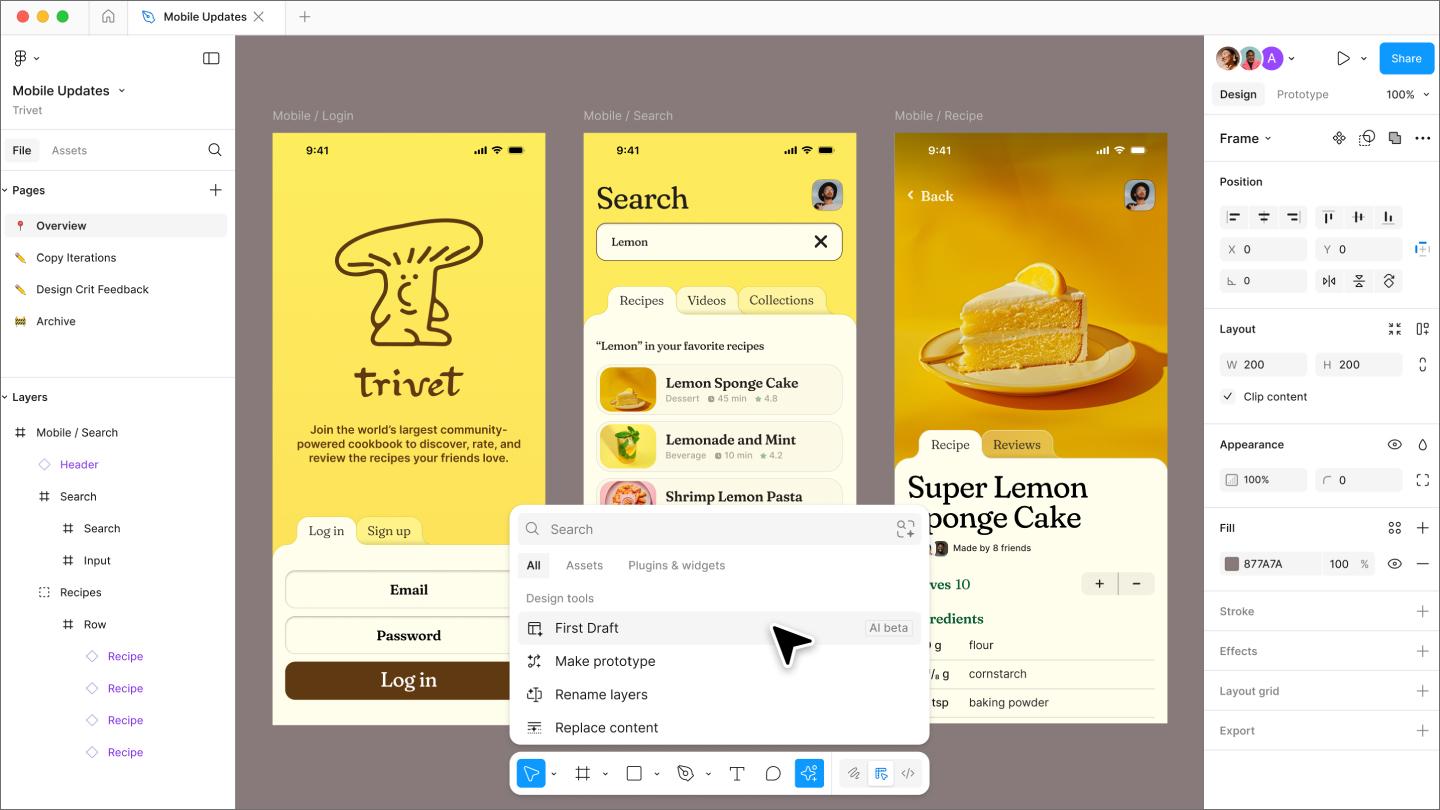
Ideal for: Prototyping and app design
Figma’s newest AI tools transform the way you create and edit visuals at every stage of the design process. Well-known for its collaborative UI platform, Figma also includes AI image editing features built for designers, marketers, and product teams who want to experiment and iterate faster than ever.
You can generate images from text prompts, apply smart fills to frames, or remove and replace background elements with a few clicks. These tools are available in the “Actions” menu or inline toolbar, so you can access them without digging through menus.
Also, instead of manually applying brand standards to every deliverable you create, Figma preserves component libraries, design tokens, and constraints from your design system, helping teams move faster and minimize errors.
And because everything runs in the browser, updates are instant. Designers, project managers, and developers can collaborate in the same file, leave comments, and use Dev Mode to hand off final specs—all without switching tools.
Key features
- Contextual layer naming
- Support for responsive design and layout scaling
- Seamless integration with Figma’s design system
- AI-assisted visual and asset search to deliver the most relevant results
- Auto-generated filler copy for interface design mockups (no more lorem ipsum!)
- Library integration to import color palettes, typography, and component guides
- AI-powered image editing for background removal, object erasure, generative fill, and more
- Developer-ready export and real-time cross-team collaboration with built-in comments, sharing, and version control
Want to level up your visuals with the power of AI?
Experience how Figma Design can streamline your next project.
2. Canva Magic Studio

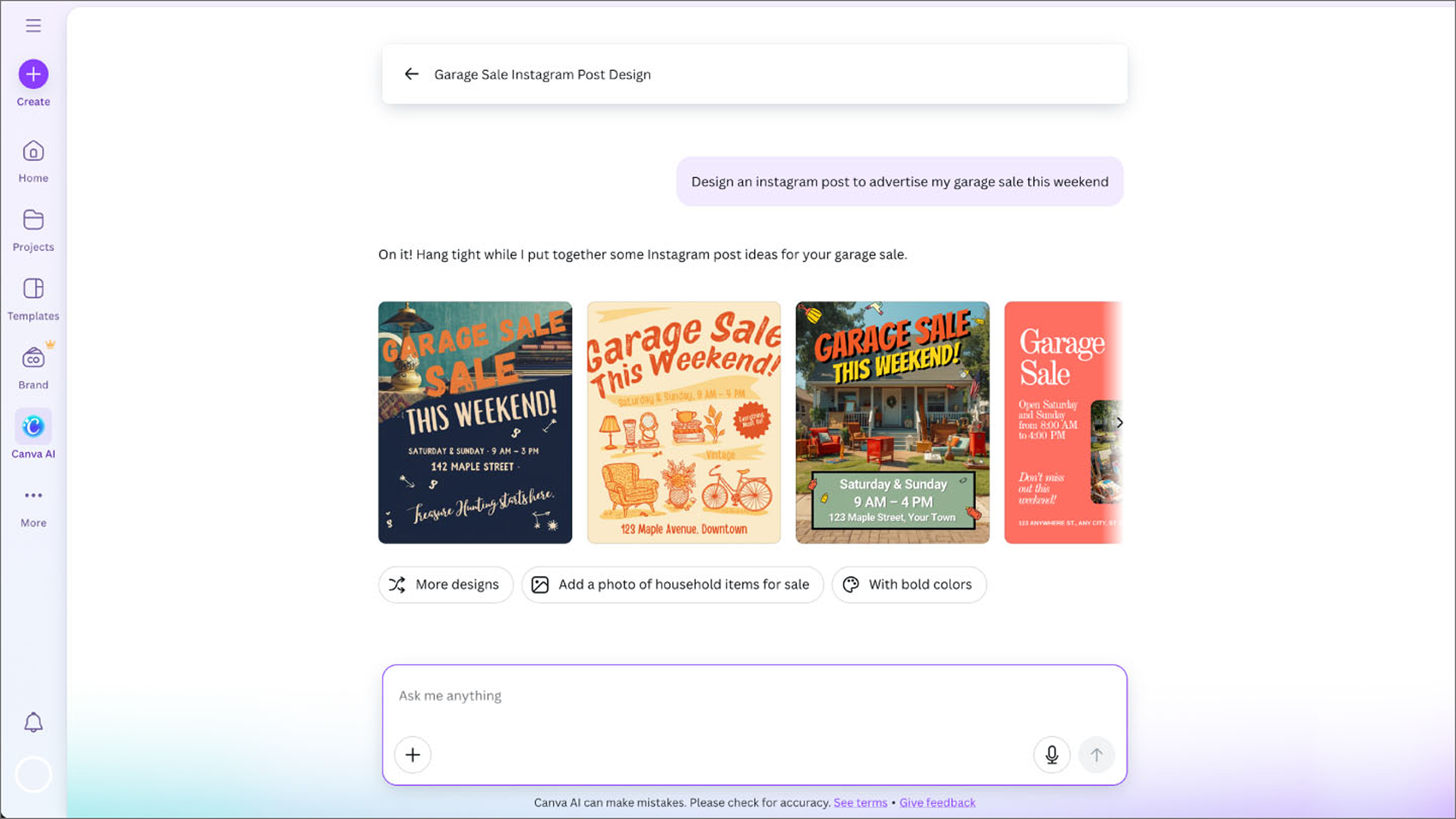
Ideal for: Social media posts and marketing visuals
Canva Magic Studio is a text prompt-based AI design generator ideal for brand visuals, social ads, and videos. The ability to preview instant design variations gives non-designers autonomy while still delivering professional-looking results.
Users can upload logos, preferred color palettes, and font pairings to build brand kits that automatically apply to generated content. This makes it easy for marketing teams running multiple campaigns to keep social posts and ads cohesive across channels.
Magic Animate adds motion with one click and Magic Switch resizes assets for different platforms without rebuilding layouts. Everything runs in the cloud, so rendering is fast and edits are easy to share.
Key features
- Real-time collaboration
- Brand kit/brand consistency tools
- Automated video generation and text-to-template capabilities
- Magic Animate to add branded motion dynamics with a single click
- Magic Expand for upscaling or filling visuals while preserving composition
- Magic Switch for resizing and rebranding content for cross-channel publishing
3. Adobe Firefly

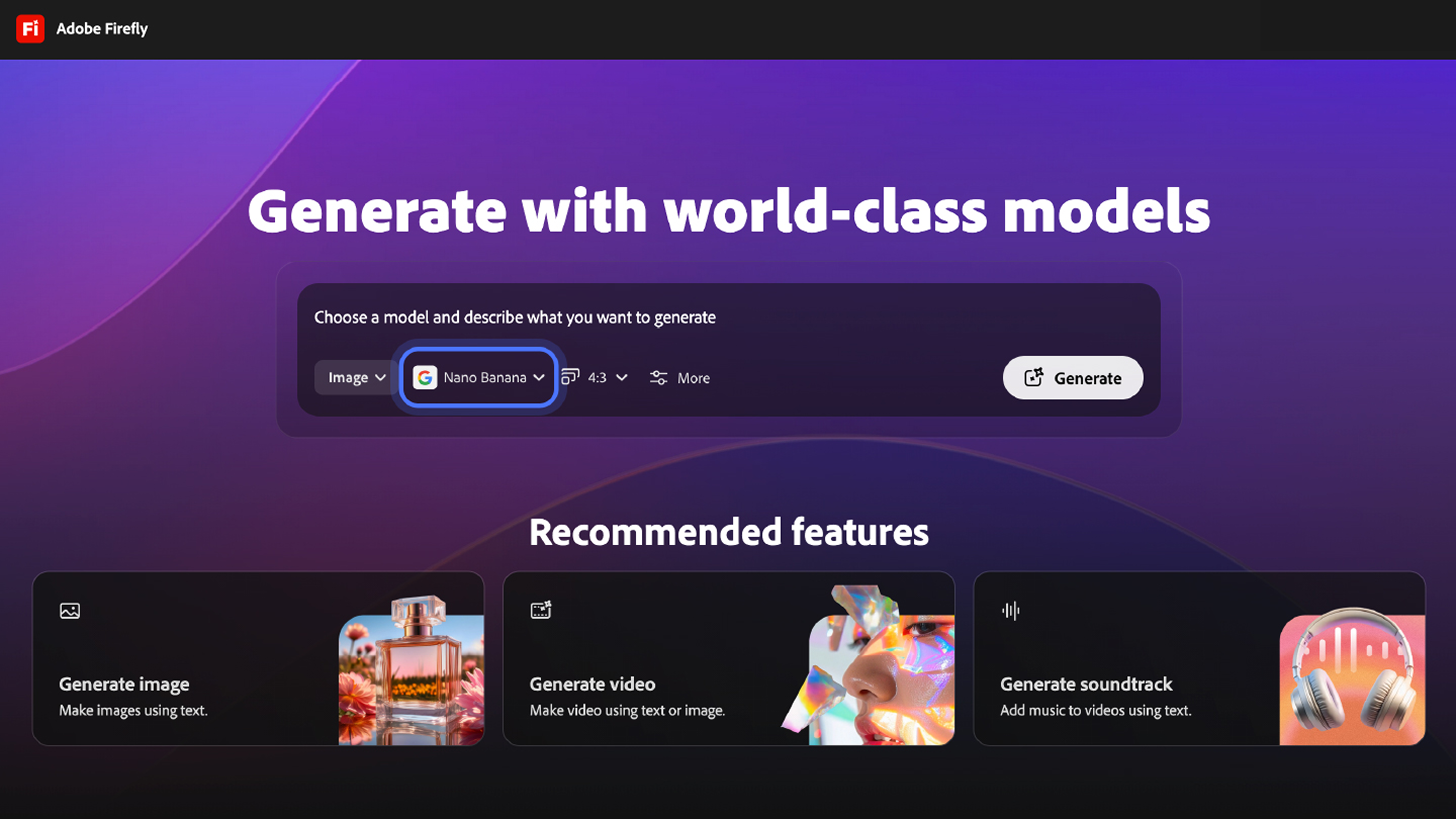
Ideal for: Enterprise image creation
Adobe Firefly supports prompt-based image generation, but what sets it apart is its integration with Adobe’s broader creative ecosystem and its focus on brand safety, licensing, and enterprise compliance.
Users can create layered images from text prompts, apply non-destructive edits using generative fill, and design responsive typography with AI-generated effects. Firefly also makes it easier to transition into production work, with assets that move cleanly into Photoshop, Illustrator, or Express for refinement.
Its content authenticity tools help teams verify how assets were created, reducing the risks that come with AI-generated visuals.
Key features
- Text-to-image generator with style transfer
- Enterprise-grade content authenticity framework
- Generative Fill and Expand for non-destructive content edits
- Multimodal AI for image, video, audio, and vector generation
- Firefly Boards for AI-assisted mood board creation and collaboration
- Integration with Adobe Express and other Creative Cloud apps for end-to-end workflows
4. Microsoft Designer

Ideal for: Branded visual content
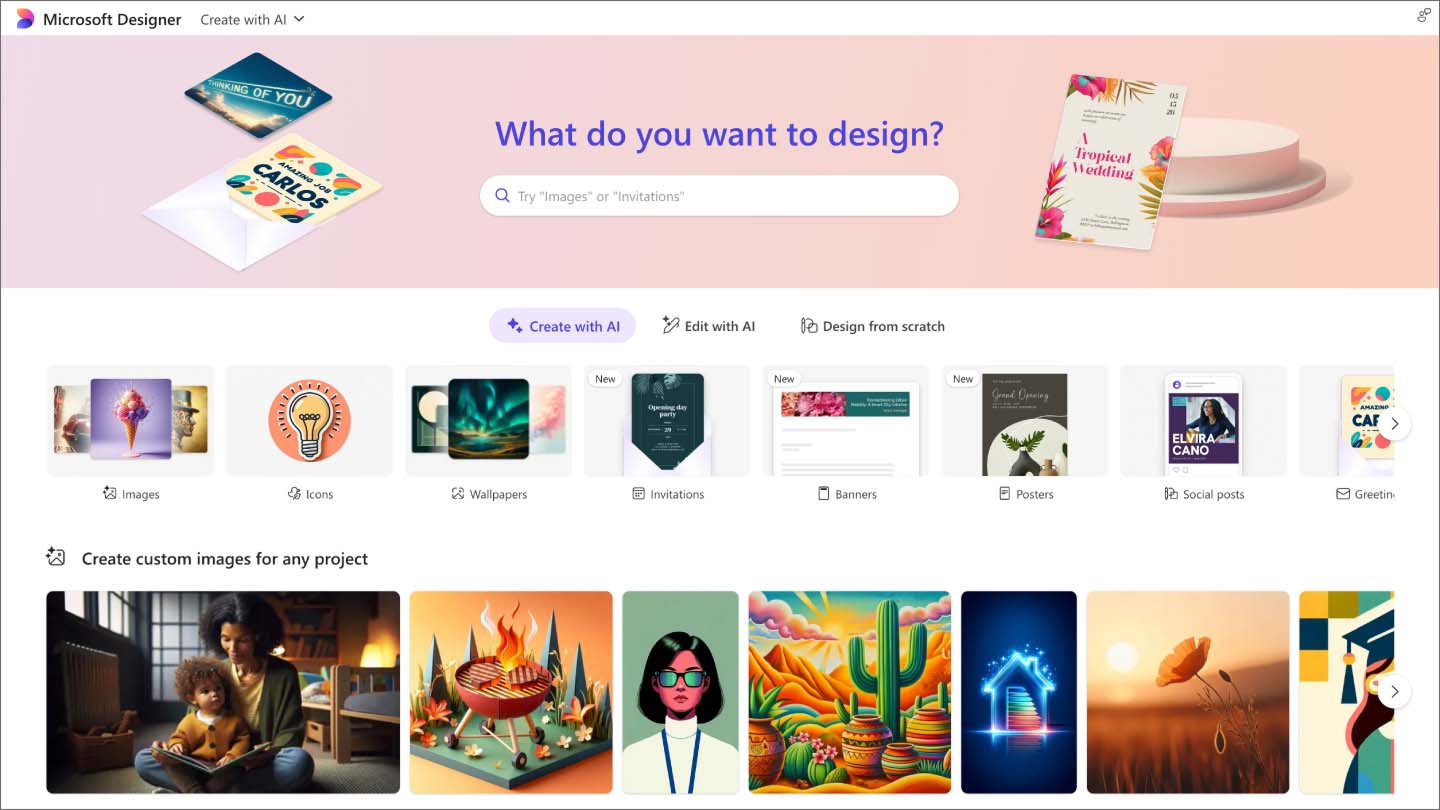
Microsoft Designer is an AI-powered design tool that automates branded visual content creation using smart layout suggestions, contextual text styling, and DALL-E–based image generation. Great for marketers and social media managers, it streamlines the creation of social media content and pitch decks.
Drawing from user-defined brand style guides, Microsoft Designer automatically applies intelligent design rules for layout, typography, and color harmony. The AI image generator supports background replacements, style transfer, and image insertion, letting teams create the campaign assets they need without deep design expertise.
With seamless integration into the Microsoft 365 ecosystem, designers can instantly share and edit Microsoft Designer projects across devices. This makes it well-suited for teams in need of rapid turnaround.
Key features
- Brand kit integration
- Natural language prompt-based design generation
- Integration with Microsoft ecosystem (Office, Teams, etc.)
- Smart template automation and layout suggestions
5. Midjourney

Ideal for: Artistic concept generation
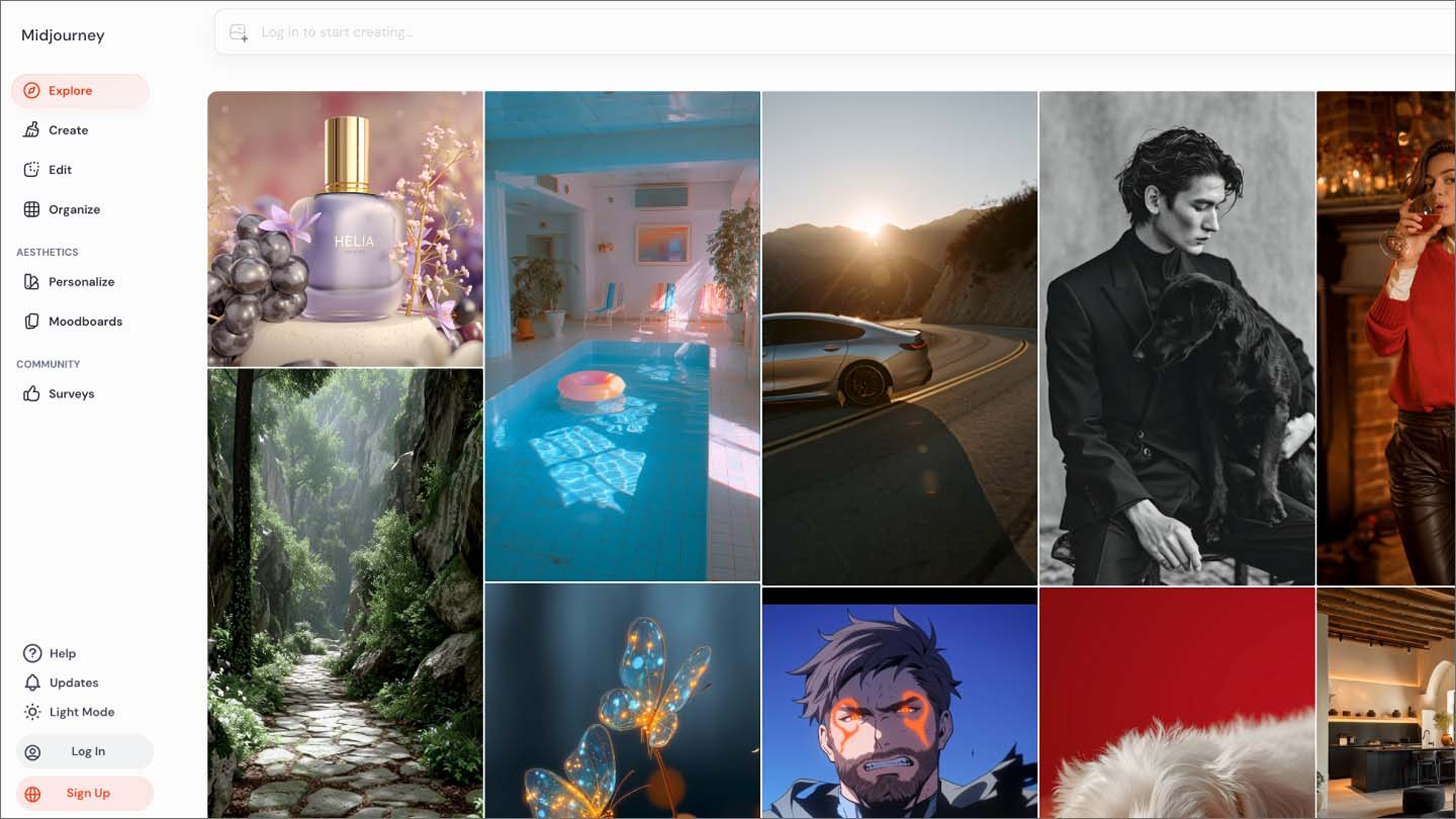
Midjourney generates detailed, stylized visuals from text prompts. It’s most often used during early concepting, when teams are exploring visual direction, mood, or style. The platform runs through Discord, where prompts return a grid of images that can be upscaled or varied with a click.
Midjourney’s strength lies in its vast community knowledge base, allowing users to experiment with styles, themes, and moods through detailed prompting techniques. Its subscription model provides access to a Discord-based bot where prompts trigger image generation, with options to upscale or produce variations.
Because it emphasizes aesthetic quality over brand control, Midjourney is probably better suited for exploration than for production assets. Any output can be exported and refined in tools like Figma or Photoshop.
Key features
- High-resolution artistic image generation
- Extensive style and mood customization
- Collaborative prompt sharing and remixing via Discord
6. Stable Diffusion/DreamStudio

Ideal for: Open-source image generation
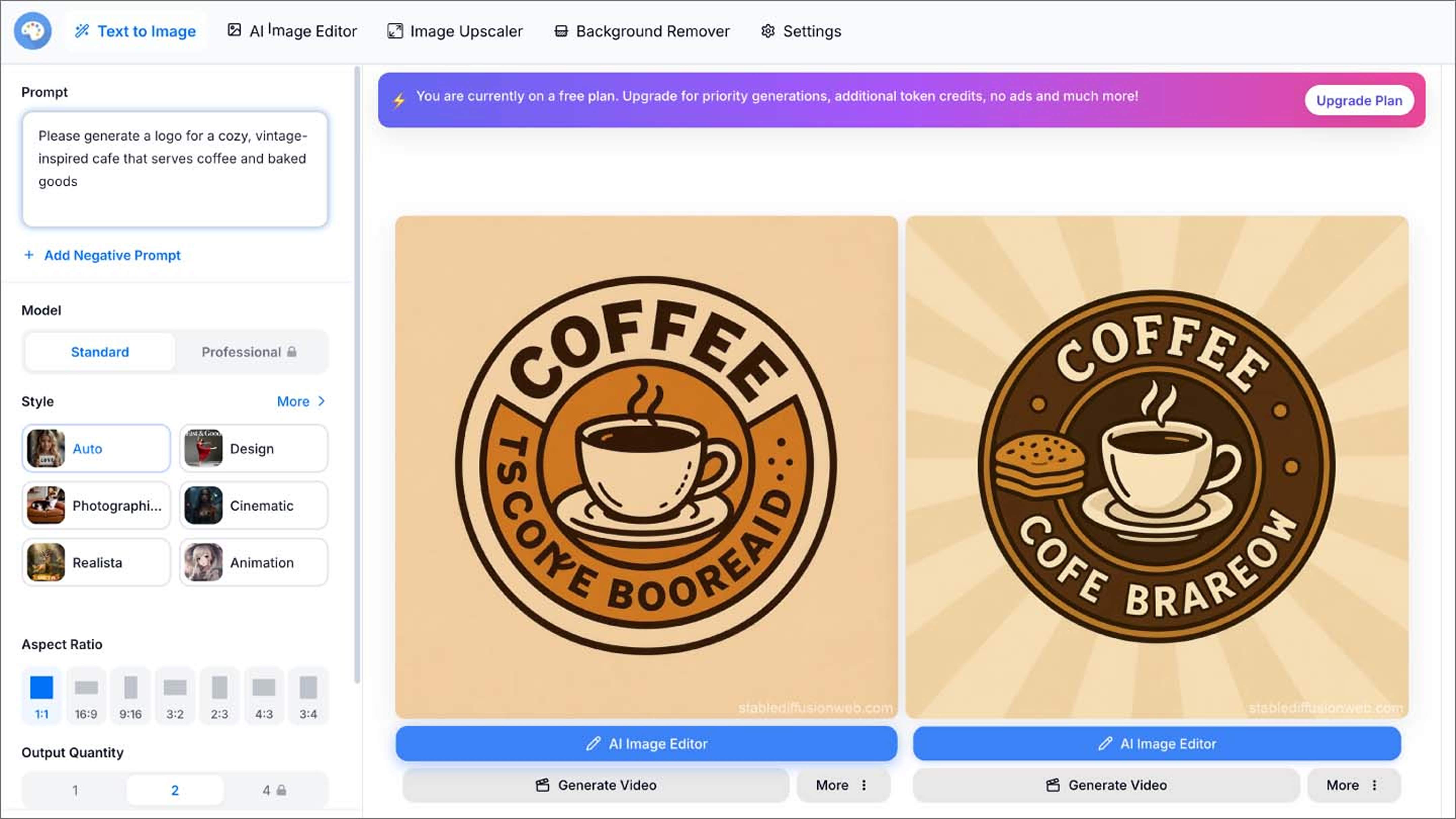
As one of the most popular free AI design tools, Stable Diffusion’s open-source AI model lets users craft unique photorealistic visuals and styles. DreamStudio, with its Web-based user-friendly interface, makes it easy to prompt, adjust, and iterate on high-quality visuals without needing to install or fine-tune a local model.
Unlike more limited AI tools, Stable Diffusion offers flexibility through adjustable settings—like guidance scale, image dimensions, and prompt weighting—that give users control over creative direction. The platform also supports image-to-image transformations, where an uploaded visual can be evolved or reimagined through new prompts.
Because it is open-source, Stable Diffusion benefits from an active community of developers and artists who extend its capabilities with plug-ins, custom models, and new workflows. DreamStudio builds on this foundation with a clean UI and affordable pricing, making it a strong option for solo creators, early-stage teams, or anyone looking for customizable generative tools.
Key features
- Flexible credit-based pricing
- Open-source AI model customization
- Text-to-image and image-to-image generation
7. Uizard

Ideal for: App design
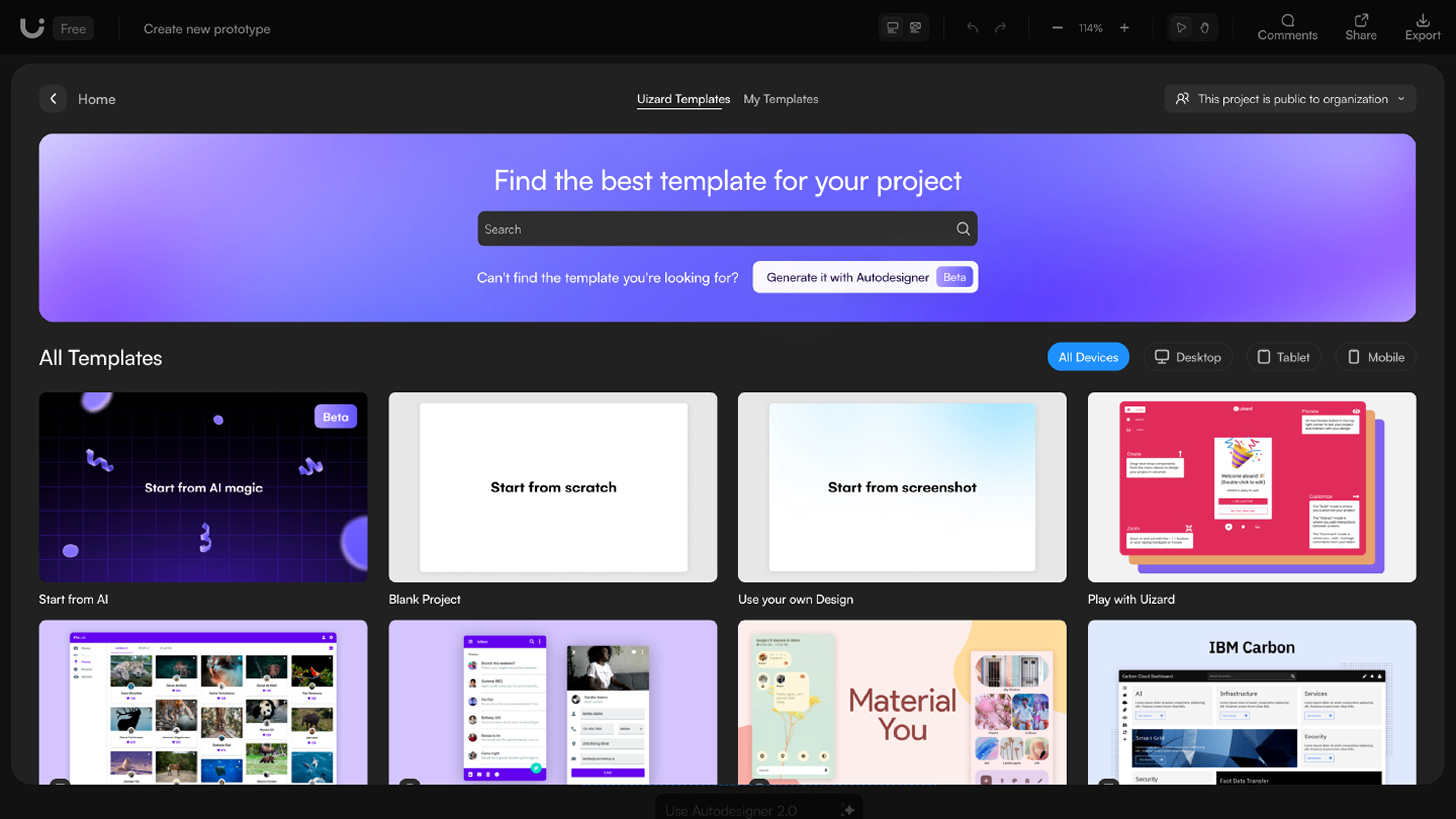
Uizard helps teams turn hand-drawn sketches, wireframes, or static images into working, interactive UI prototypes. It’s designed for non-designers and product teams who need to quickly translate ideas into testable layouts without starting from scratch.
The platform uses AI technology to detect and convert UI elements from hand-drawn inputs or rough images, turning them into editable components. Users can apply themes, adjust layouts, and export in formats compatible with tools like Figma and Sketch.
Uizard lacks high-fidelity animation capabilities and complex interaction design, but it works well for validating concepts early in the product development process. Its theme generator supports consistent visual styling, making it easier to create polished prototypes with minimal effort.
Key features
- Collaborative workspace
- Sketch-to-prototype automated conversion
- Export integration with other popular design tools
- Theme customization tools and style generator for UI consistency
8. Synthesia

Ideal for: Avatar video generation
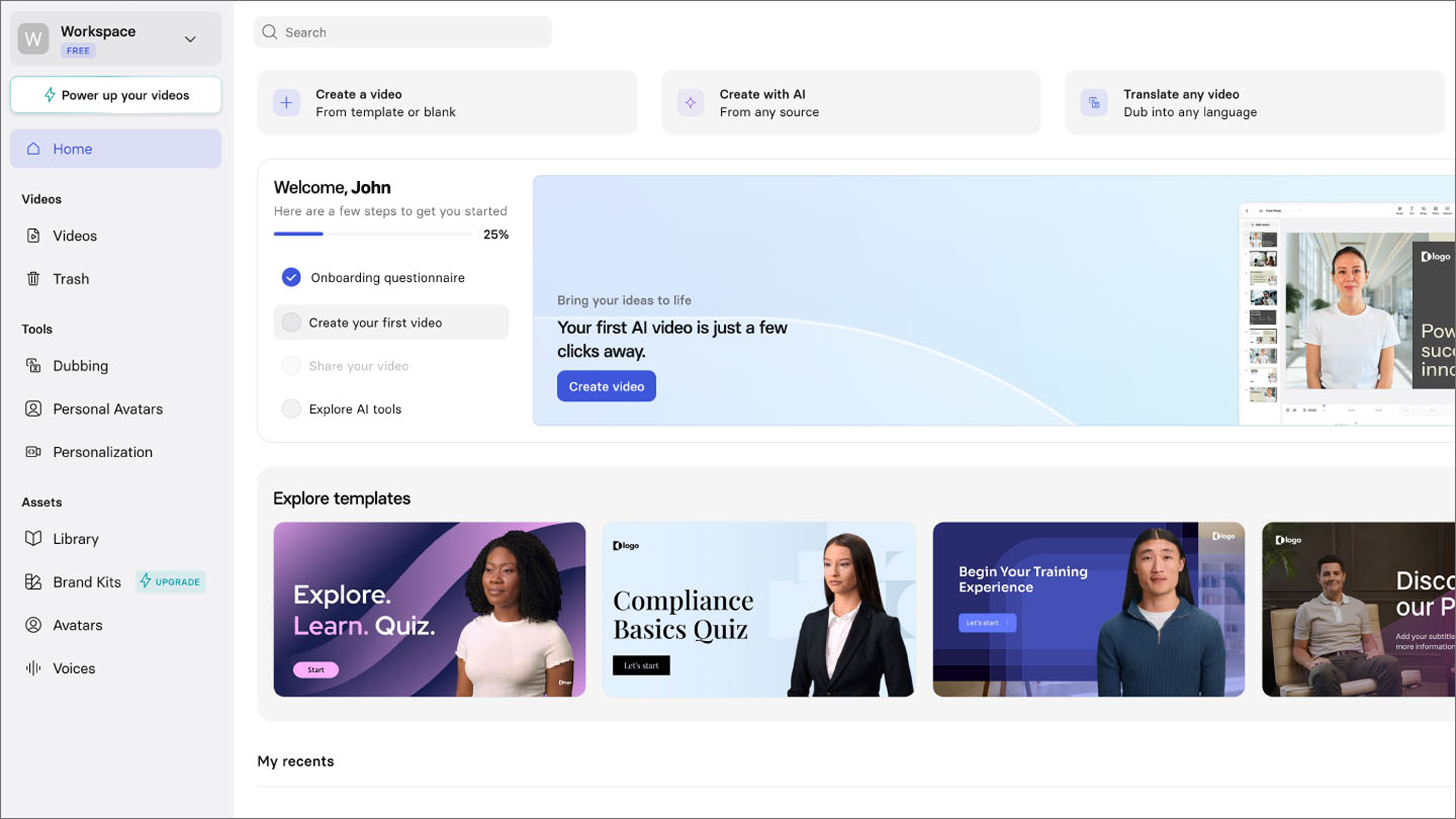
Synthesia creates videos from written scripts using AI-generated avatars and voiceovers. It’s built for teams that need to produce training content, marketing explainers, or internal communications without traditional video production overhead.
Users can choose from over 140 avatar options, then customize the script, language, and visual background. The platform supports over 120 languages and integrates with learning management systems and business platforms for streamlined publishing.
The platform eliminates typical video production barriers, like casting, filming, and editing. Users simply input their textual content, customize the avatars’ appearance, gestures, and background settings, then generate professional-grade videos within minutes. Synthesia also integrates well with LMS platforms and business tools for seamless publishing.
Although it’s focused on videos rather than static images or UI designs, Synthesia fits into broader content workflows, especially when paired with other design tools for multi-format campaigns.
Key features
- AI voice cloning
- 140+ avatars and 120+ languages
- AI video generation from text input
- Integration with educational and marketing platforms
9. Runway

Ideal for: AI video and image editing
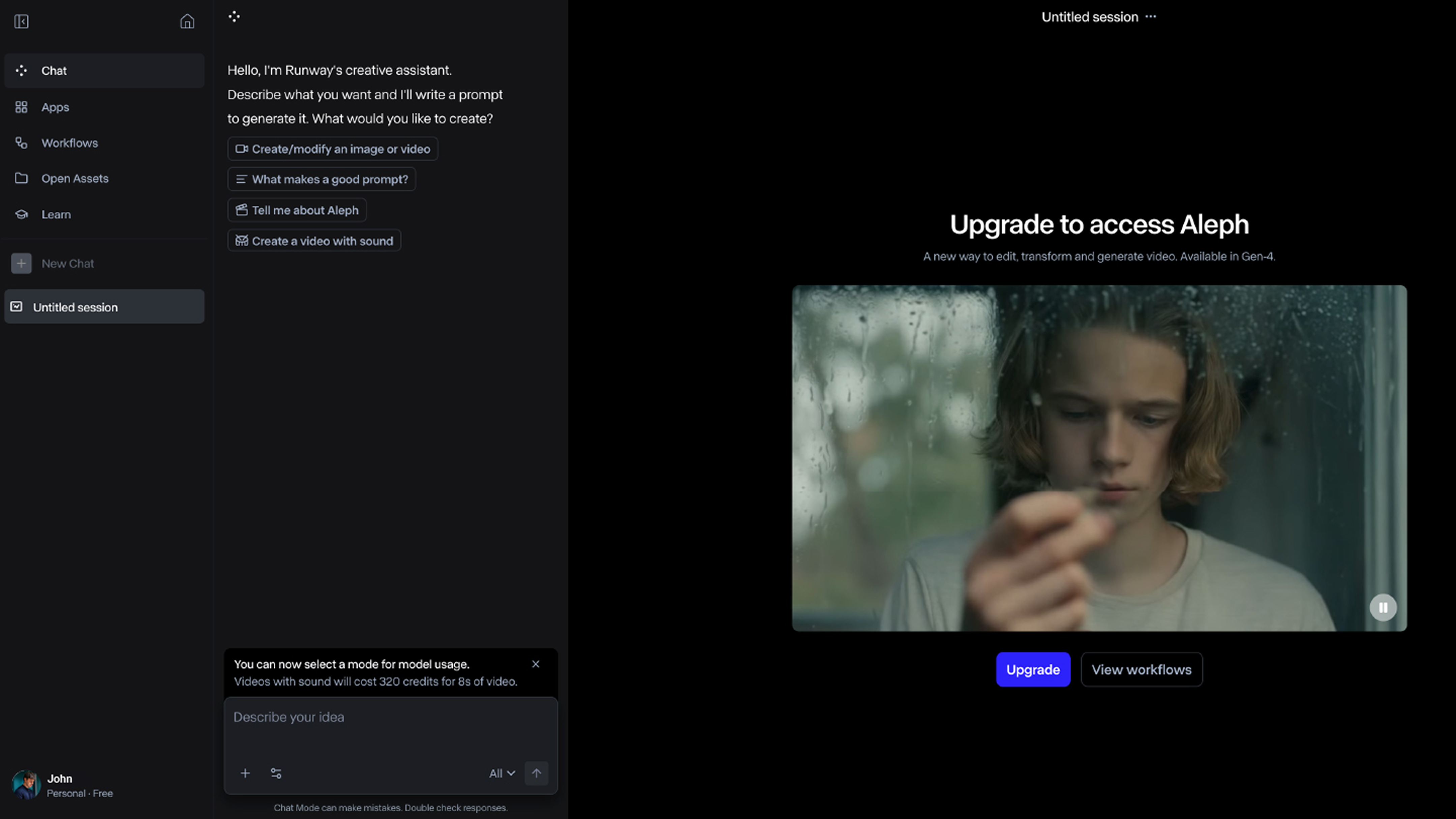
Runway is a creative suite built for video editors, marketers, and content creators who need fast tools for image and video editing. It’s designed for video editors, marketers, and content creators who need fast tools for image and video editing. It handles tasks like background removal, video inpainting, and green screen replacement with a browser-based interface designed for speed.
Runway also includes motion tracking and frame interpolation, enhanced by generative AI to simplify for post-production. You can collaborate in real time, export to other platforms, and scale up without complex software setups.
Runway is a solid option for social media content creators, editors, and marketing teams who need fast iteration without giving up quality.
Key features
- Text-to-motion video creation
- Real-time collaboration tools
- Video inpainting
- AI-assisted green screen and background removal
10. Magic Hour

Ideal for: Product visuals and marketing
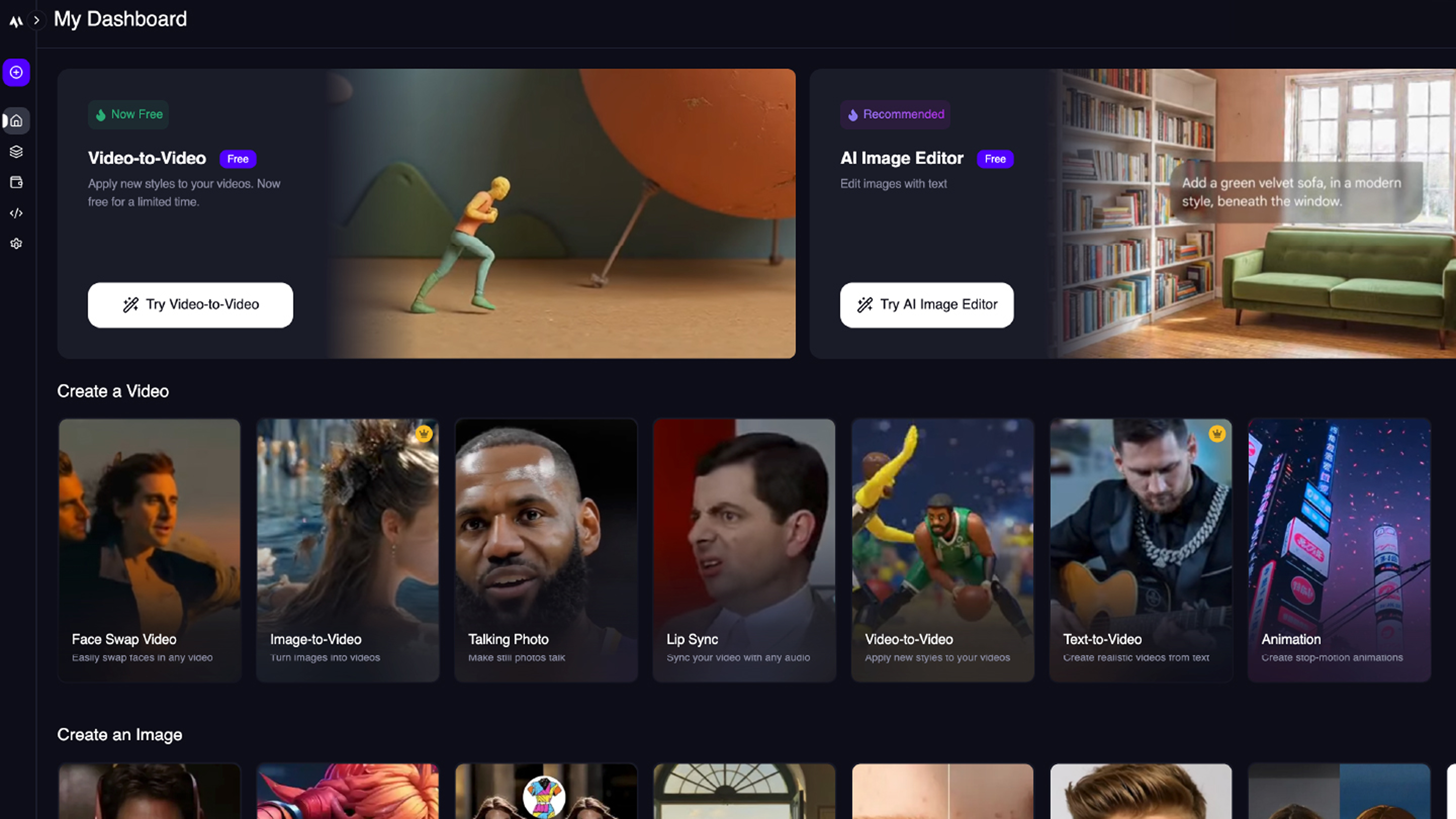
Magic Hour is built for creators and marketers who need to generate content quickly across formats. It offers tools for face and outfit swapping, lip syncing, video-to-video styles transfer, and animating static images, making it useful for campaigns, promos, and personalized media to use on platforms like TikTok and Instagram.
The browser-based platform is easy to learn, and its most popular use cases include creating personalized memes, social media posts, and fun marketing content. This positions it as a top choice among creators, small businesses, agencies, and marketers who need to scale content rapidly and affordably.
Key features
- Extensive template library
- Text-to-video, image-to-video, and video-to-video capabilities
- AI image generator with face and outfit swapping
- Lip syncing and “talking photo” animation options
- AI headshot generator, subtitle generator, and background remover
11. Lummi

Ideal for: AI stock content personalization
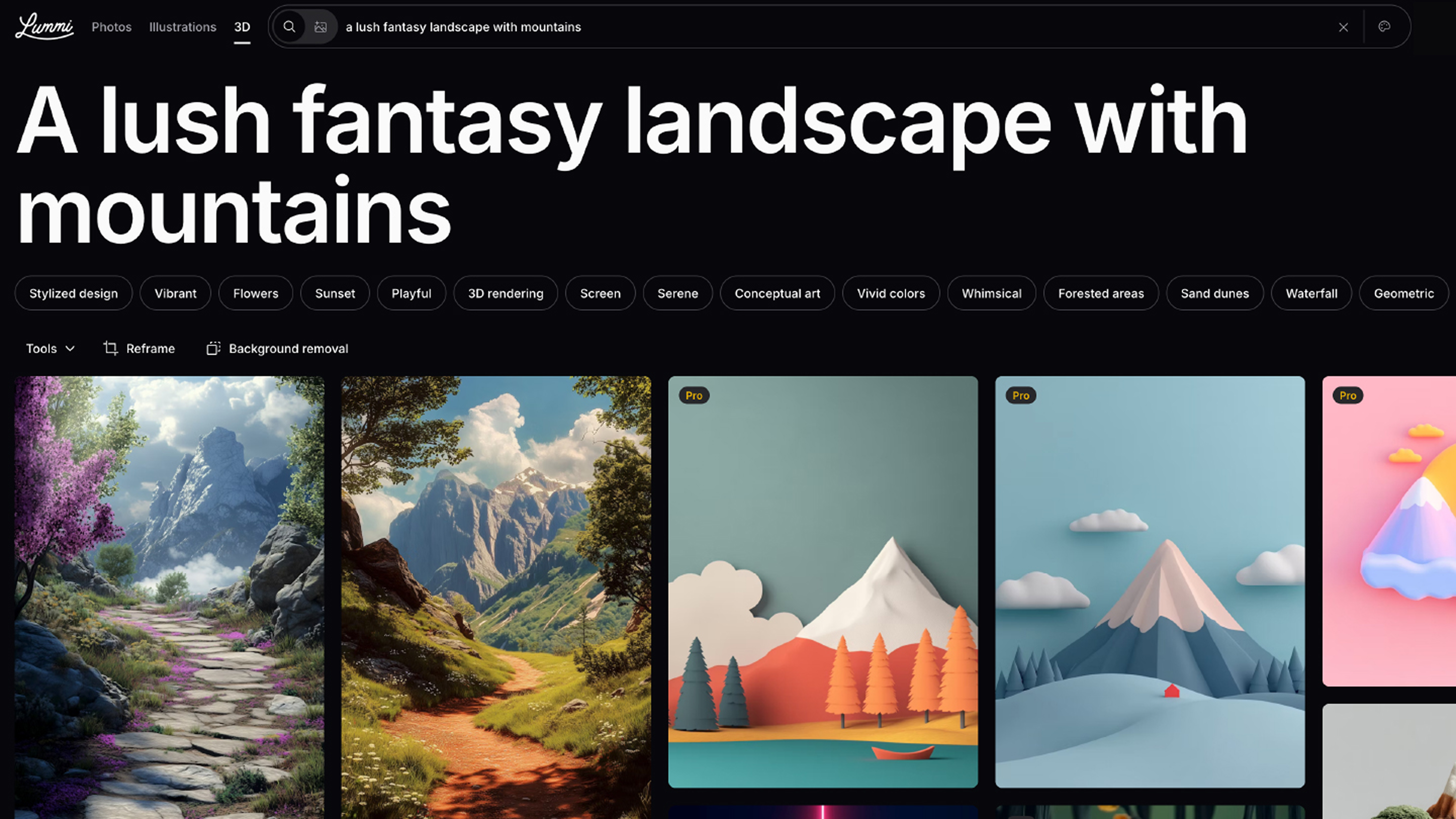
Lummi gives creative teams a faster way to find visuals that fit, blending traditional stock photography with generative AI to help users surface content that aligns with brand tone or campaign direction.
Instead of sorting through thousands of near misses, users can define design aesthetics, tone, and campaign goals. A keyword-based search engine uses AI to adapt results based on context and previous selections. Users can also customize stock images with AI tools like background replacement and recoloring to better fit brand guidelines.
Lummi is especially useful for marketers or creative teams working on high-volume projects with short timelines.
Key features
- AI-powered personalized stock search
- Context-aware content suggestions
- Brand fit tools and filters
- Integrated image editor
Benefits of AI design tools
AI tools are reshaping how design teams work, from the first sketch to the final asset. They reduce friction in the creative process and give teams more time to focus on decisions that matter.
Here’s why teams are taking advantage of them:
- Accelerated design process. When AI handles repetitive, time-consuming tasks (such as generating wireframes or resizing elements), it enables faster prototyping, ideation, and iteration.
- No expertise needed. Since no coding or advanced design skills are required, product managers, marketers, and non-designers can contribute through AI’s simplified design workflows.
- Consistency. Design systems stay intact because AI tools pull from shared libraries or tokens.
- Scalability. AI-assisted designs are easily adaptable across devices and screen sizes, ensuring responsive, accessible apps.
- Idea generation. AI can spark unexpected directions, which is helpful for exploring options or unblocking a project.
- Data-driven insights. AI can analyze user interactions and suggest optimizations to improve usability and engagement.
- Real-time collaboration. Cloud-based AI design platforms enhance teamwork by enabling seamless multi-user editing and feedback cycles.
Of course, these advantages come with tradeoffs. Remember that AI isn’t neutral—it reflects the data it’s trained on, which can introduce bias or amplify sameness. Teams should keep the pitfalls of AI in design in mind and stay aware of where human judgment still plays the lead role.
Why AI design tools matter in 2026
AI design tools are reshaping how teams create, accelerating output while preserving the principles of human-centered design. Rather than replacing creative work, these tools expand what’s possible in the same amount of time.
Generative design has moved beyond isolated assets. It now supports full workflows, from prototyping to user testing to scalable design systems. Tools like Figma Make and vibe coding are reducing the time between an idea and its first working version. Designers can focus on intent and direction while AI handles layout, variation, and pattern alignment.
As AI continues to evolve—from multimodal inputs to context-aware agents—the tools will only get more capable. Teams won’t need to start from scratch or define every component. Instead, they’ll guide the system and shape results. The opportunity isn’t to automate creativity, but to extend it, making room for faster iteration, better collaboration, and more ambitious outcomes.
AI design tools FAQ
Keep reading for answers to frequently asked questions about AI design tools.
How is AI used in graphic design today?
AI is gradually becoming embedded throughout graphic design, from auto-layout and color balancing to responsive adjustments and outright asset generation.
Figma’s recent AI report revealed that 1 in 3 Figma users surveyed planned to launch AI-powered products in 2025, a 50% jump from the previous year. Designers are deploying features like prompt-based scene building and rapid style iteration to create campaign assets in a fraction of the time. Respondents also highlighted using Figma Make to quickly generate multiple design and technical approaches, leading to faster prototyping and improved project outcomes.
Smaller companies require nimble workflows, meaning they have to experiment and adapt more quickly. This may be why they’re going all-in on building with AI: 61% of respondents at companies with fewer than 10 employees told Figma that AI is “very or critically important” for hitting market share goals. Figma's State of the Designer 2026 report builds on this further—finding that 72% of designers now use generative AI in their workflows, with 91% saying it improves the quality of their outputs, not just their speed.
What is the best AI design tool?
The best choice depends on your workflow. Each one specializes in unique areas of AI-enhanced creativity. For example, Figma Make is ideal for vibe coding, prototyping, layouts, and text-to-design prompting.
Are there free AI design tools?
Yes, many top platforms offer AI design tools with free tiers for individual exploration, making them excellent starting points for coworkers and freelancers. Figma’s free Starter plan includes limited AI credits.
How do I choose the right AI design tool?
To choose the right AI design tool, consider the following:
- Collaboration needs. Are you working solo or as part of a team?
- Project goals. Are you designing social media posts, creating an app interface, or something else?
- Integration requirements. What other platforms are in your current tech stack?
- Learning curve. Will it be difficult for your team members to adopt the new tool? Are tutorials and personalized customer support available?
Carefully check how tools will support workflows like prototyping or graphic design, taking care to ensure scalability for every step of your creative pipeline.
Are designers satisfied with AI design tools, or is adoption driven by pressure?
Satisfaction is genuinely high among those embracing AI. Figma's State of the Designer 2026 report—based on a survey of 906 designers globally—found that designers actively increasing their AI usage are 25% more likely to report growing job satisfaction than those who aren't. They're also more likely to say their company is growing faster than the industry average. Importantly, creative freedom ranks equally among heavy AI users and light users—suggesting that AI tools are expanding what designers can do, not constraining it.
Start using AI design tools to streamline your creative process
Whether you’re a pro or just getting started in graphic design, AI is like a co-pilot you can rely on to turn bold ideas into real, interactive experiences. The latest wave of AI design platforms is redefining how apps are imagined, built, and shipped. Your arsenal of AI design tools should help you build faster, cleaner, and smarter designs.
For collaborative teams, Figma stands out for its natural language prototyping, seamless integration, and convenient unified workspace. Here’s how else Figma can help:
- Use Figma Make to turn your next idea into a working design.
- Publish your prototypes and turn your Figma Design frames into flexible layouts with Figma Sites.
- Brainstorm and design together on FigJam’s shared online whiteboard, perfect for creating new AI workflows or mapping design systems.
- Visualize UX workflow steps with FigJam storyboards.
Ready to start using AI design tools?
Save time and discover a world of new possibilities with Figma Design.
Keep reading

How to design a logo in five steps
The right logo can elevate your brand and leave a lasting impression on your audience. Learn how to design a logo and how Figma can help.

What is responsive website design?
Responsive website design ensures a web page seamlessly adapts to any screen size. Learn more about responsive design and how Figma can help.