11 of the best AI coding tools and assistants for developers
Share 11 of the best AI coding tools and assistants for developers
Explore more from
Building with AI


Ever find yourself stuck, waiting on front-end code to catch up with your design sprint, or rewriting the same logic just to test another layout idea?
AI coding tools are changing that. From generating front-end code on command to refining logic and documentation in seconds, these tools help you build, test, and iterate faster without breaking flow.
According to Figma’s 2025 AI report, 59% of developers said they’re using AI for their core responsibilities like code generation, showing how automation has officially entered the mainstream of coding productivity. This guide breaks down what to look for—and which tools to try—if you want to speed up your build process without sacrificing code quality.
Read on to learn:
- 11 of the top AI coding tools
- Benefits of using AI coding tools
- Why AI coding tools matter in 2026
- Answers to common questions about AI coding tools
| AI coding tool | Best for | Key features (specific AI capabilities) |
|---|---|---|
| Figma Make | Front-end code | AI code generator tool, integration with Figma Sites and Figma Design workflows, component linking between design libraries, image layers, and live website structures |
| GitHub Copilot | Repository-integrated coding assistance | AI help chat, coding agent, context-aware coding predictions for multiple languages |
| ChatGPT Advanced Data Analysis | Automated coding and data visualization | Writes and debugs Python code via natural language, allows uploading a variety of documents and files for analysis, generates reports, tables, and other data visualizations |
| Cursor | AI-first IDE environments | AI help chat, code refactoring and inline suggestions, contextual search, long-term memory across sessions |
| Replit Ghostwriter | Learning to code | Team-ready cloud environment, 50+ programming languages, real-time debugging and error fixes in browser IDE |
| Claude Code | Large context understanding | GPT-style dialogue, large context model for entire repositories, conversational refactoring and doc generation |
| Gemini Code Assist | Enterprise use | Chat interface, code autocomplete, strict compliance, integration with Google Cloud services and APIs, can be trained on private codebases |
| Amazon Q Developer | AWS-native development | AI suggestions tailored to AWS service APIs and SDKs, in-depth compliance checks, reference tracking, validation, and documentation |
| Tabnine | Security and privacy | On-premises AI code completion with data privacy safeguards, multi-IDE support, configurable style guides and imports |
| Windsurf | Interactive AI collaboration | Image-to-code conversion, context-aware editing and memory, autocomplete of entire functions, voice prompting plugins |
| JetBrains AI Assistant | Seamless IDE integration | Smart code completion/generation/suggestion, cross-language conversion, context-aware AI chat, multiple AI coding agents |
1. Figma Make

Ideal for: Front-end code
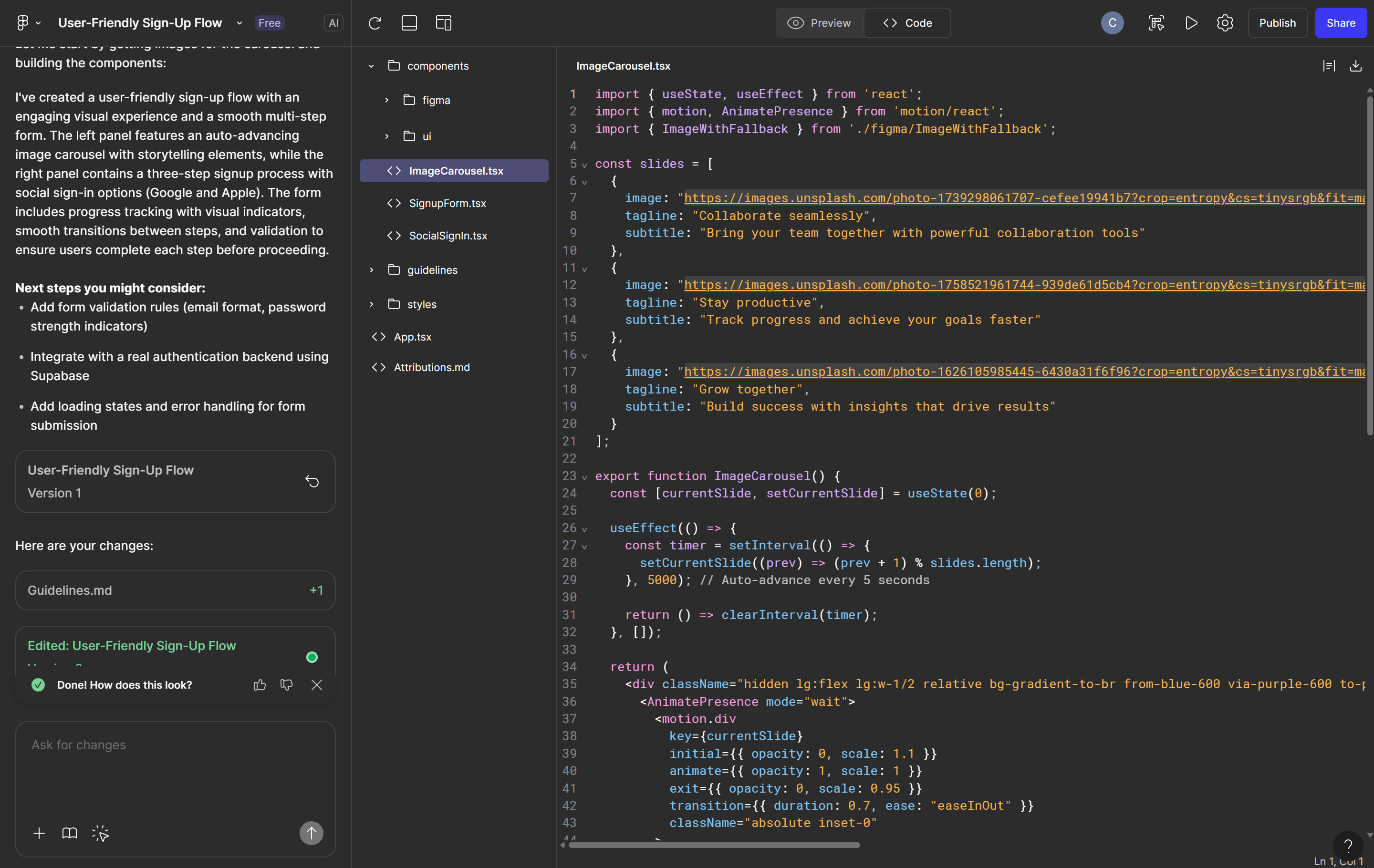
Figma Make is an AI-powered tool that empowers designers, developers, and product teams to generate front-end, production-ready code directly from visual designs or plain-language prompts. The AI code generator interprets design layers, styles, and components, then outputs clean code in seconds, bridging the gap between design and development.
Figma Make excels at flexibility. You can use it to generate HTML, CSS, or React code tied to your Figma Design files. It also links components between design libraries and live site structures, helping teams stay aligned across iterations.
Because it integrates with tools like Figma Sites, you can move from layout to deployment with fewer manual steps. Whether you're prototyping or building for production, Figma Make helps simplify front-end handoff.
Key features
- Integration with Figma Sites and Figma Design workflows
- AI text-to-code prompting for layouts, buttons, animations, and more
- Generates production-ready HTML, CSS, or React directly from Figma layers
- Component linking between design libraries and live website structures
Ready to start coding with AI?
Turn your ideas into working code and prompt what you need with Figma’s AI code generator.
2. GitHub Copilot

Ideal for: Repository-integrated coding assistance
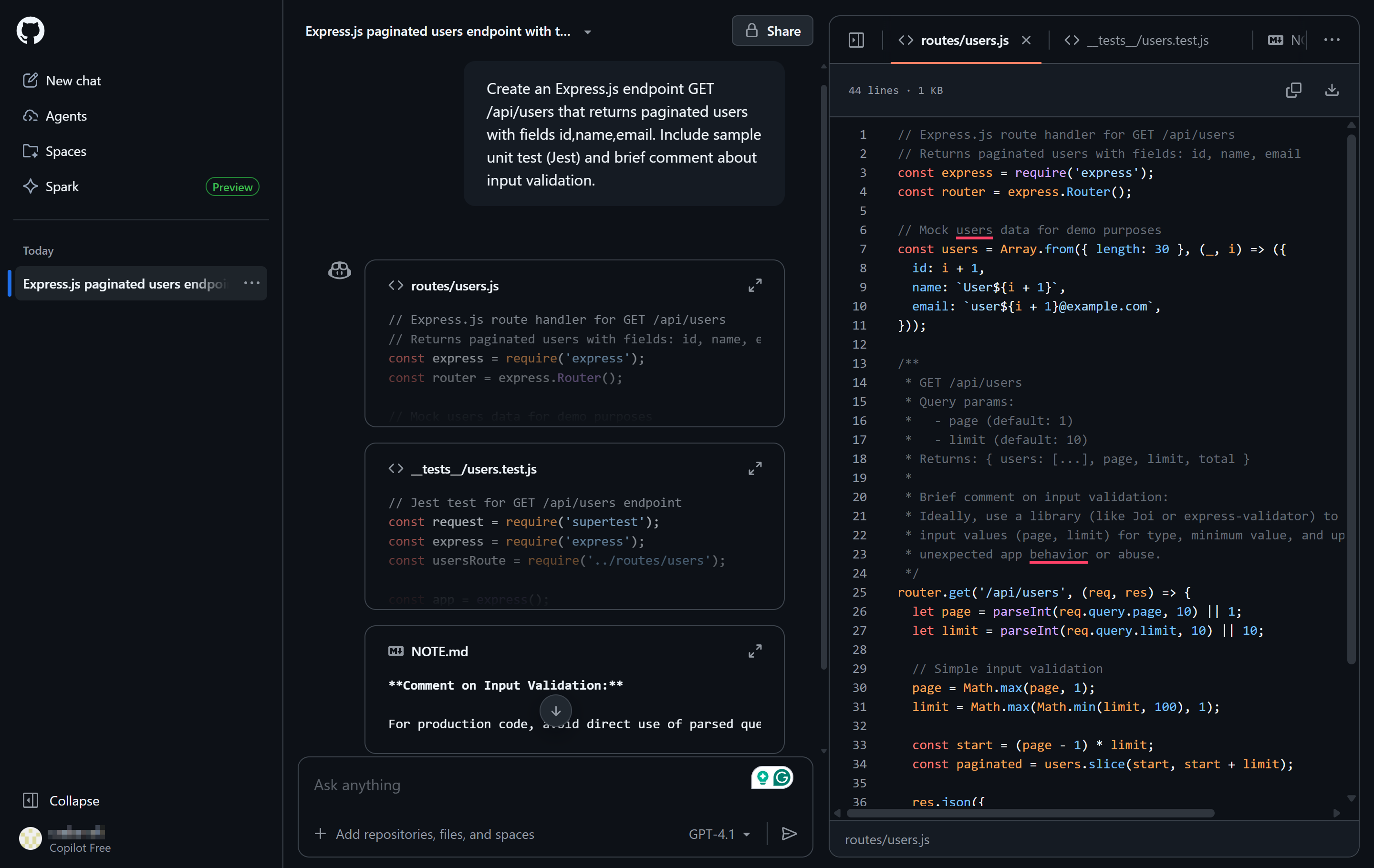
GitHub Copilot is an AI pair programmer embedded natively within popular IDEs like VS Code, JetBrains, and Neovim. Powered by multiple Anthropic and OpenAI models and trained on billions of lines of public code, it provides context-aware code predictions, entire function auto-completion, solution suggestions, and inline documentation.
It also integrates seamlessly with GitHub repositories, making it easier to refactor code, review pull requests, and generate docstrings. Its chat interface is also great for interactive troubleshooting and code review within the IDE.
Copilot supports multiple programming languages and adapts quickly to your coding patterns, making it ideal for developers working across varied projects or full-stack codebases.
Key features
- Copilot AI Chat for interactive assistance
- Coding agent that integrates with MCP servers
- Context-aware AI coding predictions/suggestions across multiple languages
3. ChatGPT Advanced Data Analysis

Ideal for: Automated coding and data visualization
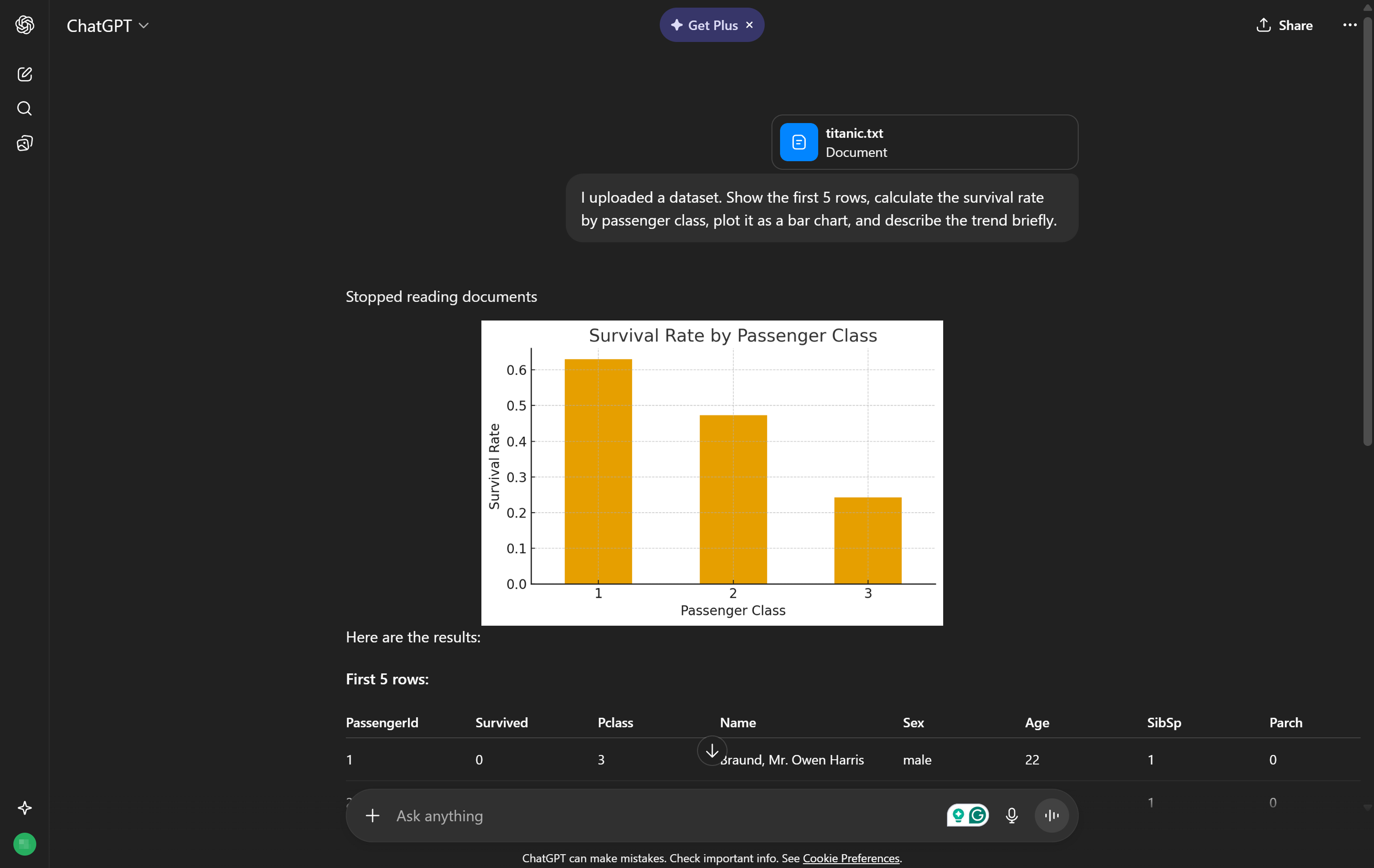
ChatGPT’s Advanced Data Analysis (formerly Code Interpreter) adds real-time code execution capabilities to the language model. It is especially useful for developers and analysts who work with Python to clean data, generate plots, run logic tests, or build reports.
You can upload spreadsheets, images, PDFs, or code as files, and the tool will interpret, process, and output structured responses or executable code. It’s conversational but technical enough to support serious automation work. It’s also capable of debugging, logic flow testing, and statistical analysis.
ADA is best suited for technical teams needing quick data insights or scripting help without context switching between tools.
Key features
- Writes, debugs, and executes Python code on demand using natural language
- Generates and visualizes reports, tables, and plots directly from structured prompts
- Instant upload and analysis of CSVs, spreadsheets, images, and other document files
4. Cursor

Ideal for: AI-first IDE environments
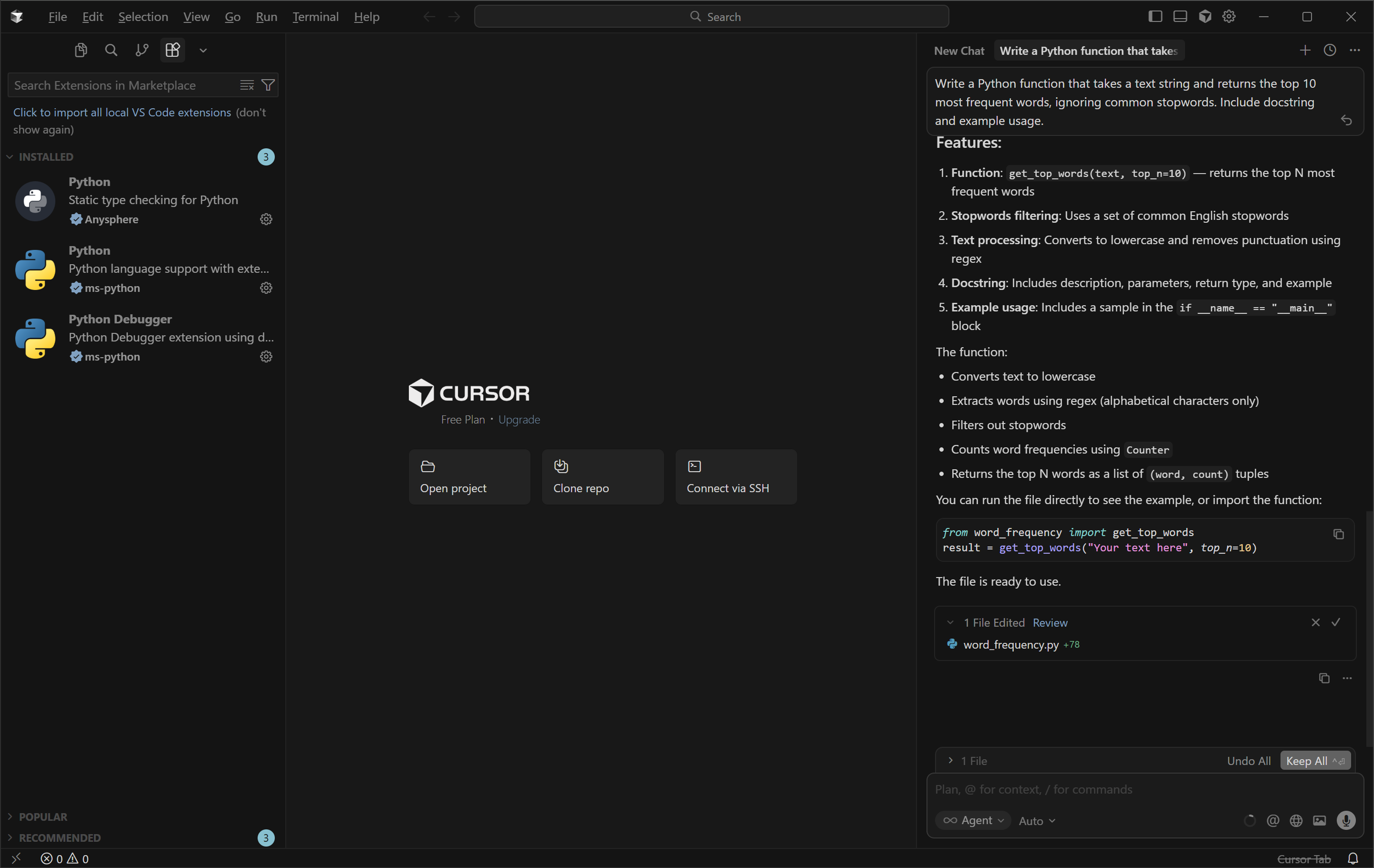
Designed for startup teams and solo developers, Cursor is a lightweight AI-powered integrated development environment (IDE) built for speed and live assistance. It allows developers to refactor, debug, or generate new code using natural language prompts without leaving the editor.
Cursor supports many programming languages, offers contextual inline suggestions, remembers coding context across sessions, and can perform advanced refactoring and codebase searches.
The tool’s speed, combined with its ability to maintain knowledge of a project’s entire history, can optimize developer workflows and enable long-term code assistance.
Key features
- Collaborative real-time chat assistance
- AI-powered code refactoring and inline suggestions
- Conversational natural language commands integrated in the IDE
- Contextual search and long-term memory across sessions to pinpoint code logic
5. Replit Ghostwriter

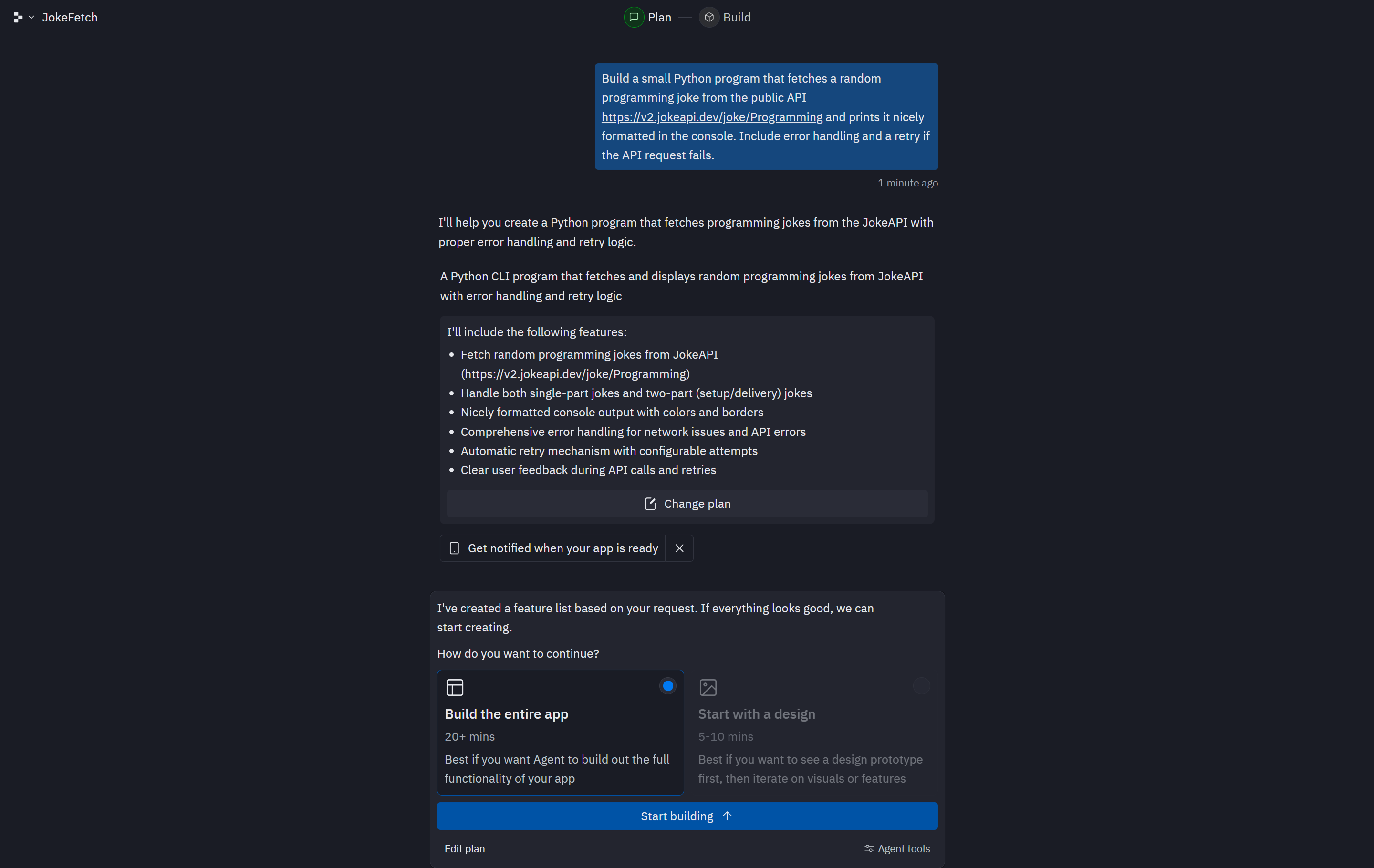
Ideal for: Learning to code
Replit Ghostwriter is a browser-based AI coding environment. It’s designed to help beginners learn faster and build working projects with less friction. Developers can write prompts in plain language or inline with their code, and Ghostwriter responds with suggestions, fixes, or explanations in real time.
With live debugging and support for over 50 programming languages, it’s ideal for bootcamps, education teams, or individuals learning how to code. The collaborative setup also allows for easy sharing, feedback, and deployment, all without installing anything locally.
Key features
- Natural language project creation
- Cloud-hosted, team-ready environment
- Support for 50+ programming languages
- Real-time debugging and error fixes in browser IDE
6. Claude Code

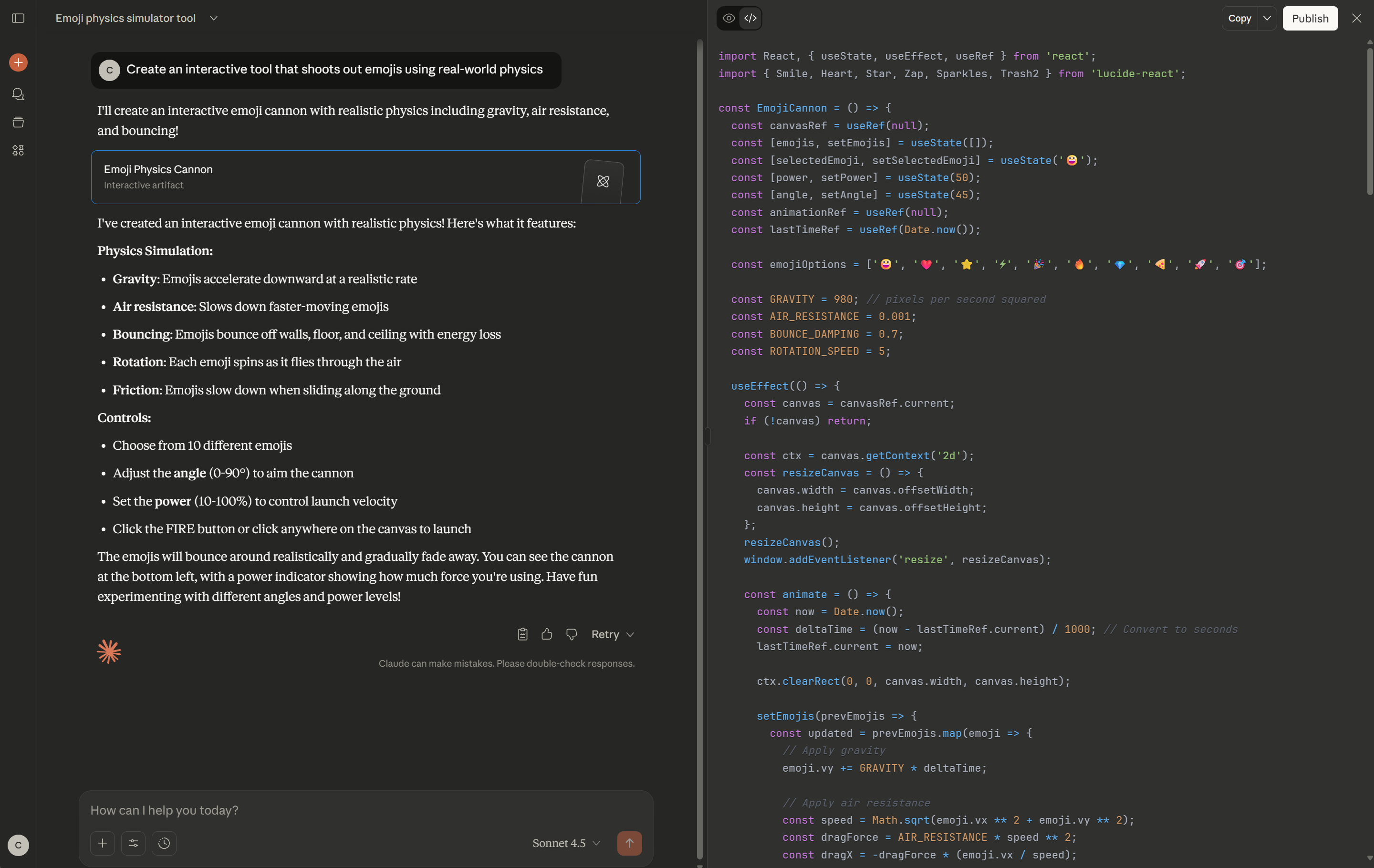
Ideal for: Large context understanding
Claude Code by Anthropic specializes in deep understanding and manipulation of large code repositories. It handles large repositories, cross-language dependencies, and long-term memory across conversations. The tool excels at refactoring, documentation, and deep reasoning about the codebase, all via natural language.
It’s particularly useful for reviewing unfamiliar codebases or improving large systems. Claude is built to maintain clarity and logic when working through complex refactors or explaining intent behind abstracted functions.
Claude is a good choice for agencies and product teams who need to analyze, document, and audit wide, complex codebases with high context windows.
Key features
- GPT-style dialogue tailored for developers
- Large context model for entire repositories
- Conversational refactoring and doc generation
7. Gemini Code Assist

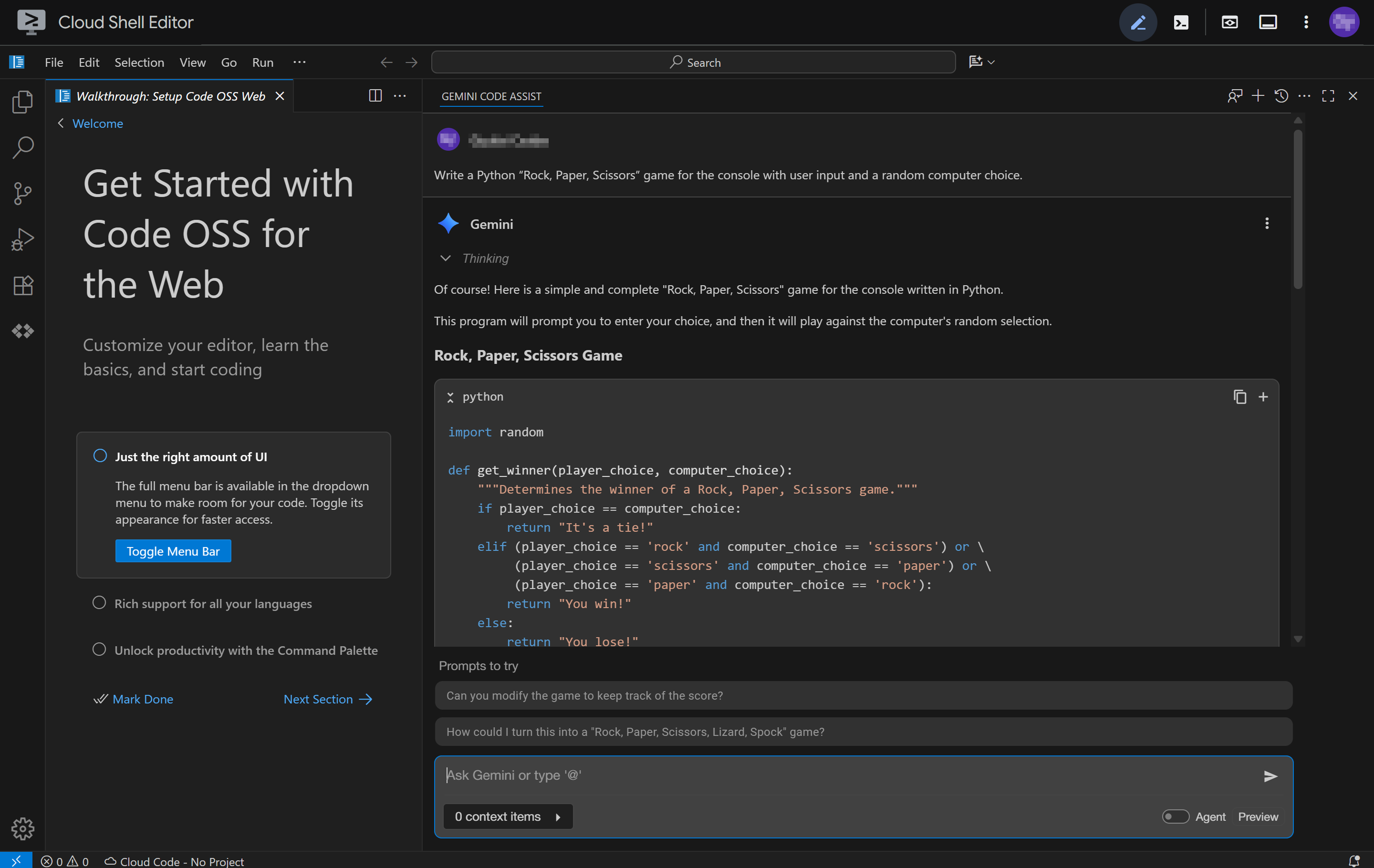
Ideal for: Enterprise use
Gemini Code Assist integrates Gemini 2.5 models into your IDE. It focuses on enterprise-grade security, compliance, and scalability, making it a good fit for organizations in regulated industries that require stringent compliance, such as finance, healthcare, and government.
Gemini Code Assist supports natural-language prompting for generating cloud infrastructure code, developing APIs, and managing large-scale codebases, with enhanced privacy controls. Its main draw is its integration with Google Cloud services and APIs.
Key features
- Easy-to-use chat interface with natural language
- Model training can be linked to private codebases
- Compliance with industry regulations (HIPAA, SOC 2)
- Integration with Google Cloud services and APIs
- Automatic code completions, generation, and transformation of full functions
8. Amazon Q Developer

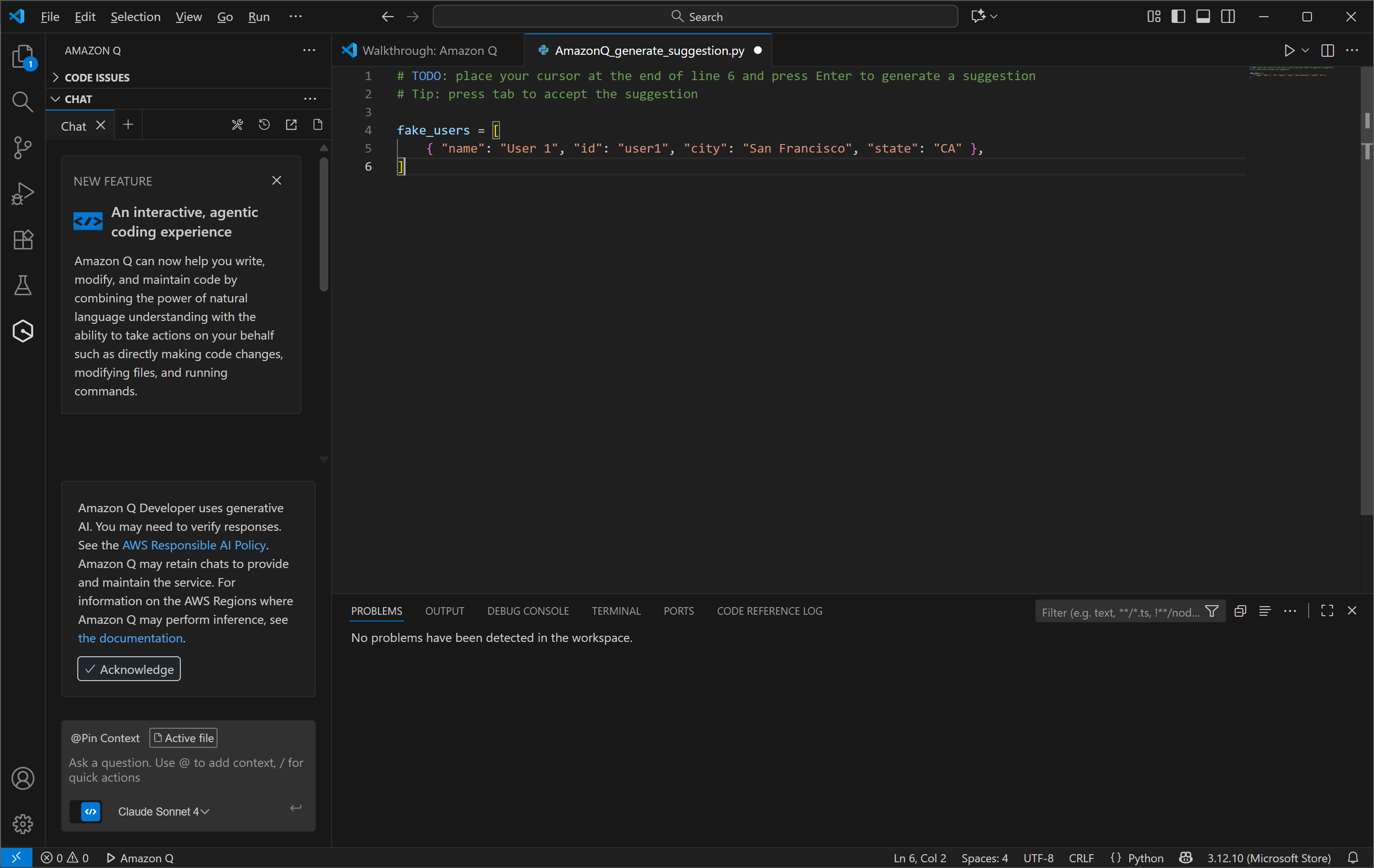
Ideal for: AWS-native development
Amazon Q Developer helps teams working inside AWS environments code faster and with fewer errors. It generates infrastructure-as-code snippets, suggests API calls, validates logic, and flags compliance risks in real time.
Prompting leverages AWS Console integration and natural language suggestions. Developers can find additional support through AWS developer forums and training programs.
Amazon Q Developer is most useful for new developers using AWS cloud resources, as it helps with infrastructure and deployment logic optimized specifically for AWS services.
Key features
- Generates infrastructure as code (IaC) snippets
- AI suggestions tailored to AWS service APIs and SDKs
- Security policy compliance checks, reference tracking, validation, and documentation
9. Tabnine

Ideal for: Secure and private AI development
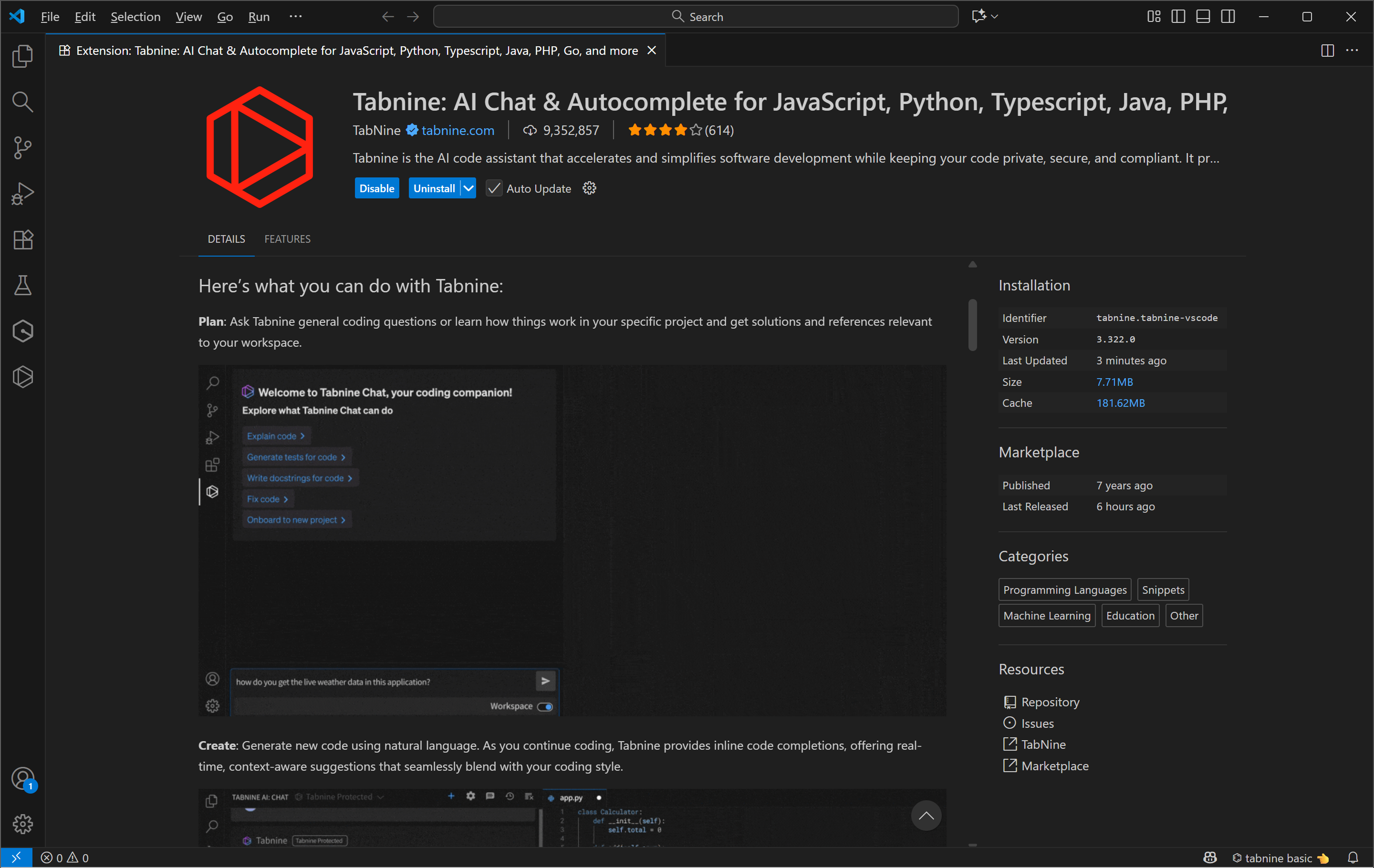
Tabnine is a privacy-first coding assistant designed for teams with strict data policies. It runs locally or behind firewalls and its AI models offer smart autocomplete, intelligent imports, and refactoring aids. Prompting is done through inline suggestions and support includes enterprise-grade service level agreements and custom/private deployments.
Tabnine also supports basic personalization and multiple IDEs, including VS Code, JetBrains, and Vim. Tabnine’s on-premises hosting options and strict policy controls make it a good choice for legal, medical, and government teams handling sensitive data.
Key features
- Multi-IDE support with fast local inference
- AI agents automatically generate code, tests, docs, and fixes
- On-premises AI code completion with data privacy safeguards
- Intelligent auto imports, refactors, and configurable style guides
10. Windsurf

Ideal for: Interactive AI collaboration
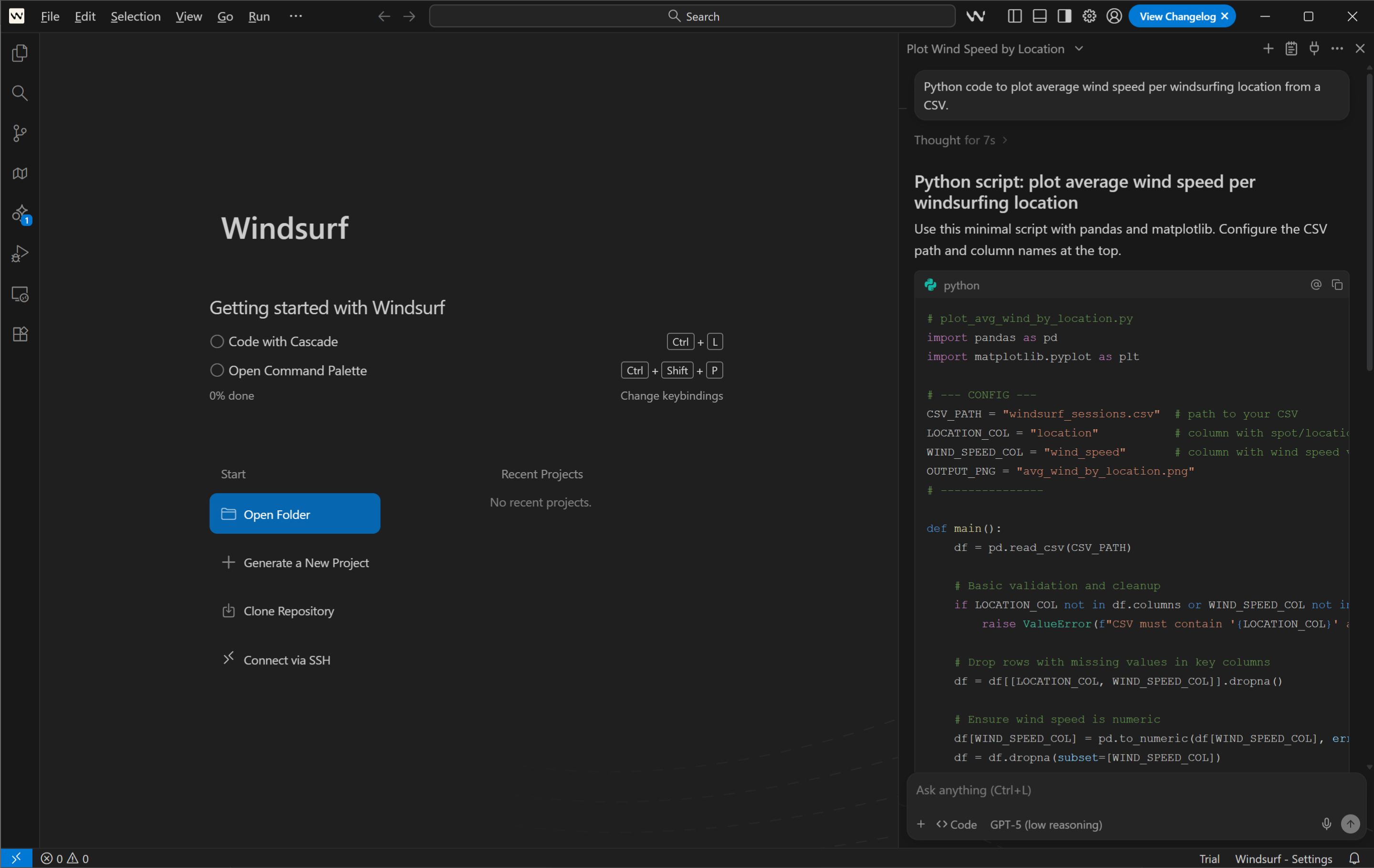
Windsurf is an AI-native IDE built for AI-enhanced team coding. It supports context-aware autocomplete, multi-file memory, and image-to-code prompts.
You can write with chat or voice, refactor entire functions using Supercomplete, and sync styles and logic across projects. More advanced features like Cascade let developers edit across large codebases with AI context retention.
Key features
- Image-to-code conversion
- Autocomplete of entire functions
- Voice prompting plugins for hands-free coding
- Context-aware editing and memory for style consistency
11. JetBrains AI Assistant

Ideal for: Seamless IDE integration
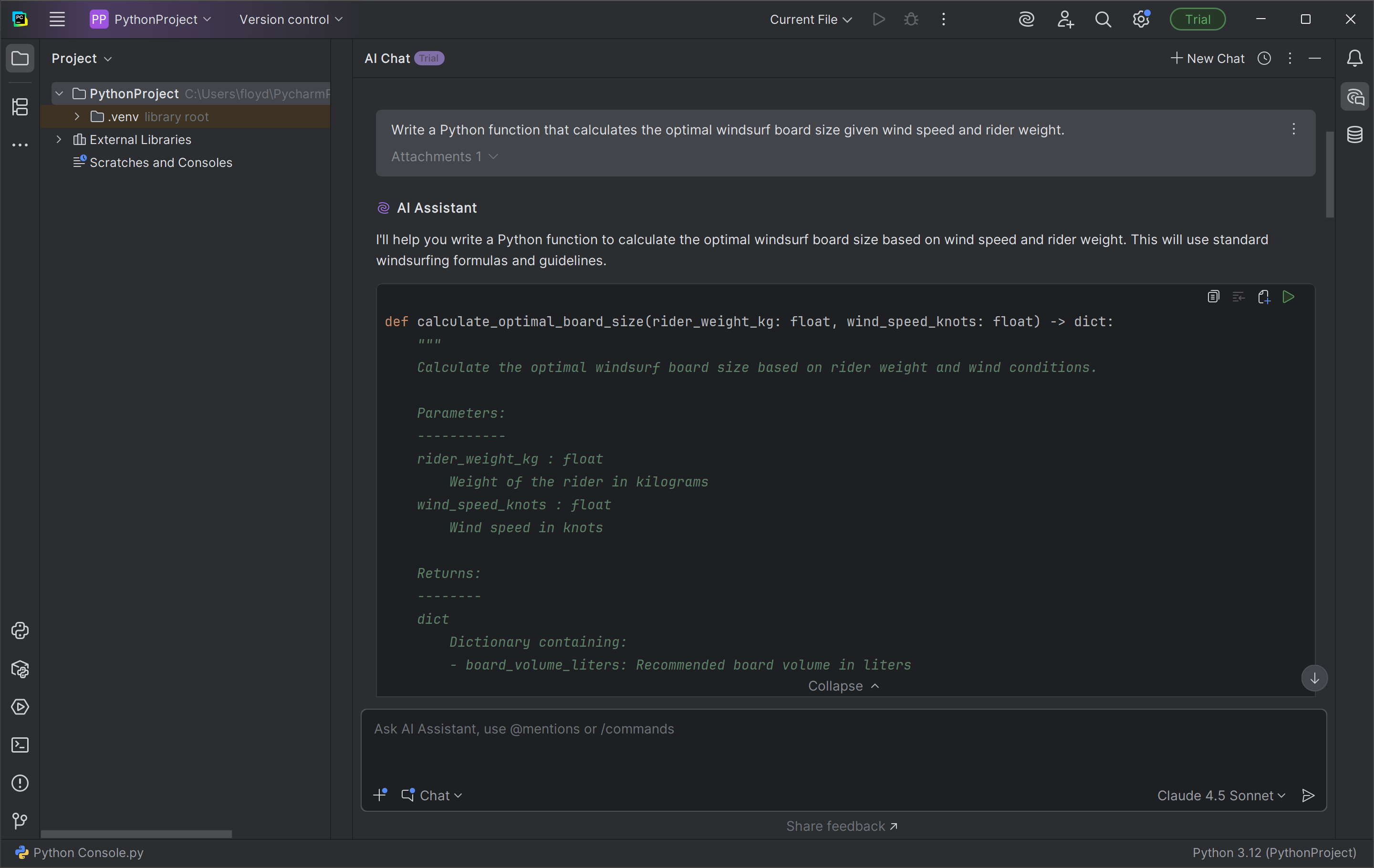
JetBrains AI Assistant caters to a diverse mix of development needs, from light AI-powered code assistance to full automation of coding tasks. Its AI-powered features are integrated directly into the editor, and it features a variety of AI workflows for inline documentation, rename refactoring, commit messages, and more.
The one-click cross-language conversion feature is especially useful when you need to repurpose your code into a different programming language.
JetBrains can also connect to local AI models or third-party cloud AI models to use them for chats and other features. Since it doesn’t retain your data, this makes it suitable for enterprise use in regulated industries with complex cloud or local environments.
Key features
- “Next edit” suggestions
- Cross-language conversion
- Smart code completion and generation
- Context-aware AI chat and multiple AI coding agents like Junie and Claude
Benefits of AI coding tools
Whether you’re a developer, designer, or product manager, AI-powered workflows are redefining what’s possible in rapid prototyping and cross-functional collaboration. Here are a few key benefits of using AI coding tools:
- Faster prototyping and iteration. AI code generation cuts down early dev cycles.
- Fewer repetitive tasks. AI handles things like syntax fixes, layout scaffolding, or unit tests, giving developers more deep focus time.
- Improved accuracy. Context-aware suggestions help reduce human error and enhance code quality.
- Better collaboration. Design and engineering teams can work from a shared source of truth.
- Contextual support. Some tools adapt to your codebase, framework, or language.
Challenges to keep in mind include refining AI output, managing context awareness and accuracy, and ensuring proper version control. You can typically mitigate these through careful integration, manual review, and prompt engineering.
Why AI coding tools matter in 2026
AI coding tools do so much more than just autocomplete lines. Moving forward, they’re able to help with ideation, analysis, and prototyping. In Figma’s 2025 AI report, over 80% of designers and developers surveyed said that learning to work with AI will be essential to their future success.
In 2026, AI-to-design integration will continue to play a strong role in creative collaboration. Workflows like Vibe coding, where designers co-create dynamic prototypes with AI, are changing how teams create, improving testing, iteration, and collaboration.
Various Web design and development concepts will continue to evolve thanks to real-time code generation supported by artificial intelligence. This movement ensures every stakeholder, from product managers to developers, views AI as both a partner and a productivity tool.
AI coding tools FAQ
Keep reading for answers to frequently asked questions about the latest AI coding tools and capabilities.
What is an AI coding assistant?
An AI coding assistant is a digital helper that uses machine learning models to suggest, generate, or debug code. It works inside an IDE or a browser to automate repetitive coding tasks.
Why use AI coding tools?
When used correctly, AI coding tools can accelerate development, reduce time spent on syntax or structure, and encourage experimentation. They help teams of varying backgrounds code confidently with AI while staying consistent.
Is there a free AI tool for developers?
Yes, various tools like Figma’s free AI code generator, Replit Ghostwriter’s free tier, or Amazon Q Developer within AWS provide entry-level access for developers who want to explore AI’s capabilities.
Who can benefit from AI developer tools?
AI coding tools benefit more than just developers and programmers. Product designers, engineers, creatives, and UX teams can all leverage AI to write code faster, allowing them to prioritize innovation over repetitive tasks.
How do I make sure my AI coding tool is set up securely?
Choose AI coding tools based on your specific needs. Carefully consider model selection, cost, context management, and version support, as these factors will impact how you adapt and maintain your workflows in the future.
What’s the difference between black box and white box testing?
In software testing, black-box testing examines a system’s output and external behavior without knowledge of its internal logic, while white-box testing involves more detailed code inspection, logic, and execution path validation.
Black-box testing can identify usability issues. White-box testing requires deeper knowledge of the code and is often performed by developers during testing.
AI can support both kinds of activities. For black-box testing, AI tools for coding can generate test cases, automate input/output validation, and simulate user interactions without detailed knowledge of the internal code. In white-box testing, AI coding assistants help developers inspect code paths, generate unit and integration tests, and analyze logic branches more quickly.
Generate front-end code fast with Figma Make
Even the simplest human errors and bugs can steal hours from build time. Fortunately, AI is transforming how modern teams prototype, debug, and ship ideas. Whether you’re optimizing UI components or scaffolding a full website, AI coding tools can now act as teammates and teachers, helping you write cleaner code faster.
Figma’s AI code generator is the ultimate playground for your ideas. Generate code for various frameworks, such as React, Vue, and Tailwind, using natural language prompts. Here’s how else Figma can help:
- Browse ready-made templates and publish prototypes with Figma Sites.
- Use plugins like Figma for VS Code to open designs directly in your text editor.
- Use Figma Make to create high-fidelity prototypes and align stakeholders with your intended vision.
- Hover over elements and instantly see measurements, color specs, and ready-to-export assets in Figma’s Dev Mode.
Ready to start coding with AI?
Experience the power of Figma Make and turn your ideas into reality.
Keep reading


What is vibe coding?
Vibe coding combines mood-driven design with seamless coding to create immersive digital experiences that connect emotionally and function flawlessly.


12 website layout ideas to captivate your audience
Looking for website layout inspiration? Learn 12 website layout ideas to engage your audience and how Figma can help in this guide.