AI in design: Transforming the way we create
Share AI in design: Transforming the way we create
Explore more from
Building with AI

AI transforms the way designers create by handling repetitive manual work—like building initial layouts and organizing layers—so you can focus on creative strategy. Tools like Figma Make generate the foundation, so that you can focus on refining the craft.
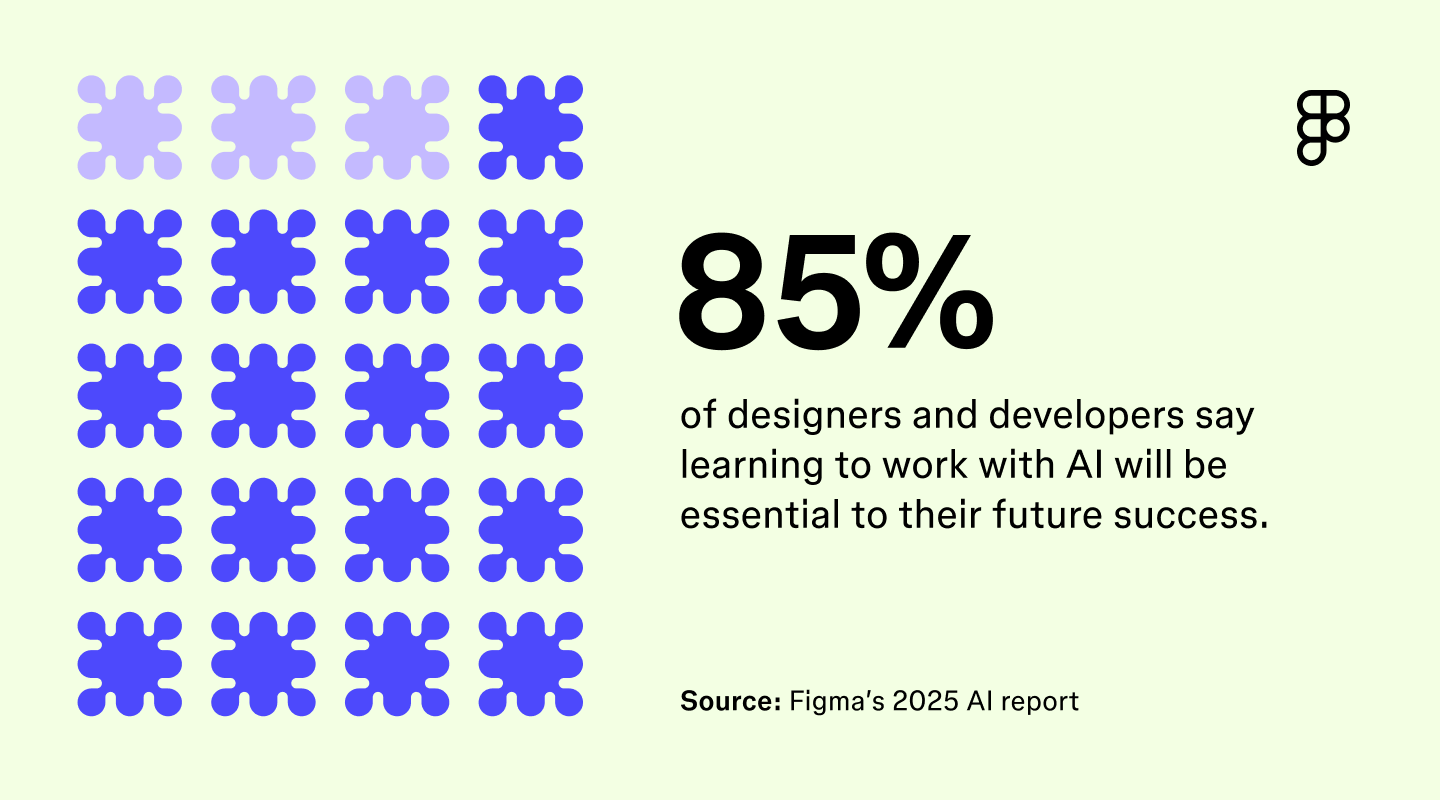
AI isn’t the shiny new thing anymore—it’s part of our everyday design work, sometimes without noticing. As this technology becomes more accessible, AI in design is shaping how teams test ideas and refine concepts. In Figma’s 2025 AI report, 85% of designers and developers said learning to work with AI will be essential to their future success.
So what does that actually look like today? And how can design teams use AI without losing creative control?
Read on to learn:
- What AI in design means today and why it matters for designers
- Key applications and real-world examples of AI in action
- The benefits, challenges, and future trends shaping the field
What AI in design means today
AI in design means using intelligent technology to help with or automate parts of the creative process. It’s showing up across user experience (UX), user interface (UI), product design, and graphic design. In UX design and product teams, AI can suggest interface layouts that improve usability or generate variations to test with users. In graphic design, AI can speed up asset creation or generate visual directions that align with brand rules.
Design teams everywhere are increasingly integrating AI directly into their workflows, whether through built-in platform features or standalone tools. With AI handling routine tasks and generating options instantly, designers can move through exploration, iteration, and collaboration faster than ever .
Why designers should care
AI is making designers’ workflows more efficient and less repetitive. In fact, 78% of designers and developers say AI boosts their efficiency.
Tasks like resizing assets, applying brand systems, or generating visual Tasks like resizing assets, applying brand systems, or generating visual variations can now happen in seconds. That opens up more room for teams to think strategically, test ideas faster, and deliver user-centric work that feels thoughtful rather than rushed.
As creative demands grow, combining AI and design also helps teams stay nimble without burning out. Speed is one part of it. But AI also helps free up capacity for exploration, refinement, and team alignment—areas that often get squeezed under tight timelines.
Keep your brand assets consistent and easy to create
Figma Buzz lets you publish reusable templates so teams can quickly produce on-brand social posts, ads, and more—without starting from scratch.
Key applications of AI in design
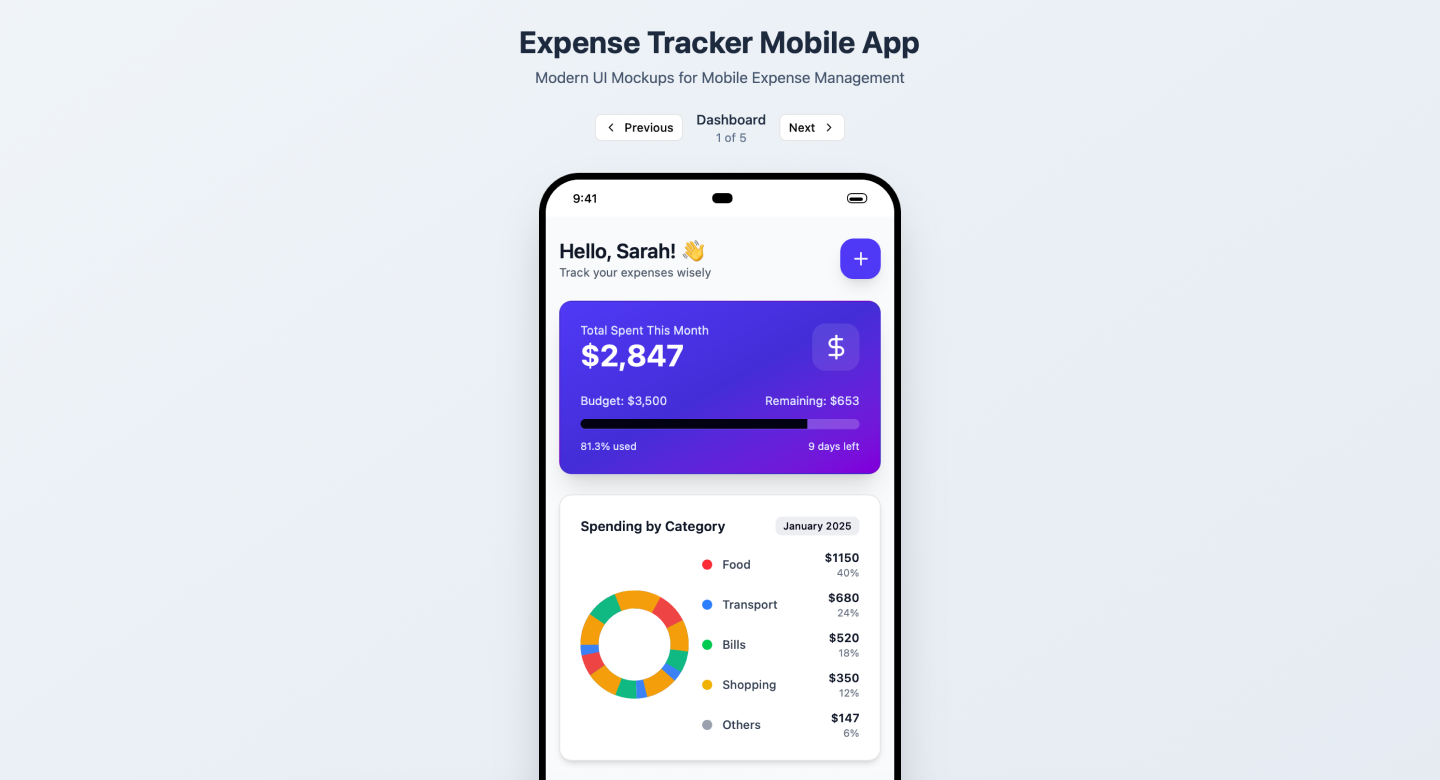
AI is starting to show up in more parts of the design process, especially in tools like Figma AI and Figma Make, which let teams move from idea to interactive prototype, or even from prompt to app, faster. Whether you're refining UX flows or generating branded visuals, AI helps reduce the friction between early exploration and usable output.
Here are some of the most valuable and practical ways designers are putting AI to work:
- Automated layout and templates. Quickly create layouts or pre-built templates while applying a design system with AI to maintain consistency across projects.
- On-demand image and icons. Generate visuals, icons, or illustrations in On-demand image and icons. Generate visuals, icons, or illustrations in seconds, so you can explore ideas without starting from scratch.
- Quick prototyping and wireframing. Turn ideas into interactive layouts quickly, making tasks like website creation more efficient.
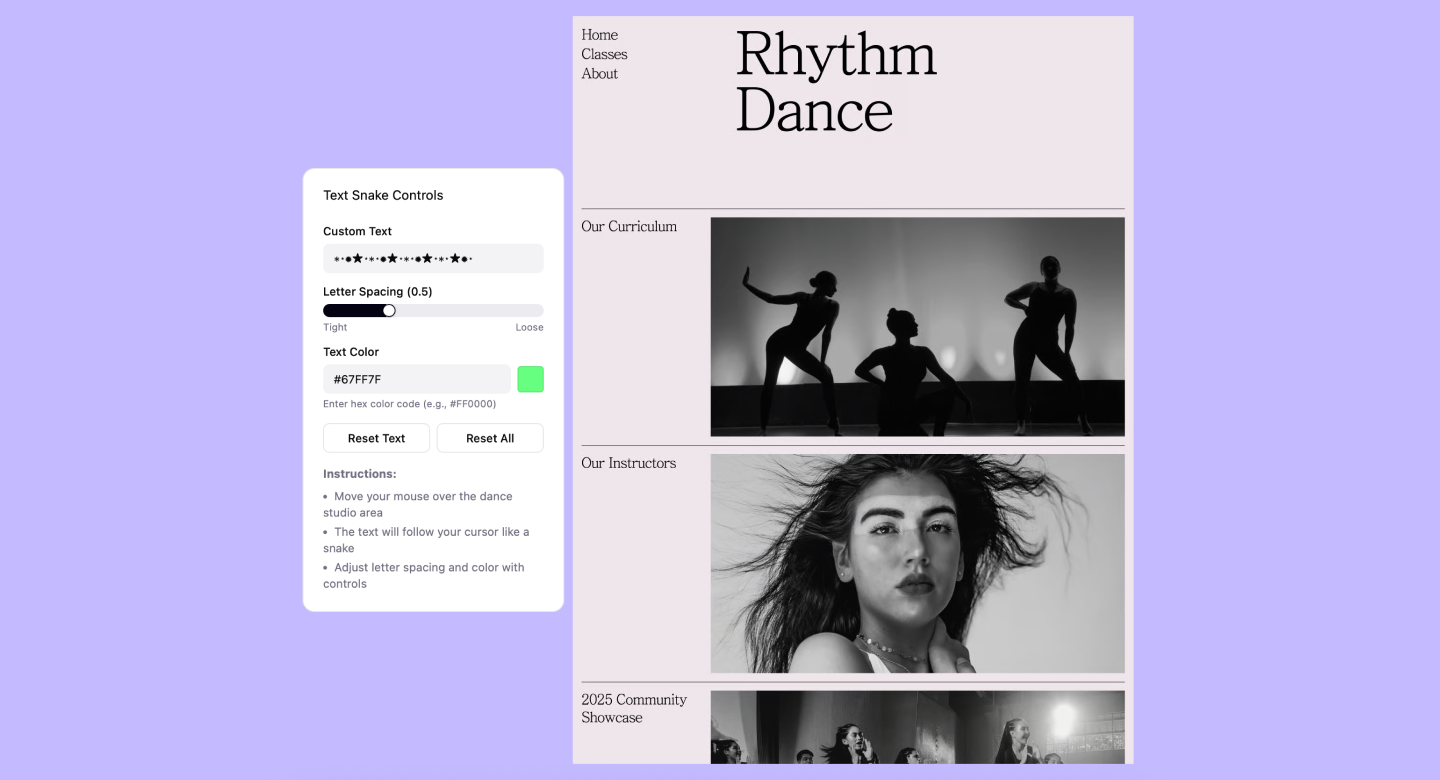
- Creative exploration. Instantly test multiple creative directions, helping teams discover ideas they might not have considered manually.
- Workflow efficiency. Automate repetitive tasks like resizing, updating typography, or applying styles consistently, freeing up time for higher-level design decisions.

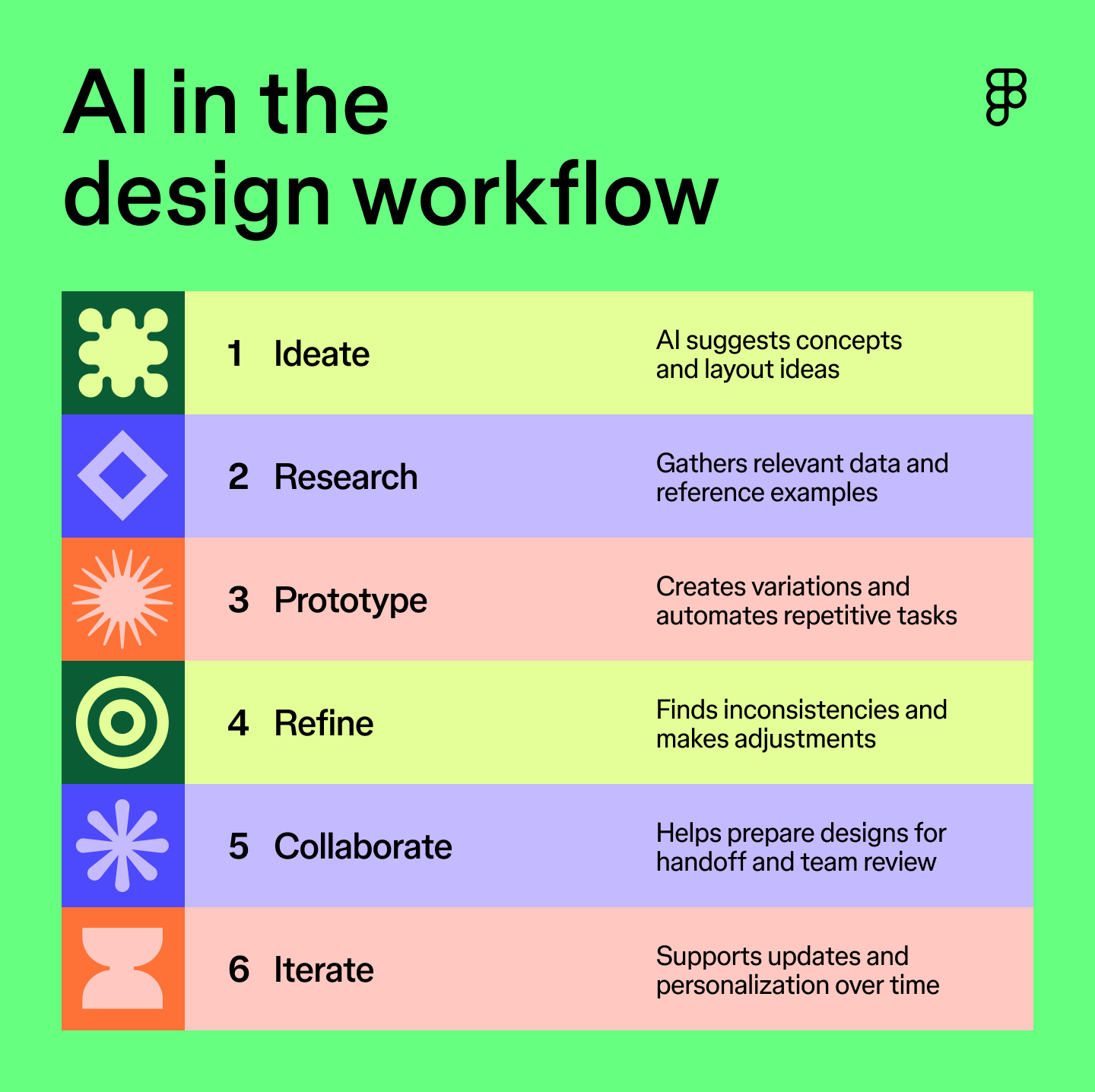
Real-world examples
The shift toward AI-assisted workflows is already happening across studios and teams. Designers are using AI to handle parts of the process that used to take hours, freeing up time for decisions that require human judgment.
Recent data from Figma’s 2025 AI report shows just how widespread this shift has become. In the design phase:
- 33% use AI to generate design assets like images or copy.
- 22% use AI to create first drafts of interfaces or websites.
- 21% use AI to explore different layouts or visual themes.
This reflects a shift in how design work gets done. Instead of waiting for stakeholder feedback or spending hours on versioning, teams can quickly surface multiple viable options, then choose what to refine.


Benefits and challenges of using AI in the design process
AI is helping design teams work faster, test more ideas, and build systems that scale. But like any tool, it comes with some trade-offs. Here are the biggest advantages—and the main things to watch for.
Benefits:
- Faster execution. AI automates time-consuming tasks like resizing assets, updating layouts, or applying consistent styles
- More ideas, faster. Teams can quickly test multiple visual directions or interface concepts without starting from scratch.
- Accessibility improvements. Certain tools can suggest accessible colors or help adapt content for different user needs, supporting inclusive design practices.
Challenges:
- Creative drift. Relying too heavily on automated suggestions can make design work feel less intentional or lead to derivative outcomes.
- Ethics and accuracy. AI-generated outputs may introduce bias, licensing concerns, or logical inconsistencies that need human oversight.
- Creative ownership. When AI contributes to a design, teams must define who is responsible for final decisions and outcomes.
How is the role of designers evolving with AI?
As AI becomes more common in design workflows, the designer’s role is shifting but not disappearing. While AI handles many of the “how” tasks—generating layouts, creating visuals, and automating routine updates—it still depends on human direction to make decisions that feel inclusive and aligned to user needs.
In Figma’s 2025 AI report, most designers agreed that AI boosts efficiency. But fewer than half felt it makes them better at their jobs, pointing to a key tension: efficiency is useful, but good design in the age of AI still relies on judgment, taste, and context.
AI design tools like Figma Make are designed with that balance in mind, combining AI, design, and development tools into one workspace where teams can test ideas without losing creative control. Protocols like Model Context Protocol (MCP) help surface smarter suggestions into the workflow, but they still require designers to steer.
AI is changing how work gets done. The reasons good design matters haven’t.

How designers use AI without losing craft
Craft lives in the details that an AI model can’t predict. Maintaining your standards means acting as the final quality gate for every file. While AI can suggest a starting point, you’re responsible for the nuances of your design system and the emotional experience of your users.
Becca Ramos, Brand Designer at Figma, says:
Figma Make is awesome for advanced prototyping. I used it to animate buttons with code, so our team could evaluate options at a higher fidelity—interactions that are often impossible to build with standard prototyping.
Whether you’re experimenting with code-based motion or a standard UI, the technical integrity of the file still starts with you. Maintaining those standards requires a proactive approach to how you audit and finish your work.
- Audit the architecture. Review the generated layers to make sure the file matches your team’s technical standards.
- Design for edge cases. Use the time you save to design for the tricky edge cases, like loading states, empty dashboards, or error messages, that AI-generated drafts often skip.
- Add brand personality. Adjust the visual weight and pacing of a generated draft to align with your brand’s voice.
- Clean up for handoff. Use Dev Mode to check that the layer structure and logic are clean enough for a developer to build without guesswork.
Ultimately, your value is the perspective you bring to the canvas. Handing off execution lets you lean deeper into the strategy and empathy that turns a rough draft into a finished product.
Future trends: Where AI is taking design
AI’s role in design is just beginning to take shape. In the near future, we can expect even deeper integration into everyday workflows—tools that don’t just automate tasks, but anticipate what designers need next. From advanced generative AI design capabilities to smarter collaboration features, technology will keep making creative work more adaptive and connected across teams.
One of the most exciting directions is hyper-personalization. Instead of designing for the average user, teams will use AI to create interfaces that respond to individual needs—adjusting layouts, visuals, or messaging based on behavior, location, or accessibility settings.
That changes how designers think about structure, flow, and what it actually means for a product to feel “intuitive.”
None of this replaces the need for a human perspective. As tools get smarter, the teams using them will need to get more intentional. Being curious, experimental, and clear about what AI is solving for will define which ideas move forward—and why.

Embrace the future of design with Figma
AI in design is becoming a natural part of how teams work, changing the way creativity and human judgment come together to shape products and experiences. The key is knowing how to use it without losing sight of what makes good design meaningful.
If you’re looking to start experimenting, Figma makes it easy:
- Use Figma AI to generate visuals, automate routine tasks, and speed up your workflow.
- With Figma Make, you can turn ideas into interactive prototypes quickly, while keeping your design system and components consistent.
- Use our AI design generator tool to create layouts, icons, and other design assets on demand, helping you explore creative directions faster.
Ready to experiment with AI in your designs?
Figma Make brings AI-powered design, prototyping, and development together so you can move ideas from concept to product faster.

12 design system examples to help you build your own
Explore 12 inspiring design system examples from top companies and the Figma Community. See how teams build consistency, scale, and collaborate effectively.

Mobile website design: 10 inspiring examples + best practices
From bold CTAs to clean UI, these 10 mobile website design examples and best practices will help you design for smaller screens with confidence.