5 of the best AI product design tools for 2026
Share 5 of the best AI product design tools for 2026
Explore more from
Building with AI

Switching between five apps just to get a single concept into prototyping gets old fast. So does digging through a dozen tabs to find that user insight you found yesterday.
A connected AI product design workflow can change that. When your research flows into design and design flows into development, you spend less time wrestling with file exports and more time solving real problems.
You can make use of these tools to produce good design in the age of AI without compromising creative standards.
This guide covers five of the best tools that’ll help you build a faster, smarter, and more connected workflow, from AI wireframes to working prototypes.
Read on to learn:
- Which AI tools work best for different phases of product design
- The strengths and limitations of each tool
- Key features of AI product design
| AI tool | Ideal for | Key features |
|---|---|---|
| Figma Design | Collaborative UI/UX and design systems | Vector design, prototyping, and AI automation |
| Figma Make | Rapid prototyping and concept validation | Prompt-to-code generation interactive UI, and code export |
| Relume | Marketing websites and rapid wireframing | AI-generated sitemaps and wireframes from prompts |
| Midjourney | Concepting and mood boarding | High-fidelity text-to-image generation |
1. Figma Design

Ideal for: End-to-end product design
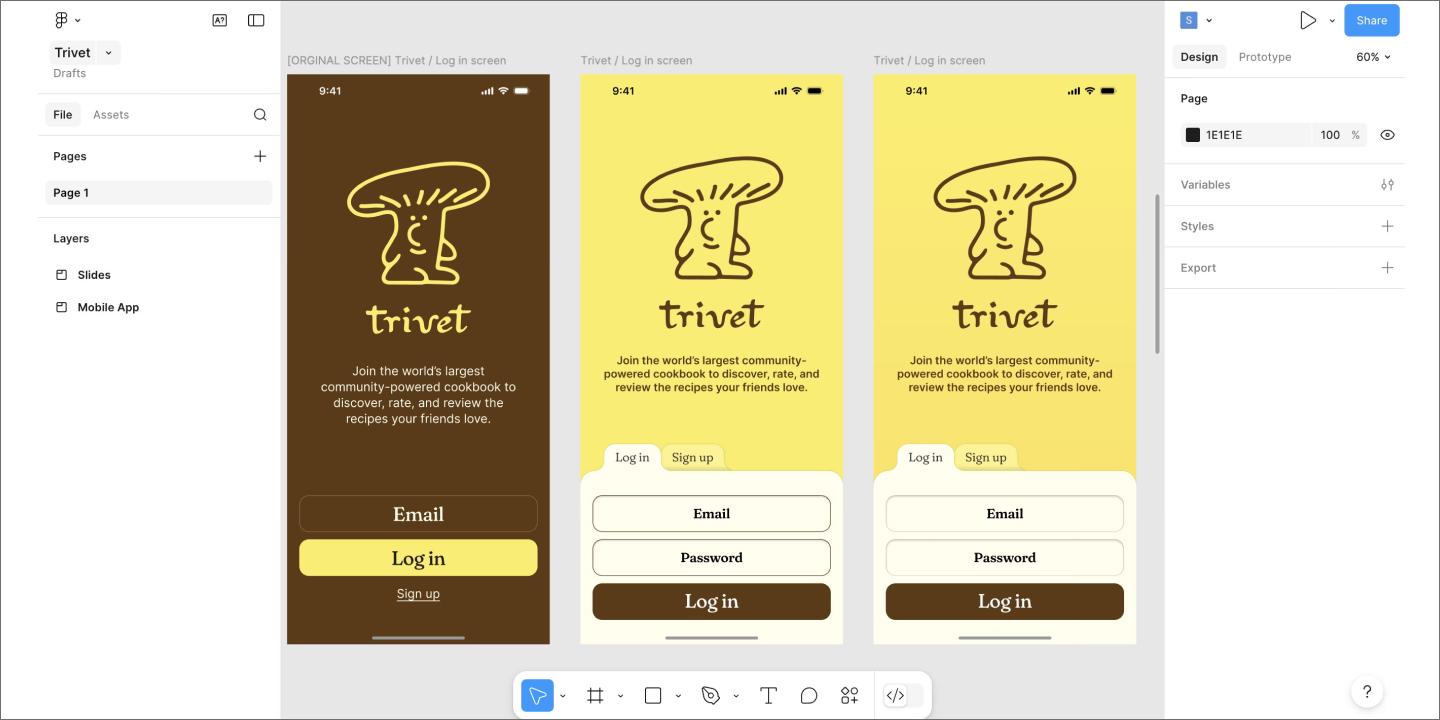
Figma Design handles everything from rough sketches to polished prototypes in one place. The whole team can work in the same file at the same time, eliminating the need for constant exports or confusing version histories.
The platform’s AI generates editable UI layouts from text prompts, renames layers automatically, and populates designs with realistic placeholder data. Instead of staring at a blank canvas, you can start with something concrete and iterate from there.
Since it’s browser-based, anyone can jump into Figma Design to give feedback. Developers grab CSS snippets directly via Dev Mode, while stakeholders leave comments in real time. For teams building an AI-connected workflow, Figma Design is one of the most versatile and approachable solutions.
Key features
- Integrated AI image editing for simple visual tweaks
- AI-powered first draft from text prompts
- Smart automation, such as layer renaming through AI
- Live multi-person collaboration
- AI-suggested transitions to turn designs into interactive flows
AI-assisted product design: One collaborative environment
Figma connects strategy to execution—your team can plan, design, and ship in one connected workflow.
2. Figma Make

Ideal for: Prompt-to-code prototyping
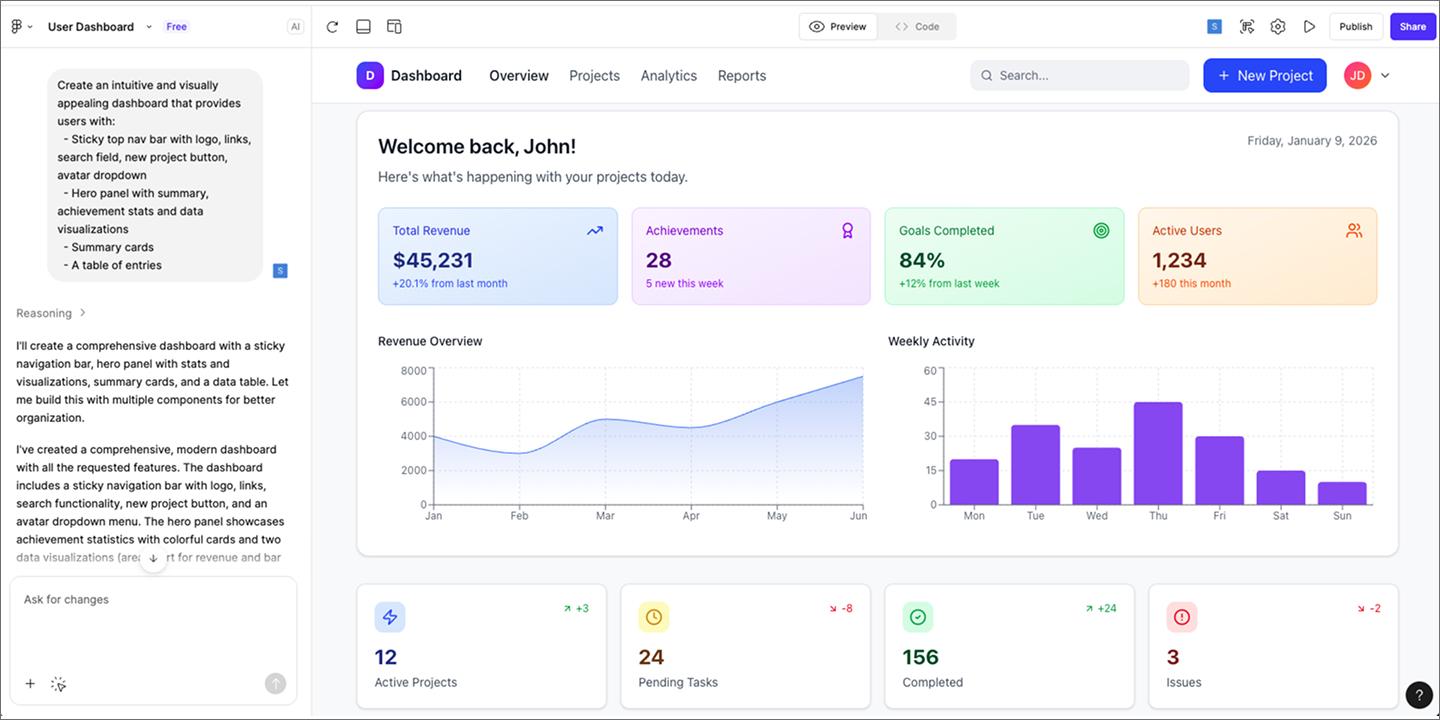
Figma Make quickly turns rough ideas into working prototypes fast. It’s specifically made for that early and messy phase of product design or design research, when you just need to see something on the screen to figure out if it’s worth pursuing.
With the text-to-design feature, you can type a prompt and get a series of editable screens, including layouts, images, and placeholder text. If you want to tweak the UI or rewrite copy, just ask the AI what to change.Instead of building from scratch, you can steer what’s already there.
Figma Make is great for product managers, founders, and designers. Because it works from natural language prompts, it empowers anyone with an idea to bring it to life. And since it lives within the Figma ecosystem, you can move your AI-generated drafts directly into Figma Design when you’re ready to refine details and prep for development.
Key features
- Prompt-to-app generation to quickly ideate from written prompts
- Point and edit—click on the element you want to change and tell AI what you need
- Attach your existing Figma Design files as part of the prompts to add context
- Fast, interactive prototyping with working previews for easy demos
Ready to build faster?
Figma Make turns your text prompts into working prototypes in minutes.
3. Relume

Ideal for: Site architecture
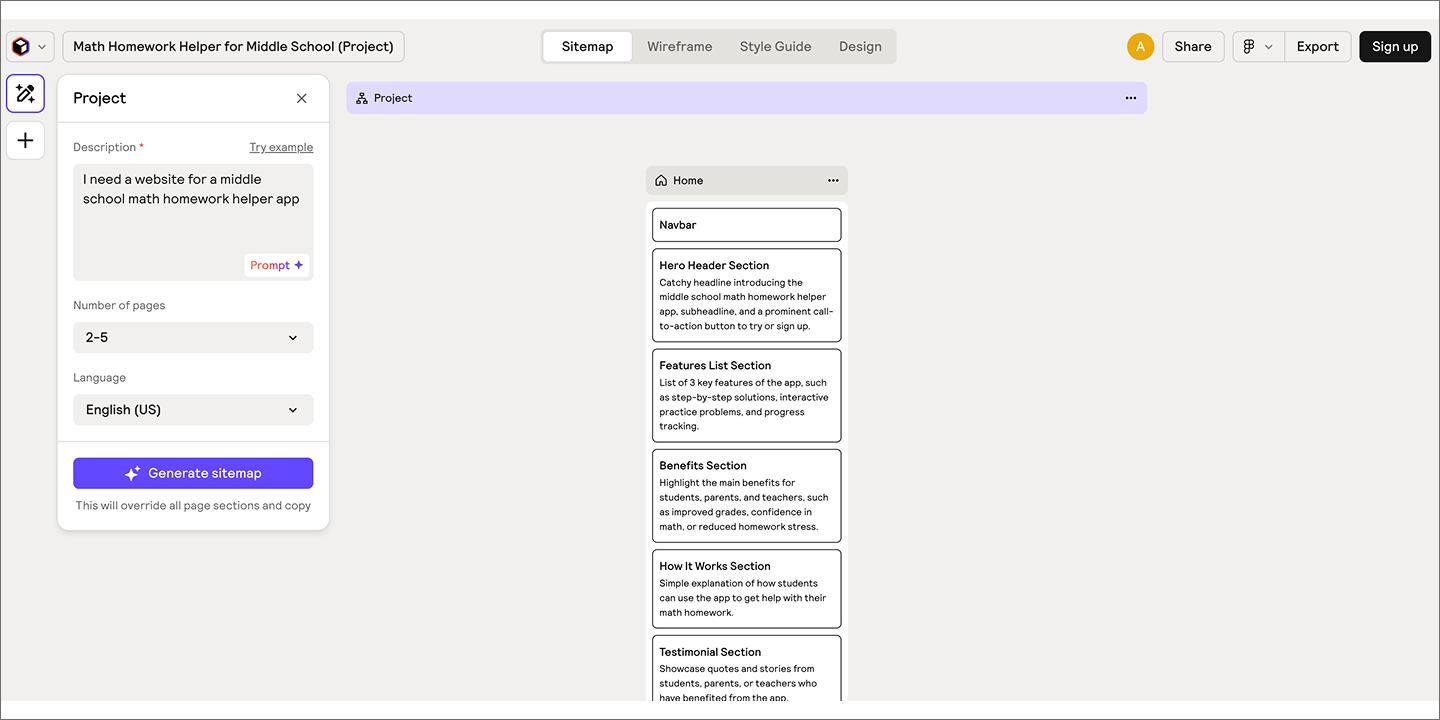
Relume focuses on the foundational structure of a website: sitemaps and wireframes. It’s designed for the earliest phase of product and marketing site creation, when teams need to agree on information hierarchy before investing in visual polish.
Using a simple text prompt, Relume generates a complete sitemap that maps pages, sections, and content blocks. That structure can then be converted into low-fidelity wireframes, giving teams a shared starting point for layout and user flow. One standout for your AI product design stack is its “export to Figma” feature. With a single click, you can export your wireframes directly to Figma as fully editable layers.
While it’s best suited for standard web layouts rather than experimental interfaces, it serves as a powerful accelerator for teams that need to ship clean, effective marketing quickly.
Key features
- AI sitemap and wireframe builder to generate site structure and low-fidelity wireframes
- Large library of reusable, pre-built components
- Collaborative workspace for teams to iterate together
- Seamless export of wireframes to Figma
4. Visily

Ideal for: Ideation and wireframing
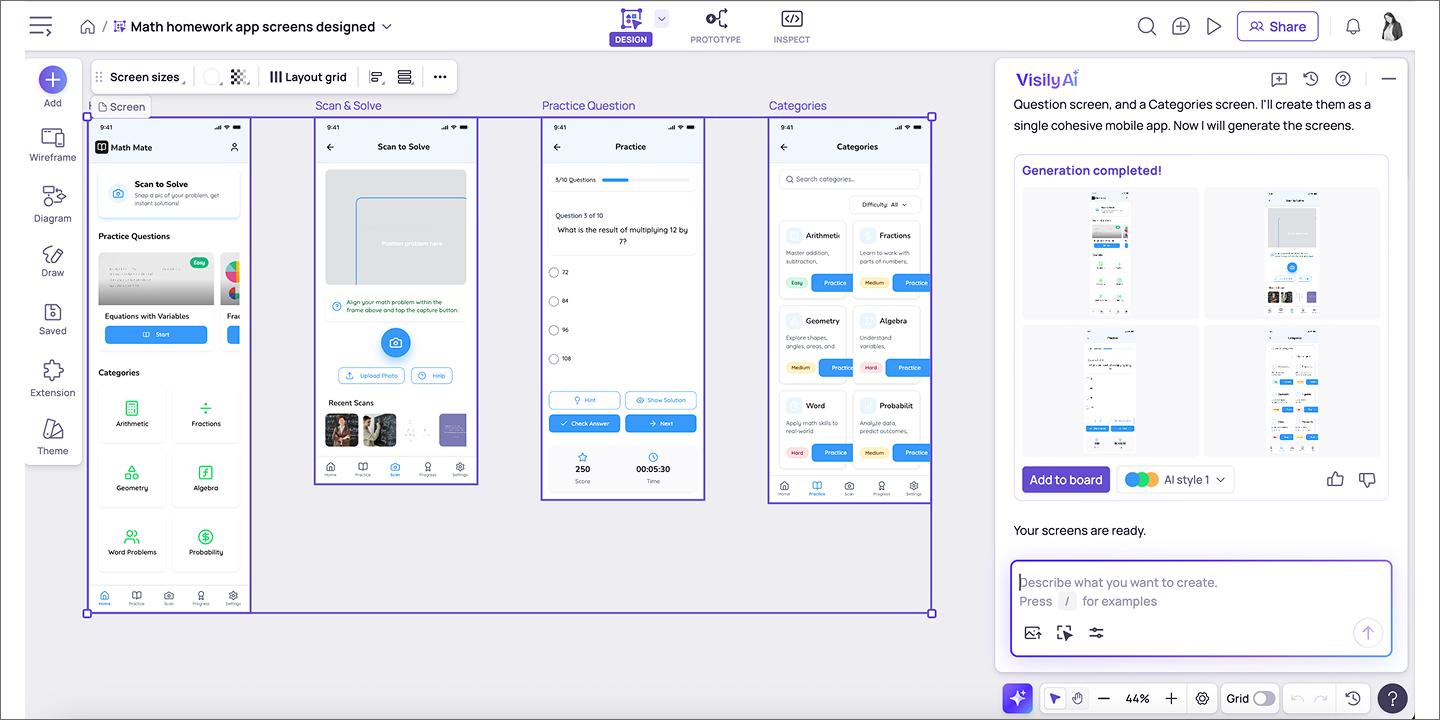
Visily is designed for fast ideation and low-fidelity wireframing, especially for teams that need to move quickly without deep design tooling. It prioritizes speed and accessibility over advanced vector control, making it easy for non-designers to create functional mockups in a few clicks.
In addition to text prompts, its multi-modal AI approach supports features like“Screenshot to Design” that instantly converts existing app screenshots into editable wireframes. A sketch recognition tool also transforms hand-drawn lines into clean UI components. These features help reduce manual recreation and allow teams to focus on validating user flows rather than rebuilding screens from scratch.
Visily works best as an early-stage tool for exploration and alignment. While it’s not intended for high-fidelity interface design, it can be a useful bridge between rough ideas and more detailed production work.
Key features
- Turn screenshots or hand-drawn doodles into designs
- Screenshot and sketch-to-wireframe conversion
- Template and theming tools for rapid iteration
- Export to Figma for continued design work
5. Midjourney

Ideal for: Visual exploration
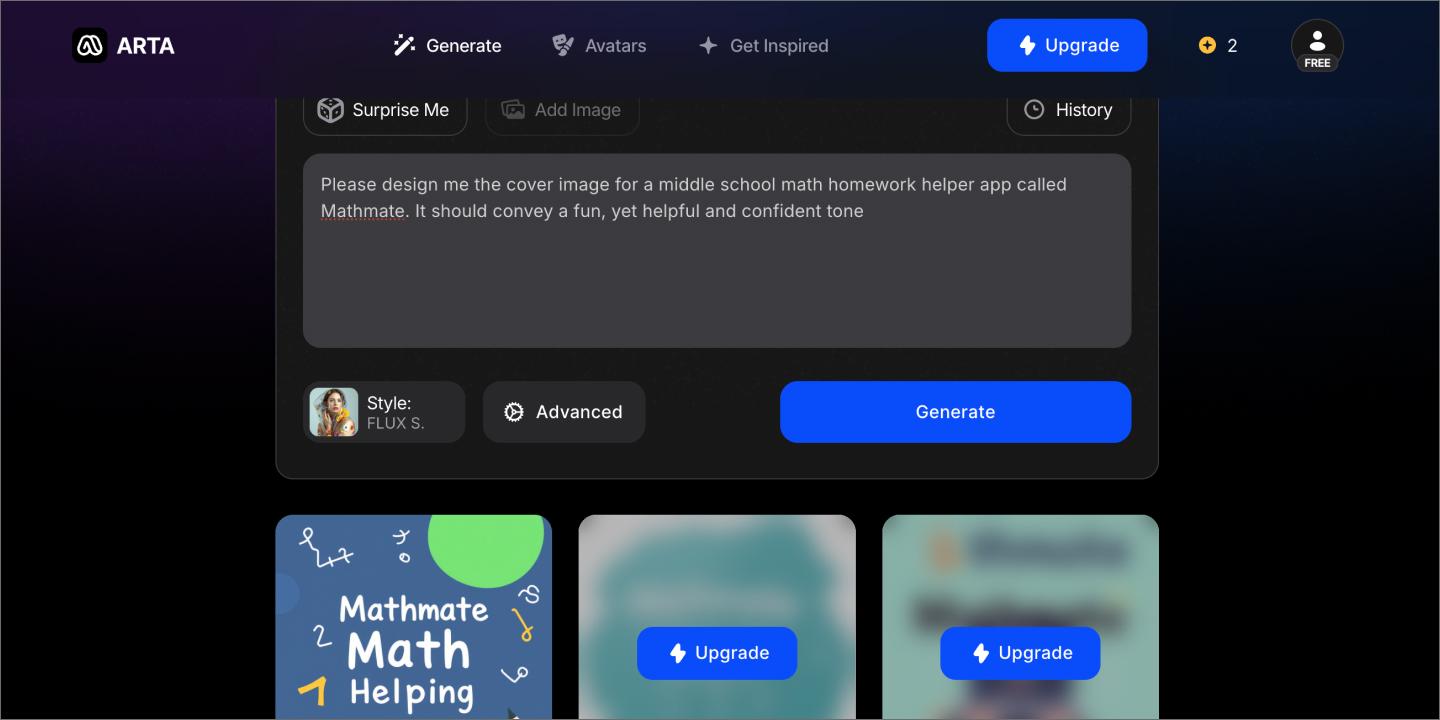
Teams use Midjourney to generate images from text prompts during the early stages of visual exploration. It’s often used to explore styles, themes, and visual directions before moving into detailed interface or layout design. For product teams, it acts as a shortcut for creating custom backgrounds, hero illustrations, and concept art.
Because Midjourney outputs static images, it’s well-suited for tasks such as building mood boards, testing visual concepts, or creating illustrative assets. These images can help teams align on look and feel early, especially when visual direction is still being defined.
Midjourney offers control that lets users refine results by adjusting prompts and parameters, as well as tools for editing or extending images. A Web-based interface now complements its original Discord workflow, making it easier to review, organize, and iterate on image outputs.
This tool is a powerhouse for creative leads and UI designers during the early exploration phase. However, it doesn’t produce editable UI elements or design files. Instead, teams typically import selected images into tools like Figma Design, where they can be used as reference or incorporated into functional designs.
Key features
- Image generation from text prompts
- Tools for refining and editing generated images
- Style consistency controls through prompt parameters
- Web-based interface for reviewing outputs
How to build a scalable AI design stack
A streamlined, scalable AI design stack works best when tools are clearly defined and used together. Rather than relying on a single platform to handle every task, teams benefit from combining tools that each support a specific stage of the design process.
When building your stack, keep these principles in mind:
- Choose your central design hub. A primary workspace, such as Figma Design, provides teams with a shared space where ideas, drafts, and feedback can coexist. When assets flow into one system, it’s easier to manage versions, collaborate, and maintain context.
- Use tools for what they do best. Instead of looking for one tool that does everything to an average level, pick best-in-class tools for specific tasks. A specialized stack allows you to leverage the most powerful AI models for each stage of the product journey.
- Build in regular review points. AI can help teams move quickly, but drafts still benefit from human review, discussion, and feedback. Simple review loops help ensure work stays aligned with user needs and project goals.
- Account for security and data handling. As you integrate AI, make sure your tools meet your organization’s data privacy standards and ethical guidelines. Building a stack on platforms that respect intellectual property and offer enterprise-grade security is essential for scaling across large or regulated teams.
- Invest in the new designer’s role and skillsets. The most successful stacks are backed by designers who know how to edit as well as they create. Shift your team’s focus toward AI literacy, prompt engineering, and systems thinking to ensure they’re driving the tools rather than the other way around.
Unite your product design workflow with Figma
The right AI product design tools can help design teams streamline their workflows and produce high-quality output.
Ready to see what your team can build when AI handles the busywork? Whether you’re sketching your first concept or shipping your hundredth feature, Figma tools keep the creative momentum flowing in a collaborative workspace.
Here’s how you can get started with AI product design:
- Create fast prompt-to-code prototypes with Figma Make.
- Or start from scratch with end-to-end product design and AI assistance in Figma Design.
- To streamline the pre-work of visualizing and brainstorming, try FigJam AI.
Ready to streamline product design with AI?
Figma Design is an end-to-end tool that helps you rapidly iterate through the entire design process.
Keep reading


How to use AI to create a website
Learn how to use AI to create a website from start to finish. Discover tools, tips, and strategies to design, build, and launch your site faster than ever.

How to use AI for product design
Learn how to use AI for product design in seven different ways. Turn your ideas into working prototypes faster with prompt-based design and collaborative creativity.