AI for product managers: 13 top tools + practical tips
Share AI for product managers: 13 top tools + practical tips
Explore more from
Building with AI


Product management often involves as much administrative overhead as it does actual product strategy. Between the manual work of drafting routine status updates, auditing requirements for logic gaps, and formatting specs, it’s easy for high-level thinking to get pushed to the margins of your calendar.
AI for product managers helps restore that balance. These tools handle repetitive work, freeing you to focus on solving complex user problems.
Read on to learn:
- The benefits of integrating AI in your product management lifecycle
- 13 tools to automate discovery and documentation
- Practical tips to build a more efficient AI-powered workflow
How AI improves the product management lifecycle
AI product management tools help you turn scattered inputs into clear next steps. Here’s how AI streamlines each stage of the product design lifecycle:
- Discovery and research. Synthesize interviews and support tickets to surface themes instantly, keeping you grounded in user needs.
- Strategy. Forecast business impact using historical patterns and user signals. AI clusters feedback to help you build the right roadmap and prioritize features with confidence.
- Data analysis. Find correlations with simple language rather than complex database queries. Plain-English explanations help you shape a clearer narrative.
- Execution. Draft product requirements documents (PRDs) and user stories from prompts. Automating backlog grooming and summaries means less time on updates and more on decisions.
13 of the best AI tools for product managers
Product teams need a stack of tools that connects discovery to delivery. Below are 13 AI tools for product managers that help you maintain momentum from initial idea to launch.
| Tool | Ideal for | Key features |
|---|---|---|
| Figma Make | Rapid prototyping and stakeholder alignment | Prompt-to-prototype generation, instant iterations, and design system sync |
| ChatGPT | Brainstorming and drafting | Side-by-side editing, custom GPTs, and advanced data analysis |
| Productboard | Feedback prioritization | AI agent for drafting PRDs, sentiment analysis, and customer insight linking |
| Mixpanel | Natural language analytics | Plain-English data queries, anomaly detection, and automated metric explanations |
| Dovetail | Qualitative research | Magic Transcribe for audio/video and automated thematic clustering of feedback |
| Linear | Streamlining execution | Linear Asks for Slack, sub-issue generation, and automated duplicate detection |
| Fireflies.ai | Meeting documentation | AI-generated meeting summaries, searchable transcripts, and audio soundbites |
| ChatPRD | Requirements and logic | Logic auditor, multi-document context, and brand voice customization |
| Lovable | Functional MVPs | Full-stack scaffolding, GitHub two-way sync, and real-time visual editing |
| Zeda.io | Strategic alignment | Revenue-impact mapping, Opportunity Radar, and automated release notes |
| Motion | Daily scheduling | Intelligent auto-scheduling and predictive alerts for at-risk project milestones |
| Bolt | Functional concept validation | Full-stack browser runtime, npm library integration, and code-level control |
| Vercel | Testing and deployment | v0 generative UI, preview deployments, and in-browser feedback comments |
1. Figma Make

Ideal for: Rapid prototyping and stakeholder alignment
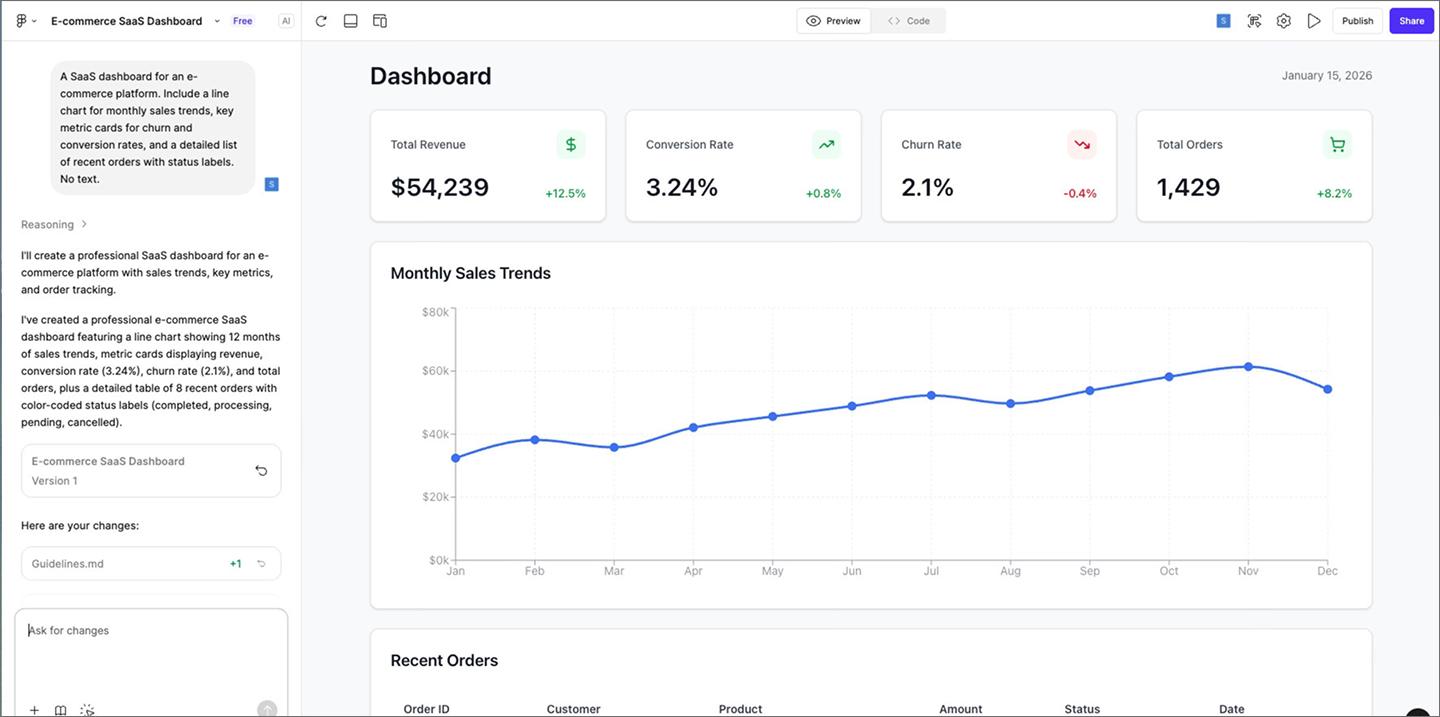
Figma Make helps you move from an abstract concept to a concrete visual in minutes. Using a chat interface, prompt the AI to build and refine high-fidelity prototypes instantly. This helps product managers define the problem space and align with stakeholders before writing a formal requirement.
Visualizing ideas early speeds up your roadmap. You can validate user flows and gather feedback on complex logic without waiting for a developer to build a demo. Having a concrete starting point helps the team spot potential issues sooner, preventing late-stage pivots.
These prototypes are replacing PRDs as a source of truth for the whole team, making engineering estimates more accurate and keeping everyone aligned on the vision.
Key features:
- Prompt-to-prototype. Build functional designs and flows from text.
- Instant iteration. Generate and test multiple versions to find the best solution.
- Interactive logic. Add working buttons and state changes without code.
- Design system sync. Stay on-brand by using your team’s existing components.
- Clearer scoping. Use high-fidelity prototypes to help engineers estimate work.
Go from prompt to prototype in seconds
Figma Make builds initial design layouts for you so you can focus on the product logic.
2. ChatGPT

Ideal for: Brainstorming and drafting documentation
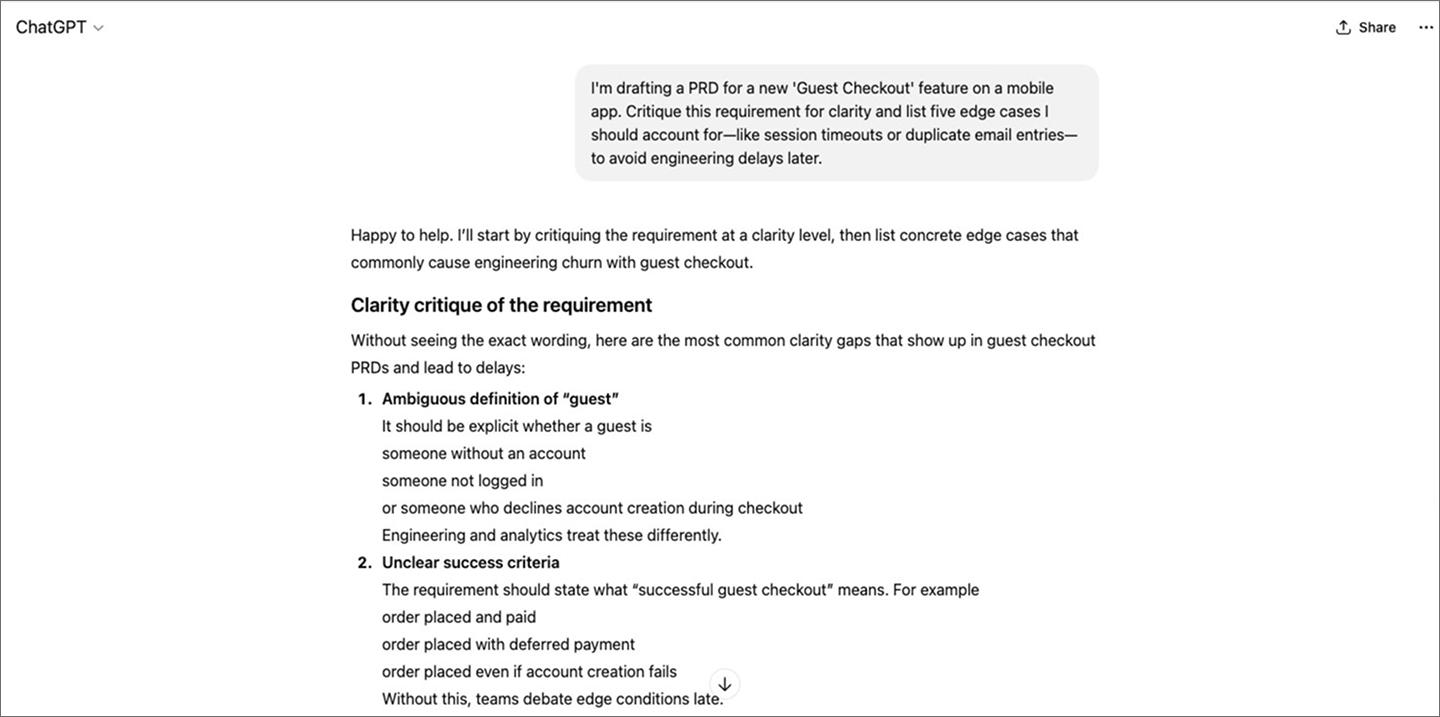
ChatGPT helps you get the first draft down fast, whether that’s brainstorming feature sets, drafting user stories, or summarizing competitor research.
Many product managers use it to sharpen their prioritization. Ask the AI to find gaps or edge cases in your plans to surface risks before they reach development. It can also translate technical data into plain language for stakeholders, making it easier to share with your team.
That said, ChatGPT doesn’t have your company’s internal context or live data. Treat its output as a starting point. You’ll still want a human eye on it before anything ships.
Key features:
- Canvas. A dedicated workspace for side-by-side document editing and refining PRDs in real time.
- Advanced data analysis. Upload spreadsheets to run Python-based analysis, generate charts, and find trends automatically.
- Custom GPTs. Create specialized versions of ChatGPT pre-loaded with your product frameworks or brand guidelines.
- Reasoning models. Switch to thinking modes for complex problem-solving and deep strategic planning.
3. Productboard

Ideal for: Centralizing feedback and prioritization
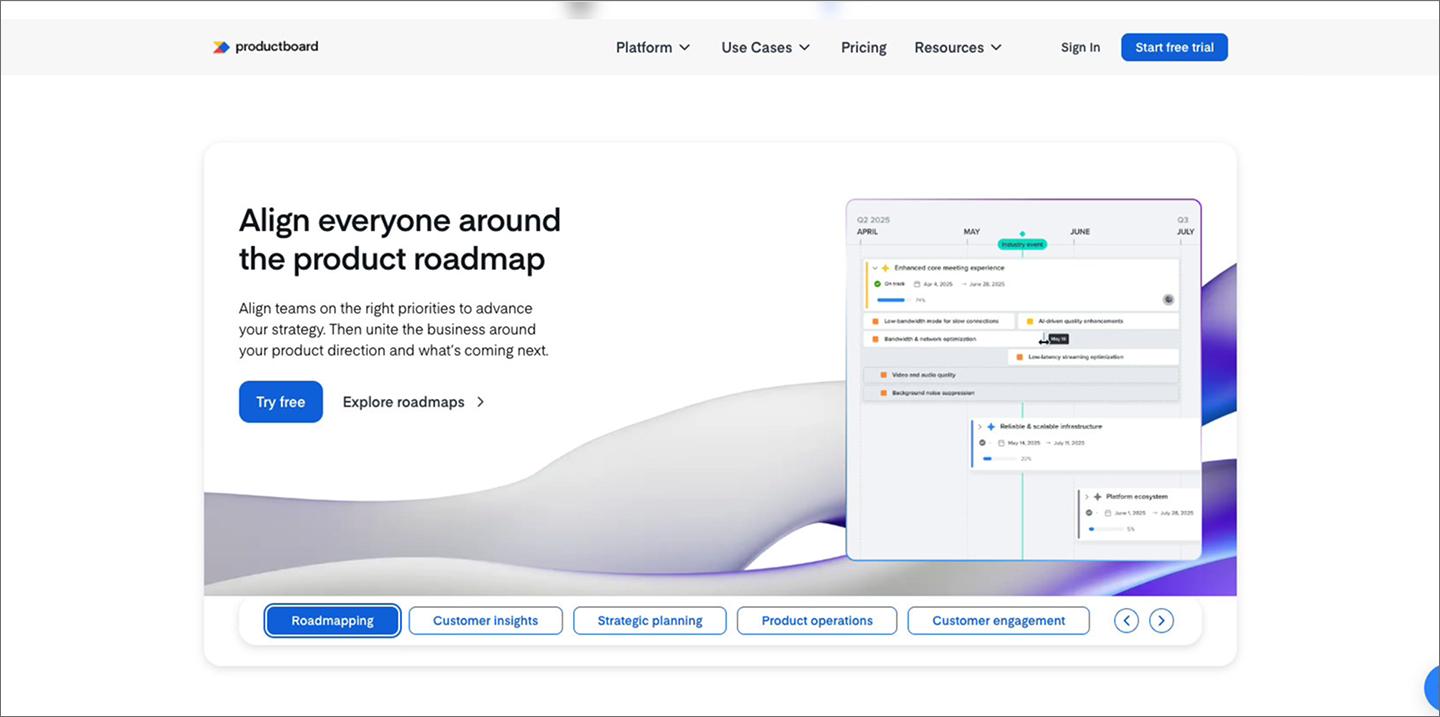
Productboard pulls customer feedback and strategy into one place so teams can prioritize what to build next. Its AI agent, Spark, analyzes signals from Slack, support tickets, and sales calls to surface high-priority user needs. This automatically links insights to your product hierarchy, so every feature request is backed by real feedback.
The platform also drafts context-aware PRDs and briefs using your existing strategy and personas. Predictive scoring helps you forecast a feature’s impact before committing engineering resources.
Because the AI’s effectiveness depends on the quality of your data, it’s most useful for teams with a consistent process for gathering and organizing user feedback.
Key features:
- Productboard Spark. Draft PRDs, user stories, and briefs using your company context.
- Pulse. Identify emerging customer trends and sentiment automatically across feedback.
- Insight linking. Connect user feedback directly to features in your backlog.
- Predictive scoring. Forecast business impact to help prioritize with confidence.
- Multi-source synthesis. Consolidate feedback from channels like Slack and Zendesk into one view.
4. Mixpanel

Ideal for: Natural language data analysis
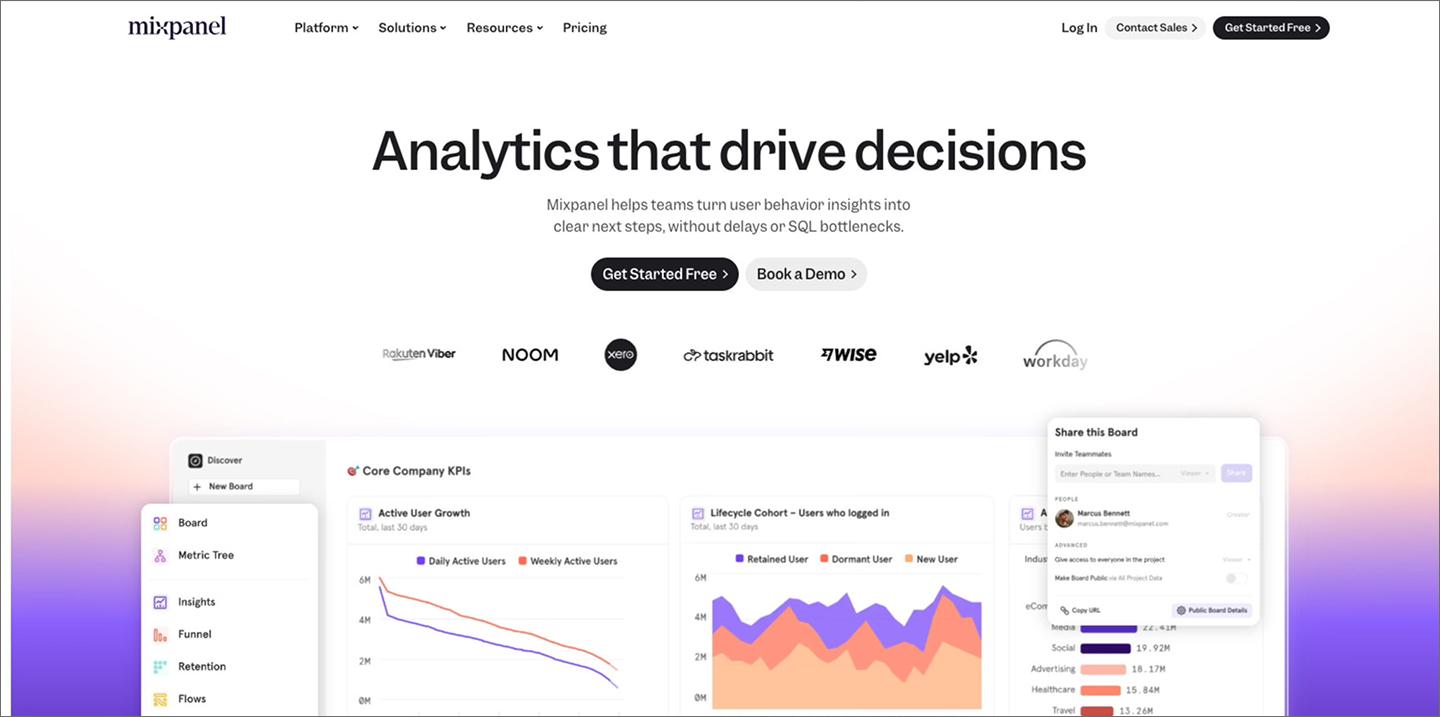
Mixpanel is an event analytics platform that uses AI to simplify data exploration. You can ask questions in plain English to generate funnels, retention charts, and cohorts instantly—no deep menus or write SQL needed.
It also surfaces patterns that are often buried in raw data. Type a follow-up prompt to drill deeper into a segment or ask the AI to explain why a certain metric changed. This makes it easier to build a data-backed case for your roadmap.
Key features:
- Anomaly detection. Receive automatic alerts when metrics experience an unexpected spike or drop.
- Metric explanations. Get summaries of why a trend changed without manual digging.
- Behavioral cohorts. Group users based on their actions to see how updates affect specific segments.
- Custom dashboards. Combine AI-generated reports into one view for easy stakeholder sharing.
5. Dovetail

Ideal for: Synthesizing qualitative user research
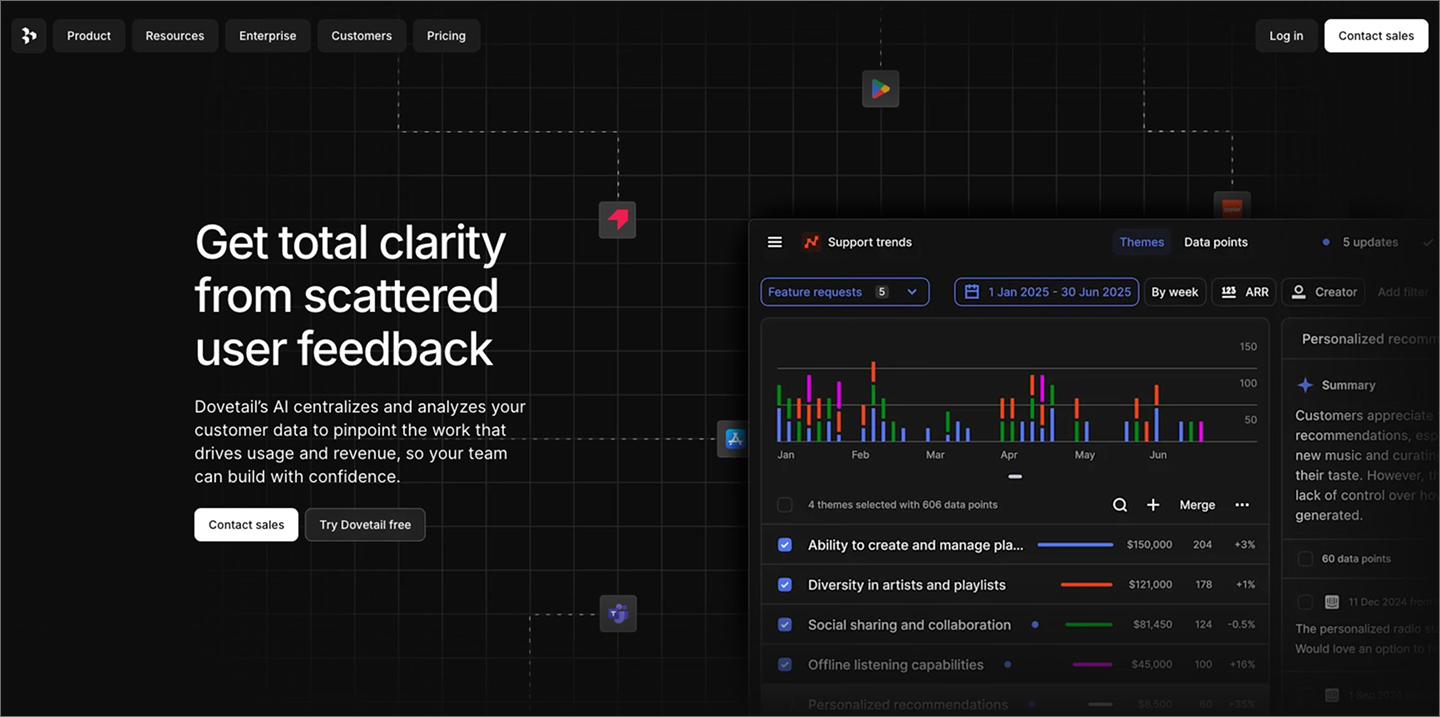
Dovetail is a customer insights platform that helps you visualize patterns by clustering scattered notes into themes. Its Magic AI features automate the manual work of data synthesis, like transcribing recordings and spotting recurring themes across conversations.
The platform helps you visualize patterns by clustering scattered notes into themes. You can also generate video highlight reels to show stakeholders where users are struggling—in their own words. Having that evidence on hand makes it easier to get your team behind a feature.
Key features:
- AI-powered transcription. Turn video and audio recordings into searchable text instantly.
- Magic highlight. Surface the most impactful customer quotes and moments automatically.
- Thematic clustering. Group related feedback on a visual canvas to identify top pain points.
- Semantic search. Ask natural language questions across all your research to find patterns.
6. Linear

Ideal for: Streamlining execution and task management
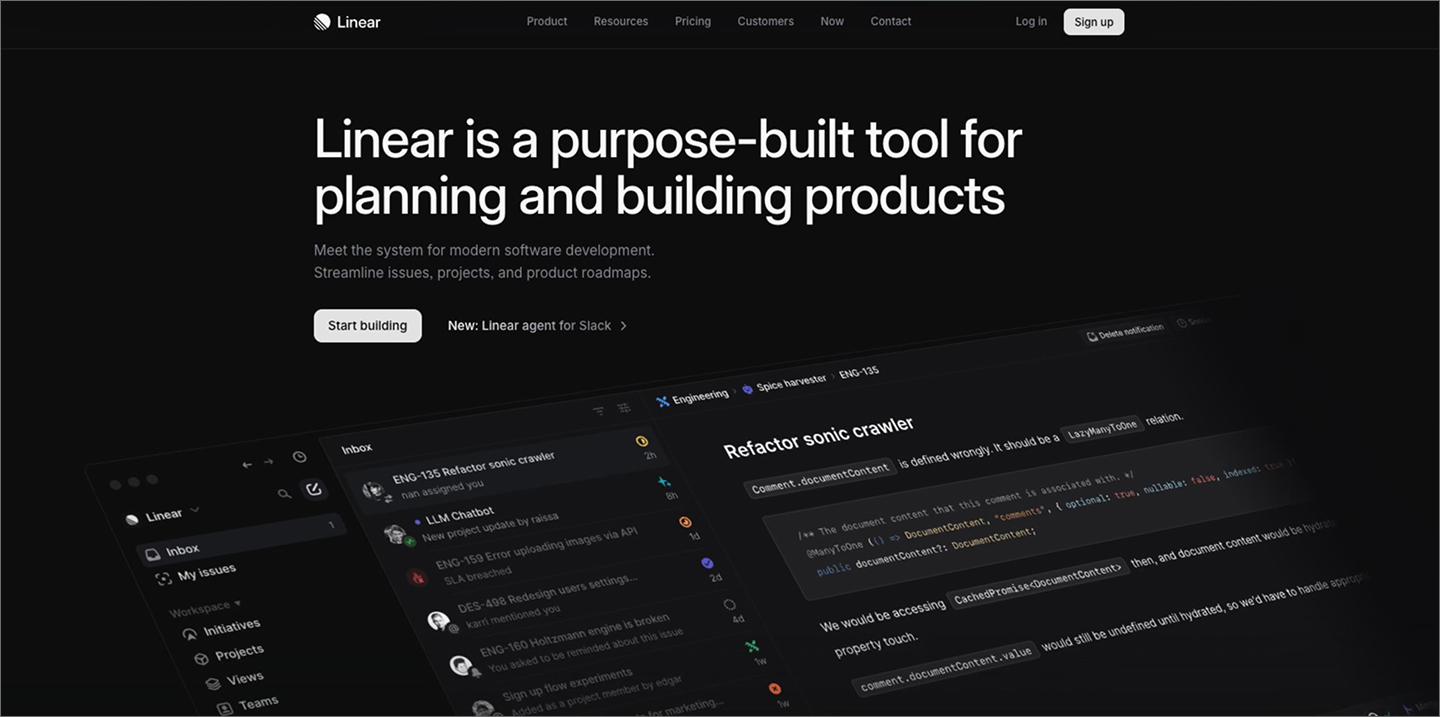
Linear is a project management tool designed to streamline the software development lifecycle. It uses AI to cut the busywork that slows product teams, such as triaging bugs or manually breaking down tasks.
Use Linear Asks to turn Slack requests into actionable issues without leaving your chat. The AI can also draft sub-issues and summarize long comment threads so everyone’s on the same page. Automating these updates keeps your team’s focus on the next milestone rather than the backlog.
Key features:
- Linear Asks. Convert Slack messages into actionable issues without leaving your flow.
- Sub-issue generation. Break down large features into smaller, manageable tasks with one click.
- Similar issue detection. Identify and link duplicate bug reports to keep the backlog clean.
- Auto-triage. Route incoming requests to the right team or project based on priority.
7. Fireflies.ai

Ideal for: Capturing meeting notes and interview evidence
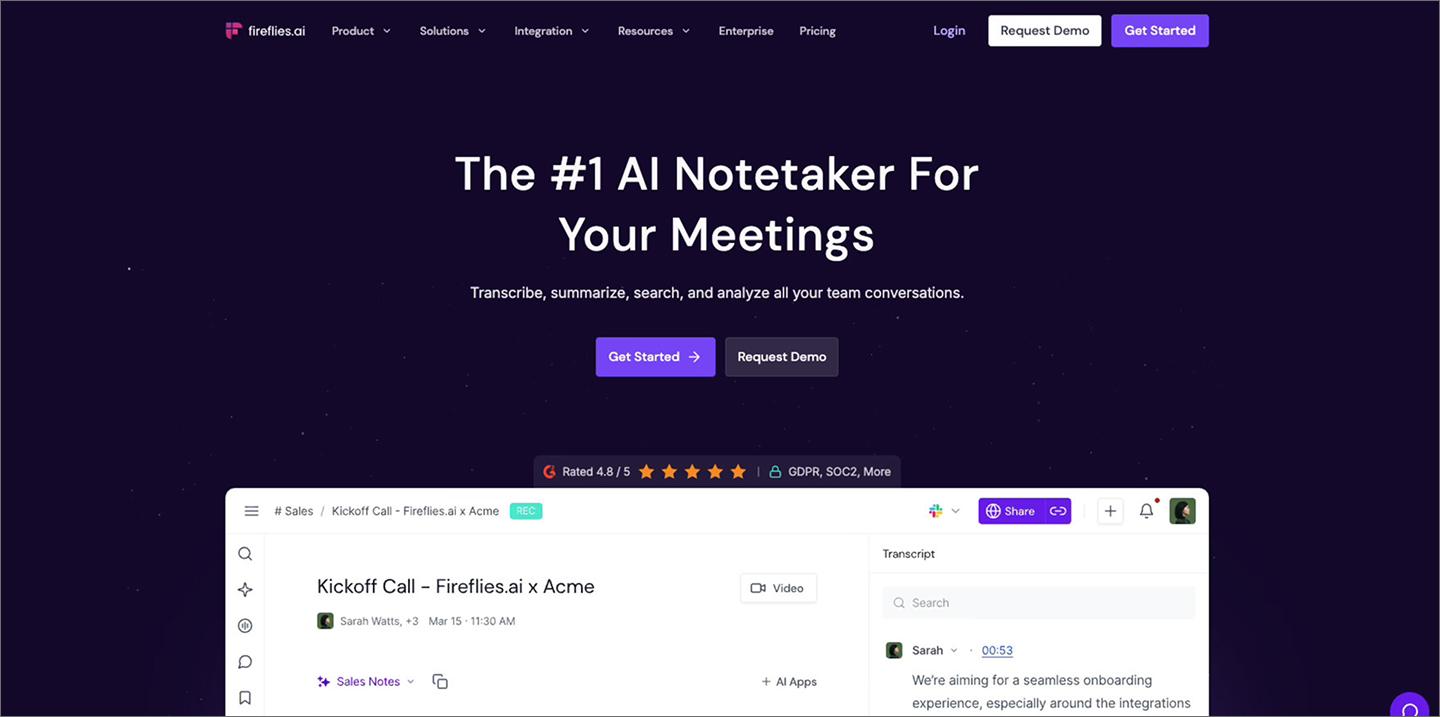
Many product decisions happen in conversations that never make it into a document. Fireflies.ai joins your calls to record and transcribe discussions, turning hours of meeting audio into a searchable knowledge base.
You can search your entire meeting history for keywords like “onboarding” or “friction” to find every relevant mention. The AI also allows you to clip and share audio of customers describing pain points in their own words. Dropping these clips directly into feature briefs provides the context they need to act on the feedback.
Key features:
- AI summaries. Generate a quick overview of any meeting, including action items and next steps.
- AskFred. Ask questions about what happened during a call to find specific details without re-watching.
- Soundbites. Create and share short audio clips of key customer quotes or stakeholder requests.
- Topic Tracker. Follow keywords like “pricing” or “bugs” across all your past recordings.
8. ChatPRD

Ideal for: Drafting structured product documents and auditing product logic
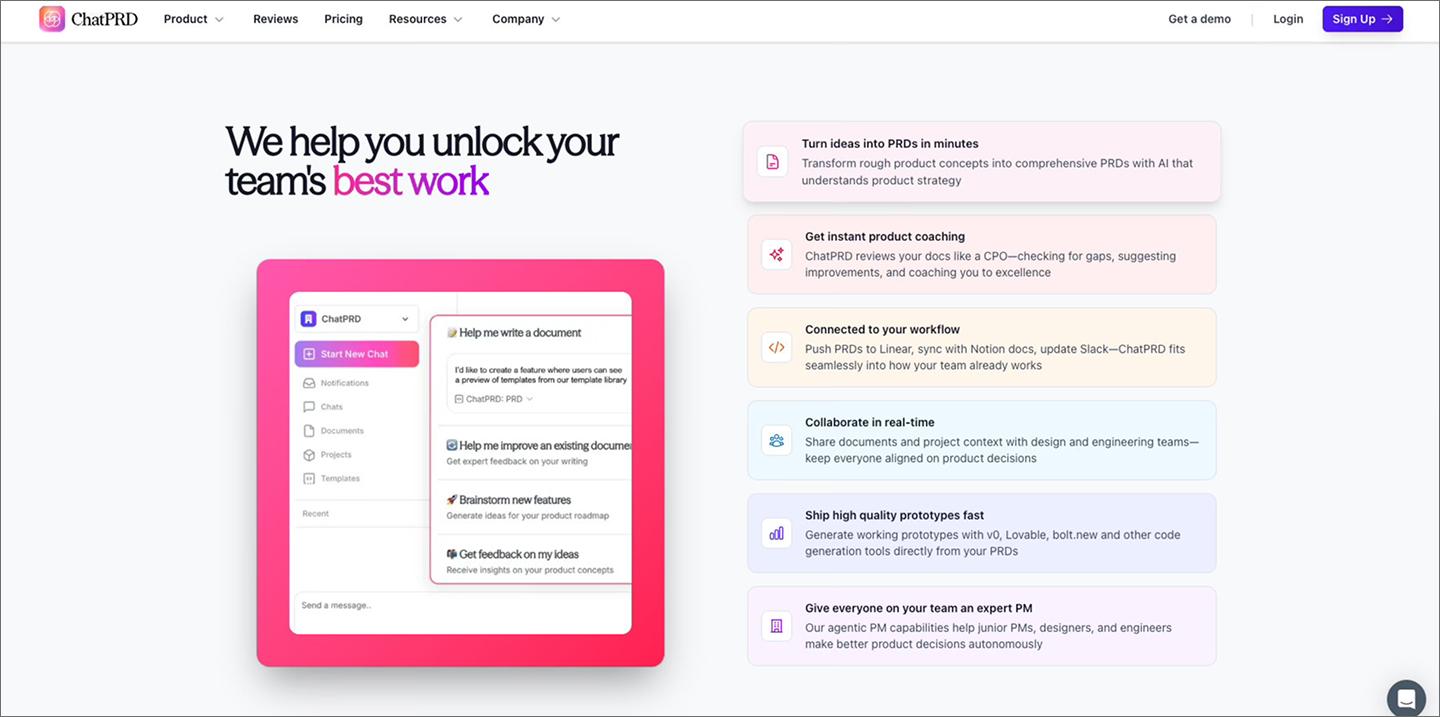
ChatPRD is an AI assistant built specifically for product documentation. Because it’s pre-trained on product management frameworks, it generates structured drafts with minimal prompting.
Use coaching mode to review your existing specs for logic gaps, missing edge cases, or vague requirements. It identifies technical risks before they reach the development team. Once a document is finalized, you can push it directly to your task management tools as structured tickets, so your docs and tickets stay connected.
Key features:
- Logic auditor. Use the “review” command to have the AI scan your document for missing edge cases, technical constraints, or vague requirements.
- Multi-document context. Upload previous strategy documents and research notes so the AI can reference your existing product history when drafting new specs.
- Integrations. Export finished requirements as structured tasks directly to your project management tools or shared document workspaces.
- Brand voice customization. Set style guidelines so every AI-generated document sounds like it was written by your team.
9. Lovable

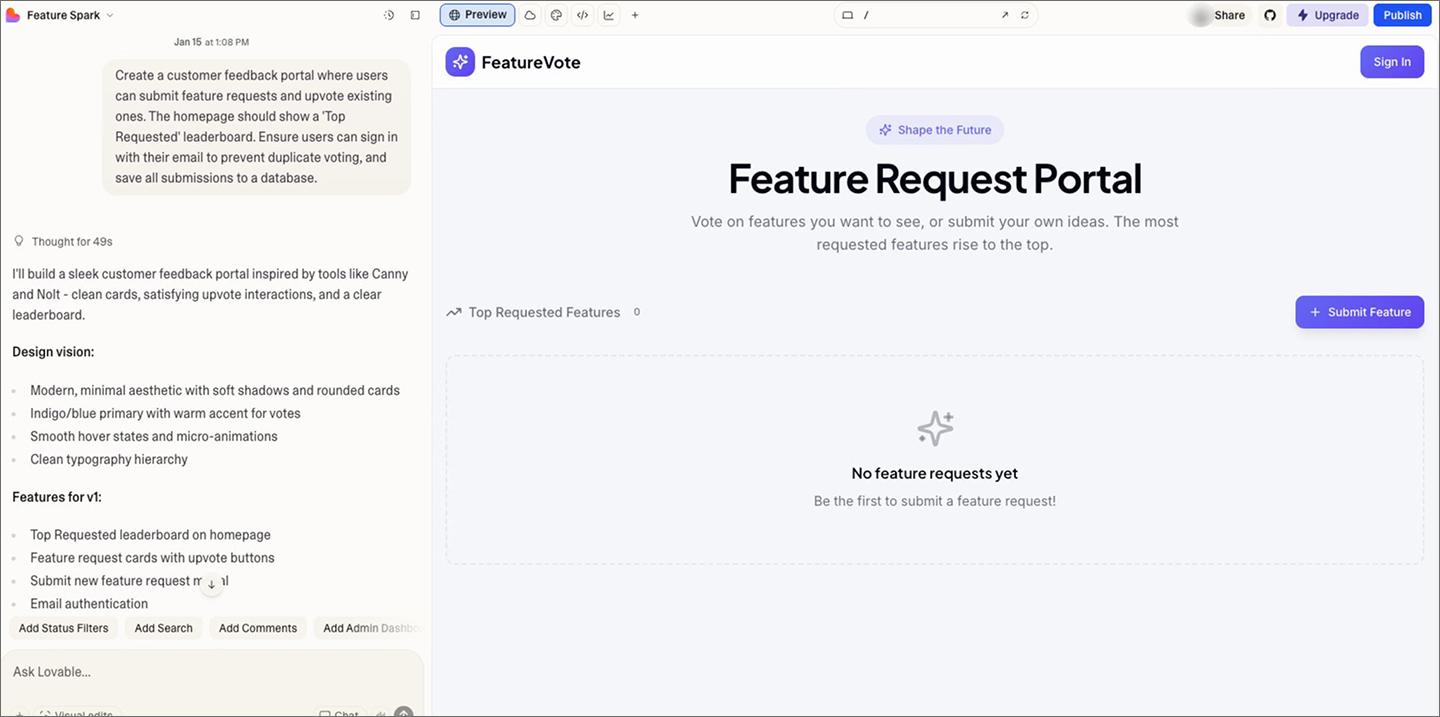
Ideal for: Building functional MVPs and internal tools
Lovable is a prompt-based development tool that generates production-ready applications from natural language, including back-end databases, front-end logic, and user authentication. You can move from a concept to a live URL that handles real data and user accounts in minutes.
Product managers use it to build minimum viable products (MVPs) and internal tools without waiting for an engineering cycle. This is especially useful for validating complex flows, like a checkout process or a data dashboard, where a static mockup won’t cut it.
Key features:
- Full-stack scaffolding. Automatically generate the front-end UI design, back-end database tables, and user authentication logic in one go.
- GitHub two-way sync. Connect your project to a repository so you can track changes and hand off the code to developers seamlessly.
- Visual editor. Tweak layouts and styles by clicking on elements or using a chat agent to describe UI changes in real time.
- Knowledge files. Upload documentation or brand guidelines to ensure the AI follows your technical constraints and design standards.
10. Zeda.io

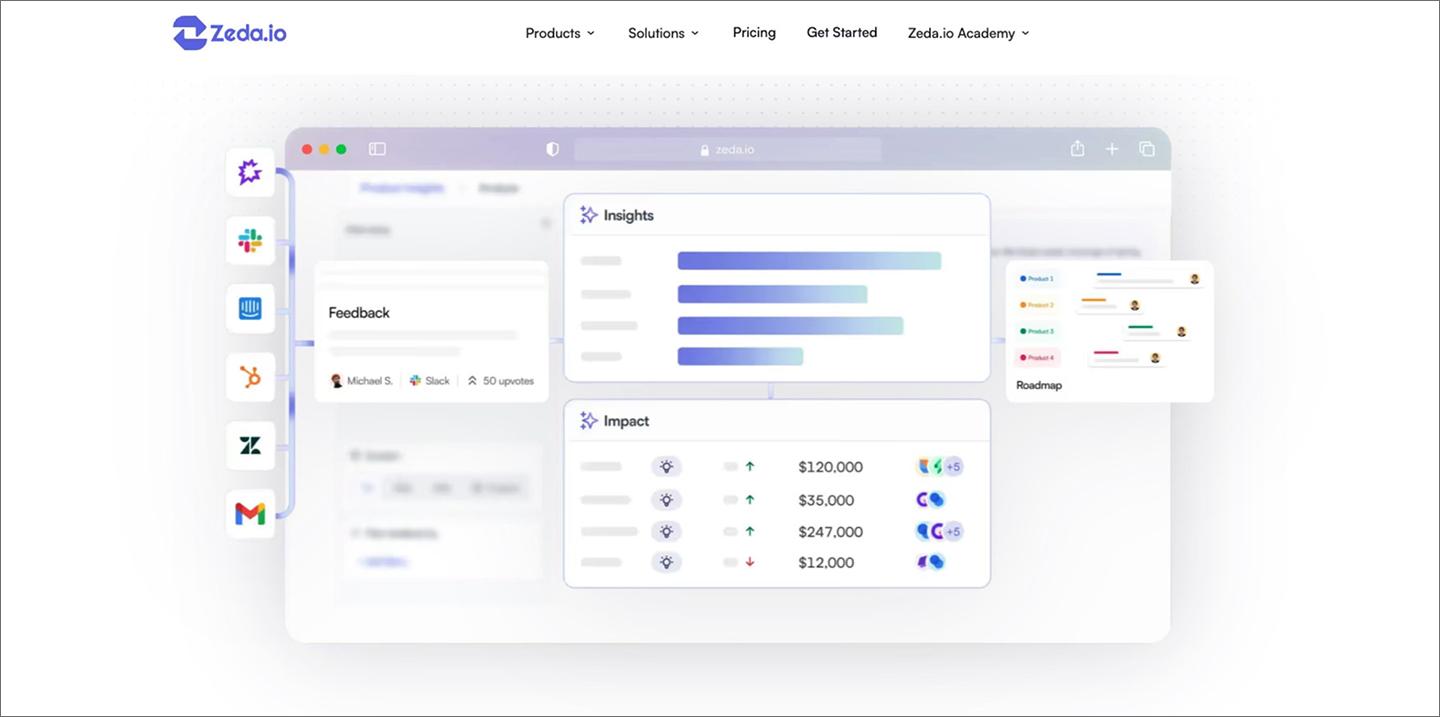
Ideal for: Aligning product strategy with customer revenue
Zeda.io is a product discovery and strategy platform that ties customer feedback to business outcomes. It pulls data from sources like Slack, sales calls, and support tickets into one prioritized view. The AI automatically categorizes these messages into product areas and identifies recurring patterns.
The Opportunity Radar highlights which requests are coming from high-value customer segments or accounts at risk of churn. Mapping the financial impact of every feature helps you build a roadmap that’s grounded in real numbers.
Key features:
- Revenue-impact mapping. Link feature requests to customer account value from your CRM to see the financial weight of every roadmap item.
- Opportunity Radar. Identify high-value requests and at-risk accounts in real time based on incoming feedback patterns.
- Automated release notes. Use AI to draft and send personalized updates to the users who requested a feature once it ships.
- Customer signal synthesis. Automatically group feedback from Slack, sales calls, and support tickets into product areas to identify patterns.
11. Motion

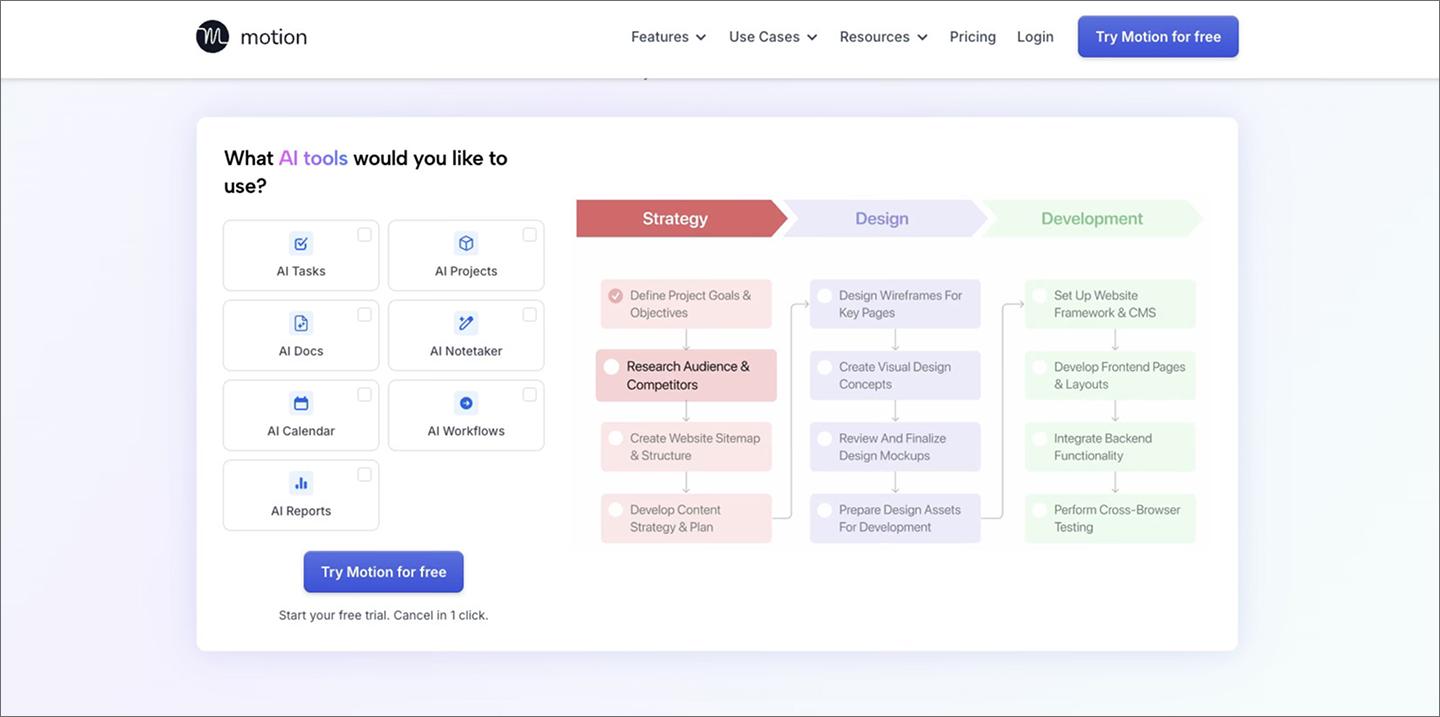
Ideal for: Automated daily scheduling
Motion pulls your calendar, tasks, and projects into one schedule and adjusts itself. Give it your deadlines and priorities, and it slots tasks into your open gaps. If a meeting runs long or something urgent pops up, Motion reshuffles your day automatically.
Because the tool calculates the hours each task needs against your team’s availability, it can flag at-risk milestones weeks before they slip. This gives project managers a clear view of exactly how much bandwidth is left for new requests.
Key features:
- Intelligent auto-scheduling. Automatically fit tasks into your calendar and realign your day when your availability changes.
- Predictive milestone alerts. Use your team’s total meeting load and task hours to flag projects that are mathematically unlikely to hit their deadlines.
- AI Meeting Assistant. Suggest meeting times that prioritize your productive hours, and group calls together to reduce context switching.
- Capacity dashboard. Get a real-time view of how much true working time each team member has left after accounting for meetings and existing tasks.
Bolt

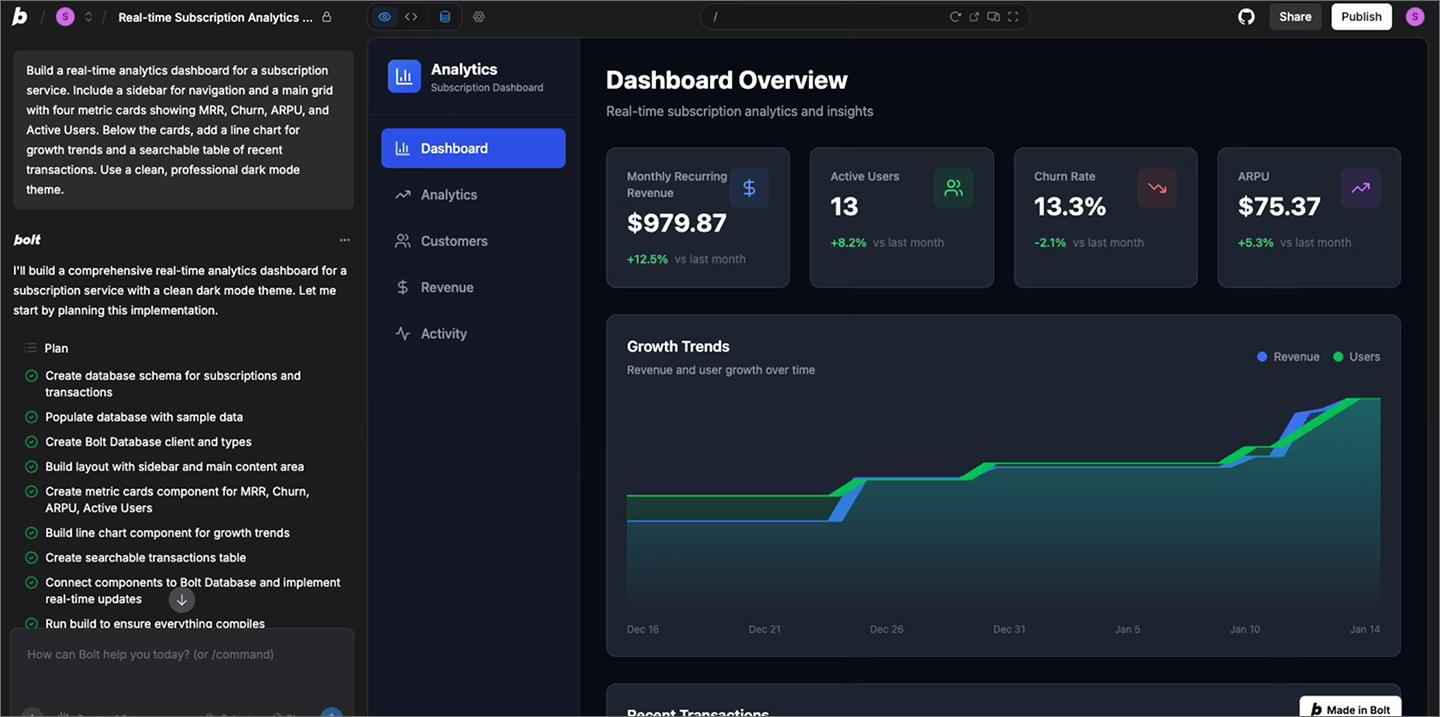
Ideal for: Functional concept validation
Bolt is an AI development sandbox that builds and deploys full-stack Web apps directly in your browser. It turns natural language prompts into functional code, letting you test interactive dashboards and data tools in a live environment. Since it’s browser-native, you can start building immediately with no local setup or configuration required.
Use it to “sketch in code” and validate ideas before they reach sprint planning. You can pull in production-grade libraries for features like complex charts or authentication, then share a live URL for instant feedback. Once a concept is proven, export the project to GitHub for a clean handoff to your engineering team.
Key features:
- Full-stack browser runtime. Run complete Node.js or Next.js environments entirely in the browser with no local setup required.
- npm integration. Access thousands of standard libraries to add production-grade components like interactive data tables or payment flows.
- Code-level control. Switch between the AI assistant and a built-in editor to manually refine logic or styling.
- Instant deployment. Share a live URL of your functional prototype to gather immediate feedback from stakeholders in a real-world environment.
13. Vercel

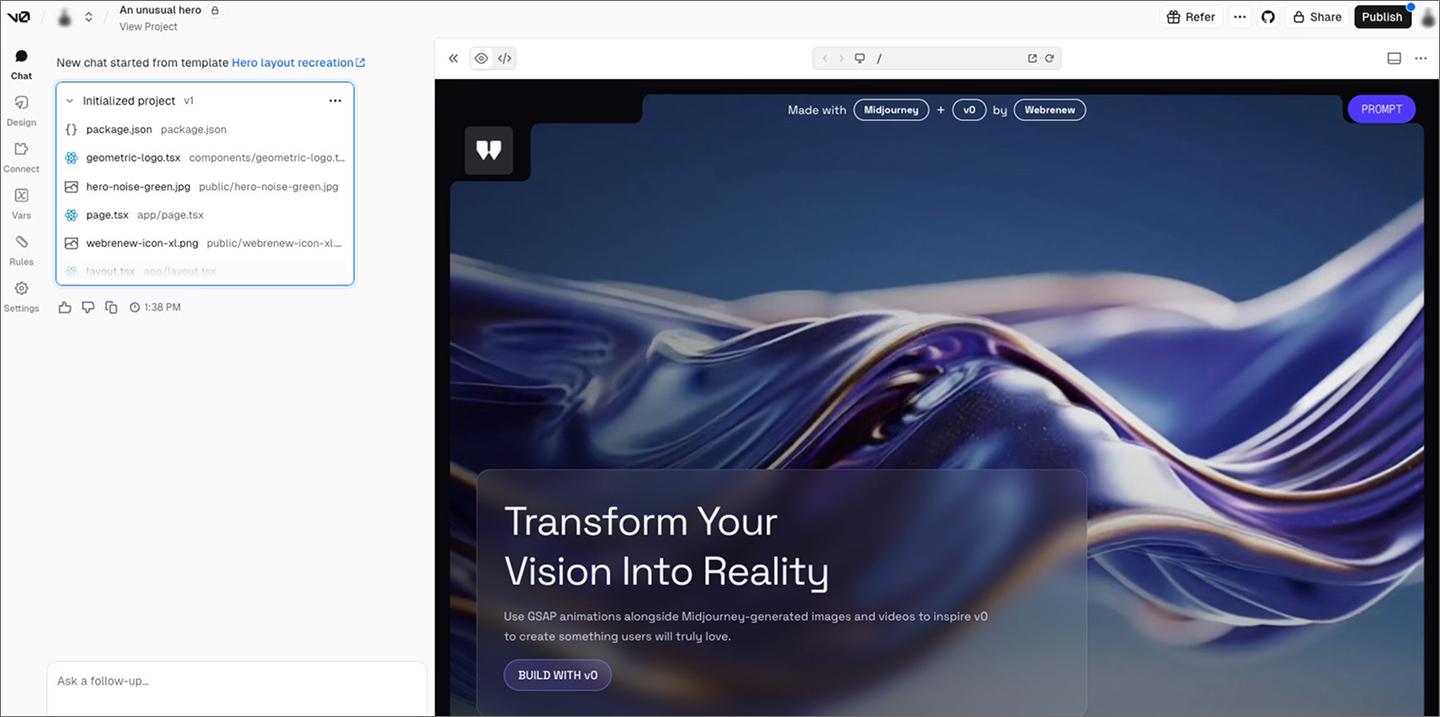
Ideal for: Testing live previews and collaborating on deployment feedback
Vercel is a front-end cloud platform that handles deployment and scaling for Web applications. For product managers, it’s a staging ground to test new features in a live environment before they reach users.
Every time a developer makes a change, Vercel creates a shareable link to a live version of the site. During the design handoff and QA phase, you can pin comments directly onto UI elements in the browser to flag bugs or suggest copy changes. This keeps feedback in context so nothing gets lost between review and launch.
Key features:
- v0. Use an AI assistant to generate functional UI components and layouts that can be instantly deployed or refined.
- Preview deployments. Automatically generate a shareable URL for every code update so you can test features in a real browser.
- Instant rollbacks. Revert your site to a previous stable version with one click if you discover an issue in production.
- Performance monitoring. Track real-world speed and accessibility data so you can see exactly how the user experience is performing.
Practical tips for using AI in your workflow
Adding AI to your workflow shouldn’t mean overhauling how you work. These tips will help you adopt AI tools smoothly, improving your team’s speed and focus.
Automate repetitive administrative tasks
Start with low-stakes automation to build confidence in your tools. Delegate recurring chores like summarizing meeting notes, triaging bug reports, and drafting status updates. These are easy places to test AI accuracy without risking core product logic.
Keeping your backlog organized and your documentation consistent is easier when AI handles the repetitive data entry. Start with small wins, then work your way toward more complex tasks like market research or strategy.
Build a library of prompt templates
Build a shared library of AI prompts that work well for your team. Documenting the instructions that generate the best PRDs or release notes saves everyone from having to start from scratch. Treat these templates like an internal toolkit—refined over time as you learn what gets the best results.
Your library might include prompts for recurring tasks like:
- Synthesis: “Extract five key feature requests from this interview transcript.”
- Clarification: “Rewrite this requirement for a junior developer to ensure technical clarity.”
- Prioritization: “Summarize these support tickets by frequency and severity.”
Provide detailed context in every prompt
AI tools need context to understand your product’s constraints and user needs. Define a clear persona, such as a “Senior Technical PM,” and provide background on your target audience to get more relevant drafts.
Detailed context helps the AI distinguish between a feature for a first-time user and one for an enterprise admin. Include business goals and technical limitations in your initial message so the output actually reflects your constraints.
Verify every AI output for accuracy
AI can overlook technical constraints or miss subtle edge cases. Always review its output with a senior eye before handing off work to your design or engineering teams. Check for logic gaps and make sure the suggestions match how your team actually works.
Think of AI as a first draft rather than a final product. It doesn’t have the deep context of your codebase or business strategy. Taking the time to verify the details prevents confusion down the line and ensures what you hand off actually can be built.
Turn AI insights into designs with Figma
There are a lot of great ways AI for product managers can help your team, and we hope this guide helps you find the right fit. When you're ready to turn those insights into something real, we'd love for you to try Figma.
Here’s how to get started:
- Use FigJam to organize AI-generated research notes and brainstorm solutions on a collaborative whiteboard.
- Explore Figma’s PRD template to structure your requirements and keep documentation in sync with your designs.
- Transform specs into presentations using Figma Slides to get stakeholder buy-in.
- Open Dev Mode to give engineers the exact specs and code snippets they need to ship your AI-assisted designs.
Ready to go from prompt to prototype? Get started
Figma Make uses AI to turn your ideas into editable UI layouts instantly.
Keep reading


6 stages of the product development process
Learn how to master the stages of the product development process, from concept to launch, and how FigJam can help in this step-by-step guide.


How to create a product requirements document + template
A product requirements document (PRD) is a list of design guidelines and functions project managers write to ensure key features make it into the release.