11 scroll-stopping Instagram post ideas + templates
Share 11 scroll-stopping Instagram post ideas + templates
Explore more from
Social media guide
Make Social Media Work Smarter, Not Harder
Transform posts into lasting growth with Figma Buzz.


Feel like you’re always guessing what to post next on Instagram? You’re not alone.
Whether you’re designing for a brand, a small business Instagram ad, or your own creative account, finding fresh Instagram post ideas can feel like a grind, especially when you’re trying to stand out.
If you need a little inspiration for creating bold and cohesive visuals without starting from square one, look no further than Figma’s customizable Instagram templates.
Read on to explore:
- 11 creative Instagram post ideas and customizable templates
- Tips and best practices for creating Instagram posts
Idea 1: Restaurant announcement post

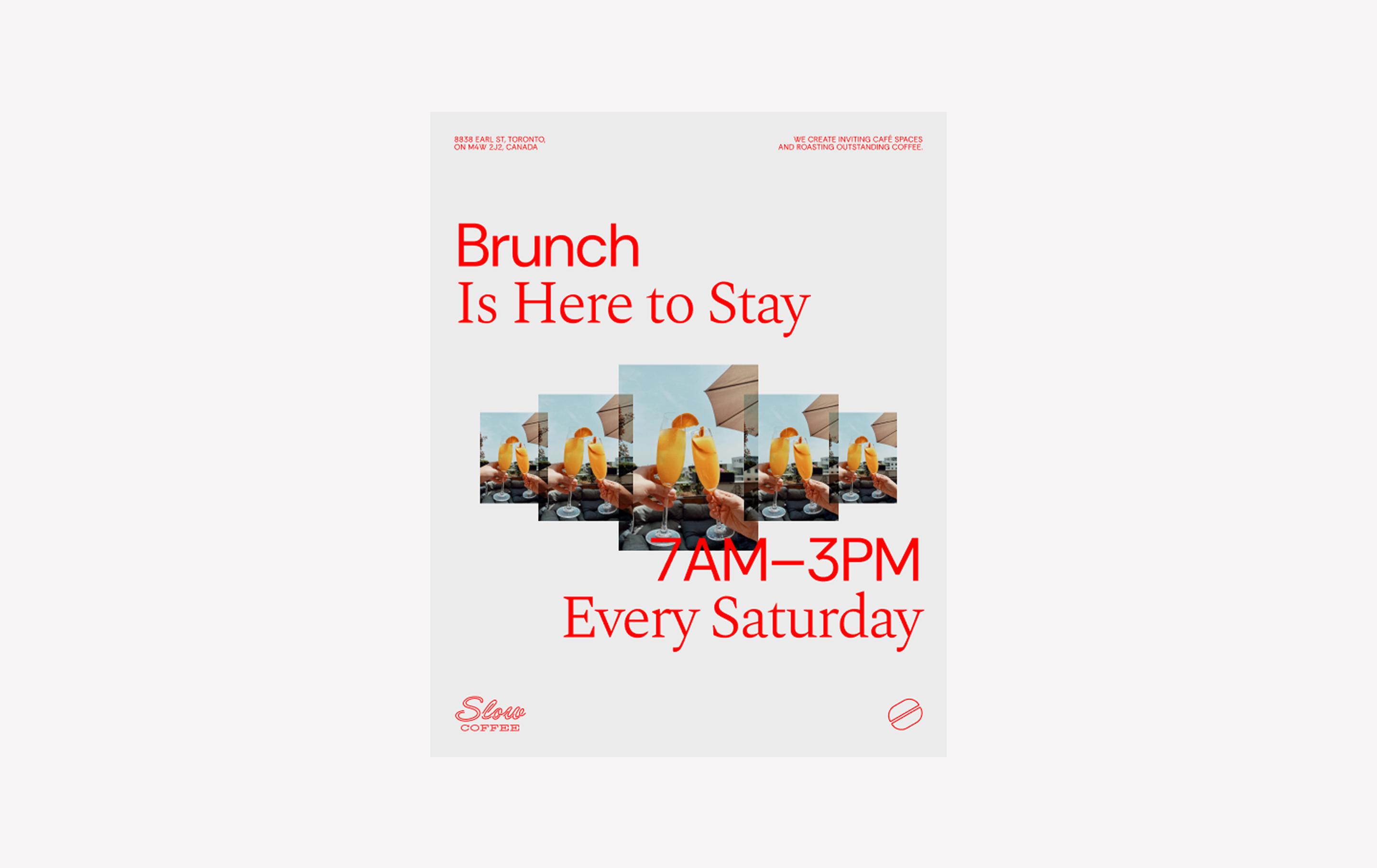
When to use: Promoting specials at restaurants or other hospitality industries
This bright, modern Instagram post template is great for promoting restaurant specials or hospitality events. The symmetrically staggered photo grid adds energy and structure, while the bold font pairing of Spectral and Rethink Sans makes your message stand out. The corner sections house space for additional information like your venue’s name and address.
Make it yours: Add photos of your cocktails and dishes to the central frames, fill in the details in the corners, and change the warm gray and red color scheme to match your brand’s colors.
Get this template
Idea 2: Birthday post

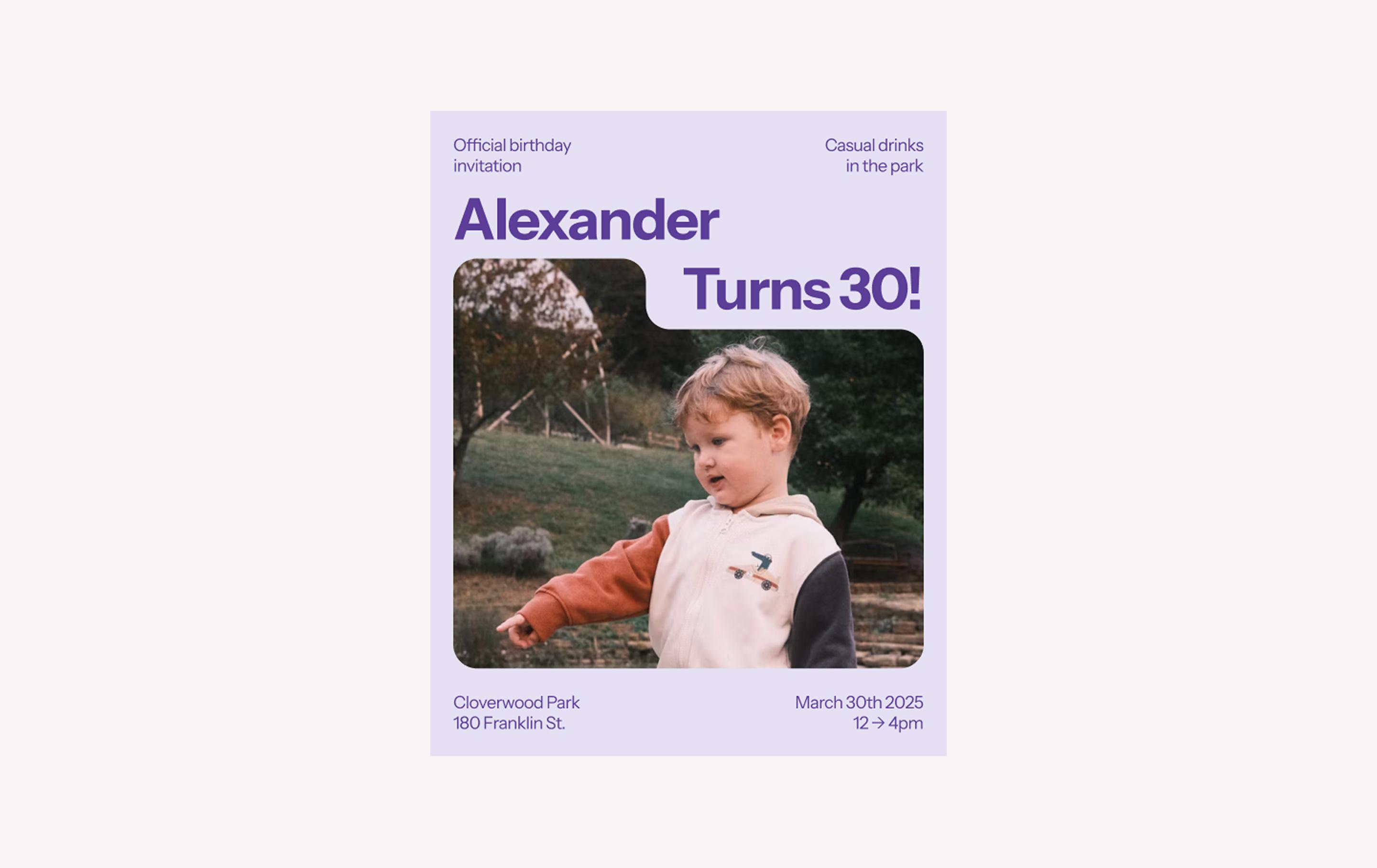
When to use: Inviting your followers to a birthday party or promoting a fundraiser or similar event
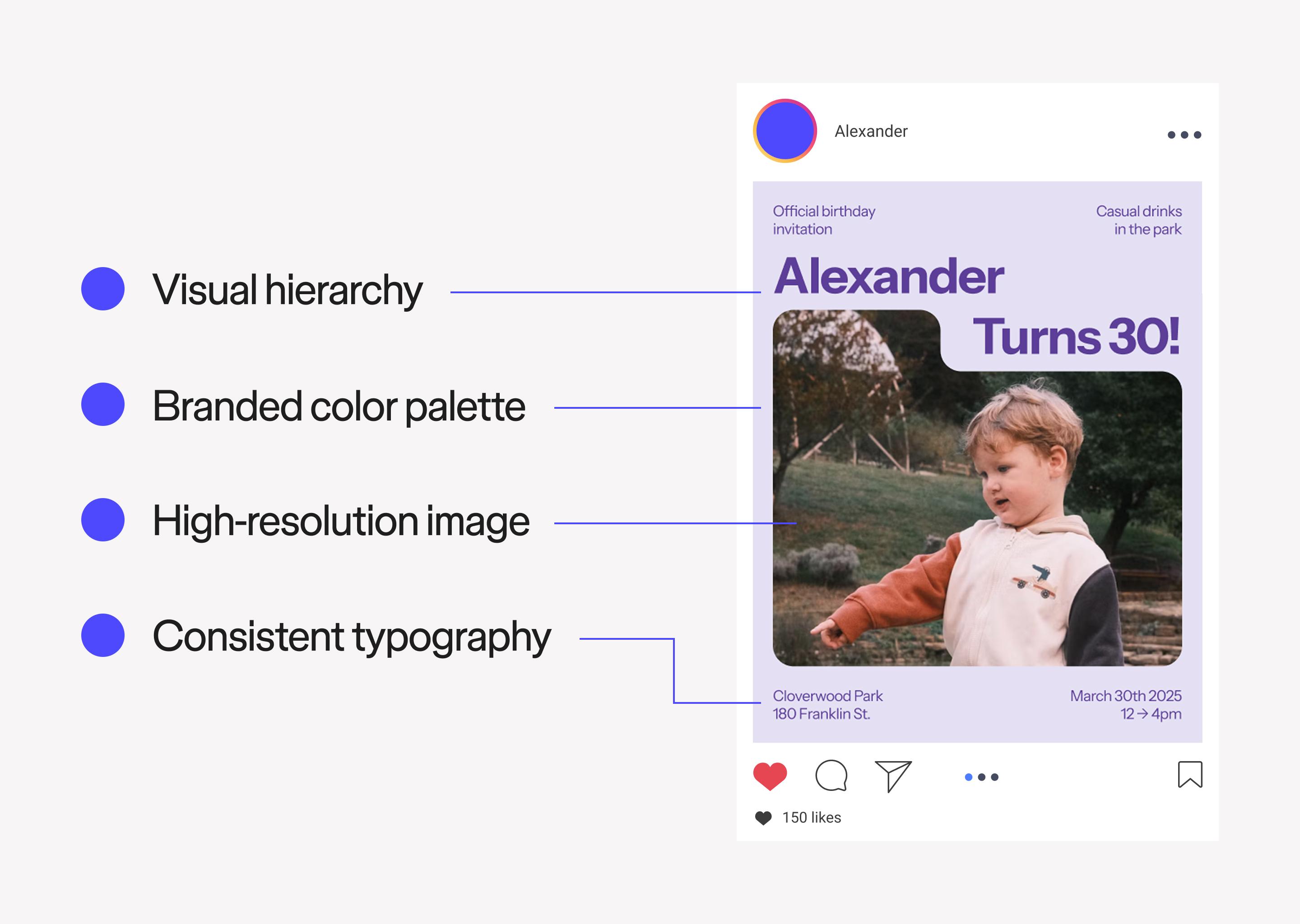
This clean and contemporary Instagram post template is perfect for announcing birthdays, fundraisers, or other special gatherings. The solid pastel background color and the rounded corners of the photo frame create a friendly tone, while the bold Instrument Sans typography makes key details easy to read.
Make it yours: Add a picture of the person or event you’re celebrating, then tweak the monochromatic purple color scheme to match your theme. Include important details like location, time, and date in the corners.
Idea 3: Checkerboard frame post


When to use: Spotlighting new product photos, portraits, or editorial photoshoots
The vibrant, eye-catching colors in this Instagram post template are perfect for creators and youthful brands that want to stand out. The checkerboard border adds bold personality while framing the central image. It’s a great choice for spotlighting portraits, product launches, or editorial photography.
Make it yours: Add your favorite photo to the central space. Consider changing the checkerboard frame’s colors to a complementary or analogous scheme to the colors in your photo.
Idea 4: Minimal collage post

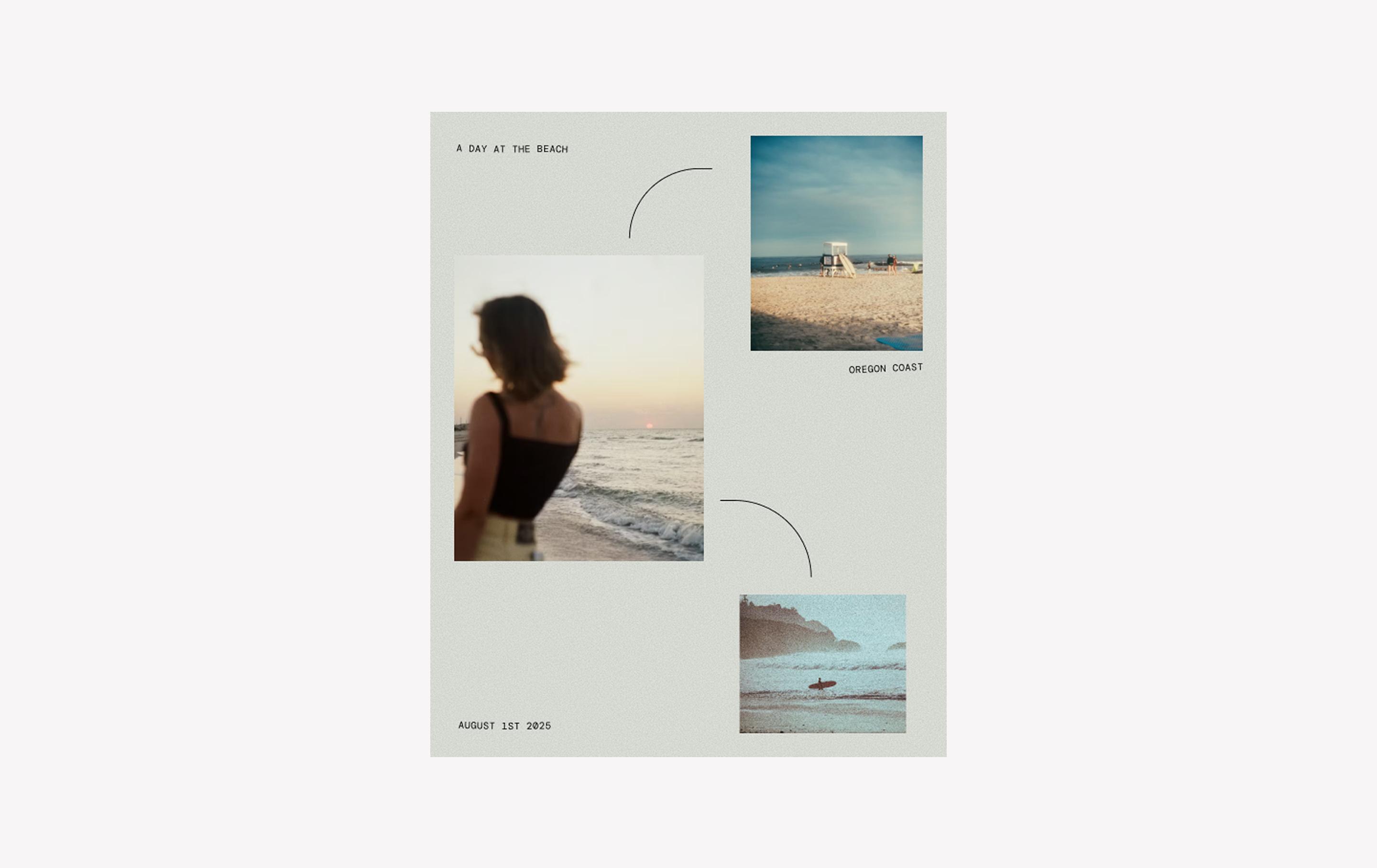
When to use: Sharing a trio of images for personal reflections, travel diaries, mood boards, and lifestyle brands
This simple collage post template is perfect for sharing a trio of vertically oriented images. Soft curves, a minimalist font, and a subtle background texture give the layout a nostalgic, personal feel. The template is a great choice for mood boards, travel recaps, or lifestyle storytelling.
Make it yours: Add your favorite photos to the three spaces. Use consistent filtering or photo editing techniques on each one for a cohesive collage.
Idea 5: Yard sale announcement post

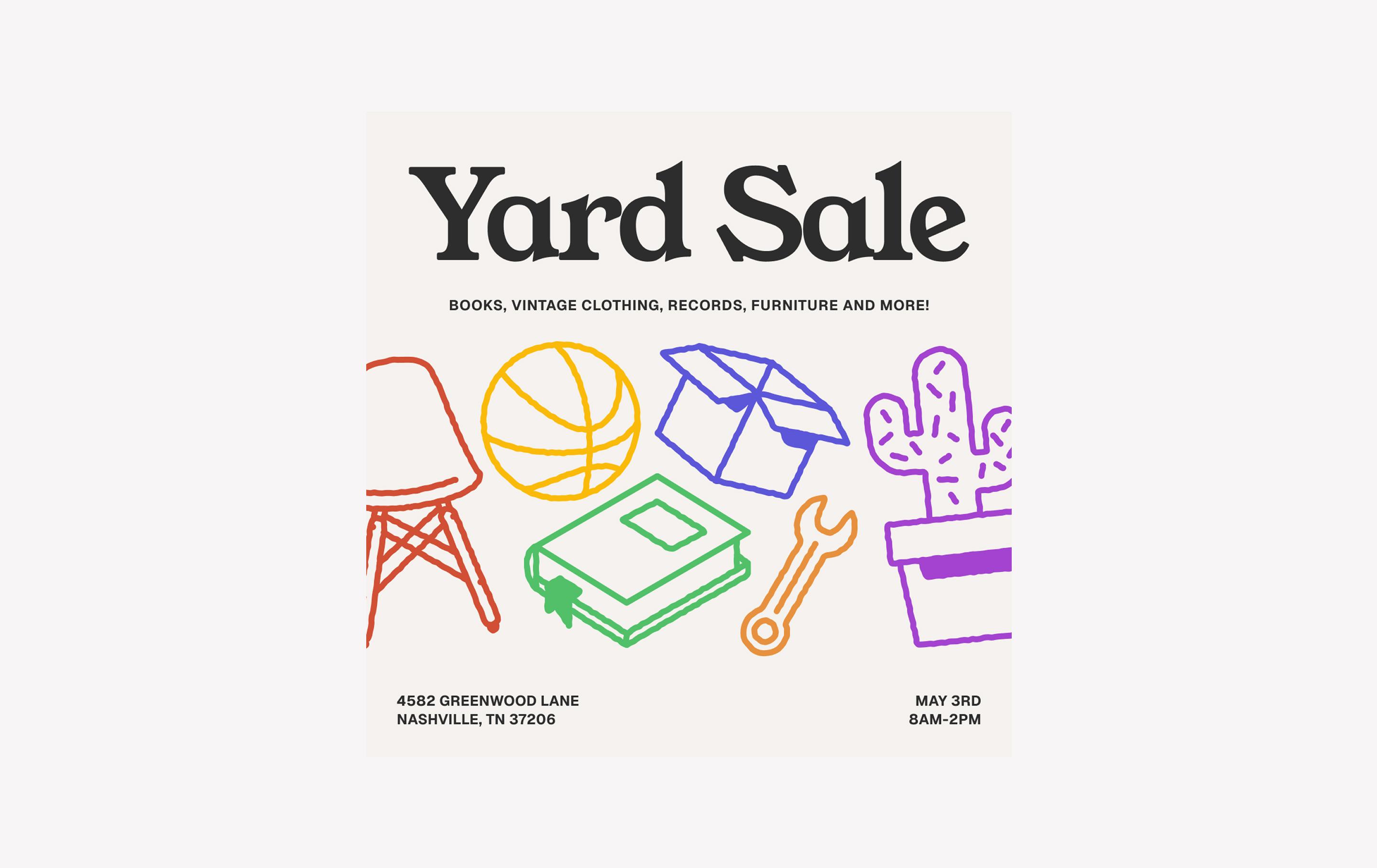
When to use: Promoting sales, pop-up shops, and community events
This playful, retro-inspired template is great for promoting local events, pop-up shops, or community sales. Bright illustrations add a cheerful tone, while the pairing of the retro Young Serif font and the simple Geist font keeps the message clear and legible.
Make it yours: Write in your details, then swap the cream and black colors of the background and text to match the vibe of your event.
Idea 6: Thoughtful quote post

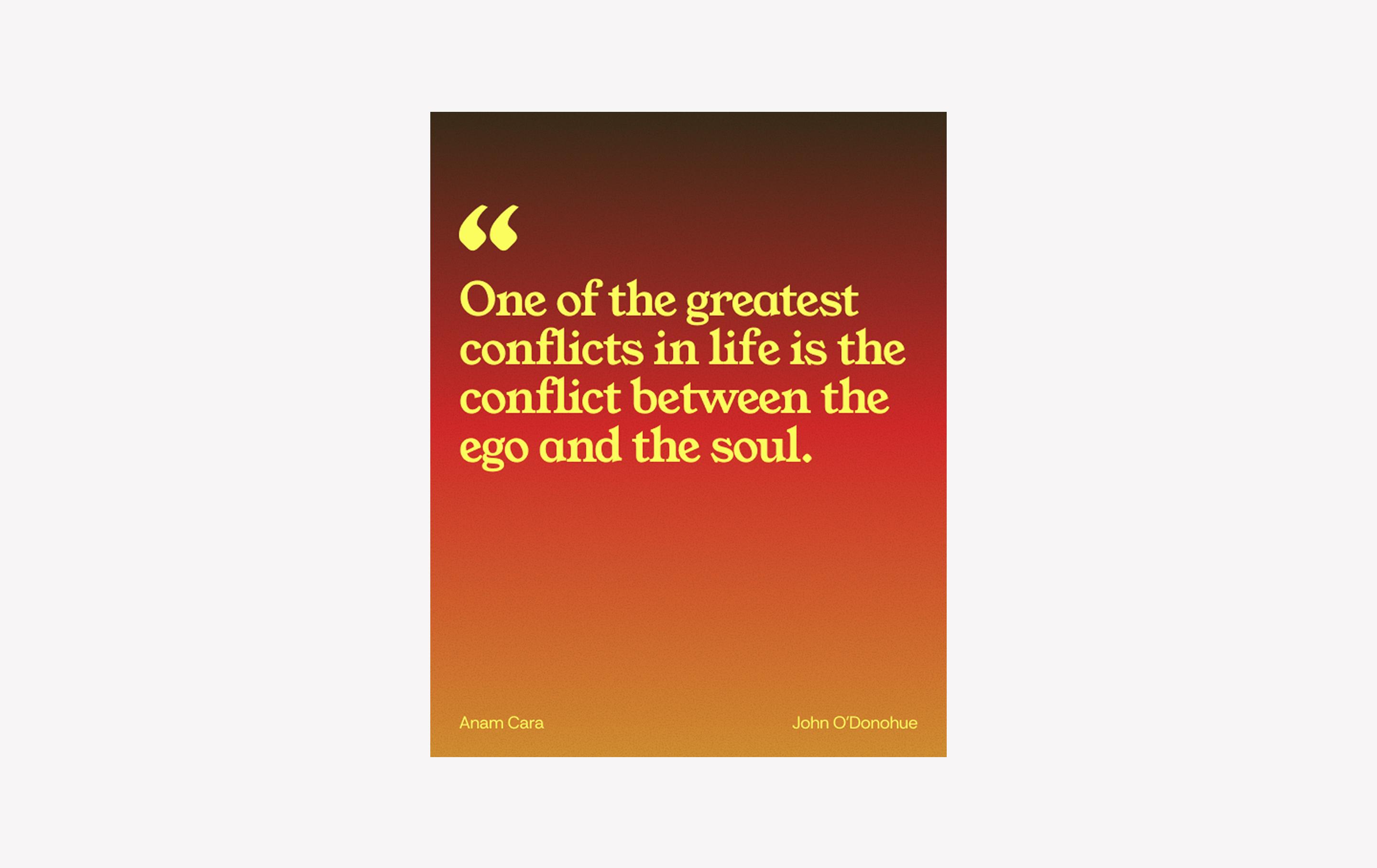
When to use: Sharing inspirational quotes, insights, and thought leadership
Designed for inspirational quotes and thought leadership, this clean, portrait-oriented template puts your words front and center. The gradient background adds warmth and visual interest to the simple layout, while the attribution sits in a smaller, unobtrusive font at the bottom.
Make it yours: Add your quote and modify the color palette to match your brand colors. Always double-check the font color for readability against the background you choose.
Looking for more templates?
Explore 100+ Instagram post templates to fit any aesthetic.
Idea 7: Analog film photo

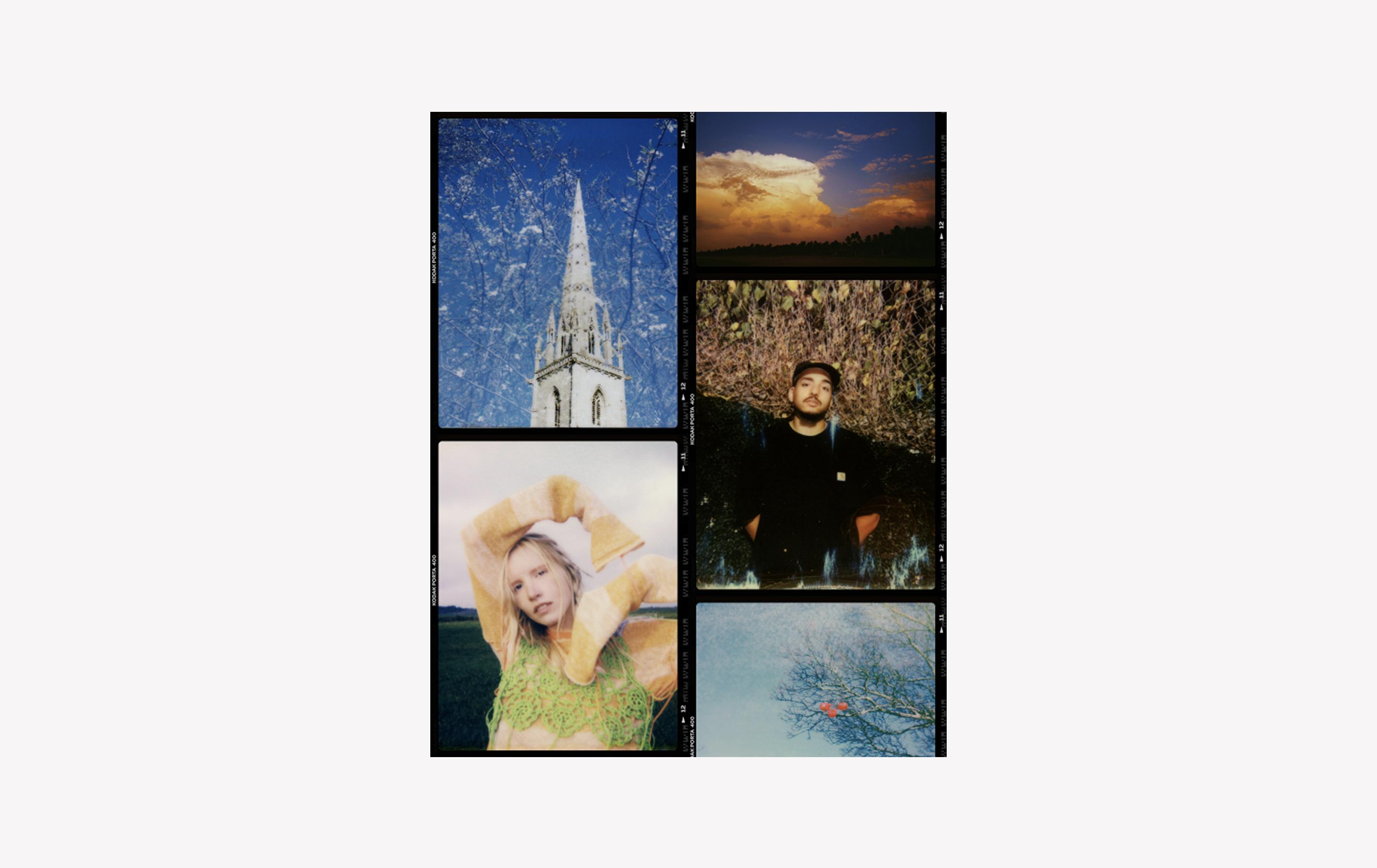
When to use: Showcasing images from photographers, models, and other visual creatives
Inspired by the contact sheets used in film photography, this portrait collage layout is ideal for models, photographers, and other visual creatives who want to share a series of images in a single post. The design mimics the feel of analog film, offering space for both portrait and landscape shots in a clean, scroll-stopping format.
Make it yours: Add a mix of your favorite landscape and portrait photos. Apply the same filter to each one for a cohesive look.
Idea 8: Concert announcement post

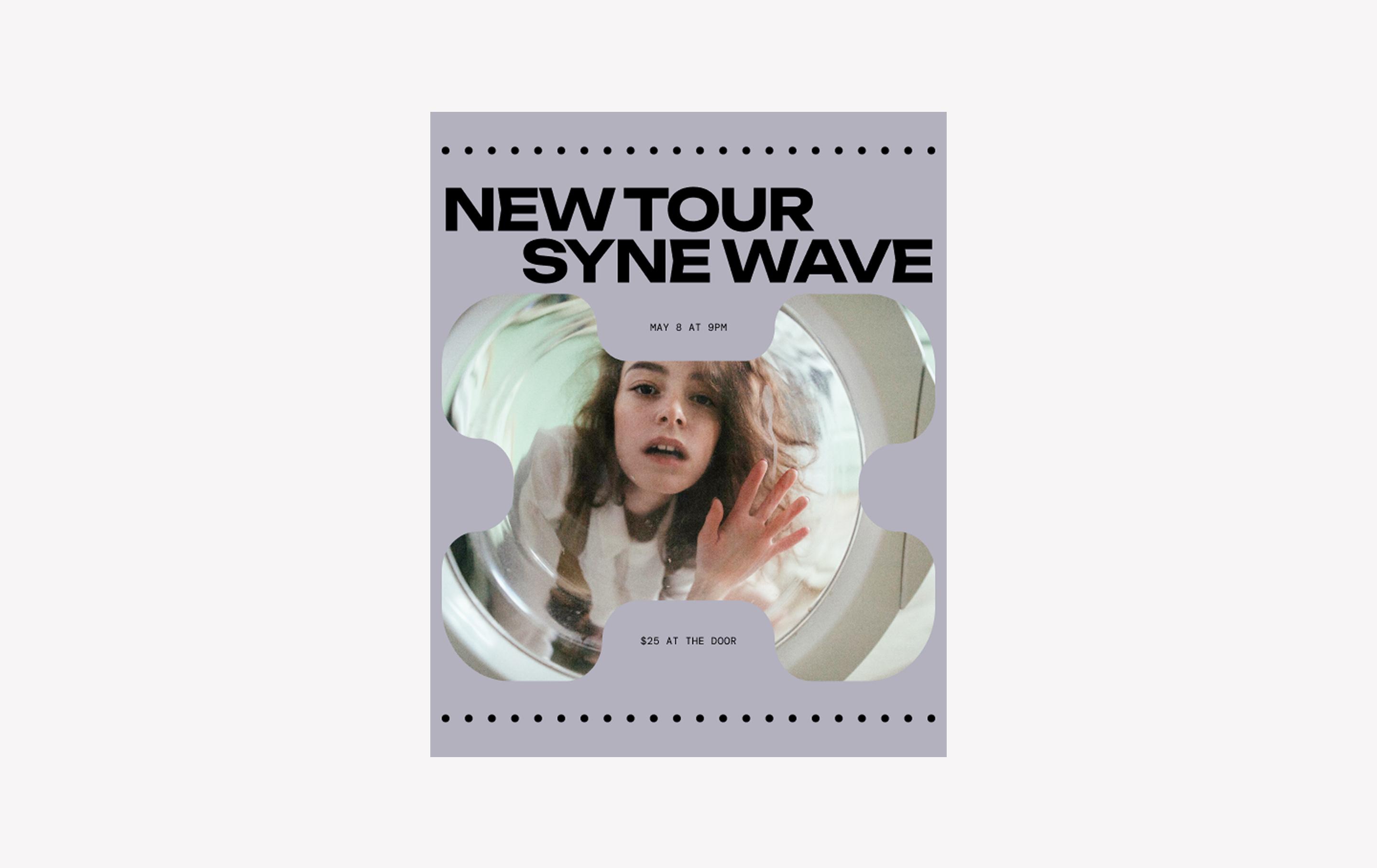
When to use: Event promo for live performances, tour announcements, etc.
This quirky Insta post template is designed to grab attention for live events. The rounded cutout photo frame paired with futuristic font pairing, Unbounded and DM Mono, creates a dynamic layout that works well as a single post or part of a carousel for tour dates or multi-night shows.
Make it yours: Add an eye-catching professional band photo to the middle of the template and fill out the surrounding details. Update the simple gray and black color scheme to complement any aesthetic.
Idea 9: Hiring post


When to use: Announcing open positions to candidates and encouraging shares or referrals
Want to highlight a job opening your audience might want to apply for? This template is the perfect fit. The high-contrast color scheme helps the information stand out in the unique Syne font, a neo-grotesque sans serif typeface that gives the post a sleek and professional look.
Make it yours: Add your company logo and key details, then adjust the colors to match your branding.
Idea 10: Sale announcement post

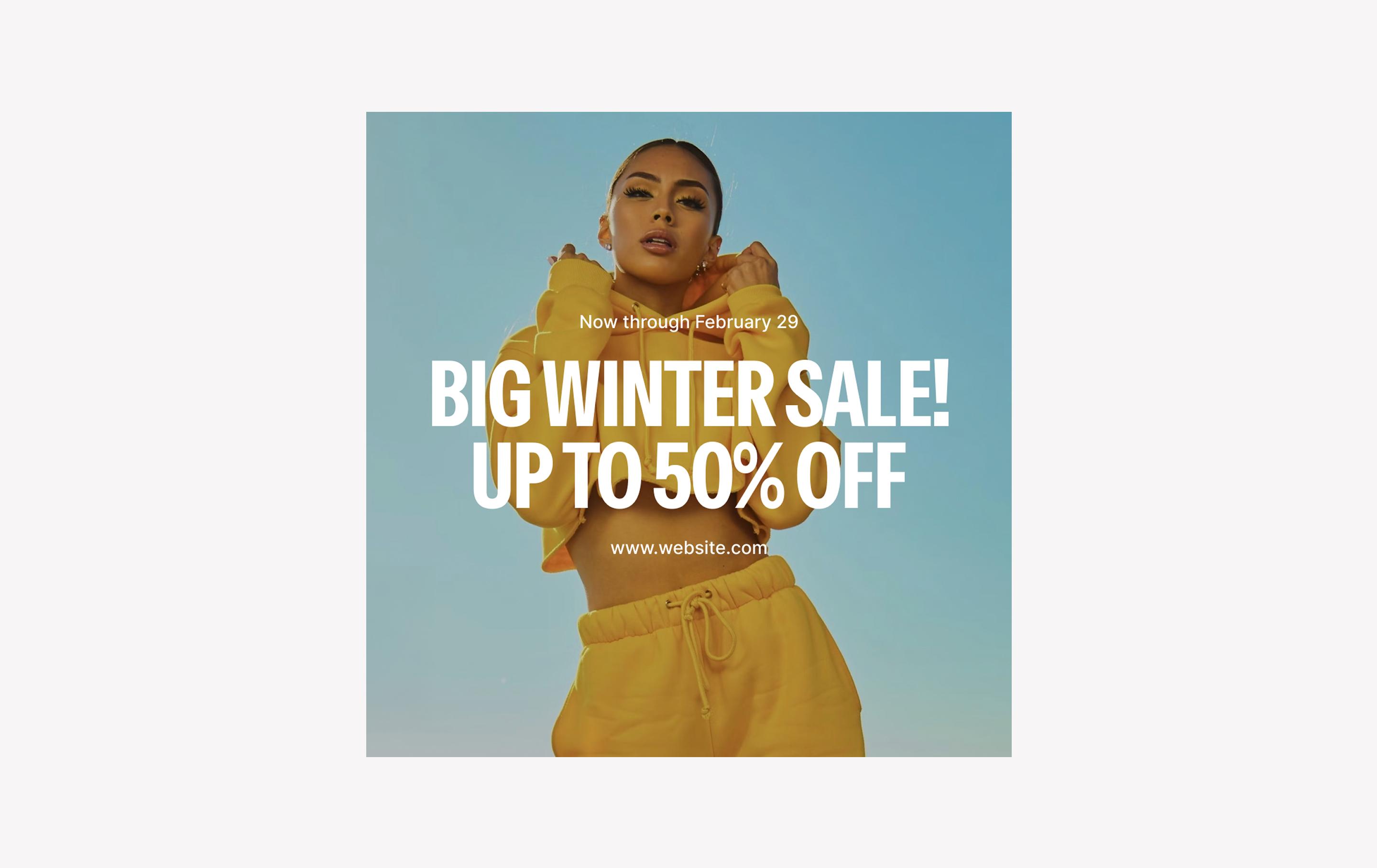
When to use: Announcing sales, seasonal promotions, and other time-sensitive events
The capitalized Instrument Sans typography in this bold template effectively grabs attention without detracting from the background image. With a focus on promotion, this template design is ideal for fashion brands, e-commerce businesses, and retail stores looking to showcase their offerings on Instagram.
Make it yours: Add your favorite fashion photography to the background, then add the sale details and a call to action for your website in the smaller Inter font.
Idea 11: Travel collage post


When to use: Sharing lifestyle photos, family portraits, or other memorable moments and milestones
This vintage-inspired Instagram post idea is ideal for sharing milestones, travel memories, or lifestyle photos. The central image frame, paired with the typewriter-style Special Elite font, gives the post a warm, analog feel, similar to a Polaroid photo or scrapbook page.
Make it yours: Add your photo to the center with a cute caption or date below. You can also swap out the paper collage backdrop image to fit your personal style.
Best practices for creating Instagram posts

Think back to your last scroll through Instagram. What kinds of posts made you stop, double-tap, or share? A clever design, a bold color, a thoughtful caption?
From strong visuals to strategic planning, every detail matters when it comes to great Instagram posts.. Here are a few best practices to help you design the best Instagram posts that resonate with your audience and spark engagement.
- Be consistent but not overwhelming. Regular posting helps you stay on your audience’s radar. However, you should also prioritize quality over quantity and only share content that strengthens your brand story.
- Start with a strong visual hierarchy. Guide your audience’s eye with clear focal points, smart layout, and thoughtful use of typography. Bold headlines, strong imagery, and white space go a long way.
- Define your brand’s visual identity. A recognizable visual style builds trust. Use consistent color palettes, font pairings, and a photo treatment to create a look your audience can spot instantly.
- Stick to mobile-first design. Most Instagram users browse on their phones, so make sure every design is legible, clear, and impactful at small sizes. Use sharp images, big type, and high contrast.
- Use carousels and creative layouts. Carousel posts often get greater reach and engagement. Use them to break up storytelling, highlight products, or deliver tips across multiple frames.
- Use hashtags strategically. Hashtags help you reach new audiences. Mix broad and niche tags, and keep an eye on what your ideal followers are already engaging with..
- Interact with your followers. Posts that spark comments, shares, and saves signal quality to the Instagram algorithm. Include questions and calls to action in your captions, and make sure to reply when people engage.
- Leverage templates for consistency. Instagram post templates speed up your process and help keep your posts cohesive. You can reuse layouts across campaigns or customize them to fit different themes, all without starting from scratch..
- Test and refine. Review engagement metrics to notice what’s resonating, and why. Then tweak your designs for future posts.
Design your next Instagram post with Figma
No matter your niche—fashion, tech, food, or anything in between—these creative Instagram post ideas are here to help you create content that connects with your audience. With free tools and templates, Figma makes it easy to transform any idea into a polished post and build a cohesive feed faster.
Here’s how to keep the momentum going:
- Use FigJam’s shared online whiteboard to brainstorm and plan your content calendar with your team.
- Want to repurpose post designs across multiple social channels for a cohesive brand presence? Explore Facebook post examples and LinkedIn post examples for even more inspiration.
- Find even more Instagram post templates from the Figma Community.
Ready to curate a fantastic feed?
Figma Buzz has dozens of templates to streamline your social media content creation process.
Keep reading


Guide to Instagram Image Sizes and Dimensions
Learn the perfect Instagram image sizes and dimensions and how Figma can help you optimize your posts in this guide.


21 Instagram story ideas + templates to inspire your next post
Discover 21 Instagram story ideas with customizable templates from Figma, design tips, and best practices to help you post with confidence and creativity.