13+ Facebook post examples + templates for engaging content


Share 13+ Facebook post examples + templates for engaging content
Explore more from
Social media guide
Make Social Media Work Smarter, Not Harder
Transform posts into lasting growth with Figma Buzz.


Facebook is full of content—but not all of it sticks. The posts that do tend to pair a clear message with smart design choices that support their purpose.
Whether you’re sharing a product launch, a customer story, or an event invite, the right design can help your post catch attention, communicate clearly, and reflect your brand’s voice and style.
In this guide, you’ll find:
- 13 types of Facebook posts and what they’re best for
- Design tips to help each one do its job
- Facebook post best practices
Example 1: Promotional post

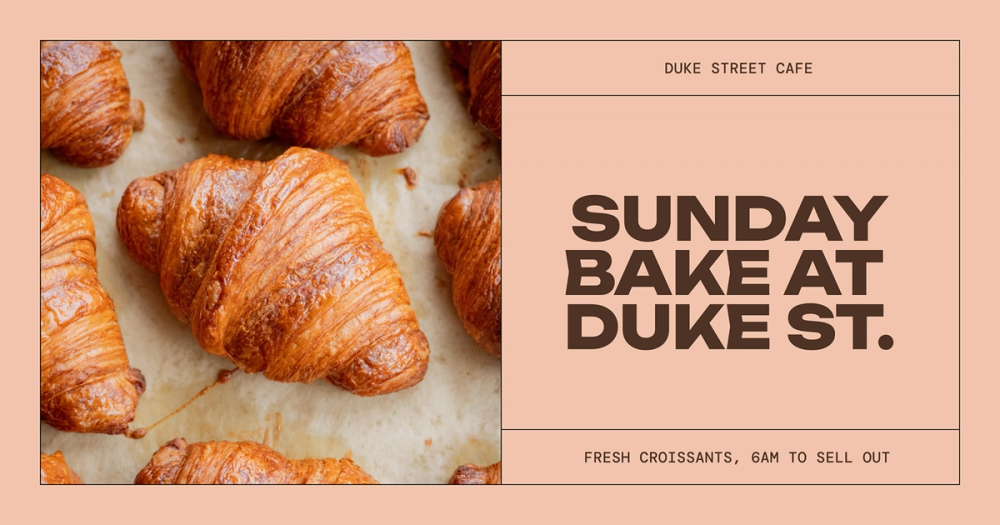
When to use: Announcing new products, events, or special offers
This promotional template is designed to get attention—and fast. The oversized headline font ensures details like the time and place are impossible to miss. Meanwhile, the modern typeface, DM Mono, keeps supporting info easy to skim. A bold image of the bakery items draws the eye and gives people a taste of what they can expect.
Make it yours: Swap in your own event photo, update the font colors to match your brand, and tweak the messaging to create urgency—think “Limited spots” or “Only this weekend!”
Example 2: Thoughtful quote post

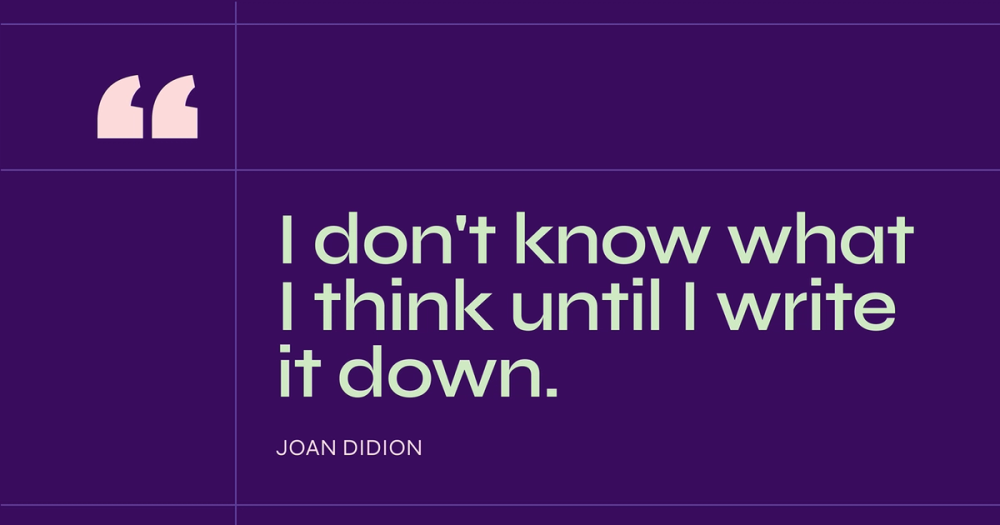
When to use: Sharing insights related to your industry
This template design creates a space for reflection. The clean, open layout and large text size put the quote front and center, inviting followers to pause and reflect. It’s a subtle but powerful way to connect on a deeper level.
Make it yours: Choose a quote that feels true to your brand’s voice, and experiment with background colors or font pairings to give it a more personal touch. Want to go further? Ask a question in the caption to encourage conversation.
Example 3: Motivational quote post

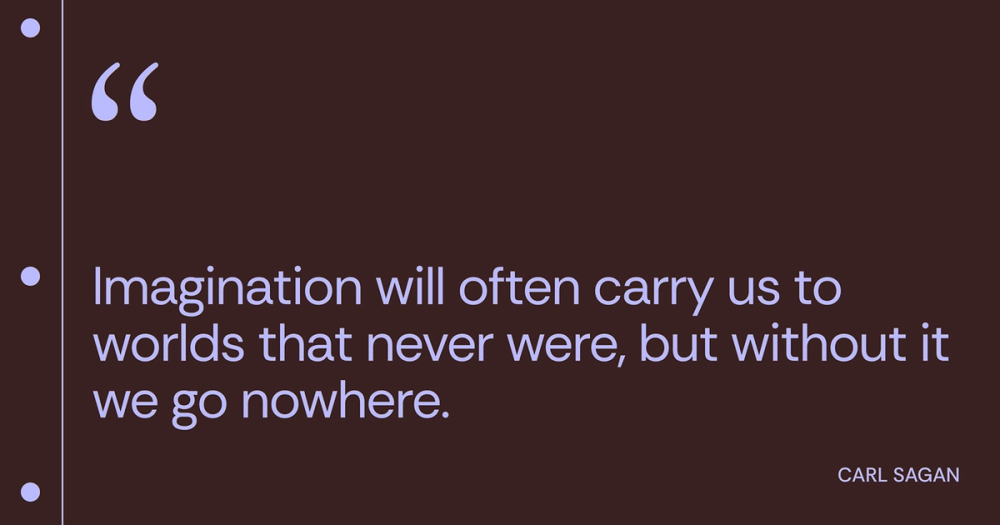
When to use: Sharing positive messages that align with your brand
A little motivation goes a long way. This Facebook post uses a simple, minimal design paired with warm, complementary colors to make your message feel encouraging and sincere. The focus stays on the quote, making it easy to read, share, and connect with.
Make it yours: Choose a quote that reflects your brand’s mission or audience mindset. You can adjust the layout or color scheme to reflect a seasonal theme, campaign mood, or your brand palette.
Example 4: Performance highlight post

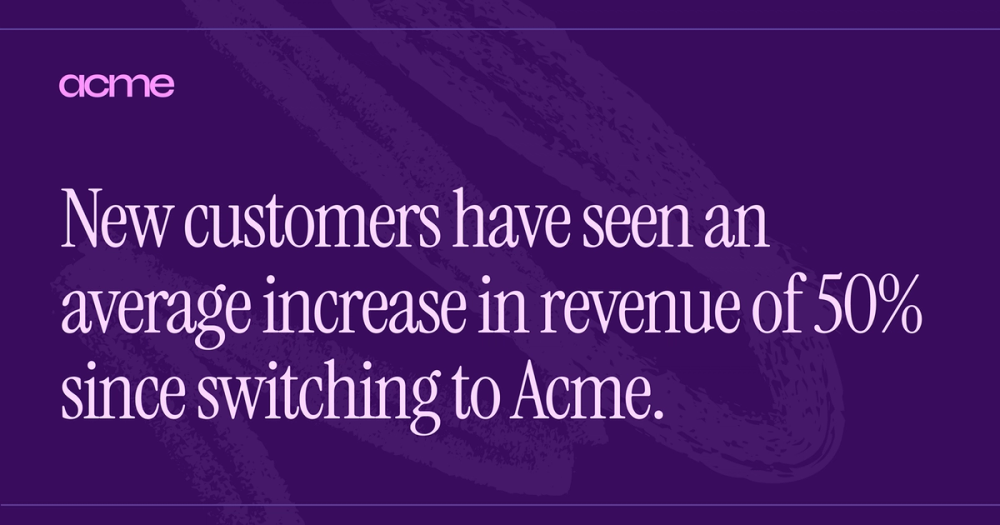
When to use: Sharing milestones, awards, positive statistics, or successful project outcomes
This post template puts your results front and center. Bold typography and sizing guide the eye to your standout stat or achievement. Whether it’s revenue growth, customer milestones, or awards, this layout gives your success room to shine. A monochromatic color scheme keeps the design focused and professional.
Make it yours: Plug in your data points and adjust font sizes to highlight what matters most. You can also spotlight a customer quote or quick case study to add a personal touch. If sharing multiple stats, consider using a carousel format for easy browsing.
Example 5: Concert invite post

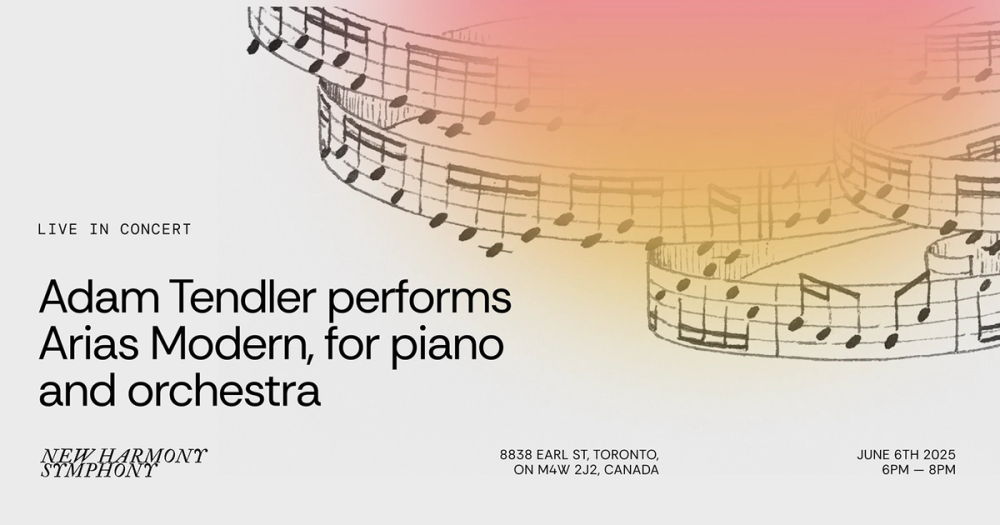
When to use: Announcing musical performances
This Facebook post template is built to evoke emotion and fill seats. An elegant gradient overlay combined with sketch-like music notation immediately sets the tone, creating a sense of atmosphere and motion.
Bold, left-aligned text ensures key details like the artist name, date, and venue are impossible to miss, while the font, Rethink Sans, balances impact with polish.
Make it yours: Upload your event image, customize the gradient to reflect your brand or genre, and choose fonts that match your musical vibe. Highlight what matters most (like set times or special guests), and add a clear call to action, such as “Buy tickets” or “RSVP now.”
Example 6: Event invite post


When to use: Promoting workshops, conferences, and local gatherings
This invite template strikes a balance between informative and eye-catching. A bold font and strong color contrast make the event details instantly readable, while a central image gives a visual preview of what to expect. It’s clean, to the point, and optimized for attention.
Make it yours: Swap in your event image or logo, and use your brand fonts or accent colors to align with your other materials. A short, snappy caption can add extra context or energy.
Explore more free and editable Facebook templates
Discover trending templates in Figma Community
Example 7: Webinar promo post


When to use: Announcing upcoming webinars
Webinars only work if people show up—and this post design helps you draw in an audience. With dedicated space for multiple speaker headshots, a clear topic area, and key details featured up top, your message is clear at a glance. Clean lines and balanced spacing keep the layout easy to scan and visually appealing.
Make it your own: Swap in your speakers’ photos, names, and titles, update the webinar details, and tweak the colors to match your brand. Don’t forget a clear call to action like “Register now” or “Save your seat.” Want to go a step further? Highlight a key topic or insight to spark interest.
Example 8: Testimonial post

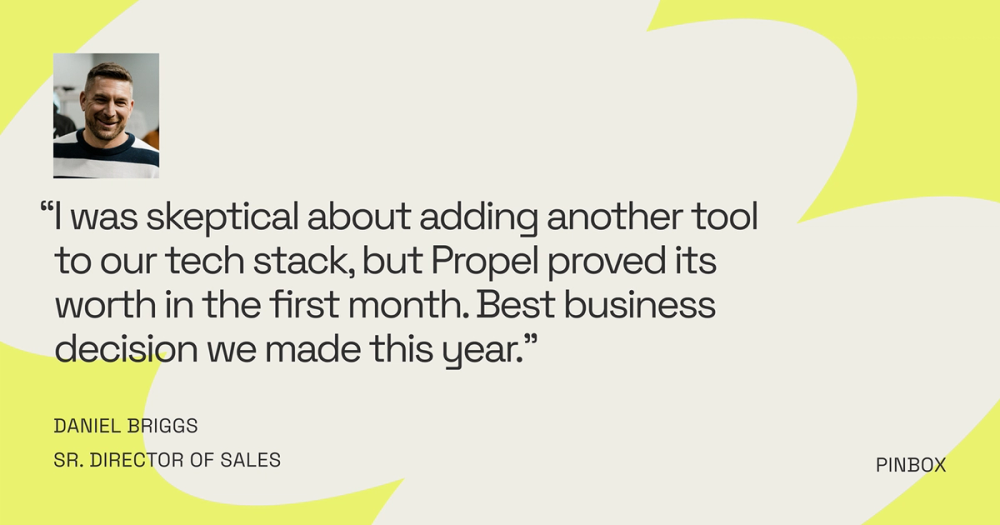
When to use: Sharing positive feedback from satisfied customers
Nothing builds trust like hearing from someone who’s been there. This testimonial post template puts customer praise front and center with a clean layout that makes the quote easy to read. Including the customer’s name, title, and photo adds authenticity.
The clean white space, engaging background color, and subtle visual elements draw the eye and reinforce the message, keeping the focus on real, relatable experiences.
Make it yours: Use a short, impactful quote from a happy customer, and if you can, add their headshot or company logo. A soft background color or accent element can draw the eye to the testimonial without overwhelming the message.
Example 9: Instagram social proof post

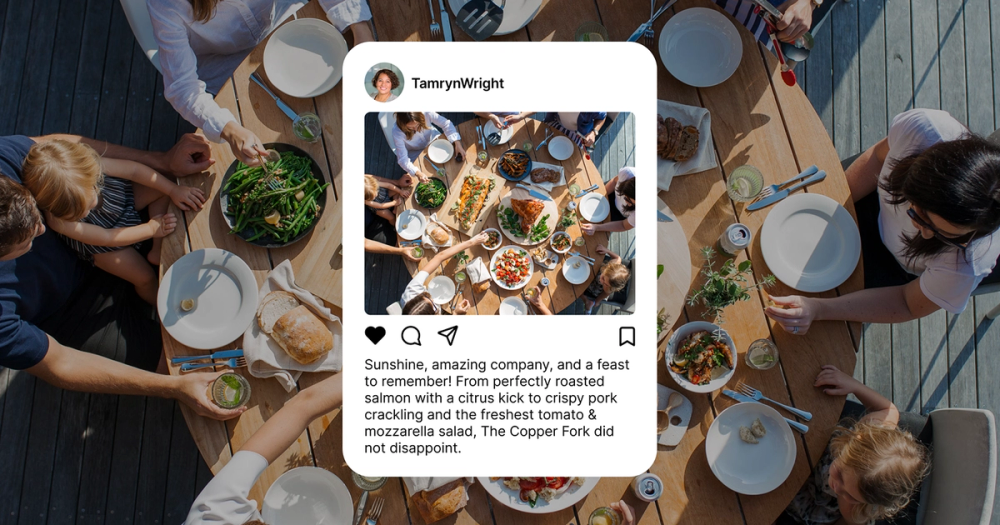
When to use: Reposting customer photos or videos
This template spotlights user-generated content from Instagram, giving your audience a peek into real-life interactions with your brand. The layered layout mirrors Instagram’s look and feel, which helps create a seamless cross-platform experience.
Make it yours: Feature a customer photo or story that feels natural and on brand. Include their Instagram handle to give credit and foster community. Want to keep the momentum going? Add a caption like “Tag us for a chance to be featured!”
Example 10: X (Twitter) social proof post

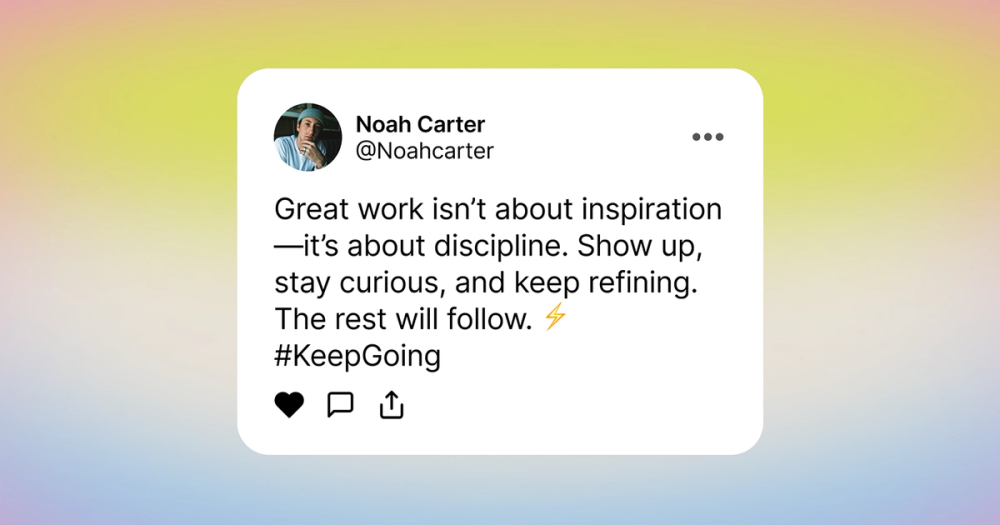
When to use: Sharing positive tweets or direct messages (with permission)
This layout pulls in a positive tweet from X (formerly Twitter) and frames it with a clean, gradient-backed design that adds energy without distraction. The social-style quote format keeps things casual but credible.
Make it yours: Choose a short tweet that positively reflects your brand. For consistency, add a subtle branded color to the gradient background. Respond to the original tweet and let them know you shared it for extra engagement—they’ll likely reshare your post, too.
Example 11: Throwback photo post


When to use: Celebrating company anniversaries or showcasing past projects or events
Everyone loves a good flashback. This Facebook post uses soft design touches, like a dreamy cloud background, to spark nostalgia and tell a little brand history. The focus is on the photo, inviting followers to reflect on how far you’ve come and what’s stayed true.
Make it yours: Use a meaningful photo from your archives, like your first store opening or a fun team moment. Pair it with a warm caption that tells the story, and invite your audience to share their memories, too.
Example 12: Collage post


When to use: Displaying a range of products
Sometimes one photo just isn’t enough. This Facebook post uses a multi-patterned background and layered images to create movement and showcase a bigger story or a mix of content. The combination of varied shapes and textures creates a fun, dynamic look that pops in the feed.
Make it yours: Upload three to five related photos that tell a story together. You can rearrange the layout to emphasize a standout moment or product. To tie it all together, add a short headline that captures the theme.
Example 13: Seasonal or holiday post

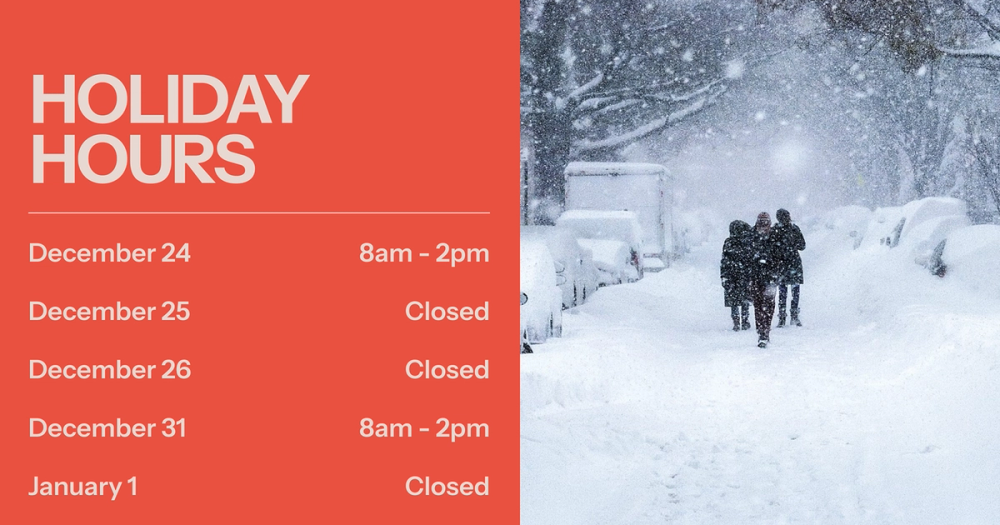
When to use: Offering relevant greetings or promotions
This festive template combines a seasonal graphic with a bold font and color to make the message loud and clear. A mix of cheerful imagery and practical details keeps it both fun and functional.
Make it yours: Add a seasonal greeting that fits your brand’s tone, whether playful, heartfelt, or straight to the point. Highlight key information like store hours or discounts. For an extra festive touch, use a color scheme that reflects the holiday.
Additional Facebook post ideas
Want to mix things up on your Facebook page? Here are a few more Facebook post examples to keep your content fresh and your audience engaged.
- Share a story. You can connect with your audience on a deeper level by sharing a personal anecdote or a customer success story. These kinds of posts help build trust and make your brand more relatable.
- Post a tutorial. Help your audience learn something new by sharing a quick tip or a step-by-step guide related to your product or industry. These posts offer value and position you as a helpful resource.
- Share industry news and insights. Keep your followers in the loop by sharing relevant articles or your take on the latest trends in your field. This shows you’re knowledgeable and helps spark conversations.
- Showcase your product. Get visual, highlighting the features and benefits of what you offer. Instead of just describing it, show it in action or in an appealing context.
- Share brand-relevant memes. Inject some humor into your feed with memes that align with your brand’s personality and resonate with your audience’s interests. It’s a fun way to be relatable and create shareable content.
- Poll your audience. Ask your followers their opinions on a topic related to your brand or industry to get direct feedback and boost engagement. Polls are a quick and easy way to get people involved.
- Share engaging video content. Capture attention with dynamic videos, whether it’s product demos, behind-the-scenes glimpses, or short, informative clips. Video is a powerful way to communicate and connect.
- Ask open-ended questions. Encourage thoughtful responses and spark discussions by posing questions inviting more than a yes or no answer. This helps you understand your audience better and fosters community.
- Share behind-the-scenes content. Give your audience a peek at the people and processes behind your brand. This can build transparency and make your brand feel more authentic and approachable.
- Participate in a Facebook challenge. Join in on relevant social media challenges to show your brand’s fun side and connect with a wider audience. It’s a great way to increase visibility and engagement.
Best practices for creating Facebook posts

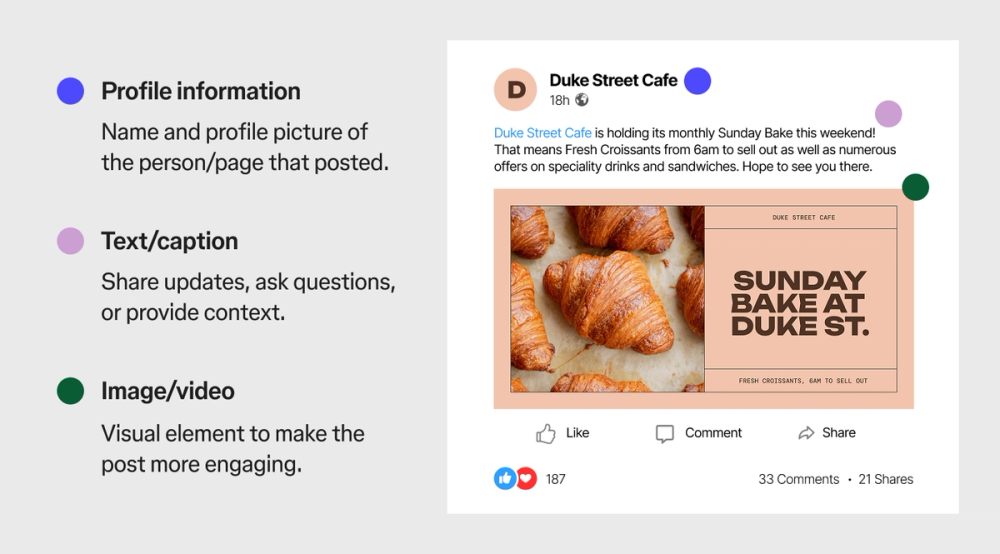
Want your Facebook posts to really shine and grab attention? Here are some key things to keep in mind.
- Stick to visual hierarchy. Make sure the most important parts of your image or video stand out. Different font sizes, colors, and placement helps guide the viewer’s eye to what matters most.
- Use correct Facebook aspect ratios. Use proper Facebook post sizes to avoid awkward cropping or stretching. This ensures your content looks its best on different devices.
- Weave in text carefully. If you’re adding text to your images or videos, keep it concise and easy to read. Too much text can be overwhelming, so focus on the key message.
- Use high-resolution pictures and videos. Clear, crisp visuals are always more appealing and professional-looking. Blurry or low-quality content can turn people off.
- Adjust for mobile. Most people will see your Facebook posts on their phones, so make sure your visuals and text are easily viewable and engaging on smaller screens. Consider how it will look when cropped or resized.
Create your next Facebook post with Figma
Creating engaging content for Facebook doesn’t have to feel like a shot in the dark. By understanding different Facebook post examples and some key best practices, you can connect more effectively with your audience and achieve your goals. Figma can help. Here’s how:
- Use Figma’s design tools to create eye-catching visuals that adhere to Facebook’s aspect ratios and maintain visual hierarchy.
- Find inspiration and templates for various social media graphics within the Figma Community.
- Explore Figma’s social media size guide resources to create images that adhere to social media best practices.
Design your next Facebook post with Figma Buzz
Ready to level up your Facebook posts?