Empathy map: A guide to user attitudes and behaviors


Share Empathy map: A guide to user attitudes and behaviors
Explore more from
Strategic planning

If you’ve ever struggled to synthesize user data or align your team around customer insights, you’re not alone. It’s hard to move forward with confidence when your understanding of your target audience is scattered across sticky notes and spreadsheets. Even with the best intentions, product teams often end up designing features based on their own assumptions, preferences, and priorities rather than real user insights.
But how do you step away from your own perspective and into your users’ shoes? How do you uncover what your users think, feel, and truly need, especially in the early stages of product discovery?
Empathy maps are the answer. Whether you’re a UX designer, product manager, or researcher, empathy maps help you visualize user attitudes and behaviors so your team can align around real-world experiences, not guesswork.
Read on to learn:
- What an empathy map is
- Common elements of an empathy map
- How to create an empathy map in five steps
- Empathy mapping best practices
- Benefits of empathy mapping
What is an empathy map?
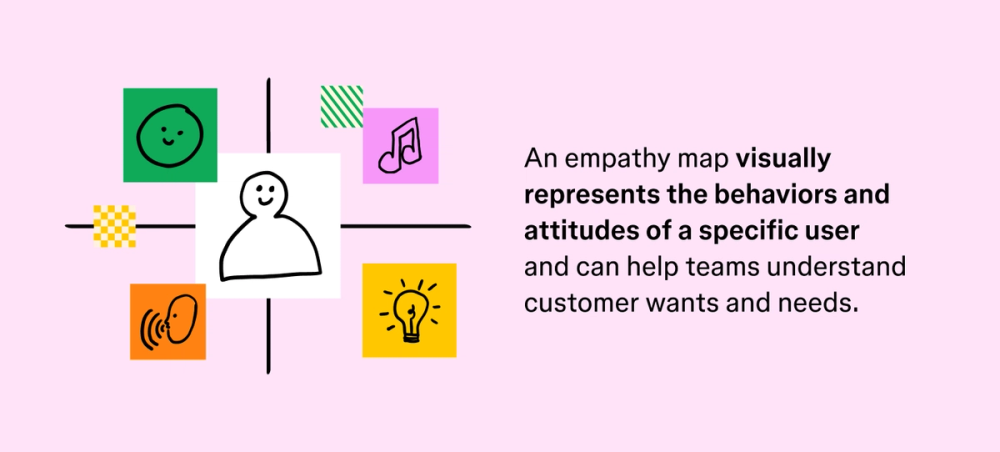
An empathy map is a visual representation of an individual user's attitudes and behaviors. Based on firsthand data and interviews, it captures and represents a single user’s emotions and thoughts. By identifying users’ pain points, worries, anxieties, irritations, joy, and more, it enables you to build groundbreaking products.
Traditionally, empathy maps are used to explore the attitudes and behaviors of a single user, but it’s possible to create maps for multiple individuals or a group of users. Single-user maps are typically based on conversations with a user, while multiple-user maps summarize themes and patterns seen across various empathy maps.

The primary goal of an empathy map is to help teams identify and understand their users' needs, but you can also use empathy maps to:
- Illustrate user attitudes. Visual representations of a user’s emotions can help you connect behaviors with attitudes.
- Collect firsthand data. You can collect and update qualitative data through user interviews and surveys.
Build your empathy map with a free template
Represent your user's needs visually, so you can take action on their problems.
Common empathy map elements
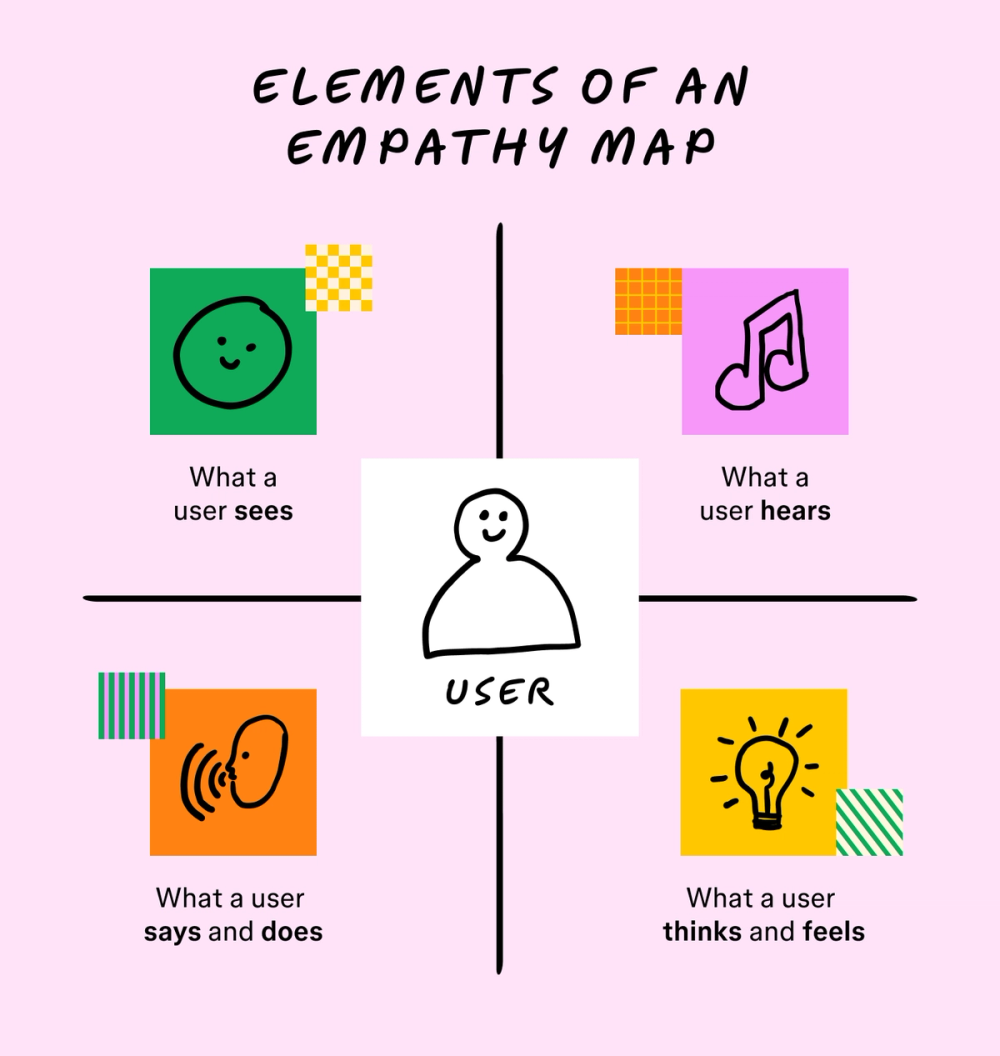
There are a few must-have elements in every empathy map, including what your user:
- Sees. Consider what your users’ environment looks like when they use your product or service, and consider how design aesthetics and color theory might influence them.
- Hears. What messages are your users hearing and responding to? Take note of any patterns you notice.
- Says and does. What do your users tell you directly, and how do they act? Collect data through interviews, surveys, and more, and include common phrases and action observations in the “says and does” quadrant on your map.
- Thinks and feels. Analyze your users’ thought processes and any emotions they may communicate to you during interviews. How does your product or service make them feel? What are they thinking while using or interacting with them?

How to create an empathy map
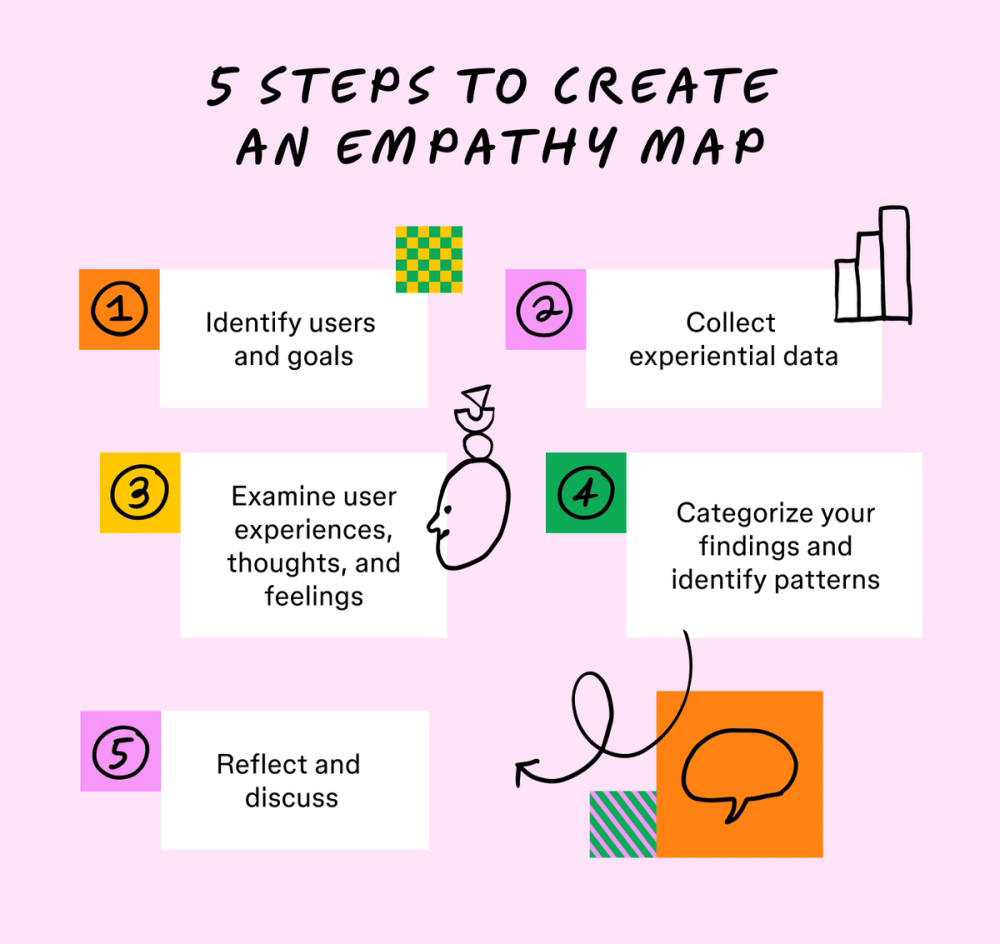
Here are five steps to creating an empathy map with your team.
Step 1: Identify users and goals
Who will your empathy map represent? Whether you’re creating a single- or multiple-user map, you need to identify the main subject. Your map should also be a stepping stone toward completing an actionable goal.
Step 2: Collect experiential data
Empathy mapping requires up-to-date qualitative data. Before mapping, determine who you want to interview, what data collection methods you need, and how you’ll organize your data. Surveys, interviews, field or diary studies, and listening sessions are the most common ways you can collect user experience data for empathy maps.
Step 3: Examine user experiences, thoughts, and feelings
Consider what your users experience on a day-to-day basis and how they respond. Their common phrasing and habits can help you understand where problems arise, plus ways to mitigate issues before they lead to lasting effects.
During this phase, consider:
- Changes to your industry that may affect user experiences and behavior
- Comments on social media or other platforms
- A user’s biggest roadblocks and pain points
In addition, consider the internal factors that could affect your users’ decisions. Since it’s impossible to observe these factors, they need to be inferred or received directly from a user via a survey, interview, or other form of data capture. This step should examine two major categories:
Think: Understand your users’ thought processes while they interact with your brand. It’s especially important to consider what users may be thinking but are unwilling to tell you. For example:
- “I’m irritated while using this tool.”
- “I don’t understand what I’m doing or where I need to go.”
- “This system is disorganized and difficult to use.”
Feel: In interviews, ask your users to describe what they’re feeling at the moment. Consider their pain points, what makes them frustrated, and what brings them joy. When creating your empathy map, identify these ideas as emotions with experiential context. For example:
- The user feels irritated because our program loads slowly.
- The user feels confused when trying to navigate our website structure.
- Our system’s asset management tools allow users to feel relaxed.
Step 4: Categorize your findings and identify patterns
Using a template or starting from scratch, separate your map into quadrants to categorize what your user sees, hears, thinks and feels, and says and does.
From your collected data, ask your team to identify attitudes and behaviors. These can be written on sticky notes or added directly to your map’s template, but team members should place these observations within one of the map’s major sections. If possible, ask every team member to include at least one observation during this step.
Once you can visualize your empathy map, explore your findings by highlighting patterns. Your data may indicate common user thoughts, feelings, or actions. Identifying these patterns can help you understand your users, visualize their experiences, and adapt to their recurring needs.
Step 5: Reflect and discuss
Once your empathy map is complete, it’s time to discuss your findings. Teams can summarize their user patterns and brainstorm possible solutions to pain points during this stage.
At this point, team members may also want to present their findings to other departments and ask for additional input from outside perspectives.
Empathy maps are flexible, so consider discussing your findings regularly and updating your maps with new insights.

Empathy mapping best practices
These best practices can help you create powerful empathy maps, increasing sensitivity and understanding during all phases of the customer journey.
- Keep it focused. You may end up with more information than necessary during the early mapping stages. Remember that your empathy map should directly relate to your team's or organization’s preconceived goals. Every action, thought, emotion, and behavior identified during a mapping exercise must pertain to your overall objectives.
- Adapt your structure. Don’t be afraid to update your empathy map or adapt its structure based on individual users. Every mapping session should produce an empathy map that reflects the unique needs of its user, which means you need to feel comfortable adding or subtracting categories while mapping. Plus, users will face distinct experiences, so their responses, behaviors, and attitudes may need to be categorized differently.
- Allow for flexibility. When it comes to team mapping activities, understand that every member will categorize thoughts and behaviors differently. Allow team members to categorize their own ideas initially, then use discussion time to solve any major disagreements. Flexible categorization allows team members to identify unexpected pains or gains, potentially leading to the development of problem statements and unique solutions to user needs.
Empathy map vs. persona
At first glance, empathy maps and user personas can look similar—but they serve different purposes in the design process.
Personas represent broad user archetypes based on needs and patterns present across key demographics in your target audience. They often include details like goals, behaviors, and pain points, helping teams design with specific types of users in mind.
Empathy maps, on the other hand, zoom in on a user’s mindset during a particular experience. They capture what someone is thinking, feeling, saying, and doing in a given moment, helping teams build empathy and surface insights quickly.
So, should you still create an empathy map if you’ve already drafted and finalized user personas? Absolutely. Both tools are crucial for understanding and empathizing with your users’ needs. You might create an empathy map after a single interview to better understand a specific situation, while personas typically require input from multiple users to reflect shared traits and needs. Together, these two tools add depth and breadth to your understanding of your audience.
- Empathy maps: identify and focus on specific circumstances or perspectives; conversation-driven; focuses on details
- Personas: can be applied to any stage of the user journey; research-driven; focuses on the big picture
Benefits of empathy mapping
Empathy maps help teams see the world from a user’s point of view—leading to more thoughtful, effective design decisions. When used well, they can shift how entire organizations understand and serve their users. Here’s how:
- Make data more digestible. Empathy maps distill what users say, think, feel, and do into clear, actionable insights that closely consider user experience, attitudes, and behaviors.
- Zoom in on real experiences. Empathy maps help teams focus on users’ lived realities, from their pain points to their emotional responses. By surfacing these moments, they bring clarity to key aspects of human-computer interaction and show where designs can better meet user needs.
- Create alignment across teams. Though often created by a design or research team, empathy maps become shared tools. They can guide decisions across product, marketing, support, and beyond, from design research to implementation.
Get started with FigJam’s empathy map template
It’s easy to think that you know your users like the back of your hand. After all, you built the product for them. But empathy maps challenge that assumption and encourage deeper listening. They can also surface product blind spots, support inclusive designs, and help teams build solutions that better reflect real user needs. Figma can help. Here’s how:
- Try out a free empathy map template for a quick and easy way to start user mapping.
- Get inspired by dozens of empathy map examples from the Figma Community.
- Use a work plan template to streamline projects by organizing all details and deadlines in one location.
Ready to create an empathy map?
Keep reading

How to make a mood board in five simple steps
Where does inspiration come from? For designers, the answer is usually a mood board.

What is a use case?
Learn how to describe how a customer interacts with a system.

What is sprint planning?
Find out how to plan sprints effectively with a step-by-step guide, pro tips, and tricks from FigJam.