What is a slide deck? How to make one that stands out


Share What is a slide deck? How to make one that stands out
Explore more from
Strategic planning


Want to transform your work presentations from stressful tasks to powerful opportunities? Let’s start with the basics: What is a slide deck, and how can you create one that keeps your audience hooked?
A slide deck is simply a collection of slides designed to deliver a message or tell a story. Whether you’re sharing design ideas or project updates, the right deck can elevate your ideas and leave a lasting impression.
Read on to learn:
- The purpose of a slide deck presentation
- Key components of effective slide decks
- How to create engaging presentation slides
- Slide deck examples to get you started
What is a slide deck presentation?
A slide deck is a collection of organized slides with text, visuals, and multimedia elements used to deliver a presentation. Common tools include Figma Slides, PowerPoint, and Google Slides. Slide decks can be presented virtually or in-person across settings like:
- Business. Slide decks are useful for data sharing, project updates, strategic planning, internal communications, and client meetings.
- Design. Slide decks present concepts and proposals, user research, design reviews, and style guides.
- Education. Slide decks allow educators to showcase visual aids, lesson structure assets, case studies, and interactive elements.
- Marketing. Slide decks can aid sales presentations, brand storytelling, pitches, marketing strategy, and event planning.
By exploring slide deck and presentation ideas, you can craft compelling layouts and narratives that keep your audience engaged and informed.
Key components of a slide deck
While every slide deck can be customized to suit your needs, most include these standard components:

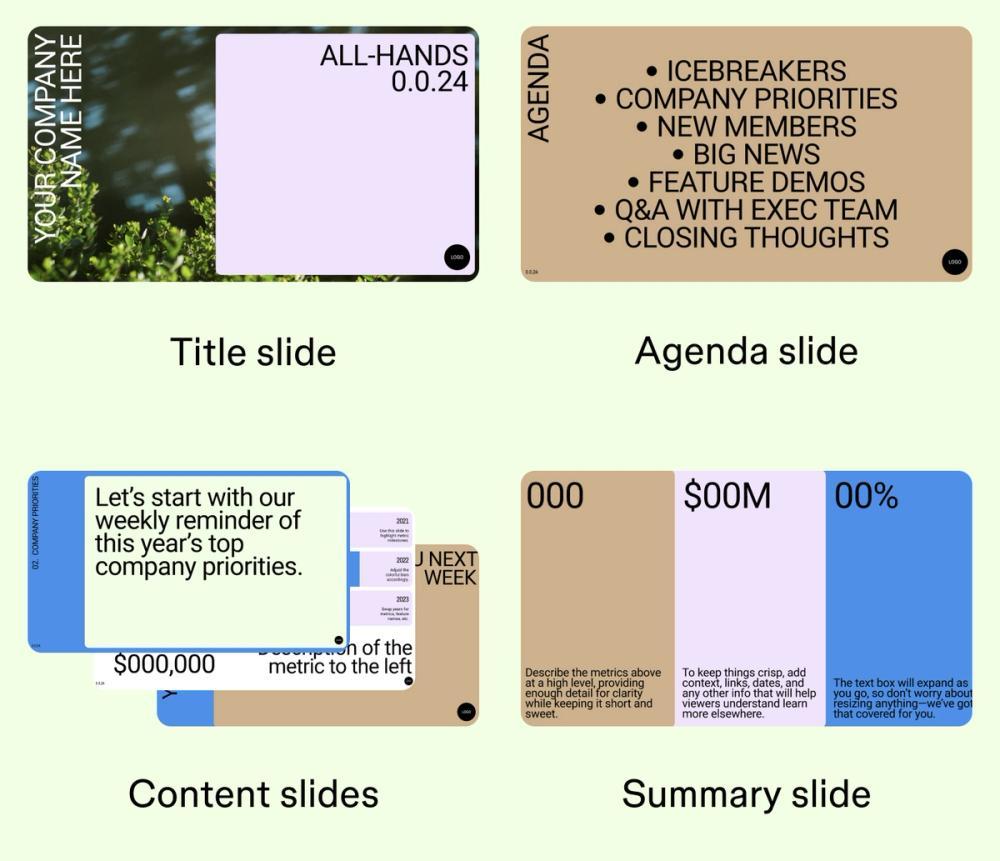
- Title slide. The opening slide introduces your presentation and may include your title, name, affiliated organization, and date.
- Agenda slide. This secondary slide provides an overview of what you’ll cover in your presentation.
- Content slides. These primary slides contain the information, ideas, or research you’re presenting.
- Data and charts. Graphs, charts, and illustrations break down data in an easy-to-understand format.
- Graphics. Visual elements, like images, videos, and multimedia, can help add visual interest and illustrate concepts.
- Interactivity. The audience can interact with these elements, such as polls or interactive prototypes.
- Summary slide. This is the conclusion of your slide deck, restating the main themes and any key takeaways.
How to make a slide deck in five steps
Follow these five steps to craft a well-designed slide deck for your presentation so you can effectively communicate your message.
Step 1: Plan your deck with an outline or storyboard
Before you start your presentation, map an outline or storyboard to guide your process. Creating a plan can help ensure your presentation isn’t disorganized or loses focus. Define your objective: What takeaways do you hope your audience will have after the presentation?
Also, consider who your audience is (their background and knowledge) and the context of the presentation (a designer roundtable or stakeholder presentation) to guide your decision-making. Use brainstorming methods to generate new ideas, then map out an outline with the slides you intend to include.
Step 2: Choose a consistent design
Pick a template that works best for your audience and tone. Consider color combinations, fonts, and imagery. Consistency keeps things professional.
Deliver polished, engaging presentations with ready-made templates in Figma Slides.
Step 3: Craft clear and brief text
Keep text throughout your slide deck clear and brief. Use text to support, not crowd, your slides. Highlight key points with bold font, color, or bullets to call attention to key information.
Include clear headings and subheadings that break down more complex topics and discussions to make it scannable. And don’t forget to check for typos.
Step 4: Incorporate visual elements
Slide after slide of pure text can be hard to digest, leading to a less engaged audience. Break up text with images, charts, and videos, but avoid clutter. Use high-quality, accessible visuals, providing alt text for screen readers and color contrast in charts.
Step 5: Rehearse your presentation
Practice before you stand up in front of an audience. Time yourself, adjust pacing, and aim for under 20 minutes. Avoid reading slides word-for-word, and aim to engage with your audience
Five slide deck examples and templates
Looking for a jumpstart on your next presentation? These Figma Slides templates help you tailor your deck for different goals — whether you’re pitching investors, sharing a product roadmap, or reviewing a project.
Example 1: Pitch deck


Leave investors eager to join your company’s journey by sharing the story behind your big idea. This template helps you highlight your team, customers, market positioning, and past performance with slides like a title, agenda, timeline, and more so you can easily mix and match. Explore inspiring pitch deck examples for compelling options in any situation.
Example 2: Product roadmap deck

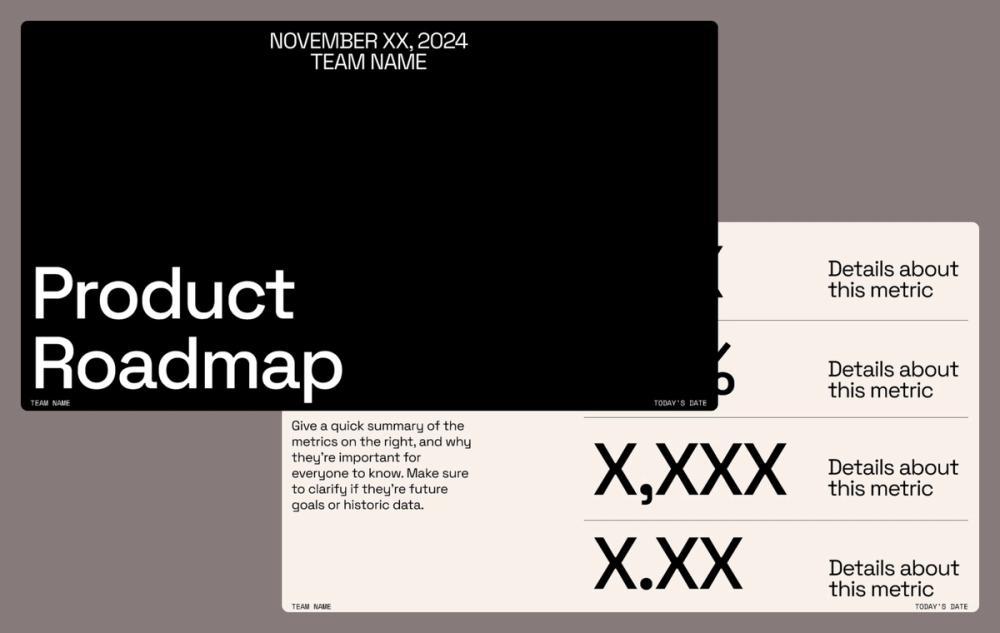
Lay out your product strategy and timeline to turn teammates and customers into believers. Capture feedback directly in the deck so you can align faster and start building sooner. It comes with essential slides that make it easy to communicate key metrics and more clearly.
Example 3: Marketing strategy deck


Clarify your marketing plan end-to-end. This template gives you a structured way to define market challenges, audiences, personas, messaging, positioning, and tactics.
Example 4: All-hands meeting deck

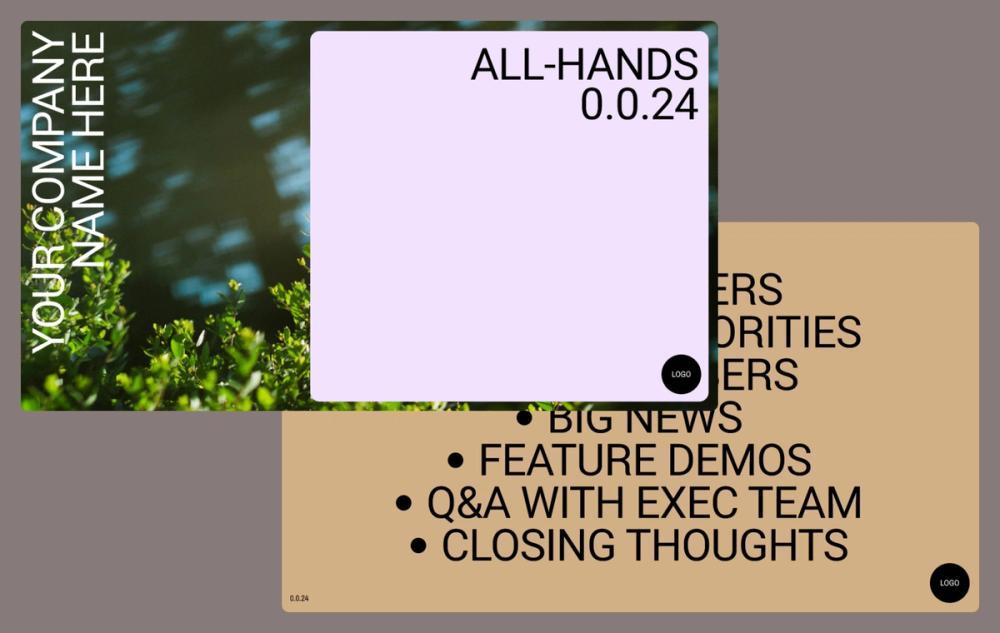
Unite your team and keep everyone aligned with a ready-to-use all-hands template. Includes space for a title, agenda, timeline, and recommended talking points to make sure you cover what matters most.
Example 5: Project review deck

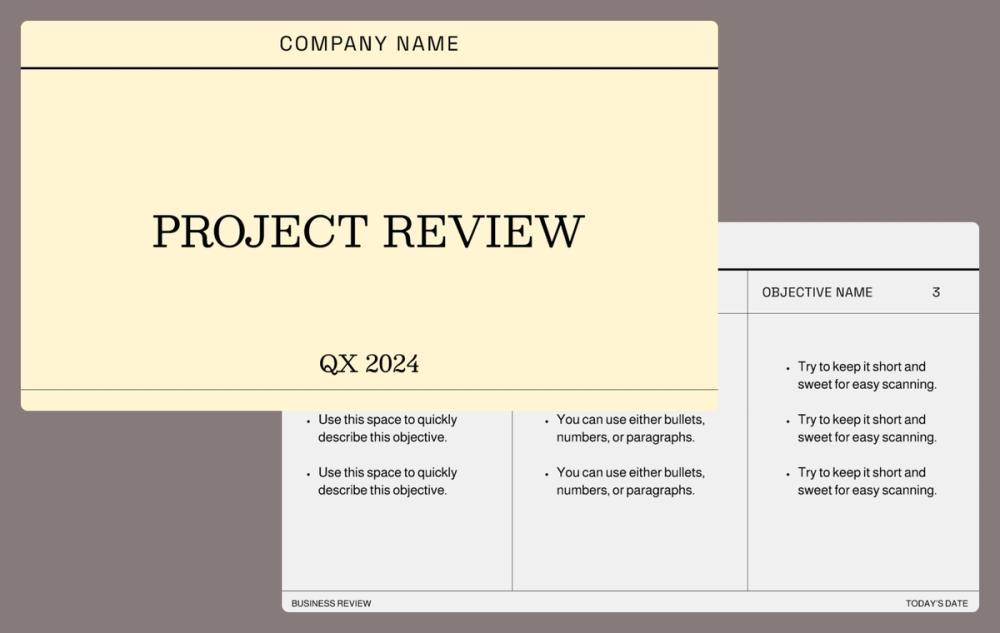
Set context, share progress, and align your audience with a project review deck to help you make confident product decisions. The deck includes slides to showcase objectives, results, highlights, and takeaways.
Design your slide deck with Figma
A great slide deck does more than deliver information; it connects with your audience, keeps their attention, and tells a compelling story. Ready to create your own? Figma makes creating presentations that feel polished, professional, and uniquely yours easier. Here's how:
- Use FigJam, Figma's free online whiteboard, to brainstorm ideas, map out your presentation flow, and gather collaborators' input.
- Browse Figma Community slide deck templates tailored for pitches, roadmaps, marketing plans, and more.
- Customize and polish your presentation, following your brand style guide, bringing in your colors, logos, and visuals.
Ready to create a slide deck?