Guide to Instagram Image Sizes and Dimensions


Share Guide to Instagram Image Sizes and Dimensions
Explore more from
Social media guide
Make Social Media Work Smarter, Not Harder
Transform posts into lasting growth with Figma Buzz.


Most Instagram users know how to filter and tweak their posts to look great, but there’s more to curating content on Instagram than meets the eye. Instagram is a visual medium, so it’s important to adhere to sizing guidelines and design best practices to ensure your posts display correctly.
This guide outlines the best dimensions for Instagram photos and videos, whether you're sharing personal stories or running ads for your brand or business.
Read on to learn:
- Instagram image sizes
- Instagram story sizes
- Instagram video and reel sizes
- Instagram ad sizes
- Sizes for Instagram profile photos
Instagram post image sizes

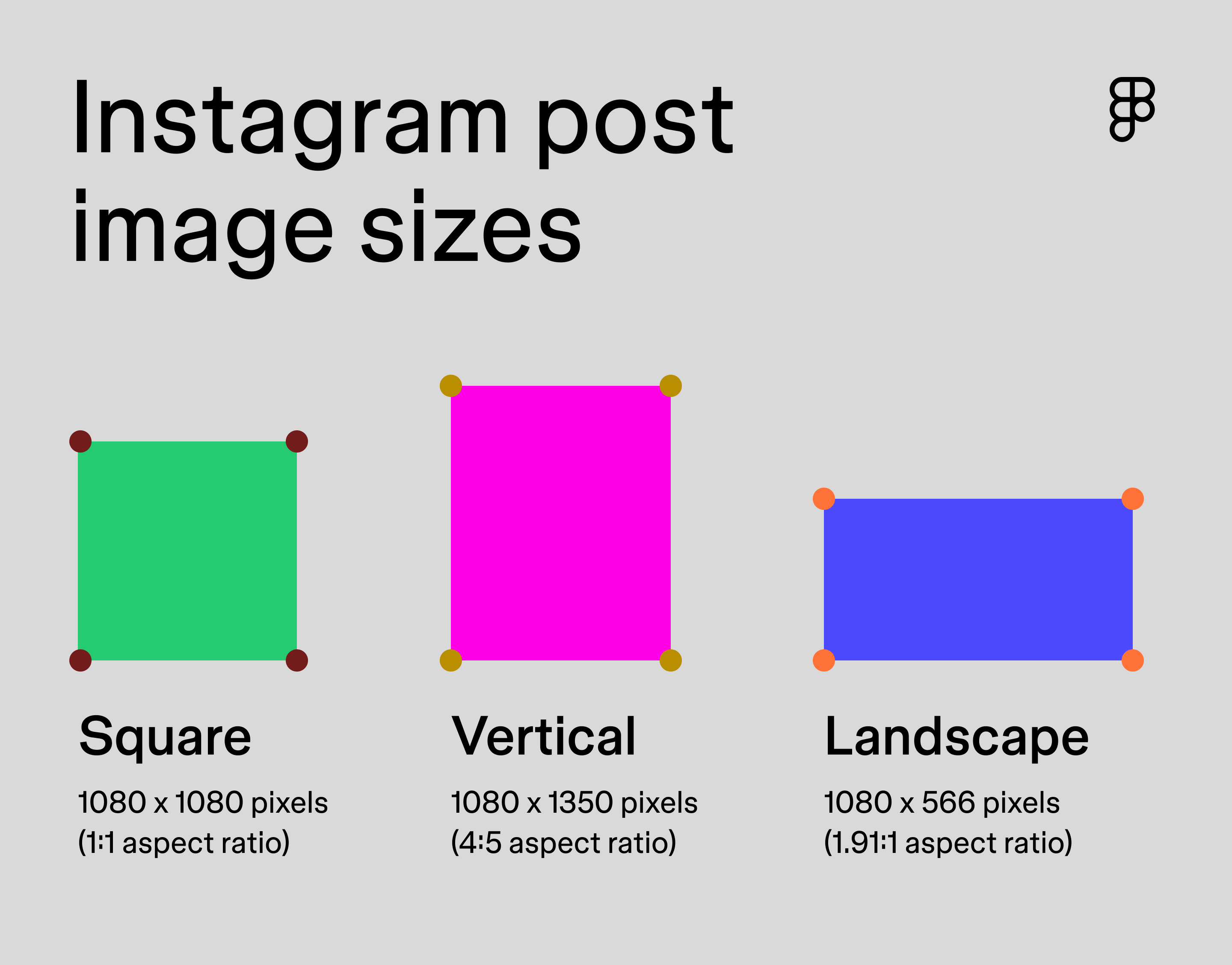
Instagram post images can be square, landscape (horizontal), and portrait (vertical), and you can upload them in PNG, JPG, and BMP file formats. Although all images appear square on your profile, clicking on photos displays them at their full aspect ratio.
Instagram square dimensions
Your image should be a 1:1 aspect ratio or 1080 x 1080 pixels for square images on Instagram.
Using square images is a neat throwback to Instagram’s early days, but the rules of composition are different for square posts. Square designs are all about symmetry, so they work best when you focus in and center on the main piece of content rather than following the rule of thirds principle. To show the most important part of the image, crop your image into the square format, making the design more visually appealing to improve audience engagement.
Instagram vertical post dimensions
Vertical post images on Instagram are best at a 4:5 aspect ratio or 1080 x 1350 pixels.
The vertical aspect ratio maximizes your Instagram real estate and takes up more of the screen, allowing you to capture your audience’s attention for longer. Being bold with your portrait designs will make your posts go even further because they physically require more time to scroll by. Pro tip: To stand out even more and effectively use the screen size, post a super-sharp image, or use bright color combinations to make your graphics pop.
Instagram landscape post dimensions
The aspect ratio for Instagram landscape photos is 1.91:1 or 1080 x 566 pixels.
Landscape images are wider than they are tall, taking up less vertical screen space while providing a broader view. This aspect ratio is best for sweeping scenery or designs that need more horizontal room to breathe.
Instagram carousels
Instagram carousels give you the opportunity to share more content and practice creative storytelling in a single post. Instagram allows up to 20 photos or videos for your audience to swipe through. You can upload square, landscape, or vertical posts with the same dimensions listed above, but Instagram will automatically crop each photo to fit the aspect ratio you chose for the first photo in your carousel.
Pro tip: Browse these Instagram carousel templates from the Figma Community to help you design carousel posts to match your unique style.
Instagram profile photo size

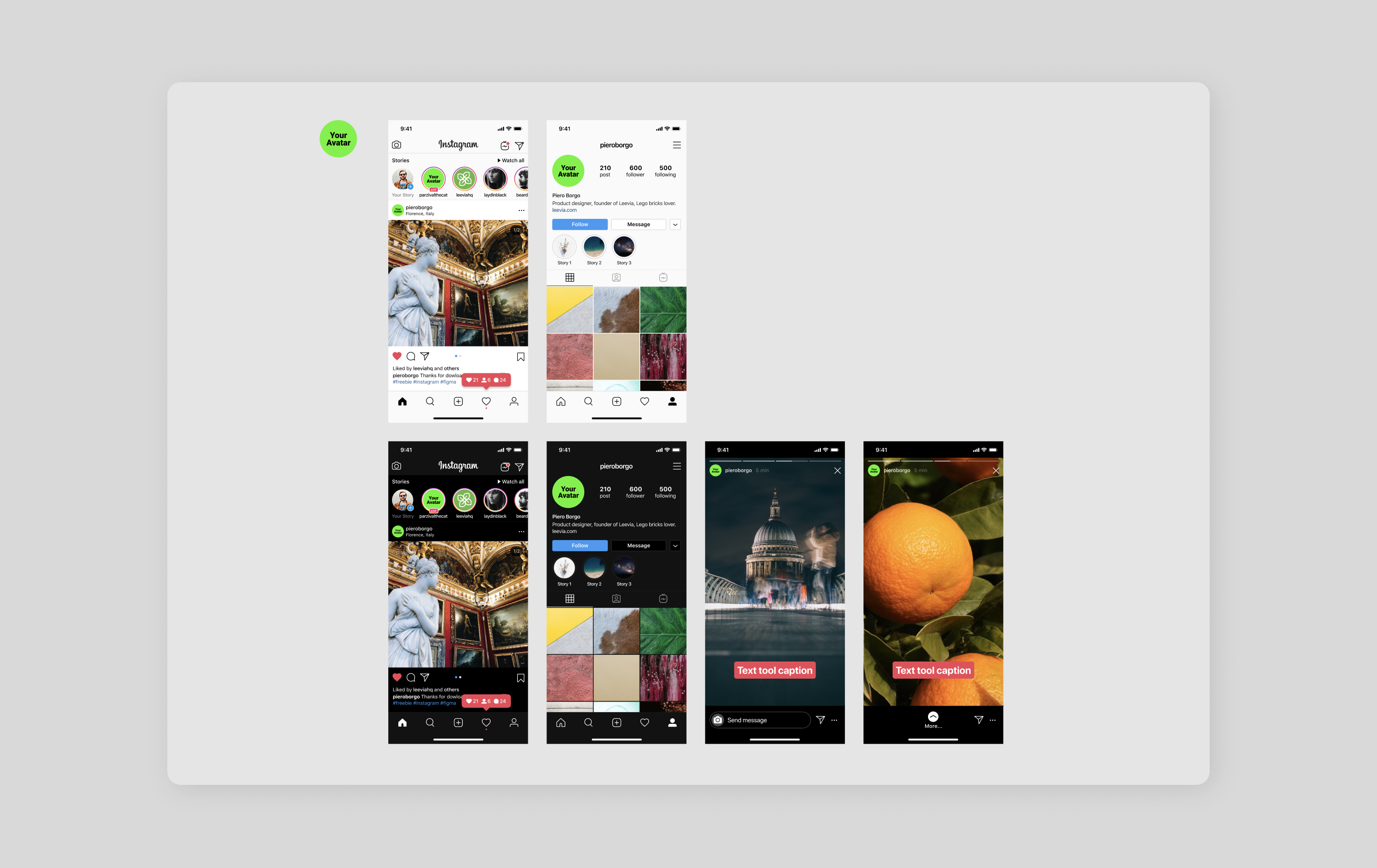
Though they’re small, your profile photo should be clear and easy to identify. For businesses, a simple logo or a clear image of your core product offering is a great choice for your profile photo.
The dimensions for an Instagram profile photo are 320 x 320 pixels at a 1:1 aspect ratio.
Pro tip: Use the Instagram Avatar Preview from the Figma Community to see how your profile photo will look on the platform.
Instagram story sizes

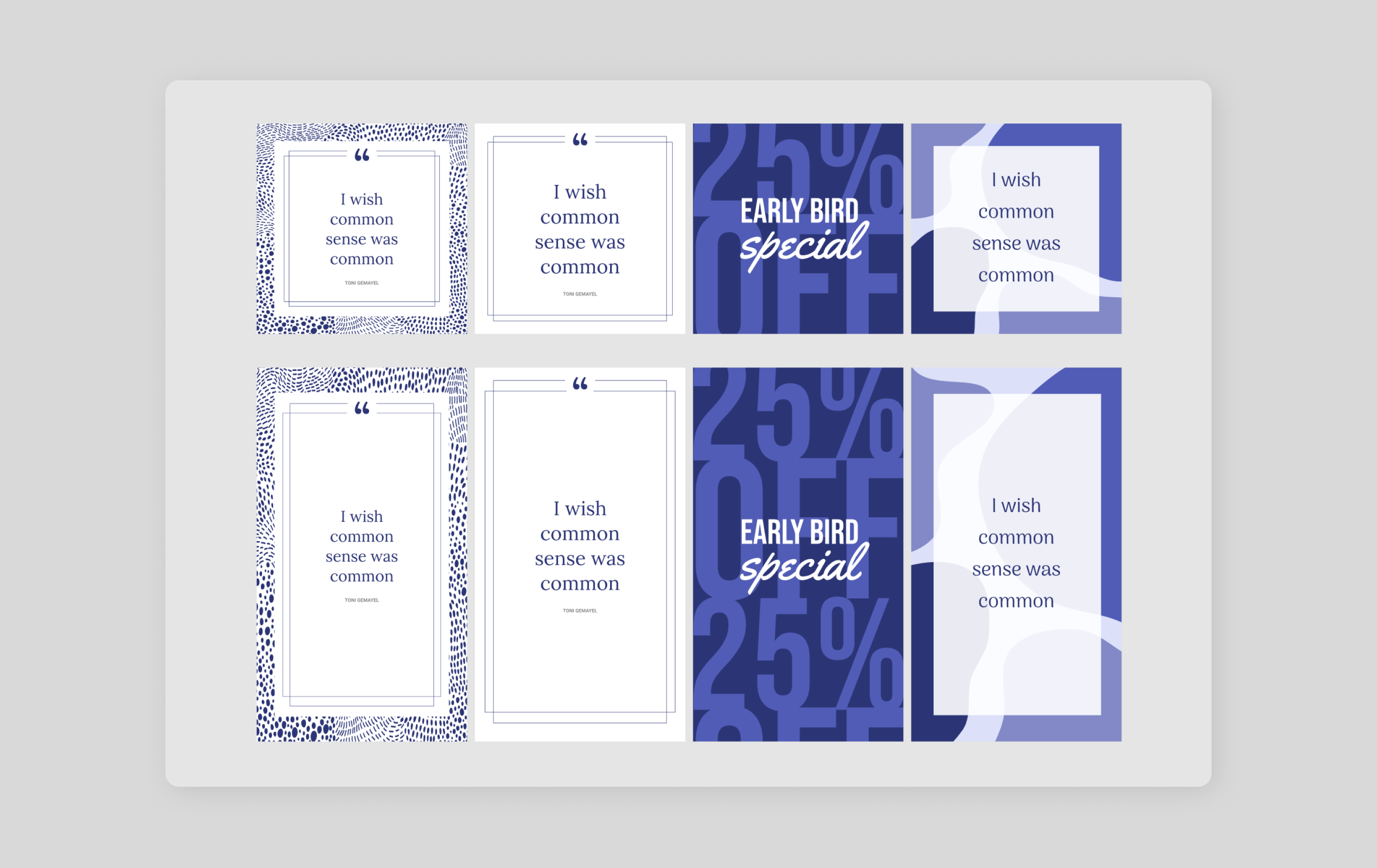
Instagram story dimensions are 1080 x 1920 pixels or a 9:16 aspect ratio for photos and videos.
It’s crucial to stick to this guideline, as Instagram can crop or zoom into your video, leading to a loss of quality and messaging.
Instagram Stories present unique design challenges since viewers tap through them quickly—a very different user behavior when compared to the more leisurely pace of your typical feed scrolling. Starting with the right dimensions is crucial for making your Stories look professional.
Pro tip: Looking for a quick start? Figma offers free pre-sized Instagram story templates that you can customize to meet brand's look and feel.
Instagram reel sizes

Of course, video content is a social media fan favorite, and Instagram reels are a strategic way to drive traffic and engagement. When posting videos on Instagram, follow the sizing guidelines below.
The recommended dimensions for Instagram reels are 1080 x 1920 pixels at a 9:16 aspect ratio.
Reels can be up anywhere from 15 seconds to 15 minutes long and can be uploaded in MP4 or MOV file formats. In addition to your video, Instagram also lets you choose a cover photo. You can either upload a photo at 1080 x 1920 pixels or select a hero frame from your video.
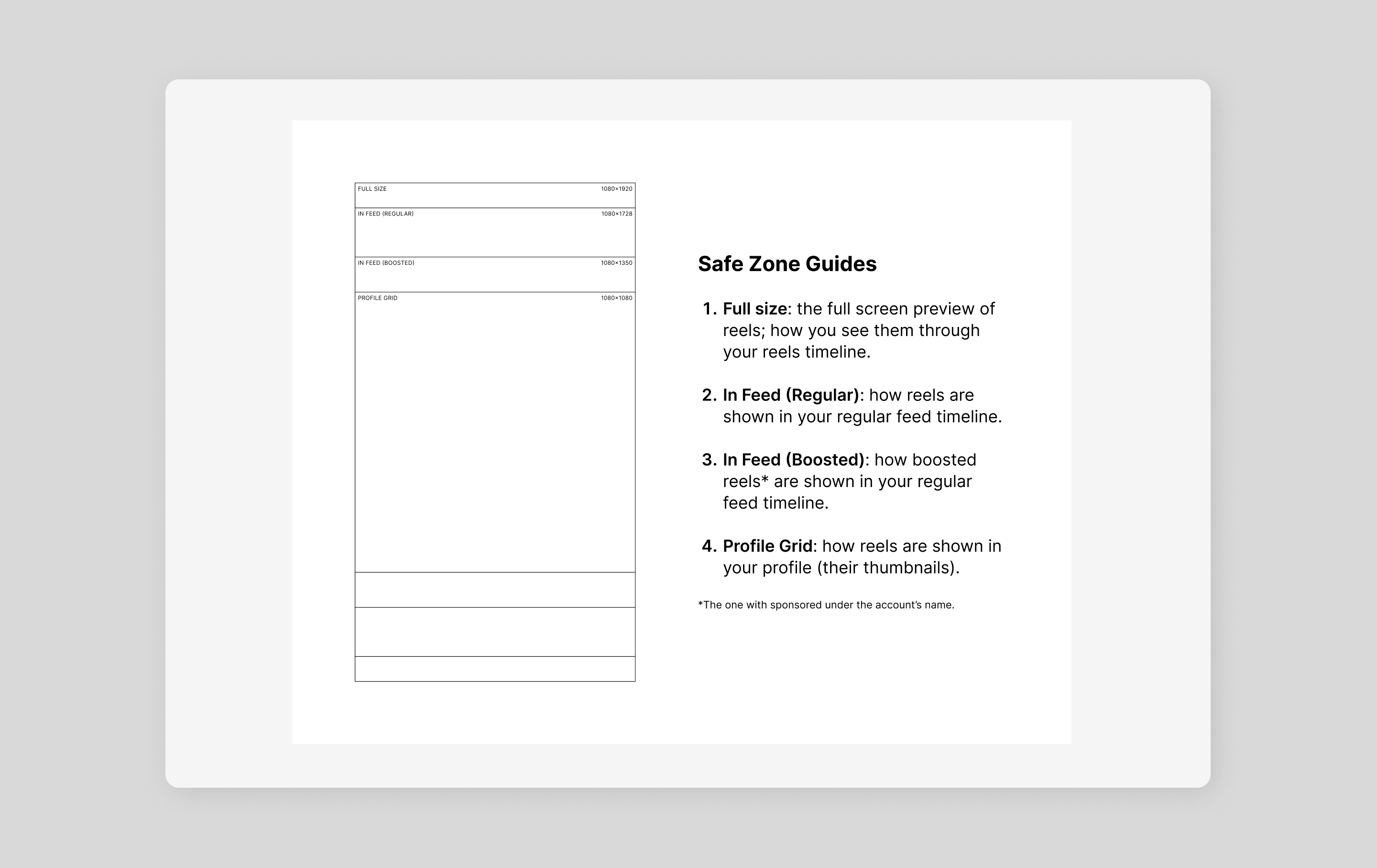
Just remember that Instagram will automatically crop your photo to a 1:1 square, and that’s the thumbnail your audience will see when looking at your profile grid. Center all important information and avoid placing anything near the edges that might not be seen when cropped.
Pro tip: The Instagram reels safe zone template from the Figma community is a helpful tool to ensure your content is visible across different preview sizes.
Instagram ad sizes

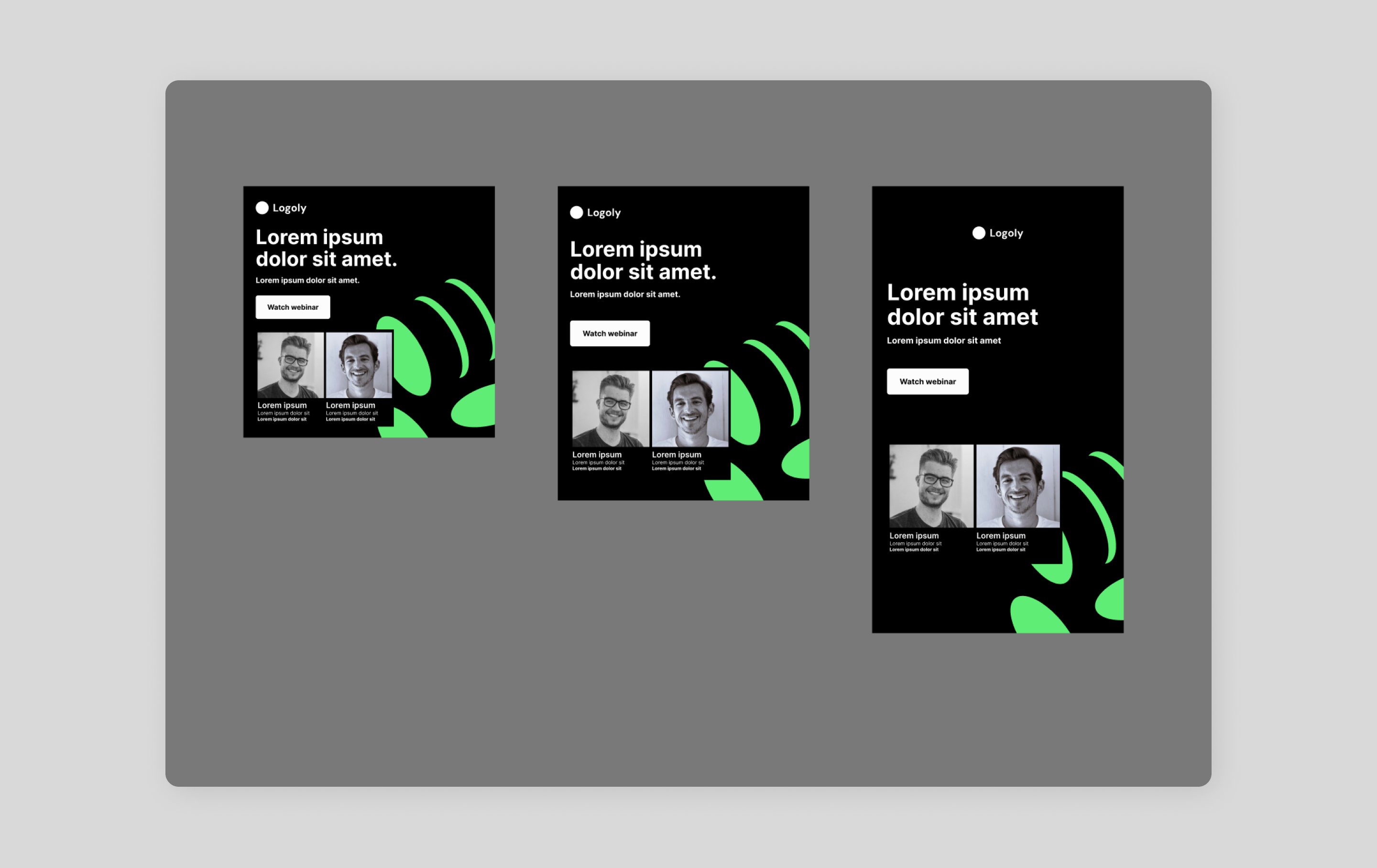
Instagram dimensions should adhere to the following size guidelines:
- Story ads: 1080 x 1920 pixels at a 9:16 aspect ratio
- Post image ads: 1080 x 1080 pixels at a 1:1 aspect ratio or 1080 x 1350 pixels at a 4:5 aspect ratio
Sticking to these ad sizes is particularly important to ensure they perform well in the Instagram algorithm. When designing ads for Instagram, think about the core conversions you’re trying to achieve. Is it more followers, a new product customers can purchase, or simply referring a customer to a new blog post? By determining your ad goals, you can make more informed decisions about what to include in your ad designs and what best resonates with your audience.
For example, a ‘Shop Now’ CTA won’t perform as strongly if you want to get more views on a blog post because your audience may get confused. Your ads will eventually perform better if you test and analyze the success of your paid content.
Design and plan your Instagram posts with Figma
Now that you’ve nailed down the proper Instagram image sizes, it’s time to start creating content and engaging with your audience. Ready to design Instagram content that converts? Figma can help. Here’s how:
- Create Instagram content for free using Figma’s design tool or use FigJam to help brainstorm and plan your content calendar.
- Explore the Figma Community for pre-sized frames, templates, and tools for inspiration or help designing posts for Instagram.
- Browse Figma’s social media size guide library to design images for other platforms, like YouTube or Pinterest.
More size guides


Facebook has several different image types, and each one comes with its own parameters. Here is a breakdown of each image type and size, as well as some guidelines on best practices to follow for Facebook cover photos, banners, profile pictures, and more.


YouTube
When you think of YouTube, the first word that probably pops into your mind is “video.” But static images play an important role in your YouTube profile. YouTube banners and channel art tells the story of your brand before your audience even hits play.

Brevity is the soul of Twitter. Since you’re restricted to 280 characters, media is a great way to help you convey your message. Image and video posts give you new ways to communicate with your followers and help you stand out in a vast sea of Tweets.

You might not think of LinkedIn as an image-centric social media platform. But LinkedIn photos play an important role, and give prospective employers or clients subtle but important cues. Here are some best practices to help you make your best impression.

Besides Instagram, Pinterest is probably the most image-heavy of all social media platforms. As a result, many individuals strive to post images that are eminently pinnable. Pinterest makes their image requirements as straightforward as it gets.

Twitch
Boasting more than 100 million unique users, Twitch is no longer a niche social network. The social media landscape is always evolving, and Twitch boasts an engaged, coveted demographic of 18 to 34 yr olds, making it an attractive platform for marketers.


Soundcloud
Gone are the days of handing out your mixtape. Soundcloud has enabled musicians to build a following by putting them directly on the radar of music consumers. Create a 🔥 album cover or profile pic and step up your music marketing.


Google Display Ads
Google display ads are one of the most valuable ways to reach customers. The sheer reach of Google’s network and targeting allow you to convert your audience at scale. Learn more about Google display design best practices.