Shipping hype: PMs on what it takes to bring AI features to market



How do you build AI features people want and trust? Product Managers at Figma, Duolingo, Asana, and LinkedIn share their tips.
Share Shipping hype: PMs on what it takes to bring AI features to market
Artwork by Rose Wong
It has been just over a year since OpenAI set off a frenzy with the launch of ChatGPT. Two months after its debut, the chatbot had over 100 million active users, making it the world’s fastest growing app and spurring an AI arms race.

This article is part of The Prompt, an online and print magazine by Figma and designed by Chloe Scheffe.
The race has only intensified as a new year approaches and OpenAI navigates its own power struggle. Understandably so. Despite myriad practical challenges—not to mention a slew of moral, ethical, and environmental concerns—AI has the potential to shape the future of work, and the future of design and product development, in particular. And if harnessed carefully, the hype can even be a catalyst. So how do you transform all that momentum into tangible features that people actually want and need? To find out, we talked to our colleagues here at Figma, plus product leaders at companies with a track record of shipping successful AI-driven products.

Watch the livestream with leaders from Duolingo, Asana, and LinkedIn about how to build and launch AI-powered experiences.
1. Start with user problems.
The feverish drumbeat surrounding AI may put pressure on teams to launch a feature before they fully flesh out a logical use case. Put bluntly: Just because AI can power some new party trick doesn’t mean it should. “AI is a hammer and everybody is looking for nails,” says Conor Woods, Product Manager at Figma. “You really just have to start with problems that people are facing and then think about the best way that you might want to approach those and see if there is a role that AI can play.”
AI is a hammer and everybody is looking for nails.
Conor asks three questions to determine if a feature benefits from AI. First, are you working on a problem that can take advantage of an existing large data set? Large language models (LLMs) like OpenAI’s GPT-4 are perfect for organizing information that’s already out there—generating summaries, for example—but it’s hard to get them to come up with entirely new experiences, which is essentially a prompt engineering challenge. Second: Are you okay with a margin of error? Imperfect (and sometimes outright false) results are inevitable when you’re working with today’s LLMs. So a problem that requires 100% accuracy won’t be sufficiently addressed by AI. Third: Are you using AI to paper over bad UX? As a point of comparison, Conor cites bloated mobile devices, with endless rows of apps forcing you to ask a smart assistant like Siri to find what you need. Another app doesn’t improve the underlying flaw. Similarly, adding AI won’t fix an ill-conceived ecosystem.

At Asana, teams have an even simpler test for judging whether AI makes sense or not: Does it save users time? One feature, called Smart Status, enables customers to write status updates with the help of AI, so they can get a draft going in seconds. “They already write status updates,” says Rodrigo Davies, Product Lead for AI at Asana. “They can right away go from, ‘I spend 20 minutes a week doing this’ to ‘now I’m going to spend two minutes per week.’ The ROI is super clear to them.” Nail first, hammer second.
See more from Asana, Duolingo, and LinkedIn in our recent livestream.


Check out Asana’s FigJam template for accelerating iteration on AI features.
2. Specify the problem. No really, get specific!
In the design and development process, AI’s greatest asset can also be a liability. “Generative AI features, by their nature, satisfy many different underlying needs,” says Cemre Güngör, PM Manager at Figma. But that creates ambiguity when you’re trying to define a feature. “When you describe an AI feature with words (‘we’ll summarize text’), everyone ends up with a slightly different interpretation in their head for what it should do,” he says. “There’s actually a ton of nuance. For a summary, the underlying need might be understanding what a document was about, identifying action items, finding the most salient quotes in research [and so on].”
Cemre says that the best way to ensure an AI project doesn’t go off the rails is to be aggressively specific upfront about what you want it to achieve. Write out the precise prompts and outputs you have in mind. “Writing concrete examples helps everyone on your team align on what exactly you expect from the feature and can help you better define the problem you’re trying to solve,” he says. “And as you’re moving through implementation, they can serve as a guidepost on whether you’re on the right track.”
3. Think outside the (chat)box.

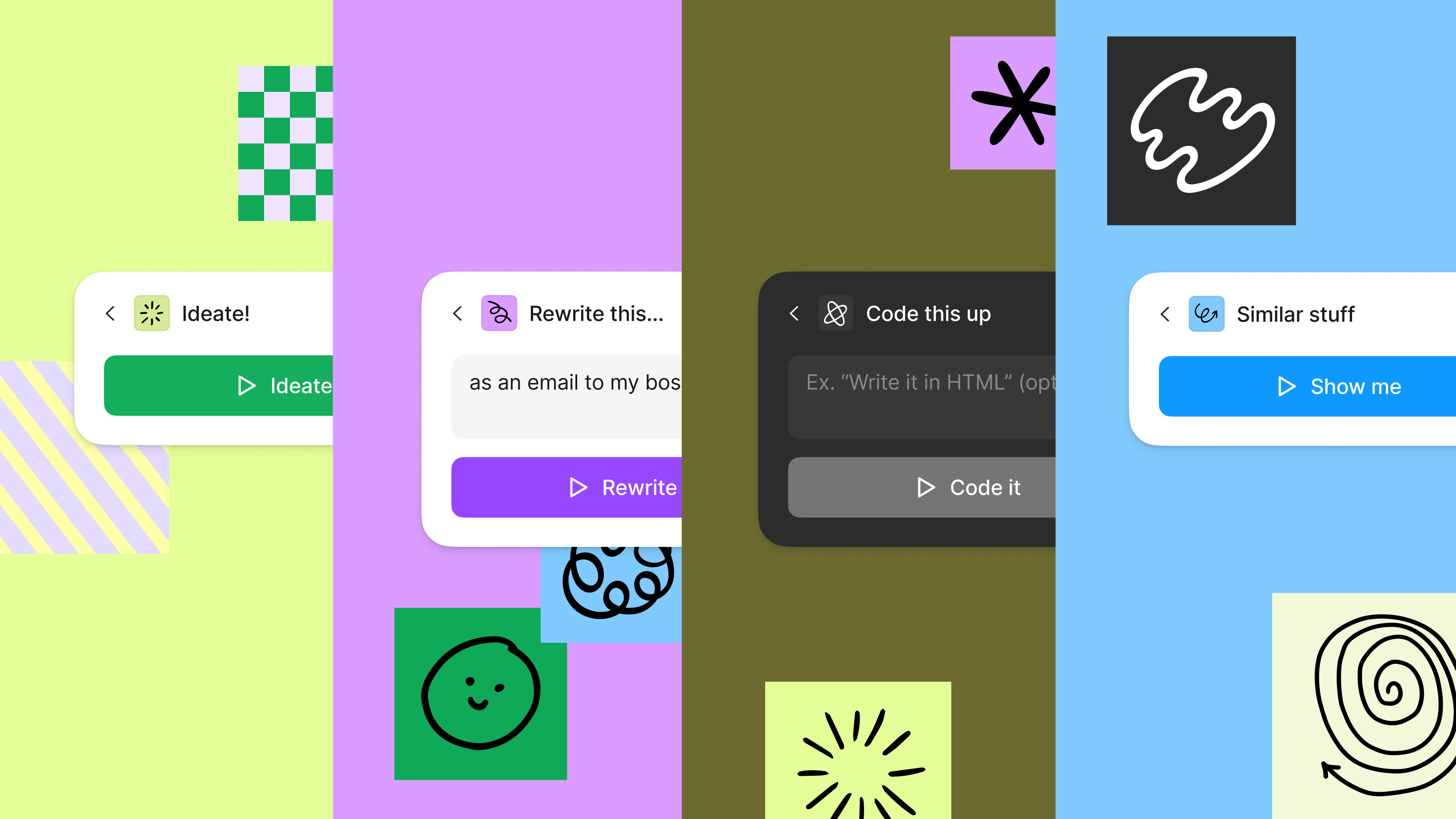
Figma’s Jambot shows what’s possible when you think outside the chatbox.
Much of AI today lives inside chatboxes. This makes sense to some extent. Apps based on LLMs are good at generating text, which flows logically in a chat interface. Plus, ChatGPT was most consumers’ introduction to AI apps. But chatboxes aren’t always the best way to convey information. “We’re stuck in chatboxes. Just like we’re stuck in Zoom right now,” says Figma’s Daniel Mejia. “There are so many missed opportunities when we ‘talk’ to ChatGPT—what identity it has, how contextual it can be.”
Duolingo, which uses AI to help language learners understand their mistakes and practice real-world conversations, originally went “all in on chat,” says Edwin Bodge, Group PM of Revenue and Subscriptions at Duolingo. But a simple chat interface didn’t adequately engage users. Duolingo sees itself as competing with big, splashy social media companies, not just other language-learning apps, so it has to dazzle its audience. “Learners are so much more comfortable interacting with something that looks like a rich UI, a delightful UI,” Edwin says. “We fully moved some of our features away from a chat interface and toward what they’re used to interacting with.”


Check out the design sprint framework that Edwin and his team used to create Duolingo Max, which is powered by GPT-4.
4. Put people in the driver seat.
AI’s potential to disrupt entire industries may inspire fear, prompting some people to dismiss it outright. “Most customers are what we call excito-nervous,” says Asana’s Rodrigo Davies. “‘Maybe this can do something for me, but maybe it’s going to break things.’ We have to win customers’ trust.”
Reminding users that they’re in charge can go a long way toward building that trust. “I don’t think it’s AI or human-centered design, it should always start with human-centered design,” says Shyvee Shi, Product Lead at LinkedIn. “One way is bringing transparency to this black box [that is] AI.” LinkedIn, for example, uses AI to help recruiters craft messages to potential candidates, but reveals what kinds of fields the AI is using and lets recruiters pick and choose the fields. That creates a sense of agency; users benefit from automation but don’t relinquish their control over the final product. “You can automate a ton of stuff,” she says. “But the human needs to be in the driver seat.”


For more on how to think about transparency and trust, check out Shyvee’s template for building with generative AI.
5. Embrace the chaos. Give yourself time to explore.
In many ways, AI requires an entirely new way of working. “Product development for AI works quite differently from non-AI work. It is very non-deterministic,” says Figma Product Manager Albert Song. “You make one change and it could regress other things, and you're not sure exactly why, and you have to just try to figure it out and test different ideas. It's not straightforward.”


Read more about how we’ve integrated AI into FigJam to visualize ideas and automate tedious tasks.
Albert and his colleagues experienced this firsthand when they started exploring FigJam AI. After an initial period of moving quickly, they faced one stumbling block after another. “It actually got really, really scary because we ran into a lot of hurdles,” Figma’s Conor Woods says. “We'd make improvements somewhere and quite literally take one step forward, and two steps back.”
To work through it, they deputized engineers to become subject matter experts in specific problem areas and addressed them one by one. Eventually, they were able to regain their footing. But the experience taught them that they couldn’t rely on a traditional product development process, in which you identify bugs and fix them. With AI, Albert says, the path is much more circuitous. “You have to bake in time for exploratory work. It pays off in the end.”
For more from the product teams at Figma, Duolingo, Asana, and LinkedIn, check out our recent livestream and this FigJam file with a summary of their learnings.


Explore the rest of The Prompt, a magazine available online and in the Figma Store as a limited print edition.
Suzanne LaBarre is a journalist and content strategist specializing in design, technology, business, and innovation. She has overseen Fast Company’s Co.Design and was the online content director of Popular Science.