Give ideas more space with Jambot



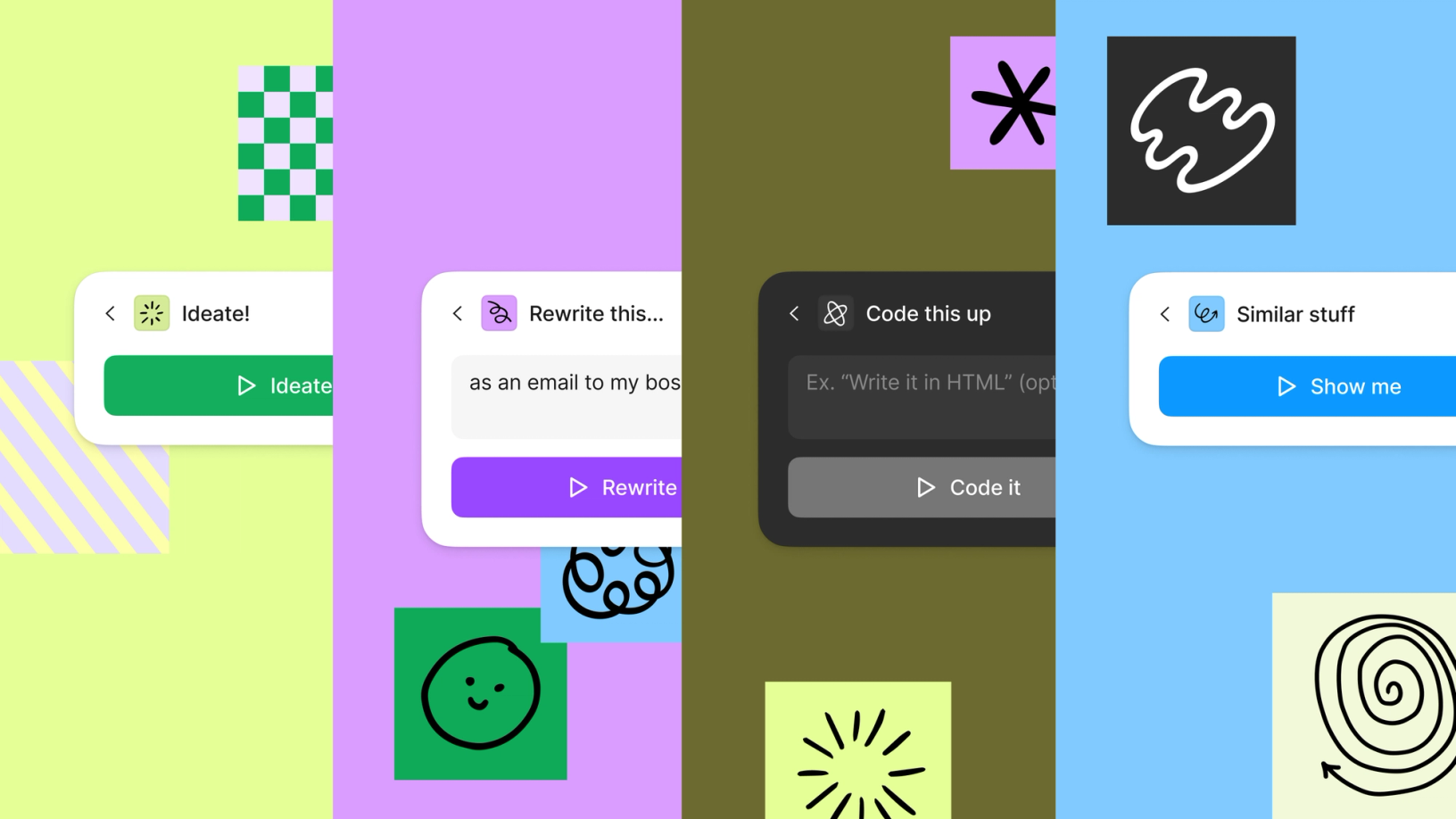
Jambot brings the generative power of ChatGPT to FigJam, helping you take your ideas (and meetings) further.
Share Give ideas more space with Jambot






One of the delights of using a Large Language Model (LLM), like OpenAI’s ChatGPT, is its ability to simulate the act of riffing—bouncing ideas back and forth in a way that feels spontaneous, light, and conversational, but with a supercharged bank of knowledge. It’s like that friend who’s funny (if a bit awkward), knows a little something about everything, and never tires of it always being about you. For humans who are uniquely wired to want to explore and push ideas around John Maeda shares takeaways from his Design in Tech Report, thoughts on designing with artificial intelligence, and why we should embrace uphill thinking in a world optimized for shortcuts. AI is more than a product, it’s a platform that will change how and what we design—and who gets involved.

Running up that hill: Creativity, AI, and the human pursuit of uphill thinking
AI: The next chapter in design
Jambot was born out of a hackathon project at Figma. Can you tell me a little bit of the backstory?
When our internal AI-focused hackathon came up, I pitched the project as “a visual version of ChatGPT.” I love ChatGPT, and I love seeing all kinds of people using it. I think the simple chat-based interface is super powerful to interact with AI, but I don’t think it’s the optimal format for all scenarios. As a simple example, when ChatGPT gives you multiple options, you can dig into one and ask follow-up questions, but when you want to go back to another option, you have to scroll back up, and then start to repeat the same questions. More generally, since the sequence of chat messages is one dimensional, it’s not very natural to branch out to different topics, or tweak things to see how they all connect. I’ve been a heavy user of these tools called Networked Thought—especially Roam Research and Logseq—which basically allow you to create pages that link between each other, so you can connect, organize, and trace ideas. More recently, I also found this tool called Albus, which adds a visual feel to interacting with AI, and so I thought there should be a way to connect these concepts to create a potentially useful alternative to ChatGPT.
I think the simple chat-based interface is super powerful to interact with AI, but I don’t think it’s the optimal format for all scenarios.
I was also thinking a lot about LangChain, which is like Python in that it employs an object-oriented, semantic approach, but in a high-level programming language environment. You have to know how to code in order to make any use of it, but I thought it would be really cool to have something that was visually tangible and easy to use.
I think we’re stuck in chat boxes. Just like we’re stuck in Zoom right now. It might be too early for LLMs to be overly anthropomorphic; maybe they’re not capable of showing emotion, but right now they sort of pretend to. There are so many missed opportunities when we “talk” to ChatGPT—what identity it has, how contextual it can be. So many GUI (Graphical User Interface) primitives we invented in the past 20 years—from cursors to windows—were designed to make computers effectively more approachable, but it’s like we have to start from the beginning again with AI because, right now, it feels like all we have are more rudimentary, command-line operating system models like DOS.
We have to start from the beginning again with AI because, right now, it feels like all we have are more rudimentary, command-line operating system models like DOS.
How did the team arrive at this visual design direction?
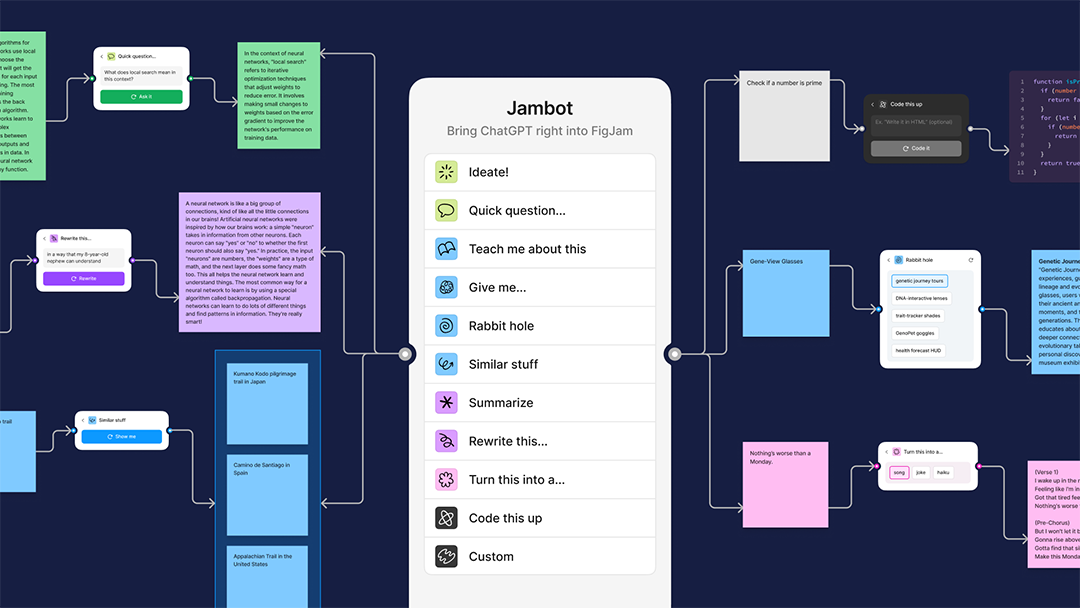
The team gradually moved towards the formal expression it has now—an almost game-like quality, where it feels fun and low stakes. There are two node connectors, at either an input or output space, and you can see things flow from left to right, as it connects stickies and processes information—either extracting information from a sticky or running a command—and then outputs something. A lot of interaction designers are obsessed with the history of visual programming and why it did or didn’t become more successful than it is today. To me, it’s exciting to take that kind of visual programming interface and apply it to ChatGPT, it just feels right as a tool.

How did you land on the input and output functions?
Going into the hackathon, the thing that I didn’t want to do is just have some text box, because anyone can write a text box that submits an API request. Having a pre-set list of functions gives users some clear affordances. Having those prompts makes [the capabilities] way more discoverable without having to go down this rabbit hole of, “How do I learn this new language or this new way of interfacing with a computer?”
We had many discussions about exactly what these functions should be, and which ones would be most useful:
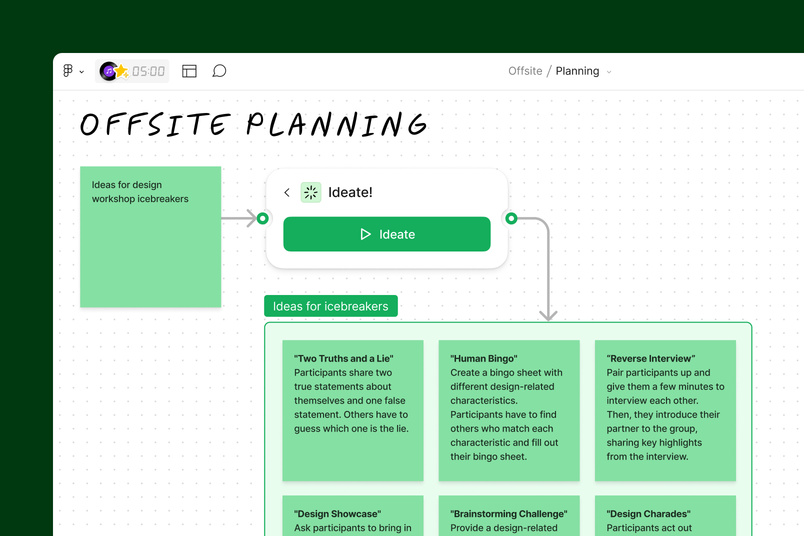
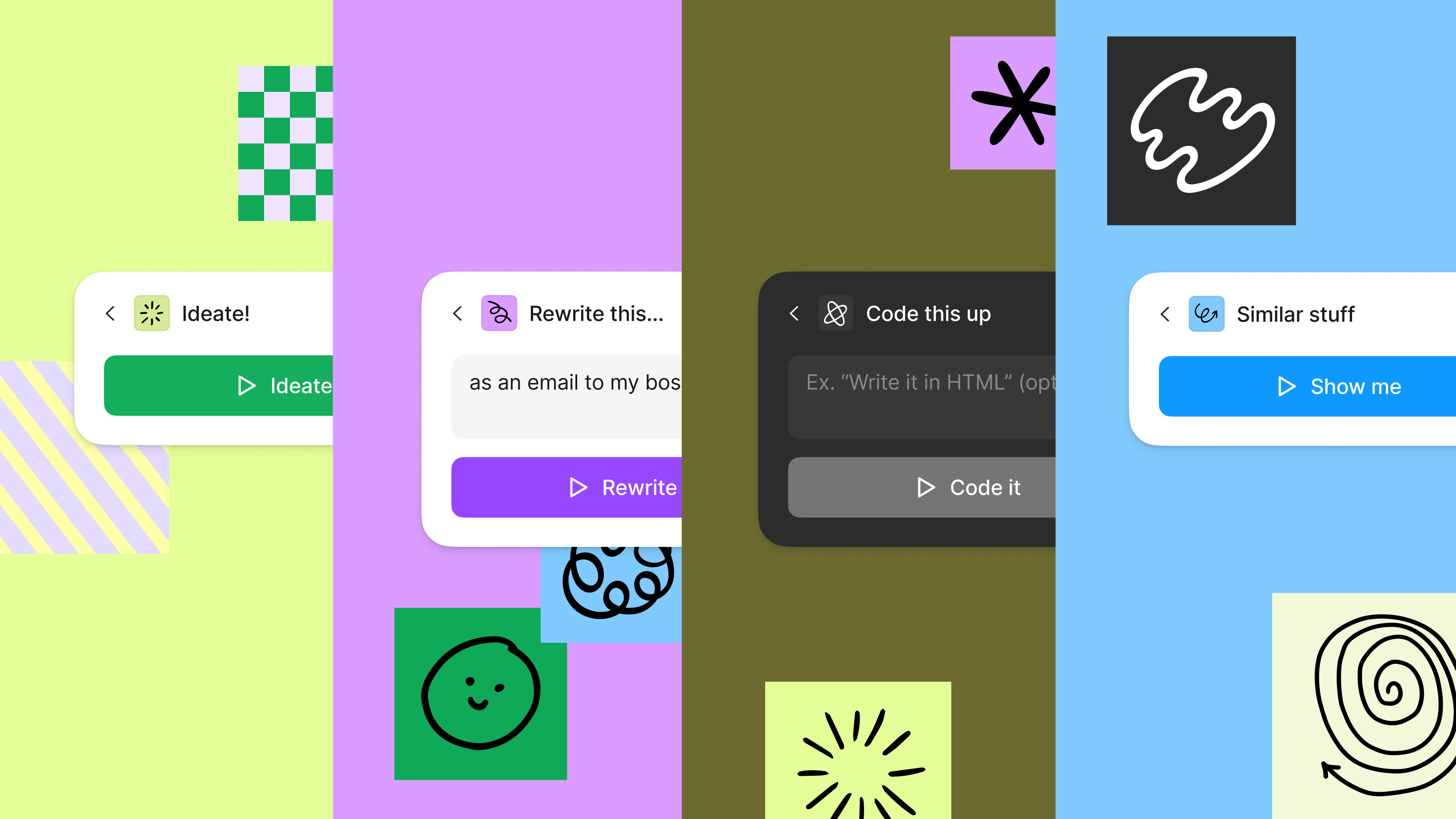
1. Ideate: We wanted to be able to have one sticky turn into many stickies.
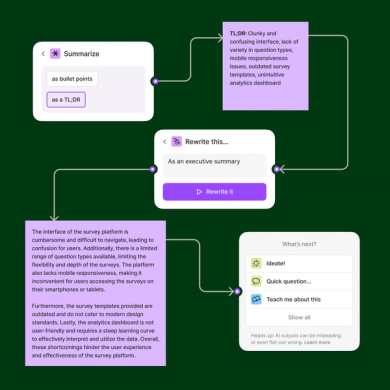
2. Summarize: Have many stickies turn into one sticky.
3. Play: We wanted to find interesting ways to expand on ideas and summaries.
The thing that I didn’t want to do is just have some text box, because anyone can write a text box that submits an API request. Having a pre-set list of functions gives users some clear affordances.
The one-to-one behavior, where you convert one sticky into another sticky that’s somehow different, like turning feedback into a song, is really our opportunity to bring an element of play into the tool. We wanted to make Jambot feel Figma-y and whimsical. LLMs like GPT tend to be really good at doing, so it felt natural to incorporate those prompts into Jambot.


Generative AI and the creative arms race
Ovetta Patrice Sampson, Director of UX Machine Learning, Google, describes this phenomenon as a sort of souped up mad lib and gives us a concise history of how LLMs got started in her Config 2023 talk.
People are going to enjoy using this, just like they enjoy using ChatGPT. It’s playful, but there’s also a real value it can add in the context of work.
At Figma, our vision is that AI is a tool to supercharge work and collaboration AI is more than a product, it’s a platform that will change how and what we design—and who gets involved.AI: The next chapter in design
At Figma , our vision is that AI is a tool to supercharge our collaborators. It’s less about having AI do things for you, and more like AI is helping you to do a better job, whether that’s designing or otherwise.
Jambot lets you play around with an idea or information rather than completing a [clearly defined task]. I think that aligns with the idea of having AI as an assistant rather than an oracle of some sort, where it tells you just one thing, and you have no way of intervening or acting on the output.
I’m really excited about how Jambot can empower people to fluidly dive into different paths and more effectively leverage AI to learn faster and open up new ideas that can be visualized and tinkered with. Imagine the possibilities when Jambot goes beyond just text inputs and outputs. There’s also the final visual artifact that captures the thinking and learning process which you can later revisit or even share. One additional value that at least for me only emerged after seeing the hackathon widget in action, was how having these functions automatically suggested as next steps really keep people in a flow state with surprising ways to use AI that they wouldn’t otherwise know to type on an empty box (e.g why don’t you turn this into a poem). This was magical to witness.
Get started with Jambot in FigJam.
Jambot was created by Daniel Mejia, Sam Dixon, and Aosheng Ran, along with many other Figma collaborators who helped bring it from demo to widget in just a few, short weeks.