Tap into shortcuts with a new custom keyboard from Figma x Work Louder



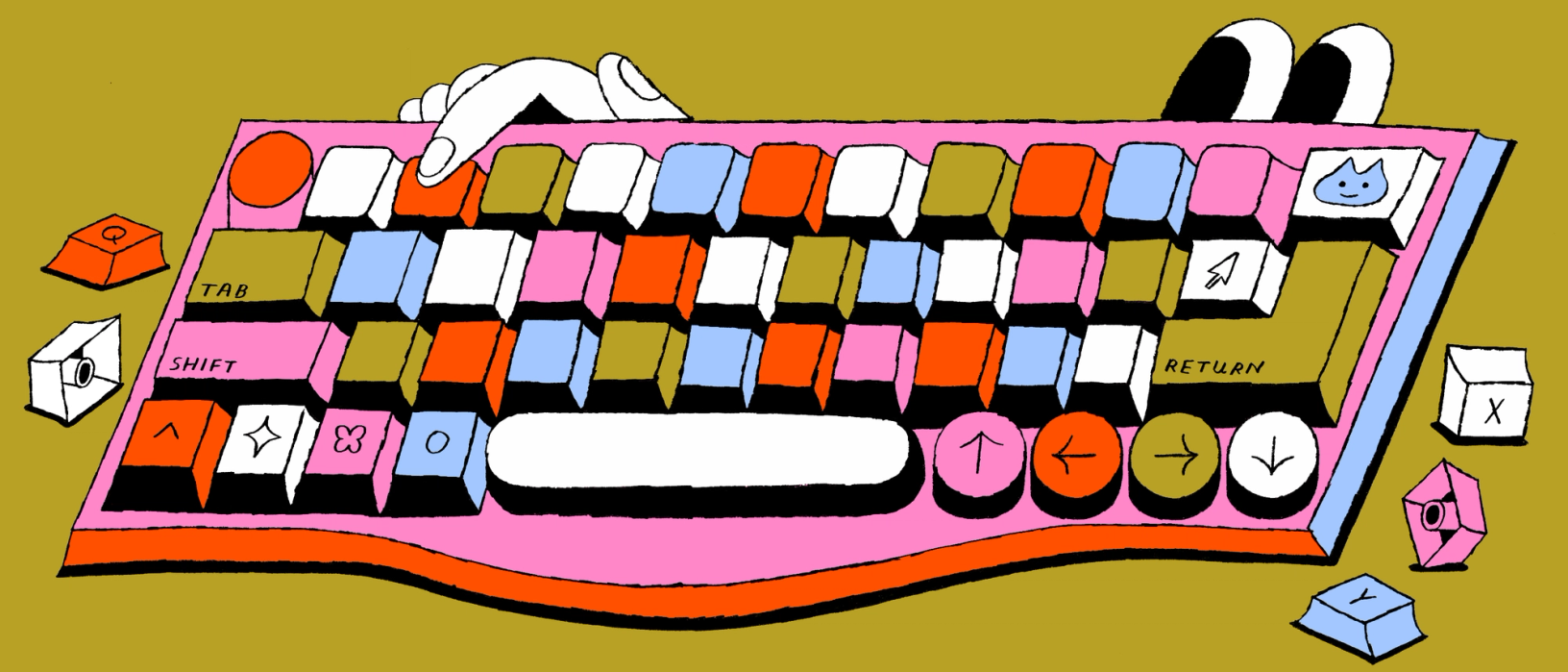
In a world where so much of life is lived online, the mechanical keyboard is one of the few tactile tools we can’t live without. Our collaboration with Work Louder is a celebration of the efficiency—and joy—these humble tools offer up every day.
Share Tap into shortcuts with a new custom keyboard from Figma x Work Louder
Illustrations by Min Heo.
If the keyboard that comes with your laptop promises standardization and consistency, the mechanical keyboard offers the thrill of tactility, sound, and personal expression. Mechanical keyboards allow you to customize colors, keycaps, layouts, and even lighting. They invite you to adjust, rearrange, and settle into your own personal workflow. “I can be intentional about buying a keyboard, not just for efficiency, but for other reasons. I like that,” says Figma Design Director and resident keyboard expert, Marcin Wichary.
But most keyboards on the market aren’t really designed for creative work, where keyboard shortcuts have been invented to streamline complex, discipline-specific workflows that tend to stretch the fingers into Twister-like configurations. That’s largely because standard keyboards are still distant descendants of the early typewriters, originally put together for precise and mundane 9 to 5 office writing work. “In a way, the QWERTY keyboard is boring because it has to be boring,” says Marcin. “Throughout the decades it’s been asked to do so many more things, in so many settings, that it lost a lot of its personality to become versatile, and a lot of its quality to become ubiquitous.” We wanted to build a tactile tool that brought back the personality and the quality, helping our most passionate Figma users get where they need to go faster and allow for a bit of play along the way.
Figma x Work Louder
So before you ask yourself, is Figma getting into hardware now? Rest assured, we never want access to expensive hardware to limit how people brainstorm, design, and collaborate together. But over the years, we’ve heard members of the community talk about their own mechanical keyboards, and how much they love and rely on their favorite Figma shortcuts. We paired up with Work Louder, a Montréal-based tech company that makes modular keyboards, to bring more joy to those Figma workflows.
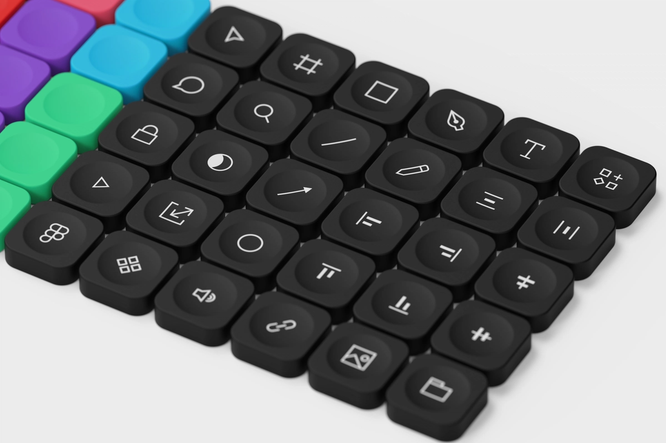
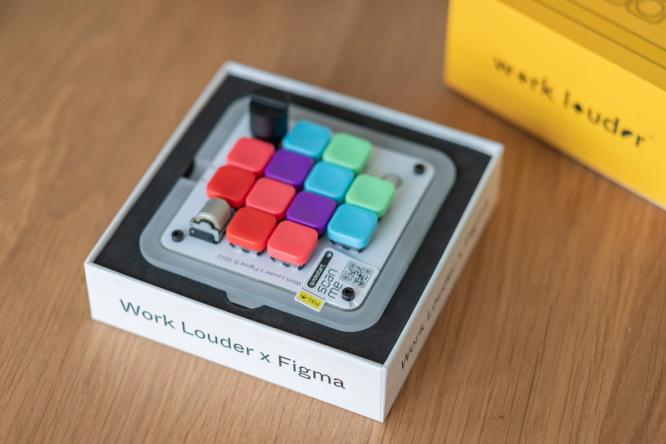
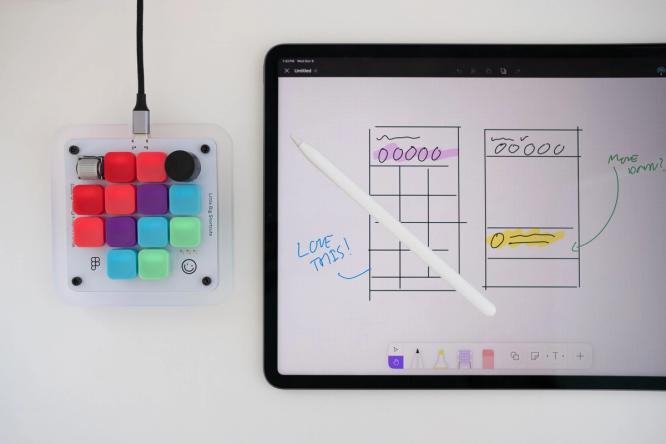
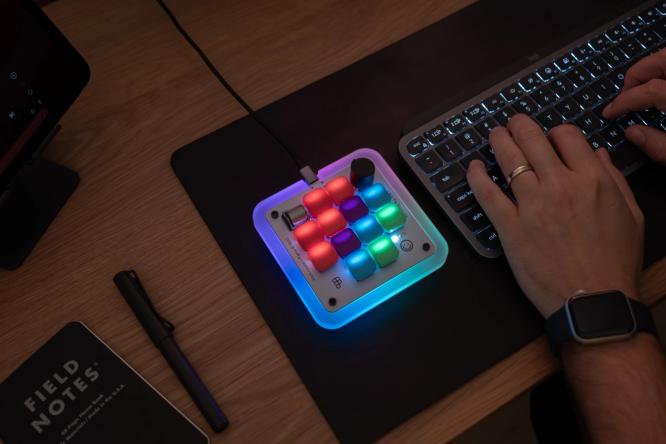
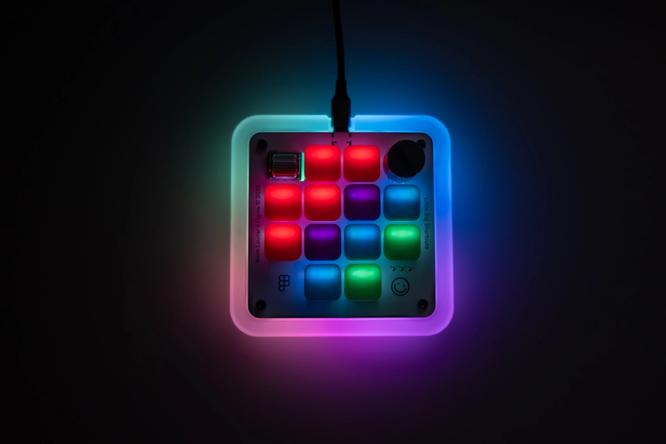
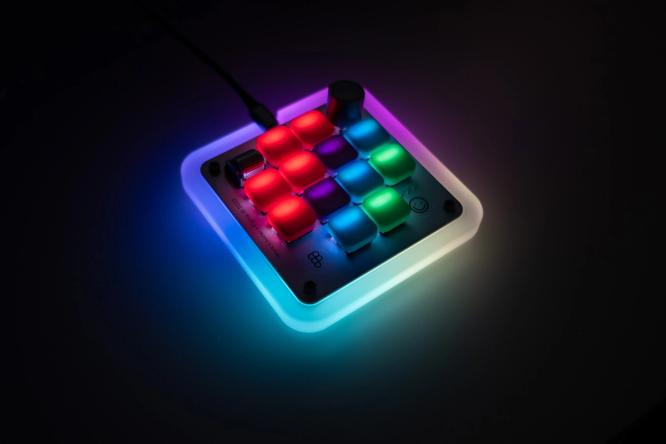
You may have already seen a sneak peak of what we built together: a customized version of Work Louder’s Creator Micro keyboard that allows you to navigate the Figma canvas in a more tactile way. Figma Product Manager Rob Bye, who developed the keyboard with the Work Louder team, notes that “most people [using Figma] aren't typing; they're using their mouse, they're needing to navigate a file.” That's why the keyboard works less like a keyboard and more like an alternative trackpad: It comes with 12 keys and two rotary encoders that make designing feel so much more tactile. In total, it allows for 48 different shortcuts (fun fact: There are over 150 possible shortcuts in Figma.) “With the Micro all the keys are in a grid, making it super easy to mentally map your custom shortcut placement,” says Michael di Genova, Co-founder at Work Louder. “Plus, the tactile buttons and dials give physical feedback so you know your command was sent without having to look down. This helps you build that muscle memory fast, and once it kicks in you won’t even need to think, you’ll just ‘do.’”
“People don’t want to spend hours learning keyboard shortcuts they’re going to forget,” says Rob. “It genuinely should be more fun.” Such tactile ingenuity is rare these days. But at Figma, we believe that delighting in the details is core to being a maker, and that design should offer solutions to real problems and needs. That trial-and-error refinement is, after all, how the keyboard came to be.

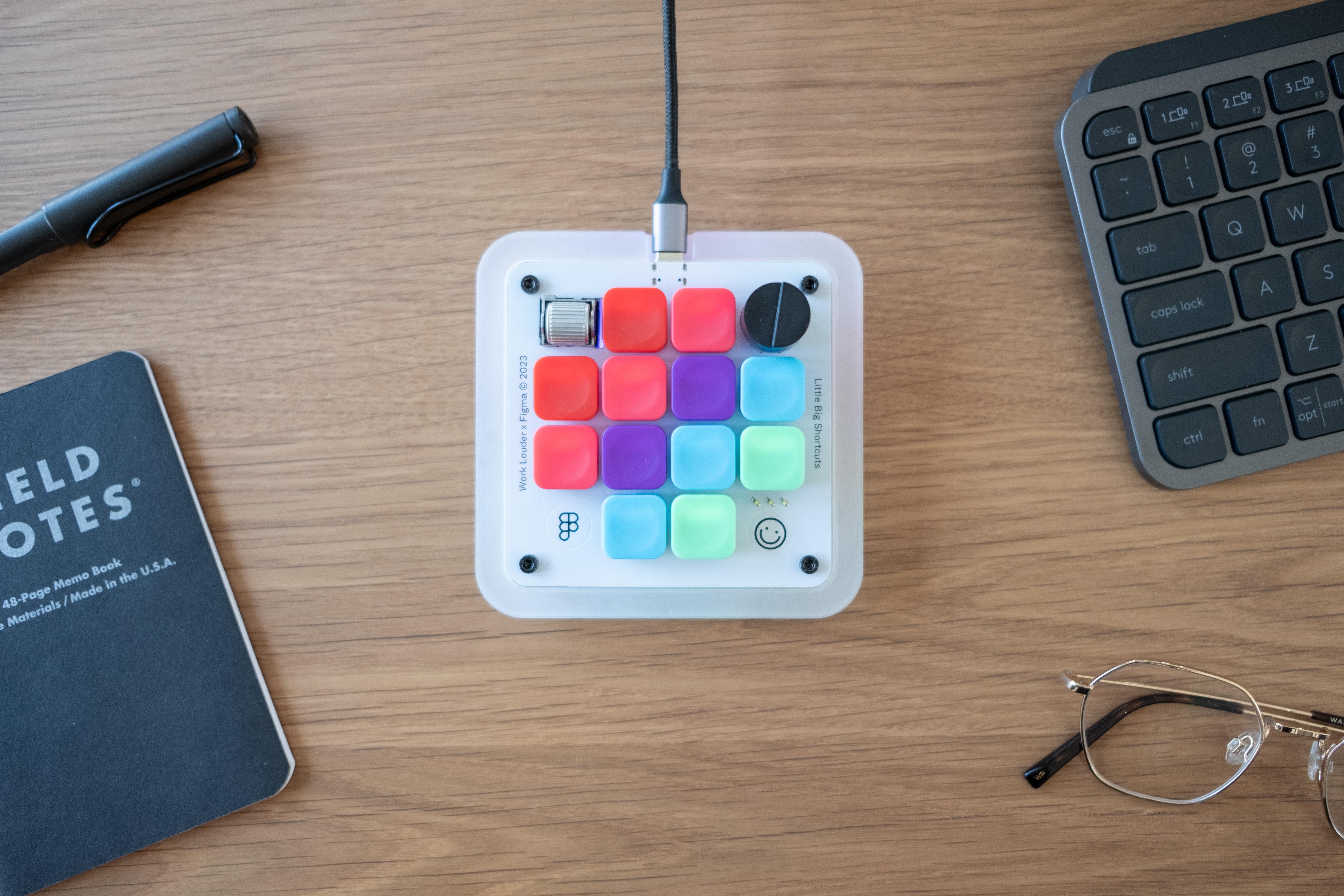
Learn more about the Figma Creator Micro on the Figma Store.
A (brief) history of keyboards

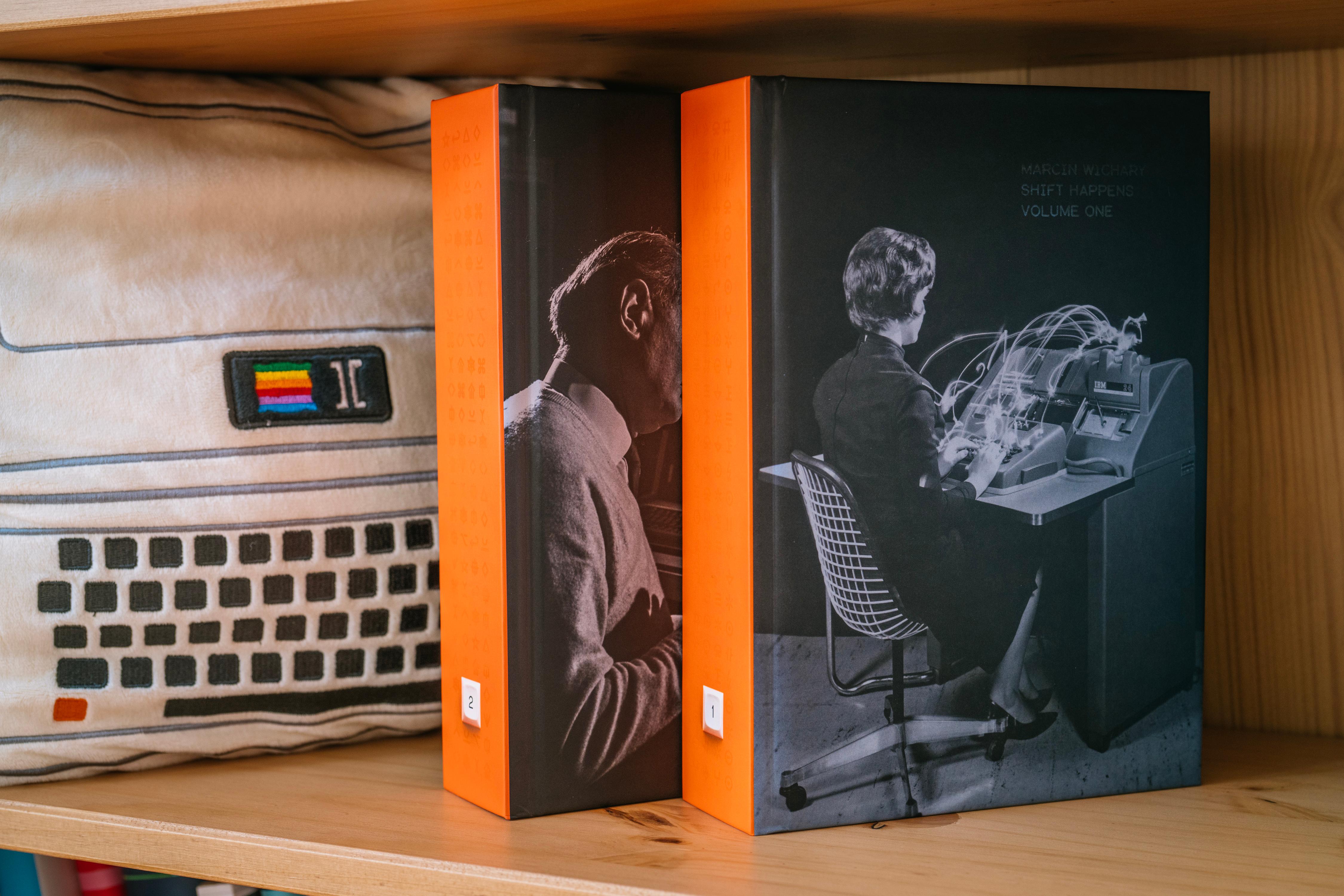
Figma Design Director and keyboard expert Marcin Wichary wrote Shift Happens, a look back at the history of keyboards, told in two 600-page volumes.
For some of us, keyboards are a way to get work done. For others, keyboards get in the way. We have a couple hundred years of keyboard history to thank for that, a long and winding evolution that can—and has—filled 600-page books. Their history is, of course, closely tied to the evolution of the computer, but it starts even earlier: Before keyboards and computers, there were typewriters.
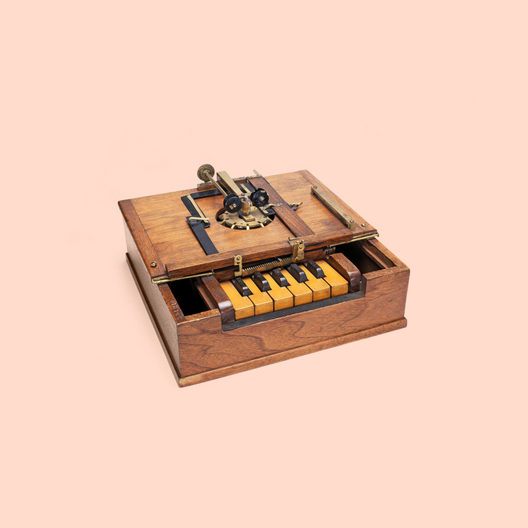
The early prototypes of what later became the QWERTY typewriter, from the late 1860s, looked less like an electronic accessory and more like a hacked piano keyboard. At the time, it made sense. The only keyboards then were piano keyboards—the word “key” itself has origins in music—and reusing the keys from playing notes and chords to letters and symbols felt like a natural first step. The “production” version of the keyboard, by Scholes & Glidden, launched almost exactly 150 years ago. It became the first commercially successful typewriter. It was more of a “button board” than a keyboard, but the name stuck. While it only printed capital letters, the layout of those letters closely resembles what’s probably sitting on your desk today. “There are a lot of labels on keyboards today like shift, backspace, or return that don’t make sense when you think about them,” says Marcin. “[But] they have roots that go all the way back to the 19th century, when shift was actually about shifting things [on a typewriter].” Shift itself was among the first key inventions that didn’t output anything, but was asked to perform another function.

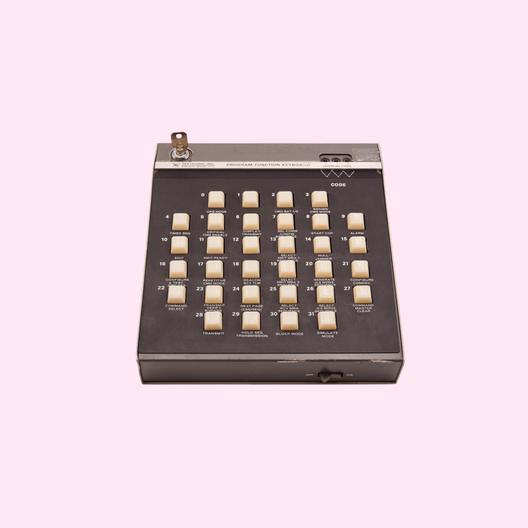
The first of what we would consider mechanical keyboards today came attached to the old mainframe computers in the 1960s, following the Underwood №5 and IBM Selectric typewriter models, and a full century after the Sholes & Glidden typewriter debuted. Even early on, people who built those keyboards understood that the keys needed to do many more computer-specific tasks: data transmission codes, cursor control, program operation. Function keys and keyboard shortcuts followed soon after to accommodate even more actions.
Just as typewriters became faster and easier to use, computers were going through their own evolution from large mainframes to PCs, taking them from being synonymous with data processing to the default for word processing, and effectively supplanting typewriters as the go-to for offices. As the pace of innovation accelerated, computers went from being out of reach for most consumers to a must-have—at work and at home—especially as they became the key to personal computing, and, therefore, the internet. Computers, and the standard keyboards they came with, were ubiquitous.
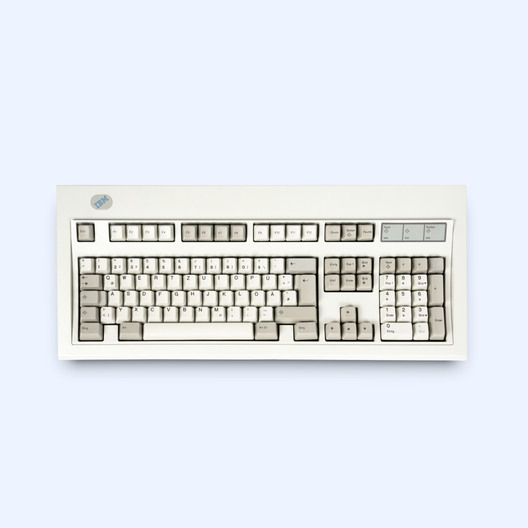
A pivotal moment arrived with the IBM Model M, which established how future keyboards would look and feel. Launched in 1985, it came with a distinctive click-clack sound, swappable keycaps, and a unique spring technology that used springs not just for tactility and sound, but also to detect when a key touch became a key press. This was, perhaps, the first truly beloved mechanical keyboard. But as computers became cheaper and cheaper throughout the next decade, keyboards did, too.



Just two weeks before the launch of the iPhone in 2007, “The New York Times” wrote: “If there is a billion dollar gamble underlying Apple’s iPhones, it lies in what this smart cellphone does not have: a mechanical keyboard.”
And in the 2000s, everything changed again. When the iPhone debuted in 2007, there was only one button on the screen. By introducing a touch screen keyboard, the iPhone blew up the tactile keyboard industry (and eclipsed BlackBerry’s once-innovative QWERTY keypad). Even though the default iPhone keyboard came with typewriter-inspired sounds, those sounds, like the keys themselves, were illusions, fully digital facsimiles of a once-mechanical reality. The keyboards once again enabled new things. Today, mobile QWERTY keyboards are used to “speak with thumbs” more than “write with fingers”—the tactility is fully gone. “There was no looking back after 2007,” says Marcin.
The rise of keyboard culture
There are over 56 million views of TikToks related to mechanical keyboard switches and a mechanical keyboard Reddit community with over 1.2 million members.
Mechanical keyboards became a sort of reaction to the commoditization of the early PC era, and the digitization of the iPhone era, a means to navigate the digital world in a more personal way. It started in the 2000s, when many in the gaming and programming communities started choosing specific keyboards to not only customize the look and feel of their keyboards, but also use mechanical keyboards as a way of expressing themselves.
You can, in fact, still find unboxing videos of the Model M on YouTube; collectors buy and sell those keyboards on eBay.
In an increasingly digital world, where seemingly every interface is giving way to a soulless touchscreen, mechanical keyboards are also beautiful, tangible things that respond to the weight of our fingers. They propel us back to a time when people gathered in offices and filled them with the sounds of typing, ringing phones, and chatting over cubicle walls. “There’s this sort of weird nostalgia around [keyboards],” says Marcin. “Sometimes, we can get a little stuck in the past, but for the most part, it’s about rediscovering the aspects of keyboards that we lost in the 1990s and imagining more modern, beautiful, or powerful versions of them.”
In an increasingly digital world...mechanical keyboards are also beautiful, tangible things that respond to the weight of our fingers.
While some in the keyboard community are merely looking for a connection to the more tactile past, many more love the craftsmanship, customization, and agility that a mechanical keyboard offers. “I think ‘mechanical’ has this very interesting connotation. Some people joke that it just means an expensive keyboard, but it’s really a certain category of keyboards where you can swap parts, choose your switches, choose your layout, and do all sorts of (sometimes obscure) things,” says Marcin. “There’s a connotation of intentionality.”
Over the past few decades, mechanical keyboard creators have been known to introduce products with a sense of humor and creativity—think keycaps that look like Scrabble tiles, or ones with a fire icon, a Pac-Man character, or even a pizza slice. But joy and delight is just one part of it. Mechanical keyboards have been proven to be more efficient, more durable, and easier to repair. For those who spend all day in front of a screen, they also provide an unmatched opportunity to customize lighting, change the look and color of keycaps for a touch of personality, or arrange shortcuts for better efficiency. To many, they’re a repudiation of the cheap beige keyboards of the 1990s and the software-thumb keyboards of smartphones, and a celebration of the most ubiquitous—and arguably effective—human-to-machine interface.
To us, they’re about bringing joy back into the workplace, and back on our desks, all without losing efficiency. The piano keys were an outlet for creativity, the typewriter keys a tool for professional work output, the computer keys a vehicle of precise and efficient program control, and the mobile keys an entry point to infinite conversations. We hope the Figma Creator Micro gives you all of the above.








Explore Figma’s 2023 Handoff