



Express yourself with Figma Draw










Figma Draw pairs faster, simpler vector editing with powerful tools for visual expression—so designers of all stripes can bring their vision to life without breaking focus.
Share Express yourself with Figma Draw
Designers have long been pushing the boundaries of what’s possible for creative expression in Figma. As it becomes increasingly important to raise the ceiling and design roles become more hybrid, they’re also breaking traditional silos, moving more fluidly between pixel-perfect and expressive design. Today, we’re excited to announce Figma Draw, which gives you finer control over vector editing and new tools for illustration, so you can realize your vision without leaving the canvas—and more importantly, without interrupting your flow.
Now, you’re able to use Figma Draw within Figma Design for a streamlined UI that places new expressive tools front and center: brushes, dynamic strokes, progressive blur, texture and noise effects, text on a path, and more. Whether you’re creating an icon for a high-fidelity mockup, a spot illustration for the web, or a social media graphic, Figma Draw helps you work efficiently and iterate rapidly without having to switch tools. “Figma has been this evolving playground that includes everything I need,” says Adanna Onuekwusi, a product designer. “I find myself having to leave it less and less, and Figma Draw is just one more thing keeping me in my workflow.”
A workspace that keeps you in the flow

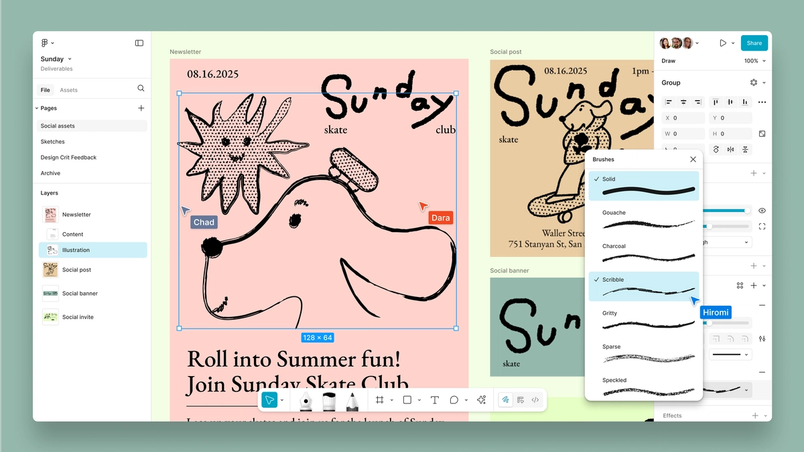
Maybe you’re a product designer who’s working on a web page, and you need to zoom in to create a logo on the fly. Or maybe you’re a brand designer who needs a focused space to flex your creative muscles. You can now rely on Figma Draw for an interface that’s specifically designed for visual expression. Here’s how we’ve organized the panels and toolbars in Figma Draw to spark inspiration and encourage play:
- Layers panel: We’ve optimized the Layers panel for vector design with thumbnail previews for frames, groups, shapes, vectors, and images, so it’s easier to both navigate and adjust different elements.
- Toolbars: A reimagined toolbar puts the pen, brush, and pencil tools at your fingertips; offers easy points of entry for specialized vector features; and removes less relevant functions. An additional toolbar also lets you customize stroke styles before you even put pen to canvas.
- Properties panel: The Properties panel gives you more tactile controls with sliders and larger visual previews; an extended stroke panel; and the option to pre-select for fills, stroke styles, and effects so there’s less tweaking after the fact.
Easy and efficient vector editing
When it comes to making high-quality, production-ready designs, you need your tools to give you precise control and the freedom to continually iterate on an idea. Figma Draw irons out the kinks in the vector editing process with more precise and powerful capabilities, so you can build more assets and keep refining in the canvas. “Figma Draw has all the functionality I need,” says Brad Hodgskiss, Partner and Creative Director at MUTI. “My drawings can be detailed, but they are simple in the way you construct them [in Figma].”

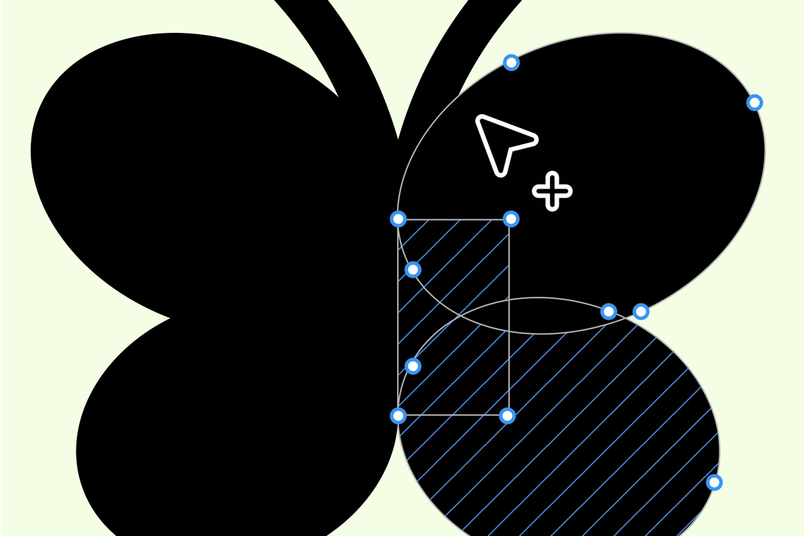
Here’s what you’ll find in the tool:
- Quality of life improvements: Now, it’s more intuitive to select the right vertices, align and space objects, tab between selected geometries, close open paths, and update handles.
- Better boolean operations and outline stroke: We upgraded the engine that handles boolean operations and outline stroke, so now you can combine and subtract shapes more fluidly.
- Multiple node editing: For maximum efficiency, select multiple vector nodes and hit Enter to work on all of them at once. You can also Shift+click other nodes to add them to your selection, and Command+click to jump into vector editing on another node. (This also comes in handy when you’re snapping vertices relative to geometry in another layer.)
- Support for shape building: The shape builder tool helps you easily combine and manipulate shapes so you can build unique icons and logos.
- Lasso selection: When you need to select an irregular group of vector objects or zero in on a dense part of the canvas, draw a freehand selection to rope in exactly what you need.
My drawings can be detailed, but they are simple in the way you construct them [in Figma].
Freedom for creative expression
With an expanded palette of expressive tools, Figma Draw allows you to explore and experiment without jumping into other tools or plugins. Make your mark with brushes, add texture to create more tactile assets, or bring progressive blur to bring depth to your design. As David Fu, a game and app developer, puts it, “Figma Draw changes my understanding of what I think Figma is capable of. It makes me inspired to create more than I thought possible.”














Create a handdrawn feel
- Brushes: Bring organic strokes to the canvas with brushes that mimic calligraphy, or create custom brushes that feel true to your style.
- Dynamic strokes: Add energy and character to your strokes with lines that are perfectly imperfect with a naturally varying wiggle.
- Variable width strokes (Coming soon): Soon, it will be easier to add character and variation to a stroke along a path with the variable width point tool.
Amp up the texture
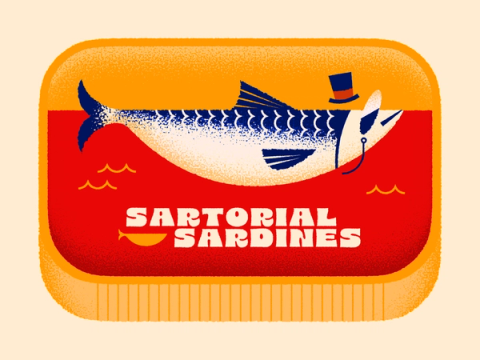
- Pattern fill: Just as you’d fill space with a solid color or an image, use a pattern for a desired texture in any part of your illustration.
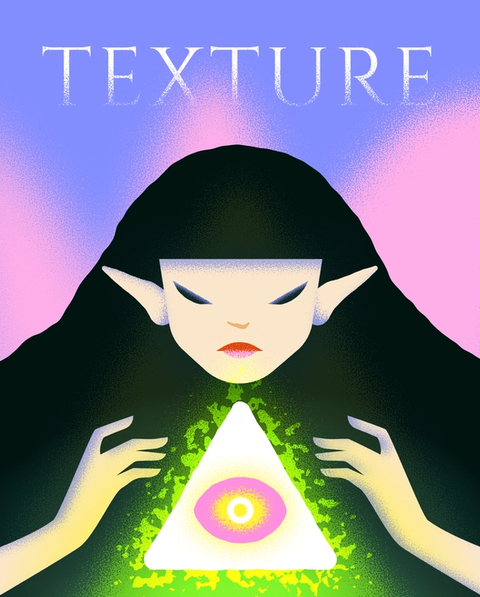
- Noise: Add grain to photos or designs, such as buttons, for a more analog feel.
- Texture: Bring a realistic, tangible grittiness to your layers, shadows, and gradients.
- Progressive blur: Introduce more visual depth with Layer or Background blur effects.
Carve out new shapes
- Rotation origin: Get more precise positioning on the origin point for rotating objects—just select an object and press Opt+R to find and move the point, or hover over the rotate handles to hold it in place.
- Text on a path: Free yourself from the straight and narrow and turn words into art by molding them to any vector path you draw.
- Repeats: Repeat nodes on a linear or radial pattern with repeat transforms for kaleidoscopic control.
Faster iteration and fluid workflows
While Figma Draw gives you the space to concentrate on visual expression and illustration, Figma Design keeps most of the same tools within reach, so you can create, edit, and iterate all in the same place. Beyond minimizing tool toggling and maximizing productivity, we know the most important thing is to keep things flowing. When the paint is wet, and the ideas are malleable—that’s when exciting things happen. After all, new trends in design don’t stem from tools alone; they emerge from the designers who use them to play, experiment, and push into the unknown.
Figma Draw is rolling out to all users today in your Figma Design toolbar. You can learn more about it here. We can’t wait to see what you make with it—and to venture together into a whole new way of making.


