How eBay built a bridge between brand and product with Figma


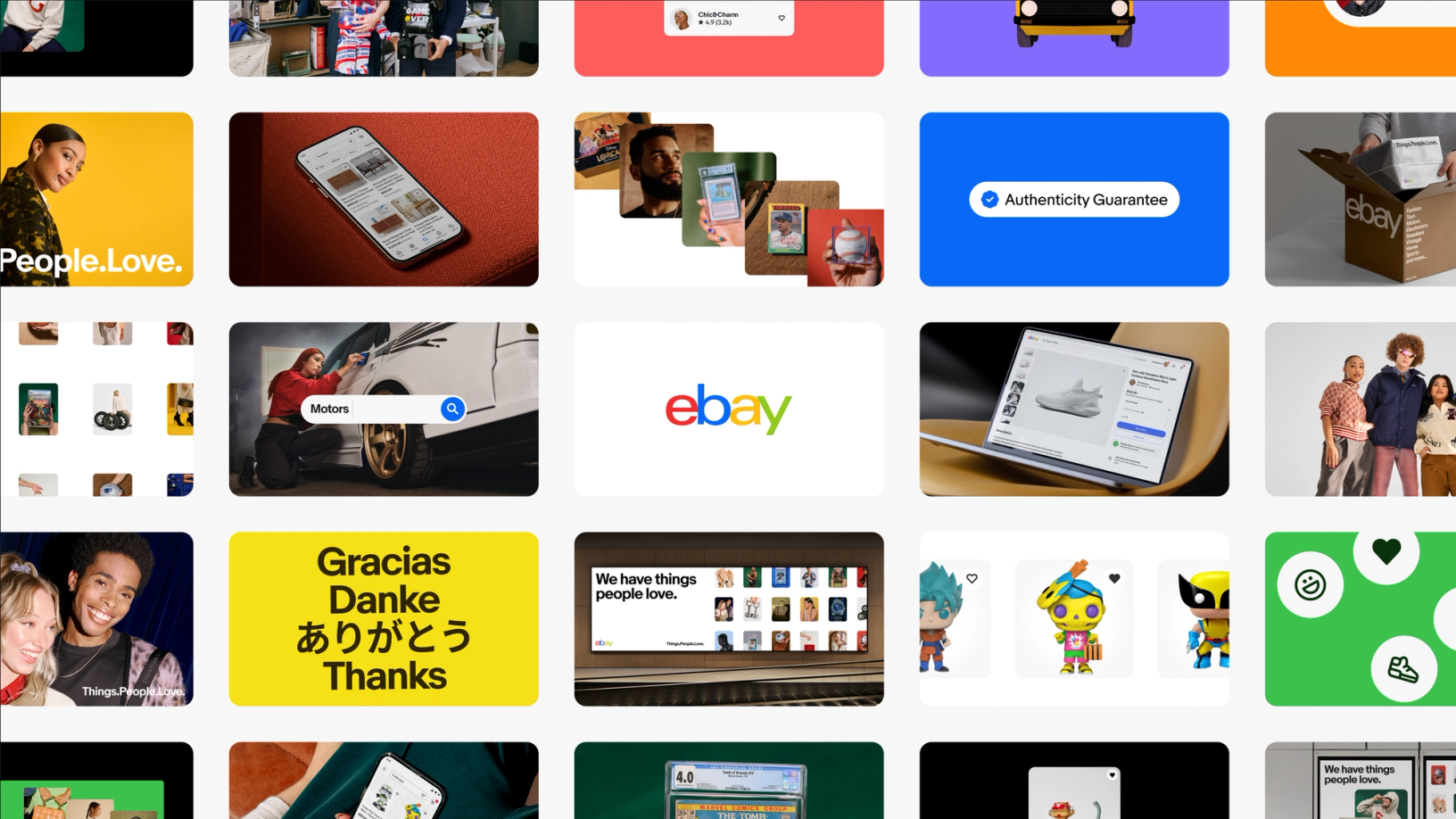
When eBay set out to document their design system, they didn’t just want a reference guide—they wanted to create an experience where teams could find inspiration and excitement in their work.
Share How eBay built a bridge between brand and product with Figma
Risograph animations and illustrations by Kelli Anderson
Playbook imagery from eBay
“I threw a pebble into this little pond,” says Tyler Moore, Senior Director of Design at eBay, describing the start of their design system journey. “Over time, it turned into waves that people wanted to ride.”
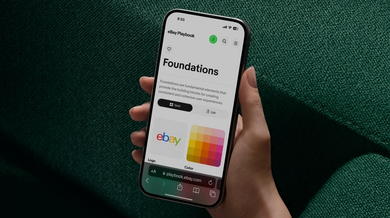
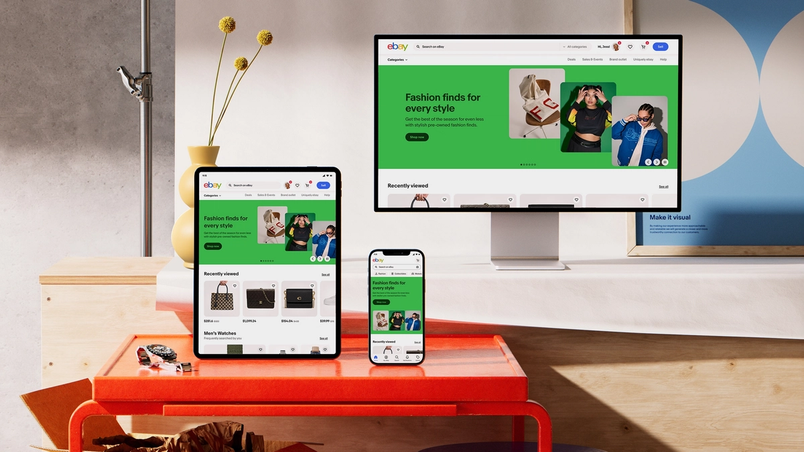
Those waves have arrived. Announced in November 2024, eBay’s new design system, dubbed Evo (short for evolution), represents a careful modernization of the almost 30-year-old marketplace’s visual language. At its heart is the “eBay Playbook”—over 300 pages of documentation that bring accessibility, design, and code together to help eBay’s internal teams and agency partners effectively bring Evo to life.
Rebuilding from the ground up
Before Evo, eBay’s design system documentation lived in scattered Figma files, creating friction at every step. “Our previous setup buried critical information in different places,” explains Cordelia McGee-Tubb, Staff Design Technologist on the OneExperience team, eBay’s cross-functional design team covering brand, design systems, design technology, and content. “Designers had their version in Figma, developers maintained separate documentation, and accessibility guidelines lived somewhere else entirely.” To update their documentation, designers would manually update static Figma files, then submit tickets to Cordelia’s team for each change to be uploaded.
Looking for ways to drive adoption for your design system? Learn how leading teams—like eBay, GitHub, and Razorpay—build living documentation that evolves with their systems.
Rather than patch the existing system or bring in an external agency, the OneExperience team decided to rethink their documentation pipeline from scratch—and bring it all in-house including design, development, image and video production. “We had a previous internal playbook, but it didn’t feel like it represented eBay in its new era,” explains Staff Product Designer Ryan Tinsley. “It had been developed with an external agency, and maintaining it felt like a separate job from designing. We needed a system that was tightly integrated with how we actually work.”
Bringing everything together
For eBay’s OneExperience team, this fresh start was an opportunity to rethink not just the content, but how documentation could serve different audiences. Rather than separate destinations for brand and product guidance, they wanted to create a shared space that brought brand, design systems, and technology together.
Their new Playbook does just that, becoming a centralized source of truth—including component status tracking. Previously maintained through a manually-updated table in Figma, information quickly fell out of date. Now, their system pulls real-time status using their libraries’ metadata.

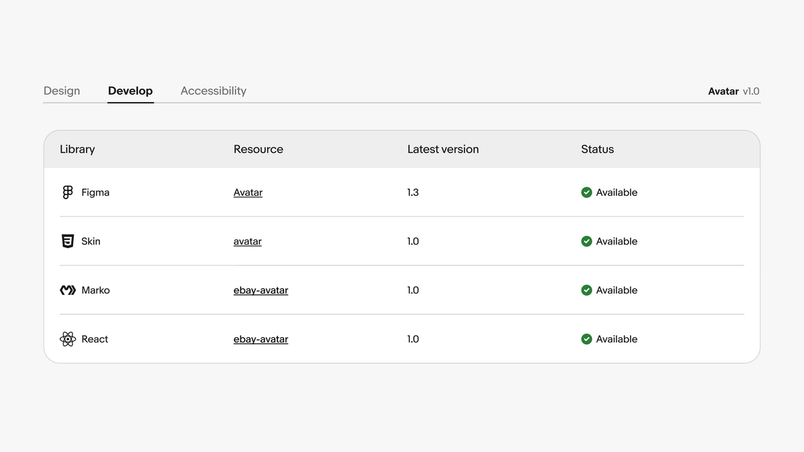
The team built an internal Component Status API to track design system components across all their libraries. This custom API monitors availability and implemented versions for each component—whether in their published Figma component library, native libraries, or open-source web component libraries. Each library registers component names and versions (in Figma, they include this metadata in component descriptions), creating a complete picture of implementation status across platforms. “A lot of our developers have been using our Component Status API to figure out, ‘Hey, does the component exist in the framework I build in? Is it up to date with the Figma version? Is it up to date with the Playbook documentation?’” Cordelia explains. “That’s been a huge win.”


Breaking down silos through automation
Over Zoom, Ryan and Cordelia demonstrate their custom Figma plugin—the engine behind their documentation overhaul. Every component, guideline, and accessibility note in eBay’s Playbook starts in Figma. Updates happen in Figma. And through their exporter, those changes are linted, validated, and published from Figma without ever touching the content management system (CMS) manually. What used to take days now happens in minutes.
“We can make an update in Figma and have it live on our Playbook site in under two minutes,” Ryan explains. “Being able to iterate quickly changes how teams engage with documentation. Instead of treating it as a chore, they see it as a living part of their workflow.”
For the Playbook itself, the team built a toolkit of Figma components that serve dual purposes: They form the building blocks for the Playbook’s UI and provide WYSIWYG components for each documentation page’s content. Their Design Technology team leveraged Dev Mode to inspect these components, build them to specification, and ensure proper mapping of Figma properties in their custom linting and export plugin.
“UI developers at eBay use Dev Mode quite a bit to inspect component styles and translate that to code,” explains Ryan. “We’re seeing promising results testing components with Code Snippets and Code Connect, and have a vision for deeper integration.” The team also consulted Figma variables when setting up their CSS variables, creating a direct bridge between design and implementation.
“For me, the thing that is really impactful is the holistic view of the system and the interdisciplinary nature of it,” adds Cordelia. “We’re really bringing together design, engineering, accessibility, documentation in a way that we hadn’t before. That helps each team understand their stakeholders better and just make a more consistent product.”
Crafting quality through code
The team’s attention to detail extends beyond just speed. Their custom linting system serves as both safety net and springboard for quality. “Our plugin scans all the pages within a file,” explains Cordelia. “It uses the name of the frame to figure out the breadcrumb for the site and which tab it belongs to. Then it checks that we’re using components correctly and not detaching them. If we find any issues, it’ll flag them before export.”
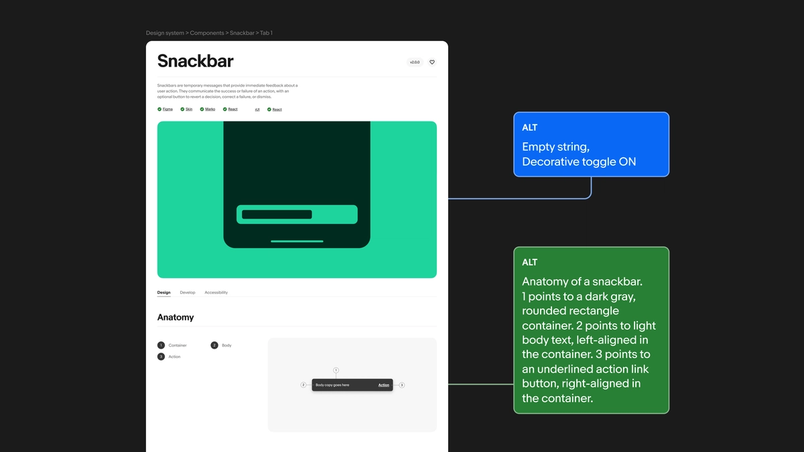
This automated approach particularly shines in handling accessibility requirements. The linter tracks alt text for images across the site, ensuring the site is as accessible as possible. These are integrated directly into Figma components as properties that flow through to the CMS.


Joy in the details
The team’s enthusiasm for documentation is infectious. “Our Slack channel is literally called ‘Playbook in the Weeds’,” Cordelia laughs. “We get really deep into it because we care about these details.” They’ve even developed a color-coded system for alt text—green blocks contain completed descriptions, while yellow highlights areas needing attention. These small touches transform maintenance from busywork into an engaging puzzle.

By bringing delight to documentation, eBay has created something rare: a design system that teams actually want to use and contribute to. “We’re just thrilled that people are using it and excited about it,” Ryan says. Through eliminating bottlenecks and making documentation as dynamic as the design process itself, the OneExperience team made documentation something unexpected: enjoyable.


Quantifying the results
Since launching the Playbook, the team has seen significant improvements in component usage across the organization. “Teams are enhancing the visual quality of their work by leveraging our updated foundations and referencing the latest documentation,” notes Ryan. “This establishes a stronger baseline for getting started and ensures consistency in both UX functionality and overall layout design.”
Another benchmark: Ryan and Cordelia note that their regular design office hours have evolved from basic troubleshooting to deeper discussions about patterns and principles. “We’ve seen teams level up their work dramatically by referencing our documentation,” says Ryan. “The office hours we have now versus before the Playbook are just night and day—people always know what to reference and how to show the brand in a way that aligns to best practices.”
While they have abundant qualitative data about the system’s impact and the acceleration that both Evo and the Playbook have introduced, the team is exploring more quantitative tracking methods. “We’re excited about Figma's newly-increased analytics capabilities,” Cordelia shares, “as that provides a valuable quantitative lens into the health and reusability of our system.”
Looking ahead
For organizations looking to improve their own documentation, eBay’s journey offers valuable lessons: Start with clear goals, invest in automation, and above all, focus on making the system a joy to use. When documentation delights rather than frustrates, consistency naturally follows.
The OneExperience team continues refining their tooling while expanding system coverage. “We’re just getting started,” Cordelia says. “Every time we solve one challenge, teams bring us new ideas for what else we could improve.” It’s a virtuous cycle—better tools enable better documentation, which leads to better products.