Making Figma work better for freelancers and agencies


As part of a broader effort to refine our billing model, we are sharing our roadmap to better address the needs of independent freelancers and agencies.
Share Making Figma work better for freelancers and agencies
At Config today, we announced a number of new features intended to expand and accelerate work and help teams close the gap in bringing their best ideas to life. But improving Figma for everyone also means focusing on user experiences that are less visible but deeply felt—like how independent freelancers and small agencies, not just individuals within larger organizations, collaborate in Figma and how we bill them for that work.
We’ve heard from many of our users in the freelance and agency community that our plans don’t support your needs. This is fair feedback—in focusing on the experience of teams collaborating within an organization, we’ve created a gap in support for users who work with a variety of clients. This has resulted in freelancers and agencies needing licenses on multiple plans, and created overhead for admins managing an evolving list of clients, ultimately making it hard to collaborate and share work easily.
This has been a gap for too long, and we plan to close it with a series of billing and architecture improvements specific to freelance and agency needs.
Connected workspaces for external collaboration
First, we are developing a way to create connected workspaces between Figma accounts, so that freelancers and agencies can collaborate with clients outside of their company. Within a connected workspace, you and your clients will be able to seamlessly create and co-edit files using your existing Figma seats, resolving the need for multiple licenses.
We hope to roll out this new feature early next year. In the shorter term, there are other ways we’re improving project hand-off and billing.
Improving project transfer
Today, projects can only be transferred to clients on an Organization or Enterprise plan. Over the coming months, we’ll be improving this experience so that it’s easier to transfer work across plans. These improvements will make it easier to:
- Transfer a copy of the work while keeping the original
- Remove collaborators when you transfer to avoid accidental upgrades
- Transfer work to your clients across any Professional, Organization, or Enterprise plan
Update: These improvements are live as of August 20.
More control over billing
Lastly, we want to reduce the complexity of our billing and user management. Since the early days of Figma, we’ve focused on making collaboration as frictionless as possible—when you share a file with someone, they can start editing immediately. The benefit of this model is there’s no interruption to work and it prioritizes collaboration—a core ethos for a design tool in the browser. The downside, however, is that you have to remember to downgrade these seats after a project has ended. Figma sends an email reminder before your bill, but this puts the onus on admins to keep track—an increasingly tall order for our freelance and agency community, but also a pain point for many teams.
Recently we have introduced two actions admins can take for more visibility and control over billing:
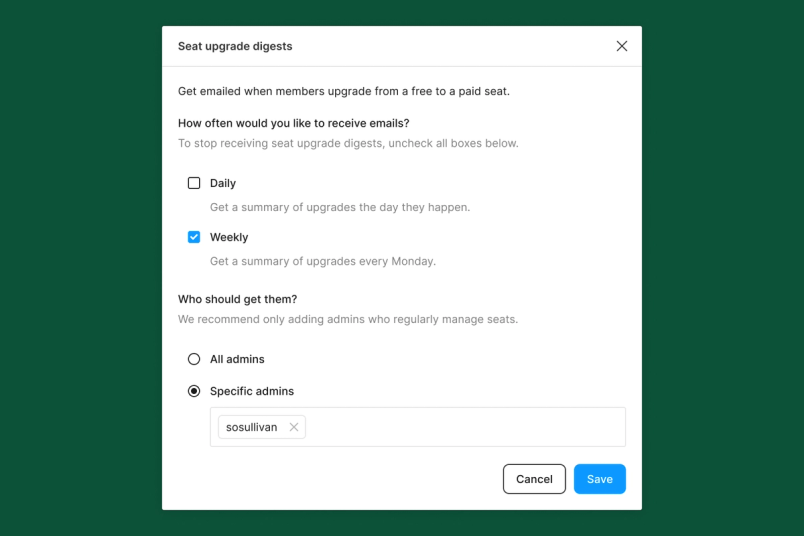
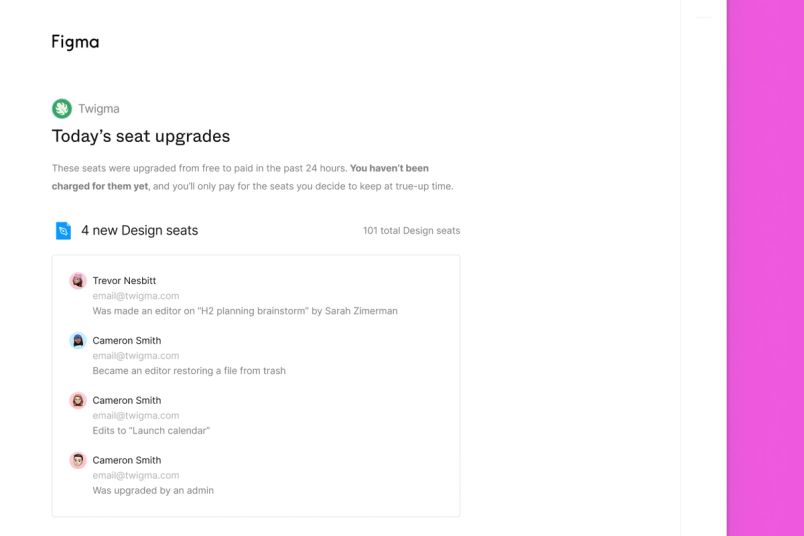
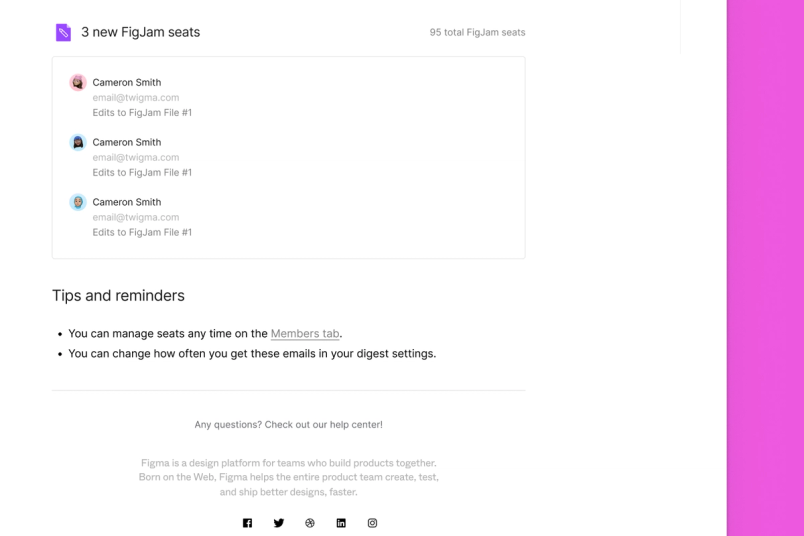
- Enable more frequent billing notifications: Today we send you an email about upcoming charges a few days before your invoice by default. To supplement this email, you can elect to receive daily, weekly, or monthly billing notifications based on your Figma plan type. These additional emails include who has upgraded and what action led to their upgrade. Going forward, these notification emails will be turned on by default for new accounts—weekly on Professional, and monthly on Organization and Enterprise. Existing customers can turn them on at any time.



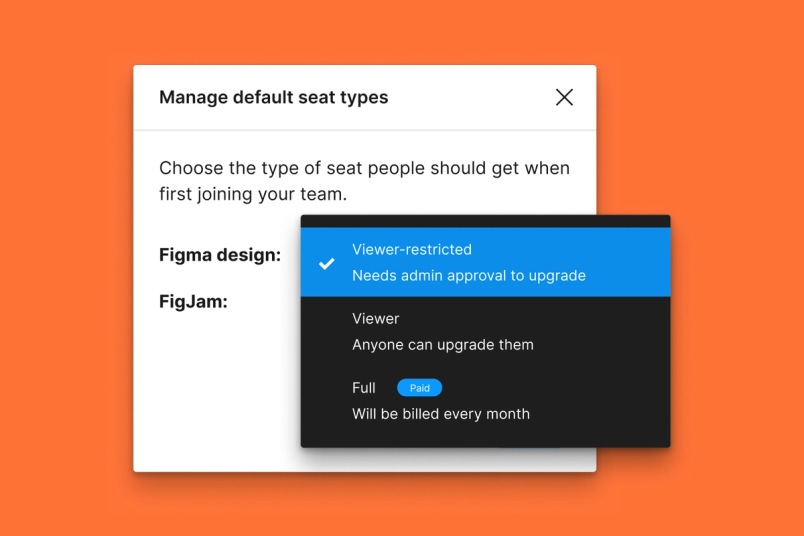
- Require admin approval for seat upgrades: To require admin approval for seat upgrades, you can set the default role for anyone joining your Figma account to “viewer-restricted.” This will require an explicit admin approval before any new user gets upgraded to a paid seat.

There’s much more we need to do to evolve our underlying billing architecture, and that is in the works. We hope these two settings give you more transparency and flexibility in the meantime.
We appreciate your feedback and will continue to keep evolving Figma to better meet the needs of all our customers—freelancers and agencies included.