The anatomy of launching a Figma open beta



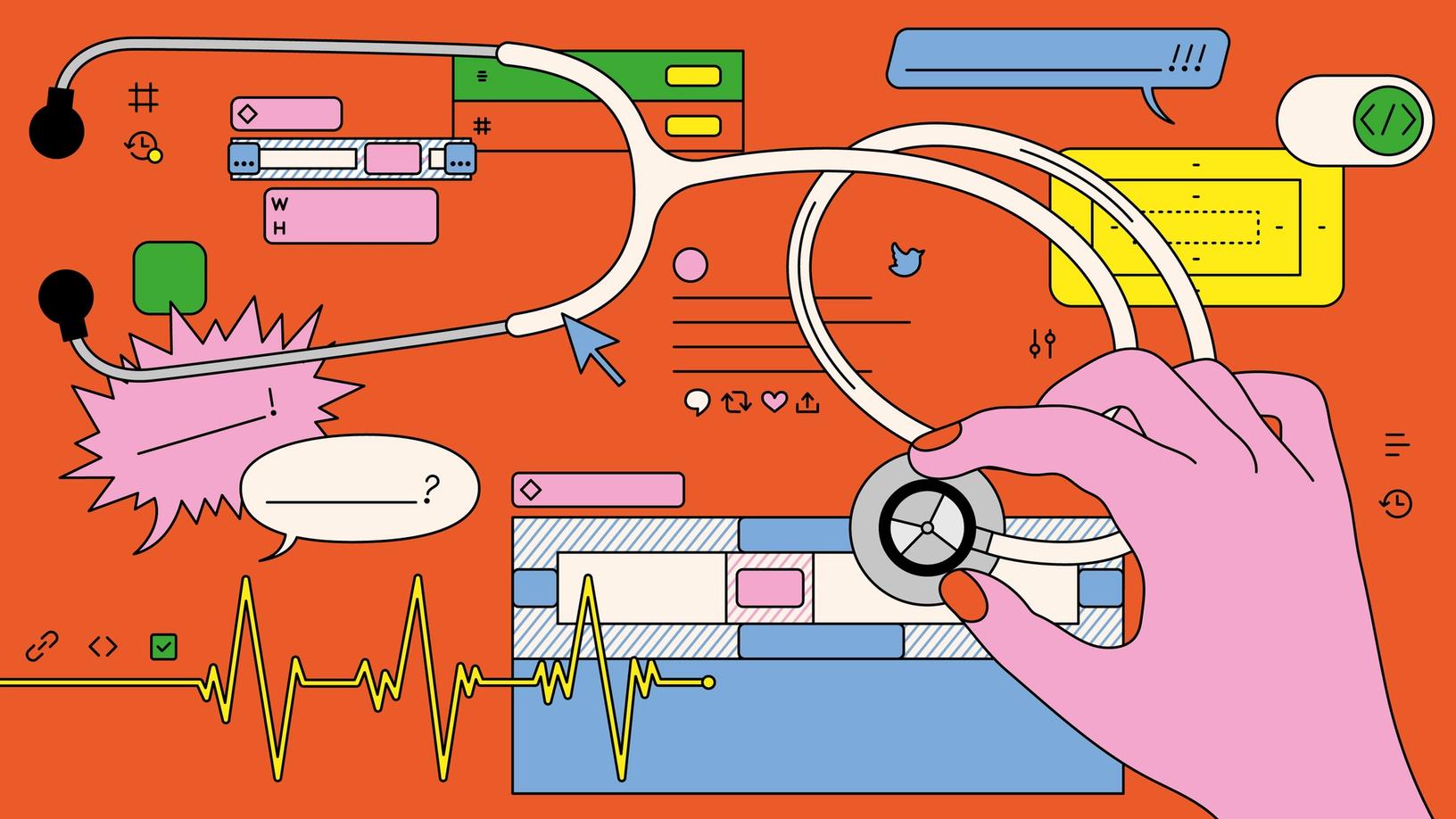
A go-to-market strategy doesn’t just end on launch day. For this installment of Anatomy Lessons, an ongoing series where we go deep on how to make products and get work done, we’re putting our very own Dev Mode under the scalpel to dissect what’s at play in the critical two-week period after launch.
Share The anatomy of launching a Figma open beta
Illustration by Laura Edelbacher
The reality is that launch day is the first day of the rest of the product’s life. Now that you’ve brought your product to market, it’s time to see how users react, whether you’re tracking toward your goals, and what needs an immediate fix. Think of the two weeks after launch as a user research party, and everyone’s invited: product managers, designers, data scientists, and marketers.
Meet Specimen A: Dev Mode, our first workspace built specifically for developers in Figma. Launched during Config this year, Dev Mode is our answer to the question: How can a design tool work better for developers How can a design tool work better for developers? It’s a question we’ve been asking ourselves and our community. Today, we’re excited to introduce Dev Mode, a new workspace in Figma that’s designed to get developers what they need, when they need it, harnessing the tools they use every day.
Making Figma better for developers with Dev Mode
The brains behind the operation
Too many cooks spoil the broth, but too few operators bungle a dissection. (Disclaimer: This is not medically true. It’s an extended metaphor; work with us here.) The same folks who brought Dev Mode to market were invested in collecting, analyzing, and acting on community feedback because we all wanted to understand how to make the product better.
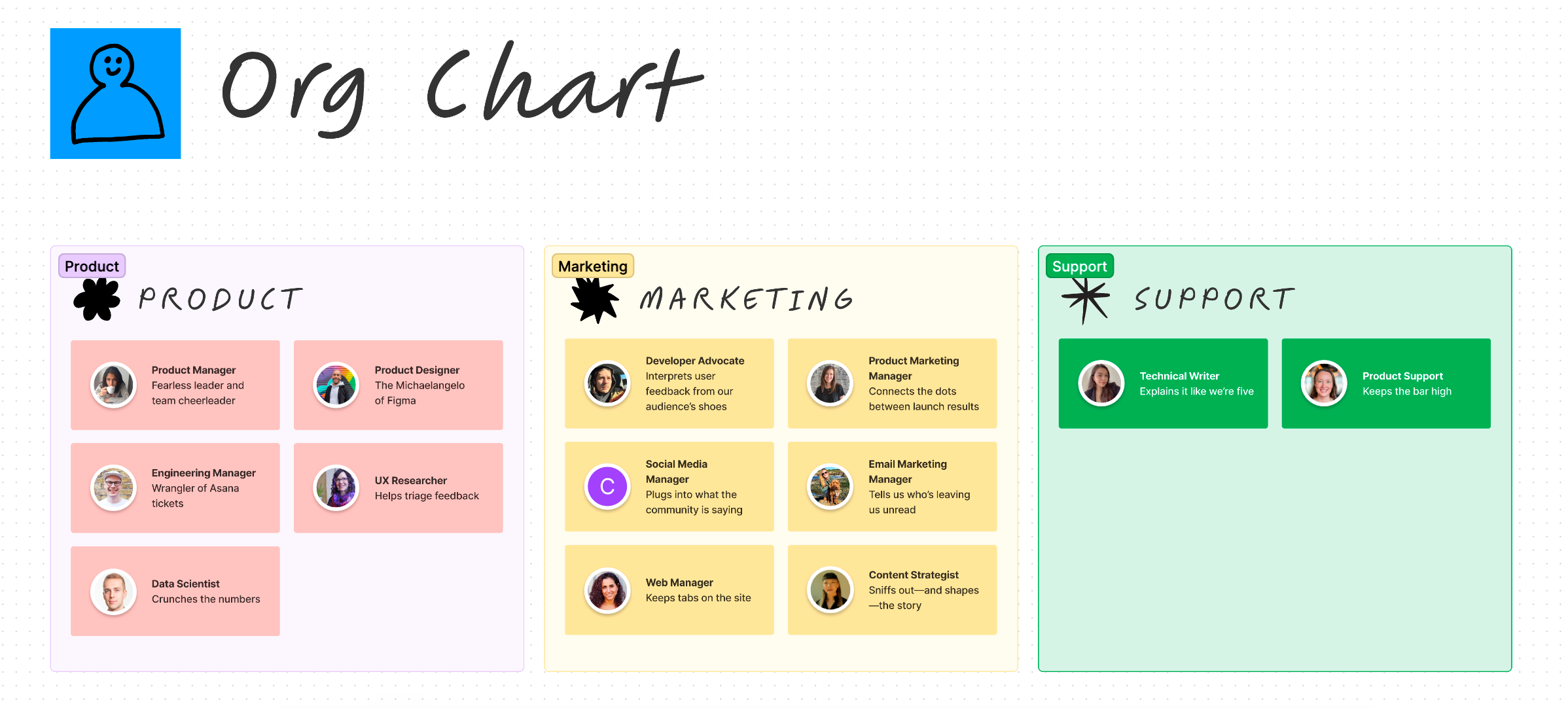
In terms of how we divvied things up, the product team was in charge of tracking specific feature usage, the marketing team gauged public sentiment, and the support team zeroed in on bugs and improvements. That said, we were all in constant communication—no one missed a crucial Tweet or was kept in the dark about frequent issues. Our product manager, Avantika Gomes, drew from every source to analyze and synthesize information, prioritize action items, coordinate next steps, and iterate.

Vital statistics: What we tracked
We spent a lot of time talking to developers and designers about their workflows and pain points during the final weeks of the closed beta. What we learned helped us iterate on the core mechanics of Dev Mode, tweak functionality to reflect how our users collaborated, and add new features to meet needs we hadn’t originally considered. In other words, we knew we were on the right track, but also that there was so much more to learn.
Glossary
A north star metric is a key measure of success, and the strongest indicator of meeting goals and expectations.
In addition to aligning on a north star metric—the percentage of weekly active users (WAU) in developer roles using Dev Mode—we wanted to find out whether we were reaching our audience, what they thought about the workspace, and what needed to be fixed (stat). We knew we were bracing for a flood of feedback, so we locked in the vital stats and made sure everyone on the team knew who was monitoring what.
Pro tip
It’s helpful to set benchmark metrics before results start rolling in—otherwise you’ll be left scratching your head over the numbers being good or bad. Our researcher also created dashboards with key metrics in advance, so it was easy to compare changes before and after the launch.
- Feature adoption: We checked the pulse on Inspect panel, Compare changes, related links, and other features to see how many people were using them, and which ones were most compelling.
- Reach and reaction: Never underestimate the power of a vibe check. Social media post impressions, email open rates, and in-product message impressions told us whether we were doing a good job reaching our developer audience while social sentiment and live audience reactions during Config gave us an idea of which features got users pumped.
- Fixes and improvements: To understand what was bugging our users, we looked at Help Center article views, submissions through the in-product feedback button, and support tickets—more on that in a bit.
The heart of the matter
It was feedback we wanted, and it was feedback we got: During the first 24 hours after launch, we got over 2,000 community responses from our feedback form, support forum, social media, sales conversations, and other channels.
Triaging feedback channels
To organize the flow of information, we set up three different Slack channels for everything we were hearing. Our in-product feedback button was linked to a form in Asana—our single source of truth throughout the triage process—which automatically logged every submission as a task and pushed it to a dedicated Slack channel, #dev-mode-feedback-stream. (We also manually created tickets based on feedback we collected elsewhere.) We got over 1,500 messages on the first day!
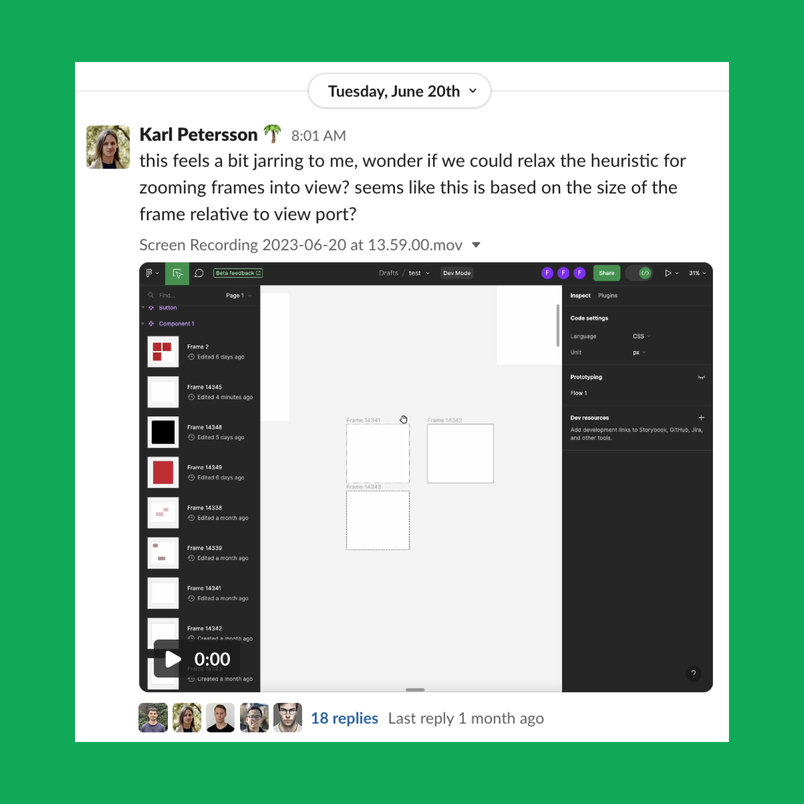
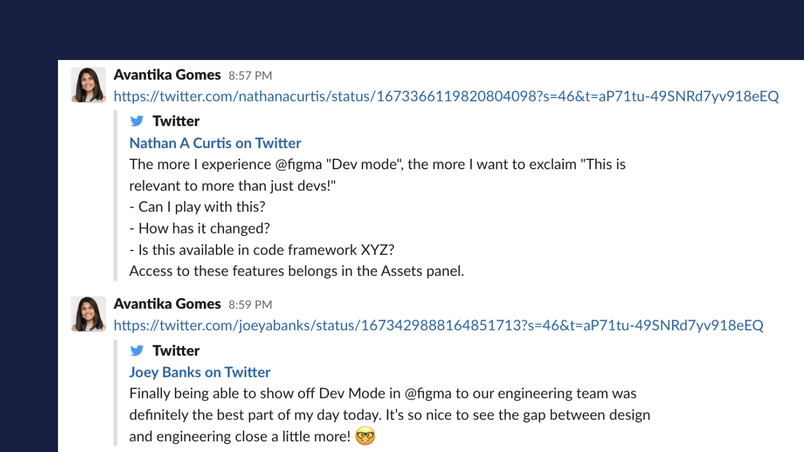
Another Slack channel, #dev-mode-internal-feedback, allowed Figma employees to sound off on design inconsistencies—often things a casual user might miss—and #dev-mode-external-feedback collected input from support, sales, and anyone who interfaced with customers. We also bubbled up what we heard on Twitter and LinkedIn, where Figma has a large vocal community that’s quick to let us know what’s working and what’s not. Folks shared notable feedback in Slack for everyone to see.


Leaping into action
When the engineers needed more details to flesh out a bug report, they emailed users directly to follow up. The team also reached out to suggest temporary workarounds or direct folks to resources in the Help Center. We’ve chatted with 83 customers (and counting) so far.
Pro tip
It’s good hygiene to keep a few response templates in a document so that your team can easily respond to or follow up with a user, whether it’s to thank them for their feedback or assure them that help is on the way. The example on the left addresses a common question we got about accessing comments in Dev Mode.
Hi,
Thanks for reaching out! I’m excited that you’ve gotten the chance to use Dev Mode, and I appreciate your feedback around accessing comments in Dev Mode.
You can still access comments in Dev Mode! To toggle comments on, click on the speech icon in the upper left-hand corner, or use the keyboard shortcut “C” to enter comment mode. You can read more in the Help Center here.
Please let me know if that shortcut key isn’t working for you for any reason! A video or screenshot would be most helpful for troubleshooting.
Thank you so much for your help and feedback so far! With this beta launch, we’re eager to hear from our community what would help make your experience using Dev Mode even better. While we can’t guarantee the immediate implementation of all feedback, we’re committed to growing as we go and encourage you to keep sharing your thoughts.
Thanks,
Molly
Glossary
Coming to us from agile project management, where project deliverables happen incrementally and often, a burndown chart or list helps you track what still needs to get done and when.
We worried that we’d break designer workflows by shipping Dev Mode (spoiler alert: We did). Any pings related to that became our burndown list for quick fixes that we rolled out within the first few days: issues with file import and export, troubles with login, problems accepting the terms of service. Within the first week, we’d resolved over 200 feedback submissions—not bad, if we do say so ourselves.
Digesting the information
Pro tip
To get a bird’s eye view of feedback, use the Asana widget to bring tasks into a FigJam file, where they can be organized by theme.
While pulverizing high-priority bugs, we started sorting through the data and refining a short-term roadmap. Our ticket intake could have been the plot of Fast & Furious 11, but here’s how we handled it. As issues came into Asana, the PM, research, design, and engineering teams tagged and categorized them; eventually, the slow loading time and the effort of scrolling through so many sections made the feedback hard to synthesize. That’s when we jumped to FigJam, pulling in tickets through the Asana widget to then organize into different sections. This gave us a good sense of what people cared about most and what we should prioritize.

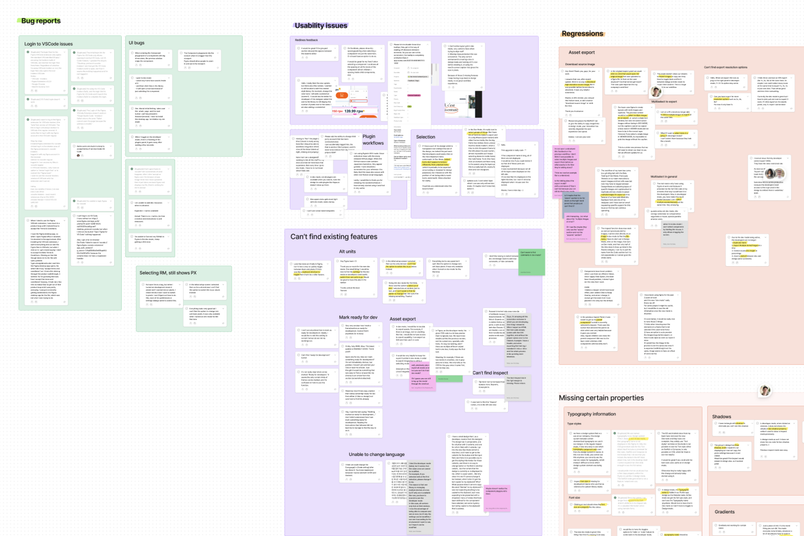
Eventually, this became too manual a process, so we began exporting data into Google sheets, which still allowed us to view multiple tickets at once, add several tags to one ticket, and count how many tickets were nested under any given tag. As visual thinkers, we’re figuring out a way to automate the workload so we can stay in FigJam.
The Rx
Roadmap planning
Having insight into Dev Mode has helped inform our product roadmap plans for H2; now that we know better what users like and dislike, it’s a lot easier to chart out next steps on the product front. The marketing team was able to identify gaps in user understanding that we can continue to address with educational articles and livestreams.
Retrospectives
Pro tip
After a sprint, folks can be exhausted, so it’s nice to kick off retros on a positive note. We asked Figmates to share “who was awesome to work with” as well as “what went well” before diving into “what problems did we face.”
While the launch was still fresh in our memory, we hosted two project retrospectives: one that focused on the marketing team’s tactics specifically, and another on how we worked cross-functionally across marketing, product, design, and engineering. Breaking these into two separate conversations allowed us to understand a core team process on a molecular level before zooming out to see how workflows intersected.

Result shareouts
To keep teams and leadership updated, we needed reporting from over 10 different teams who were using a mix of tools, so we compiled our dashboards and metrics within—you guessed it—a FigJam file. It created a general overview while linking out to individual team files if folks wanted to dig deeper into a single channel.

Now that we’re about a month out from launch, we’ve moved from emergency surgery into developing a healthy regimen of regular product fixes and growth. In Slack, we post weekly summaries of user feedback, weekly roundups of feature improvements and fixes, and biweekly metric share-outs.
Like any recently launched feature, Dev Mode is a WIP, and while we’ve already made strides in improving the interface, the goal of an open beta is to get as much feedback as possible. With that in mind, we’re all ears.
We love hearing from you. If you want to join Figma’s research panel (and earn some cash while you’re at it), fill out this survey so we can invite you to future studies.