Why you should care about design context



As developers increasingly use agentic coding tools, the structure and clarity of design files matters more than ever. By thoughtfully organizing your work, you can help your developer counterparts build more efficiently and accurately.
Share Why you should care about design context
Hero illustration by Cynthia Alfonso
Landing on a clear design direction takes time and attention to detail, but it’s just one piece of the bigger picture. That same level of care should extend to the handoff process. Now, as more developers use Figma’s Dev Mode MCP server Today we’re announcing the beta release of the Figma MCP server, which brings Figma directly into the developer workflow to help LLMs achieve design-informed code generation. Our latest updates to the Figma MCP server and Code Connect bring Figma design context anywhere you work.Introducing our MCP server: Bringing Figma into your workflow

Design context, everywhere you build
1. Invest in foundations
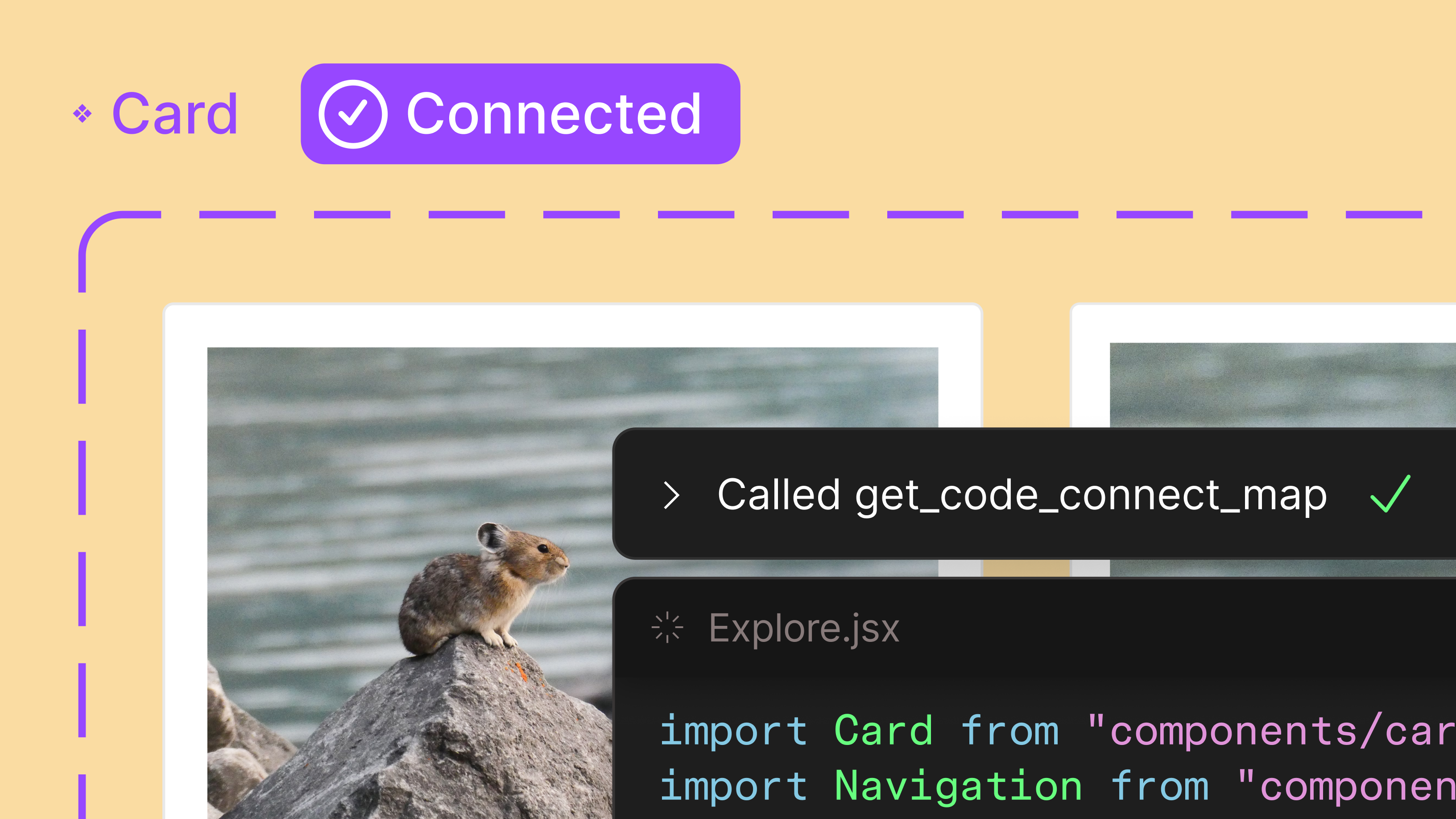
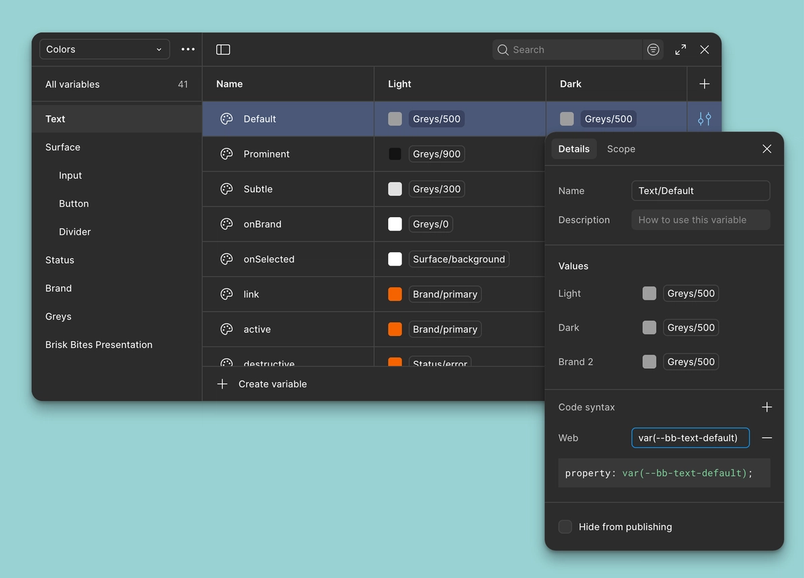
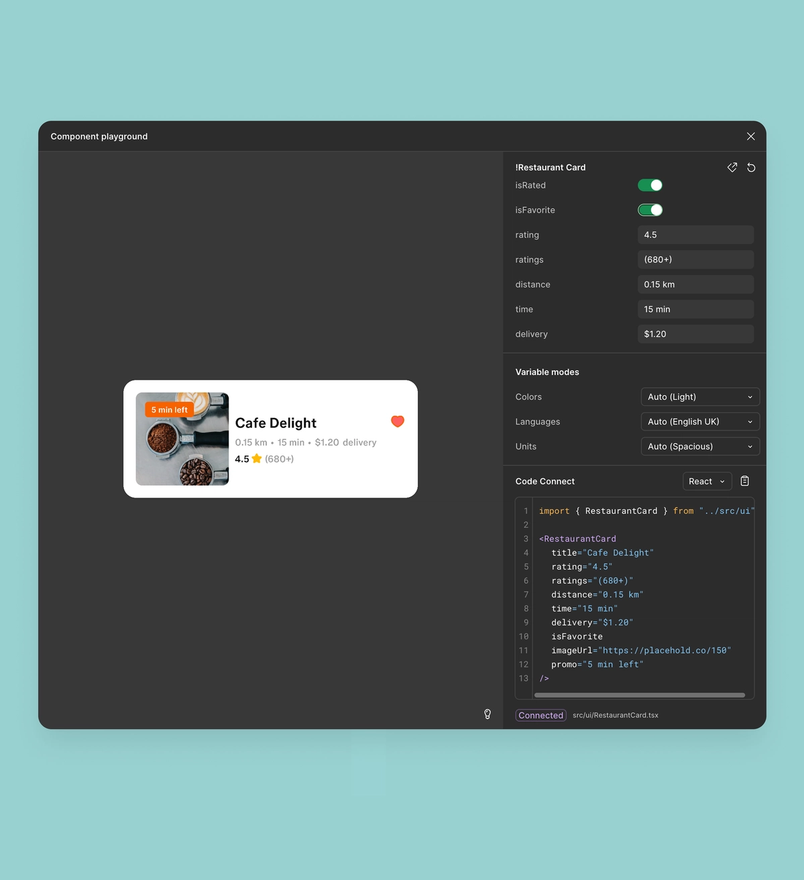
We’ve long talked about the importance of building a design system. Components and variables for color, sizing, spacing, and typography create repeatable patterns that save time and ensure consistency at scale. But to unlock even more efficiencies, you need to link these foundations directly to code. Figma’s documentation capabilities like Code Connect and code syntax help bring that codebase context into Figma. Code Connect links components to their coded counterparts and surfaces accurate snippets in Dev Mode, while code syntax defines how variables should be written across web and native codebases.

Learn more about building, scaling, and maintaining a successful design system.
For a deeper dive on code syntax, watch developer advocate Jake Albaugh’s video on automating this process through the browser console.
With Figma’s Dev Mode MCP server, Paired with MCP servers, design systems become a productivity coefficient for AI-powered workflows, ensuring that AI agents produce output that’s relevant and on brand.
Design systems and AI: Why MCP servers are the unlock


2. Structure your files for dev consumption
Taking time to set up page hierarchies and name each frame and layers can feel tedious, but getting the file structure right is well worth the effort. Being intentional about layouts, naming, and hierarchy not only helps while you’re designing, but also translates to helpful context for MCP and developers.
Here are some key tips to keep in mind when structuring your files:
- Create frames for different breakpoints. Create frames for different breakpoints. Adding frames for major visual differences—for example, if you’re collapsing a navigation bar into a menu icon—helps make responsive behavior explicit.
- Leverage auto layout. Auto layout helps define how designs will respond to different viewpoint widths, breakpoints, and additional text. Whenever possible, apply auto layout to vertical lists, horizontal rows, and grid layouts. For items that need to break the flow, you can set layers to ignore auto layout and apply resizing constraints to them.
- Keep layer structures clean. Layer hygiene helps maintain a clear hierarchy, and avoiding unnecessary groups or frames makes your files easier to navigate.
- Name your layers. Layers help AI and developers understand what each element represents. When layer names are unclear, AI is more likely to misinterpret the design, creating downstream problems for developers. Clear naming allows AI agents to generate code with more accuracy—for example, calling something a “card,” “row,” or “avatar” is more useful than “Frame 1337.” If you’re short on time, Figma’s AI layer renaming can help you rename layers in a matter of seconds.

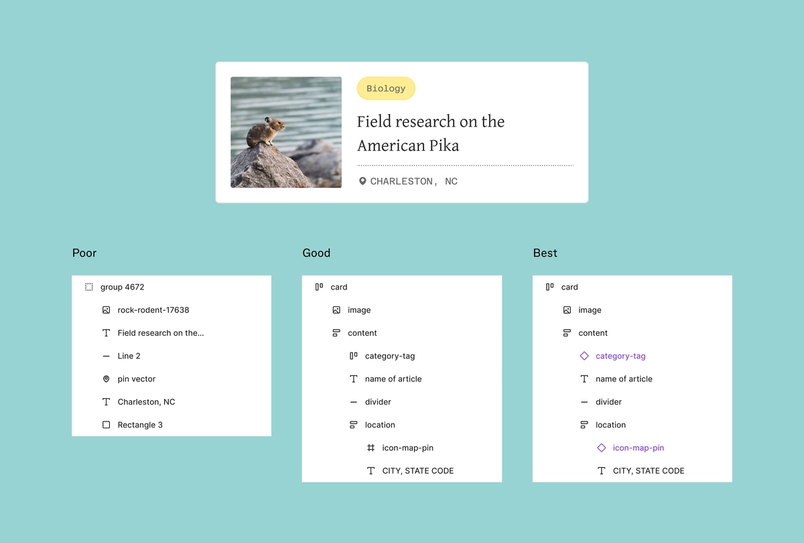
In the image above, the file labeled “poor” is most likely to confuse AI agents when they generate code because it lacks meaningful names and a clear hierarchy of elements. The middle image is an improvement, with helpful layer names and the use of auto layout to define spatial relationships, which makes it easier for AI agents to generate quality code. Still, the structure creates variability in the output. The “best” example shows a well-organized file with clear naming, logical structure, and reusable patterns. With this setup, AI agents generate quality code that pulls directly from your codebase’s components and variables, resulting in more precise outputs.
3. Share interaction intent
Communicating interactive elements of your design is just as important as communicating static ones. Adding annotations to capture desired functionality gives AI agents the context to understand not only what something should look like, but also how it should behave. Clear notes on states, transitions, and dynamic content reduce guesswork and bring the output closer to your intent on the first pass.

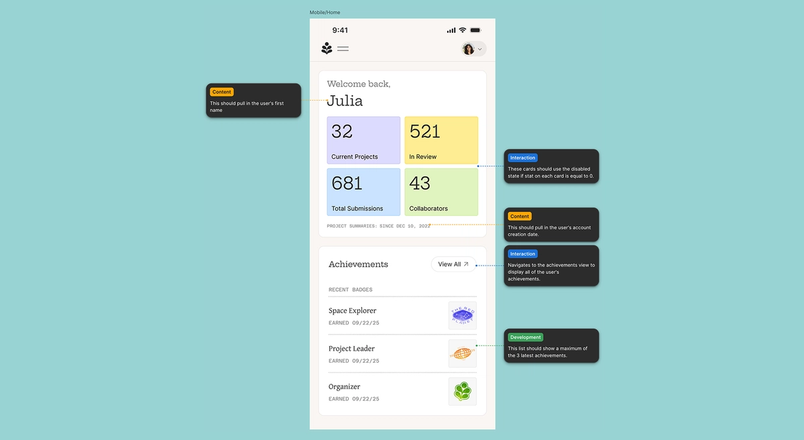
Consider writing annotations if your design leverages:
- Interactive elements: Describe moments of interactivity on click or hover, or if a specific cursor should be used.
- Conditional states: Call out scenarios when a state change is caused by a user action, or a certain condition. For example, a "submit" button is disabled until the required fields are validated.
- Dynamic content: If your design contains static placeholder content that’s meant to be dynamic, provide instructions to pull from a data source.
When functionality is documented as clearly as visuals, you set MCP up to generate code that brings your full design intent to life.
Ultimately, taking steps to add design system context, structure, naming, and clearly written annotations is invaluable—not only for improving developer understanding, but also for providing the right context to agentic coding tools. Even when working with these agentic coding tools, clear communication between designers and developers is essential for alignment and clarity.