



An update on our Make Designs feature


After learning about an issue with Make Designs, part of Figma AI, we temporarily disabled the feature. Here’s our retrospective.
Share An update on our Make Designs feature
All other AI features—including Visual Search and tools to rename layers and translate text—are still available in limited beta.
At Config 2024, we announced Make Designs, a Figma AI feature that allows you to spin up a first draft of a UI design based on design systems alongside a simple prompt. By using design system components, we ensured the feature generated designs that followed a consistent set of patterns and could be easily customized and styled using the tools professional designers already love. Shortly after launching Make Designs in limited beta, we learned that an issue with the feature’s underlying design system resulted in mocks that resembled existing apps. We have temporarily rolled back Make Designs while we fix the issue.
How Make Designs works
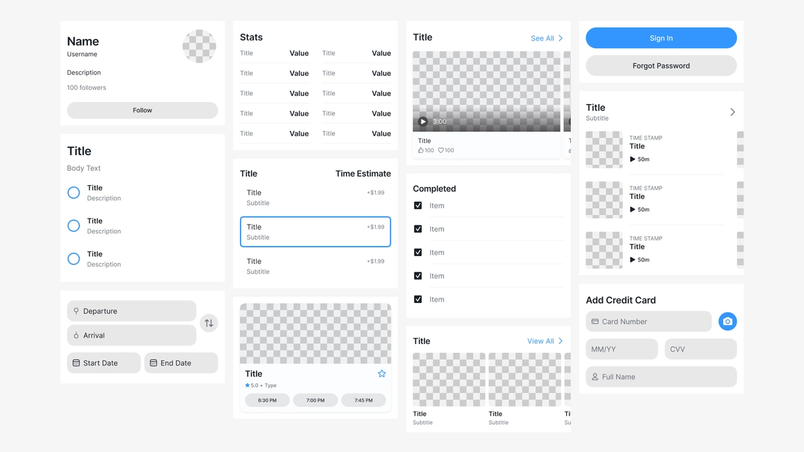
Like most systems that use modern AI models, our Make Designs feature employs three parts: a model, some context, and a prompt. This feature currently uses a collection of off-the-shelf models like OpenAI’s GPT-4o and Amazon’s Titan model—the same generally available models that anyone can use—and we have not done any additional training or fine-tuning. To give the model enough freedom to compose designs from a wide variety of domains, we commissioned two extensive design systems (one for mobile and one for desktop) with hundreds of components, as well as examples of different ways these components can be assembled to guide the output.

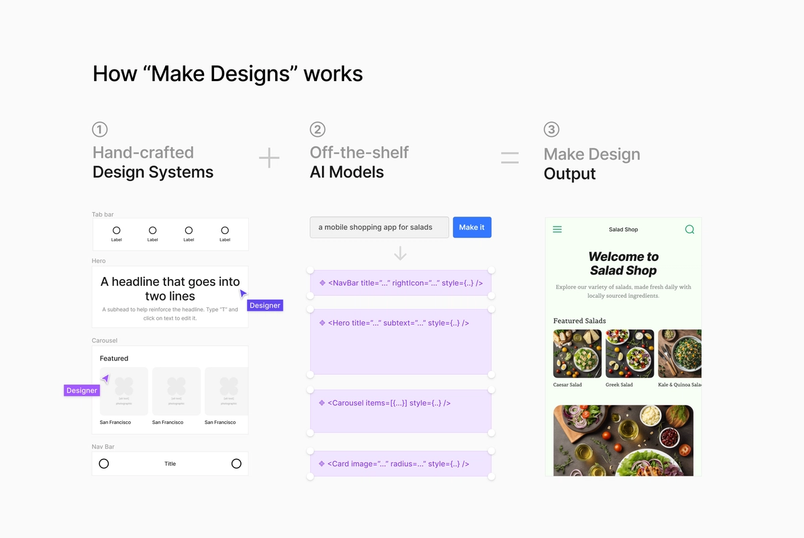
We feed metadata from these hand-crafted components and examples into the context window of the model along with the prompt the user enters describing their design goals. The model then effectively assembles a subset of these components, inspired by the examples, into fully parameterized designs. From there, Amazon Titan, a diffusion model, creates the images needed for the design. It’s more or less as simple as AI helping you identify, arrange, fill out, and theme small composable templates from a design system to give you a jumping off point.

What went wrong
We carefully reviewed the underlying design systems throughout the course of development and during a private beta. But in the week leading up to Config, new components and example screens were added that we simply didn’t vet carefully enough. A few of those assets were similar to aspects of real world applications, and appeared in the output of the feature with certain prompts. We first realized the issue when Andy Allen, a designer who spoke at Config, pointed out that prompting Make Designs for a weather app resulted in designs that felt very similar to Apple’s first-party app. The team stopped everything to conduct a thorough investigation.
How we responded
Once we quickly identified that the problem was with the underlying design systems, we removed the assets that were the source of the similarities from the design system and disabled the feature. We’re holding off on reenabling Make Designs while we work through an improved QA process.
What to expect moving forward
Our original name for Make Designs was "First Draft" because we always aimed for it to be a jumping off point. Product Designer Jordan Singer shared more about our vision for the feature at Config 2024.
We released Figma AI and Make Designs in limited beta because we still have a lot to learn. At the same time, we’re excited about the potential for AI to uplevel our work. In the future, our hope is that by connecting Make Designs to your company’s own design system, you can spend less time finding, assembling, and configuring components, and more time solving problems. While AI can offer a jumping off point, only designers can craft a meaningful experience from a first draft. That craft is a competitive advantage for building great software.
We’re committed to getting this right, and your feedback is key to making sure we build the right things. Keep it coming.
Editor's Note: Since publishing this retro, we’ve re-enabled this feature along with some key updates and a new name, First Draft. You can read about these changes and feature availability here.