As we round out 2021, we're sharing the trends, insights, and surprises we saw in Figma and FigJam this year.
Share Frame 2021: Design by the numbers
As we round out 2021—and nearly two years of remote work—we turned to our users to see how the shift from physical to digital changed the way they design and collaborate. Like always, the Figma Community impressed us with not only what but how they build in Figma and FigJam. Here, we’re sharing the trends, insights, and surprises we’ve observed about working together, apart.
Building and designing across borders
Ever since we launched Figma, we’ve seen people around the world—in 235 countries and territories—use Figma. As so many of us moved to a virtual-first or hybrid model Figma is moving to a hybrid model, allowing both in-person and remote work options. We're sharing our approach, with the hope of helping others think through it.
How work is changing at Figma
Collaboration hubs
In the U.S., New York and California have long been hotspots for collaboration—meaning that file creators more often share their work with others to edit and comment—and we’re starting to see increased activity in Washington and Texas. Globally, the U.S. and Russia are hubs, as India, Brazil, and Indonesia gain traction.
Cross-continental connections
With 83% of Figma users based outside of the U.S., nearly 14% of file collaboration happens between different continents—up from 8% at the beginning of 2020. And we’ve seen some truly long distance connections, including users who collaborate between Madrid, Spain and Wellington, New Zealand, and others who work together between Beijing, China and Buenos Aires, Argentina.
Working together, from idea to ship
We heard from users that they’re relying on FigJam and Figma as a home for the design process, end to end, and we wanted to dig in on what that looked like. This year, we saw about 52% of users collaborate with others. Across shared files, a median of four people are invited to join in. Increasingly, these collaborators include cross-functional partners—the largest categories of Figma users outside of designers are PMs and developers.
From FigJam to Figma
FigJam, which we introduced in April, was inspired by our own experience We sit down with Yuhki Yamashita to hear about the road to building FigJam, how things continue to change, and what it means for the future of design and product development.

A Q&A with Figma’s VP of Product
A more open design process
In Figma, the first collaborator will view the file an average of ten days after it’s created. In 2019, we shared that collaborators are invited 19 days after file creation What you made in Figma, and how you made it, in 2019.
Made in Figma, 2019: Design by the numbers

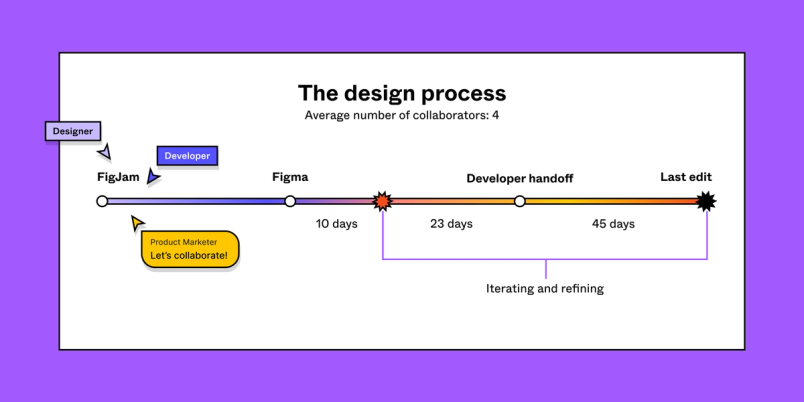
If a developer is brought in to collaborate (which is true of 40% of all collaborative files), handoff activities typically start 33 days after the design was created, continuing for 45 days after the first code inspection—long after the last edit is complete.
Beyond design
With so many of us continuing to work in a hybrid or digital-first model, we have to move in-person interactions to a virtual-friendly environment. At Figma, we do everything from stand-ups and icebreakers Last week, we launched a timer in FigJam, allowing you to stop, start, and pause—together. Take a look at some activities we facilitate with teams across Figma, and how you can get started. At Config 2021, Figma’s virtual design conference, we announced FigJam, our new whiteboarding space. Long before we launched FigJam in beta, teams across Figma had been using it for everything from user research to Maker Week projects. Here, Product Manager Emily Lin shares how she and the product management team at Figma use FigJam for everything from brainstorms to retrospectives, along with templates to get started.
Collaborating and connecting in FigJam
Inside Figma: How our product management team uses FigJam
Creating in Figma and FigJam
Across a sample of users, we found that one-third of Figma files are product design files, while 12% are prototypes and 5% are slides. Whether you’re designing an interface for your users or building a deck for an internal presentation, details matter.
Your favorite fonts and colors in Figma
Aside from Roboto, Figma’s default font, Inter, Open Sans, and SF Pro Text were the post popular fonts. Since 2019, Montserrat slipped from the top spot to number four on the list.
The most commonly used color was #109796. While it’s a far cry from Pantone’s 2021 color of the year, we were surprised to see how similar it was to the most used color in 2019.
By and for the Figma Community
The Figma Community has thousands of templates, widgets, and plugins for you to build on and remix. The Material 2 Design Kit, SALY - 3D Illustration Pack, and Figma iOS UI Kit were the three most duplicated files this year.
Expressions & reactions in FigJam
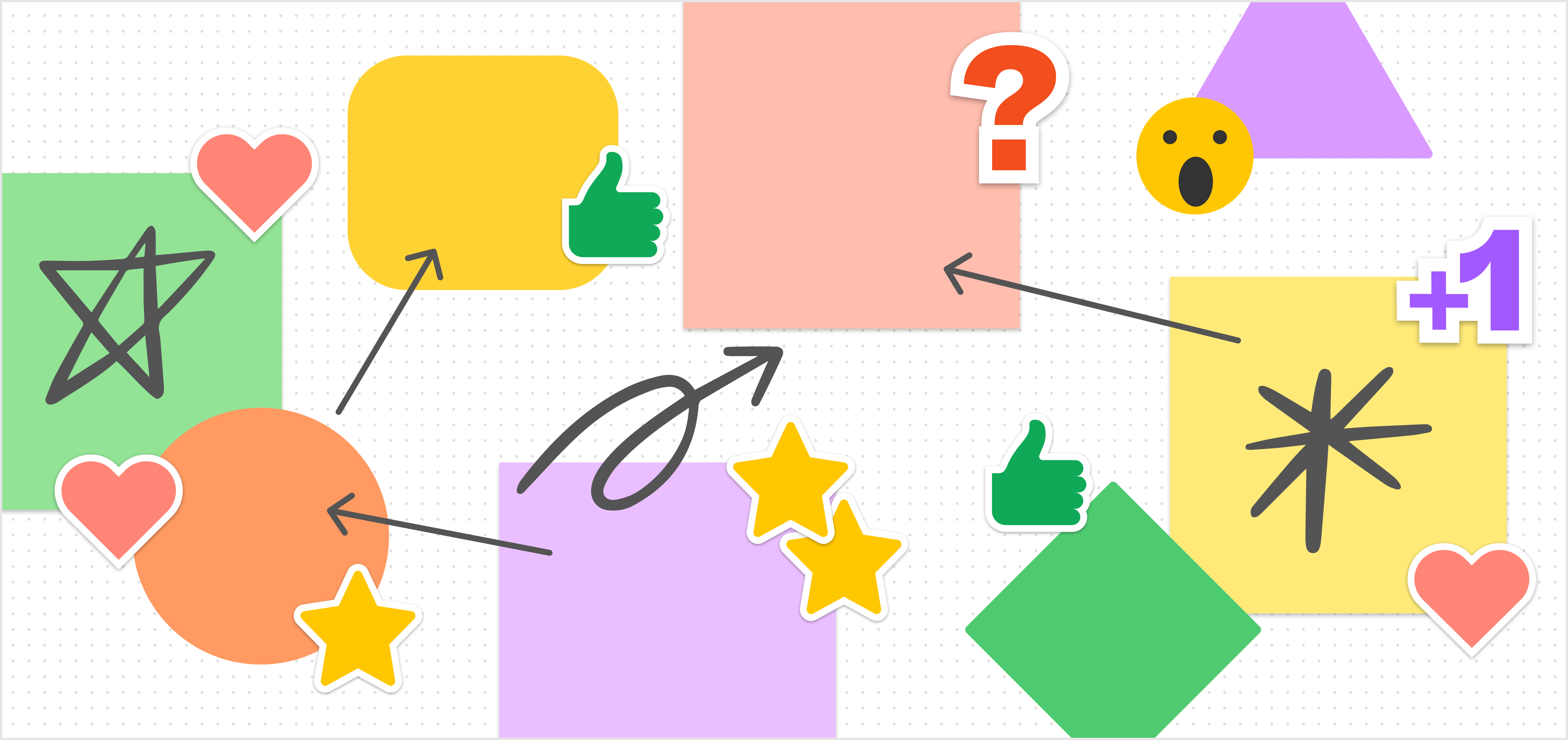
Stamps, stickies, and emojis are sometimes the best way to (virtually) express ourselves in FigJam. The thumbs-up stamp won the top spot, closely followed by the heart and star. The heart eyes emoji was the most popular reaction, and we’re thrilled to see that teams are keeping things positive—the sad face came in last.
We are always excited to see how the Figma Community brainstorms, designs, and builds—together. We’d love to hear how this stacks up with what you’ve worked on in Figma and FigJam this year, and what you’re excited to create in 2022. Give us a shout on Twitter—we’d love to hear from you!


Alia Fite is a writer and editor on Figma's Content & Editorial team. She has previous experience at Stripe and Dropbox.