How Flipster designs for speed, scale, and stability in a 24/7 crypto market
Flipster is a global crypto trading platform built by traders, for traders. Founded by the team behind one of the world’s leading quantitative trading firms, the platform combines deep market expertise with high-performance infrastructure designed for 24/7 markets.
Flipster has recorded an all-time high of over US$230 million in customer assets, serving millions of users across nearly 200 markets worldwide. The company operates with a fully remote global team and continues to expand its product suite across perpetuals, spot markets, yield products, and Web3 features.
As the team scaled past 230 people, Flipster needed systems that could keep pace with its shipping velocity. The platform moves at the speed of the markets it serves—releasing new features weekly and deploying hotfixes within one to two days. That creates a familiar challenge: maintaining startup-level agility while delivering enterprise-grade stability, consistency, and scale.
To meet this, Flipster adopted Figma Enterprise as its single source of truth for product design and execution. The team now uses Figma as core infrastructure, enabling a unified design system that supports rapid iteration at a global scale.
Flipster continues to push what’s possible with Figma Enterprise—exploring AI features, developing custom plugins, cutting handoff time by 40%, and streamlining localization across regions to strengthen operational consistency worldwide.
In the crypto industry, everything moves at lightning speed and across borders. Figma has become our single source of truth. It’s where decentralized teams, from design to engineering to localization, stay aligned. It gives us the same transparency and trust that our users expect from crypto, but applied to how we build our product.
— Christian Park, Design Lead, Flipster
Challenge: Serving the most volatile but widespread customers in the world
In crypto, delays come with a cost. The market runs nonstop, and changes happen without warning. A regulatory shift, a single tweet, or a sudden price swing can force product decisions in hours, not weeks. For Flipster, speed is a requirement to stay up to date.
But the tools they relied on couldn’t keep up. Designers used different tools like Sketch and Abstract. Engineers built from screenshots. QA flagged bugs in spreadsheets. Documentation lived across Google Docs and Notion, separate from the actual designs.
As the team scaled its operations globally, gaps in this setup became harder to ignore. Files fell out of date. Specs got lost. Conversations had to be repeated across time zones. At the same time, product requirements were getting more complex. Tokens like DOGE trade in fourth-decimal increments, and a mistake in how values display could cause confusion or worse—damage user trust.
Eventually, Flipster realized its existing design stack was actively preventing the team from scaling.
We wanted strong numbering rules to bring customers a new standard beyond a scrappy crypto trading experience. Before Figma, there were four different ways decimals were being displayed across platforms. After we moved to Figma-based documentation, we achieved 100% consistency on different numbers and decimal points.
— Christian Park, Design Lead, Flipster

Solution: Cross-functional efficiency gains a 50% speed boost with Figma
Flipster adopted Figma Enterprise early, before most companies of its size would consider it. The team knew that rapid growth would only be sustainable with the right foundation in place. They needed a platform that could bring together distributed teams, speed up decision-making, and support constant iteration without slowing down.
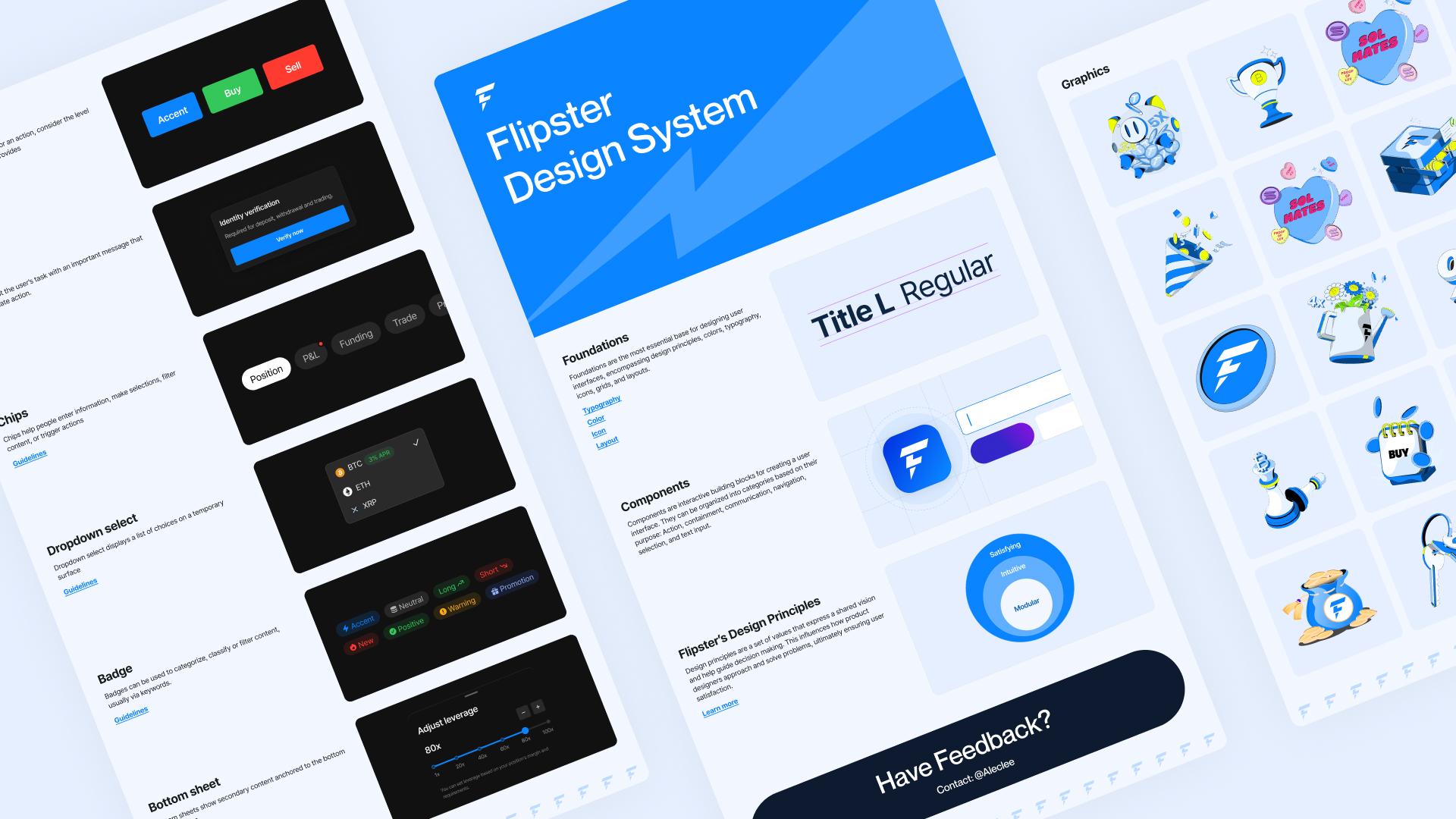
In just three weeks, the design team rebuilt their entire system in Figma. What started as a design-led initiative quickly became the foundation for how the entire company builds.
Today, Figma is Flipster’s product backbone. 14 designers, 6 product managers, and more than 50 engineers use it daily, alongside marketing, QA, data, localization, and operations.
Fixed-seat pricing on Figma Enterprise removed hesitation around adding new contributors. Full editor access gave every team the ability to work inside the same file without barriers.
“We were getting invites from people across the organization asking for full access. The Enterprise plan with fixed yearly pricing meant we could say yes to everyone without worrying,” says Christian Park.
The gains were immediate. Redundant spec sheets disappeared. QA engineers began tagging test IDs directly in designs. Data analysts left Excel behind and marked up click-logging points in the same files the product team was working from. Asset management between graphic and product designs were also aggregated in a single source of truth.
“Once we got the process in place, discussion time between data analysts and engineers was cut by about 50%,” says Christian Park, the Design Lead at Flipster.
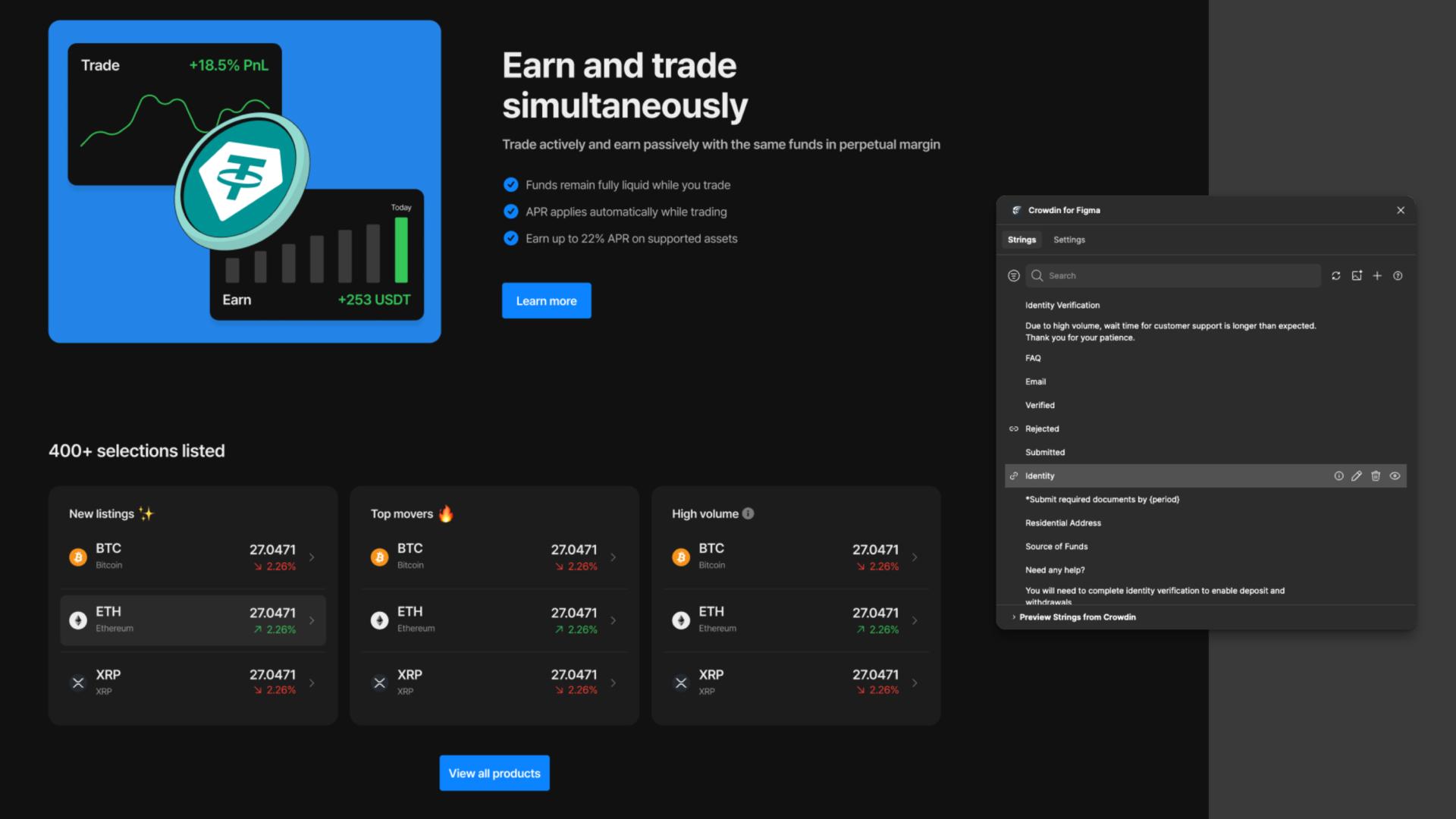
Localization also became far more efficient. Using the Crowdin Figma plugin, Flipster now manages translations straight from the design layer. UX strings sync automatically, and localized versions of new features launch on the same schedule as global ones. Different languages no longer require separate workflows.
Leadership alignment saw major gains. Before Figma, shipping a feature might have involved two or three meetings just to review final designs. Now, stakeholders browse live files, leave comments, and make decisions asynchronously. In a remote-first company shipping updates weekly, that kind of alignment is hard to maintain. But with Figma Enterprise, Flipster made it standard.
We used to need two to three meetings across the globe per feature just to align stakeholders. Now, leadership can browse the file whenever they want. The gap between management and individual contributors has narrowed significantly.
— Christian Park, Design Lead, Flipster
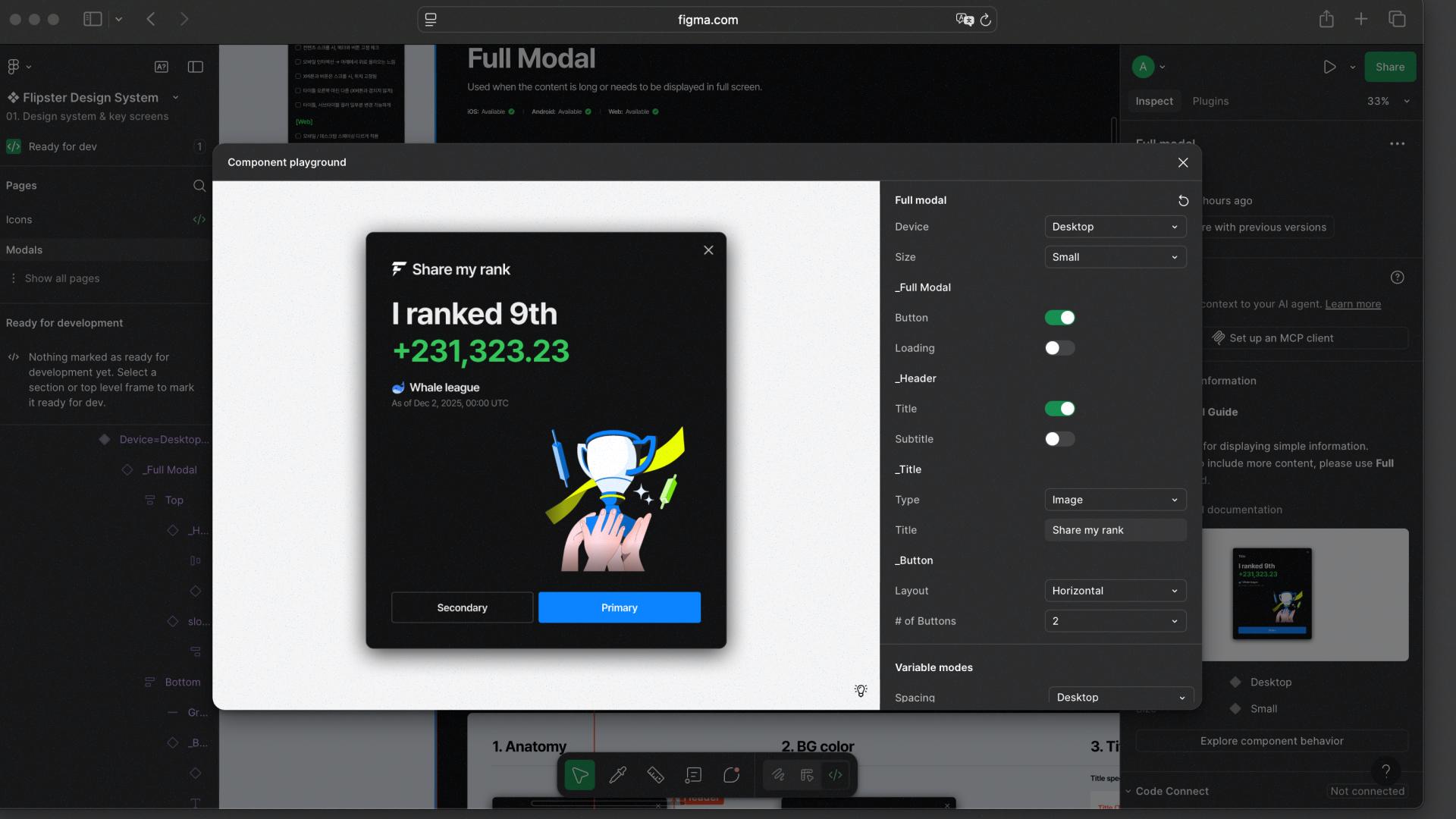
Eliminating handoff friction by 40% with Dev Mode
For Flipster’s engineers, Dev Mode changed how handoff worked. Before, designers had to annotate every screen with spacing, sizing, and typography details. Each platform had its quirks: iOS used points, Android used other units, and it often meant creating side-by-side tables just to compare values.
“Before Dev Mode, designers had to explain every detail. We often created tables comparing measurements across platforms,” says Christian. “Now, developers fetch things automatically without us having to specify everything. That alone saves us 40% of handoff time.”
For a team shipping weekly, that kind of efficiency is equivalent to growing development capacity without adding headcount. It also means fewer errors across platforms and faster builds from day one.

Experimenting with what’s next
To support adoption and continuous improvement, Flipster established “Design Chapter”—a group of designers per domain focused on testing new features, training colleagues, and raising the bar on the company's design standards.

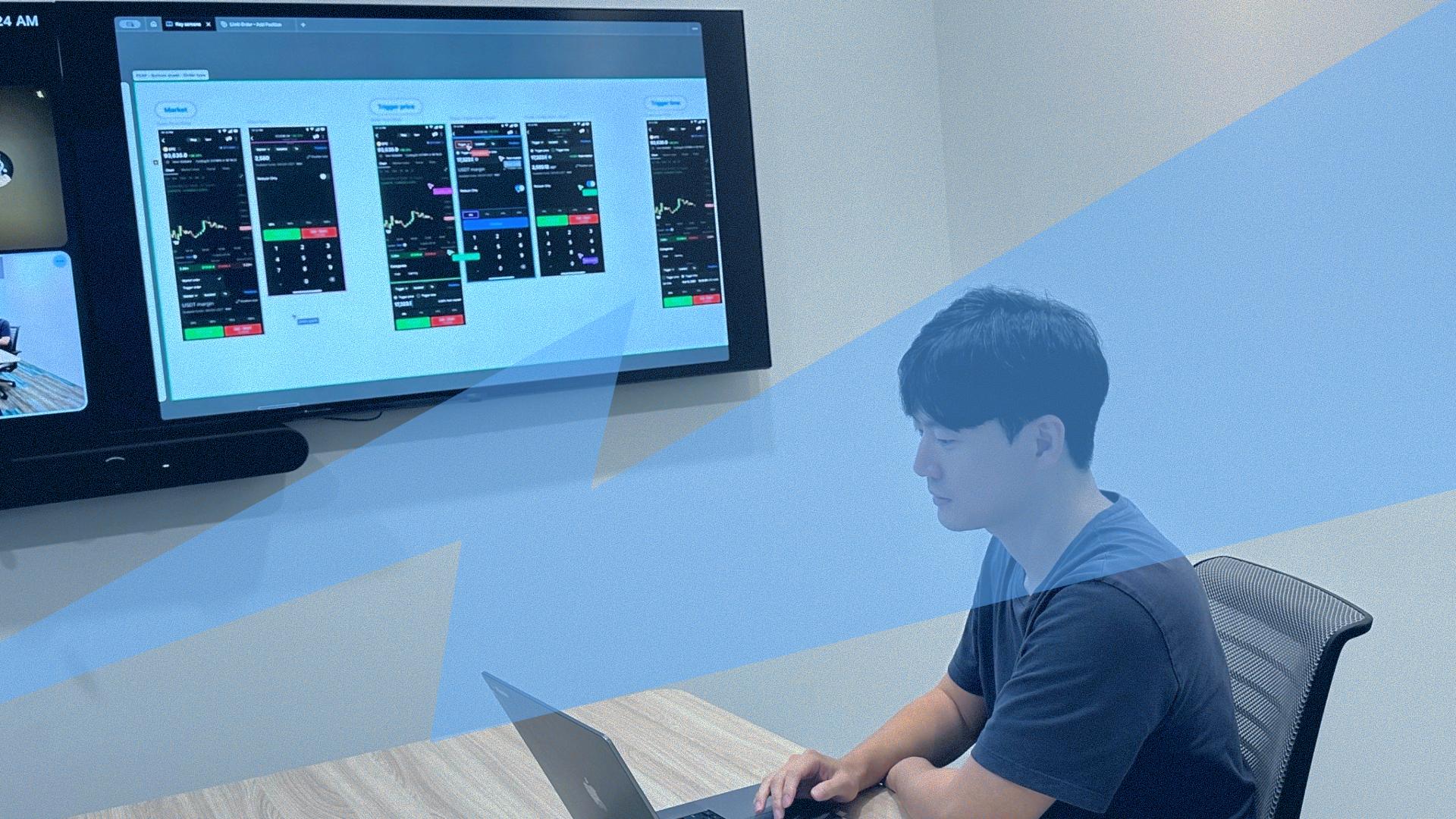
That group also developed a custom Cursor-Figma plugin to make remote reviews feel more interactive and immediate. The same plugin also automates localization by syncing Figma layer names with Crowdin, so when a designer updates a component, the corresponding translation key is updated automatically. This eliminates manual labelling, reduces back-and-forth, and keeps localization moving at the same speed as design.
We wanted to be more effective and efficient, and we’re looking into Figma’s new features. We’ve created a Cursor-Figma plugin that updates Crowdin when you change the layer name. It cuts out manual labelling steps.
— Christian Park, Design Lead, Flipster

Figma’s AI tools have also made an impact. One feature that quickly changed daily workflows was image-based search. Developers and product managers now drop a screenshot into Figma to locate the matching screen in seconds. What used to take five minutes now takes one, and that time saved helps keep pace with their weekly release cycle.
In an industry where trust is key, precision and governance matter as much as speed. With Figma Enterprise, Flipster ships at market pace—while staying aligned on compliance, localization, and design accuracy across every team.
“We ship weekly because crypto demands it. Figma is how we make that speed possible. For a 230-person team, it’s what allows us to operate with the agility and output of a company ten times our size,” says Christian.
See how Figma can help you scale design
Get in touch to learn more about how Figma can help companies scale design.
See how Figma can help you scale design
Great design has the potential to differentiate your product and brand. But nothing great is made alone. Figma brings product teams together in a fast and more inclusive design workflow.
Get in touch to learn more about how Figma can help companies scale design.
We’ll cover how Figma can help:
- Bring every step of the design process—from ideation, to creation, to building designs—into one place
- Accelerate design workflows with shared company-wide design systems
- Foster inclusivity in the product team process with products that are web-based, accessible, and easy to use