Figma Make helps Saddle go from idea to launch in 2 weeks
Figma Make helps Saddle go from idea to launch in 2 weeks
Simen Sanna, CEO and founder of Saddle, is a Norwegian SaaS entrepreneur and former energy engineer who exited his last company in 2021 after developing the world’s leading software for decarbonising offshore vessels.
But while his previous software took years of development, his latest service is a different story.
By working with design and product building consultancy SmplCo, Saddle dramatically shortened the time it took to create the software, while slashing costs, using Figma Make.
“Before, the equivalent process to create a working MVP like the one we have for Saddle took us six months and eight times the money,” Simen says.
“Figma Make has completely changed the game,” he says. “With SmplCo’s help we’ve gone from creating the design, planning the user journey, and sketching wireframes, to clickable Figma designs, React software development, and even tying it all up to the back-end endpoints… all in two weeks!”
This is the story of those two weeks.
A digital highway for decisions
Saddle is a software platform that helps companies make faster, better decisions and drive innovation, particularly in crucial periods in mergers and acquisitions (M&A).


"When new leadership teams take over, they need good data and collaboration with existing leaders to make the right decisions. But it’s really hard to get that deep understanding of the company they’ve acquired, its subtle customer insights, internal dynamics, and creative strengths,” says Simen.
“Employees can feel unheard, and leaders lack visibility into where innovation is happening within their teams. As a result, valuable ideas can be missed, key talent can become demotivated, and innovation stalls.”
The end result? Around 60% of M&A deals fail to deliver their intended value, says Simen.
This is where Saddle comes in, providing a “digital highway” for initiatives and decisions.
The platform connects innovation data directly to business metrics, allowing companies to identify strong ideas, streamline decision-making, and retain creative talent through visibility and recognition.
Moving fast, and making things
After building their back-end internally, Saddle partnered with design experts, SmplCo.
SmplCo started experimenting with Figma Make to support its proposition—to “prototype fast, build smart, and launch in weeks”.
Step 1: From concept to prototype
The collaboration began with rapid ideation, as SmplCo managing partner, Andreas Melvær, explains.
“First, we clearly defined the problem and focused on a niche—how the product could empower innovation inside companies during equity transactions,” he says.
“We sketched out user journeys and UI concepts that visualised how employees would submit ideas and how leaders could track, evaluate, and prioritise them.”

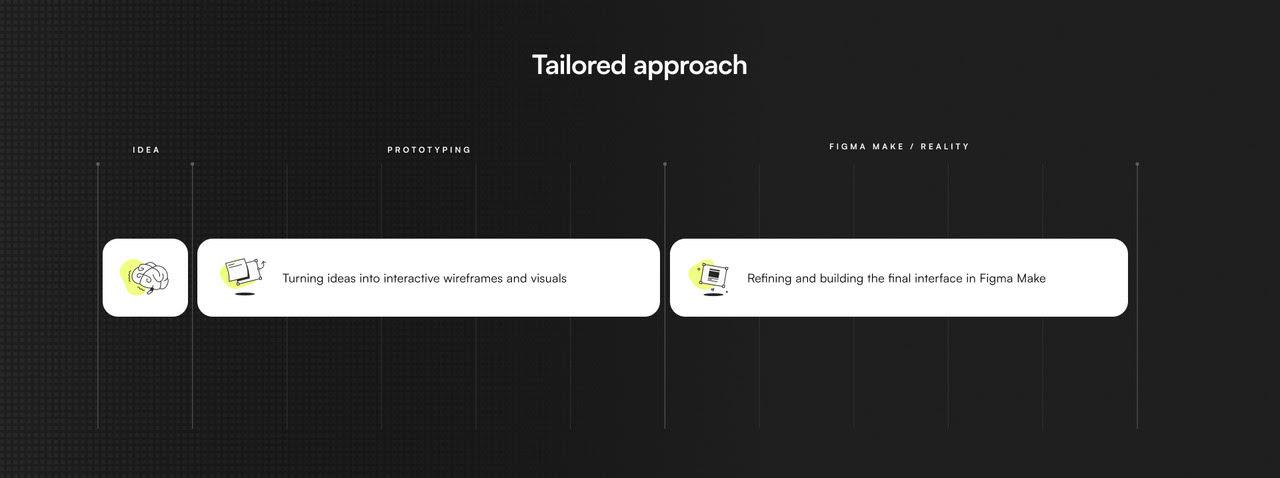
This was the first step in SmplCo’s proprietary 5-Day Prototype process, which the team has designed based on years of building and selling their own companies.
Within days, the team created an interactive demo prototype in Figma; something simple enough to test and iterate, but rich enough to validate core functionality and user flows.
Step 2: Bringing the prototype to life in Figma Make
Once the prototype captured the right experience, the team moved to Figma Make.
They used the vibe coding environment to turn the Figma designs into working front-end interfaces that were responsive and interactive.

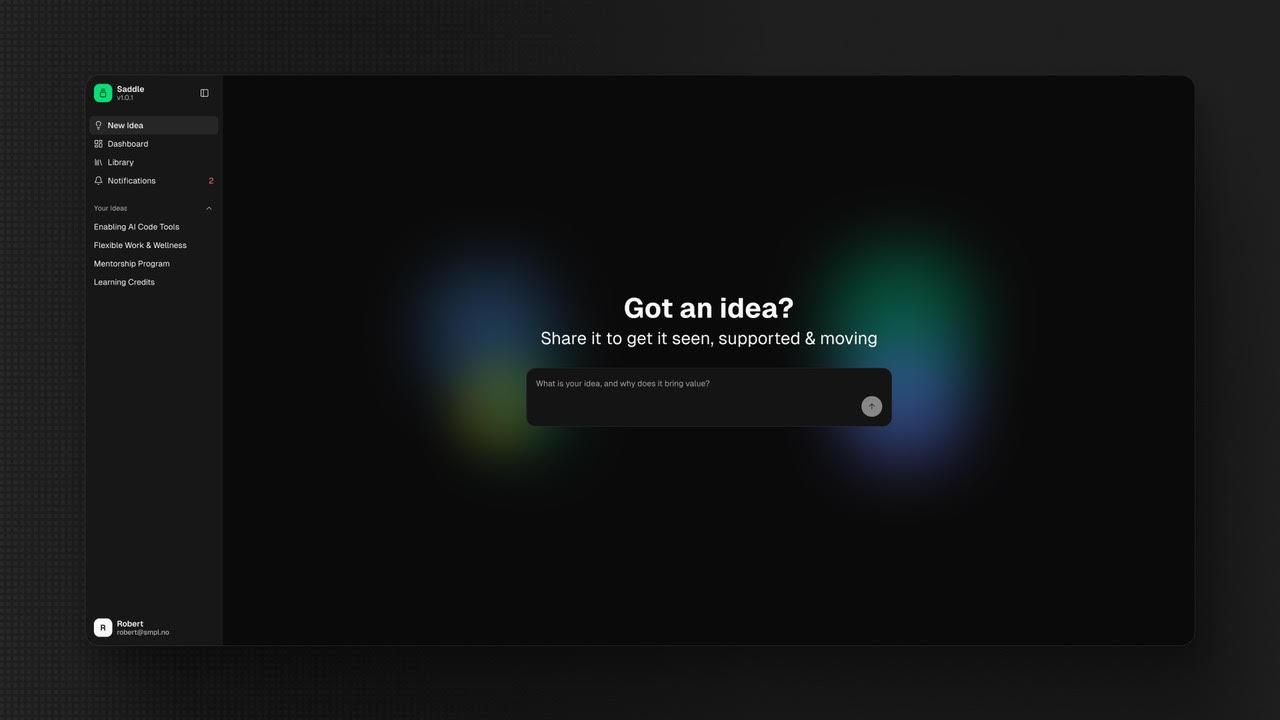
This gave Saddle a functional product they could use and test almost immediately.
As Simen noted, “The whole idea with Saddle is to make ideas come to life, and Figma Make did that really quickly. But there was a crucial ingredient here that differentiated the project from many low-code efforts flooding the market right now.”
Simen knew Saddle had to have expertise in the design and coding, so SmplCo’s team went through the code to ensure it was clean and secure.
“You get so much more value if you combine the speed of Figma Make with software design experts,” says Simen.
“Vibe coding is great, but you can create unstructured code,” says Andreas. “You need to make sure you’re building a solid foundation, otherwise growing and scaling your product can get difficult.”
Step 3: Connecting the front-end to the back-end
Crucially, Saddle had already built its back-end before this process began.
This meant the front-end created in Figma Make could be seamlessly connected to real data through APIs, transforming the prototype into a functioning product.
This sequencing—building the data layer first—was essential to achieving such rapid progress.
The result? Within two weeks, Saddle went from back-end data to a live platform integrating both design and data, ready to be demonstrated and refined.
What benefits did using Figma Make bring?
By merging design and front-end development into one environment, Figma Make eliminated the traditional handoff delays between designers and engineers.
“Using Figma Make allowed Saddle and SmplCo to move from prototype to working software in just two weeks, a process that took us six months and eight times the cost before,” says Simen.

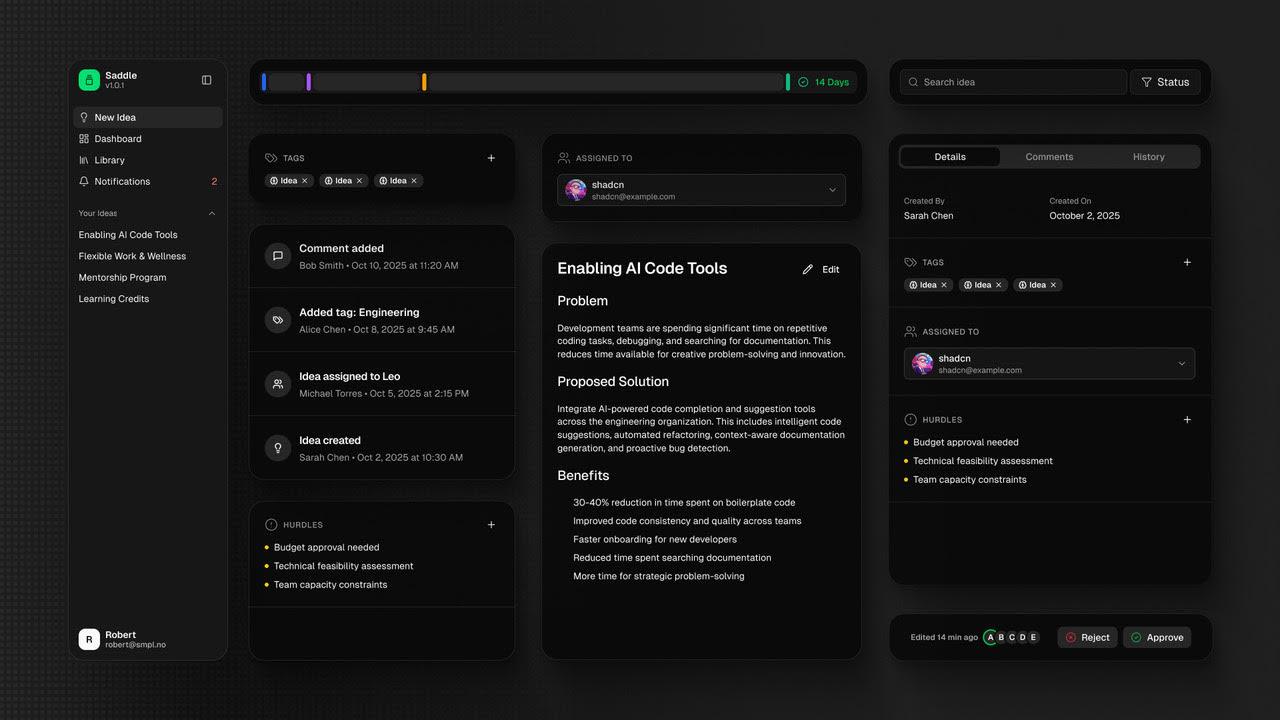
For a startup like Saddle, this speed translated directly into competitive advantage, helping them secure early traction and keep development costs lean.
And beyond efficiency, Figma Make offered a level of creative flexibility that resulted in a well-defined design system and a clear way forward for design iterations.
They could experiment freely with layouts, logic, and interactions, without worrying about breaking code or losing time. The interface could be visually refined and technically implemented simultaneously, enabling rapid testing and iteration.
This approach encouraged discovery and innovation throughout the process.
How to set yourself up for success
While Figma Make delivered huge benefits in speed and cost, the Saddle team also learned valuable lessons about preparation and expertise.
1. Have the back-end ready first
Saddle’s success hinged on having their data infrastructure in place before starting the Figma Make build.
Without that, they would have been left with an impressive but disconnected front-end.
“If you have your endpoints ready then the Figma Make process will fly,” Simen says.
2. Expert guidance is essential
Having experienced designers and developers was vital to guide decision-making and maintain quality.
“There’s this idea that anyone can build great software now, and that’s just not true,” Andreas says.
“We’re seeing a lot of bad software causing serious problems, particularly around security, privacy and sustainability, because of that.
“You need experts who understand both the creative and technical sides.”
3. Trust the process — but iterate fast
Saddle’s two-week build succeeded because the team embraced a flexible, exploratory mindset.
For Saddle, Figma Make transformed what could have been a months-long development cycle into a two-week sprint from idea to working platform.
It delivered speed, savings, and creative freedom, but also reinforced timeless lessons about preparation, collaboration, and expertise.
A final word from Simen to those who want to go on this journey…
“You’d better saddle up and strap in, because the ride is fast,” he said.
See how Figma can help you scale design
Great design has the potential to differentiate your product and brand. But nothing great is made alone. Figma brings product teams together in a fast and more inclusive design workflow.
Get in touch to learn more about how Figma can help companies scale design.
We’ll cover how Figma can help:
- Bring every step of the design process—from ideation, to creation, to building designs—into one place
- Accelerate design workflows with shared company-wide design systems
- Foster inclusivity in the product team process with products that are web-based, accessible, and easy to use