Ruggable reimagines design-to-development 10x faster with Figma
Summary:
Ruggable, the innovator behind machine-washable rugs, has transformed home décor with a practical and stylish solution. As the company grew from a small business into a global brand operating across eight markets, it faced the challenge of scaling its design operations efficiently while keeping every touchpoint consistent.

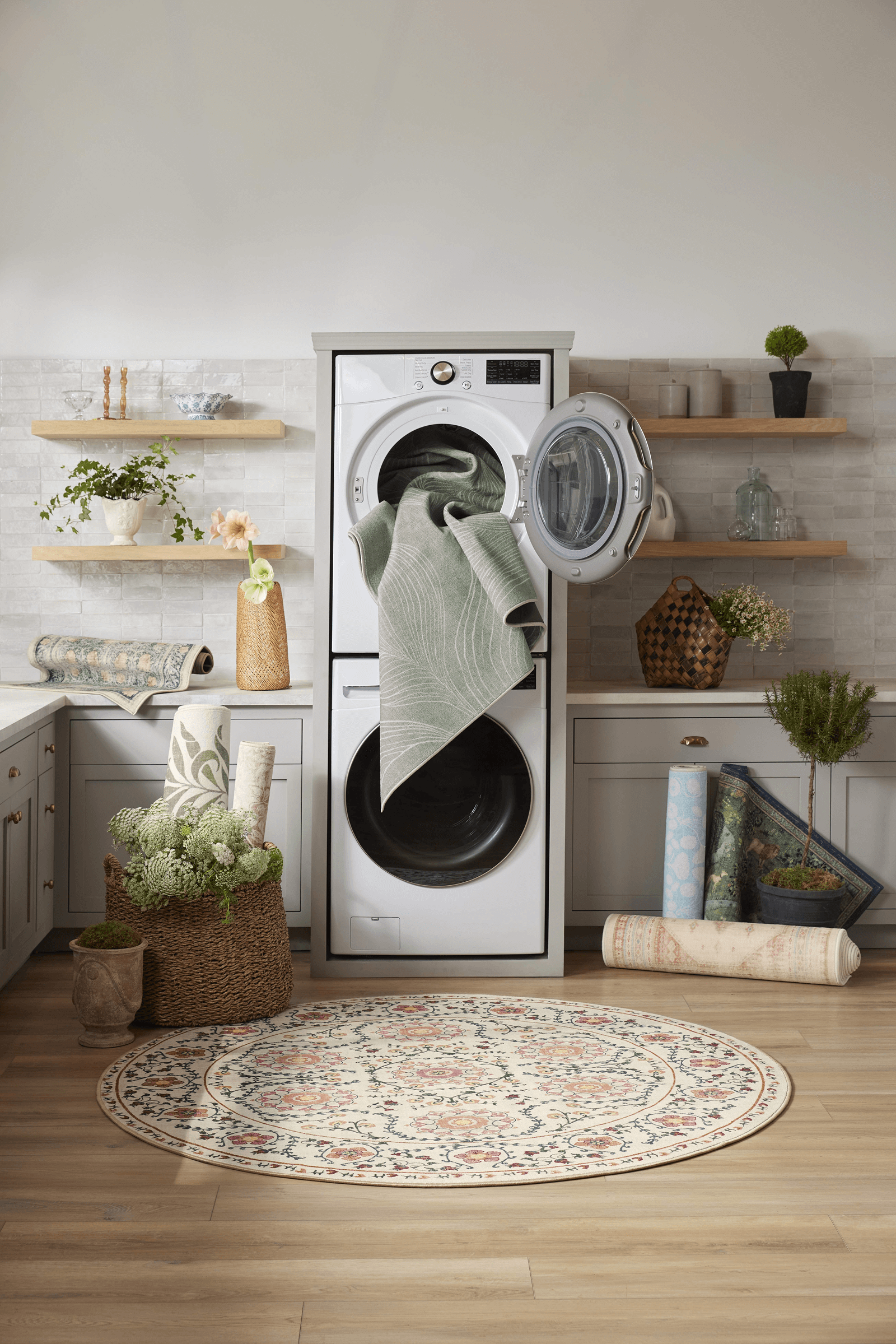
With Figma, Ruggable brought teams together, streamlined workflows, and revolutionized its design-to-development process—achieving a 10x faster handoff and strengthening collaboration across UX, creative, and development teams.
Challenge: Fast growth, fragmented tools
As Ruggable expanded globally, its design and development workflows needed to keep pace with increasing demands. Previously, Ruggable’s teams relied on multiple disconnected tools for design and prototyping. This fragmented workflow slowed collaboration, creating extra work and making it hard to keep designs consistent.
Before Figma, it was a very disjointed, manual process with duplicated files and extensive annotations required extra meetings to align teams.
— Alicia Clapper, Director of UX Product Design, Ruggable
The lack of visibility between teams further compounded these challenges, making it harder to align and ensure a cohesive brand experience. “Historically, UX and e-commerce teams were separate from brand and creative, and we had little visibility into each other’s workflows,” says Alicia.
Without a unified system, inconsistencies crept into the customer experience. Button colors, font sizes, and layouts varied between emails, landing pages, and social ads, weakening brand trust.
“What customers saw in an email might look different on a landing page and even more different on social. Small but noticeable inconsistencies made the experience feel disconnected,” says Alicia Clapper, Director of UX Product Design at Ruggable.

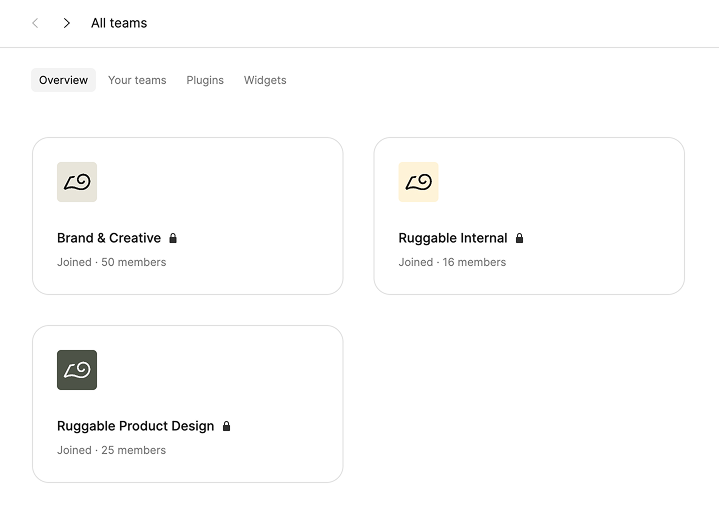
Solution: Structuring teams and permissions for scale in Figma
Figma’s Organization plan provided Ruggable with a centralized platform to unify its design operations and improve collaboration across teams. With unlimited teams and structured permissions, Ruggable created dedicated workspaces for marketing, brand, and product teams—eliminating silos while keeping projects and campaigns aligned.
A key part of this transformation is Figma’s unified platform, which became the single source of truth for components, styles, layouts, and variables for Ruggable. Thanks to organization-wide permissions, updates no longer disrupt live projects, and instead of duplicating files or manually tracking changes, updates now sync automatically across teams—saving time and eliminating inconsistencies.

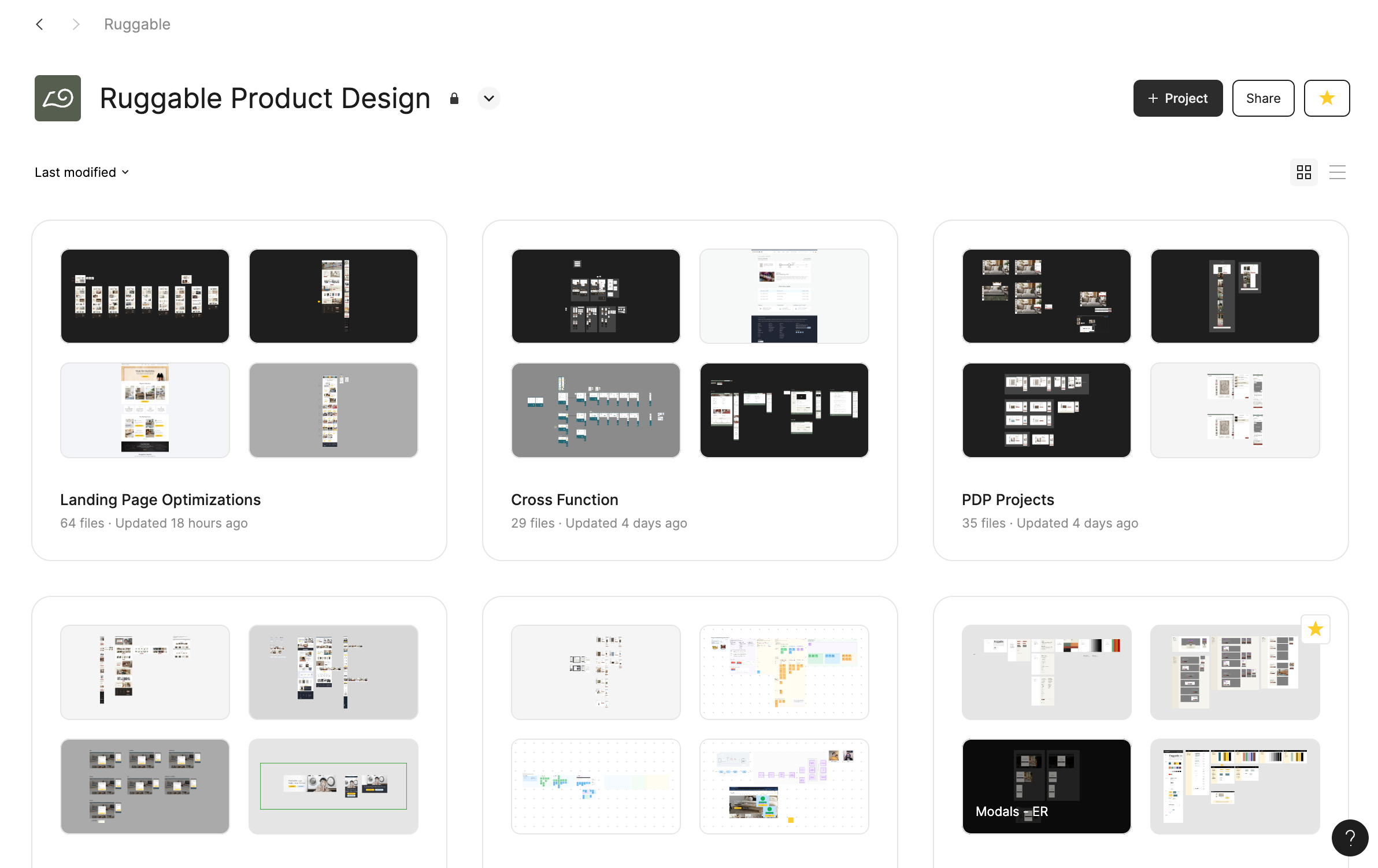
With a centralized design system in Figma, Ruggable scaled operations while keeping every campaign and product experience on-brand. Previously, designers had to manually copy and paste elements across files and spend time rechecking version control to ensure accuracy.
“Before Figma, we were copying and pasting pages between projects. Version control was virtually non-existent, so we constantly had to double-check we were using the latest files,” says Alicia.
Figma eliminated these bottlenecks by automatically syncing updates across all files. And with Dev Mode, developers now have direct access to specs and finalized designs, reducing unnecessary back-and-forth and making handoffs smoother than ever.
With advancements in Figma, we’ve been able to collaborate more effectively across teams, both on a smaller scale with our PMs and developers, and on a larger scale with our brand and creative teams. It’s really improved the cohesion of our campaigns, retention efforts, and everything from website content to e-commerce and ads.
— Alicia Clapper, Director of UX Product Design, Ruggable
Scaling faster from week-long updates to same-day changes
Integrating the design system with Ruggable’s content management system (CMS) has also empowered non-designers to update content and build landing pages, reducing reliance on designers while ensuring brand consistency.
This streamlined approach has led to significant time savings, especially for high-priority campaigns. “Updates for Black Friday used to take over a week. Now it takes less than a day to make those changes,” says Alicia.
With Figma, we’re able to see an entire campaign from a visual perspective in one file, which saves time and strengthens consistency across our brand.
— Alicia Clapper, Director of UX Product Design, Ruggable
Figma has also helped standardize Ruggable’s brand assets as they scale across international markets. With shared fonts, teams no longer waste time searching for brand assets or troubleshooting missing fonts. Now, all collaborators—including contractors and international teams—can access the correct typography instantly.

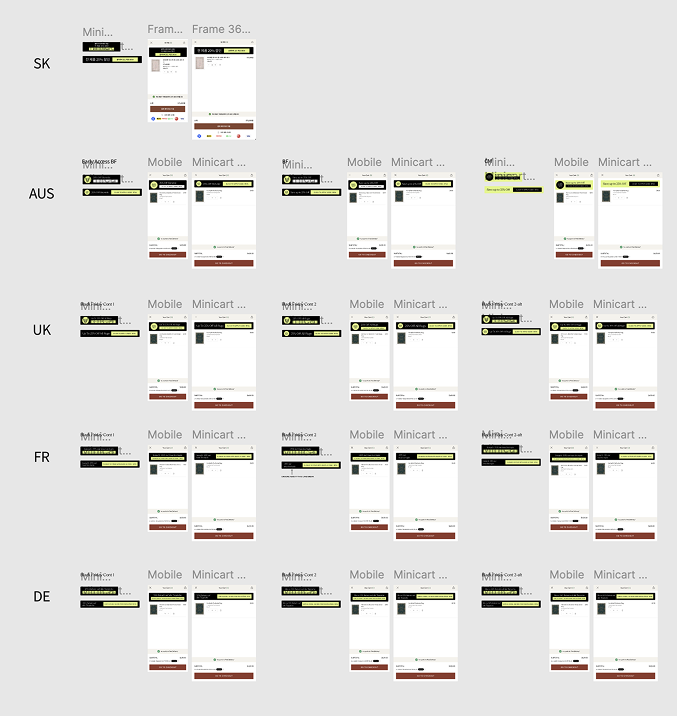
Alicia says, “Having fonts embedded in Figma has been a huge help. Before, contractors and international teams constantly asked me for font files just to edit text. Now, everything is built in, making collaboration much easier.”
Streamlining handoffs 10x faster with Dev Mode
Dev Mode has transformed how Ruggable’s design and development teams work together, closing the gap between design intent and code implementation. Previously, handoffs were slow and error-prone—designers manually annotated files, while developers had to sift through multiple versions to find the most up-to-date design.
“It was difficult to figure out which version of a design to use when multiple iterations were visible on a single page,” says Tia Rexine, Software Engineer at Ruggable.
This lack of clarity often led to delays, misunderstandings, and extra meetings. Now, with Dev Mode, developers can instantly access detailed specs—fonts, colors, spacing—directly in the design files, reducing the need for manual annotations.
To further streamline the process, teams use the ‘Ready for Dev’ feature to track finalized designs, ensuring developers always work with the latest approved versions while minimizing unnecessary back-and-forth.

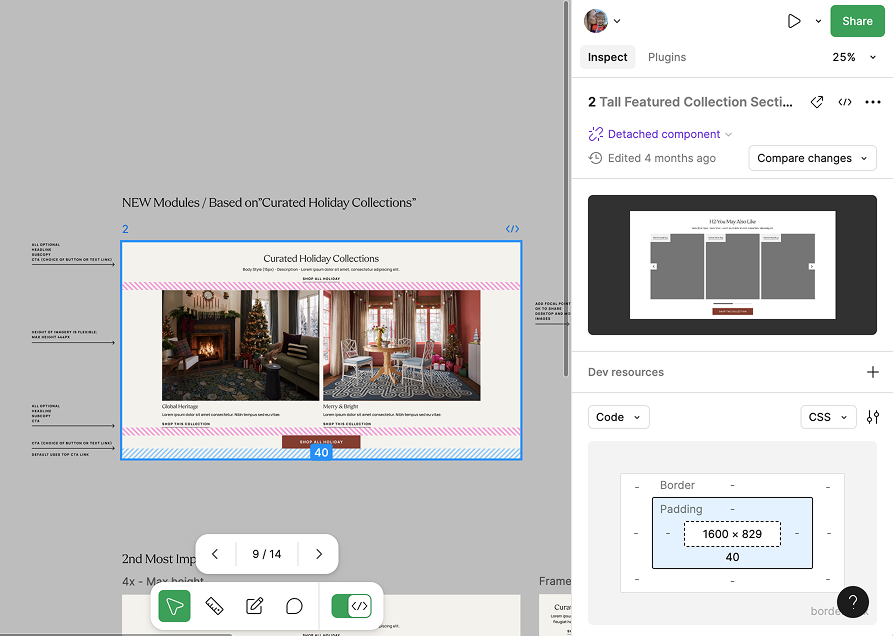
Another major efficiency gain comes from Dev Mode’s built-in code integration. Developers can inspect and extract CSS properties directly from design files, pulling fonts, text styles, and spacing values instantly.
Beyond specs and code, Dev Mode also centralizes essential design resources. Developers can now access SVGs, font files, and style guides in one place, eliminating the need to search through multiple tools.
I reference Dev Mode the most for fonts/text styles, colors, padding & margin values with the inspect panel. SVGs for icons & images are also easy to grab.
— Tia Rexine, Software Engineer, Ruggable
These improvements have had a profound impact on Ruggable’s workflow. Tasks that previously required hours of manual annotations and back-and-forth communication are now completed almost instantly, resulting in 10x faster handoffs.
“Devs used to ask us about every little detail, but now they're much more autonomous in the experience and handoff process. It’s streamlined our workflow and our relationship,” says Alicia.
Not only has this saved valuable time, but also improved output quality. "When all of the smaller details (things like spacing, fonts, colors, and the like) are made more easily accessible by Dev Mode, less QA time is dedicated to design fixes. I would say our QA process is at least 50% faster,” says Tia.
Brainstorming with cross-functional teams on FigJam
As Ruggable scaled its design and development processes with Figma, the team saw an opportunity to broaden collaboration beyond design teams. To do this, they turned to FigJam, bringing more people into the process earlier and making cross-functional teamwork more efficient.

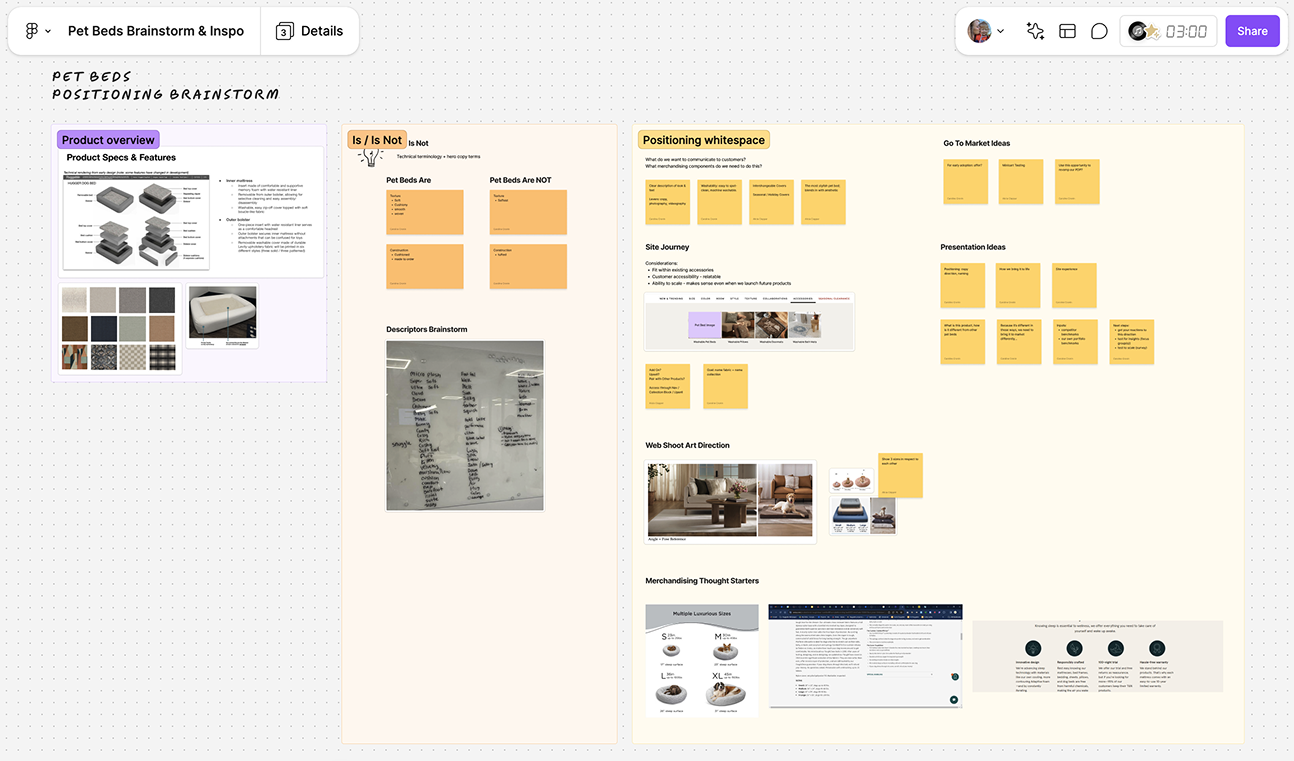
Before FigJam, Ruggable’s brainstorming process was time-consuming and inefficient, making it difficult to organize ideas effectively. Discussions often ran over time, and action items had to be manually transcribed—sometimes multiple times—before they could be turned into tickets for execution. This slowed down the transition from ideation to design, sometimes taking up to two weeks before work could begin.
“FigJam cut our brainstorming-to-design time from one to two weeks into just a day or two. Now, we can organize ideas instantly and jump straight into execution,” says Alicia.
What started as a UX team tool quickly became essential across product, creative, and marketing teams. “Every new member gets FigJam access—it’s become an essential part of our workflow,” says Alicia.
FigJam sessions are fun, engaging, and productive. We use AI to create templates, timers and music to structure item creation, and stickers to engage the whole team in reviews.
— Will Congbalay, Project Manager, Ruggable
For example, after user testing a new rug cover type, the team used FigJam’s pre-built brainstorming templates and timer feature to guide discussions. AI-generated summaries streamlined follow-ups, ensuring clear next steps.
By bringing more teams into the process earlier, FigJam has helped Ruggable turn ideas into action faster. As the Ruggable continues to grow, Figma’s unified platform—FigJam, Figma, and Dev Mode—will remain central to how its teams collaborate, iterate, and bring new products to life.
About Ruggable
- Industry: Retail
- Location: Los Angeles
- Number of customers: Operating across 8 international markets
- Business challenges: Breaking down team silos, Facilitating effective meetings, Streamlining design and development
See how Figma can help you scale design
Great design has the potential to differentiate your product and brand. But nothing great is made alone. Figma brings product teams together in a fast and more inclusive design workflow.
Get in touch to learn more about how Figma can help companies scale design.
We’ll cover how Figma can help:
- Bring every step of the design process—from ideation, to creation, to building designs—into one place
- Accelerate design workflows with shared company-wide design systems
- Foster inclusivity in the product team process with products that are web-based, accessible, and easy to use