Peloton speeds up design handoff by 5x with Figma
Summary:
Peloton, a global leader in connected fitness, combines world-class hardware with immersive content to create experiences that inspire and engage millions of users worldwide. As its product portfolio expanded, maintaining design consistency and fostering seamless collaboration between designers and engineers became a top priority.
To meet these demands, Peloton turned to Figma Enterprise. By unifying its design system, Peloton streamlined workflows and improved cross-team collaboration. Using Dev Mode, the team has significantly improved handoff between design and development, reducing inefficiencies and enabling the team to deliver cohesive, high-quality user experiences 5x faster.

Challenge: Scaling product development from manual annotations to seamless collaboration
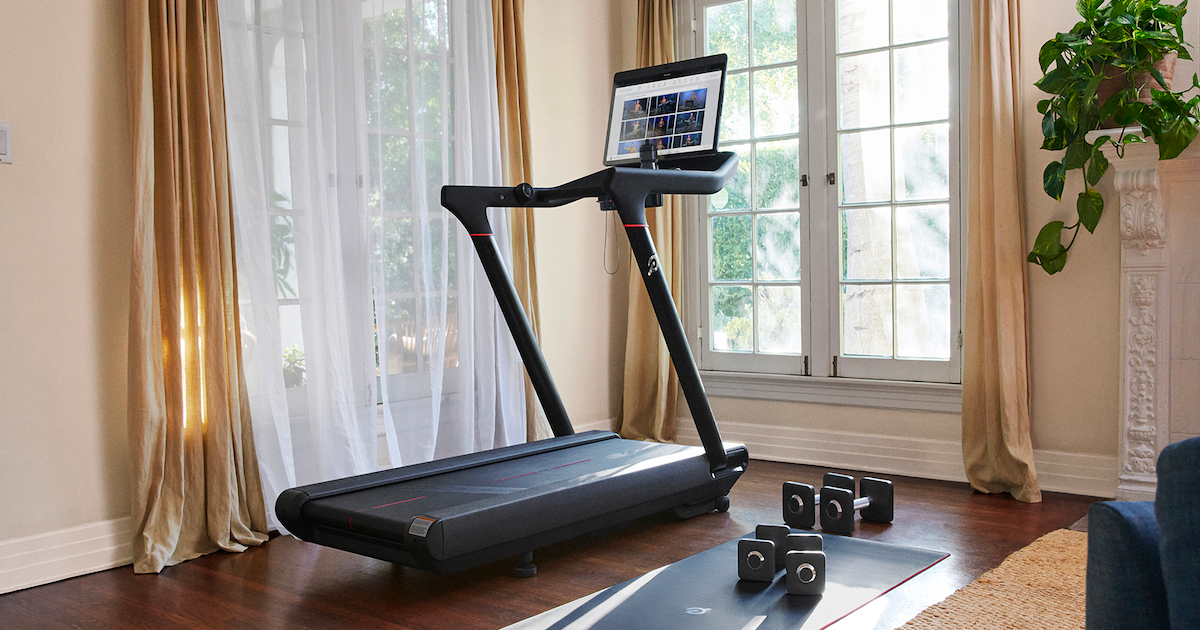
As Peloton’s connected fitness ecosystem grew—spanning hardware, software, and a vast library of live and on-demand classes—ensuring a cohesive customer experience across every touchpoint became evermore essential.
What started as a single product offering grew to multiple touchpoints across different tech stacks including new Connected Fitness devices, TV, iOS, and Android apps. Our Members aren’t interacting with a single platform anymore—they’re engaging with multiple platforms across the product suite, making consistency important to deliver.
— Oliver Dumoulin, Staff Design Systems Designer, Peloton
Before Figma, industry design and collaboration tools were fragmented. This created silos between designers and developers, making collaboration inefficient and design consistency difficult to maintain. Without a centralized platform, designers and developers would need to rely on additional touchpoints to align on the interaction of states and behaviors. Adopting Figma was Peloton’s solution for facilitating enhanced collaboration.
“Figma has made it easier to adopt a design system workflow between design and engineering, driving consistency in how design properties and components are organized,” says Joe Spadafora, Senior Software Engineer at Peloton.

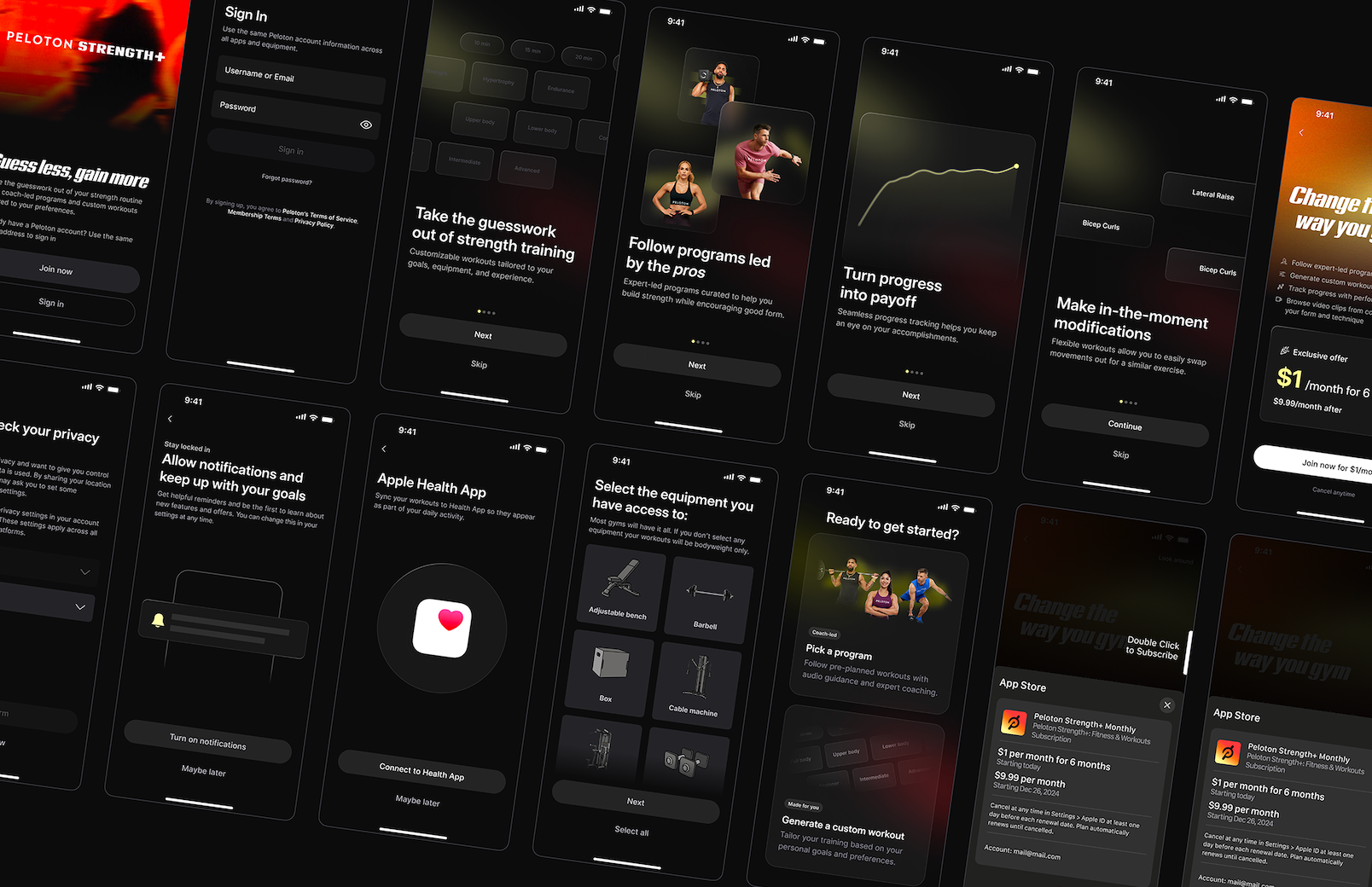
While Kinetic, Peloton’s design system, provided a foundation for consistency, there were still opportunities to further define and share design specifications. Engineers previously dedicated significant time to annotating designs, highlighting the need for a more holistic solution to align teams, simplify collaboration, and scale effectively.
Solution: Connecting workflows with Figma
Peloton continued its progress to enhance its design workflow by migrating to Figma nearly four years ago. In the first year, the focus was on standardizing the existing UI—building components and shared styles through Figma libraries to bring structure to the design workflow.
The shift to Figma unlocked new capabilities—such as variables—that offered an opportunity to rethink their approach to shared components.
Consolidating processes into one place reduced the need for time-intensive meetings and manual workflows, freeing teams to focus on creating impactful user experiences.
“Before Figma, we needed extra meetings for handoff and collaborative discussions about interaction states and component behaviors,” shares Oliver Dumoulin, Staff Design Systems Designer at Peloton. “Now, we handle much of that asynchronously through Dev Mode.”

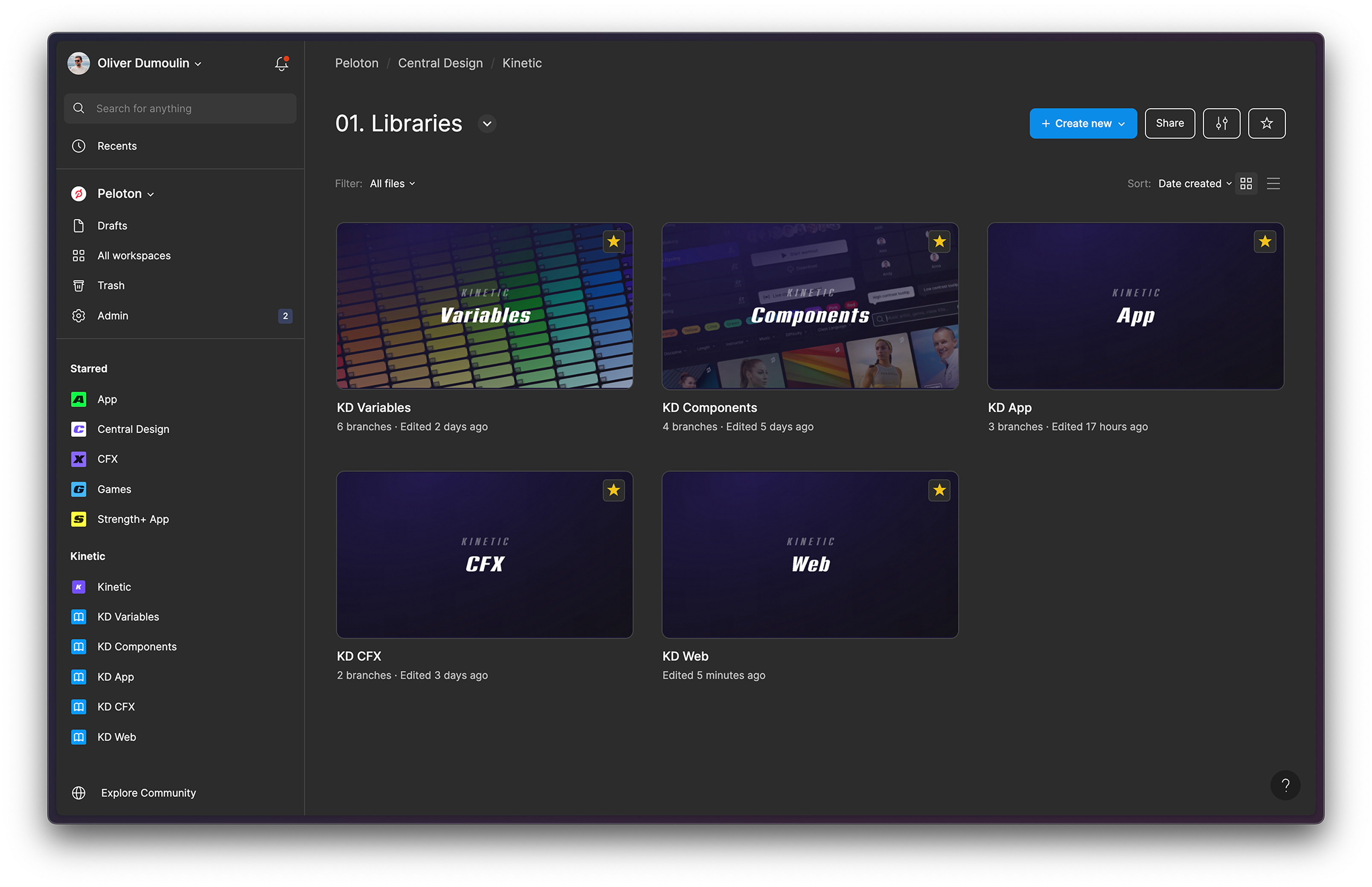
Dev Mode transformed Peloton’s workflows by ensuring that specifications were clear, accessible, and error-free. Even small improvements, like reducing the time spent finding the right design file, made a big difference—what once took five minutes now takes just one, thanks to Dev Mode.
In my mind, Figma is the de facto standard for sharing designs between developers and designers.
— Joe Spadafora, Senior Software Engineer, Peloton
Scaling for design consistency across the product suite with Figma
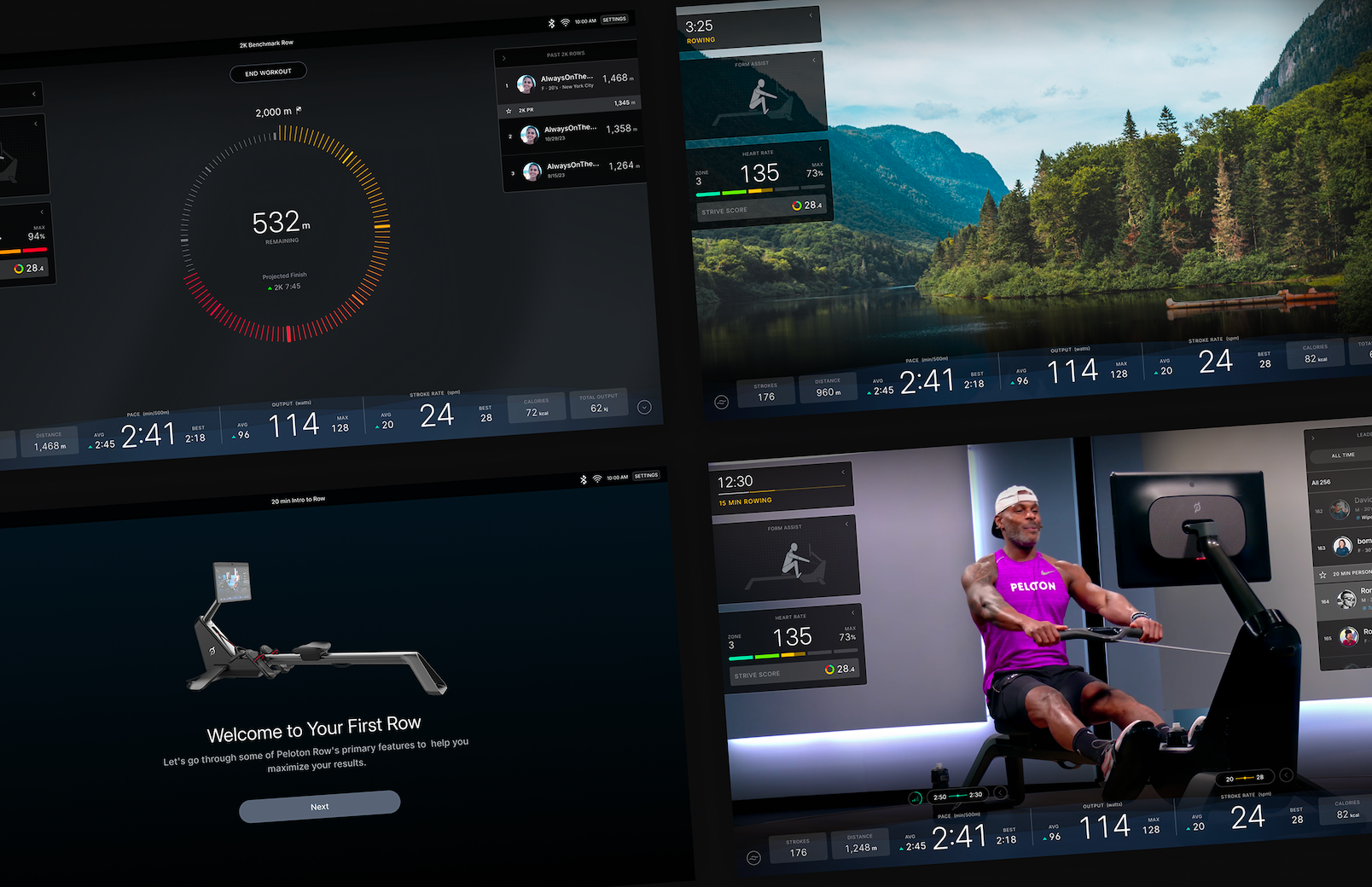
When Peloton introduced products, maintaining a consistent design language across hardware and digital platforms became increasingly complex. While the development of Peloton Row and Peloton Guide underscored the need for a centralized design system, Kinetic had not yet been built when those platforms launched.
Instead, it was gradually integrated into these apps over the past two years through feature updates and refinements. Peloton Strength+, on the other hand, was built from the ground up using Kinetic, making it the first Peloton product to fully leverage the design system from the start.

Scaling for visibility
As the design team expanded, Peloton saw an opportunity to bring a more structured system to how design files were organized. Prior to Figma, teams had limited visibility into each other’s work, making it difficult to maintain consistency and streamline collaboration.
Upgrading to Figma Enterprise introduced dedicated workspaces that helped structure and scale collaboration. Each workspace is tailored to specific product areas—such as the app, e-commerce, and hardware—ensuring that teams work with relevant, up-to-date design libraries. The “Central Design” workspace—managed by the Kinetic team—houses the core libraries that are automatically accessible to everyone, creating a single source of truth.
Building a scalable, cross-platform system with variables
Variables have helped enhance consistency across Peloton’s growing portfolio. Before Figma Enterprise, Peloton’s Figma account was limited to four variable modes, which required teams to make manual updates across platforms. Now, with 12 themes and 24 variable modes, teams can instantly switch between platforms, adapt to different visual styles, and push updates seamlessly across products.

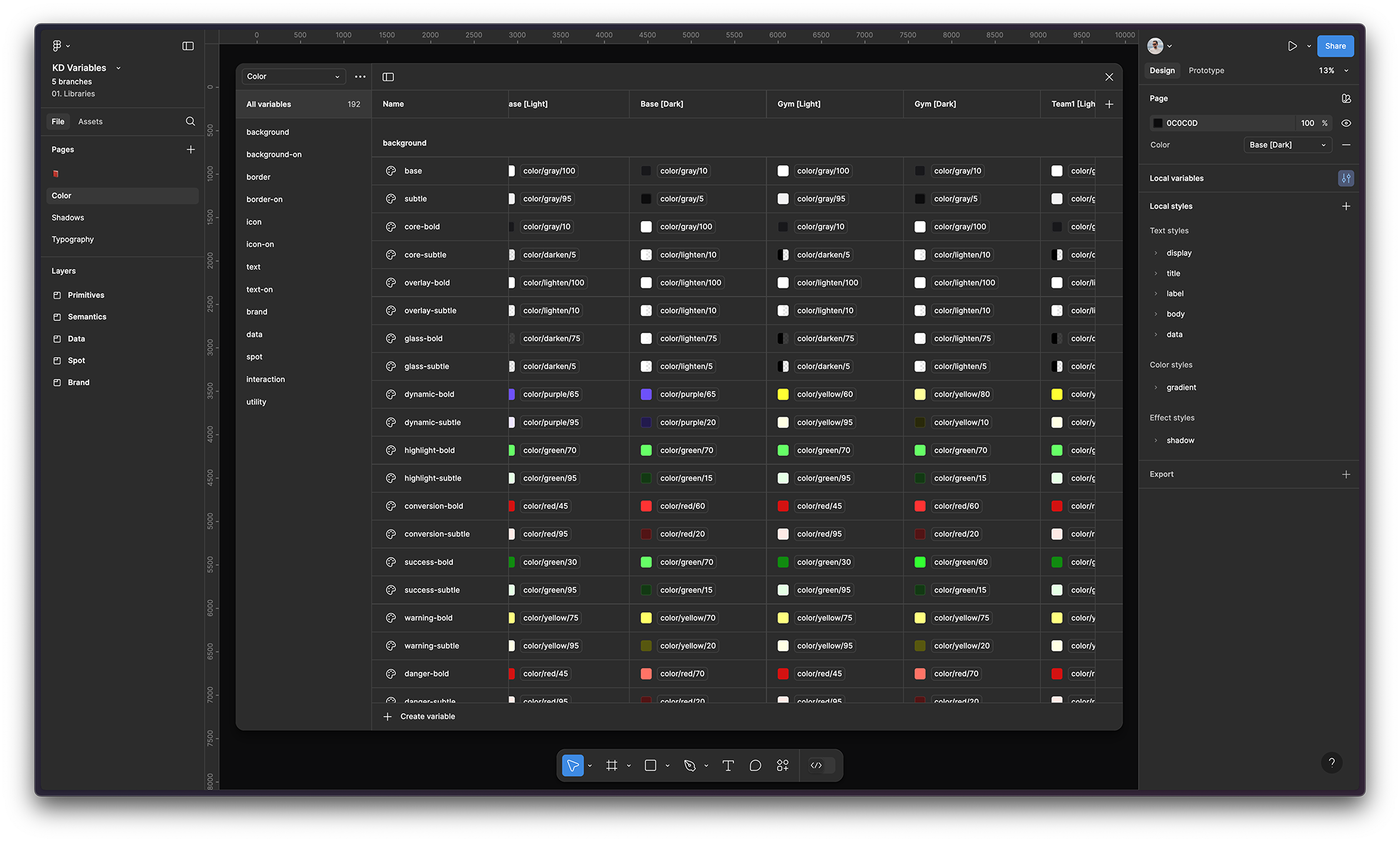
Peloton’s base theme serves as the foundation for most products, while Strength+ has a dedicated theme with a signature yellow color. A newly launched social feature introduced 10 additional themes, allowing users to assign a unique color when creating a team in the Peloton App. To support both light and dark modes, variable modes were implemented, creating 24 dynamic color modes that adjust based on the selected theme.
Beyond color, typography variables also streamline platform-specific type styles. Using variable modes, designers can easily switch between fonts—for example, SF Pro on iOS and Inter on Android—without manually adjusting type styles.
“With variables, we can toggle between platforms and make updates across colors, styles, and spacing in a single source file,” says Oliver. These updates cascade automatically across the system, reducing manual effort and ensuring accuracy at every touchpoint.
Cutting iteration time from 15 minutes to three with Dev Mode
Speed is critical in Peloton’s fast-paced environment. To keep up with rapid product development, engineers need quick access to the latest designs, clear specifications, and an efficient handoff process. Before Dev Mode, tracking down design files, clarifying specs, and manually inspecting layers created added complexity to the workflow.
With Dev Mode, engineers can locate the right design file in a fraction of the time—what used to take five minutes is now done in one. Manual inspection, which previously took 15 minutes, is now five times faster—cutting the process down to just three. Identifying reusable components, another 15-minute task, now takes the same amount of time, thanks to direct links to the design system.

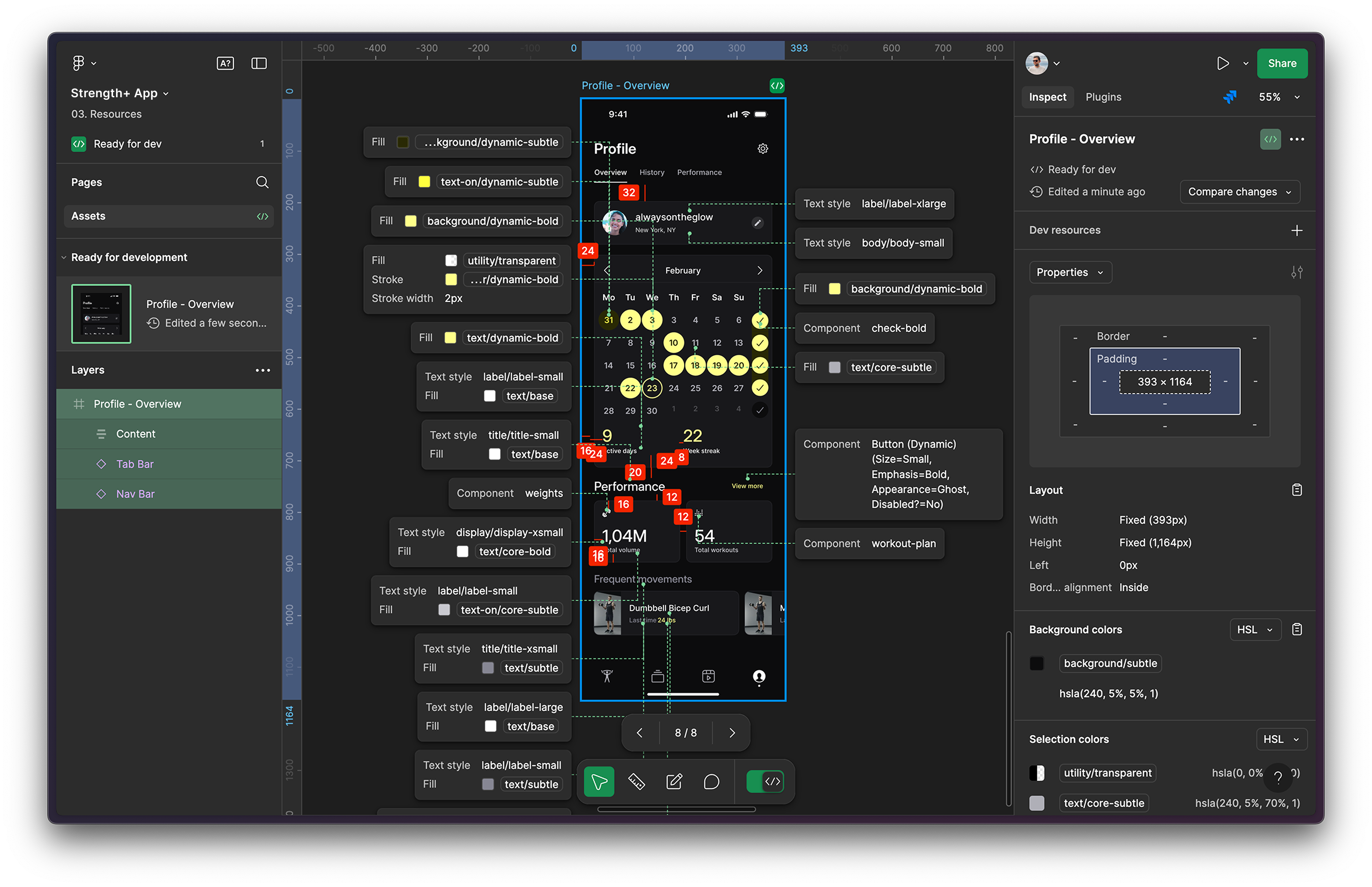
“We used to rely on multiple tools for developer handoff,” says Oliver. “One to manage design and one to create dev handoff specs, but once Dev Mode launched, it replaced everything the other tools offered.”
Without Dev Mode, all the information is still there—it’s just much harder to find. Do we really want engineers wasting time searching for specs or figuring them out from the design side? Dev Mode makes everything clear and accessible, meeting you right where you are.
— Oliver Dumoulin, Staff Design Systems Designer, Peloton
Peloton has also embedded Jira tickets directly into Dev Mode to provide context for teams and streamline communication across product, design, and engineering teams.
“With Dev Mode, we can track progress through tickets using the JIRA integration, mark components as ‘ready for dev’, and manage availability with multiple statuses,” says Oliver. “Our internal governance process ensures that any addition or modification to the design system is approved in the design system library before developers implement new components or update variables.”
With Dev Mode streamlining key workflows Peloton is now exploring new ways to further enhance collaboration between design and development. Some of their Android developers have begun exploring Code Connect, as a potential next step in refining the handoff process.
Beyond that, automation will continue to play a growing role. The team is exploring ways to leverage Figma’s REST API to sync variable updates directly from JSON into Figma, supporting the reduction of manual updates across its 24 variable modes.
As they continue refining their processes, Peloton is set to move even faster as they build the next generation of connected fitness experiences.
About Peloton
Industry: Wellness and Fitness Services
Location: New York
Number of customers: millions worldwide subscribers
Business goals: Streamlining design and development, Building and maintaining design systems
See how Figma can help you scale design
Great design has the potential to differentiate your product and brand. But nothing great is made alone. Figma brings product teams together in a fast and more inclusive design workflow.
Get in touch to learn more about how Figma can help companies scale design.
We’ll cover how Figma can help:
- Bring every step of the design process—from ideation, to creation, to building designs—into one place
- Accelerate design workflows with shared company-wide design systems
- Foster inclusivity in the product team process with products that are web-based, accessible, and easy to use