How Nuuly enhances cross-functional collaboration with Figma
Nuuly is a subscription clothing rental service built for today’s consumer—one who craves fashion newness but also wants to shop more sustainably. In just over five years, Nuuly has grown into the largest apparel rental operator in the US, now serving over 380,000 active subscribers. The brand also marked a major milestone in 2025—reaching profitability for the first time, a notable achievement for a business with complex logistics.
The Nuuly bag
But as Nuuly scaled, disconnected tools and workflows made collaboration harder. Designers worked in standalone files, marketing assets were scattered across different platforms, and projects had to be updated manually, leading to missed feedback, slower execution, and inefficiencies.
By moving to Figma’s Organization plan, Nuuly brought UX, product, and brand teams into a shared workspace, helping them collaborate in real time, scale effortlessly, and build a more connected experience.
“We used to work in silos, but now, everyone collaborates in one space. Figma has completely changed how we work, making us more nimble and in sync as an organization,” says Erica Benamy, Principal UX Designer at Nuuly.
Challenge: Disconnected tools slowed collaboration
As Nuuly expanded, managing multiple teams with different workflows became increasingly complex. Without a centralized space to collaborate, teams struggled to stay aligned.
Before Figma, files didn’t sync in real time, requiring designers to manually export updates and share prototypes for feedback. This led to slow iteration cycles and last-minute file management headaches.
Meanwhile, brand and marketing teams relied on a mix of docs, PDFs, and messaging tools to gather feedback, making it difficult to maintain a single source of truth.
“When we used docs and spreadsheets, it felt like there was always a question: ‘Where is this? What’s the latest version? Where do I leave feedback?’” explains Maxine Fertig-Cohen, Director of Creative Operations at Nuuly.
Without a collaborative workspace, teams operated in isolation, making it difficult to ensure consistency across customer-facing and internal tools. Time was often lost to slower file management, a lack of visibility, and inefficient developer handoffs.
From the customer's point of view, Nuuly is all one experience and should feel as seamless as possible. That’s why our teams need to be aligned internally.
— Laura Petrini, UX Design Director, Nuuly
Solution: A flexible structure that scales with Nuuly’s teams
As Nuuly grew, so did the need for a more organized, scalable way to collaborate across teams. With Figma’s Organization plan, Nuuly brought UX, product, and marketing into a single platform—giving each team its own dedicated space while still staying connected.
Now, teams can structure Figma in a way that mirrors how the business works, with team-based permissions, shared libraries, and centralized assets that make collaboration smoother and more efficient. With unlimited teams, Nuuly can customize how their teams work on Figma and ensure they have what they need to stay focused and aligned.
Designers can also work with greater clarity and confidence. By keeping design files, feedback, and version history all in one place, updates are easier to track, and handoffs are more seamless. Built-in tools like advanced version control help teams experiment safely and maintain context as work evolves.
“If something goes awry or when new components are published, designers can see the notes and understand why changes were made,” says Erica.
For brand and marketing teams, moving the entire briefing process into Figma transformed how they plan and execute campaigns. With all assets and feedback centralized, teams can align faster and avoid the confusion of juggling multiple tools.
“Since moving our briefing process into Figma, everyone knows exactly where things live. It’s made collaboration much more seamless,” says Maxine.


From scattered files to one centralized design system for all teams
Consistency is key for Nuuly’s digital and physical touchpoints, and their design system is at the heart of it. Before Figma, maintaining that system came with friction. The UX team had to split their design system into separate files just to prevent crashes. This made updates slow and error-prone and forced the team to work around file limitations instead of structuring the system in a way that truly supported their workflow.

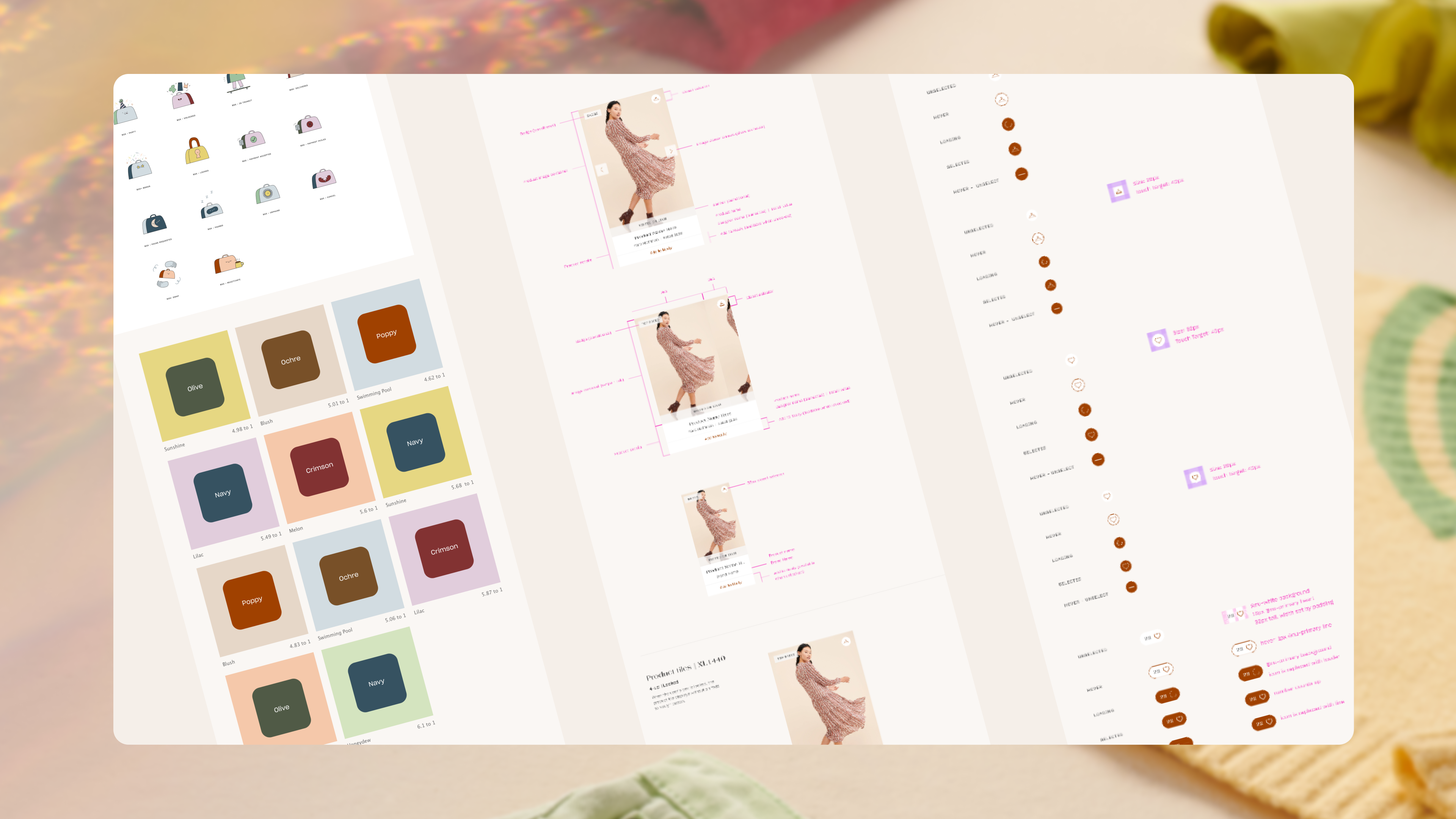
File size used to be a major issue for us—we constantly had to monitor how large our files were to avoid crashes. With Figma, that’s no longer a concern. It’s a really fast and fluid platform, and the ability to collaborate in real-time has been a huge unlock.
— Laura Petrini, UX Design Director, Nuuly
By migrating to Figma, the UX team consolidated 12+ separate files into a single, scalable design system—eliminating the need for manual exports and reducing file management headaches.
Instead of juggling files across disconnected tools, each team has access to the right assets, the right design system, and the right level of visibility—whether it’s the UX team iterating on product flows, or brand and marketing teams managing seasonal campaigns.
With everything consolidated in Figma, Nuuly’s teams can update designs more easily and maintain visual consistency across the website, mobile app, and marketing materials. By tapping into the design system’s reusable components, teams can move quickly without sacrificing coherence.

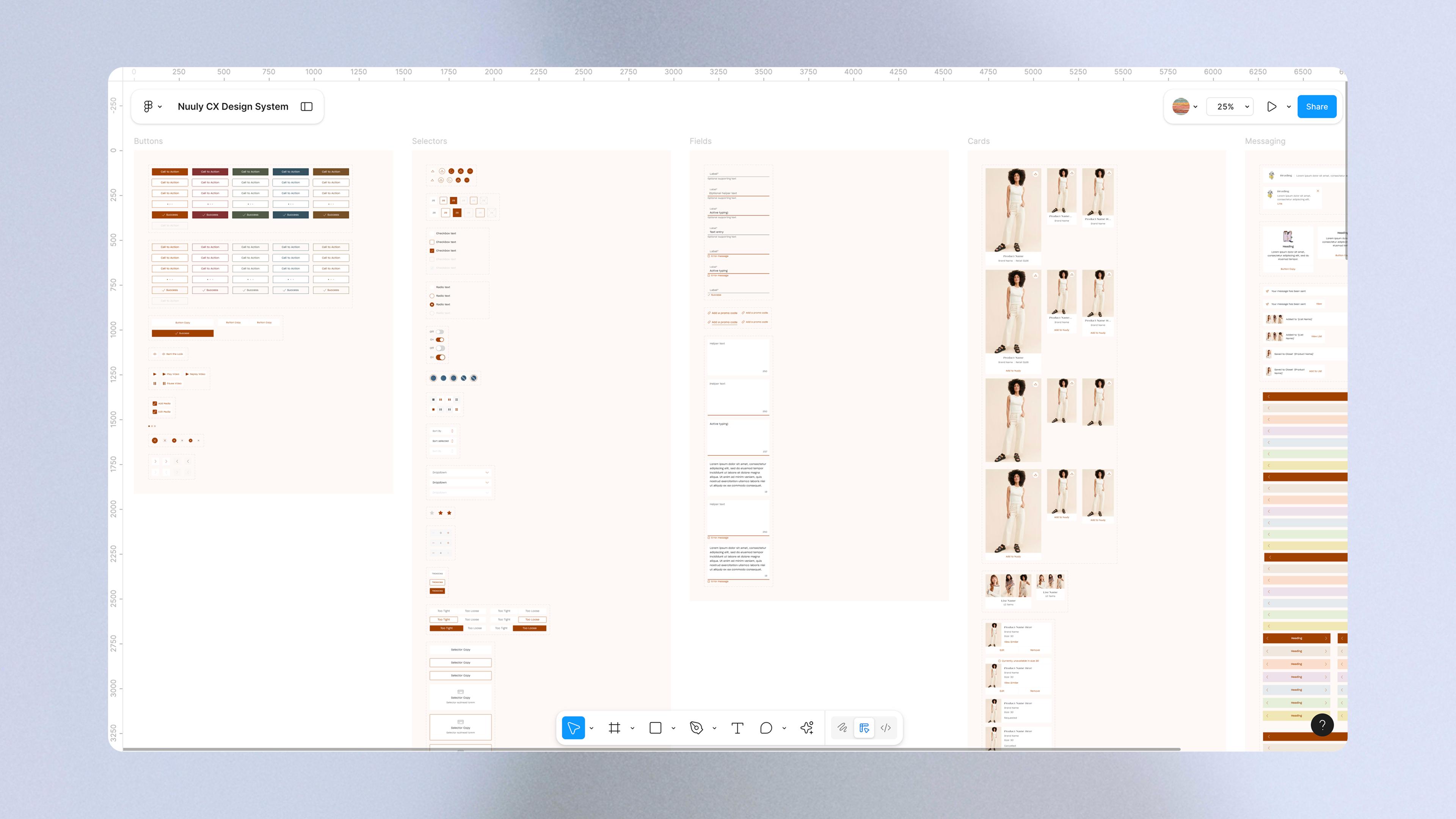
This structure has made it easier for teams to work quickly without duplicating effort. The UX team now evaluates whether a new UI element can build on an existing component or if it should evolve the system. “Since these components are so accessible, we’re more mindful about reusing or evolving them instead of creating new ones unnecessarily,” Erica says.
This mindset also shapes how Nuuly approaches multi-platform experiences. By creating shared components that work across iOS, mobile web, and desktop, the team avoids rebuilding the same functionality multiple times—saving effort while delivering a more cohesive user experience.
“For example, our filtering system is consistent across iOS, mobile web, and desktop, allowing us to iterate and improve it without duplicating efforts. This also helps maintain a seamless experience for users across platforms,” says Laura Petrini, Nuuly’s UX Design Director.
Faster feedback and alignment with Figma and FigJam
For Nuuly, experimentation and iteration are essential to delivering a frictionless digital experience. But before Figma, prototyping was time-consuming and fragmented. Designers had to export assets manually, juggle multiple tools, and race against the clock to finalize files ahead of key presentations.
Now, with Figma’s all-in-one platform, Nuuly’s design team can build, test, and refine prototypes in the same space where they design—eliminating file exports, reducing handoff friction, and accelerating feedback loops.

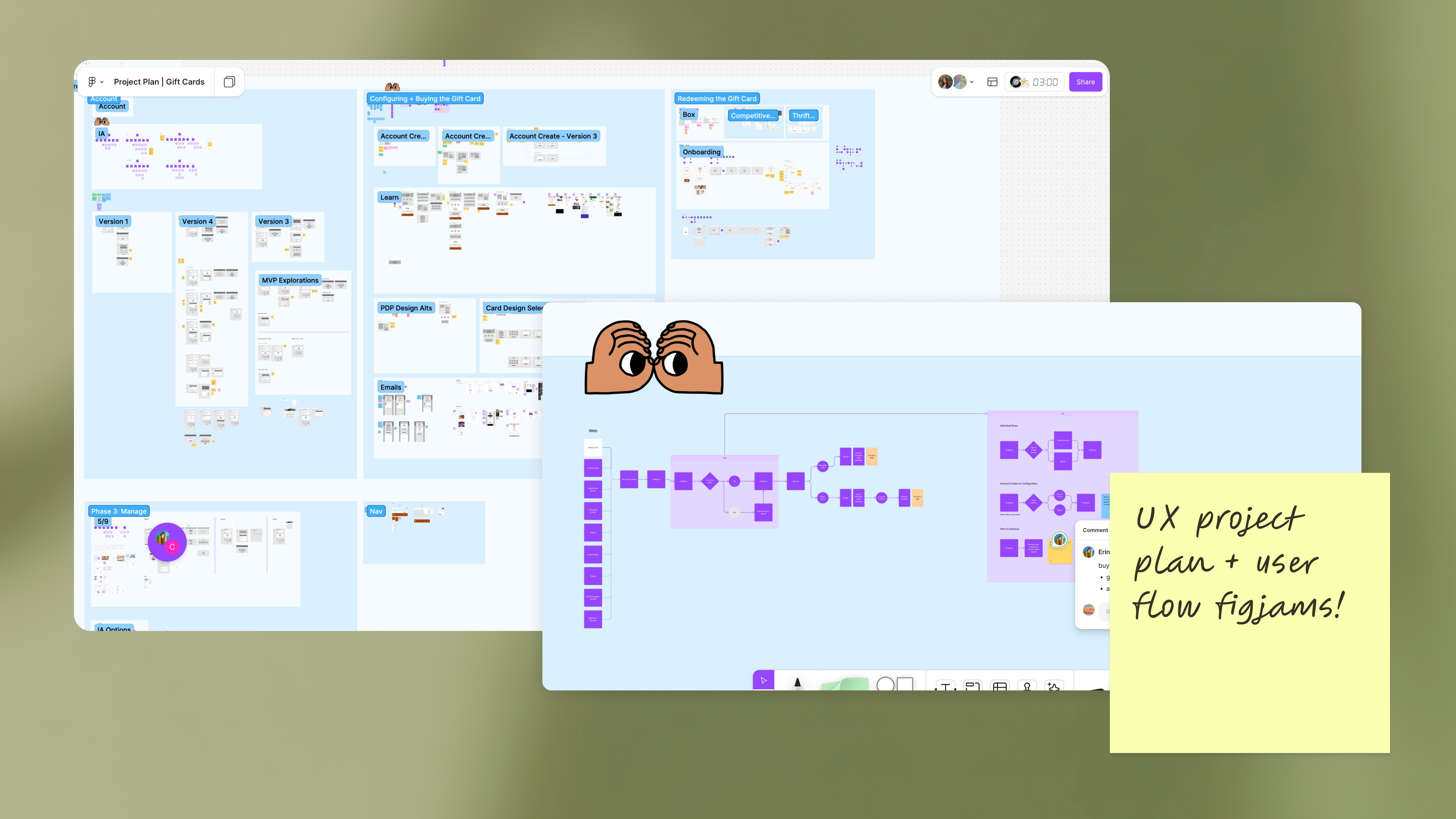
Nuuly’s UX project plan and user flow on a FigJam board
The UX team also uses FigJam to map user journeys, plan workflows, and align stakeholders early in the process. The ability to visualize complex workflows and gather feedback directly in FigJam has streamlined how teams collaborate. This connected workflow makes it easier for teams to stay in sync—from concept to prototype to final design.
Figma helps us map out and visualize our operational communications. Our CRM team has used FigJam for everything from automated communications to pre-planning seasonal marketing strategies. It makes for a seamless process—the pre-planning happens right in Figma, where final briefs are created.
— Maxine Fertig-Cohen, Creative Operations Director, Nuuly
Briefing, planning, and presenting—all done in Figma
Beyond UX and design, Figma has transformed how teams at Nuuly plan, brief, and present work.
Marketing and brand teams now manage their entire briefing process in Figma, eliminating confusion and making it easier to track feedback. Thanks to Figma’s integration with Asana, the corresponding brief is automatically linked in Figma—ensuring teams always have access to the latest context without having to search for it.
With everything in one place, seasonal creative planning is also more structured. Instead of working in disparate documents, Nuuly organizes a full year of campaign planning in a single Figma file, broken down into seasonal pages. Each section contains essential campaign details—from web content to email and ad placements—ensuring every asset, timeline, and requirement is easily accessible.
Even presentations have become more collaborative, with Figma Slides striking the right balance between design flexibility and real-time co-editing—making it easier for cross-functional teams to create, align, and present together.

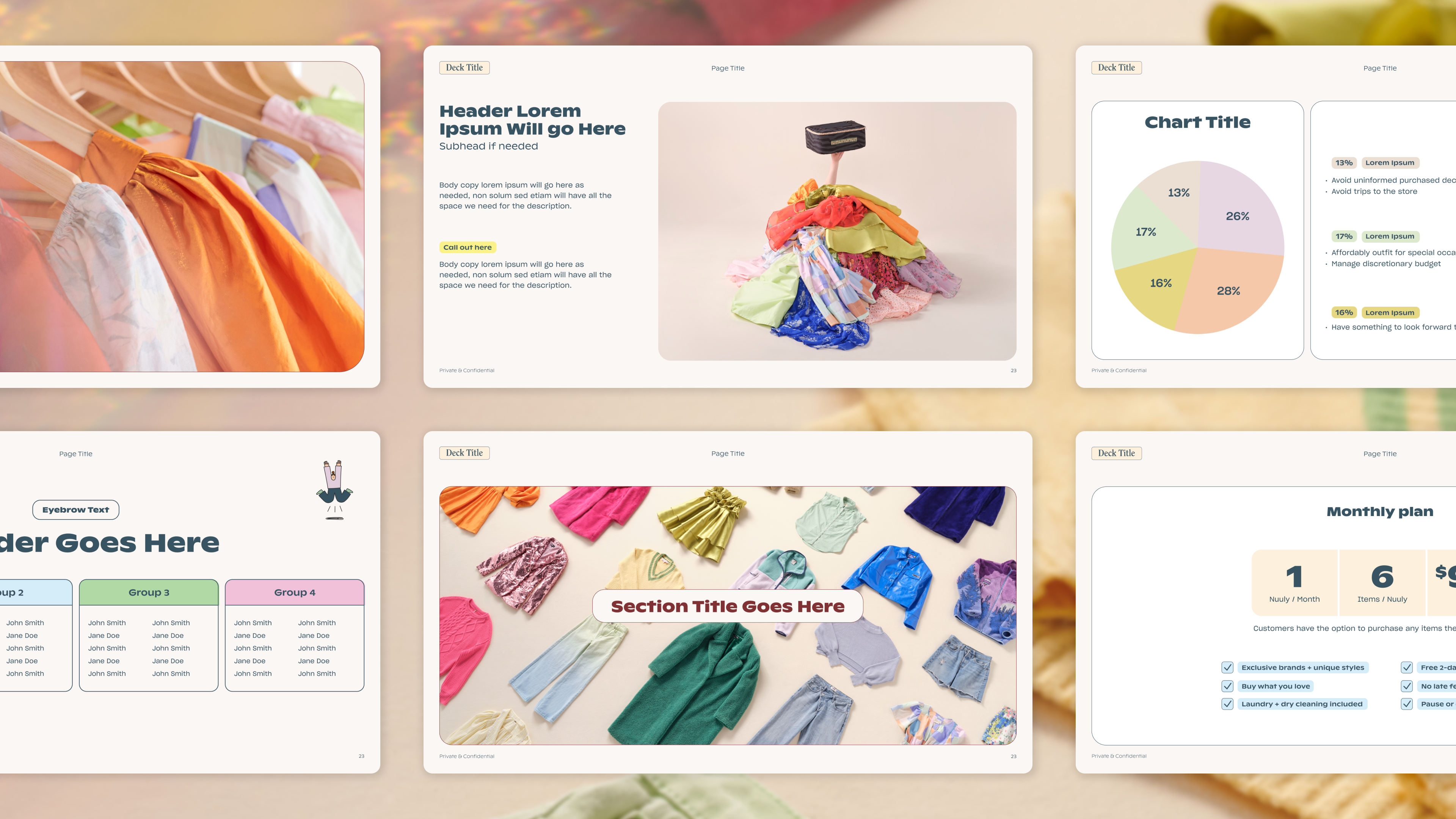
“Most of our work culminates in presentations to stakeholders, and Figma Slides has made it much easier to collaborate with stakeholders and product managers. It’s made everything feel more unified and efficient,” says Laura.
Figma Slides was a game-changer for us—before, we’d pass decks back and forth in Keynote, taking turns to edit. Now, it’s truly collaborative, and everyone involved has ownership over the final presentation.
— Erica Benamy, Principal UX Designer, Nuuly
With FigJam for brainstorming, Figma Design for execution, and Figma Slides for presentations, Nuuly now has an end-to-end workflow that supports continued innovation in fashion rental.
“Figma has become a shared space for brainstorming, creating cross-functional user flows, and aligning our CRM and marketing efforts,” says Laura. “It lets us see the entire customer journey—from initial ideas to final designs—all in one place.”
Key facts
Industry: Retail
Company Size: Enterprise
Product: Figma Design, FigJam. Figma Slides
Roles: Designer
Business Goals: Eliminate silos, Design systems, Design process, Stakeholder alignment
See how Figma can help you scale design
Great design has the potential to differentiate your product and brand. But nothing great is made alone. Figma brings product teams together in a fast and more inclusive design workflow.
Get in touch to learn more about how Figma can help companies scale design.
We’ll cover how Figma can help:
- Bring every step of the design process—from ideation, to creation, to building designs—into one place
- Accelerate design workflows with shared company-wide design systems
- Foster inclusivity in the product team process with products that are web-based, accessible, and easy to use