How Findable moved 50% faster with Figma Make
How Findable moved 50% faster with Figma Make
Founded in 2020, with a team operating out of Oslo and London, Findable is an AI-powered document intelligence platform for the built environment. The company helps property owners, managers, and consultants search, extract, and analyse building documentation using AI.
Findable’s platform lets users ask questions across thousands of building documents using natural language, extract structured data from unstructured files, and generate compliance reports automatically. These AI-driven features require interfaces that balance power with simplicity.
So, when the company needed to update its app shell, the design team saw it as an opportunity to optimize their product development workflow. They’d delivered app shell redesigns before using Figma, but with a culture emphasizing efficiency and experimentation, exploring Figma Make’s capabilities was the next step.
Findable not only completed the app shell build 50% faster, using 90% of the code generated by Figma Make, the company also democratised the product building process, bringing teams from outside design and development into the fold.
Challenge: handling the app shell with care
An app shell provides the basic structure for a web application. It’s the first thing to load, and it’s key to the overall user experience. Riccardo Busato, Product Designer at Findable, led the project, and his brief included designing the navigation, the layout, and the structure. These elements lay the foundation that the rest of Findable’s products depend on.
The challenge is that an app shell can be fragile. Small mistakes can cascade everywhere, future flexibility depends on the architectural decisions made up front, and it requires extensive testing and iteration.
Solution: bringing static designs to life
The complexity of a live site can be hard to simulate in a static image, so Findable previously relied on a lengthy and detailed handoff process to keep designers and developers aligned. And often, interpretation gaps crept in during the design-to-code workflow, and were only spotted in production.
That’s what led the team to Figma Make. It started as a project to give developers greater depth and clarity from the start, and then evolved into something so much more.

Building structures as well as designs
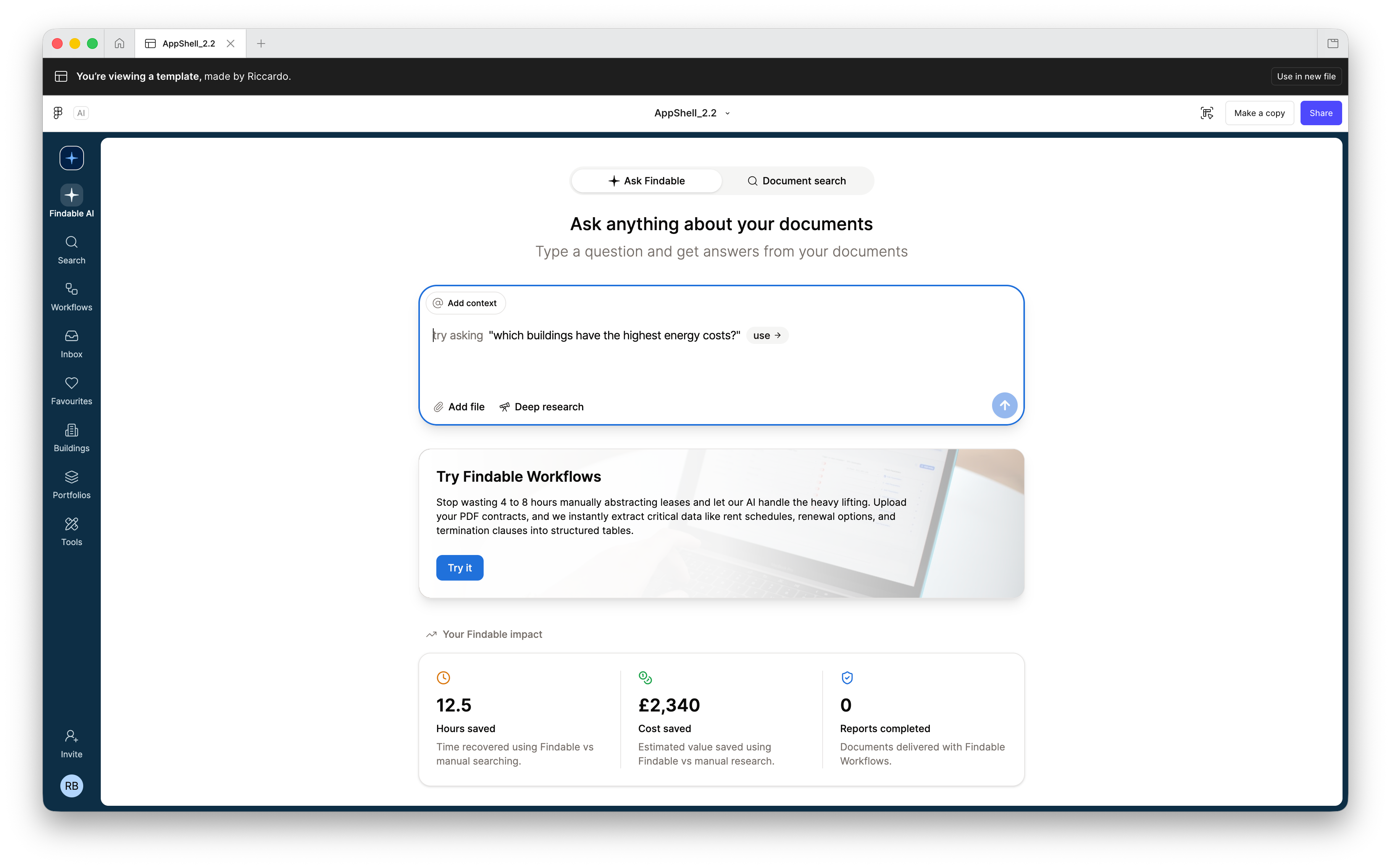
The first “aha” moment for Riccardo was when he realised Figma Make wasn't just generating visuals—it was building the structure of the app shell too.
Drawing on his front-end and design system experience, he was able to recreate the same design system, components, themes, and styles from the Findable app—all within Figma Make.
This meant the team could build a high-fidelity app shell with real navigation and routing logic inside a real architectural skeleton.
In other words: a fully functional, working prototype, allowing stakeholders to not only see the app, but feel it.
The prototype becomes the handoff
Findable’s team found that not only were they generating ideas more quickly, Figma Make also helped in the transition from design to code.
Previously, the detailed handoff process required multiple meetings and often a specific handoff tool. Now, the prototype became the handoff, streamlining the design-to-code workflow.
In addition, Figma Make files—like Figma—can still be shared easily with a simple link and it still enables live collaboration for fast-paced work between the designer and developer.
The handoff using Figma Make was the easiest I've ever had because everything was already included in the code structure: states, interactions, navigation, everything.
— Riccardo Busato, Product Designer, Findable
A reusable template
At this point, the prototype was already easier to design in, easier to test, share, and easier to hand off than anything the team had built before.
Then Riccardo realised he’d built something even more powerful. Given that the design system and architectural patterns were already coded into the prototype, could it be a reusable template for future designs?
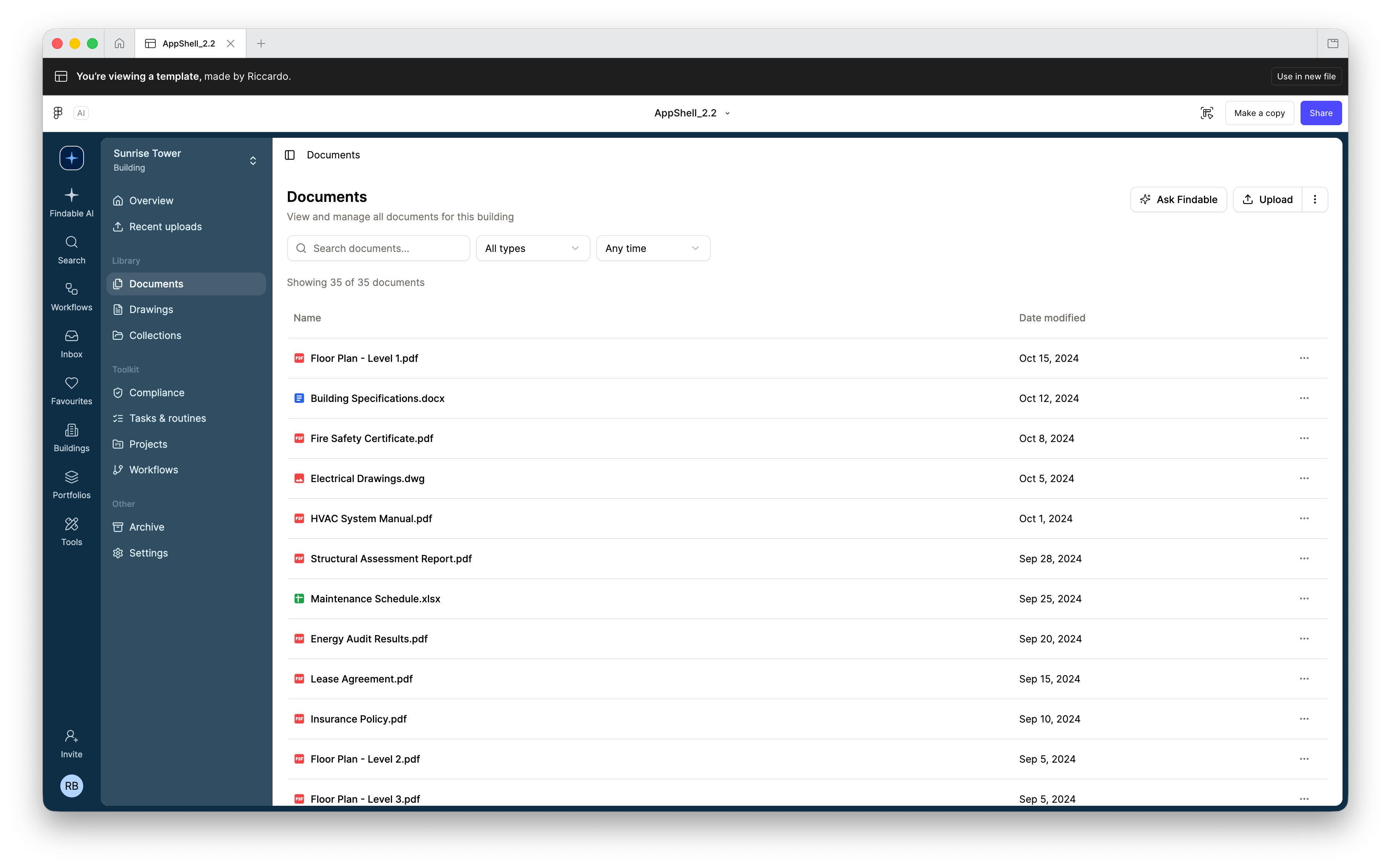
With this in mind, the team pushed it further, adding key feature patterns and populated representative flows to turn the app shell into a template. This gave it life beyond the initial project as the template became the foundation for Findable’s design system, layout, navigation and architectural foundations.
The real shift was who could use it and when. We now use the template live in customer and prospect meetings to prototype solutions right in front of them. Instead of sketching on a whiteboard and following up later, we're building something real in the room. It's turned design from a back-office function into a front-line tool.
— Ruan Odendaal, Head of Product, Findable

Figma Make enforces the rules
The team understood that despite the solid foundations, the system would gradually lose consistency and structure if guardrails weren’t defined. Pages would diverge, patterns would drift, code quality would degrade, and maintainability would suffer.
To solve this, Findable fundamentally shifted gears, using Figma Make to determine the rules of the app itself—defining design rules, layout patterns, architecture constraints, code-quality guidelines, and even Tailwind usage rules.
As a result, the team were able to keep designs consistent based on a predictable structure and cleaner code.
“By defining the rules upfront with Figma Make, we created a system that stays consistent, predictable, and resilient as it grows,” says Hans Christian Berge, Senior Designer. “But the real unlock is that it democratizes design–anyone at Findable can now contribute to the product without breaking what's already there.
Democratizing the prototyping process
While the combination of front-end engineering knowledge and architectural thinking helped build the prototype, it was the introduction of the design rules that changed everything for Findable. It meant other designers could use the template, without breaking anything, while also avoiding individual designer variance that often comes when projects are touched by multiple people.
But the real transformational moment was the realization that it wasn’t just designers who could use the template. If the template foundations are solid, if the architecture is encoded, if the rules are explicit, other teams could join the process.
This democratized the prototyping process, unlocking entirely new and, for Findable, unexpected use cases:
- Customer Success sketching ideas live with customers
- Sales prototyping feature requests in meetings
- PMs exploring flows without blocking on design
- Faster, clearer feedback loops across the company
“Figma Make allows me to prototype ideas as they’re discussed,” says Hans. “Whether it’s during a customer meeting or immediately after, I can shape the concept inside the product and trust that it’s grounded in how Findable actually functions.”
RESULTS
50% faster to market based on 90% Figma Make code
The final app shell was delivered 50% faster, with over 90% of the code from Figma Make used in the final product, and the code was implemented in less than one day.
What started as an app shell redesign became something much bigger. By the end, Findable had a prototype that doubled as a design-development engine for the whole company—a template, a handoff tool, a force multiplier, and an innovation accelerator.
As an AI-first business, we encourage the team to adopt new tools early and push them further than the obvious use case. Figma Make is a great example—what started as one designer's experiment became a design engine the whole company can use. That's the kind of outsized return you get when you invest in these tools properly.
— Ruan Odendaal, Head of Product, Findable
See how Figma can help you scale design
Great design has the potential to differentiate your product and brand. But nothing great is made alone. Figma brings product teams together in a fast and more inclusive design workflow.
Get in touch to learn more about how Figma can help companies scale design.
We’ll cover how Figma can help:
- Bring every step of the design process—from ideation, to creation, to building designs—into one place
- Accelerate design workflows with shared company-wide design systems
- Foster inclusivity in the product team process with products that are web-based, accessible, and easy to use