How Capcom elevates speed, quality, and creative vision with Figma
How Capcom elevates speed, quality, and creative vision with Figma
From Closed Production to Collaborative Creation


At Capcom Co., Ltd., Figma plays a central role in the company’s web production workflow, spanning the corporate website, game title sites, and campaign microsites. Beyond design creation, Capcom is also focused on building a unified design system that can be shared across both internal teams and external collaborators. Currently, the company is in the process of organizing and standardizing its core design assets, establishing a foundation for more consistent and efficient creative output.
In addition, Figma serves as a collaborative platform for joint projects with external production partners, particularly in the development of game-related websites and promotional campaigns, enabling seamless teamwork and faster execution.
Capcom adopted Figma in March 2024. The implementation was led by Yosuke Fujimoto and Kei Kanazawa, web directors from the Web Management Team within the Web Production Office of the Production Department, along with Sadataka Inoue, a web designer from the Web Production Team in the same office. Together, they drove the introduction of Figma, bringing about a major transformation in their production workflow in just one year.


Fujimoto shares the background behind this shift: “It was right around the time of an organizational restructuring, and my department was also at a turning point. As closer collaboration between the Tokyo and Osaka teams became necessary, we needed to establish common rules and shared understanding. Back then, our production environment relied on desktop-based design tools, and due to high confidentiality, it was standard practice to work in closed environments. Design files were rarely shared, and feedback was isolated. Looking back, there was no real reason we couldn’t share our work—it was just the norm.
Moreover, some projects followed a waterfall-style development process, and there was no common language between designers and engineers. People on the ground were asking for more flexibility, and we strongly felt the need to review our design processes and workflows. Based on my previous experience, I was convinced that Figma was the best tool to tackle this challenge of collaboration, so we started by introducing it on a trial basis in a few projects.”
However, there were several hurdles to overcome during the implementation. Fujimoto recalls: “The first major issue was the difference in workflows depending on each team’s responsibilities. The Osaka team, which handled title site production, and the Tokyo team, which focused on campaign and survey site production, dealt with different types of websites and required different skill sets. Their scopes of work and approaches also varied. For example, in some projects, we didn’t even create wireframes. Figuring out how to bridge and unify these kinds of differences was our first major challenge.”


Designers saw a temporary increase in workload as they transitioned to the new platform.
Fujimoto explains: “Right after the introduction of Figma, the workload increased due to tasks like adjusting components, adding variants, and registering variables. In addition to the intuitive work we had been doing before, we now needed to take on more ‘left-brained’ tasks such as design management. The learning curve for mastering the tool was steep, and some team members were confused by the unfamiliar operations and differences from our previous tools. These differences in proficiency affected both speed and quality, and when understanding of structure or coding was lacking, inconsistencies in design files became more likely. We also recognized this as an educational challenge.
So, we intentionally started small, setting a low barrier of entry by beginning with simple ‘visual transfers’ rather than full-scale implementation. Instead of giving feedback during work sessions, we made sure to provide time for everyone to freely explore the tool. Additionally, we created short tutorial videos for our internal wiki to build a reference library accessible at any time. Our goal is to reach 100 videos—we’ve uploaded about 50 so far.”

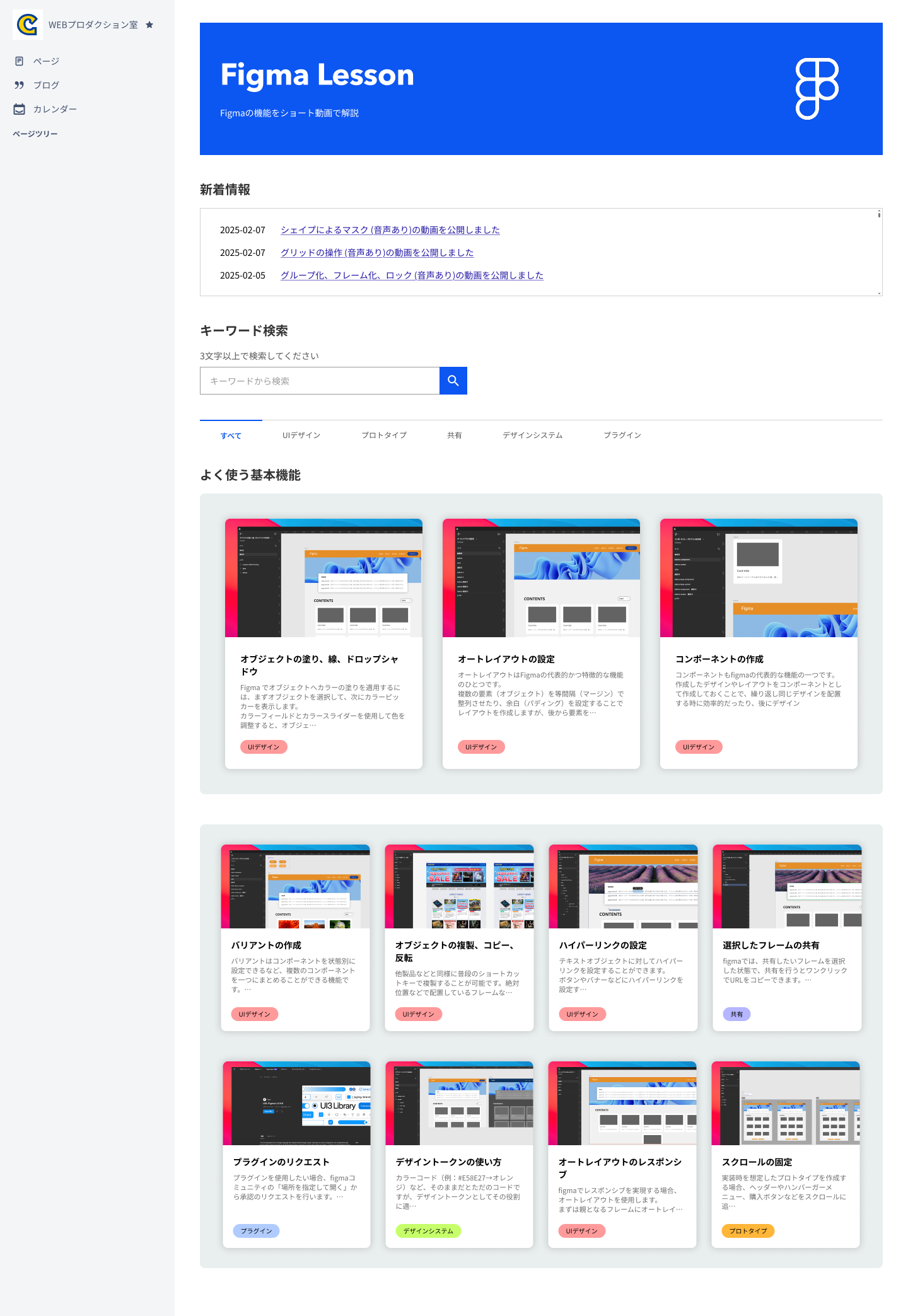

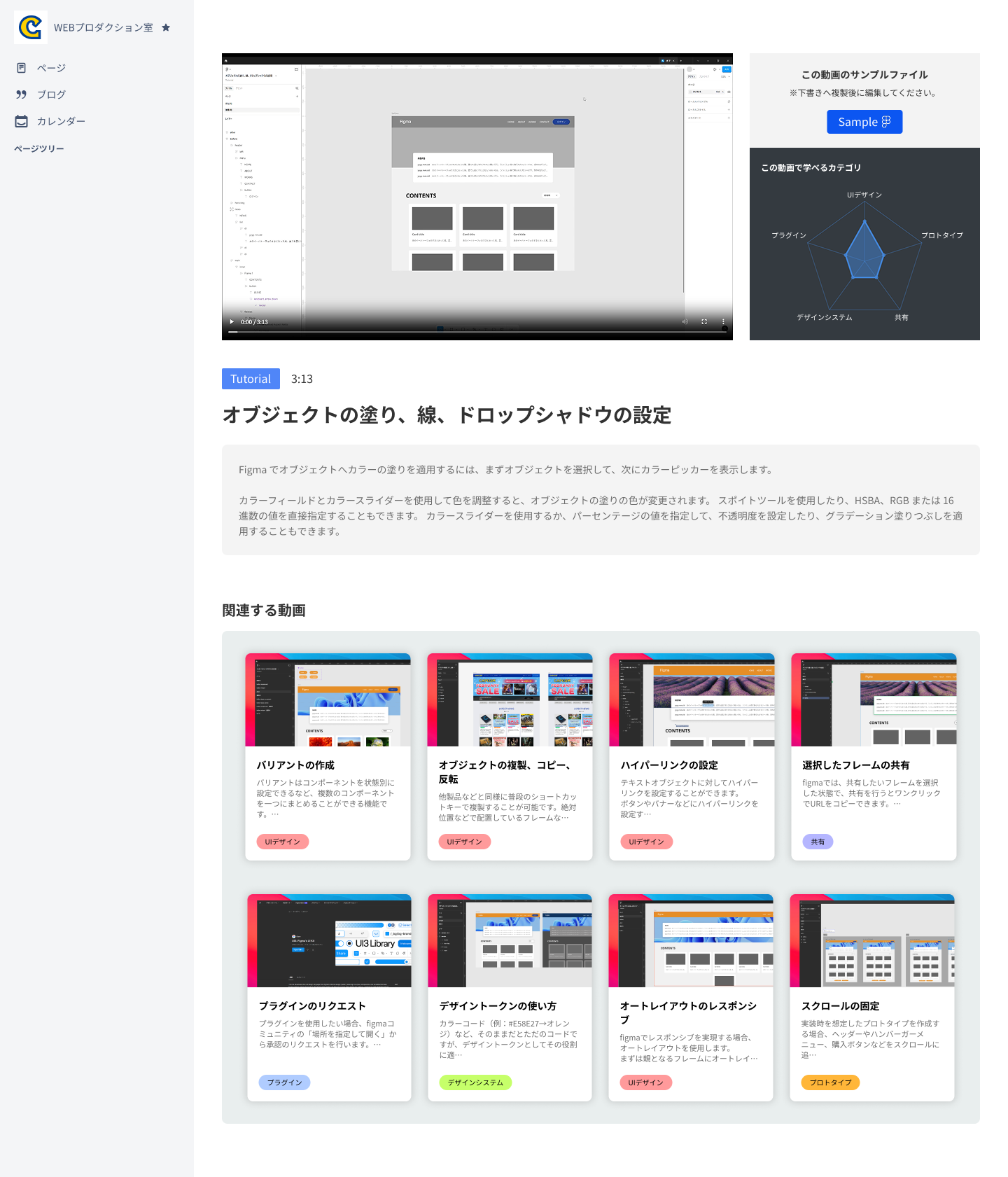
“Another challenge we faced while pursuing overall optimization and standardization was that new issues began to surface one after another, such as ambiguity in work scope, permission management, and methods of information sharing. Coordination between teams became essential, and we had to move forward flexibly and patiently while keeping a holistic view. Clarifying roles and responsibilities was particularly difficult, requiring us to establish detailed rules and spend a great deal of time coordinating across all levels, from on-site staff to managers.
Pushing forward with building a new structure from scratch with only a few members was tough, but even so, we chose Figma because we had a kind of inherent trust in it. We believed Figma could drive change. I was personally inspired when I saw people from different roles getting involved in what used to be a closed-off design domain, discovering new ways to use it, and thinking, ‘So this is possible!’ That experience gave me confidence to move forward.”
Achieving faster production with approximately 50% reduction in workload
Today, the impact Figma has had on Capcom’s web production structure is apparent.


Fujimoto shares: “Qualitatively, communication has become noticeably more active. Previously, most exchanges were text-based, and detailed specifications or requests often surfaced later in the process. After introducing Figma, we were able to discuss designs while looking at them in real time, which made it possible to quickly resolve small oversights or spontaneous requests like, ‘I’d like to change this part.’ As a result, rework and minor frustrations have significantly decreased, and more members have become eager to learn Figma. Overall, communication volume has increased as well.
Quantitatively, the effects have been remarkable. The number of revisions during pre-release testing has reduced by about 70%. Actual production-to-development work hours were cut by roughly 40–50%, and depending on the project, the release schedule was shortened by one to two weeks. We were also able to optimize the workflow by reducing manual work—things like coordination meetings, explanations, and documentation for our internal wiki.
Moreover, even non-design departments such as planning and marketing have benefited. By using the viewing and commenting features, as well as prototypes, they’ve reduced the need for chat messages, emails, and document creation, allowing them to intuitively share the complete vision—including movements and screen transitions. As a result, the common issue of ‘this isn’t what I expected’ has greatly diminished, and alignment from planning to execution has become much smoother. Ultimately, I feel these simple features have led to the biggest impact compared to our previous methods.”
Connecting “design and code” through Dev Mode
The company has also implemented Dev Mode. Speaking from a designer’s perspective, Fujimoto explains its impact:
“With Dev Mode, engineers can now directly reference code and specifications from the design data, making communication much smoother. Questions have decreased, and the time spent going back-and-forth on explanations has been greatly reduced. We no longer need to hold separate meetings just to convey subtle design intentions.”
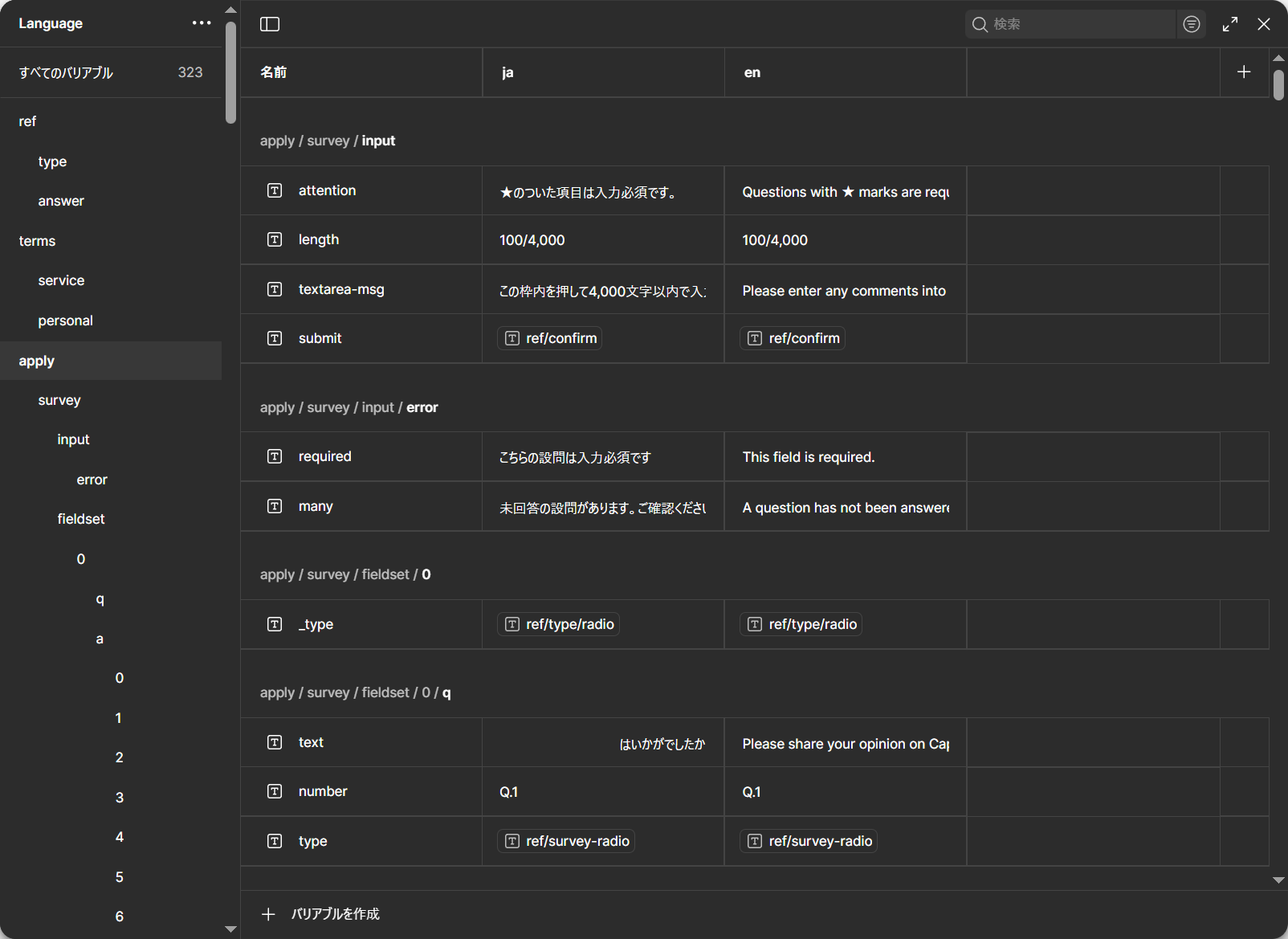
Furthermore, by leveraging variables, the team built a system that allows designers to handle UI changes and multilingual deployment independently—without relying on engineers.
Fujimoto explains:“For example, if we want to add more survey questions or include additional radio buttons, designers can now handle these requests directly in Figma by integrating variables. The structure of the variables is pre-aligned with the YAML files or variable formats that engineers use, so the data can be applied as-is.
Additionally, by simply switching variable modes, screens can be switched from Japanese to English—or to many other languages. Even survey data received from the marketing department in Excel or CSV format can be imported into variables using a plugin and pushed as JSON. This also enables bulk application of translations across multiple languages, drastically shortening what used to take several days. Reducing our dependency on the development process has significantly contributed to shorter schedules and more efficient resource utilization.”

Kanazawa explains: “From an engineer’s perspective, Dev Mode allows us to check CSS properties directly from the design, and by using it together with variables and Code Connect, discrepancies between design and implementation have been greatly reduced. The built-in features like annotations are also very effective—there are now more moments when we can instantly understand CSS decisions at a glance, and the designer’s intent is communicated immediately.
As a result, communication costs and coordination tasks have decreased, allowing us to dedicate more time to our core responsibilities, such as improving the development environment. We’ve also seen greater consistency in overall quality. Compared to other tools, Figma excels as a kind of ‘intermediate language’ between designers and engineers. In an extreme sense, I even feel that with Figma, a future where engineers can handle design work themselves isn’t impossible—that’s the level of potential I see in it.”


Balancing production efficiency and consistency through a design system
Currently, the team is advancing the development of their design system, aiming for completion by March 2026.
Fujimoto explains: “Our cross-functional design system is still under construction, but at the project level, we’ve already implemented simplified systems and style guides. By managing variables and using component-based templates, we’ve been able to reduce the ‘reinvention of the wheel,’ promote the reuse of past assets, and improve production efficiency. Having ready-made templates also accelerates consensus-building, which in turn reduces production costs and shortens publication schedules.
While the primary focus is on the corporate website, we’re designing the system to be as ‘primitive’ as possible so that it can eventually expand to title sites and even internal documents. To avoid interfering with each title’s unique visual identity, we’re keeping the system itself character-neutral. Even in cases where full application isn’t possible, we aim to make individual components reusable and adaptable.”
Making Figma a “common foundation” — the next step in expanding from the production floor
For Capcom’s web production sites, Figma is evolving from merely being “a place to design” into “a foundation where everyone can think, experiment, and share using the same methods.” Moving forward, the focus will be on expanding the insights gained in the field while deepening co-creation with the game title teams.
Inoue says he hopes to share the frameworks and best practices he’s developed through daily work with his colleagues.


“I use Figma almost every day while working on multiple projects in parallel. For members who are still learning, I help them shift their perspective from simply ‘placing elements’ to ‘structuring layouts,’ using well-built wireframes as examples. It can be hard to ask questions across different office locations, but I’ve noticed that discussions within Figma have increased significantly, showing how well it’s been adopted.
Back when we used desktop applications, we had to manually create every color variation of a button. But in Figma, components handle all of that automatically. Even for highly confidential projects where we can’t use the actual production images, it’s incredibly convenient to update every page later just by replacing a single component. My goal is to start by showcasing examples others want to emulate, and use that to elevate the overall proficiency of the team.”


Meanwhile, Fujimoto envisions establishing Figma as a hub for a shared creative language.
“Our vision is to create a culture of play that brings joy and excitement to people around the world. Achieving this requires close collaboration among diverse teams to produce high-quality creative expressions that capture the depth of our stories and characters. Figma’s real-time co-editing and prototyping features have streamlined communication across departments, while the ability to share and reuse accumulated design assets helps us maintain both brand consistency and value—making it an ideal fit for our business.
Looking ahead, we plan to continue elevating our organization’s overall proficiency, fostering an environment where everyone can naturally feel at ease using Figma within the context of their own work. We want Figma to serve not merely as a tool for specification handoffs, but as a space for communication that conveys subtleties and intentions beyond words. Ultimately, our goal is to expand our collective knowledge and build on that foundation to evolve from simply ‘responding to requests’ to truly ‘creating together’—not only within the web domain, but across every touchpoint, aligning objectives and shared experiences from the earliest stages of each project.”
See how Figma can help you scale design
Great design has the potential to differentiate your product and brand. But nothing great is made alone. Figma brings product teams together in a fast and more inclusive design workflow.
Get in touch to learn more about how Figma can help companies scale design.
We’ll cover how Figma can help:
- Bring every step of the design process—from ideation, to creation, to building designs—into one place
- Accelerate design workflows with shared company-wide design systems
- Foster inclusivity in the product team process with products that are web-based, accessible, and easy to use